Upgrade & Secure Your Future with DevOps, SRE, DevSecOps, MLOps!
We spend hours scrolling social media and waste money on things we forget, but won’t spend 30 minutes a day earning certifications that can change our lives.
Master in DevOps, SRE, DevSecOps & MLOps by DevOps School!
Learn from Guru Rajesh Kumar and double your salary in just one year.
Introduction
VFX Compositing Software helps artists combine multiple visual elements into one final shot. In simple words, it is used to blend live-action footage, CGI, green screen shots, matte paintings, explosions, particles, color corrections, 3D renders, and clean-up work so everything looks like one believable scene.
VFX compositing matters because modern films, ads, games, OTT content, virtual production, YouTube productions, and product visuals need high-quality post-production. Teams now need faster review cycles, AI-assisted rotoscoping, better color pipelines, real-time previews, cloud collaboration, and integration with 3D, editing, and render tools.
Common use cases include:
- Green screen keying and background replacement
- CGI integration with live-action footage
- Rotoscoping and object removal
- Color matching and shot finishing
- Motion tracking and camera tracking
- Matte painting and set extension
- Beauty retouching and clean-up work
Buyers should evaluate:
- Node-based or layer-based workflow
- Keying and rotoscoping quality
- 3D compositing support
- Tracking and stabilization tools
- Color management workflow
- AI-assisted tools
- Render performance
- Pipeline integration
- Collaboration and review options
- Pricing and learning curve
Best for: VFX artists, compositors, film studios, animation studios, advertising agencies, YouTubers, OTT production teams, post-production houses, motion designers, game cinematic teams, and virtual production teams.
Not ideal for: Users who only need simple video cuts, basic color correction, social media reels, or quick template-based edits. In those cases, video editors, online editing tools, or motion graphics templates may be enough.
Key Trends in VFX Compositing Software
- AI-assisted rotoscoping is becoming common: Artists now expect faster masks, object separation, background removal, cleanup, and tracking support.
- Cloud review and remote production are now normal: Studios need tools that support distributed teams, remote approvals, shared assets, and secure review workflows.
- Node-based compositing remains strong for complex shots: Large VFX pipelines prefer node graphs because they are flexible, reusable, and easier to debug than stacked timelines for complex work.
- Real-time previews are more important: Artists want faster feedback when working with high-resolution plates, EXR sequences, 3D passes, deep compositing, and heavy effects.
- Color management is a serious requirement: ACES, HDR, wide-gamut workflows, and consistent color pipelines are critical for professional film and streaming work.
- 3D and compositing workflows are becoming closer: Compositors increasingly work with camera data, geometry, depth passes, normals, cryptomattes, and multi-layer EXR files.
- Virtual production increases compositing complexity: LED wall work, live camera tracking, Unreal Engine renders, and post-fix workflows require strong pipeline awareness.
- Subscription and hybrid pricing are common: Buyers must compare software cost, render cost, plugins, training, storage, and support.
- Security matters for unreleased content: Film, streaming, advertising, and enterprise projects need access control, watermarking, secure file storage, and audit-friendly workflows.
- Open-source and low-cost tools are improving: Blender, Natron, and DaVinci Resolve/Fusion are making compositing more accessible for smaller teams.
How We Selected These Tools
The tools below were selected using a practical buyer-focused evaluation method:
- Strong recognition in VFX, film, post-production, animation, or motion graphics workflows
- Feature depth for keying, tracking, rotoscoping, cleanup, color, 3D compositing, and rendering
- Fit for different users, including freelancers, studios, agencies, enterprise teams, educators, and indie creators
- Integration with common tools such as Maya, Blender, Houdini, Unreal Engine, DaVinci Resolve, After Effects, and render pipelines
- Support for professional media formats, image sequences, EXR workflows, and color management
- Reliability and performance for production shots
- Documentation, training resources, community, and support availability
- Pricing accessibility and long-term value
- Collaboration and pipeline readiness
- Balanced inclusion of premium studio tools, motion design tools, open-source tools, and all-in-one post-production platforms
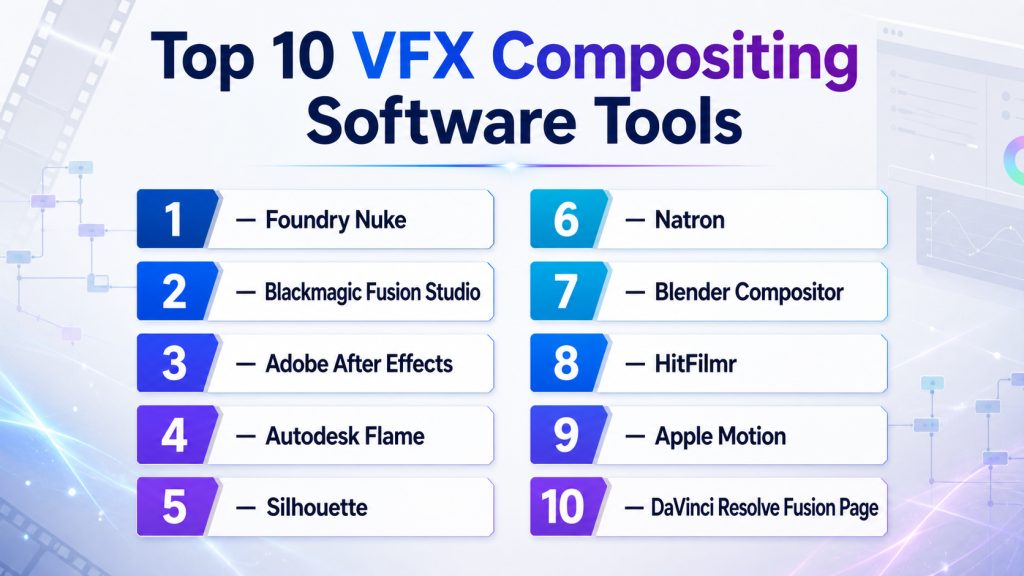
Top 10 VFX Compositing Software Tools
#1 — Foundry Nuke
Short description: Foundry Nuke is a professional node-based compositing platform widely used in film, episodic, advertising, and high-end VFX production. It is best for studios and compositors handling complex shots, multi-pass renders, deep compositing, and production pipelines.
Key Features
- Node-based compositing workflow
- Advanced keying and rotoscoping
- 3D compositing environment
- Deep compositing support
- Multi-channel EXR workflows
- Strong tracking and camera tools
- Pipeline-friendly scripting and automation
Pros
- Strong industry standard for high-end VFX
- Excellent for complex shot-based compositing
- Strong pipeline and studio integration
Cons
- Expensive for freelancers and small teams
- Steep learning curve for beginners
- May be overkill for simple social video or motion graphics work
Platforms / Deployment
Windows / macOS / Linux
Self-hosted desktop / studio pipeline deployment
Security & Compliance
SSO/SAML, MFA, encryption, audit logs, RBAC: Varies by studio pipeline and licensing setup.
SOC 2, ISO 27001, GDPR, HIPAA: Not publicly stated.
Integrations & Ecosystem
Nuke fits deeply into professional VFX pipelines and works well with 3D, render, review, and asset management systems.
- Maya and Houdini workflows
- Render pass and EXR pipelines
- ShotGrid-style production tracking workflows
- Python scripting
- OCIO and color management workflows
- Studio asset management systems
Support & Community
Foundry provides documentation, learning resources, professional support, and strong studio adoption. Community strength is high among professional compositors and VFX pipeline teams.
#2 — Blackmagic Fusion Studio
Short description : Fusion Studio is a node-based compositing and visual effects tool used for VFX, motion graphics, keying, tracking, and 3D compositing. It is best for artists who want professional compositing with strong value and DaVinci Resolve ecosystem alignment.
Key Features
- Node-based compositing
- 3D workspace
- Keying and rotoscoping tools
- Tracking and stabilization
- Particle tools
- Studio rendering options
- Integration with DaVinci Resolve workflows
Pros
- Strong value for professional compositing
- Good integration with editing and color workflows
- Node-based workflow suitable for complex effects
Cons
- Smaller high-end studio footprint than Nuke
- Some advanced pipelines may require extra setup
- Learning node workflows can take time
Platforms / Deployment
Windows / macOS / Linux
Self-hosted desktop
Security & Compliance
SSO/SAML, MFA, encryption, audit logs, RBAC: Not publicly stated.
SOC 2, ISO 27001, GDPR, HIPAA: Not publicly stated.
Integrations & Ecosystem
Fusion works well with DaVinci Resolve and general VFX pipelines where editing, color, and compositing need to stay close.
- DaVinci Resolve
- EXR image sequences
- 3D camera and scene workflows
- Fusion templates and macros
- Render workflows
- Third-party plugins
Support & Community
Blackmagic provides documentation, training materials, forums, and a strong creator community. Fusion has active users among indie artists, studios, and Resolve-based teams.
#3 — Adobe After Effects
Short description: Adobe After Effects is a layer-based compositing, motion graphics, and visual effects tool widely used by video editors, designers, agencies, YouTubers, and post-production teams. It is best for motion graphics, title design, screen replacement, cleanup, and fast creative VFX work.
Key Features
- Layer-based compositing
- Motion graphics and animation tools
- Rotoscoping and keying tools
- Tracking and stabilization
- Plugin ecosystem
- Adobe Creative Cloud integration
- Templates and expressions
Pros
- Very popular and easy to integrate with creative workflows
- Strong for motion graphics and design-heavy VFX
- Huge plugin and template ecosystem
Cons
- Not ideal for very complex node-based film compositing
- Large projects can become hard to manage
- Performance can vary with heavy compositions
Platforms / Deployment
Windows / macOS
Cloud-connected desktop through Adobe account workflows
Security & Compliance
SSO/SAML, MFA, encryption, audit logs, RBAC: Varies by Adobe plan and enterprise configuration.
SOC 2, ISO 27001, GDPR, HIPAA: Not publicly stated.
Integrations & Ecosystem
After Effects is deeply connected with Adobe’s creative ecosystem and many third-party plugins.
- Premiere Pro
- Photoshop and Illustrator
- Adobe Media Encoder
- Cinema 4D workflows
- Plugin marketplaces
- Motion graphics templates
Support & Community
Adobe provides documentation, tutorials, support plans, and learning resources. Community strength is extremely high among motion designers, editors, creators, and agencies.
#4 — Autodesk Flame
Short description : Autodesk Flame is a high-end finishing, compositing, color, and VFX system used in premium post-production environments. It is best for broadcast, advertising, film finishing, client-supervised sessions, and complex visual finishing work.
Key Features
- High-end compositing and finishing
- Timeline and node-based workflows
- Advanced cleanup and beauty work
- Color and conform tools
- 3D compositing support
- Client review-friendly workflow
- Professional finishing environment
Pros
- Strong for premium finishing and commercial post-production
- Good for supervised client sessions
- Combines compositing, finishing, and timeline workflows
Cons
- Expensive for small teams
- Requires skilled operators
- Not the easiest tool for beginners
Platforms / Deployment
Linux / macOS depending on version and configuration
Self-hosted studio deployment
Security & Compliance
SSO/SAML, MFA, encryption, audit logs, RBAC: Varies by Autodesk account and studio configuration.
SOC 2, ISO 27001, GDPR, HIPAA: Not publicly stated.
Integrations & Ecosystem
Flame fits into high-end post-production pipelines where conform, finishing, compositing, and client approvals are tightly connected.
- Autodesk media workflows
- Editorial conform workflows
- EXR and image sequence pipelines
- Color management workflows
- Studio storage systems
- Review and finishing pipelines
Support & Community
Autodesk provides professional documentation, support, and training resources. Flame has a specialized but highly skilled professional user community.
#5 — Silhouette
Short description : Silhouette is a VFX tool focused on rotoscoping, paint, cleanup, tracking, and effects workflows. It is best for artists who need high-quality roto, object removal, beauty fixes, and detailed frame-level work.
Key Features
- Advanced rotoscoping
- Paint and cleanup tools
- Tracking workflows
- Matte generation
- Object removal support
- Stereo and VFX production workflows
- Plugin and standalone options
Pros
- Excellent for roto and paint work
- Strong companion tool for Nuke and other compositors
- Useful for detailed cleanup-heavy shots
Cons
- More specialized than all-in-one compositing tools
- Not usually the main finishing tool
- Best value appears in professional VFX workflows
Platforms / Deployment
Windows / macOS / Linux
Self-hosted desktop / plugin workflows vary
Security & Compliance
SSO/SAML, MFA, encryption, audit logs, RBAC: Not publicly stated.
SOC 2, ISO 27001, GDPR, HIPAA: Not publicly stated.
Integrations & Ecosystem
Silhouette is often used alongside compositing and editing platforms where roto and paint quality matter.
- Nuke workflows
- After Effects workflows
- OFX plugin workflows
- EXR image sequences
- VFX cleanup pipelines
- Studio roto workflows
Support & Community
Silhouette has professional documentation, tutorials, and VFX community usage. It is highly respected among roto, paint, and cleanup artists.
#6 — Natron
Short description: Natron is a free and open-source node-based compositing tool inspired by professional VFX workflows. It is best for learners, indie artists, educators, open-source users, and small teams that need node compositing without premium licensing cost.
Key Features
- Node-based compositing
- Keying and roto workflows
- OFX plugin support
- Multi-platform support
- Open-source workflow
- Image sequence support
- Lightweight compositing environment
Pros
- Free and open-source
- Good for learning node-based compositing
- Useful for simple to moderate VFX tasks
Cons
- Not as advanced as Nuke or Fusion Studio
- Smaller development and support ecosystem
- May not fit demanding studio pipelines
Platforms / Deployment
Windows / macOS / Linux
Self-hosted desktop
Security & Compliance
SSO/SAML, MFA, encryption, audit logs, RBAC: Not publicly stated.
SOC 2, ISO 27001, GDPR, HIPAA: Not publicly stated.
Integrations & Ecosystem
Natron fits open-source and indie compositing workflows where cost control is important.
- OFX plugins
- Image sequence workflows
- Open-source pipelines
- Blender-adjacent workflows
- Basic VFX workflows
- Education and training use cases
Support & Community
Natron support is mainly community-driven. Documentation and tutorials exist, but professional support is limited compared with commercial tools.
#7 — Blender Compositor
Short description: Blender Compositor is a node-based compositing system inside Blender. It is best for 3D artists, indie creators, educators, and teams that want modeling, animation, rendering, and compositing in one open-source tool.
Key Features
- Node-based compositing
- Integration with Blender renders
- Color correction and effects nodes
- Masking and tracking workflows
- Open-source 3D pipeline
- Render pass compositing
- Video and image sequence workflows
Pros
- Free and open-source
- Great for Blender-based 3D pipelines
- Good for learning and indie production
Cons
- Not as deep as dedicated VFX compositing tools
- Advanced production workflows may need external tools
- Performance can depend on project complexity
Platforms / Deployment
Windows / macOS / Linux
Self-hosted desktop
Security & Compliance
SSO/SAML, MFA, encryption, audit logs, RBAC: Not publicly stated.
SOC 2, ISO 27001, GDPR, HIPAA: Not publicly stated.
Integrations & Ecosystem
Blender Compositor works best inside Blender’s full 3D content creation environment.
- Blender rendering workflows
- Cycles and Eevee render passes
- Grease Pencil and animation workflows
- Geometry Nodes outputs
- Image sequence pipelines
- Open-source add-ons
Support & Community
Blender has a very large community, extensive tutorials, documentation, forums, and add-ons. Formal enterprise support depends on third-party providers or internal teams.
#8 — HitFilm
Short description : HitFilm is a video editing and visual effects tool designed for creators, YouTubers, educators, and small teams. It is best for users who need editing and accessible VFX in one environment.
Key Features
- Video editing and compositing
- Keying and masking tools
- Motion tracking
- Visual effects presets
- Text and title tools
- Creator-friendly workflow
- Export and delivery tools
Pros
- Easier for creators than high-end VFX tools
- Good for YouTube and social video effects
- Combines editing and VFX features
Cons
- Not ideal for complex film-level compositing
- Smaller professional pipeline ecosystem
- Advanced compositing depth is limited compared with Nuke or Fusion
Platforms / Deployment
Windows / macOS
Self-hosted desktop / account-connected workflows vary
Security & Compliance
SSO/SAML, MFA, encryption, audit logs, RBAC: Not publicly stated.
SOC 2, ISO 27001, GDPR, HIPAA: Not publicly stated.
Integrations & Ecosystem
HitFilm is mainly suited to creator workflows where editing and VFX are done in one tool.
- Video editing workflows
- Effects presets
- Creator content pipelines
- Export tools
- Stock and template workflows
- Social video production
Support & Community
HitFilm has tutorials, user resources, and creator community support. It is more creator-focused than enterprise VFX-focused.
#9 — Apple Motion
Short description : Apple Motion is a motion graphics and compositing tool designed for macOS users, especially those working with Final Cut Pro. It is best for editors, designers, small studios, and creators in the Apple ecosystem.
Key Features
- Motion graphics design
- Compositing and effects
- Final Cut Pro template creation
- Keying and masking
- 2D and 3D title workflows
- Real-time design workflow
- macOS-optimized interface
Pros
- Good value for Apple users
- Strong integration with Final Cut Pro
- Useful for titles, effects, and motion graphics
Cons
- macOS only
- Not a high-end node-based VFX platform
- Smaller professional VFX pipeline footprint
Platforms / Deployment
macOS
Self-hosted desktop
Security & Compliance
SSO/SAML, MFA, encryption, audit logs, RBAC: Varies by Apple account and device setup.
SOC 2, ISO 27001, GDPR, HIPAA: Not publicly stated.
Integrations & Ecosystem
Apple Motion works best in Apple’s post-production ecosystem.
- Final Cut Pro
- macOS media workflows
- Motion templates
- Compressor workflows
- Apple ProRes workflows
- Creator and editor pipelines
Support & Community
Apple provides documentation and support resources. Community support exists among Final Cut Pro editors, motion designers, and Apple-focused creators.
#10 — DaVinci Resolve Fusion Page
Short description : DaVinci Resolve Fusion Page brings node-based compositing inside DaVinci Resolve. It is best for editors, colorists, small studios, and post-production teams that want editing, color, audio, and VFX in one application.
Key Features
- Node-based compositing inside Resolve
- Keying and masking
- Tracking and stabilization
- 3D compositing tools
- Particle and effects workflows
- Integration with edit and color pages
- Strong finishing workflow
Pros
- Excellent all-in-one post-production value
- Good for editors moving into compositing
- Strong connection between edit, color, and VFX
Cons
- Fusion Studio may be better for dedicated compositing workflows
- Heavy VFX work can require strong hardware
- Node workflow may take time for timeline editors
Platforms / Deployment
Windows / macOS / Linux
Self-hosted desktop
Security & Compliance
SSO/SAML, MFA, encryption, audit logs, RBAC: Not publicly stated.
SOC 2, ISO 27001, GDPR, HIPAA: Not publicly stated.
Integrations & Ecosystem
Resolve Fusion Page works inside a full post-production environment covering edit, color, audio, and delivery.
- DaVinci Resolve edit workflows
- Color grading workflows
- Fairlight audio workflows
- Fusion effects
- Render and delivery tools
- Blackmagic hardware workflows
Support & Community
Blackmagic provides documentation, training resources, forums, and community support. Resolve has a very strong user base across editors, colorists, and independent creators.
Comparison Table
| Tool Name | Best For | Platform(s) Supported | Deployment (Cloud/Self-hosted/Hybrid) | Standout Feature | Public Rating |
|---|---|---|---|---|---|
| Foundry Nuke | High-end film and VFX compositing | Windows, macOS, Linux | Self-hosted | Professional node-based compositing | N/A |
| Blackmagic Fusion Studio | Professional node compositing and value | Windows, macOS, Linux | Self-hosted | Node-based VFX with strong value | N/A |
| Adobe After Effects | Motion graphics and creative VFX | Windows, macOS | Cloud-connected desktop | Layer-based motion graphics ecosystem | N/A |
| Autodesk Flame | Premium finishing and client sessions | Linux, macOS varies | Self-hosted | High-end finishing and compositing | N/A |
| Silhouette | Rotoscoping, paint, and cleanup | Windows, macOS, Linux | Self-hosted | Advanced roto and paint workflows | N/A |
| Natron | Open-source node compositing | Windows, macOS, Linux | Self-hosted | Free node-based compositing | N/A |
| Blender Compositor | Blender-based 3D compositing | Windows, macOS, Linux | Self-hosted | Integrated open-source 3D compositing | N/A |
| HitFilm | Creator-friendly VFX and editing | Windows, macOS | Self-hosted | Editing and VFX in one creator tool | N/A |
| Apple Motion | macOS motion graphics and effects | macOS | Self-hosted | Final Cut Pro motion templates | N/A |
| DaVinci Resolve Fusion Page | All-in-one edit, color, and VFX | Windows, macOS, Linux | Self-hosted | Compositing inside Resolve workflow | N/A |
Evaluation & Scoring of VFX Compositing Software
The scoring below is comparative. It reflects core compositing capability, ease of use, integrations, security signals, performance, support, and price/value. It is not a public rating.
| Tool Name | Core (25%) | Ease (15%) | Integrations (15%) | Security (10%) | Performance (10%) | Support (10%) | Value (15%) | Weighted Total (0–10) |
|---|---|---|---|---|---|---|---|---|
| Foundry Nuke | 10 | 5 | 10 | 7 | 9 | 9 | 5 | 8.20 |
| Blackmagic Fusion Studio | 9 | 6 | 8 | 5 | 8 | 8 | 9 | 7.80 |
| Adobe After Effects | 8 | 8 | 10 | 7 | 7 | 9 | 7 | 8.10 |
| Autodesk Flame | 9 | 5 | 8 | 7 | 9 | 8 | 5 | 7.55 |
| Silhouette | 8 | 7 | 8 | 5 | 8 | 7 | 7 | 7.25 |
| Natron | 6 | 6 | 6 | 4 | 6 | 5 | 10 | 6.20 |
| Blender Compositor | 7 | 6 | 8 | 4 | 7 | 8 | 10 | 7.05 |
| HitFilm | 6 | 8 | 6 | 4 | 6 | 6 | 8 | 6.35 |
| Apple Motion | 6 | 8 | 7 | 5 | 8 | 7 | 9 | 7.00 |
| DaVinci Resolve Fusion Page | 8 | 7 | 9 | 5 | 8 | 8 | 9 | 7.80 |
How to interpret the scores:
- Higher scores show stronger overall fit across the selected criteria, not a universal winner.
- Nuke scores high for high-end VFX pipelines but may not be the best value for small creators.
- After Effects scores strongly for motion graphics and creative workflows.
- Fusion and Resolve Fusion offer strong value for node-based compositing.
- Open-source and low-cost tools are useful, but may need more self-managed workflows.
Which VFX Compositing Software Tool Is Right for You?
Solo / Freelancer
Freelancers should choose a tool based on client demand, budget, project complexity, and delivery format.
Good choices include:
- Adobe After Effects for motion graphics, ads, YouTube, social videos, and creative VFX
- DaVinci Resolve Fusion Page for editors who need built-in compositing
- Blackmagic Fusion Studio for affordable node-based compositing
- Blender Compositor for open-source 3D workflows
- Natron for learning node-based compositing without cost
- Apple Motion for Final Cut Pro users
Freelancers working with high-end film or studio shots may need to learn Foundry Nuke, even if they use other tools for smaller projects.
SMB
Small and mid-sized studios need balance between capability, cost, training, and delivery speed.
Good choices include:
- Blackmagic Fusion Studio for professional node-based compositing with strong value
- Adobe After Effects for design-heavy VFX and motion graphics
- DaVinci Resolve Fusion Page for all-in-one edit, color, and compositing
- Silhouette for roto and paint-heavy work
- Blender Compositor for open-source 3D production support
- Foundry Nuke if clients require high-end VFX pipeline compatibility
SMBs should check plugin needs, render performance, artist availability, and whether node-based or layer-based workflows fit the team better.
Mid-Market
Mid-market post houses and studios usually need deeper pipeline control, asset management, color consistency, review workflows, and render reliability.
Good choices include:
- Foundry Nuke for complex VFX compositing
- Blackmagic Fusion Studio for node compositing and value
- Autodesk Flame for finishing and client sessions
- Silhouette for roto and paint support
- Adobe After Effects for motion design and broadcast packages
- DaVinci Resolve Fusion Page for connected edit-color-VFX workflows
Mid-market teams should evaluate artist skill availability, project type, color pipeline, review tools, render farm needs, and integration with production tracking.
Enterprise
Enterprise studios and high-end post-production teams need reliability, security, automation, pipeline integration, and expert support.
Good choices include:
- Foundry Nuke for high-end shot compositing and studio pipelines
- Autodesk Flame for premium finishing and supervised sessions
- Silhouette for specialized roto, paint, and cleanup departments
- Adobe After Effects for motion graphics teams
- Blackmagic Fusion Studio for node-based workflows
- DaVinci Resolve Fusion Page for integrated finishing environments
Enterprise buyers should involve VFX supervisors, pipeline TDs, IT, security, producers, artists, and procurement teams before standardizing.
Budget vs Premium
For budget-focused teams, Natron, Blender Compositor, DaVinci Resolve Fusion Page, Apple Motion, and HitFilm can be practical options.
For premium production, Foundry Nuke, Autodesk Flame, Silhouette, Adobe After Effects, and Blackmagic Fusion Studio may provide stronger capability, support, and pipeline maturity.
Feature Depth vs Ease of Use
If ease of use matters most, consider Adobe After Effects, HitFilm, Apple Motion, or DaVinci Resolve Fusion Page.
If feature depth matters most, consider Foundry Nuke, Blackmagic Fusion Studio, Autodesk Flame, or Silhouette.
For learning professional compositing, node-based tools are important. For fast creative work, layer-based tools may feel easier.
Integrations & Scalability
VFX compositing software must fit into the wider production pipeline. Strong integration reduces manual conversion, version confusion, and delivery delays.
Important integration areas include:
- 3D tools such as Maya, Blender, Houdini, and Cinema 4D
- Editing tools
- Color grading systems
- Render farms
- Review and approval tools
- Asset management systems
- Production tracking tools
- EXR and image sequence workflows
- OCIO and ACES color pipelines
- Plugin ecosystems
Scalability depends on shot count, team size, render demands, review process, storage capacity, and pipeline automation.
Security & Compliance Needs
VFX projects often include unreleased films, ads, OTT content, confidential brand assets, and licensed footage. Security matters even if the compositing software itself is not a compliance platform.
Important checks include:
- Secure file storage
- User permissions
- Contractor access control
- Watermarked review exports
- Encrypted transfer workflows
- Audit logs where available
- Secure render farm access
- Plugin and dependency review
- Studio VPN or zero-trust access
- Content retention policies
For premium studios, security should include both software configuration and broader production pipeline governance.
Frequently Asked Questions (FAQs)
What is VFX compositing software?
VFX compositing software combines multiple visual elements into one final image or shot. It is used for green screen, CGI integration, cleanup, matte painting, tracking, roto, and visual finishing.
What is the difference between compositing and video editing?
Video editing arranges clips on a timeline. Compositing blends visual layers, effects, CGI, masks, and corrections inside individual shots or sequences.
Which VFX compositing software is best for beginners?
Adobe After Effects, DaVinci Resolve Fusion Page, Blender Compositor, HitFilm, and Natron are good beginner-friendly options depending on budget and project type.
Which tool is best for professional film VFX?
Foundry Nuke is widely used in high-end film and episodic VFX pipelines. Autodesk Flame, Silhouette, and Fusion Studio are also useful depending on workflow.
Is After Effects good for VFX compositing?
Yes, After Effects is very useful for motion graphics, screen replacement, keying, cleanup, and creative VFX. For complex film pipelines, node-based tools may be stronger.
What is node-based compositing?
Node-based compositing uses connected nodes to build an effect or shot. It is flexible, reusable, and easier to debug for complex VFX work.
What is layer-based compositing?
Layer-based compositing stacks visual elements in layers, similar to a timeline or image editor. It is often easier for motion graphics and simpler creative work.
What pricing models are common?
Pricing may include subscriptions, perpetual licenses, free open-source tools, studio licenses, enterprise contracts, plugin costs, and support plans.
What are common mistakes when choosing compositing software?
Common mistakes include choosing only by price, ignoring pipeline compatibility, underestimating training, skipping color management, and not testing real project footage.
Can VFX software integrate with 3D tools?
Yes. Many compositing tools work with EXR passes, camera data, depth maps, 3D renders, FBX, Alembic, and pipelines from Maya, Blender, Houdini, and other 3D tools.
Is open-source compositing software good enough?
Open-source tools like Blender Compositor and Natron can be useful for learning, indie projects, and smaller productions. High-end studios may still prefer commercial tools for pipeline depth and support.
Do compositing tools need strong hardware?
Yes, especially for high-resolution footage, EXR sequences, heavy effects, 3D compositing, and complex node graphs. CPU, GPU, RAM, storage speed, and render capacity all matter.
Can I switch compositing tools later?
Switching is possible, but workflows may not transfer cleanly. Node trees, plugins, color settings, effects, and project files may need rebuilding.
Is security important for VFX compositing?
Yes. VFX projects may include unreleased footage, confidential brand content, actor material, and licensed assets. Teams should manage access, storage, transfers, and review exports carefully.
Conclusion
VFX Compositing Software is essential for creating believable visual effects, clean shots, polished motion graphics, and high-quality final images. The best tool depends on the type of work, team size, budget, and production pipeline. Foundry Nuke is strong for high-end film and episodic VFX. Blackmagic Fusion Studio and DaVinci Resolve Fusion Page offer powerful node-based workflows with strong value. Adobe After Effects is excellent for motion graphics and creative VFX. Autodesk Flame is suited for premium finishing, while Silhouette is valuable for roto and paint work. Blender Compositor, Natron, HitFilm, and Apple Motion are practical options for creators, learners, and smaller teams
