Upgrade & Secure Your Future with DevOps, SRE, DevSecOps, MLOps!
We spend hours scrolling social media and waste money on things we forget, but won’t spend 30 minutes a day earning certifications that can change our lives.
Master in DevOps, SRE, DevSecOps & MLOps by DevOps School!
Learn from Guru Rajesh Kumar and double your salary in just one year.
Introduction
Audio Editing Software helps creators, editors, producers, musicians, podcasters, filmmakers, trainers, and businesses record, clean, cut, mix, repair, and export audio. In simple words, it helps turn raw sound into polished, clear, professional audio for music, podcasts, videos, films, games, courses, ads, and online content.
Audio editing matters because high-quality sound is now expected across every digital channel. Poor audio can make even a good video, podcast, course, or film feel unprofessional. Modern audio tools now include AI noise removal, speech enhancement, automatic transcription, multitrack editing, podcast workflows, sound restoration, music production, and cloud collaboration.
Common use cases include:
- Podcast editing and cleanup
- Music recording and mixing
- Voice-over editing
- Film and video audio post-production
- Audiobook production
- Sound design for games and apps
- Noise removal and audio restoration
Buyers should evaluate:
- Recording and editing workflow
- Multitrack editing support
- Noise reduction and restoration tools
- AI speech enhancement
- Plugin support
- MIDI and music production features
- Export format support
- Collaboration options
- Learning curve
- Pricing and licensing
Best for: Podcasters, musicians, voice-over artists, video editors, filmmakers, audio engineers, agencies, educators, YouTubers, audiobook creators, game sound designers, and post-production teams.
Not ideal for: Users who only need quick volume adjustment, basic ringtone cutting, or simple mobile voice notes. In those cases, basic mobile editors or lightweight online tools may be enough.
Key Trends in Audio Editing Software
- AI audio cleanup is becoming standard: Tools now commonly support noise removal, voice enhancement, de-reverb, breath cleanup, filler-word removal, and automatic leveling.
- Podcast workflows are growing fast: More platforms now include transcription, text-based editing, remote recording, chapter markers, captions, and publishing support.
- Speech-first editing is becoming popular: Editors can now cut audio by editing text transcripts, which is useful for podcasts, interviews, courses, and business videos.
- Remote collaboration is important: Teams need cloud projects, review links, shared files, comments, and secure client feedback workflows.
- Audio restoration is more accessible: Tools that were once used mainly by specialists are now easier for creators and video editors.
- Music production and audio editing are merging: Many users want one platform for recording, editing, mixing, mastering, MIDI, and plugins.
- Video and audio workflows are more connected: Editors need audio tools that work smoothly with Premiere Pro, Final Cut Pro, DaVinci Resolve, and other video platforms.
- Spatial audio is gaining attention: Film, gaming, AR/VR, and immersive media teams need support for surround, binaural, and spatial audio workflows.
- Security matters for client audio: Agencies, studios, and enterprises must protect interviews, unreleased music, legal recordings, training content, and confidential business audio.
- Subscription pricing is common: Buyers should compare monthly fees, plugin costs, storage limits, AI usage limits, and export restrictions.
How We Selected These Tools
The tools below were selected using practical evaluation logic:
- Strong adoption in audio editing, music production, podcasting, video post-production, or sound restoration
- Feature depth across recording, editing, mixing, cleanup, restoration, and export
- Fit for solo creators, freelancers, SMBs, studios, agencies, and enterprise users
- Support for modern workflows such as AI cleanup, remote work, transcription, and plugin-based production
- Reliability and performance for real-world projects
- Ecosystem strength, including plugins, hardware, templates, tutorials, and integrations
- Support for common audio formats and production standards
- Learning resources, documentation, support, and community strength
- Pricing value for different user types
- Balance between professional DAWs, creator tools, open-source options, and restoration-focused software
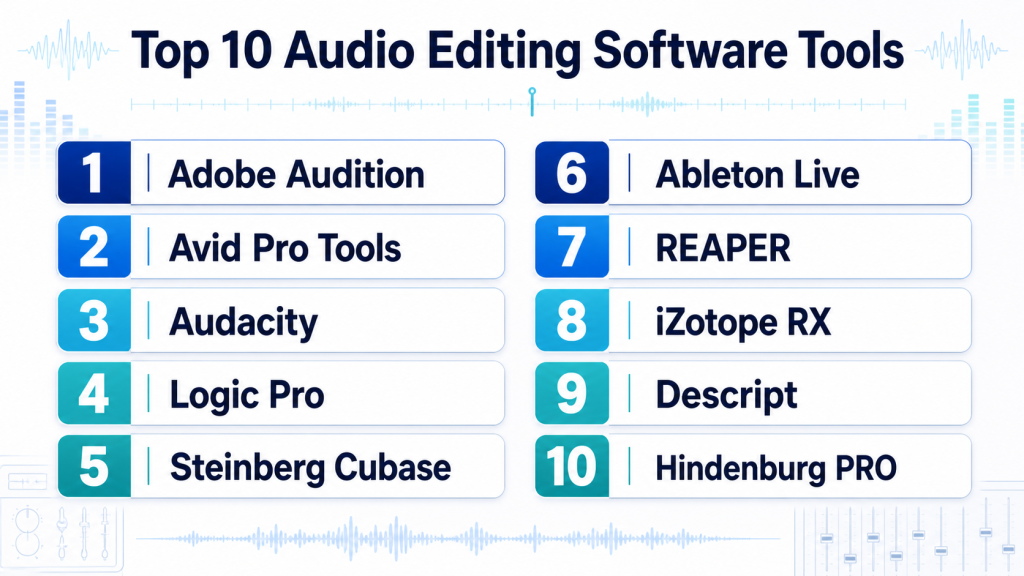
Top 10 Audio Editing Software Tools
#1 — Adobe Audition
Short description: Adobe Audition is a professional audio editing and restoration tool used for podcasts, voice-over, video post-production, and sound cleanup. It is best for editors, agencies, creators, and teams already using Adobe Creative Cloud.
Key Features
- Multitrack audio editing
- Waveform editing
- Noise reduction and restoration tools
- Podcast and voice-over cleanup
- Essential Sound panel
- Integration with Premiere Pro
- Support for common audio formats and plugins
Pros
- Strong for video and podcast audio workflows
- Good integration with Adobe Creative Cloud
- Useful cleanup and restoration tools
Cons
- Subscription pricing may not suit everyone
- Not as music-production-focused as some DAWs
- Advanced restoration may need specialist tools
Platforms / Deployment
Windows / macOS
Cloud-connected desktop
Security & Compliance
SSO/SAML, MFA, encryption, audit logs, RBAC: Varies by Adobe plan and enterprise configuration.
SOC 2, ISO 27001, GDPR, HIPAA: Not publicly stated.
Integrations & Ecosystem
Adobe Audition works best inside Adobe’s creative ecosystem, especially when audio editing is connected to video production.
- Adobe Premiere Pro
- Adobe Media Encoder
- Creative Cloud workflows
- VST and audio plugins
- Podcast editing workflows
- Video post-production pipelines
Support & Community
Adobe provides documentation, tutorials, community forums, and support plans. Audition has a strong user base among editors, podcasters, voice-over artists, and video production teams.
#2 — Avid Pro Tools
Short description: Avid Pro Tools is a professional digital audio workstation widely used in music production, film audio, broadcast, post-production, and studio recording. It is best for professional audio engineers, recording studios, music producers, and post-production facilities.
Key Features
- Professional multitrack recording
- Advanced editing and mixing tools
- Audio post-production workflows
- Plugin and hardware ecosystem
- Surround and immersive audio support depending on version
- Session collaboration options
- Industry-standard studio workflow
Pros
- Strong professional studio adoption
- Excellent for music, film, and post-production
- Large ecosystem of plugins, hardware, and trained users
Cons
- Can be expensive for beginners
- Learning curve may be high
- Hardware and plugin costs can add up
Platforms / Deployment
Windows / macOS
Self-hosted desktop / cloud-connected options vary by plan
Security & Compliance
SSO/SAML, MFA, encryption, audit logs, RBAC: Varies by Avid account and enterprise setup.
SOC 2, ISO 27001, GDPR, HIPAA: Not publicly stated.
Integrations & Ecosystem
Pro Tools is deeply connected to professional audio production environments.
- Avid hardware workflows
- Audio plugins
- Studio consoles
- Film and broadcast workflows
- Collaboration workflows
- Post-production delivery pipelines
Support & Community
Avid provides documentation, training, support options, and professional learning resources. Pro Tools has a large professional community in music, film, and broadcast audio.
#3 — Audacity
Short description: Audacity is a free and open-source audio editor used for recording, editing, cleanup, and simple production tasks. It is best for beginners, educators, podcasters, students, and budget-conscious creators.
Key Features
- Waveform audio editing
- Multitrack support
- Recording tools
- Basic noise reduction
- Plugin support
- Cross-platform availability
- Open-source workflow
Pros
- Free and open-source
- Easy to start for simple editing
- Good for learning and basic podcast work
Cons
- Interface is less modern than some paid tools
- Not ideal for advanced music production
- Collaboration and cloud workflows are limited
Platforms / Deployment
Windows / macOS / Linux
Self-hosted desktop
Security & Compliance
SSO/SAML, MFA, encryption, audit logs, RBAC: Not publicly stated.
SOC 2, ISO 27001, GDPR, HIPAA: Not publicly stated.
Integrations & Ecosystem
Audacity works well for simple audio editing and open-source workflows.
- Audio plugin support
- WAV, MP3, and common audio exports
- External recording devices
- Educational workflows
- Podcast cleanup workflows
- Open-source extensions
Support & Community
Audacity has strong community support, tutorials, documentation, and a large beginner-friendly user base. Formal enterprise support is limited.
#4 — Logic Pro
Short description: Logic Pro is Apple’s professional music production and audio editing software for macOS. It is best for musicians, producers, composers, podcasters, and Mac-based audio creators.
Key Features
- Multitrack recording and editing
- MIDI sequencing
- Built-in instruments and effects
- Music production tools
- Mixing and mastering workflows
- Spatial audio support depending on workflow
- macOS-optimized performance
Pros
- Strong value for Mac users
- Excellent for music production
- Large built-in sound and plugin library
Cons
- macOS only
- Not ideal for teams outside Apple ecosystem
- Professional post-production may need other tools
Platforms / Deployment
macOS
Self-hosted desktop
Security & Compliance
SSO/SAML, MFA, encryption, audit logs, RBAC: Varies by Apple account and device setup.
SOC 2, ISO 27001, GDPR, HIPAA: Not publicly stated.
Integrations & Ecosystem
Logic Pro works best in Apple-based creative workflows.
- macOS audio system
- GarageBand project compatibility
- AU plugins
- MIDI controllers
- Apple sound libraries
- Final Cut Pro-related workflows
Support & Community
Apple provides documentation and support resources. Logic Pro has a strong community of musicians, producers, composers, and educators.
#5 — Steinberg Cubase
Short description: Cubase is a professional digital audio workstation used for music production, recording, editing, MIDI composition, and mixing. It is best for composers, producers, musicians, and studios needing advanced MIDI and audio tools.
Key Features
- Audio recording and editing
- Advanced MIDI sequencing
- Mixing and mastering tools
- Virtual instruments and effects
- Score and composition features
- Plugin support
- Professional music production workflow
Pros
- Strong MIDI and composition tools
- Good for music producers and composers
- Mature professional DAW workflow
Cons
- Learning curve can be high
- May be more than simple podcast editors need
- Licensing and version options should be reviewed
Platforms / Deployment
Windows / macOS
Self-hosted desktop
Security & Compliance
SSO/SAML, MFA, encryption, audit logs, RBAC: Not publicly stated.
SOC 2, ISO 27001, GDPR, HIPAA: Not publicly stated.
Integrations & Ecosystem
Cubase fits well in professional music production and composition workflows.
- VST plugins
- MIDI controllers
- Audio interfaces
- Virtual instruments
- Score workflows
- Studio hardware setups
Support & Community
Steinberg provides documentation, support resources, tutorials, and forums. Cubase has a strong global community of producers, composers, and studio users.
#6 — Ableton Live
Short description: Ableton Live is a music production, audio editing, and live performance platform known for fast creative workflows. It is best for electronic music producers, live performers, beat makers, sound designers, and creators who need flexible arrangement and performance tools.
Key Features
- Session and Arrangement views
- Audio recording and editing
- MIDI production tools
- Warping and time-stretching
- Built-in instruments and effects
- Live performance workflow
- Plugin and controller support
Pros
- Excellent for electronic music and live performance
- Fast creative workflow
- Strong community and learning resources
Cons
- Not the best fit for traditional film post-production
- Editing workflow may feel different for beginners
- Advanced versions can be costly
Platforms / Deployment
Windows / macOS
Self-hosted desktop
Security & Compliance
SSO/SAML, MFA, encryption, audit logs, RBAC: Not publicly stated.
SOC 2, ISO 27001, GDPR, HIPAA: Not publicly stated.
Integrations & Ecosystem
Ableton Live has a strong ecosystem for music production, hardware performance, and creative sound design.
- MIDI controllers
- Max for Live
- Audio plugins
- Hardware instruments
- Live performance setups
- Sample and loop libraries
Support & Community
Ableton provides documentation, learning materials, support resources, and a very active music production community.
#7 — REAPER
Short description: REAPER is a flexible and lightweight digital audio workstation for recording, editing, mixing, sound design, and post-production. It is best for power users, freelancers, podcasters, musicians, and teams that want strong value and customization.
Key Features
- Multitrack audio editing
- Recording and mixing workflows
- Customizable interface
- Scriptable workflows
- Plugin support
- Lightweight performance
- Flexible routing
Pros
- Strong value for the price
- Lightweight and highly customizable
- Good for music, podcasts, and post-production
Cons
- Interface may feel less polished to beginners
- Advanced customization takes time
- Some workflows require manual setup
Platforms / Deployment
Windows / macOS / Linux
Self-hosted desktop
Security & Compliance
SSO/SAML, MFA, encryption, audit logs, RBAC: Not publicly stated.
SOC 2, ISO 27001, GDPR, HIPAA: Not publicly stated.
Integrations & Ecosystem
REAPER is known for flexibility and fits many audio workflows.
- VST and audio plugins
- Custom scripts
- MIDI controllers
- Audio interfaces
- Post-production workflows
- Podcast production workflows
Support & Community
REAPER has documentation, community forums, tutorials, and a dedicated user base. Community support is especially strong among technical audio users.
#8 — iZotope RX
Short description: iZotope RX is an audio repair and restoration platform used to remove noise, clicks, hum, distortion, reverb, and unwanted sounds. It is best for audio post-production, podcast cleanup, film dialogue repair, forensic-style cleanup, and restoration work.
Key Features
- Spectral audio repair
- Noise reduction
- Dialogue cleanup
- De-click, de-hum, and de-clip tools
- AI-assisted repair modules depending on version
- Plugin and standalone workflows
- Post-production restoration tools
Pros
- Excellent for audio repair and restoration
- Strong for dialogue cleanup
- Useful companion to DAWs and video editors
Cons
- Not a full music production DAW
- Advanced versions can be expensive
- Requires skill for best restoration results
Platforms / Deployment
Windows / macOS
Self-hosted desktop / plugin workflow
Security & Compliance
SSO/SAML, MFA, encryption, audit logs, RBAC: Varies by account and licensing setup.
SOC 2, ISO 27001, GDPR, HIPAA: Not publicly stated.
Integrations & Ecosystem
iZotope RX fits into many editing, mixing, and post-production workflows as a repair-focused tool.
- Pro Tools
- Adobe Audition
- Premiere Pro workflows
- Logic Pro
- REAPER
- Standalone repair workflow
Support & Community
iZotope provides documentation, learning resources, support, and tutorials. RX is widely used by audio repair specialists, editors, and post-production teams.
#9 — Descript
Short description: Descript is a text-based audio and video editing platform used for podcasts, interviews, screen recordings, voice editing, and creator workflows. It is best for podcasters, marketers, educators, creators, and teams that want transcript-driven editing.
Key Features
- Text-based audio editing
- Automatic transcription
- Podcast editing tools
- Filler-word removal
- AI voice and cleanup features depending on plan
- Screen recording and video editing
- Collaboration and review workflows
Pros
- Very easy for podcast and interview editing
- Good for non-technical users
- Helpful AI and transcript-based workflow
Cons
- Not a full professional DAW
- Cloud workflow may not suit sensitive audio
- Advanced music production features are limited
Platforms / Deployment
Web / Windows / macOS
Cloud / cloud-connected desktop
Security & Compliance
SSO/SAML, MFA, encryption, audit logs, RBAC: Varies by plan and workspace setup.
SOC 2, ISO 27001, GDPR, HIPAA: Not publicly stated.
Integrations & Ecosystem
Descript fits modern creator, podcast, and business content workflows.
- Podcast publishing workflows
- Transcription workflows
- Screen recording
- Collaboration workspaces
- Export to audio and video formats
- Cloud-based review workflows
Support & Community
Descript provides documentation, tutorials, support resources, and creator-focused learning materials. Community use is strong among podcasters and content teams.
#10 — Hindenburg PRO
Short description: Hindenburg PRO is audio editing software designed for spoken-word production, journalism, radio, podcasts, and interviews. It is best for podcasters, reporters, audiobook editors, and narrative audio producers.
Key Features
- Spoken-word editing workflow
- Voice-focused recording and editing
- Automatic levels and loudness tools
- Multitrack editing
- Clipboard and story organization tools
- Podcast and radio production support
- Export and publishing-friendly workflows
Pros
- Strong for voice and podcast workflows
- Easier than complex music DAWs
- Good for journalism and narrative audio
Cons
- Not ideal for advanced music production
- Smaller ecosystem than major DAWs
- Advanced restoration may require external tools
Platforms / Deployment
Windows / macOS
Self-hosted desktop
Security & Compliance
SSO/SAML, MFA, encryption, audit logs, RBAC: Not publicly stated.
SOC 2, ISO 27001, GDPR, HIPAA: Not publicly stated.
Integrations & Ecosystem
Hindenburg PRO is focused on spoken-word production and works well in journalism, podcasting, and radio workflows.
- Podcast production workflows
- Broadcast-style editing
- Audio export formats
- Voice recording setups
- Loudness normalization
- Story-focused editing
Support & Community
Hindenburg provides documentation, support resources, and learning materials. Its community is strongest among journalists, podcasters, and spoken-word producers.
Comparison Table
| Tool Name | Best For | Platform(s) Supported | Deployment (Cloud/Self-hosted/Hybrid) | Standout Feature | Public Rating |
|---|---|---|---|---|---|
| Adobe Audition | Podcast, voice, and video audio cleanup | Windows, macOS | Cloud-connected desktop | Strong Adobe video workflow integration | N/A |
| Avid Pro Tools | Professional music and post-production studios | Windows, macOS | Self-hosted / cloud-connected options vary | Industry-standard studio audio workflow | N/A |
| Audacity | Beginners and free audio editing | Windows, macOS, Linux | Self-hosted | Free open-source audio editing | N/A |
| Logic Pro | Mac-based music production | macOS | Self-hosted | Strong music tools and Apple optimization | N/A |
| Steinberg Cubase | Music composition and MIDI production | Windows, macOS | Self-hosted | Advanced MIDI and composition workflow | N/A |
| Ableton Live | Electronic music and live performance | Windows, macOS | Self-hosted | Session view and live creative workflow | N/A |
| REAPER | Flexible low-cost audio production | Windows, macOS, Linux | Self-hosted | Lightweight, customizable DAW | N/A |
| iZotope RX | Audio repair and restoration | Windows, macOS | Self-hosted / plugin workflow | Spectral repair and dialogue cleanup | N/A |
| Descript | Podcast and transcript-based editing | Web, Windows, macOS | Cloud / cloud-connected desktop | Text-based audio editing | N/A |
| Hindenburg PRO | Spoken-word, radio, and podcast editing | Windows, macOS | Self-hosted | Voice-first editing workflow | N/A |
Evaluation & Scoring of Audio Editing Software
The scoring below is comparative. It reflects editing depth, ease of use, ecosystem strength, security signals, performance, support, and price/value. It is not a public rating.
| Tool Name | Core (25%) | Ease (15%) | Integrations (15%) | Security (10%) | Performance (10%) | Support (10%) | Value (15%) | Weighted Total (0–10) |
|---|---|---|---|---|---|---|---|---|
| Adobe Audition | 8 | 8 | 9 | 7 | 8 | 8 | 7 | 8.00 |
| Avid Pro Tools | 10 | 5 | 10 | 7 | 9 | 9 | 5 | 8.05 |
| Audacity | 6 | 7 | 6 | 4 | 7 | 7 | 10 | 6.75 |
| Logic Pro | 9 | 8 | 8 | 6 | 9 | 8 | 9 | 8.25 |
| Steinberg Cubase | 9 | 6 | 9 | 5 | 8 | 8 | 7 | 7.65 |
| Ableton Live | 8 | 8 | 9 | 5 | 8 | 8 | 7 | 7.80 |
| REAPER | 8 | 6 | 8 | 4 | 9 | 7 | 10 | 7.55 |
| iZotope RX | 9 | 6 | 8 | 5 | 8 | 8 | 6 | 7.30 |
| Descript | 6 | 9 | 7 | 6 | 7 | 7 | 8 | 7.05 |
| Hindenburg PRO | 7 | 8 | 6 | 4 | 7 | 7 | 8 | 6.95 |
How to interpret the scores:
- Higher scores show stronger overall fit across the listed criteria, not a universal winner.
- Pro Tools, Logic Pro, Cubase, and Ableton Live are stronger for professional music and studio workflows.
- Adobe Audition and iZotope RX are strong for voice cleanup and post-production.
- Descript and Hindenburg PRO are easier for podcast and spoken-word workflows.
- Audacity and REAPER offer strong value, especially for budget-conscious users.
Which Audio Editing Software Tool Is Right for You?
Solo / Freelancer
Solo creators should choose based on content type, budget, and learning curve.
Good choices include:
- Audacity for free basic audio editing
- REAPER for affordable professional flexibility
- Adobe Audition for podcast and video audio cleanup
- Descript for transcript-based podcast editing
- Logic Pro for Mac-based music production
- iZotope RX for audio repair and cleanup
Freelancers should avoid buying a complex DAW before knowing whether their work is music, podcasting, post-production, restoration, or voice-over.
SMB
Small and mid-sized teams need repeatable workflows, collaboration, editing speed, and export quality.
Good choices include:
- Adobe Audition for video teams and agencies
- Descript for marketing, podcast, and content teams
- Hindenburg PRO for spoken-word and journalism workflows
- REAPER for flexible production at lower cost
- Logic Pro for Mac-based music and audio teams
- iZotope RX as a cleanup companion tool
SMBs should check file sharing, licensing, plugin needs, export formats, and team training time.
Mid-Market
Mid-market studios often need stronger plugin workflows, shared projects, quality control, restoration tools, and client delivery standards.
Good choices include:
- Avid Pro Tools for studio and post-production workflows
- Adobe Audition for video and voice post-production
- iZotope RX for repair and restoration
- Steinberg Cubase for music production and composition
- Ableton Live for music creation and live content
- REAPER for flexible technical workflows
Mid-market teams should evaluate workflow speed, plugin compatibility, hardware setup, client delivery needs, and support availability.
Enterprise
Enterprise users may need secure workflows, support, studio reliability, large project handling, and integration with video, broadcast, or training systems.
Good choices include:
- Avid Pro Tools for professional studio and post-production teams
- Adobe Audition for enterprise creative teams using Adobe workflows
- iZotope RX for restoration and dialogue cleanup departments
- Logic Pro for Apple-based production teams
- Cubase for music and composition teams
- Descript for business content teams needing fast transcription-based editing
Enterprise buyers should involve audio leads, IT, security, procurement, editors, and compliance teams before standardizing.
Budget vs Premium
For budget-focused users, Audacity, REAPER, and selected entry-level tools are practical choices. They are good for learning, podcasts, voice edits, and small production workflows.
For premium needs, Pro Tools, Logic Pro, Cubase, Ableton Live, Adobe Audition, and iZotope RX may provide stronger tools, plugin support, production depth, and support.
Feature Depth vs Ease of Use
If ease of use matters most, consider Descript, Hindenburg PRO, Audacity, or Adobe Audition.
If feature depth matters most, consider Avid Pro Tools, Logic Pro, Cubase, Ableton Live, REAPER, or iZotope RX.
For music, choose a DAW. For podcasting, choose voice-first tools. For repair, choose restoration software.
Integrations & Scalability
Audio editing software should fit into the broader content workflow. A good tool should work with microphones, audio interfaces, plugins, video editors, collaboration tools, and export formats.
Important integration areas include:
- Audio interfaces
- Microphones and recording hardware
- VST, AU, and AAX plugins
- Video editing tools
- Podcast hosting workflows
- Cloud storage
- Collaboration tools
- MIDI controllers
- Loudness standards
- Export and delivery formats
Scalability depends on project size, team size, plugin use, storage workflow, review process, and delivery requirements.
Security & Compliance Needs
Audio files can include private interviews, unreleased songs, legal recordings, medical conversations, business meetings, voice data, and confidential training content. Security matters, especially for cloud-based tools.
Important checks include:
- Secure file storage
- MFA for cloud accounts
- User permissions
- Encrypted transfers
- Data retention policies
- Client confidentiality rules
- Contractor access control
- Backup and archive process
- Plugin and dependency safety
- Consent for voice and interview recordings
For legal, healthcare, enterprise, and client-sensitive audio, review vendor terms before uploading content to cloud tools.
Frequently Asked Questions (FAQs)
What is audio editing software?
Audio editing software helps record, cut, clean, mix, repair, and export sound. It is used for music, podcasts, videos, films, audiobooks, courses, and voice-over work.
What is the difference between audio editing software and a DAW?
A DAW, or digital audio workstation, is usually deeper and supports recording, mixing, MIDI, plugins, and music production. Audio editing software may focus more on cleanup, cutting, and voice work.
Which audio editing software is best for beginners?
Audacity, Descript, Hindenburg PRO, Adobe Audition, and GarageBand-style beginner workflows are good starting points depending on the user’s needs.
Which software is best for professional studios?
Avid Pro Tools, Logic Pro, Cubase, Ableton Live, REAPER, and iZotope RX are strong choices depending on whether the studio focuses on music, post-production, or restoration.
Which tool is best for podcast editing?
Descript, Adobe Audition, Hindenburg PRO, Audacity, and REAPER are strong podcast editing options. The best choice depends on editing style and budget.
Which tool is best for audio repair?
iZotope RX is a strong choice for audio repair and restoration. Adobe Audition also provides useful cleanup tools for many common problems.
What pricing models are common?
Pricing may include free open-source tools, one-time purchases, subscriptions, plugin bundles, cloud plans, enterprise licenses, and upgrade fees.
What are common audio editing mistakes?
Common mistakes include overusing noise reduction, clipping audio, ignoring loudness levels, using poor microphones, over-compressing voices, and exporting in the wrong format.
Do I need plugins?
Not always. Many tools include built-in effects. Plugins become useful when you need better EQ, compression, noise reduction, mastering, or creative sound design.
Can audio editing software remove background noise?
Yes, many tools can reduce background noise. Results depend on recording quality, noise type, and how aggressively the cleanup is applied.
Is cloud-based audio editing safe?
It can be safe, but teams should review account security, storage terms, data retention, sharing permissions, and confidentiality needs before uploading sensitive audio.
Can I switch audio editing tools later?
Yes, but project files may not transfer perfectly. Audio exports, stems, WAV files, and session organization help make switching easier.
Which software is best for music production?
Logic Pro, Pro Tools, Cubase, Ableton Live, and REAPER are strong music production tools. The right choice depends on genre, workflow, hardware, and budget.
Which software is best for video audio cleanup?
Adobe Audition, iZotope RX, Pro Tools, and DaVinci Resolve Fairlight-style workflows are commonly useful for video audio cleanup and post-production.
Conclusion
Audio Editing Software is essential for creating clear, polished, and professional sound. The best tool depends on your content type, budget, skill level, hardware, and workflow. Adobe Audition is strong for podcast, voice, and video audio cleanup. Avid Pro Tools remains a major professional studio choice. Audacity is a practical free option for beginners. Logic Pro, Cubase, and Ableton Live are strong for music production. REAPER offers flexible value for technical users. iZotope RX is excellent for repair and restoration. Descript and Hindenburg PRO are useful for podcast and spoken-word production.
