Upgrade & Secure Your Future with DevOps, SRE, DevSecOps, MLOps!
We spend hours scrolling social media and waste money on things we forget, but won’t spend 30 minutes a day earning certifications that can change our lives.
Master in DevOps, SRE, DevSecOps & MLOps by DevOps School!
Learn from Guru Rajesh Kumar and double your salary in just one year.
Introduction
Note-taking apps help people capture, organize, search, and reuse information in a structured way. They are used for meeting notes, research, personal knowledge management, project planning, documentation, study material, customer discussions, and daily task tracking. Instead of keeping ideas scattered across paper notebooks, emails, chat messages, or random documents, note-taking apps give users one place to store and manage important information.
Note-taking apps matter more because modern work is fast, remote, and information-heavy. Teams need searchable notes, AI summaries, shared workspaces, secure access, offline support, and integrations with calendars, tasks, documents, and collaboration tools.
Buyers should evaluate ease of use, search quality, AI features, offline access, collaboration, templates, mobile experience, integrations, export options, security, admin controls, and pricing.
Best for: students, freelancers, founders, writers, researchers, consultants, product teams, engineering teams, managers, and companies that need better knowledge capture.
Not ideal for: teams that only need simple task tracking, strict document management systems, full project management platforms, or highly regulated records management without proper compliance validation.
Key Trends in Note-taking Apps
- AI-powered summaries: Many apps now help summarize long notes, meetings, documents, and research into action points.
- Personal knowledge management: Users want connected notes, backlinks, tags, graph views, and better ways to build long-term knowledge.
- Meeting intelligence: Note-taking apps are becoming useful for meeting agendas, transcripts, decisions, follow-ups, and task extraction.
- Cross-device syncing: Users expect notes to work across web, desktop, tablet, and mobile without friction.
- Security-first collaboration: Business users expect SSO, MFA, permissions, encryption, audit controls, and workspace administration.
- Offline-first workflows: Many users still need reliable note access during travel, poor internet, or focused deep work.
- Markdown and open formats: Technical users prefer portable notes, Markdown support, and easy export.
- Integrated task management: Notes are increasingly connected to checklists, reminders, calendars, and project workflows.
- Template-based productivity: Teams use templates for meetings, research, documentation, planning, and customer notes.
- Workspace consolidation: Many companies prefer note-taking apps that also support documents, databases, wikis, and collaboration.
How We Selected These Tools
The tools below were selected using practical evaluation logic:
- Strong market adoption and user recognition.
- Clear note-taking and knowledge management capabilities.
- Support for individual and team use cases.
- Availability across major platforms.
- Collaboration and sharing features.
- Search, tagging, folder, or linking capabilities.
- Integrations with productivity and workplace tools.
- Security features where publicly known.
- Value for different user types, from students to enterprises.
- Long-term usefulness for organizing and retrieving information.
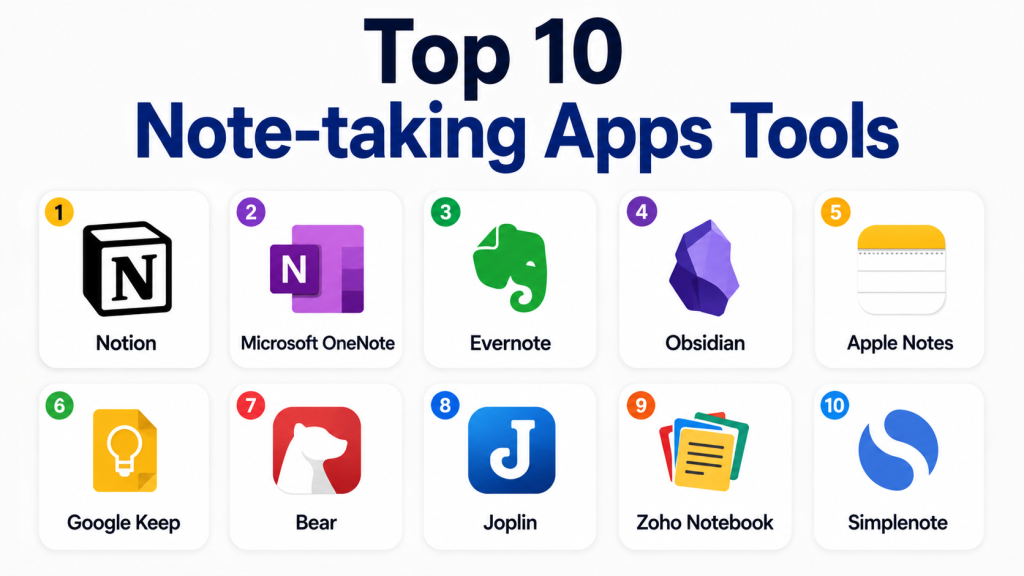
Top 10 Note-taking Apps Tools
#1 — Notion
Short description: Notion is an all-in-one workspace for notes, documents, wikis, projects, and lightweight databases. It is useful for individuals, startups, content teams, product teams, and companies building shared knowledge systems.
Key Features
- Flexible pages for notes, docs, and wikis.
- Databases, tables, calendars, and boards.
- Templates for planning, content, meetings, and projects.
- Team collaboration and comments.
- AI writing and summarization features.
- Shared workspaces and permissions.
- Good support for knowledge base creation.
Pros
- Very flexible for many types of workflows.
- Strong for teams that want notes, docs, and project planning together.
- Large template ecosystem.
Cons
- Can become messy without workspace rules.
- Offline experience may not suit every user.
- May feel complex for people who only need simple notes.
Platforms / Deployment
Web / Windows / macOS / iOS / Android
Cloud
Security & Compliance
SSO/SAML, permissions, encryption, and admin controls are available on business-oriented plans. Specific compliance details vary by plan and should be validated directly.
Integrations & Ecosystem
Notion works well as a central workspace for teams that need notes, documents, and structured information.
- Calendar and task workflows
- Cloud file embeds
- Communication tool connections
- Database-style workflows
- API support
- Template marketplace
Support & Community
Notion has strong documentation, onboarding resources, templates, and a large user community. Support options vary by plan.
#2 — Microsoft OneNote
Short description: Microsoft OneNote is a digital notebook app for personal notes, classroom notes, meeting notes, and business documentation. It works especially well for users already using Microsoft products.
Key Features
- Notebook, section, and page-based organization.
- Text, images, drawings, and audio notes.
- Strong pen and tablet support.
- Sync across devices.
- Collaboration through Microsoft ecosystem.
- Search inside notes.
- Useful for education and business users.
Pros
- Familiar notebook-style structure.
- Strong fit for Microsoft users.
- Good handwriting and tablet experience.
Cons
- Organization can become complex with many notebooks.
- Advanced knowledge linking is limited compared with newer PKM tools.
- Best experience is usually inside Microsoft ecosystem.
Platforms / Deployment
Web / Windows / macOS / iOS / Android
Cloud
Security & Compliance
Security depends on Microsoft account or Microsoft business environment. Enterprise controls may include identity, access, and compliance features through Microsoft plans.
Integrations & Ecosystem
OneNote is strongest when used with Microsoft productivity tools.
- Microsoft 365 ecosystem
- Outlook workflows
- Teams collaboration
- OneDrive storage
- Office documents
- Education workflows
Support & Community
Microsoft provides documentation, help resources, and enterprise support through Microsoft plans. Community resources are also widely available.
#3 — Evernote
Short description: Evernote is a long-standing note-taking app used for personal notes, research capture, web clipping, document storage, and searchable information management. It is useful for professionals who collect and organize lots of information.
Key Features
- Rich text notes and notebooks.
- Web clipper for saving online content.
- Tags and search.
- Document and image attachment support.
- Task and reminder features.
- Templates for productivity.
- Cross-device syncing.
Pros
- Strong for capturing and storing mixed information.
- Good web clipping experience.
- Familiar tool for long-term note users.
Cons
- Pricing may not suit every casual user.
- Some users may prefer newer workspace-style apps.
- Team collaboration is not as flexible as some modern platforms.
Platforms / Deployment
Web / Windows / macOS / iOS / Android
Cloud
Security & Compliance
Encryption in transit and account security features are available. Advanced compliance details are Not publicly stated.
Integrations & Ecosystem
Evernote works well for personal productivity and information capture.
- Web clipping
- Email-to-note style workflows
- Calendar-related workflows
- File attachments
- Productivity tool connections
- Export options
Support & Community
Evernote provides help documentation, support resources, and a long-standing user community. Support levels vary by plan.
#4 — Obsidian
Short description: Obsidian is a Markdown-based note-taking app focused on personal knowledge management, linked notes, graph views, and local-first storage. It is popular among writers, researchers, developers, students, and knowledge workers.
Key Features
- Markdown-based notes.
- Local file storage.
- Backlinks and graph view.
- Plugin ecosystem.
- Custom themes.
- Daily notes and templates.
- Strong knowledge linking.
Pros
- Excellent for long-term personal knowledge management.
- Notes are portable because they are Markdown files.
- Strong plugin and community ecosystem.
Cons
- Can require setup and learning.
- Collaboration is not as simple as cloud-first team tools.
- Security and sync depend on user configuration and services used.
Platforms / Deployment
Windows / macOS / Linux / iOS / Android
Desktop / Local-first / Optional cloud sync
Security & Compliance
Not publicly stated for enterprise compliance. Local file storage gives users more control, but security depends on device, sync method, and user setup.
Integrations & Ecosystem
Obsidian has a strong ecosystem for technical and knowledge-focused users.
- Markdown files
- Community plugins
- Themes
- Local file workflows
- Git-based workflows
- Optional sync services
Support & Community
Obsidian has a very active community, detailed documentation, forums, and many third-party guides. Support varies based on plan and usage.
#5 — Apple Notes
Short description: Apple Notes is a simple and reliable note-taking app for Apple users. It is useful for quick notes, checklists, scanned documents, personal organization, and everyday capture.
Key Features
- Simple note creation.
- Checklists and folders.
- Handwriting and sketch support.
- Document scanning.
- iCloud sync.
- Shared notes.
- Strong Apple device integration.
Pros
- Very easy to use for Apple users.
- Built into Apple devices.
- Good for quick personal notes and daily use.
Cons
- Limited outside Apple ecosystem.
- Not ideal for advanced team knowledge management.
- Fewer workflow and database features than workspace tools.
Platforms / Deployment
macOS / iOS / Web
Cloud through Apple ecosystem
Security & Compliance
Security depends on Apple account and device settings. Advanced business compliance details are Not publicly stated.
Integrations & Ecosystem
Apple Notes is best for users fully inside the Apple ecosystem.
- iCloud sync
- Apple device sharing
- Siri and system-level capture
- Document scanning
- Share sheet workflows
- Basic collaboration
Support & Community
Apple provides standard help documentation and support. Community resources are widely available for common workflows.
#6 — Google Keep
Short description: Google Keep is a lightweight note-taking app for quick notes, checklists, reminders, and simple idea capture. It is useful for personal productivity and users already using Google services.
Key Features
- Fast note capture.
- Checklists and labels.
- Color-coded notes.
- Reminders.
- Voice notes.
- Image notes.
- Google account syncing.
Pros
- Very simple and fast.
- Good for quick reminders and lightweight notes.
- Works well with Google users.
Cons
- Not suitable for complex knowledge management.
- Limited formatting and structure.
- Not a full documentation or team wiki platform.
Platforms / Deployment
Web / iOS / Android
Cloud
Security & Compliance
Security depends on Google account or Google Workspace environment. Advanced compliance details vary by account type and plan.
Integrations & Ecosystem
Google Keep works best for simple capture inside the Google ecosystem.
- Google account sync
- Google Docs workflows
- Reminders
- Voice capture
- Mobile widgets
- Basic sharing
Support & Community
Google provides help resources and product documentation. Support depends on account type and plan.
#7 — Bear
Short description: Bear is a clean writing and note-taking app for Apple users. It is popular among writers, creators, students, and professionals who prefer a simple, distraction-free writing experience.
Key Features
- Clean writing interface.
- Markdown-style formatting.
- Tags for organization.
- Export options.
- Cross-note linking.
- iCloud sync.
- Focused writing experience.
Pros
- Beautiful and simple interface.
- Good for writers and personal note organization.
- Strong Apple ecosystem experience.
Cons
- Limited to Apple platforms.
- Not ideal for large business teams.
- Collaboration features are limited compared with team tools.
Platforms / Deployment
macOS / iOS
Cloud through iCloud sync
Security & Compliance
Not publicly stated for advanced business compliance.
Integrations & Ecosystem
Bear is useful for personal writing and Apple-based workflows.
- iCloud sync
- Export formats
- Tags
- Cross-note links
- Apple share sheet
- Markdown-style writing
Support & Community
Bear provides documentation and support resources. It also has a loyal user community among writers and Apple users.
#8 — Joplin
Short description: Joplin is an open-source note-taking app focused on Markdown notes, privacy, and user control. It is useful for users who prefer open-source tools, local storage, and flexible sync choices.
Key Features
- Markdown note support.
- Open-source availability.
- Notebook organization.
- Web clipping.
- End-to-end encryption support.
- Multiple sync options.
- Desktop and mobile apps.
Pros
- Good privacy-focused option.
- Strong for users who prefer open-source software.
- Flexible sync and storage choices.
Cons
- Interface may feel less polished than premium tools.
- Setup may require more technical comfort.
- Business collaboration features are limited compared with enterprise platforms.
Platforms / Deployment
Windows / macOS / Linux / iOS / Android
Desktop / Cloud sync options / Self-managed options
Security & Compliance
End-to-end encryption support is available. Advanced enterprise compliance details are Not publicly stated.
Integrations & Ecosystem
Joplin supports flexible personal and technical workflows.
- Web clipper
- Markdown files
- Plugin support
- Sync services
- Local storage
- Export options
Support & Community
Joplin has documentation, community forums, and open-source community support. Professional support details are Varies / Not publicly stated.
#9 — Zoho Notebook
Short description: Zoho Notebook is a visually friendly note-taking app for personal notes, checklists, audio notes, documents, and cards. It is useful for individuals and teams already using Zoho’s ecosystem.
Key Features
- Card-based note organization.
- Text, checklist, audio, and photo notes.
- Notebook covers and visual organization.
- Web clipper.
- Cross-device sync.
- Collaboration and sharing options.
- Integration with Zoho ecosystem.
Pros
- Clean and visual note experience.
- Useful for personal productivity.
- Good fit for Zoho users.
Cons
- May not match the feature depth of advanced knowledge management tools.
- Business admin features may vary by plan.
- Smaller ecosystem compared with larger productivity platforms.
Platforms / Deployment
Web / Windows / macOS / Linux / iOS / Android
Cloud
Security & Compliance
Security depends on Zoho account and plan. Advanced compliance details should be validated directly.
Integrations & Ecosystem
Zoho Notebook works well for users who already use Zoho products.
- Zoho ecosystem
- Web clipper
- Mobile capture
- Cloud sync
- Export options
- Sharing workflows
Support & Community
Zoho provides help documentation and support resources. Support levels vary by plan.
#10 — Simplenote
Short description: Simplenote is a lightweight note-taking app focused on fast, plain-text notes. It is useful for users who want distraction-free note capture without heavy formatting or complex features.
Key Features
- Fast plain-text notes.
- Tags and search.
- Cross-device sync.
- Version history.
- Markdown support.
- Simple sharing.
- Lightweight interface.
Pros
- Very fast and easy to use.
- Good for simple personal notes.
- Works across major platforms.
Cons
- Limited formatting and media support.
- Not suitable for complex team workflows.
- Fewer advanced productivity features.
Platforms / Deployment
Web / Windows / macOS / Linux / iOS / Android
Cloud
Security & Compliance
Not publicly stated for advanced compliance.
Integrations & Ecosystem
Simplenote is intentionally simple and lightweight.
- Markdown-style writing
- Tags
- Search
- Cross-device sync
- Version history
- Basic sharing
Support & Community
Simplenote has basic documentation and community familiarity. Support details are Varies / Not publicly stated.
Comparison Table
| Tool Name | Best For | Platform(s) Supported | Deployment | Standout Feature | Public Rating |
|---|---|---|---|---|---|
| Notion | Teams, wikis, structured notes | Web, Windows, macOS, iOS, Android | Cloud | Notes plus databases and workspaces | N/A |
| Microsoft OneNote | Microsoft users, education, business notes | Web, Windows, macOS, iOS, Android | Cloud | Notebook-style organization | N/A |
| Evernote | Research capture and personal organization | Web, Windows, macOS, iOS, Android | Cloud | Web clipping and searchable notes | N/A |
| Obsidian | Personal knowledge management | Windows, macOS, Linux, iOS, Android | Local-first / Optional Cloud | Markdown notes and backlinks | N/A |
| Apple Notes | Apple users and quick personal notes | macOS, iOS, Web | Cloud | Built-in Apple experience | N/A |
| Google Keep | Quick notes and reminders | Web, iOS, Android | Cloud | Fast lightweight capture | N/A |
| Bear | Writers and Apple users | macOS, iOS | Cloud | Clean writing experience | N/A |
| Joplin | Open-source and privacy-focused users | Windows, macOS, Linux, iOS, Android | Desktop / Cloud sync / Self-managed | Open-source Markdown notes | N/A |
| Zoho Notebook | Visual notes and Zoho users | Web, Windows, macOS, Linux, iOS, Android | Cloud | Card-based note organization | N/A |
| Simplenote | Simple plain-text notes | Web, Windows, macOS, Linux, iOS, Android | Cloud | Fast distraction-free notes | N/A |
Evaluation & Scoring of Note-taking Apps
| Tool Name | Core (25%) | Ease (15%) | Integrations (15%) | Security (10%) | Performance (10%) | Support (10%) | Value (15%) | Weighted Total |
|---|---|---|---|---|---|---|---|---|
| Notion | 9 | 8 | 9 | 8 | 8 | 8 | 8 | 8.35 |
| Microsoft OneNote | 8 | 8 | 9 | 8 | 8 | 8 | 9 | 8.30 |
| Evernote | 8 | 8 | 7 | 7 | 8 | 7 | 7 | 7.50 |
| Obsidian | 9 | 7 | 8 | 7 | 9 | 8 | 9 | 8.20 |
| Apple Notes | 7 | 9 | 7 | 7 | 9 | 7 | 9 | 7.85 |
| Google Keep | 6 | 10 | 7 | 7 | 9 | 7 | 9 | 7.60 |
| Bear | 7 | 9 | 6 | 6 | 9 | 7 | 8 | 7.35 |
| Joplin | 8 | 7 | 7 | 8 | 8 | 7 | 9 | 7.75 |
| Zoho Notebook | 7 | 8 | 7 | 7 | 8 | 7 | 8 | 7.45 |
| Simplenote | 6 | 10 | 5 | 5 | 9 | 6 | 9 | 6.95 |
These scores are comparative and should be used as a starting point, not a final buying decision. A simple tool may score lower in features but still be the best choice for lightweight personal notes. Enterprise buyers should pay closer attention to security, administration, support, and integrations. Individual users may care more about speed, offline access, writing comfort, and price value.
Which Note-taking Apps Tool Is Right for You?
Solo / Freelancer
Solo users usually need fast capture, easy search, and low cost. Apple Notes, Google Keep, Bear, Simplenote, Joplin, and Obsidian are strong options. If you want simple daily notes, Google Keep or Simplenote can work well. If you want long-term knowledge management, Obsidian is a better fit.
SMB
Small businesses need shared notes, templates, light documentation, and easy onboarding. Notion, Microsoft OneNote, Evernote, and Zoho Notebook can work well. Notion is useful when the team wants notes, docs, and structured workspaces together. OneNote is practical for teams already using Microsoft tools.
Mid-Market
Mid-market teams often need stronger collaboration, permissions, search, integrations, and shared knowledge bases. Notion and Microsoft OneNote are strong choices. Evernote may work for research-heavy teams. Joplin or Obsidian may suit technical teams that prefer Markdown and file control.
Enterprise
Enterprise teams should focus on identity management, access control, governance, data retention, admin settings, support, and security reviews. Microsoft OneNote is strong for organizations already using Microsoft business environments. Notion can be useful for workspace-based documentation, but buyers should validate plan-level security and administration features.
Budget vs Premium
For budget users, Google Keep, Apple Notes, Simplenote, Joplin, and Obsidian can be attractive. Premium tools like Notion, Evernote, and some business plans may be better when collaboration, admin controls, templates, and team workflows matter.
Feature Depth vs Ease of Use
If ease of use matters most, Google Keep, Apple Notes, Simplenote, and Bear are better choices. If feature depth matters more, Notion, Obsidian, Microsoft OneNote, and Evernote offer stronger organization and workflow options.
Integrations & Scalability
Microsoft OneNote, Notion, Evernote, and Zoho Notebook are stronger for users who need ecosystem integration. Obsidian and Joplin are better for users who want control, Markdown, and flexible personal workflows. Large teams should evaluate workspace structure before rollout.
Security & Compliance Needs
Security-focused buyers should verify encryption, access controls, SSO, MFA, admin permissions, export controls, and compliance requirements before choosing any tool. Microsoft business environments and enterprise-oriented Notion plans may be suitable to evaluate, but compliance should always be confirmed directly.
Frequently Asked Questions
What is a note-taking app?
A note-taking app is software used to capture, organize, search, and share notes. It can support text, images, files, checklists, drawings, and links depending on the tool.
Which note-taking app is best for beginners?
Google Keep, Apple Notes, Simplenote, and Microsoft OneNote are beginner-friendly. They are easy to start using without complex setup.
Which note-taking app is best for teams?
Notion and Microsoft OneNote are strong team options. Evernote and Zoho Notebook may also work depending on the team’s workflow and ecosystem.
Are note-taking apps secure?
Many note-taking apps include basic security features, but security varies by product and plan. Business buyers should check encryption, SSO, MFA, permissions, and compliance needs.
Do note-taking apps support AI?
Some modern note-taking apps include AI writing, summarization, search, and organization features. Availability depends on the product and plan.
Can note-taking apps replace project management tools?
Usually, no. Note-taking apps help capture and organize information, but project management tools are better for task tracking, reporting, timelines, and workload planning.
What is the best note-taking app for students?
OneNote, Notion, Apple Notes, Google Keep, and Obsidian are useful for students. The best choice depends on whether the student needs simple notes, class notebooks, or deep research organization.
What is the best note-taking app for writers?
Bear, Obsidian, Notion, and Simplenote are good options for writers. Bear and Simplenote are good for distraction-free writing, while Obsidian is better for connected research.
What are common mistakes when choosing note-taking apps?
Common mistakes include choosing a tool that is too complex, ignoring export options, not setting naming rules, and failing to test search quality before storing important notes.
How difficult is it to switch note-taking apps?
Switching can be easy for simple text notes but harder for databases, attachments, links, tags, and shared workspaces. Always check export formats before committing.
Are open-source note-taking apps good?
Yes, open-source tools like Joplin can be strong for users who value control and privacy. However, they may require more setup than polished commercial tools.
What alternatives exist to note-taking apps?
Alternatives include document editors, project management tools, wikis, whiteboards, spreadsheets, task managers, and knowledge base platforms.
Conclusion
Note-taking apps are no longer just simple digital notebooks. They now support personal knowledge management, team documentation, research capture, AI-assisted writing, meeting notes, checklists, and connected workflows. The best app depends on how you work. Notion is strong for flexible team workspaces. Microsoft OneNote is practical for Microsoft users and education. Evernote is useful for research capture. Obsidian is powerful for connected personal knowledge. Apple Notes and Google Keep are excellent for quick daily notes. Bear is strong for Apple-based writing. Joplin is a good open-source option, Zoho Notebook is useful for visual organization, and Simplenote is ideal for fast plain-text capture
