Upgrade & Secure Your Future with DevOps, SRE, DevSecOps, MLOps!
We spend hours scrolling social media and waste money on things we forget, but won’t spend 30 minutes a day earning certifications that can change our lives.
Master in DevOps, SRE, DevSecOps & MLOps by DevOps School!
Learn from Guru Rajesh Kumar and double your salary in just one year.
Introduction
Diagramming tools help people turn ideas, systems, workflows, processes, data flows, networks, user journeys, architecture maps, and business logic into clear visual diagrams. Instead of explaining everything through long text, teams can use diagrams to show how something works, where a problem exists, and how people, tools, or systems connect.
Diagramming tools matter now because teams are working across remote offices, cloud systems, product teams, DevOps pipelines, business processes, customer journeys, and AI-assisted workflows. Clear diagrams reduce confusion, improve planning, and help technical and non-technical teams understand the same idea faster.
Common use cases include:
- Flowcharts and process maps
- System architecture diagrams
- Network diagrams
- UML and software diagrams
- Org charts, mind maps, and customer journeys
Buyers should evaluate:
- Ease of use
- Template library
- Collaboration features
- Export formats
- Security controls
- Integrations
- Diagram types supported
- Performance with large diagrams
- Version history
- Pricing and scalability
Best for: product managers, developers, architects, business analysts, consultants, IT teams, DevOps teams, operations teams, educators, and enterprises that need visual planning and documentation.
Not ideal for: users who only need basic note-taking, simple sketches, or heavy graphic design. In those cases, whiteboard tools, drawing tools, or design software may be better.
Key Trends in Diagramming Tools=
Cloud collaboration is now expected because teams need to co-edit diagrams, comment, review, and share visual documentation in real time.
- Developer-friendly diagramming is growing through diagram-as-code tools, version control workflows, and markdown-friendly diagrams.
- Enterprise security controls are more important as diagrams often contain internal architecture, customer processes, network details, and business systems.
- Integration with work tools is a major buying factor, especially with documentation, project management, cloud storage, DevOps, and collaboration platforms.
- Template-driven diagramming helps non-designers create useful visuals without starting from a blank canvas.
- Hybrid visual workspaces are becoming common, combining diagramming, whiteboarding, brainstorming, planning, and documentation.
- Architecture documentation is more important as companies manage cloud, microservices, APIs, data pipelines, and security workflows.
- Export flexibility remains critical for teams that need diagrams in PDFs, documents, presentations, wikis, and engineering repositories.
- Cross-functional diagramming is growing because business teams, technical teams, and leadership now use diagrams for decision-making.
How We Selected These Tools
The tools below were selected using practical evaluation logic:
- Market adoption and mindshare across business, product, technical, and enterprise teams
- Support for common diagram types such as flowcharts, UML, network diagrams, org charts, and architecture maps
- Ease of use for both technical and non-technical users
- Collaboration features such as comments, sharing, version history, and multi-user editing
- Integrations with documentation, project management, cloud, and productivity tools
- Security posture signals such as SSO, admin controls, permissions, and enterprise features
- Performance and reliability for large diagrams and complex workspaces
- Fit across freelancers, SMBs, mid-market teams, and enterprises
- Availability across web, desktop, and open-source workflows
- Overall value compared with feature depth and team needs
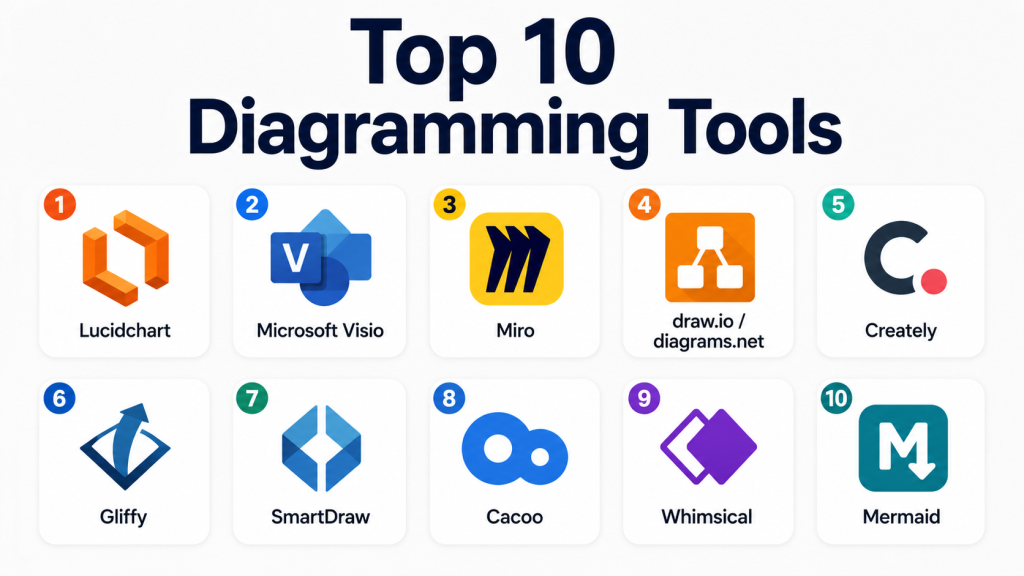
Top 10 Diagramming Tools
#1 — Lucidchart
Short description= Lucidchart is a cloud-based diagramming platform used for flowcharts, org charts, process maps, network diagrams, and technical architecture visuals. It is best for business, IT, product, and enterprise teams that need collaborative visual documentation.
Key Features
- Flowcharts, process maps, org charts, and architecture diagrams
- Real-time collaboration and commenting
- Large template and shape library
- Data linking and diagram automation features
- Enterprise admin and access controls
- Integration with productivity and documentation tools
- Web-based sharing and publishing options
Pros
- Strong collaboration experience for teams
- Easy for business and technical users
- Wide range of diagram templates and use cases
Cons
- Paid plans may be expensive for larger teams
- Advanced features may require higher-tier plans
- Some users may prefer desktop-based diagramming
Platforms / Deployment
Web
Cloud
Security & Compliance
Lucidchart offers enterprise security features such as SSO, user management, access controls, and admin settings. Specific compliance availability depends on plan and configuration.
Integrations & Ecosystem
Lucidchart fits well into modern business, IT, and documentation workflows.
- Google Workspace
- Microsoft 365
- Slack-style collaboration workflows
- Atlassian workflows
- Cloud storage workflows
- Documentation platforms
Support & Community
Lucidchart provides documentation, templates, training materials, onboarding resources, and support options. It has strong mindshare among business and technical teams.
#2 — Microsoft Visio
Short description = Microsoft Visio is a professional diagramming tool used for business processes, network diagrams, engineering layouts, org charts, and technical documentation. It is best for enterprises and Microsoft-centered organizations.
Key Features
- Professional diagramming templates
- Flowcharts, network diagrams, floor plans, and business process diagrams
- Strong shape and stencil libraries
- Integration with Microsoft 365
- Data-linked diagrams
- Desktop and web options
- Good support for formal business documentation
Pros
- Strong enterprise adoption
- Excellent fit for Microsoft environments
- Useful for detailed business and technical diagrams
Cons
- Can feel complex for beginners
- Licensing may be costly for casual users
- Collaboration experience may depend on Microsoft plan setup
Platforms / Deployment
Web / Windows
Cloud / Desktop / Hybrid
Security & Compliance
Security depends on Microsoft 365 plan and configuration. Enterprise plans commonly include MFA, admin controls, encryption, audit logs, and identity management.
Integrations & Ecosystem
Visio works strongly inside the Microsoft ecosystem.
- Microsoft Teams
- SharePoint
- OneDrive
- Excel
- Power BI workflows
- Microsoft 365 admin environments
Support & Community
Microsoft provides documentation, enterprise support, training resources, and a large community. Visio is widely recognized in enterprise IT and business process teams.
#3 — Miro
Short description= Miro is a visual collaboration platform used for whiteboarding, diagramming, brainstorming, product planning, workshops, and team mapping. It is best for remote teams that need flexible visual collaboration beyond traditional diagrams.
Key Features
- Online whiteboard with diagramming tools
- Flowcharts, mind maps, journey maps, and planning boards
- Real-time collaboration and comments
- Templates for workshops and product teams
- Voting, timers, sticky notes, and facilitation tools
- Integrations with project management and documentation tools
- AI-assisted visual collaboration features where available
Pros
- Excellent for workshops and team collaboration
- Flexible for both diagramming and brainstorming
- Strong template ecosystem
Cons
- Can become messy without structure
- Not as formal as dedicated diagramming tools for technical diagrams
- Large boards may require careful organization
Platforms / Deployment
Web / Windows / macOS / iOS / Android
Cloud
Security & Compliance
Miro offers enterprise security features such as SSO, admin controls, permissions, and governance options. Specific compliance availability depends on plan.
Integrations & Ecosystem
Miro works well for cross-functional collaboration.
- Jira-style project workflows
- Slack-style collaboration
- Google Workspace
- Microsoft 365
- Documentation tools
- Product planning workflows
Support & Community
Miro has strong documentation, templates, webinars, onboarding resources, and a large community of facilitators, product teams, and remote teams.
#4 — draw.io / diagrams.net
Short description = draw.io, also known as diagrams.net, is a widely used diagramming tool for flowcharts, technical diagrams, architecture maps, network diagrams, and documentation. It is popular with technical teams because it is flexible and available in multiple deployment styles.
Key Features
- Flowcharts, UML, network diagrams, and architecture diagrams
- Free and flexible diagram creation
- Works with cloud storage and local files
- Large shape libraries
- Desktop and web options
- Good fit for technical documentation
- Supports self-managed workflows in some environments
Pros
- Strong value and flexible usage
- Good for technical and developer teams
- Works well with documentation workflows
Cons
- Interface is less polished than premium tools
- Collaboration depends on setup and storage choice
- Advanced enterprise management may require careful configuration
Platforms / Deployment
Web / Windows / macOS / Linux
Cloud / Desktop / Self-hosted options may vary
Security & Compliance
Security depends on deployment method and storage configuration. Specific compliance details are Not publicly stated.
Integrations & Ecosystem
draw.io fits technical documentation and engineering workflows.
- Cloud storage workflows
- Atlassian-style documentation workflows
- Local file storage
- Desktop diagramming
- Markdown/documentation workflows
- Architecture documentation
Support & Community
There is broad community usage, documentation, and many examples online. Support varies depending on the edition and deployment model.
#5 — Creately
Short description = Creately is a visual collaboration and diagramming platform for flowcharts, process maps, org charts, mind maps, system diagrams, and team planning. It is useful for teams that want diagrams, whiteboards, and structured visual work in one place.
Key Features
- Diagramming and visual workspace features
- Flowcharts, mind maps, org charts, and process diagrams
- Real-time collaboration
- Templates and shape libraries
- Data-linked visual workspaces
- Team sharing and workspace organization
- Useful for planning and documentation
Pros
- Good balance of diagramming and collaboration
- Useful for business and technical teams
- Template-driven workflow helps speed up work
Cons
- May not be as deeply adopted as Lucidchart or Visio
- Advanced features may require higher plans
- Some teams may prefer dedicated whiteboard or diagram tools
Platforms / Deployment
Web / Desktop availability may vary
Cloud / Hybrid options may vary
Security & Compliance
Not publicly stated.
Integrations & Ecosystem
Creately supports team visual collaboration and business planning workflows.
- Productivity workflows
- Documentation workflows
- Team collaboration tools
- Cloud sharing
- Project planning workflows
- Visual workspace templates
Support & Community
Creately provides documentation, templates, support resources, and onboarding help. Community strength is moderate and growing.
#6 — Gliffy
Short description.= Gliffy is a diagramming tool used for flowcharts, network diagrams, UML diagrams, wireframes, and technical documentation. It is especially known for teams working inside Atlassian-style documentation environments.
Key Features
- Flowcharts, UML, wireframes, and network diagrams
- Drag-and-drop diagramming
- Template and shape libraries
- Collaboration and commenting features
- Strong documentation workflow fit
- Useful for technical teams
- Diagram embedding in knowledge bases
Pros
- Good for documentation-heavy teams
- Simple drag-and-drop interface
- Useful for technical and process diagrams
Cons
- Less broad than larger visual collaboration platforms
- Advanced design flexibility may be limited
- Best value depends on documentation ecosystem fit
Platforms / Deployment
Web
Cloud
Security & Compliance
Not publicly stated.
Integrations & Ecosystem
Gliffy is useful for technical documentation and team knowledge workflows.
- Atlassian-style documentation
- Knowledge base workflows
- Technical documentation
- Process mapping
- Software diagrams
- Team collaboration
Support & Community
Gliffy provides documentation and support resources. Community strength is more focused around documentation and technical teams.
#7 — SmartDraw
Short description = SmartDraw is a diagramming and visual communication tool for flowcharts, floor plans, org charts, network diagrams, engineering diagrams, and business visuals. It is suitable for business users who need many diagram types in one tool.
Key Features
- Wide range of diagram templates
- Flowcharts, org charts, floor plans, and engineering diagrams
- Automatic formatting features
- Large symbol and shape libraries
- Desktop and web workflows
- Export and sharing options
- Business-focused diagram creation
Pros
- Broad diagram coverage
- Good for users who need many diagram types
- Automatic formatting helps save time
Cons
- Interface may feel traditional to some users
- Collaboration may not feel as modern as cloud-first platforms
- Pricing may not fit casual users
Platforms / Deployment
Web / Windows
Cloud / Desktop
Security & Compliance
Not publicly stated.
Integrations & Ecosystem
SmartDraw supports business, technical, and office-based diagram workflows.
- Microsoft workflows
- Google Workspace workflows
- PDF export
- Office document workflows
- Floor plan and engineering workflows
- Business documentation workflows
Support & Community
SmartDraw provides documentation, examples, templates, and support options. It is well-known among users who need broad diagram coverage.
#8 — Cacoo
Short description = Cacoo is a cloud-based diagramming tool for flowcharts, wireframes, network diagrams, mind maps, and team collaboration. It is useful for remote teams that need simple visual collaboration and diagram sharing.
Key Features
- Flowcharts, wireframes, mind maps, and network diagrams
- Real-time collaborative editing
- Commenting and sharing
- Template library
- Version history
- Cloud-based access
- Team workspace features
Pros
- Easy collaboration for distributed teams
- Useful for product, design, and technical diagrams
- Clean browser-based workflow
Cons
- Smaller market presence than Lucidchart or Visio
- Advanced enterprise controls may vary
- May not be deep enough for highly complex diagrams
Platforms / Deployment
Web
Cloud
Security & Compliance
Not publicly stated.
Integrations & Ecosystem
Cacoo supports collaborative diagramming for product and technical teams.
- Cloud sharing
- Team collaboration workflows
- Documentation workflows
- Wireframing workflows
- Project planning workflows
- Export workflows
Support & Community
Cacoo provides help resources and support. Community size is moderate compared with larger visual collaboration tools.
#9 — Whimsical
Short description = Whimsical is a visual collaboration tool for flowcharts, wireframes, mind maps, docs, and lightweight planning. It is best for product teams, startup teams, and users who want fast, clean visual thinking.
Key Features
- Flowcharts and mind maps
- Wireframes and lightweight planning boards
- Clean and simple interface
- Real-time collaboration
- Docs and visual workspace features
- Fast diagram creation
- Templates for product and planning work
Pros
- Very easy and fast to use
- Clean design with low learning curve
- Good for product thinking and lightweight diagrams
Cons
- Not as powerful for complex enterprise diagrams
- Limited advanced technical diagramming compared with Visio or Lucidchart
- May not suit teams needing heavy customization
Platforms / Deployment
Web
Cloud
Security & Compliance
Not publicly stated.
Integrations & Ecosystem
Whimsical is useful for product planning, ideation, and lightweight documentation.
- Product planning workflows
- Team docs
- Wireframes
- Mind maps
- Flowcharts
- Collaboration workflows
Support & Community
Whimsical provides documentation, templates, and help resources. Community strength is strong among startups, product teams, and design-minded teams.
#10 — Mermaid
Short description = Mermaid is a diagram-as-code tool that lets users create diagrams using text syntax. It is best for developers, DevOps teams, technical writers, and engineering teams that want diagrams stored with documentation and version control.
Key Features
- Text-based diagram creation
- Flowcharts, sequence diagrams, class diagrams, and more
- Works well with markdown-based documentation
- Version-control friendly
- Useful for developer workflows
- Lightweight and automation-friendly
- Open-source ecosystem
Pros
- Excellent for technical documentation
- Easy to store diagrams with code
- Good fit for engineering and DevOps teams
Cons
- Not ideal for non-technical users
- Visual customization is more limited than drag-and-drop tools
- Requires learning diagram syntax
Platforms / Deployment
Web / Developer tools / Documentation platforms
Self-hosted / Cloud depending on implementation
Security & Compliance
Security depends on where Mermaid is implemented and hosted. Specific compliance details are Not publicly stated.
Integrations & Ecosystem
Mermaid fits developer-first documentation and engineering workflows.
- Markdown documentation
- Git-based workflows
- Developer portals
- Static site generators
- Technical documentation systems
- DevOps documentation pipelines
Support & Community
Mermaid has strong open-source community support, documentation, examples, and adoption among developers and technical writers.
Comparison Table
| Tool Name | Best For | Platform(s) Supported | Deployment | Standout Feature | Public Rating |
|---|---|---|---|---|---|
| Lucidchart | Business and technical diagramming | Web | Cloud | Strong collaborative diagramming | N/A |
| Microsoft Visio | Enterprise and Microsoft users | Web, Windows | Hybrid | Professional diagram depth | N/A |
| Miro | Visual collaboration and workshops | Web, Windows, macOS, iOS, Android | Cloud | Whiteboard plus diagramming | N/A |
| draw.io / diagrams.net | Technical and budget-friendly diagrams | Web, Windows, macOS, Linux | Hybrid | Flexible free diagramming | N/A |
| Creately | Visual workspaces and team diagrams | Web, desktop varies | Hybrid | Diagramming plus visual workspace | N/A |
| Gliffy | Documentation-based diagrams | Web | Cloud | Knowledge base diagramming | N/A |
| SmartDraw | Broad business diagram types | Web, Windows | Cloud / Desktop | Large template coverage | N/A |
| Cacoo | Remote team diagramming | Web | Cloud | Real-time collaborative editing | N/A |
| Whimsical | Product teams and fast visual thinking | Web | Cloud | Clean, quick diagram creation | N/A |
| Mermaid | Developer-first diagrams | Web, developer tools | Self-hosted / Cloud varies | Diagram-as-code workflow | N/A |
Evaluation & Scoring of Diagramming Tools
| Tool Name | Core (25%) | Ease (15%) | Integrations (15%) | Security (10%) | Performance (10%) | Support (10%) | Value (15%) | Weighted Total (0–10) |
|---|---|---|---|---|---|---|---|---|
| Lucidchart | 9 | 8 | 9 | 8 | 8 | 8 | 7 | 8.20 |
| Microsoft Visio | 9 | 7 | 9 | 9 | 8 | 9 | 7 | 8.25 |
| Miro | 8 | 9 | 9 | 8 | 8 | 9 | 8 | 8.40 |
| draw.io / diagrams.net | 8 | 7 | 7 | 6 | 8 | 7 | 10 | 7.65 |
| Creately | 8 | 8 | 7 | 6 | 7 | 7 | 7 | 7.25 |
| Gliffy | 7 | 8 | 7 | 6 | 7 | 7 | 7 | 7.05 |
| SmartDraw | 8 | 7 | 7 | 5 | 7 | 7 | 7 | 6.95 |
| Cacoo | 7 | 8 | 6 | 5 | 7 | 6 | 7 | 6.75 |
| Whimsical | 7 | 9 | 7 | 6 | 8 | 7 | 8 | 7.45 |
| Mermaid | 7 | 5 | 8 | 6 | 8 | 8 | 10 | 7.30 |
These scores are comparative, not universal. A higher score does not always mean a tool is best for every team. Miro scores high for collaboration, while Visio scores high for enterprise and Microsoft workflows. Mermaid is valuable for developers even though it is not ideal for non-technical users. Always test tools against your real diagram types, team skills, integrations, and security requirements.
Which Diagramming Tool Is Right for You?
Solo / Freelancer
Solo users and freelancers should choose based on speed, cost, and file sharing needs. draw.io / diagrams.net is a strong free-friendly choice. Whimsical is good for fast planning and simple visuals. Lucidchart is useful when client-ready diagrams and polished collaboration matter.
SMB
Small businesses usually need flowcharts, process maps, org charts, and basic system diagrams. Lucidchart, Miro, Creately, and Canva-style visual tools can work well, but for serious diagramming Lucidchart and Creately are stronger. draw.io is good when budget is limited.
Mid-Market
Mid-market teams often need collaboration, templates, permission controls, documentation integration, and reusable diagrams. Miro is strong for workshops and cross-functional planning. Lucidchart is strong for structured diagrams. Gliffy may work well for teams that keep documentation in a knowledge base.
Enterprise
Enterprises should evaluate security, access controls, admin management, integration with existing systems, and governance. Microsoft Visio is strong for Microsoft-centered organizations. Lucidchart is strong for cloud-based enterprise diagramming. Miro is useful when visual collaboration and workshops are important.
Budget vs Premium
draw.io / diagrams.net and Mermaid are strong value options. Whimsical is useful for simple visual planning. Lucidchart, Visio, Miro, and SmartDraw are better when teams need professional features, stronger templates, admin controls, and collaboration.
Feature Depth vs Ease of Use
Visio and Lucidchart offer deeper diagramming capability. Miro and Whimsical are easier for brainstorming and visual collaboration. Mermaid is powerful for technical teams but not easy for non-technical users.
Integrations & Scalability
Microsoft Visio scales well inside Microsoft environments. Lucidchart works well across business and technical documentation workflows. Miro integrates well with team collaboration and project workflows. Mermaid scales well in developer documentation and Git-based systems.
Security & Compliance Needs
Security-focused buyers should ask vendors about SSO, MFA, RBAC, audit logs, encryption, data retention, user provisioning, and compliance documentation. Do not assume compliance unless it is clearly available for the exact product and plan.
Frequently Asked Questions (FAQs)
What is a diagramming tool?
A diagramming tool helps users create visual diagrams such as flowcharts, process maps, architecture diagrams, network diagrams, org charts, and mind maps. It makes complex ideas easier to understand and share.
Which diagramming tool is best for business users?
Lucidchart, Microsoft Visio, Miro, and SmartDraw are strong options for business users. The best choice depends on whether you need formal diagrams, collaboration, templates, or Microsoft integration.
Which diagramming tool is best for developers?
Mermaid and draw.io / diagrams.net are strong choices for developers. Mermaid is especially useful for diagram-as-code workflows, while draw.io is better for visual drag-and-drop diagrams.
Which tool is best for remote collaboration?
Miro and Lucidchart are strong for remote collaboration. They support real-time editing, comments, sharing, and team workspaces.
What is the best free diagramming tool?
draw.io / diagrams.net is one of the strongest free-friendly diagramming options. Mermaid is also excellent for technical users who are comfortable writing diagrams with text syntax.
Are AI features useful in diagramming tools?
Yes, AI can help create diagrams from text, summarize workflows, generate process maps, and improve documentation speed. However, diagrams should still be reviewed for accuracy and clarity.
What are common mistakes when choosing diagramming software?
Common mistakes include choosing only by price, ignoring integration needs, not checking export formats, overlooking security, and selecting a tool that is too complex for the team.
Can diagramming tools support enterprise security?
Many enterprise-focused tools offer security features like SSO, admin controls, permissions, and user management. However, exact features vary by vendor and plan, so teams should verify before purchase.
What is diagram-as-code?
Diagram-as-code means creating diagrams using text syntax instead of drag-and-drop design. It is useful for developers because diagrams can be stored, reviewed, and versioned with code.
Can I switch from Visio to another tool?
Yes, but you should test file compatibility, diagram layout accuracy, shapes, connectors, fonts, and export quality. Complex Visio diagrams may not always transfer perfectly.
Which tool is best for architecture diagrams?
Lucidchart, Visio, draw.io / diagrams.net, and Mermaid are useful for architecture diagrams. The best choice depends on whether your team prefers visual editing or code-based documentation.
How should teams evaluate pricing?
Teams should compare pricing based on active users, collaboration needs, storage, admin controls, templates, integrations, and support. The cheapest tool is not always the best if it slows down documentation or teamwork.
Conclusion
Diagramming tools help teams explain complex ideas with clarity. They support business processes, technical architecture, product planning, team collaboration, documentation, and decision-making. Lucidchart is strong for collaborative business and technical diagrams. Microsoft Visio is a strong fit for enterprise and Microsoft-heavy environments. Miro is excellent for workshops and visual collaboration. draw.io / diagrams.net and Mermaid are valuable for technical and budget-conscious users, while Whimsical is great for fast product thinking
