Upgrade & Secure Your Future with DevOps, SRE, DevSecOps, MLOps!
We spend hours scrolling social media and waste money on things we forget, but won’t spend 30 minutes a day earning certifications that can change our lives.
Master in DevOps, SRE, DevSecOps & MLOps by DevOps School!
Learn from Guru Rajesh Kumar and double your salary in just one year.
Introduction
Document Management Systems help businesses store, organize, secure, search, share, approve, and manage documents in a structured digital environment. Instead of keeping important files scattered across emails, desktops, shared drives, and messaging tools, a document management system gives teams one controlled place to manage contracts, invoices, HR files, policies, reports, forms, legal records, engineering documents, and customer documents.
Document Management Systems matter because organizations now handle more digital paperwork, remote collaboration, compliance pressure, and security risk. Teams need faster document retrieval, better version control, permission-based access, approval workflows, e-signature support, audit trails, and AI-powered search.
Common use cases include contract management, HR document storage, legal document control, finance approvals, vendor documentation, policy management, compliance audits, and customer onboarding files.
Buyers should evaluate storage structure, search quality, permissions, workflow automation, version control, audit logs, integrations, AI features, retention policies, mobile access, scalability, and security.
Best for: SMBs, mid-market companies, enterprises, legal teams, finance teams, HR teams, healthcare organizations, construction firms, government teams, education institutions, and any business that handles high document volume.
Not ideal for: individuals who only need simple cloud storage, teams that only need basic note-taking, or small users who do not need permissions, audit trails, workflows, or compliance controls.
Key Trends in Document Management Systems
- AI-powered document search: Modern platforms are moving beyond keyword search toward intelligent search, document summarization, metadata extraction, and context-aware discovery.
- Workflow automation: Businesses want automatic routing for approvals, reviews, signatures, renewals, and compliance checks.
- Stronger access control: Role-based permissions, SSO, MFA, audit logs, and admin controls are now expected for business use.
- Document lifecycle governance: Teams need retention rules, archival controls, version history, legal holds, and disposal workflows.
- E-signature integration: Document workflows increasingly connect with signature tools to reduce manual approval delays.
- Cloud-first deployment: Most modern document systems are cloud-based, but regulated industries may still prefer hybrid or self-hosted options.
- Better OCR and scanning: Paper-heavy teams need scanning, OCR, indexing, and searchable document archives.
- Collaboration inside documents: Comments, annotations, shared folders, review workflows, and real-time collaboration are becoming important.
- Integration with business systems: DMS platforms increasingly connect with CRM, ERP, HR, finance, cloud storage, and productivity suites.
- Compliance-ready design: Buyers now expect stronger support for privacy, auditability, data residency, and regulated record handling.
How We Selected These Tools
The tools below were selected using practical business evaluation logic:
- Strong recognition in the document management and content services market.
- Clear document storage, search, versioning, and access control capabilities.
- Suitability for SMB, mid-market, and enterprise buyers.
- Support for workflow automation, approvals, and collaboration.
- Security posture signals such as SSO, permissions, encryption, and audit features.
- Integration ecosystem with productivity, storage, ERP, CRM, and e-signature tools.
- Scalability for growing document volumes and users.
- Support for compliance-heavy teams where applicable.
- Ease of deployment and user adoption.
- Practical value for document-heavy business functions.
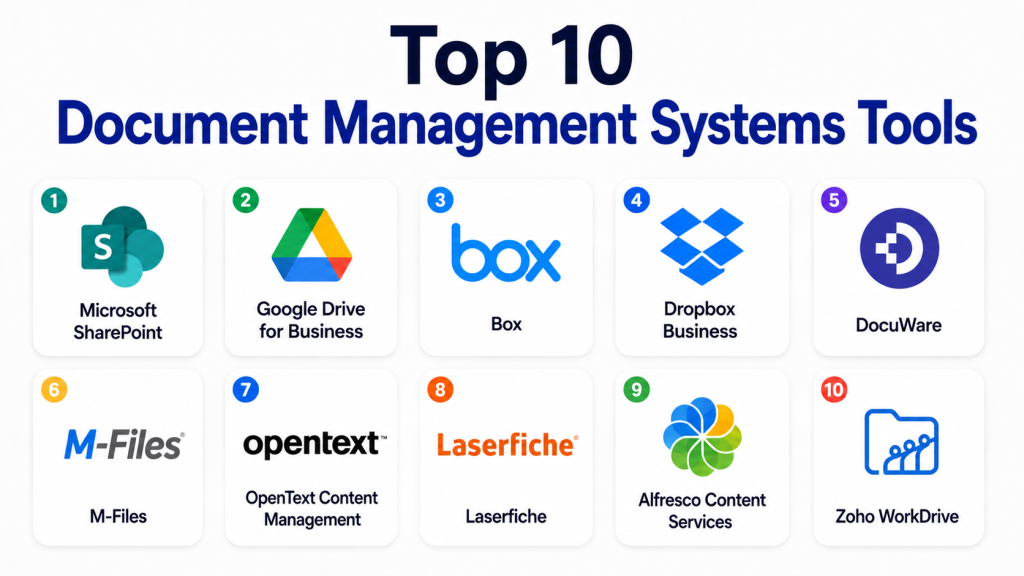
Top 10 Document Management Systems Tools
#1 — Microsoft SharePoint
Short description: Microsoft SharePoint is a widely used document management and collaboration platform for businesses already using Microsoft 365. It supports document libraries, permissions, versioning, intranet pages, team collaboration, and enterprise content organization.
Key Features
- Document libraries and metadata.
- Version history and file check-in/check-out.
- Permissions and access controls.
- Integration with Microsoft 365 apps.
- Team sites and intranet support.
- Workflow and automation options.
- Search across files and content.
Pros
- Strong fit for Microsoft-based organizations.
- Good collaboration and permission controls.
- Scales well for departments and enterprises.
Cons
- Can become complex without governance.
- Setup and structure require planning.
- User experience may feel heavy for simple document storage.
Platforms / Deployment
Web / Windows / macOS / iOS / Android
Cloud / Hybrid
Security & Compliance
SSO, MFA, RBAC, encryption, audit logs, retention controls, and advanced admin features are available through Microsoft business and enterprise environments. Compliance capabilities vary by plan and configuration.
Integrations & Ecosystem
SharePoint works best inside the Microsoft ecosystem and connects well with business productivity workflows.
- Microsoft Teams
- OneDrive
- Outlook
- Word, Excel, and PowerPoint
- Power Automate
- Power Apps
Support & Community
Microsoft provides extensive documentation, enterprise support options, training resources, partner support, and a large administrator community.
#2 — Google Drive for Business
Short description: Google Drive for Business is a cloud-based file storage and document collaboration platform within Google Workspace. It is useful for teams that need simple sharing, real-time collaboration, search, and cloud-based document access.
Key Features
- Cloud document storage.
- Shared drives for teams.
- Real-time collaboration.
- Permissions and sharing controls.
- Version history.
- Search across files.
- Integration with Google Workspace apps.
Pros
- Easy to use and quick to adopt.
- Strong real-time collaboration.
- Good fit for teams already using Google Workspace.
Cons
- Advanced document governance may need careful configuration.
- Not always ideal for complex records management.
- Folder sprawl can happen without structure.
Platforms / Deployment
Web / Windows / macOS / iOS / Android
Cloud
Security & Compliance
SSO, MFA, encryption, admin controls, sharing policies, and audit features are available through Google Workspace business and enterprise plans. Compliance capabilities vary by plan.
Integrations & Ecosystem
Google Drive works well with cloud-first teams and modern productivity workflows.
- Google Docs, Sheets, and Slides
- Gmail
- Google Meet
- Google Calendar
- Third-party workspace apps
- Cloud storage workflows
Support & Community
Google provides help documentation, admin resources, customer support by plan, and a broad user community.
#3 — Box
Short description: Box is a cloud content management and document management platform designed for secure file sharing, collaboration, workflow automation, and enterprise content governance. It is often used by businesses with stronger security and compliance needs.
Key Features
- Secure cloud file storage.
- Granular permissions.
- Version history.
- Workflow automation.
- File sharing and collaboration.
- Metadata and content organization.
- Enterprise admin controls.
Pros
- Strong enterprise content management features.
- Good security and governance focus.
- Broad integration ecosystem.
Cons
- May be more than needed for small teams.
- Advanced features can require higher plans.
- Governance setup requires planning.
Platforms / Deployment
Web / Windows / macOS / iOS / Android
Cloud
Security & Compliance
SSO/SAML, MFA, encryption, audit logs, access controls, and enterprise security features are available. Specific compliance coverage varies by plan and customer configuration.
Integrations & Ecosystem
Box has a strong ecosystem for secure content collaboration.
- Microsoft 365
- Google Workspace
- Salesforce
- Slack
- E-signature tools
- Workflow automation tools
Support & Community
Box provides documentation, onboarding resources, enterprise support options, training, and partner support.
#4 — Dropbox Business
Short description: Dropbox Business is a cloud-based file storage and document collaboration platform for teams that need easy syncing, sharing, document access, and collaboration. It is useful for creative teams, SMBs, and distributed workforces.
Key Features
- Cloud file storage and sync.
- Team folders.
- File sharing controls.
- Version history.
- File recovery options.
- Collaboration features.
- Admin console for teams.
Pros
- Easy to use and fast to adopt.
- Strong file sync experience.
- Good for teams sharing large files.
Cons
- Not a full records management platform.
- Advanced governance may require higher plans.
- Teams need folder rules to avoid file duplication.
Platforms / Deployment
Web / Windows / macOS / Linux / iOS / Android
Cloud
Security & Compliance
SSO, MFA, encryption, admin controls, sharing controls, and audit-related features are available on business plans. Compliance details vary by plan.
Integrations & Ecosystem
Dropbox fits teams that need simple file collaboration and cloud access.
- Microsoft 365
- Google Workspace
- Slack
- Zoom
- E-signature workflows
- Creative and productivity tools
Support & Community
Dropbox provides help documentation, support resources, admin guides, and customer support options based on plan.
#5 — DocuWare
Short description: DocuWare is a document management and workflow automation platform built for businesses that need digitized document processes, approvals, archiving, and compliance-friendly workflows. It is commonly used for finance, HR, invoice processing, and administrative documents.
Key Features
- Document capture and storage.
- Workflow automation.
- Invoice and approval processing.
- Searchable archive.
- Access permissions.
- Version control.
- Cloud and on-premises options.
Pros
- Strong workflow automation for document-heavy teams.
- Useful for finance and back-office processes.
- Good fit for structured document approval workflows.
Cons
- Implementation may require planning.
- May be more complex than basic cloud storage.
- Pricing and deployment details vary.
Platforms / Deployment
Web / Windows / iOS / Android
Cloud / Self-hosted / Hybrid
Security & Compliance
Access controls, encryption, audit trails, and admin controls are available. Specific certifications and compliance details should be validated directly.
Integrations & Ecosystem
DocuWare is built around business process integration and document automation.
- ERP systems
- Finance systems
- Email capture
- Scanning workflows
- Approval workflows
- Business process automation
Support & Community
DocuWare provides documentation, partner support, onboarding resources, and customer support options. Availability may vary by region and plan.
#6 — M-Files
Short description: M-Files is an intelligent document management platform focused on metadata-driven document organization, search, workflow automation, and information governance. It is suitable for companies that need structured document control across departments.
Key Features
- Metadata-based document management.
- Version control.
- Workflow automation.
- Permissions and access control.
- Search and discovery.
- Records management support.
- Integration with business systems.
Pros
- Strong metadata-driven approach.
- Good for complex document environments.
- Useful for regulated and process-heavy teams.
Cons
- Requires thoughtful metadata design.
- Implementation can take time.
- May be too advanced for simple file storage needs.
Platforms / Deployment
Web / Windows / iOS / Android
Cloud / Self-hosted / Hybrid
Security & Compliance
SSO, access controls, audit features, encryption, and governance capabilities are available. Specific compliance details vary by deployment and plan.
Integrations & Ecosystem
M-Files is designed to connect documents with business context and systems.
- Microsoft 365
- CRM systems
- ERP systems
- Network folders
- Workflow tools
- Business application connectors
Support & Community
M-Files provides documentation, partner support, implementation resources, and enterprise support options.
#7 — OpenText Content Management
Short description: OpenText Content Management is an enterprise-grade content and document management platform for large organizations with complex governance, compliance, records, and workflow needs. It is suited for enterprises, government, legal, and regulated industries.
Key Features
- Enterprise content management.
- Document lifecycle management.
- Records management.
- Workflow automation.
- Permissions and governance.
- Search and metadata.
- Large-scale content administration.
Pros
- Strong enterprise governance capabilities.
- Suitable for complex regulated environments.
- Broad content management depth.
Cons
- Can be complex to implement.
- May require specialist administration.
- Not ideal for small teams needing simple storage.
Platforms / Deployment
Web / Windows / Mobile access varies
Cloud / Self-hosted / Hybrid
Security & Compliance
Enterprise security, access controls, audit features, records management, and governance capabilities are available. Specific certifications and compliance details vary by product, plan, and deployment.
Integrations & Ecosystem
OpenText is built for enterprise content environments and complex integrations.
- ERP systems
- CRM systems
- Microsoft ecosystem
- Enterprise workflow systems
- Records management processes
- Custom business applications
Support & Community
OpenText provides enterprise support, implementation services, partner ecosystem support, and documentation resources.
#8 — Laserfiche
Short description: Laserfiche is a document management and business process automation platform used for document capture, workflow automation, records management, and digital transformation. It is popular across government, education, finance, and operations-heavy teams.
Key Features
- Document capture and scanning.
- Workflow automation.
- Records management.
- Search and indexing.
- Forms and approvals.
- Access control.
- Audit and process tracking.
Pros
- Strong for paper-to-digital transformation.
- Good workflow automation capabilities.
- Useful for public sector and document-heavy operations.
Cons
- Implementation can require planning and training.
- May be more advanced than basic storage tools.
- Pricing and deployment details vary.
Platforms / Deployment
Web / Windows / iOS / Android
Cloud / Self-hosted / Hybrid
Security & Compliance
Role-based access, audit trails, encryption, records management, and administrative controls are available. Specific compliance details should be verified directly.
Integrations & Ecosystem
Laserfiche supports document-heavy business process automation.
- Forms
- Workflow automation
- Scanning tools
- ERP and business systems
- Records management workflows
- Email and file capture
Support & Community
Laserfiche provides documentation, training resources, partner support, implementation support, and customer learning programs.
#9 — Alfresco Content Services
Short description: Alfresco Content Services is an enterprise content management platform used for document management, process automation, records, and content services. It is suitable for organizations that need flexible deployment and content control.
Key Features
- Document and content management.
- Metadata and search.
- Version control.
- Permissions and access control.
- Workflow capabilities.
- Records and governance support.
- API-first extensibility.
Pros
- Flexible content services architecture.
- Good for technical teams needing customization.
- Supports enterprise document workflows.
Cons
- May require technical implementation skills.
- Not as simple as cloud storage tools.
- Administration and customization need planning.
Platforms / Deployment
Web / Mobile access varies
Cloud / Self-hosted / Hybrid
Security & Compliance
Access controls, encryption, audit features, and governance capabilities are available. Specific compliance details vary by deployment and edition.
Integrations & Ecosystem
Alfresco is useful for organizations that need extensible content services.
- APIs
- Workflow engines
- Enterprise apps
- Records systems
- Cloud storage connections
- Custom integrations
Support & Community
Alfresco offers documentation, enterprise support options, partner support, and technical community resources.
#10 — Zoho WorkDrive
Short description: Zoho WorkDrive is a cloud-based document storage and team file management platform designed for businesses using the Zoho ecosystem. It supports team folders, collaboration, permissions, and business file organization.
Key Features
- Team folders.
- Cloud file storage.
- Document collaboration.
- Access permissions.
- Version history.
- Admin controls.
- Integration with Zoho apps.
Pros
- Good fit for Zoho-based businesses.
- Simple team file organization.
- Useful for SMB document collaboration.
Cons
- Not as advanced as enterprise ECM platforms.
- Best value is inside Zoho ecosystem.
- Advanced compliance needs should be verified.
Platforms / Deployment
Web / Windows / macOS / iOS / Android
Cloud
Security & Compliance
Access controls, encryption, admin features, and account security options are available. Specific compliance details vary by plan.
Integrations & Ecosystem
Zoho WorkDrive works best for teams already using Zoho business tools.
- Zoho Office Suite
- Zoho CRM
- Zoho Projects
- Zoho Mail
- Team collaboration workflows
- Cloud file sharing
Support & Community
Zoho provides documentation, admin guides, support resources, and customer support options based on plan.
Comparison Table
| Tool Name | Best For | Platform(s) Supported | Deployment | Standout Feature | Public Rating |
|---|---|---|---|---|---|
| Microsoft SharePoint | Microsoft-based enterprises | Web, Windows, macOS, iOS, Android | Cloud / Hybrid | Microsoft 365 document collaboration | N/A |
| Google Drive for Business | Cloud-first teams | Web, Windows, macOS, iOS, Android | Cloud | Real-time document collaboration | N/A |
| Box | Secure enterprise content management | Web, Windows, macOS, iOS, Android | Cloud | Secure file sharing and governance | N/A |
| Dropbox Business | SMB file sharing and sync | Web, Windows, macOS, Linux, iOS, Android | Cloud | Simple file sync and sharing | N/A |
| DocuWare | Workflow automation and archiving | Web, Windows, iOS, Android | Cloud / Self-hosted / Hybrid | Document workflow automation | N/A |
| M-Files | Metadata-driven document control | Web, Windows, iOS, Android | Cloud / Self-hosted / Hybrid | Metadata-based organization | N/A |
| OpenText Content Management | Large enterprise governance | Web, Windows, mobile access varies | Cloud / Self-hosted / Hybrid | Enterprise content governance | N/A |
| Laserfiche | Process automation and records | Web, Windows, iOS, Android | Cloud / Self-hosted / Hybrid | Document capture and workflows | N/A |
| Alfresco Content Services | Custom enterprise content services | Web, mobile access varies | Cloud / Self-hosted / Hybrid | API-first content management | N/A |
| Zoho WorkDrive | Zoho ecosystem SMBs | Web, Windows, macOS, iOS, Android | Cloud | Team folders and Zoho integration | N/A |
Evaluation & Scoring of Document Management Systems
| Tool Name | Core (25%) | Ease (15%) | Integrations (15%) | Security (10%) | Performance (10%) | Support (10%) | Value (15%) | Weighted Total |
|---|---|---|---|---|---|---|---|---|
| Microsoft SharePoint | 9 | 7 | 10 | 9 | 8 | 9 | 8 | 8.60 |
| Google Drive for Business | 8 | 9 | 9 | 8 | 9 | 8 | 9 | 8.60 |
| Box | 9 | 8 | 9 | 9 | 8 | 8 | 8 | 8.45 |
| Dropbox Business | 7 | 9 | 8 | 8 | 9 | 8 | 8 | 8.05 |
| DocuWare | 9 | 7 | 8 | 8 | 8 | 8 | 7 | 7.95 |
| M-Files | 9 | 7 | 8 | 8 | 8 | 8 | 7 | 7.95 |
| OpenText Content Management | 10 | 6 | 9 | 9 | 8 | 9 | 6 | 8.15 |
| Laserfiche | 9 | 7 | 8 | 8 | 8 | 8 | 7 | 7.95 |
| Alfresco Content Services | 8 | 6 | 9 | 8 | 8 | 7 | 7 | 7.55 |
| Zoho WorkDrive | 7 | 8 | 8 | 7 | 8 | 7 | 9 | 7.70 |
These scores are comparative and should be used as a starting point. A high score does not mean the tool is the best for every organization. Enterprises should prioritize security, governance, integrations, and lifecycle controls. SMBs may value ease of use and price more than deep records management. Regulated industries should validate compliance, retention, audit, and access requirements before choosing.
Which Document Management Systems Tool Is Right for You?
Solo / Freelancer
Solo users may not need a full enterprise document management system. Google Drive for Business, Dropbox Business, and Zoho WorkDrive are usually easier choices for simple storage, file sharing, and organization. If the user works with clients, they should focus on sharing controls, version history, folder structure, and backup.
SMB
Small and medium businesses need simple document storage, team folders, permissions, search, and collaboration. Google Drive for Business, Dropbox Business, Zoho WorkDrive, Box, and Microsoft SharePoint are strong options. SMBs should avoid overcomplicating the setup unless they need workflows, approvals, or compliance-heavy controls.
Mid-Market
Mid-market teams usually need better governance, department-level permissions, version control, workflow automation, and integrations. Microsoft SharePoint, Box, DocuWare, M-Files, and Laserfiche are good options to evaluate. The right choice depends on whether the main need is collaboration, workflow automation, or compliance.
Enterprise
Large enterprises should evaluate OpenText Content Management, Microsoft SharePoint, Box, M-Files, Laserfiche, and Alfresco Content Services. Enterprise buyers should focus on records management, retention, audit trails, role-based access, integration with business systems, admin controls, and migration planning.
Budget vs Premium
Budget-focused teams may prefer Google Drive for Business, Dropbox Business, or Zoho WorkDrive because they are easier to deploy and manage. Premium platforms like OpenText, M-Files, DocuWare, Laserfiche, and Box may be better when governance, automation, metadata, and compliance matter more than simple storage.
Feature Depth vs Ease of Use
Google Drive, Dropbox Business, and Zoho WorkDrive are easier for everyday users. SharePoint, Box, M-Files, DocuWare, Laserfiche, OpenText, and Alfresco offer deeper document management capabilities but require stronger planning. Teams should not choose a complex platform unless they have a real need for workflow, governance, or compliance.
Integrations & Scalability
SharePoint is strong for Microsoft-heavy organizations. Google Drive is strong for Google Workspace teams. Box supports many enterprise collaboration patterns. M-Files, DocuWare, Laserfiche, OpenText, and Alfresco are better for structured business process integrations. Scalability depends on user volume, document volume, metadata strategy, and administration.
Security & Compliance Needs
Security-focused buyers should review SSO, MFA, encryption, audit logs, access controls, retention policies, data residency, legal holds, and admin reporting. Regulated industries should avoid relying only on basic cloud storage. A formal pilot and security review should happen before rollout.
Frequently Asked Questions
What is a Document Management System?
A Document Management System is software that stores, organizes, secures, tracks, and manages business documents. It helps teams find documents faster, control access, manage versions, and support workflows.
How is a DMS different from cloud storage?
Cloud storage mainly stores and shares files. A DMS usually adds stronger version control, metadata, workflow automation, approvals, audit trails, retention rules, and compliance controls.
Which Document Management System is best for small businesses?
Google Drive for Business, Dropbox Business, Zoho WorkDrive, Box, and Microsoft SharePoint are practical options for small businesses. The right choice depends on budget, existing tools, and security needs.
Which DMS is best for enterprises?
Microsoft SharePoint, Box, OpenText, M-Files, Laserfiche, DocuWare, and Alfresco Content Services are strong enterprise options. Enterprises should choose based on governance, compliance, integration, and workflow requirements.
Do Document Management Systems support e-signatures?
Many DMS platforms integrate with e-signature tools or support approval workflows that connect with signature processes. Buyers should confirm exact integration options before purchase.
Are Document Management Systems secure?
Many business-grade DMS tools include encryption, permissions, SSO, MFA, audit logs, and admin controls. Security varies by product, plan, and configuration, so buyers should validate requirements carefully.
What is the biggest mistake when choosing a DMS?
The biggest mistake is treating document management as simple file storage. Without folder rules, metadata, permissions, retention policies, and ownership, even good tools can become messy.
How long does DMS implementation take?
Implementation depends on document volume, migration complexity, workflows, permissions, and integrations. Small teams can start quickly, while larger organizations may need phased rollout and training.
Can a DMS help with compliance?
Yes, a DMS can help with audit trails, access control, retention, records management, and version history. However, compliance depends on correct configuration and internal policies.
What should teams check before switching DMS platforms?
Teams should review migration options, file formats, metadata, permissions, integrations, user training, audit history, retention rules, and business continuity needs.
Do Document Management Systems use AI?
Many modern platforms are adding AI for search, classification, summarization, document extraction, and workflow suggestions. AI features vary by product and plan.
What are alternatives to Document Management Systems?
Alternatives include cloud storage, enterprise content management platforms, knowledge bases, intranet tools, collaboration suites, project management tools, and records management systems.
Conclusion
Document Management Systems are important for businesses that need secure, organized, searchable, and controlled document workflows. The best platform depends on the organization’s size, industry, compliance needs, existing software ecosystem, and document complexity. Microsoft SharePoint is strong for Microsoft-based companies. Google Drive for Business and Dropbox Business are easier for cloud-first teams. Box is a strong secure content platform. DocuWare, M-Files, Laserfiche, OpenText, and Alfresco are better for workflow-heavy and governance-heavy environments. Zoho WorkDrive is useful for businesses already using Zoho tools
