Upgrade & Secure Your Future with DevOps, SRE, DevSecOps, MLOps!
We spend hours scrolling social media and waste money on things we forget, but won’t spend 30 minutes a day earning certifications that can change our lives.
Master in DevOps, SRE, DevSecOps & MLOps by DevOps School!
Learn from Guru Rajesh Kumar and double your salary in just one year.
Introduction
Robotic Process Automation, commonly called RPA, is software that uses bots to complete repetitive digital tasks that people usually perform on computers. These bots can click buttons, copy data, enter information into forms, move files, read documents, update systems, and trigger workflows across different applications.
RPA matters because many businesses still depend on rule-based, repetitive work across finance, HR, operations, customer support, IT, healthcare, banking, insurance, retail, and supply chain teams. When used correctly, RPA can reduce manual effort, improve consistency, speed up back-office work, and help teams connect old systems that do not have modern APIs. Gartner defines RPA as software that automates business and IT tasks through scripts or low-code/no-code interfaces that emulate human interaction with application UIs.
Real-world use cases include:
- Invoice processing and finance reconciliations
- HR onboarding and employee record updates
- Claims processing in insurance
- Customer support data entry
- Banking and compliance operations
- Report generation and file movement
- Legacy system automation
- Document extraction and validation
Buyers should evaluate:
- Bot development experience
- Attended and unattended automation support
- Process discovery and process mining
- AI and document processing features
- Orchestration and bot monitoring
- Security and governance controls
- Integration with enterprise applications
- Scalability and reliability
- Deployment flexibility
- Pricing and support model
Best for: RPA platforms are best for enterprises, shared service centers, finance teams, HR teams, banking teams, insurance teams, healthcare operations, customer support teams, IT teams, and process-heavy organizations that need to automate repetitive rule-based work.
Not ideal for: RPA may not be ideal for unstable processes, highly creative work, processes that change every day, apps with strong APIs where direct integration is better, or teams that do not have process ownership, governance, and maintenance discipline.
Key Trends in Robotic Process Automation (RPA) Platforms
- RPA is moving toward broader intelligent automation. Modern RPA platforms now combine bots, AI agents, document understanding, process mining, task mining, workflow orchestration, and human approvals.
- Agentic automation is becoming a major theme. UiPath positions its platform around agentic automation where AI agents, robots, and people work together across business workflows.
- RPA is no longer only for back-office bots. Teams now use automation for customer operations, IT service workflows, testing, finance operations, HR, contact centers, supply chain, and compliance processes.
- Governance is becoming more important. As automation programs scale, businesses need role-based access, audit trails, approval controls, credential management, bot monitoring, and clear ownership.
- AI document processing is a core requirement. Many automation workflows now include invoices, claims, forms, emails, PDFs, contracts, purchase orders, and scanned documents.
- Process mining and task mining are becoming part of the RPA lifecycle. Teams want to discover automation opportunities, measure bottlenecks, and validate ROI before building bots.
- Cloud and hybrid deployment models are expanding. Organizations want flexibility to run bots in cloud environments, desktop environments, private infrastructure, or hybrid enterprise environments.
- Security expectations are rising. RPA bots often touch sensitive systems, so buyers must review SSO, MFA, RBAC, audit logs, encryption, credential vaults, compliance controls, and privileged access handling.
- Low-code bot creation is becoming more business-friendly. Platforms are improving visual designers, templates, recorders, and reusable components so business users can participate safely.
- RPA is being connected with APIs and workflow automation. The best results often come when UI automation, API automation, human workflow, and AI decision support are used together.
How We Selected These Tools
This Top 10 list was selected using practical buyer-focused evaluation logic:
- Market adoption and recognition among enterprises, automation teams, process teams, and IT leaders
- Feature completeness across attended bots, unattended bots, orchestration, monitoring, AI, document processing, and governance
- Reliability and performance signals for production automation workloads
- Security posture signals such as SSO, RBAC, audit logs, encryption, credential management, and governance controls
- Integration ecosystem across ERP, CRM, HR, finance, desktop apps, legacy systems, APIs, and cloud platforms
- Fit across SMB, mid-market, enterprise, technical teams, and business teams
- Support for process discovery, process mining, and automation lifecycle management
- Deployment flexibility across cloud, desktop, self-hosted, and hybrid environments
- Documentation, training, support, partner ecosystem, and community strength
- Practical value based on ease of use, automation depth, maintainability, and long-term scalability
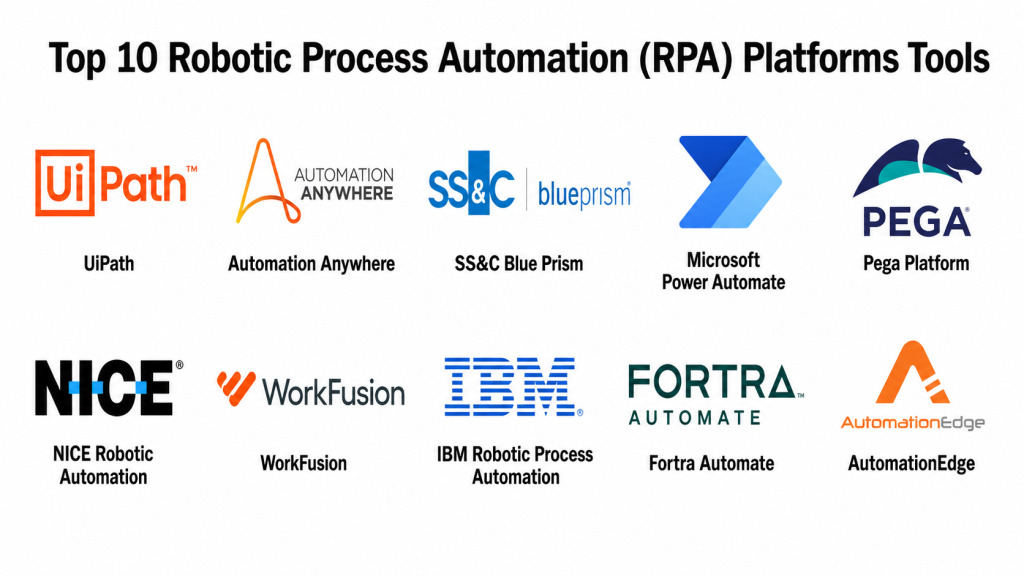
Top 10 Robotic Process Automation (RPA) Platforms Tools
#1 — UiPath
Short description: UiPath is an enterprise automation platform that combines RPA, AI, process intelligence, document understanding, testing, orchestration, and agentic automation. It is best for organizations that want to scale automation across many departments with strong governance.
Key Features
- Attended and unattended automation
- Visual bot development through Studio
- Orchestration and bot management
- Process mining and task mining
- AI and document understanding
- Testing automation support
- Agentic automation and human-in-the-loop workflows
Pros
- Strong enterprise automation ecosystem.
- Good for scaling automation across departments.
- Large community, training ecosystem, and partner network.
Cons
- Can be expensive for small teams.
- Requires governance to avoid bot sprawl.
- Advanced automation programs need skilled architects and process owners.
Platforms / Deployment
Web / Windows
Cloud / Self-hosted / Hybrid
Security & Compliance
UiPath supports enterprise automation security patterns such as identity integration, access control, credential management, auditability, and governance. Specific details such as SSO/SAML, MFA, audit logs, RBAC, SOC 2, ISO 27001, GDPR, HIPAA, and encryption should be verified directly based on plan and deployment model.
Integrations & Ecosystem
UiPath has a strong automation ecosystem across desktop apps, enterprise systems, APIs, AI services, and business workflows.
- ERP systems
- CRM tools
- Desktop applications
- Web applications
- APIs and databases
- AI and document processing workflows
Support & Community
UiPath has extensive documentation, academy-style training, community forums, marketplace assets, partners, and enterprise support options. It is one of the strongest choices for large-scale automation programs.
#2 — Automation Anywhere
Short description: Automation Anywhere is a cloud-first intelligent automation platform for RPA, AI-powered automation, process discovery, document processing, and enterprise bot orchestration. It is best for organizations that want scalable automation with strong business-user and enterprise capabilities.
Key Features
- Cloud-native RPA platform
- Attended and unattended bots
- Bot orchestration and monitoring
- Document automation
- Process discovery tools
- AI-assisted automation features
- Enterprise governance controls
Pros
- Strong cloud-first RPA approach.
- Good for enterprise automation and document-heavy workflows.
- Useful for business users and automation teams.
Cons
- Advanced use cases may require experienced automation developers.
- Pricing and packaging should be reviewed carefully.
- Governance is important when scaling bot programs.
Platforms / Deployment
Web / Windows
Cloud / Hybrid
Security & Compliance
Automation Anywhere supports enterprise-grade automation controls, but buyers should verify specific details such as SSO/SAML, MFA, audit logs, RBAC, SOC 2, ISO 27001, GDPR, HIPAA, credential management, and encryption directly based on plan and deployment.
Integrations & Ecosystem
Automation Anywhere integrates with enterprise applications, documents, cloud systems, and business processes.
- ERP systems
- CRM tools
- Document processing workflows
- Web and desktop applications
- APIs
- AI and analytics tools
Support & Community
Automation Anywhere provides documentation, training resources, community support, partner services, and enterprise customer support. It is suitable for organizations building serious intelligent automation programs.
#3 — SS&C Blue Prism
Short description: SS&C Blue Prism is an enterprise RPA and intelligent automation platform known for governance, security, control, and digital workforce automation. It is commonly used by large enterprises, banks, insurance companies, healthcare organizations, and regulated industries.
Key Features
- Enterprise digital workforce automation
- Attended and unattended automation support
- Process orchestration
- Centralized control room
- Governance and auditability
- Integration with enterprise systems
- Intelligent automation capabilities
Pros
- Strong governance and control model.
- Good fit for regulated and enterprise environments.
- Useful for structured, high-volume process automation.
Cons
- May be less beginner-friendly than lightweight tools.
- Implementation can require experienced RPA teams.
- Smaller businesses may find it too heavy.
Platforms / Deployment
Web / Windows
Cloud / Self-hosted / Hybrid
Security & Compliance
SS&C Blue Prism is often positioned for enterprise governance, auditability, and regulated environments. Specific security and compliance details such as SSO/SAML, MFA, audit logs, RBAC, SOC 2, ISO 27001, GDPR, HIPAA, encryption, and credential management should be verified directly. Industry commentary highlights Blue Prism’s focus on security and governance for banks and healthcare providers.
Integrations & Ecosystem
Blue Prism works well in enterprise environments with legacy systems, back-office tools, and regulated processes.
- ERP systems
- Mainframe and legacy apps
- Desktop applications
- Web applications
- Databases
- Enterprise workflow tools
Support & Community
SS&C Blue Prism provides enterprise documentation, support, implementation partners, and automation expertise. It is suited for organizations that value structure, governance, and control.
#4 — Microsoft Power Automate
Short description: Microsoft Power Automate is a low-code workflow automation and RPA platform inside the Microsoft Power Platform. It is best for organizations using Microsoft 365, Teams, SharePoint, Dynamics, Azure, and Windows-based business processes.
Key Features
- Cloud flows and desktop flows
- Robotic process automation
- Low-code workflow builder
- AI Builder support
- Microsoft 365 integration
- Approval workflows
- Enterprise governance controls
Pros
- Strong fit for Microsoft-centered businesses.
- Useful for both cloud workflows and desktop automation.
- Good integration with Power Apps, Power BI, Teams, SharePoint, and Dynamics.
Cons
- Licensing can require careful review.
- Best value appears inside the Microsoft ecosystem.
- Complex automations may need skilled administrators.
Platforms / Deployment
Web / Windows / iOS / Android
Cloud / Hybrid
Security & Compliance
Power Automate benefits from Microsoft’s identity, admin, security, and compliance ecosystem. Specific details such as SSO/SAML, MFA, audit logs, RBAC, SOC 2, ISO 27001, GDPR, HIPAA, encryption, and governance controls should be verified through Microsoft licensing and tenant configuration.
Integrations & Ecosystem
Power Automate is especially strong for Microsoft-based organizations.
- Microsoft 365
- SharePoint
- Teams
- Dynamics 365
- Azure services
- Power Platform tools
Support & Community
Microsoft provides documentation, learning resources, community forums, partner support, and enterprise support options. It is a strong choice for organizations already standardized on Microsoft tools.
#5 — Pega Platform
Short description: Pega Platform combines business process management, case management, decisioning, workflow automation, and robotic automation. It is best for enterprises that need RPA as part of larger customer service, operations, and process transformation programs.
Key Features
- RPA and robotic desktop automation
- Case management
- Business process automation
- Decisioning capabilities
- Low-code app development
- Workflow orchestration
- Enterprise governance controls
Pros
- Strong for large process transformation programs.
- Useful when RPA must connect with case management and BPM.
- Good for customer service, banking, insurance, and operations workflows.
Cons
- May be too broad for simple bot automation needs.
- Implementation can require platform expertise.
- Best suited for mature enterprise teams.
Platforms / Deployment
Web / Windows
Cloud / Hybrid
Security & Compliance
Pega supports enterprise platform security and governance patterns, but specific details such as SSO/SAML, MFA, audit logs, RBAC, SOC 2, ISO 27001, GDPR, HIPAA, encryption, and compliance controls should be verified directly by plan and deployment.
Integrations & Ecosystem
Pega is strong when RPA is part of broader business process and case management workflows.
- CRM and customer service systems
- Case management workflows
- Enterprise databases
- APIs
- Legacy systems
- Decisioning and workflow tools
Support & Community
Pega offers documentation, training, enterprise support, partner services, and implementation guidance. It is a strong fit for enterprise process transformation.
#6 — NICE Robotic Automation
Short description: NICE Robotic Automation is an RPA and automation platform often used in contact centers, customer service, back-office operations, and employee productivity workflows. It is useful for organizations that want attended automation and guided employee support.
Key Features
- Attended automation
- Unattended automation capabilities
- Contact center automation
- Desktop automation
- Employee guidance
- Real-time process assistance
- Enterprise monitoring and governance
Pros
- Strong fit for contact centers and customer operations.
- Useful for employee-assisted automation.
- Helps reduce repetitive desktop work.
Cons
- Best fit is specific to customer operations and service workflows.
- May not be the first choice for general-purpose RPA in all departments.
- Enterprise setup may require specialized support.
Platforms / Deployment
Web / Windows
Cloud / Hybrid
Security & Compliance
NICE supports enterprise automation and contact center security patterns, but specific details such as SSO/SAML, MFA, audit logs, RBAC, SOC 2, ISO 27001, GDPR, HIPAA, encryption, and compliance controls should be verified directly.
Integrations & Ecosystem
NICE is especially relevant for contact center and customer service automation.
- Contact center systems
- CRM tools
- Desktop applications
- Customer service workflows
- Analytics tools
- Enterprise applications
Support & Community
NICE provides enterprise support, documentation, implementation services, and contact-center automation expertise. It is strong for organizations focused on customer service productivity.
#7 — WorkFusion
Short description: WorkFusion is an intelligent automation platform focused on AI-powered digital workers, document-heavy workflows, financial crime, banking operations, and enterprise process automation. It is useful for organizations that need automation with strong AI and document processing capabilities.
Key Features
- Intelligent automation
- AI digital workers
- Document processing
- RPA capabilities
- Workflow orchestration
- Banking and compliance use cases
- Process monitoring
Pros
- Strong for document-heavy and compliance-heavy workflows.
- Useful for financial services and banking operations.
- AI-driven automation focus can reduce manual review effort.
Cons
- Best fit may be narrower than general-purpose RPA tools.
- Implementation should align with specific use cases.
- Pricing and deployment details should be reviewed carefully.
Platforms / Deployment
Web / Windows
Cloud / Hybrid
Security & Compliance
WorkFusion serves enterprise and regulated automation use cases, but specific security and compliance details such as SSO/SAML, MFA, audit logs, RBAC, SOC 2, ISO 27001, GDPR, HIPAA, encryption, and credential management should be verified directly.
Integrations & Ecosystem
WorkFusion is strongest in workflows involving documents, risk, compliance, and operational review.
- Banking systems
- Compliance workflows
- Document processing tools
- Enterprise applications
- APIs
- Case management workflows
Support & Community
WorkFusion provides enterprise support, implementation guidance, and use-case-focused automation support. It is best for teams with clear document-heavy and AI-assisted automation goals.
#8 — IBM Robotic Process Automation
Short description: IBM Robotic Process Automation helps automate repetitive and time-consuming back-office tasks using software robots. It is part of IBM’s broader business automation portfolio and is suitable for enterprises that need RPA connected with workflow, AI, and operations automation.
Key Features
- Robotic process automation
- Bot creation and execution
- Business automation alignment
- Back-office task automation
- Integration with IBM automation ecosystem
- Workflow and process support
- Enterprise operations focus
Pros
- Strong fit for IBM-centered enterprise environments.
- Useful when RPA connects with broader business automation.
- Good for structured back-office automation.
Cons
- May be less attractive for small teams.
- Best value appears in IBM enterprise environments.
- Buyers should verify current product packaging and roadmap.
Platforms / Deployment
Web / Windows
Cloud / Hybrid
Security & Compliance
IBM RPA security and compliance should be reviewed through IBM’s enterprise automation and cloud documentation. Specific details such as SSO/SAML, MFA, audit logs, RBAC, SOC 2, ISO 27001, GDPR, HIPAA, encryption, and credential controls should be verified directly.
Integrations & Ecosystem
IBM RPA fits into broader enterprise business automation environments.
- IBM automation tools
- Back-office applications
- Workflow systems
- Enterprise databases
- APIs
- Business process tools
Support & Community
IBM provides enterprise support, documentation, consulting, and partner services. It is a good fit for organizations already using IBM automation or enterprise software.
#9 — Fortra Automate
Short description: Fortra Automate is an automation platform for repetitive business and IT processes, including desktop automation, workflow automation, data movement, and report generation. It is useful for organizations that need practical automation across Windows, business apps, and operational workflows.
Key Features
- Desktop automation
- Workflow automation
- Data extraction and movement
- Report automation
- File and folder automation
- Application interaction
- IT and business task automation
Pros
- Practical for Windows-heavy business automation.
- Good for repetitive report and file-based processes.
- Useful for IT and operations teams.
Cons
- May not offer the same broad AI ecosystem as larger RPA platforms.
- Enterprise governance depth should be verified.
- Complex use cases may need technical automation skills.
Platforms / Deployment
Web / Windows
Cloud / Self-hosted / Hybrid
Security & Compliance
Fortra Automate supports business automation workflows, but specific security details such as SSO/SAML, MFA, audit logs, RBAC, SOC 2, ISO 27001, GDPR, HIPAA, encryption, and credential management should be verified directly.
Integrations & Ecosystem
Fortra Automate is useful for business and IT task automation.
- Windows applications
- Web applications
- File systems
- Databases
- Reporting tools
- IT operations workflows
Support & Community
Fortra provides documentation, support resources, and enterprise automation support. It is especially useful for teams that want pragmatic desktop and operational automation.
#10 — AutomationEdge
Short description: AutomationEdge is an RPA and IT automation platform used for business process automation, IT process automation, chatbot-connected workflows, and service desk automation. It is useful for IT teams, shared service teams, and enterprises looking for RPA plus IT automation.
Key Features
- RPA bot development
- IT process automation
- Service desk automation
- Chatbot integration options
- Workflow automation
- Data and application integration
- Bot orchestration
Pros
- Useful for IT and service desk automation.
- Combines RPA with IT process automation use cases.
- Practical for shared service environments.
Cons
- Market visibility may be lower than larger RPA platforms.
- Buyers should validate support ecosystem and roadmap.
- Advanced enterprise governance should be reviewed directly.
Platforms / Deployment
Web / Windows
Cloud / Self-hosted / Hybrid
Security & Compliance
AutomationEdge security and compliance details should be verified directly. Buyers should check SSO/SAML, MFA, audit logs, RBAC, SOC 2, ISO 27001, GDPR, HIPAA, encryption, credential vaulting, and access control capabilities based on plan and deployment.
Integrations & Ecosystem
AutomationEdge is useful where RPA intersects with IT operations and business processes.
- ITSM tools
- Service desk systems
- Business applications
- Databases
- Chatbots
- APIs and workflows
Support & Community
AutomationEdge provides documentation, customer support, and implementation guidance. It is best for teams that need RPA connected with IT automation and service desk processes.
Comparison Table
| Tool Name | Best For | Platform(s) Supported | Deployment | Standout Feature | Public Rating |
|---|---|---|---|---|---|
| UiPath | Enterprise automation at scale | Web / Windows | Cloud / Self-hosted / Hybrid | Agentic automation and broad RPA ecosystem | N/A |
| Automation Anywhere | Cloud-first intelligent automation | Web / Windows | Cloud / Hybrid | Enterprise RPA with AI and document automation | N/A |
| SS&C Blue Prism | Regulated enterprise automation | Web / Windows | Cloud / Self-hosted / Hybrid | Governance-focused digital workforce | N/A |
| Microsoft Power Automate | Microsoft-centered automation | Web / Windows / iOS / Android | Cloud / Hybrid | Desktop and cloud automation in Power Platform | N/A |
| Pega Platform | RPA with BPM and case management | Web / Windows | Cloud / Hybrid | Process automation plus case management | N/A |
| NICE Robotic Automation | Contact center and service operations | Web / Windows | Cloud / Hybrid | Attended automation for customer operations | N/A |
| WorkFusion | AI and document-heavy automation | Web / Windows | Cloud / Hybrid | AI digital workers for regulated workflows | N/A |
| IBM Robotic Process Automation | IBM-centered business automation | Web / Windows | Cloud / Hybrid | RPA within broader IBM automation suite | N/A |
| Fortra Automate | Windows and IT task automation | Web / Windows | Cloud / Self-hosted / Hybrid | Desktop, file, and report automation | N/A |
| AutomationEdge | RPA plus IT automation | Web / Windows | Cloud / Self-hosted / Hybrid | Service desk and IT process automation | N/A |
Evaluation & Scoring of Robotic Process Automation (RPA) Platforms
| Tool Name | Core (25%) | Ease (15%) | Integrations (15%) | Security (10%) | Performance (10%) | Support (10%) | Value (15%) | Weighted Total (0–10) |
|---|---|---|---|---|---|---|---|---|
| UiPath | 10 | 8 | 9 | 9 | 9 | 10 | 7 | 8.90 |
| Automation Anywhere | 9 | 8 | 9 | 8 | 8 | 9 | 7 | 8.35 |
| SS&C Blue Prism | 9 | 7 | 8 | 9 | 9 | 9 | 7 | 8.30 |
| Microsoft Power Automate | 8 | 8 | 9 | 9 | 8 | 9 | 8 | 8.40 |
| Pega Platform | 8 | 7 | 8 | 9 | 8 | 9 | 6 | 7.80 |
| NICE Robotic Automation | 8 | 7 | 8 | 8 | 8 | 8 | 7 | 7.65 |
| WorkFusion | 8 | 7 | 7 | 8 | 8 | 8 | 7 | 7.60 |
| IBM Robotic Process Automation | 8 | 7 | 8 | 8 | 8 | 8 | 7 | 7.75 |
| Fortra Automate | 7 | 8 | 7 | 7 | 7 | 8 | 8 | 7.45 |
| AutomationEdge | 7 | 7 | 7 | 7 | 7 | 7 | 8 | 7.15 |
These scores are comparative and should be interpreted based on your automation maturity, process complexity, security requirements, and existing technology stack. UiPath, Automation Anywhere, SS&C Blue Prism, and Microsoft Power Automate are strong broad-market options. Pega, NICE, WorkFusion, IBM, Fortra, and AutomationEdge may be better fits for specific business, IT, contact center, document-heavy, or enterprise ecosystem needs.
Which Robotic Process Automation (RPA) Platforms Tool Is Right for You?
Solo / Freelancer
Solo users usually need affordable tools that are easy to learn and practical for desktop or web automation. Microsoft Power Automate, Fortra Automate, and smaller-scale options from larger platforms can be practical starting points.
Choose Power Automate if you work heavily with Microsoft tools. Choose Fortra Automate if your needs involve Windows desktop tasks, reporting, and file automation. If you are learning enterprise RPA, UiPath is also useful because of its large learning ecosystem.
SMB
Small and medium businesses need tools that can automate finance tasks, data entry, CRM updates, report generation, customer service handoffs, and internal approvals. Microsoft Power Automate, UiPath, Automation Anywhere, Fortra Automate, and AutomationEdge can fit different SMB needs.
Choose Power Automate for Microsoft-centered operations. Choose UiPath or Automation Anywhere if you expect automation to grow across departments. Choose AutomationEdge if IT service automation is important.
Mid-Market
Mid-market companies need governance, monitoring, bot orchestration, support, integration depth, and repeatable automation delivery. UiPath, Automation Anywhere, SS&C Blue Prism, Microsoft Power Automate, Pega, and WorkFusion are practical choices.
Choose UiPath for broad automation scale. Choose Automation Anywhere for cloud-first intelligent automation. Choose SS&C Blue Prism for structured governance. Choose WorkFusion for document-heavy and compliance-heavy use cases.
Enterprise
Enterprise buyers should prioritize security, auditability, bot governance, credential control, orchestration, process mining, AI governance, support, and deployment flexibility. UiPath, Automation Anywhere, SS&C Blue Prism, Microsoft Power Automate, Pega, and IBM RPA are strong options.
Choose UiPath for broad enterprise automation and agentic automation direction. Choose SS&C Blue Prism for regulated environments that need control and auditability. Choose Pega if RPA must connect with case management and process transformation. Choose IBM RPA if IBM business automation is already part of the enterprise stack.
Budget vs Premium
For budget-sensitive teams, Microsoft Power Automate and Fortra Automate may be practical depending on existing licenses and use cases. Smaller deployments of major platforms may also be considered.
Premium RPA platforms such as UiPath, Automation Anywhere, SS&C Blue Prism, Pega, and WorkFusion may require more investment, but they provide stronger orchestration, governance, AI features, and enterprise scalability.
Feature Depth vs Ease of Use
If ease of use matters most, Power Automate, UiPath StudioX-style experiences, and Fortra Automate may be easier starting points.
If feature depth matters more, UiPath, Automation Anywhere, SS&C Blue Prism, Pega, and IBM RPA provide stronger enterprise automation capabilities, governance, orchestration, and process coverage.
Integrations & Scalability
If integrations are critical, check whether the platform supports ERP, CRM, ITSM, desktop apps, web apps, databases, APIs, document systems, identity providers, and cloud services.
Choose Power Automate for Microsoft integrations. Choose UiPath for broad ecosystem coverage. Choose Pega for process and case management integration. Choose NICE for contact center workflows. Choose AutomationEdge for IT automation and service desk workflows.
Security & Compliance Needs
RPA bots often access sensitive systems, so security must be reviewed early. Check SSO, MFA, RBAC, audit logs, credential vaulting, encryption, bot identity, secrets rotation, data masking, privileged access, approval workflows, and monitoring.
For regulated industries such as banking, healthcare, insurance, and public sector operations, involve security, compliance, legal, and risk teams before deploying bots into production.
Frequently Asked Questions
What is Robotic Process Automation?
Robotic Process Automation is software that uses bots to perform repetitive rule-based tasks on computers. Bots can open apps, copy data, fill forms, move files, generate reports, and complete digital steps similar to a human user.
How is RPA different from workflow automation?
RPA usually automates tasks through user interfaces, especially when APIs are unavailable. Workflow automation connects systems and people through triggers, approvals, and integrations. Many modern platforms combine both.
Which RPA platform is best for enterprises?
UiPath, Automation Anywhere, SS&C Blue Prism, Microsoft Power Automate, Pega, and IBM Robotic Process Automation are strong enterprise options. The right choice depends on governance, security, integrations, and existing systems.
Which RPA tool is best for Microsoft users?
Microsoft Power Automate is a strong choice for Microsoft-centered organizations because it works well with Microsoft 365, SharePoint, Teams, Dynamics, Azure, and Windows desktop automation.
What are common RPA use cases?
Common use cases include invoice processing, report generation, data entry, employee onboarding, claims processing, customer support updates, compliance checks, file movement, and legacy system automation.
Can RPA work with legacy systems?
Yes. RPA is often useful when legacy systems do not have modern APIs. Bots can interact with screens, forms, files, and desktop applications in ways similar to human users.
What are common RPA mistakes?
Common mistakes include automating broken processes, skipping process documentation, ignoring exception handling, weak credential management, poor bot monitoring, and building bots without business ownership.
Is RPA secure?
RPA can be secure if implemented with strong access controls, credential vaulting, audit logs, encryption, bot identity management, approval workflows, and monitoring. Security depends heavily on configuration and governance.
Does RPA replace employees?
RPA is best used to reduce repetitive manual work, not simply replace people. It helps teams spend more time on judgment, customer service, analysis, exception handling, and higher-value work.
What pricing factors should buyers check?
Buyers should check bot licenses, attended and unattended bot costs, orchestration costs, AI document processing usage, development seats, environments, support levels, infrastructure, and professional services.
Can RPA be combined with AI?
Yes. Modern RPA often combines with AI for document understanding, classification, summarization, decision support, conversational workflows, anomaly detection, and agentic automation.
How hard is it to switch RPA platforms?
Switching can be difficult because bots are tied to workflows, selectors, applications, credentials, exception rules, and orchestration. A phased migration with process documentation is usually safer.
Conclusion
Robotic Process Automation platforms help organizations reduce repetitive work, improve operational consistency, and automate tasks across legacy systems, desktop applications, web apps, documents, and enterprise workflows. However, the best RPA platform depends on your business context. UiPath is strong for broad enterprise automation and agentic automation programs. Automation Anywhere is a solid cloud-first intelligent automation platform. SS&C Blue Prism is well suited for regulated enterprises that value governance and control. Microsoft Power Automate is practical for Microsoft-centered organizations. Pega is strong when RPA must connect with case management and process transformation. NICE fits contact center and customer service workflows. WorkFusion is useful for AI and document-heavy regulated workflows. IBM RPA fits IBM-centered business automation programs. Fortra Automate is practical for Windows and IT task automation. AutomationEdge is useful when RPA overlaps with IT automation and service desk workflows.
