Upgrade & Secure Your Future with DevOps, SRE, DevSecOps, MLOps!
We spend hours scrolling social media and waste money on things we forget, but won’t spend 30 minutes a day earning certifications that can change our lives.
Master in DevOps, SRE, DevSecOps & MLOps by DevOps School!
Learn from Guru Rajesh Kumar and double your salary in just one year.
Introduction
Employee scheduling software helps businesses create, manage, publish, and update staff schedules in a structured digital system. In simple terms, these platforms help managers decide who works, when they work, where they work, and whether every shift has the right coverage.
These tools matter because employee scheduling is no longer just about filling shifts on a spreadsheet. Businesses now manage part-time workers, full-time employees, contractors, remote staff, field teams, changing availability, overtime rules, leave requests, labor budgets, and multi-location operations. A good scheduling platform helps reduce missed shifts, avoid overstaffing, prevent burnout, improve communication, and connect schedules with time tracking and payroll.
Real-world use cases include:
- Retail shift planning
- Restaurant and hospitality scheduling
- Healthcare staff coverage
- Field service workforce planning
- Call center shift management
- Employee availability and time-off requests
- Multi-location workforce scheduling
- Labor cost and overtime planning
Buyers should evaluate:
- Shift scheduling flexibility
- Employee availability management
- Time-off and leave request handling
- Shift swap and open shift features
- Mobile app experience
- Time clock and attendance support
- Payroll and HR integrations
- Labor cost forecasting
- Compliance and overtime controls
- Reporting, permissions, and admin controls
Best for: Employee scheduling software is best for retail stores, restaurants, hotels, healthcare clinics, salons, call centers, logistics teams, field service companies, manufacturing teams, small businesses, multi-location businesses, and enterprises that manage hourly, shift-based, or distributed employees.
Not ideal for: Employee scheduling software may not be ideal for very small teams with fixed working hours, solo professionals, or companies where every employee works the same schedule every week. In those cases, a shared calendar or basic workforce tool may be enough.
Key Trends in Employee Scheduling Software Platforms
AI-assisted scheduling is becoming more practical. Modern scheduling platforms are starting to help managers forecast demand, suggest shift coverage, identify overtime risk, and reduce scheduling conflicts.
- Employee self-service is now expected. Workers want to check schedules, request time off, swap shifts, update availability, and receive notifications directly from mobile apps.
- Labor cost visibility is becoming central. Managers need to see scheduled hours, projected labor cost, overtime risk, and staffing coverage before publishing schedules.
- Compliance-aware scheduling is more important. Businesses must consider breaks, overtime rules, availability, shift gaps, local labor rules, union requirements, and fair scheduling policies.
- Mobile-first scheduling is becoming standard. Frontline, hourly, and field employees often rely on phones more than desktop systems, so mobile usability matters.
- Scheduling and payroll are becoming more connected. Businesses want schedules, time clocks, attendance, approvals, and payroll exports to work together smoothly.
- Multi-location scheduling needs better control. Retail chains, healthcare groups, restaurants, and service businesses need visibility across locations while still allowing local managers to make updates.
- Shift swapping is becoming more flexible. Employees want more control over their schedules, while managers need approval rules to prevent coverage and compliance issues.
- Forecast-based scheduling is growing. Businesses are using historical demand, sales trends, appointment volume, call volume, and staffing patterns to plan better schedules.
- Privacy and trust are becoming important. Tools with GPS, time clocks, and attendance features must be used with clear employee communication and transparent policies.
How We Selected These Tools
This Top 10 list was selected using practical buyer-focused evaluation logic:
- Market adoption among small businesses, retail teams, restaurants, healthcare teams, field teams, and enterprises
- Feature completeness across shift scheduling, availability, time-off requests, shift swaps, notifications, and labor planning
- Ease of use for managers, employees, HR teams, and operations leaders
- Mobile app quality for frontline and hourly workers
- Reliability for daily schedule publishing, last-minute shift changes, and attendance workflows
- Security posture signals such as SSO, MFA, RBAC, audit logs, encryption, and admin permissions
- Integration ecosystem with payroll, HR, POS, time tracking, accounting, and communication tools
- Fit across SMB, mid-market, enterprise, multi-location, and shift-heavy teams
- Reporting depth for labor costs, attendance, overtime, schedule coverage, and employee availability
- Practical value based on usability, implementation effort, employee adoption, and scalability
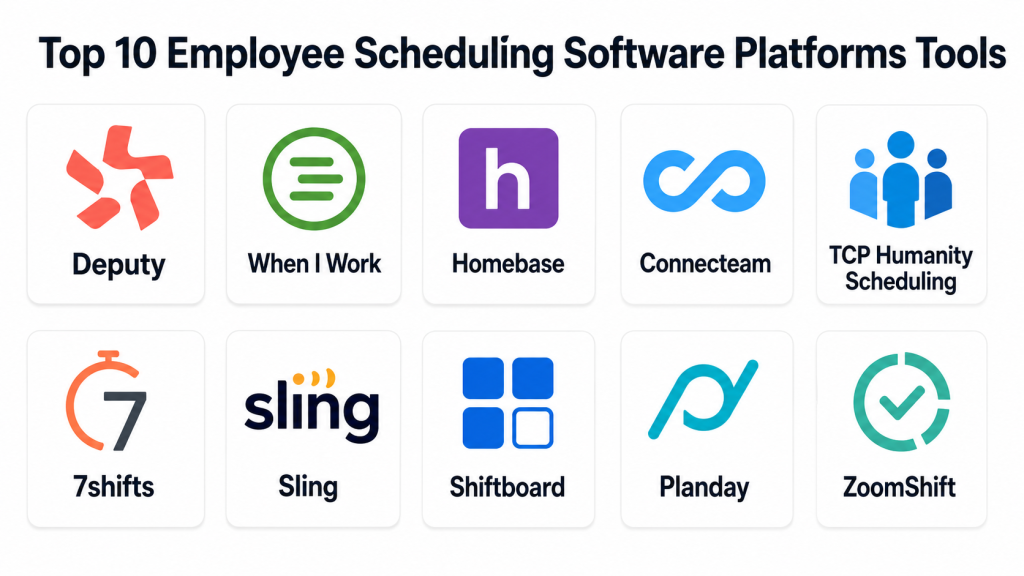
Top 10 Employee Scheduling Software Platforms Tools
#1 — Deputy
Short description: Deputy is an employee scheduling and workforce management platform built for shift-based businesses. It is especially useful for retail, hospitality, healthcare, service teams, and multi-location businesses that need scheduling, time tracking, leave management, and labor cost visibility.
Key Features
- Employee shift scheduling
- Time clock and attendance tracking
- Shift swapping and open shifts
- Leave and availability management
- Labor cost visibility
- Mobile employee app
- Payroll and workforce integrations
Pros
- Easy for managers and employees to use.
- Strong fit for hourly and shift-based teams.
- Good balance of scheduling, time tracking, and labor planning.
Cons
- May not replace a full HR or HCM platform.
- Advanced enterprise needs should be reviewed carefully.
- Best suited for shift-based work rather than office-only teams.
Platforms / Deployment
Web / iOS / Android
Cloud
Security & Compliance
Deputy provides cloud-based workforce and scheduling controls. Specific details such as SSO/SAML, MFA, audit logs, RBAC, SOC 2, ISO 27001, GDPR, HIPAA, and encryption should be verified directly.
Integrations & Ecosystem
Deputy works well with payroll, HR, POS, accounting, and workforce systems.
- Payroll systems
- HR platforms
- POS tools
- Accounting workflows
- Time clock systems
- Employee communication tools
Support & Community
Deputy provides documentation, help resources, onboarding guidance, and customer support. It is a practical choice for businesses that want employee scheduling and attendance in one platform.
#2 — When I Work
Short description: When I Work is an employee scheduling and time tracking platform designed for hourly teams. It helps managers build schedules, manage shift swaps, track attendance, and communicate with employees through a simple mobile-first experience.
Key Features
- Employee scheduling
- Shift swapping
- Time clock support
- Availability tracking
- Team messaging
- Attendance visibility
- Mobile schedule access
Pros
- Simple and easy for hourly teams.
- Strong mobile experience.
- Good for fast schedule updates and shift communication.
Cons
- Not a full enterprise HCM platform.
- Advanced analytics and compliance features should be checked by plan.
- Larger organizations may need deeper HR and payroll workflows.
Platforms / Deployment
Web / iOS / Android
Cloud
Security & Compliance
When I Work provides account and team management controls depending on plan. Specific details such as SSO/SAML, MFA, audit logs, RBAC, SOC 2, ISO 27001, GDPR, HIPAA, and encryption should be verified directly.
Integrations & Ecosystem
When I Work fits businesses that need scheduling connected with time tracking, payroll, and employee communication.
- Payroll tools
- Time clock workflows
- Team messaging
- Scheduling workflows
- Labor reporting
- Mobile workforce communication
Support & Community
When I Work provides help articles, onboarding resources, support options, and scheduling guidance. It is especially useful for small and mid-sized hourly teams.
#3 — Homebase
Short description: Homebase is an employee scheduling, time clock, payroll, hiring, and team communication platform for small businesses. It is best for restaurants, retail shops, salons, local service businesses, and hourly teams that need easy scheduling with payroll-connected workflows.
Key Features
- Employee scheduling
- Time clock and attendance
- Payroll support
- Team messaging
- Hiring and onboarding tools
- Labor cost tracking
- Mobile employee app
Pros
- Strong fit for small businesses.
- Easy scheduling and time tracking experience.
- Useful for connecting schedules with payroll.
Cons
- May not fit complex enterprise scheduling needs.
- Advanced analytics may be limited for larger organizations.
- Best suited for small and local workforce operations.
Platforms / Deployment
Web / iOS / Android
Cloud
Security & Compliance
Homebase provides account and workforce data controls depending on plan. Specific details such as SSO/SAML, MFA, audit logs, RBAC, SOC 2, ISO 27001, GDPR, HIPAA, and encryption should be verified directly.
Integrations & Ecosystem
Homebase connects employee scheduling with small business workforce workflows.
- Payroll tools
- POS systems
- Time clocks
- Hiring workflows
- Team messaging
- Small business operations tools
Support & Community
Homebase provides help resources, onboarding guides, customer support, and small business workforce content. It is useful for small businesses that want scheduling, attendance, and communication in one place.
#4 — Connecteam
Short description: Connecteam is an employee management platform for deskless, mobile, and frontline teams. It includes employee scheduling, time tracking, task management, communication, forms, checklists, training, and workforce operations.
Key Features
- Employee scheduling
- Time tracking
- Shift tasks and checklists
- Team communication
- Forms and reports
- Mobile-first employee app
- Training and knowledge sharing
Pros
- Strong for deskless and frontline teams.
- Combines scheduling with communication and task management.
- Good mobile experience for employees.
Cons
- May not replace a full HRIS or payroll platform.
- Advanced payroll and compliance workflows should be verified.
- Larger organizations may need additional integrations.
Platforms / Deployment
Web / iOS / Android
Cloud
Security & Compliance
Connecteam provides workforce access and employee management controls depending on plan. Specific details such as SSO/SAML, MFA, audit logs, RBAC, SOC 2, ISO 27001, GDPR, HIPAA, and encryption should be verified directly.
Integrations & Ecosystem
Connecteam works well for businesses with mobile, field, and deskless teams.
- Payroll workflows
- Employee communication
- Task management
- Forms and checklists
- Training workflows
- Field team operations
Support & Community
Connecteam provides documentation, templates, customer support, onboarding resources, and workforce operations guidance. It is strong for teams that need scheduling plus employee communication.
#5 — TCP Humanity Scheduling
Short description: TCP Humanity Scheduling is a workforce scheduling platform for organizations that manage shift-based, multi-location, and coverage-sensitive teams. It is useful for healthcare, retail, hospitality, public services, education, and service organizations.
Key Features
- Employee shift scheduling
- Availability management
- Time-off requests
- Demand-based scheduling
- Shift planning
- Mobile schedule access
- Workforce reporting
Pros
- Strong for schedule-heavy workforce environments.
- Good for multi-location and coverage planning.
- Useful where availability and demand-based scheduling matter.
Cons
- May require HR or payroll integrations for full workforce operations.
- Advanced setup may need implementation planning.
- Best fit is scheduling-focused organizations.
Platforms / Deployment
Web / iOS / Android
Cloud
Security & Compliance
TCP Humanity Scheduling provides workforce scheduling and access control features depending on plan. Specific details such as SSO/SAML, MFA, audit logs, RBAC, SOC 2, ISO 27001, GDPR, HIPAA, and encryption should be verified directly.
Integrations & Ecosystem
TCP Humanity Scheduling supports workforce scheduling, coverage planning, and attendance-connected workflows.
- Payroll systems
- HR systems
- Time tracking workflows
- Employee communication
- Multi-location scheduling
- Workforce reporting
Support & Community
TCP provides documentation, customer support, implementation guidance, and workforce scheduling resources. It is a strong option for teams with complex scheduling needs.
#6 — 7shifts
Short description: 7shifts is an employee scheduling and workforce management platform built mainly for restaurants and hospitality teams. It helps managers schedule staff, manage availability, track labor costs, communicate with teams, and connect scheduling with restaurant operations.
Key Features
- Restaurant employee scheduling
- Availability and time-off requests
- Shift swapping
- Labor cost tracking
- Team communication
- Time clock support
- POS and payroll integrations
Pros
- Strong fit for restaurants and hospitality.
- Useful for labor cost planning and team communication.
- Designed around shift-based food service workflows.
Cons
- Less relevant for non-restaurant industries.
- Advanced enterprise features should be reviewed.
- Best value depends on restaurant operations needs.
Platforms / Deployment
Web / iOS / Android
Cloud
Security & Compliance
7shifts provides account and workforce management controls depending on plan. Specific details such as SSO/SAML, MFA, audit logs, RBAC, SOC 2, ISO 27001, GDPR, HIPAA, and encryption should be verified directly.
Integrations & Ecosystem
7shifts fits restaurant and hospitality workforce ecosystems.
- POS systems
- Payroll tools
- Time clock workflows
- Team messaging
- Labor reporting
- Restaurant operations tools
Support & Community
7shifts provides documentation, support resources, onboarding guidance, and restaurant-focused scheduling content. It is a strong fit for restaurant teams needing scheduling and labor visibility.
#7 — Sling
Short description: Sling is an employee scheduling and communication platform for businesses that manage shift-based teams. It helps managers build schedules, manage availability, assign tasks, communicate with employees, and track labor needs.
Key Features
- Shift scheduling
- Availability management
- Time-off requests
- Team messaging
- Task assignment
- Labor cost planning
- Mobile employee access
Pros
- Easy to use for shift-based teams.
- Combines scheduling with communication and tasks.
- Practical for small and mid-sized businesses.
Cons
- May not support complex enterprise workforce planning by itself.
- Advanced payroll and compliance needs should be verified.
- Reporting depth may not match larger workforce platforms.
Platforms / Deployment
Web / iOS / Android
Cloud
Security & Compliance
Sling provides scheduling and team management controls depending on plan. Specific details such as SSO/SAML, MFA, audit logs, RBAC, SOC 2, ISO 27001, GDPR, HIPAA, and encryption should be verified directly. If unclear, use Not publicly stated.
Integrations & Ecosystem
Sling supports shift planning, communication, and daily team coordination workflows.
- Team messaging
- Task management
- Scheduling workflows
- Payroll-connected processes
- Mobile notifications
- Labor planning reports
Support & Community
Sling provides help resources, customer support, and scheduling-focused guidance. It is useful for businesses that want simple scheduling and employee communication.
#8 — Shiftboard
Short description: Shiftboard is an employee scheduling platform built for complex workforce environments, including mission-critical, high-volume, and compliance-sensitive scheduling. It is useful for manufacturing, energy, healthcare, public sector, and large shift-based operations.
Key Features
- Complex shift scheduling
- Workforce coverage planning
- Compliance-aware scheduling
- Employee availability management
- Schedule optimization
- Labor demand planning
- Reporting and analytics
Pros
- Strong for complex and high-volume scheduling.
- Useful for organizations with compliance-sensitive labor needs.
- Good fit for large operational teams.
Cons
- May be too advanced for small businesses.
- Implementation can require planning.
- Best fit is complex scheduling rather than basic shift planning.
Platforms / Deployment
Web / iOS / Android
Cloud
Security & Compliance
Shiftboard supports workforce scheduling controls for complex operations. Specific details such as SSO/SAML, MFA, audit logs, RBAC, SOC 2, ISO 27001, GDPR, HIPAA, and encryption should be verified directly.
Integrations & Ecosystem
Shiftboard fits organizations with complex scheduling, workforce planning, and compliance needs.
- HR systems
- Payroll systems
- Workforce management tools
- Operational planning systems
- Reporting dashboards
- Labor compliance workflows
Support & Community
Shiftboard provides documentation, implementation support, customer success resources, and scheduling expertise. It is best suited for organizations where scheduling accuracy is operationally critical.
#9 — Planday
Short description: Planday is an employee scheduling and workforce management platform for shift-based businesses. It helps companies create schedules, track availability, manage communication, and connect workforce planning with payroll and operations.
Key Features
- Employee scheduling
- Availability and time-off tracking
- Shift swapping
- Time clock support
- Payroll export workflows
- Team communication
- Labor cost visibility
Pros
- Good for hospitality, retail, and shift-based businesses.
- Easy schedule sharing and employee communication.
- Useful for payroll-connected scheduling workflows.
Cons
- Fit may depend on regional payroll and business needs.
- Advanced enterprise governance should be verified.
- Not ideal for teams needing broad HCM functionality.
Platforms / Deployment
Web / iOS / Android
Cloud
Security & Compliance
Planday provides workforce scheduling and account controls depending on plan. Specific details such as SSO/SAML, MFA, audit logs, RBAC, SOC 2, ISO 27001, GDPR, HIPAA, and encryption should be verified directly.
Integrations & Ecosystem
Planday works well for scheduling and workforce workflows in service-heavy industries.
- Payroll systems
- Time clock workflows
- HR systems
- POS systems
- Team messaging
- Labor cost reports
Support & Community
Planday provides documentation, onboarding resources, customer support, and workforce scheduling guidance. It is useful for teams that need employee scheduling connected with daily operations.
#10 — ZoomShift
Short description: ZoomShift is an employee scheduling and time tracking platform for hourly teams. It helps managers create schedules, manage shift swaps, track time, control labor costs, and communicate schedule changes.
Key Features
- Employee scheduling
- Shift swapping
- Time clock support
- Time-off requests
- Labor cost tracking
- Schedule notifications
- Mobile employee access
Pros
- Simple scheduling experience.
- Good for hourly and shift-based teams.
- Useful for small businesses needing schedule and time tracking together.
Cons
- May not fit complex enterprise workforce needs.
- Advanced HR and payroll features may require integrations.
- Reporting depth should be reviewed for larger teams.
Platforms / Deployment
Web / iOS / Android
Cloud
Security & Compliance
ZoomShift provides account and scheduling controls depending on plan. Specific details such as SSO/SAML, MFA, audit logs, RBAC, SOC 2, ISO 27001, GDPR, HIPAA, and encryption should be verified directly. If unclear, use Not publicly stated.
Integrations & Ecosystem
ZoomShift fits small and mid-sized teams that need shift scheduling and attendance visibility.
- Payroll workflows
- Time clock systems
- Team notifications
- Labor cost reporting
- Mobile scheduling
- Attendance workflows
Support & Community
ZoomShift provides help resources, customer support, and scheduling guidance. It is practical for teams that need simple employee scheduling and time tracking.
Comparison Table
| Tool Name | Best For | Platform(s) Supported | Deployment | Standout Feature | Public Rating |
|---|---|---|---|---|---|
| Deputy | Shift-based workforce scheduling | Web / iOS / Android | Cloud | Scheduling, time tracking, and labor cost visibility | N/A |
| When I Work | Hourly team scheduling | Web / iOS / Android | Cloud | Mobile scheduling and shift communication | N/A |
| Homebase | Small business scheduling and payroll workflows | Web / iOS / Android | Cloud | Scheduling, time clock, payroll, and team messaging | N/A |
| Connecteam | Deskless and frontline employee scheduling | Web / iOS / Android | Cloud | Mobile-first scheduling with tasks and communication | N/A |
| TCP Humanity Scheduling | Multi-location workforce scheduling | Web / iOS / Android | Cloud | Demand-based scheduling and coverage planning | N/A |
| 7shifts | Restaurant and hospitality scheduling | Web / iOS / Android | Cloud | Restaurant-focused scheduling and labor planning | N/A |
| Sling | Simple shift scheduling and team communication | Web / iOS / Android | Cloud | Scheduling with tasks and messaging | N/A |
| Shiftboard | Complex and high-volume scheduling | Web / iOS / Android | Cloud | Compliance-aware workforce scheduling | N/A |
| Planday | Hospitality and retail workforce scheduling | Web / iOS / Android | Cloud | Scheduling connected with payroll workflows | N/A |
| ZoomShift | Hourly team scheduling and time tracking | Web / iOS / Android | Cloud | Simple scheduling with time clock support | N/A |
Evaluation & Scoring of Employee Scheduling Software Platforms
| Tool Name | Core (25%) | Ease (15%) | Integrations (15%) | Security (10%) | Performance (10%) | Support (10%) | Value (15%) | Weighted Total (0–10) |
|---|---|---|---|---|---|---|---|---|
| Deputy | 9 | 9 | 8 | 7 | 8 | 8 | 8 | 8.25 |
| When I Work | 8 | 9 | 7 | 7 | 8 | 8 | 9 | 7.95 |
| Homebase | 8 | 9 | 8 | 7 | 8 | 8 | 9 | 8.10 |
| Connecteam | 8 | 9 | 7 | 7 | 8 | 8 | 8 | 7.95 |
| TCP Humanity Scheduling | 9 | 7 | 8 | 8 | 8 | 8 | 7 | 8.00 |
| 7shifts | 9 | 8 | 8 | 7 | 8 | 8 | 8 | 8.10 |
| Sling | 7 | 9 | 6 | 6 | 8 | 7 | 9 | 7.40 |
| Shiftboard | 9 | 6 | 8 | 8 | 8 | 8 | 6 | 7.65 |
| Planday | 8 | 8 | 7 | 7 | 8 | 8 | 8 | 7.75 |
| ZoomShift | 7 | 9 | 6 | 6 | 8 | 7 | 8 | 7.25 |
These scores are comparative and should be interpreted based on workforce type. Deputy, TCP Humanity Scheduling, Shiftboard, and 7shifts are stronger for more structured scheduling needs. Homebase, When I Work, Sling, and ZoomShift are easier for small and mid-sized teams. Connecteam is strong for deskless employees, while Planday is practical for hospitality, retail, and shift-heavy businesses.
Which Employee Scheduling Software Platform Is Right for You?
Solo / Freelancer
Solo users usually do not need employee scheduling software unless they manage contractors, part-time helpers, or client-based shifts. If scheduling needs are light, a shared calendar may be enough.
Choose ZoomShift, Sling, or When I Work if you manage a small group of hourly workers. Choose Connecteam if those workers are mobile, field-based, or deskless.
SMB
Small and medium businesses need scheduling tools that are easy to adopt, affordable, and useful for shift planning, time-off requests, communication, and time tracking. Homebase, Deputy, When I Work, Sling, and ZoomShift are practical options.
Choose Homebase if you want scheduling, time clocks, team messaging, and payroll-related workflows in one small business-friendly tool. Choose Deputy if labor cost visibility and shift planning matter. Choose When I Work if mobile schedule communication is a key need.
Mid-Market
Mid-market organizations need stronger scheduling control, manager permissions, multi-location support, payroll integrations, labor reporting, and workforce visibility. Deputy, TCP Humanity Scheduling, Planday, 7shifts, Connecteam, and Shiftboard can fit different needs.
Choose TCP Humanity Scheduling for multi-location and coverage planning. Choose 7shifts for restaurant operations. Choose Planday for hospitality and retail workforce scheduling. Choose Shiftboard if scheduling complexity and compliance are major priorities.
Enterprise
Enterprise buyers should prioritize scalability, compliance, auditability, role-based access, demand forecasting, integrations, employee self-service, and multi-location governance. Shiftboard, TCP Humanity Scheduling, Deputy, and enterprise-ready workforce platforms can fit different scheduling needs.
Choose Shiftboard for complex, high-volume, compliance-sensitive scheduling. Choose TCP Humanity Scheduling for demand-based scheduling and multi-location workforce planning. Choose Deputy if you need a strong balance of usability and scheduling depth.
Budget vs Premium
For budget-conscious businesses, Homebase, Sling, When I Work, and ZoomShift are practical starting points. They are useful for smaller teams that need scheduling, time-off requests, shift swaps, and basic time tracking.
Premium or more advanced platforms such as Deputy, Shiftboard, TCP Humanity Scheduling, 7shifts, and Planday may cost more, but they can provide better labor planning, reporting, multi-location support, and scheduling control.
Feature Depth vs Ease of Use
If ease of use matters most, choose Homebase, When I Work, Sling, or ZoomShift. These tools are easier for small teams and frontline managers.
If feature depth matters more, choose Deputy, Shiftboard, TCP Humanity Scheduling, 7shifts, or Planday. These tools provide stronger labor planning, multi-location support, industry-specific workflows, and advanced scheduling options.
Integrations & Scalability
Scheduling software should connect with payroll, HR, POS, time clocks, attendance tools, accounting systems, and team communication workflows.
Choose 7shifts if restaurant POS and payroll workflows matter. Choose Homebase for small business payroll-connected scheduling. Choose Deputy for broad workforce scheduling needs. Choose Connecteam if scheduling needs to connect with tasks, forms, and employee communication.
Security & Compliance Needs
Scheduling tools often store employee names, contact details, availability, time-off requests, shift history, attendance records, and sometimes location or payroll-related data. Review SSO, MFA, RBAC, audit logs, encryption, mobile permissions, employee privacy settings, and admin controls.
For businesses in healthcare, public services, manufacturing, logistics, or multi-location operations, compliance-aware scheduling and audit trails should be reviewed before rollout.
Frequently Asked Questions
What is employee scheduling software?
Employee scheduling software helps managers create, publish, update, and manage work schedules. It often includes shift planning, availability tracking, time-off requests, shift swaps, notifications, and time clock features.
How is employee scheduling software different from workforce management software?
Employee scheduling software focuses mainly on shifts, coverage, availability, and schedule communication. Workforce management software is broader and may include time tracking, payroll, labor forecasting, HR workflows, compliance, and workforce analytics.
Which employee scheduling tool is best for small businesses?
Homebase, When I Work, Sling, ZoomShift, and Deputy are practical options for small businesses. The best choice depends on whether payroll, time clocks, messaging, or labor cost tracking matters most.
Which scheduling software is best for restaurants?
7shifts, Homebase, Deputy, and When I Work are strong options for restaurants. Restaurants should prioritize labor cost tracking, POS integrations, shift swaps, mobile access, and team communication.
Can employees swap shifts inside scheduling software?
Yes, many employee scheduling platforms support shift swaps, open shifts, availability updates, and manager approval workflows. This helps reduce manual schedule changes.
Can scheduling software reduce overtime?
Yes. Scheduling tools can help managers see overtime risks before schedules are published. They can also track planned hours, actual hours, labor budgets, and coverage gaps.
What are common scheduling mistakes?
Common mistakes include ignoring employee availability, overstaffing slow periods, understaffing busy shifts, missing labor rules, relying on spreadsheets, and failing to communicate schedule changes clearly.
Does employee scheduling software integrate with payroll?
Many platforms integrate with payroll tools or provide payroll export workflows. Buyers should test pay codes, overtime rules, time clock data, approvals, and payroll export accuracy before rollout.
Is employee scheduling software secure?
It can be secure when configured properly. Buyers should review SSO, MFA, RBAC, audit logs, encryption, data retention, mobile access, and employee privacy controls.
What pricing factors should buyers check?
Buyers should check employee count, location count, scheduling features, time clock tools, payroll integrations, team messaging, advanced reporting, compliance features, and support tiers.
Can employee scheduling software support multiple locations?
Yes, many platforms support multi-location scheduling. Businesses should check manager permissions, location-level reporting, labor budgets, employee sharing, and coverage planning.
How hard is it to switch scheduling software?
Switching can be challenging if historical schedules, employee availability, time-off balances, payroll rules, and integrations need migration. A phased rollout with one location or team is usually safer.
Conclusion
Employee scheduling software helps businesses reduce scheduling errors, improve shift coverage, control labor costs, and give employees better visibility into their work schedules. The best platform depends on your team size, industry, payroll needs, compliance requirements, and scheduling complexity. Deputy is strong for shift-based teams that need scheduling and labor visibility. When I Work is simple and mobile-friendly for hourly teams. Homebase is practical for small businesses needing scheduling, time clocks, payroll support, and team messaging. Connecteam is useful for deskless and frontline employees. TCP Humanity Scheduling and Shiftboard are better for complex, multi-location, or compliance-sensitive scheduling. 7shifts is strong for restaurants, while Sling, Planday, and ZoomShift support practical shift planning for smaller and mid-sized teams.
