Upgrade & Secure Your Future with DevOps, SRE, DevSecOps, MLOps!
We spend hours scrolling social media and waste money on things we forget, but won’t spend 30 minutes a day earning certifications that can change our lives.
Master in DevOps, SRE, DevSecOps & MLOps by DevOps School!
Learn from Guru Rajesh Kumar and double your salary in just one year.
Introduction
Customer Feedback Tools help companies collect, organize, analyze, and act on feedback from customers. In simple English, these tools help businesses understand what customers like, what they dislike, where they are facing problems, and what improvements they expect from a product, service, or experience.
Customer feedback matters because businesses cannot improve only by guessing. Product teams need feedback to prioritize features. Customer success teams need feedback to reduce churn. Support teams need feedback to identify repeated issues. Marketing teams need feedback to understand customer sentiment. Leadership teams need feedback to make better business decisions.
Common real-world use cases include customer surveys, NPS collection, CSAT tracking, product feedback, feature request management, website feedback, in-app feedback, user research, customer satisfaction measurement, and feedback analytics.
Buyers should evaluate:
- Survey creation and customization
- NPS, CSAT, and CES support
- In-app and website feedback collection
- Feedback tagging and categorization
- AI sentiment analysis and text analytics
- Integration with CRM, help desk, and product tools
- Reporting and dashboards
- User segmentation and targeting
- Security and access permissions
- Ease of use for teams and customers
Best for: product managers, customer success teams, support teams, marketing teams, UX researchers, SaaS companies, service businesses, agencies, eCommerce teams, and enterprises that want to understand customer needs and improve customer experience.
Not ideal for: very small teams with only a few customers may not need a dedicated customer feedback platform immediately. In such cases, direct calls, simple forms, email replies, or basic survey tools may be enough until feedback volume grows.
Key Trends in Customer Feedback Tools
- AI-powered feedback analysis: Many tools are adding AI to summarize open-text responses, identify themes, detect sentiment, and reduce manual feedback review.
- In-app feedback collection: SaaS and digital product teams increasingly collect feedback directly inside the product while users are experiencing a workflow.
- Continuous feedback loops: Businesses are moving from one-time surveys to ongoing feedback collection across the customer lifecycle.
- NPS plus deeper qualitative insight: Teams no longer want only a score. They also want to understand why customers gave that score and what action should follow.
- Product feedback connected to roadmaps: Feedback tools are becoming more connected with product planning, feature request voting, and roadmap prioritization.
- Customer experience analytics: Companies want dashboards that connect customer feedback with churn, retention, product usage, support volume, and customer health.
- Omnichannel feedback collection: Feedback is collected through email, web, mobile apps, chat, support tickets, product widgets, SMS, and customer portals.
- Role-based insights: Product, support, marketing, sales, and leadership teams need different views of customer feedback based on their responsibilities.
- Privacy and consent controls: Customer feedback can contain personal or sensitive data, so businesses need stronger data access, retention, and compliance controls.
- Integration-first workflows: Feedback is more useful when it flows into CRM, help desk, analytics, product management, communication, and data warehouse systems.
How We Selected These Tools
The following customer feedback tools were selected using practical buyer-focused evaluation logic:
- Market adoption and recognition: Tools widely used by product, customer success, support, marketing, and research teams were prioritized.
- Feature completeness: Platforms with surveys, NPS, CSAT, feedback widgets, analytics, segmentation, and reporting were considered stronger.
- Customer fit across segments: The list includes tools for startups, SMBs, mid-market companies, enterprises, product teams, and research teams.
- Ease of use: Customer feedback tools must be simple for both internal teams and customers, so usability was a key factor.
- Feedback collection channels: Tools with email, website, in-app, mobile, chat, and customer portal feedback options were favored.
- Analytics quality: Text analysis, sentiment, dashboards, tagging, trends, and actionable reporting were considered important.
- Integration ecosystem: CRM, help desk, product analytics, communication, project management, and data tools were considered.
- Security posture: Platforms that handle customer data, roles, permissions, and business reporting were evaluated for security readiness.
- Workflow support: Tools that help close the feedback loop through assignments, alerts, roadmaps, and follow-up actions received stronger consideration.
- Practical use cases: The final list balances survey tools, product feedback tools, voice-of-customer platforms, user research tools, and customer experience platforms.
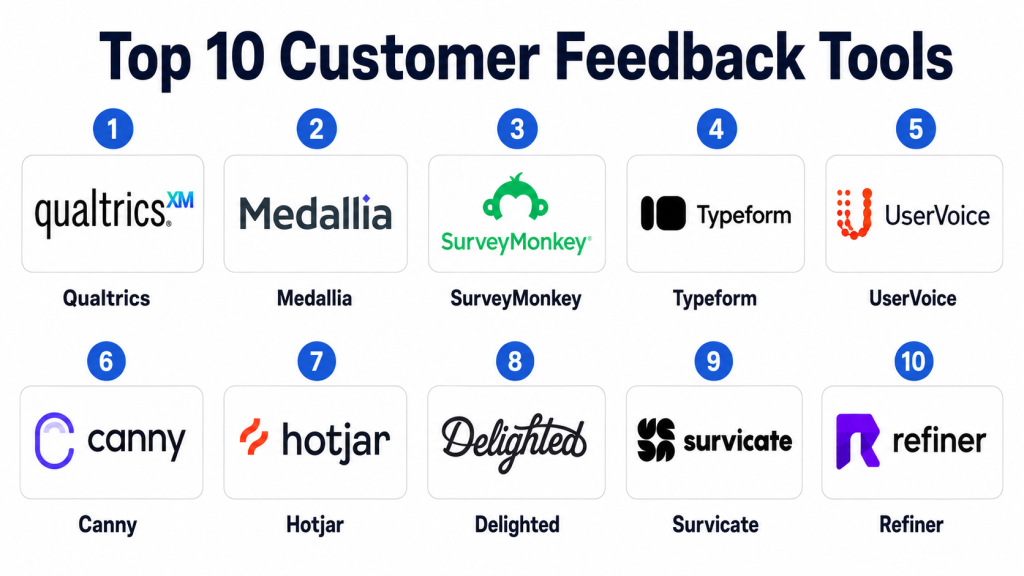
Top 10 Customer Feedback Tools
#1 — Qualtrics
Short description: Qualtrics is an enterprise experience management platform used for customer feedback, employee feedback, market research, brand tracking, and customer experience programs. It is best suited for larger organizations that need advanced survey logic, analytics, and governance.
Key Features
- Advanced survey creation and distribution
- Customer experience management
- NPS, CSAT, and customer sentiment tracking
- Text analytics and feedback analysis
- Role-based dashboards and reporting
- Workflow automation and alerts
- Enterprise governance and permissions
Pros
- Strong fit for enterprise customer experience programs.
- Advanced survey logic and analytics capabilities.
- Useful for large teams managing multiple feedback programs.
Cons
- May be too complex for small teams.
- Implementation and administration can require trained owners.
- Pricing may be higher than lightweight feedback tools.
Platforms / Deployment
Web / iOS / Android
Cloud
Security & Compliance
Qualtrics supports enterprise-grade access control, permissions, and data governance features. Specific details such as SSO/SAML, MFA, encryption, audit logs, RBAC, SOC 2, ISO 27001, GDPR, or HIPAA should be verified directly during procurement.
SOC 2 / ISO 27001 / GDPR / HIPAA: Not publicly stated.
Integrations & Ecosystem
Qualtrics connects with enterprise systems where customer experience, support, CRM, and analytics data need to work together.
- CRM platforms
- Help desk systems
- Data analytics tools
- Communication platforms
- Marketing tools
- Business intelligence systems
Support & Community
Qualtrics provides enterprise support, documentation, customer success programs, implementation resources, and training options. Support depth may vary by contract and organization size.
#2 — Medallia
Short description: Medallia is a customer experience and feedback management platform used by enterprises to collect feedback across channels, analyze sentiment, and improve customer journeys. It is useful for organizations that need large-scale voice-of-customer programs.
Key Features
- Omnichannel customer feedback collection
- Voice-of-customer analytics
- Sentiment and text analysis
- Customer journey insights
- Role-based reporting
- Alerts and closed-loop feedback workflows
- Enterprise dashboarding
Pros
- Strong for large-scale customer experience programs.
- Good fit for organizations with many customer touchpoints.
- Helps connect feedback with operational improvement.
Cons
- May be too advanced for small businesses.
- Setup can require strategy, governance, and internal ownership.
- Cost and complexity may be high for basic survey needs.
Platforms / Deployment
Web / iOS / Android
Cloud
Security & Compliance
Medallia supports enterprise customer feedback workflows and data access controls. Exact security certifications, privacy controls, and compliance details should be confirmed with the vendor.
SOC 2 / ISO 27001 / GDPR / HIPAA: Not publicly stated.
Integrations & Ecosystem
Medallia works across customer experience ecosystems where feedback needs to connect with operations, support, CRM, and analytics.
- CRM systems
- Contact center platforms
- Help desk tools
- Business intelligence tools
- Communication systems
- Data platforms
Support & Community
Medallia provides enterprise onboarding, customer success, documentation, implementation support, and professional services. Support experience may vary by contract and deployment scope.
#3 — SurveyMonkey
Short description: SurveyMonkey is a widely used survey and feedback tool for businesses, researchers, educators, and teams that need to create and distribute surveys quickly. It is practical for customer surveys, market research, satisfaction tracking, and internal feedback.
Key Features
- Survey creation and templates
- Multiple question types
- Response collection and analysis
- NPS and satisfaction surveys
- Reporting dashboards
- Team collaboration features
- Survey distribution options
Pros
- Easy to use for quick survey creation.
- Good fit for SMBs and general feedback needs.
- Large template library and familiar interface.
Cons
- May not be deep enough for complex enterprise voice-of-customer programs.
- Advanced analytics may require higher plans.
- Product feedback and roadmap workflows are limited compared with specialized tools.
Platforms / Deployment
Web / iOS / Android
Cloud
Security & Compliance
SurveyMonkey supports user accounts, team access, and survey data management. Specific certifications and enterprise compliance features should be verified during vendor review.
SOC 2 / ISO 27001 / GDPR / HIPAA: Not publicly stated.
Integrations & Ecosystem
SurveyMonkey integrates with business, marketing, collaboration, CRM, and productivity tools for survey distribution and response analysis.
- CRM platforms
- Email marketing tools
- Collaboration platforms
- Productivity tools
- Data export workflows
- Analytics systems
Support & Community
SurveyMonkey offers documentation, help resources, support options, and templates. Support depth may depend on plan and organization type.
#4 — Typeform
Short description: Typeform is a form and survey platform known for conversational, visually friendly feedback experiences. It is useful for customer surveys, lead forms, product feedback, research forms, and lightweight customer experience workflows.
Key Features
- Conversational form and survey builder
- Customer feedback forms
- Templates and design customization
- Logic jumps and branching
- Response collection and reporting
- Embeddable forms
- Integrations with business tools
Pros
- Very clean and user-friendly survey experience.
- Good for branded customer-facing forms.
- Easy for marketing, product, and research teams to use.
Cons
- Not a full enterprise voice-of-customer platform.
- Advanced analytics may require external tools.
- Feedback management workflows are lighter than specialized platforms.
Platforms / Deployment
Web
Cloud
Security & Compliance
Typeform supports business data collection workflows and user access controls. Specific compliance certifications and security controls should be validated directly with the vendor.
SOC 2 / ISO 27001 / GDPR / HIPAA: Not publicly stated.
Integrations & Ecosystem
Typeform works well in marketing, product, support, and research workflows where forms need to connect with business systems.
- CRM systems
- Email marketing platforms
- Productivity tools
- Data platforms
- Automation tools
- Customer support systems
Support & Community
Typeform provides documentation, templates, support resources, and learning materials. Community strength is good among marketers, product teams, and creators.
#5 — UserVoice
Short description: UserVoice is a product feedback management platform built for collecting, organizing, prioritizing, and acting on customer feature requests. It is especially useful for SaaS and product teams that need to connect customer feedback with roadmap decisions.
Key Features
- Product feedback collection
- Feature request management
- Feedback voting and prioritization
- Customer segmentation
- Product roadmap support
- Internal feedback notes
- Reporting and product insights
Pros
- Strong fit for product teams managing feature requests.
- Helps prioritize roadmap decisions using customer feedback.
- Useful for closing the loop with customers.
Cons
- Less suitable for general survey or market research use cases.
- Best value comes when product teams actively maintain feedback workflows.
- May need integrations to connect feedback with CRM and support data.
Platforms / Deployment
Web
Cloud
Security & Compliance
UserVoice supports product feedback workflows and access controls for teams. Specific security certifications and compliance details should be confirmed during vendor evaluation.
SOC 2 / ISO 27001 / GDPR / HIPAA: Not publicly stated.
Integrations & Ecosystem
UserVoice fits into product management, customer success, support, and CRM workflows where customer requests need to influence product planning.
- CRM platforms
- Help desk tools
- Product management systems
- Communication tools
- Customer success platforms
- Data and reporting tools
Support & Community
UserVoice provides support resources, documentation, onboarding guidance, and product feedback best practices. Support depth may vary by plan and customer needs.
#6 — Canny
Short description: Canny is a customer feedback and product roadmap tool that helps SaaS teams collect feature requests, manage feedback boards, prioritize ideas, and communicate product updates. It is practical for startups and product-led teams.
Key Features
- Public or private feedback boards
- Feature request voting
- Product roadmap management
- Changelog announcements
- Customer segmentation
- Feedback prioritization
- Integration with product and support tools
Pros
- Simple and effective for feature request management.
- Good for SaaS teams that want transparent product feedback.
- Helps connect customer ideas with roadmap planning.
Cons
- Not a broad customer experience platform.
- Survey and research capabilities are limited.
- Requires active moderation to avoid messy feedback boards.
Platforms / Deployment
Web
Cloud
Security & Compliance
Canny supports team access, feedback management, and customer input workflows. Specific certifications and enterprise security controls should be confirmed with the vendor.
SOC 2 / ISO 27001 / GDPR / HIPAA: Not publicly stated.
Integrations & Ecosystem
Canny connects well with SaaS product, support, CRM, and communication workflows.
- Help desk platforms
- CRM systems
- Product management tools
- Communication platforms
- Customer success tools
- Changelog workflows
Support & Community
Canny provides documentation, support resources, and product guidance. It is popular among product teams that want a simple and practical feedback board experience.
#7 — Hotjar
Short description: Hotjar is a behavior analytics and feedback tool that helps teams understand how users experience websites and digital products. It combines feedback widgets, surveys, heatmaps, session recordings, and behavior insights.
Key Features
- Website feedback widgets
- On-site surveys
- Heatmaps
- Session recordings
- User behavior insights
- Conversion feedback
- Visitor experience analysis
Pros
- Strong for understanding website and product experience.
- Combines direct feedback with behavior analytics.
- Useful for UX, marketing, product, and conversion teams.
Cons
- Not a full customer feedback management system.
- Feedback is mostly digital experience-focused.
- Requires careful privacy handling for recordings and user behavior data.
Platforms / Deployment
Web
Cloud
Security & Compliance
Hotjar supports website behavior and feedback data collection, with privacy and user control features depending on setup. Specific certifications and compliance details should be validated directly with the vendor.
SOC 2 / ISO 27001 / GDPR / HIPAA: Not publicly stated.
Integrations & Ecosystem
Hotjar works well with analytics, product, website, and marketing workflows where behavioral insight and feedback need to be combined.
- Analytics tools
- Website platforms
- Product management tools
- Conversion optimization tools
- Tag management systems
- Collaboration tools
Support & Community
Hotjar provides documentation, learning resources, support options, and a strong user community among marketers, UX teams, and product teams.
#8 — Delighted
Short description: Delighted is a customer feedback platform focused on NPS, CSAT, CES, and experience surveys. It is useful for teams that want simple customer satisfaction tracking across email, web, SMS, and other channels.
Key Features
- NPS surveys
- CSAT and CES surveys
- Email, web, and SMS feedback collection
- Real-time feedback dashboards
- Customer segmentation
- Comment analysis
- Alerts and follow-up workflows
Pros
- Simple and focused customer satisfaction tracking.
- Good for NPS and customer experience programs.
- Easier to use than complex enterprise platforms.
Cons**
- May not fit advanced enterprise voice-of-customer needs.
- Product roadmap workflows are limited.
- Advanced analytics may require integrations or higher plans.
Platforms / Deployment
Web
Cloud
Security & Compliance
Delighted supports customer feedback collection and team access workflows. Specific security certifications and compliance coverage should be confirmed during vendor review.
SOC 2 / ISO 27001 / GDPR / HIPAA: Not publicly stated.
Integrations & Ecosystem
Delighted can connect feedback data with CRM, support, communication, and analytics systems.
- CRM platforms
- Help desk tools
- Communication platforms
- Analytics tools
- Automation systems
- Data export workflows
Support & Community
Delighted provides documentation, support resources, and onboarding help. It is generally easy for customer success and support teams to adopt.
#9 — Survicate
Short description: Survicate is a customer feedback and survey platform for collecting feedback across websites, products, email, and customer journeys. It is useful for SaaS, marketing, product, and customer success teams that need flexible survey workflows.
Key Features
- Website and in-app surveys
- Email surveys
- NPS, CSAT, and CES support
- User segmentation
- Feedback analytics
- Survey templates
- Integrations with business tools
Pros
- Flexible feedback collection across channels.
- Good for SaaS, product, and customer success teams.
- Easier to manage than heavy enterprise feedback platforms.
Cons
- May not replace a full enterprise customer experience suite.
- Advanced research workflows may need additional tools.
- Reporting depth should be validated for larger programs.
Platforms / Deployment
Web
Cloud
Security & Compliance
Survicate supports survey and feedback collection workflows with user access management. Specific compliance certifications and controls should be confirmed directly.
SOC 2 / ISO 27001 / GDPR / HIPAA: Not publicly stated.
Integrations & Ecosystem
Survicate connects with product, marketing, support, and CRM systems to bring feedback into daily workflows.
- CRM tools
- Help desk systems
- Email marketing platforms
- Product analytics tools
- Communication tools
- Data platforms
Support & Community
Survicate provides documentation, templates, customer support, and onboarding guidance. Support experience may vary by plan and feedback program size.
#10 — Refiner
Short description: Refiner is a customer survey and user feedback platform built mainly for SaaS and digital products. It helps teams collect in-app surveys, NPS, customer satisfaction feedback, and product research insights.
Key Features
- In-app survey collection
- NPS and satisfaction surveys
- User segmentation
- Product feedback workflows
- Customer research surveys
- Feedback analytics
- SaaS-focused integrations
Pros
- Strong fit for SaaS product feedback.
- Useful for targeted in-app surveys.
- Practical for product, growth, and customer success teams.
Cons
- Less suitable for large enterprise experience management.
- Not a full product roadmap platform.
- Advanced analytics may require integration with other tools.
Platforms / Deployment
Web
Cloud
Security & Compliance
Refiner supports SaaS feedback workflows and user data collection. Specific security certifications, permissions, and compliance details should be verified during vendor review.
SOC 2 / ISO 27001 / GDPR / HIPAA: Not publicly stated.
Integrations & Ecosystem
Refiner fits into SaaS product, customer success, analytics, and communication workflows.
- Product analytics tools
- CRM platforms
- Customer success systems
- Email tools
- Data platforms
- Communication tools
Support & Community
Refiner provides product documentation, support resources, and onboarding help. It is best suited for teams that want focused SaaS feedback collection without heavy enterprise complexity.
Comparison Table
| Tool Name | Best For | Platform(s) Supported | Deployment | Standout Feature | Public Rating |
|---|---|---|---|---|---|
| Qualtrics | Enterprise experience management | Web, iOS, Android | Cloud | Advanced voice-of-customer analytics | N/A |
| Medallia | Large-scale customer experience programs | Web, iOS, Android | Cloud | Omnichannel customer experience feedback | N/A |
| SurveyMonkey | General surveys and feedback collection | Web, iOS, Android | Cloud | Easy survey creation and distribution | N/A |
| Typeform | Branded conversational surveys | Web | Cloud | User-friendly form experience | N/A |
| UserVoice | Product feedback and feature requests | Web | Cloud | Roadmap-focused feedback management | N/A |
| Canny | SaaS feedback boards and roadmaps | Web | Cloud | Feature voting and changelog workflows | N/A |
| Hotjar | Website feedback and behavior insights | Web | Cloud | Heatmaps plus feedback widgets | N/A |
| Delighted | NPS, CSAT, and customer satisfaction tracking | Web | Cloud | Simple customer experience surveys | N/A |
| Survicate | Website, email, and in-app surveys | Web | Cloud | Multi-channel survey collection | N/A |
| Refiner | SaaS in-app feedback and research | Web | Cloud | Targeted in-app customer surveys | N/A |
Evaluation & Scoring of Customer Feedback Tools
The scoring below is comparative and based on practical customer feedback platform evaluation criteria. A higher score does not mean a platform is the best choice for every business. It means the tool performs strongly against this model for feedback features, usability, integrations, security expectations, reliability, support, and value.
| Tool Name | Core (25%) | Ease (15%) | Integrations (15%) | Security (10%) | Performance (10%) | Support (10%) | Value (15%) | Weighted Total (0–10) |
|---|---|---|---|---|---|---|---|---|
| Qualtrics | 9.5 | 7.4 | 9.0 | 8.8 | 8.8 | 8.5 | 7.2 | 8.55 |
| Medallia | 9.2 | 7.2 | 8.8 | 8.7 | 8.8 | 8.4 | 7.1 | 8.39 |
| SurveyMonkey | 8.2 | 9.0 | 8.0 | 8.0 | 8.4 | 8.2 | 8.5 | 8.35 |
| Typeform | 8.0 | 9.2 | 7.8 | 7.9 | 8.3 | 8.0 | 8.4 | 8.25 |
| UserVoice | 8.5 | 8.2 | 8.1 | 8.0 | 8.3 | 8.0 | 7.8 | 8.19 |
| Canny | 8.2 | 8.8 | 7.8 | 7.8 | 8.2 | 8.0 | 8.4 | 8.18 |
| Hotjar | 8.1 | 8.7 | 8.0 | 7.9 | 8.4 | 8.0 | 8.3 | 8.20 |
| Delighted | 8.0 | 8.8 | 7.8 | 7.9 | 8.3 | 8.0 | 8.2 | 8.13 |
| Survicate | 8.1 | 8.7 | 8.1 | 7.9 | 8.2 | 7.9 | 8.3 | 8.18 |
| Refiner | 7.8 | 8.6 | 7.8 | 7.8 | 8.1 | 7.8 | 8.2 | 8.00 |
These scores should be used as a practical comparison guide, not as a final buying decision. Qualtrics and Medallia are stronger for enterprise customer experience programs. SurveyMonkey and Typeform are practical for general surveys and quick feedback collection. UserVoice and Canny are strong for product feedback and roadmap workflows. Hotjar is useful when feedback must be combined with website behavior. Delighted, Survicate, and Refiner are strong for customer satisfaction, SaaS feedback, and targeted surveys.
Which Customer Feedback Tools Tool Is Right for You?
Solo / Freelancer
Solo professionals, consultants, and small creators usually do not need a complex customer feedback platform. Simple forms, direct interviews, email replies, and lightweight survey tools may be enough.
If you need polished forms or simple customer surveys, Typeform or SurveyMonkey can be practical. If you run a small SaaS product and want feature requests, Canny or Refiner may be more useful.
SMB
Small businesses should focus on ease of use, affordability, fast survey creation, simple reporting, and basic integrations. SurveyMonkey, Typeform, Survicate, Delighted, Refiner, and Canny can be good options depending on the use case.
SMBs should avoid overbuying. A simple tool that helps collect clear customer feedback and act on it is often better than a complex platform that no one maintains.
Mid-Market
Mid-market companies usually need stronger segmentation, dashboards, feedback routing, CRM integrations, support integrations, and product feedback workflows. Survicate, Delighted, Hotjar, UserVoice, Canny, and Typeform can be strong choices depending on team needs.
At this stage, the key question is not only how to collect feedback, but how to route it to the right team and close the loop with customers.
Enterprise
Enterprises need governance, scale, security, advanced analytics, role-based dashboards, multi-channel feedback, and customer journey visibility. Qualtrics and Medallia are stronger fits for full voice-of-customer and customer experience programs.
Enterprise teams should also involve legal, security, IT, customer experience, product, support, and data teams before choosing a feedback platform.
Budget vs Premium
Budget-focused teams should start with basic survey collection, NPS tracking, website feedback, or feature request boards. SurveyMonkey, Typeform, Canny, Refiner, and Survicate may be practical starting points.
Premium tools make sense when the company needs advanced analytics, complex segmentation, multiple channels, role-based reporting, closed-loop workflows, enterprise governance, and broad integrations.
Feature Depth vs Ease of Use
Feature-rich tools provide deeper analytics, journey mapping, automation, integrations, permissions, and enterprise reporting. But they also require more setup and administration.
Ease-of-use tools are better when teams need quick feedback collection and simple reporting. Choose depth when feedback is part of a larger customer experience strategy.
Integrations & Scalability
Customer feedback tools should connect with CRM, help desk, product analytics, project management, communication tools, data warehouses, and customer success platforms.
Scalability matters when feedback comes from many channels, products, teams, regions, and customer segments. Choose a platform that can organize feedback without creating data silos.
Security & Compliance Needs
Customer feedback can contain personal data, complaints, product issues, support details, and business-sensitive comments. Security should be reviewed carefully.
Look for role-based access, SSO, MFA, encryption, data retention, consent controls, audit logs, and admin permissions. Larger teams should involve IT, security, and legal teams before rollout.
Frequently Asked Questions
1. What is a customer feedback tool?
A customer feedback tool is software that helps businesses collect, analyze, and manage feedback from customers. It can support surveys, NPS, CSAT, product feedback, website feedback, and customer satisfaction tracking.
2. Why do companies use customer feedback tools?
Companies use customer feedback tools to understand customer needs, identify problems, improve products, reduce churn, measure satisfaction, and make better business decisions.
3. What is the difference between NPS, CSAT, and CES?
NPS measures customer loyalty, CSAT measures satisfaction with a specific experience, and CES measures how easy it was for a customer to complete an action or resolve an issue.
4. How much do customer feedback tools cost?
Pricing varies by vendor, number of responses, users, features, integrations, survey volume, and support level. Some tools are affordable for small teams, while enterprise platforms use custom pricing.
5. What is the biggest mistake when choosing a customer feedback tool?
The biggest mistake is collecting feedback without a plan to act on it. Teams should define who owns feedback, how it will be categorized, and how follow-up actions will be managed.
6. Can customer feedback tools integrate with CRM systems?
Yes, many customer feedback tools integrate with CRM systems so teams can connect feedback with customer accounts, segments, lifecycle stages, and revenue context.
7. Are customer feedback tools secure?
Business-grade feedback tools usually provide user permissions, access controls, and data protection features. Buyers should review SSO, MFA, encryption, audit logs, retention policies, and compliance documentation.
8. Which teams benefit from customer feedback tools?
Product, customer success, support, marketing, sales, UX research, leadership, and operations teams can all benefit when feedback is organized and shared properly.
9. Can feedback tools help reduce customer churn?
Yes, feedback tools can help identify unhappy customers, repeated complaints, product gaps, and service issues. However, reducing churn also requires timely action and ownership.
10. What are alternatives to customer feedback tools?
Alternatives include email replies, direct customer calls, spreadsheets, support tickets, review platforms, community forums, live chat, product analytics, and manual interviews.
Conclusion
Customer Feedback Tools help businesses listen to customers in a structured and useful way. They make it easier to collect feedback, identify common problems, understand satisfaction, prioritize product improvements, and improve the customer experience. Without a proper feedback system, valuable customer insights often remain scattered across emails, support tickets, sales calls, surveys, and internal notes.There is no single best customer feedback tool for every company. Qualtrics and Medallia are stronger for enterprise experience management. SurveyMonkey and Typeform are practical for general surveys. UserVoice and Canny are useful for product feedback and roadmap planning. Hotjar is strong for website behavior and feedback. Delighted, Survicate, and Refiner are useful for customer satisfaction, SaaS feedback, and targeted surveys.
