Upgrade & Secure Your Future with DevOps, SRE, DevSecOps, MLOps!
We spend hours scrolling social media and waste money on things we forget, but won’t spend 30 minutes a day earning certifications that can change our lives.
Master in DevOps, SRE, DevSecOps & MLOps by DevOps School!
Learn from Guru Rajesh Kumar and double your salary in just one year.
Introduction
Network Configuration Management (NCM) tools are specialized platforms that help IT teams manage, track, and automate configuration changes across network devices. These tools ensure network consistency, security, and compliance by providing centralized visibility and control over routers, switches, firewalls, and other network hardware. They also enable automated backups, change tracking, and audit capabilities to prevent misconfigurations and downtime.
In modern IT environments, where networks are highly distributed and often hybrid, NCM tools are crucial to maintain operational reliability and reduce human errors. Organizations rely on these platforms to streamline configuration management, reduce troubleshooting time, enforce compliance standards, and ensure continuous uptime.
Real-world use cases include automating device configuration backups, monitoring configuration changes for unauthorized edits, enforcing policy compliance across multi-vendor devices, auditing historical configurations, and facilitating rapid recovery after failures. Buyers should evaluate scalability, vendor support, automation capabilities, multi-vendor compatibility, alerting and reporting features, ease of use, integration with ITSM or monitoring systems, security controls, compliance features, and cost-effectiveness.
Best for: IT operations teams, network engineers, enterprises, cloud service providers, and organizations managing large-scale or hybrid networks.
Not ideal for: very small networks, single-vendor environments, or teams with minimal configuration complexity.
Key Trends in Network Configuration Management
AI-driven configuration analysis to detect anomalies or misconfigurations.
- Automation of backups and rollbacks for fast recovery.
- Integration with ITSM and monitoring platforms for unified operations.
- Multi-vendor support for diverse network devices.
- Compliance enforcement and audit trails for regulatory standards.
- Predictive alerts for configuration drift to prevent outages.
- Role-based access control and security policies for safe change management.
- Cloud and hybrid network support for modern infrastructure.
- APIs for workflow automation and CI/CD integration.
- Mobile access for remote network management.
How We Selected These Tools
- Reviewed market adoption and vendor reputation among IT and enterprise organizations.
- Assessed feature completeness, including configuration backup, change tracking, and automation.
- Evaluated reliability and performance under large network scales.
- Examined security features including RBAC, encryption, and audit logging.
- Considered integration with ITSM, monitoring, and DevOps tools.
- Analyzed dashboard, reporting, and analytics capabilities.
- Evaluated automation capabilities for configuration deployment and remediation.
- Checked multi-vendor and multi-cloud network support.
- Reviewed vendor support, training resources, and community adoption.
- Focused on tools that deliver practical operational value for SMBs and enterprises.
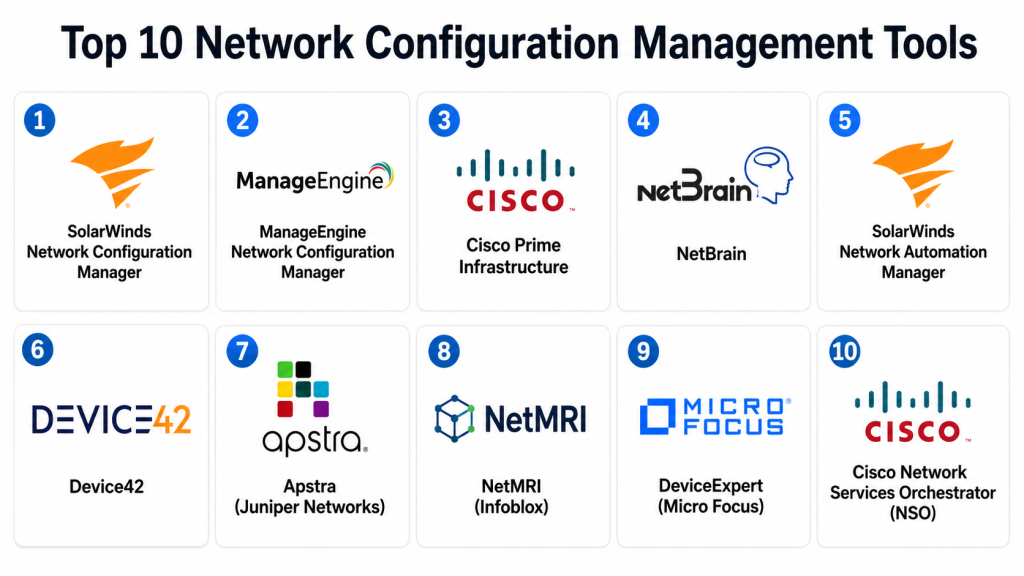
Top 10 Network Configuration Management Tools
#1 — SolarWinds Network Configuration Manager
Short description: Provides centralized management, automated backups, and policy enforcement for enterprise network devices.
Key Features
- Automated configuration backup and restore.
- Change detection and alerting.
- Policy compliance and auditing.
- Multi-vendor support.
- Scheduled configuration deployment.
- Real-time reporting and dashboards.
- API for integration with ITSM and monitoring systems.
Pros
- Reduces human errors and downtime.
- Ensures compliance and audit readiness.
- Scales for large enterprise networks.
Cons
- Complex setup for smaller teams.
- Premium pricing.
- Requires monitoring of storage for backups.
Platforms / Deployment
Web / Windows
On-premise / Hybrid
Security & Compliance
RBAC, encryption, audit logs; SOC 2 and ISO certifications vary.
Integrations & Ecosystem
- ITSM tools like ServiceNow
- Slack, Teams
- SNMP-enabled devices
- CI/CD integrations
Support & Community
Vendor support with documentation, tutorials, and active user community.
#2 — ManageEngine Network Configuration Manager
Short description: A comprehensive NCM tool for SMBs and enterprises to manage, monitor, and audit network device configurations.
Key Features
- Automated configuration backups.
- Change detection with alerting.
- Policy compliance enforcement.
- Multi-vendor device support.
- Configuration rollback capabilities.
- Reporting and dashboards.
- API access for automation.
Pros
- Affordable and scalable for SMBs.
- Easy-to-use interface.
- Automated compliance and audit reporting.
Cons
- Advanced features require enterprise edition.
- Limited analytics compared to competitors.
- Complex multi-site deployment needs planning.
Platforms / Deployment
Web / Windows / Linux
Cloud / On-premise
Security & Compliance
RBAC, encryption, audit logging; certifications vary.
Integrations & Ecosystem
- Slack, Teams
- ITSM platforms
- SNMP-enabled devices
- API for custom workflows
Support & Community
Vendor support, documentation, and active user community.
#3 — Cisco Prime Infrastructure
Short description: Combines configuration management, monitoring, and policy compliance for Cisco networks.
Key Features
- Automated device configuration backups.
- Policy compliance checks.
- Configuration change tracking.
- Network visualization and mapping.
- Multi-site device management.
- Alerts and notifications.
- API support for automation.
Pros
- Deep Cisco device integration.
- Centralized management for large networks.
- Strong compliance and auditing features.
Cons
- Limited multi-vendor support.
- High cost for SMBs.
- Requires Cisco knowledge for setup.
Platforms / Deployment
Web / Linux / Windows
On-premise / Hybrid
Security & Compliance
Supports RBAC, encryption, and audit logging; ISO and SOC compliance available.
Integrations & Ecosystem
- ITSM tools
- CI/CD pipelines
- Slack, Teams
- Cisco network devices
Support & Community
Vendor support with Cisco documentation and training.
#4 — NetBrain
Short description: Network automation platform for configuration management, troubleshooting, and visibility.
Key Features
- Automated network discovery.
- Configuration change detection.
- Runbooks for remediation.
- Multi-vendor support.
- Mapping and visualization.
- API for workflow automation.
- Alerting and reporting.
Pros
- Streamlines troubleshooting and remediation.
- Scales for complex network infrastructures.
- Supports hybrid networks.
Cons
- Enterprise pricing.
- Setup complexity for small teams.
- Learning curve for advanced automation.
Platforms / Deployment
Web / Windows / Linux
Cloud / On-premise
Security & Compliance
RBAC, encryption, audit logging; certifications vary.
Integrations & Ecosystem
- Slack, Teams
- ITSM platforms
- SNMP, WMI devices
- CI/CD integration
Support & Community
Vendor support and documentation; professional services available.
#5 — SolarWinds Network Automation Manager
Short description: Focused on automated configuration deployment, policy enforcement, and network compliance.
Key Features
- Scheduled configuration deployment.
- Policy compliance automation.
- Real-time configuration change detection.
- Multi-vendor device support.
- Automated backup and restore.
- Reporting dashboards.
- API for integrations.
Pros
- Reduces manual configuration errors.
- Improves compliance and auditing.
- Enterprise scalability.
Cons
- Premium pricing.
- Setup complexity.
- Limited mobile support.
Platforms / Deployment
Web / Windows
On-premise / Hybrid
Security & Compliance
Encryption, RBAC, audit logs; certifications vary.
Integrations & Ecosystem
- ITSM tools
- Slack, Teams
- SNMP devices
- API automation
Support & Community
Vendor support, documentation, and training resources.
#6 — Device42
Short description: Offers network and infrastructure management including automated configuration tracking and asset discovery.
Key Features
- Configuration backup and tracking.
- Automated device discovery.
- Multi-vendor support.
- Alerts and notifications.
- Dashboards and reporting.
- API access for automation.
- Compliance tracking.
Pros
- Unified view of network and assets.
- Reduces misconfigurations.
- Scales for medium and large networks.
Cons
- Enterprise pricing.
- Setup requires planning.
- Advanced analytics require training.
Platforms / Deployment
Web / Linux / Windows
Cloud / On-premise
Security & Compliance
RBAC, encryption, audit logs; ISO and SOC certifications.
Integrations & Ecosystem
- ITSM platforms
- Slack, Teams
- SNMP-enabled devices
- API for custom workflows
Support & Community
Vendor support and documentation available.
#7 — Apstra (Juniper Networks)
Short description: Intent-based networking platform that includes configuration management, compliance, and automation.
Key Features
- Intent-based network automation.
- Configuration validation and rollback.
- Multi-vendor support.
- Policy compliance checks.
- Real-time dashboards.
- API access for automation.
- Alerts and notifications.
Pros
- Reduces configuration errors.
- Ensures network intent is maintained.
- Scales across complex infrastructures.
Cons
- Enterprise pricing.
- Learning curve for intent-based setup.
- Limited SMB suitability.
Platforms / Deployment
Web / Linux / Windows
Cloud / On-premise
Security & Compliance
RBAC, encryption, audit logging; certifications vary.
Integrations & Ecosystem
- ITSM and monitoring tools
- Slack, Teams
- APIs for automation
- Multi-vendor networks
Support & Community
Vendor support and professional services; documentation provided.
#8 — NetMRI (Infoblox)
Short description: Automates network configuration management, compliance, and audit reporting.
Key Features
- Automated configuration backups.
- Change tracking and audit logs.
- Policy compliance and validation.
- Multi-vendor support.
- Real-time dashboards.
- API for integrations.
- Alerting and notifications.
Pros
- Strong compliance features.
- Scalable for enterprise networks.
- Reduces human errors.
Cons
- High cost for small teams.
- Setup requires expertise.
- Vendor lock-in for some devices.
Platforms / Deployment
Web / Linux / Windows
Cloud / On-premise
Security & Compliance
RBAC, encryption, audit logging; certifications vary.
Integrations & Ecosystem
- ITSM tools
- Slack, Teams
- CI/CD pipelines
- Multi-vendor integration
Support & Community
Vendor documentation and professional support available.
#9 — DeviceExpert (Micro Focus)
Short description: Provides automated configuration management, auditing, and compliance for network devices.
Key Features
- Automated device configuration tracking.
- Policy compliance monitoring.
- Backup and rollback automation.
- Alerts and notifications.
- Multi-vendor support.
- Dashboards and reporting.
- API access.
Pros
- Strong compliance and audit capabilities.
- Reduces configuration errors.
- Enterprise scalability.
Cons
- Enterprise pricing.
- Setup requires expertise.
- Advanced analytics require training.
Platforms / Deployment
Web / Linux / Windows
On-premise / Hybrid
Security & Compliance
RBAC, encryption, audit logs; certifications vary.
Integrations & Ecosystem
- ITSM tools
- Slack, Teams
- SNMP devices
- API automation
Support & Community
Vendor support and documentation provided.
#10 — Cisco Network Services Orchestrator (NSO)
Short description: Automates network configuration, service provisioning, and change management across multi-vendor devices.
Key Features
- Service modeling and configuration automation.
- Multi-vendor device support.
- Configuration change tracking.
- Rollback and backup capabilities.
- Policy compliance checks.
- Dashboards and reporting.
- API for automation.
Pros
- Enterprise-grade automation.
- Ensures configuration consistency.
- Reduces operational errors.
Cons
- Complexity for small networks.
- Enterprise pricing.
- Requires Cisco expertise.
Platforms / Deployment
Web / Linux / Windows
Cloud / On-premise
Security & Compliance
RBAC, encryption, audit logs; SOC and ISO certifications available.
Integrations & Ecosystem
- ITSM and monitoring platforms
- Slack, Teams
- CI/CD pipelines
- Multi-vendor network support
Support & Community
Vendor support, documentation, and professional training resources.
Comparison Table
| Tool Name | Best For | Platform(s) Supported | Deployment | Standout Feature | Public Rating |
|---|---|---|---|---|---|
| SolarWinds NCM | Enterprise | Web / Windows | On-prem / Hybrid | Automated backup & compliance | N/A |
| ManageEngine NCM | SMB / Enterprise | Web / Windows / Linux | Cloud / On-prem | Policy enforcement & auditing | N/A |
| Cisco Prime Infrastructure | Cisco networks | Web / Linux / Windows | On-prem / Hybrid | Deep Cisco integration | N/A |
| NetBrain | Enterprise / Hybrid | Web / Windows / Linux | Cloud / On-prem | Automated remediation runbooks | N/A |
| SolarWinds Network Automation | Enterprise | Web / Windows | On-prem / Hybrid | Scheduled deployment & rollback | N/A |
| Device42 | Medium / Enterprise | Web / Linux / Windows | Cloud / On-prem | Unified asset & config management | N/A |
| Apstra | Enterprise | Web / Linux / Windows | Cloud / On-prem | Intent-based network automation | N/A |
| NetMRI | Enterprise | Web / Linux / Windows | Cloud / On-prem | Compliance & audit automation | N/A |
| DeviceExpert | Enterprise | Web / Linux / Windows | On-prem / Hybrid | Automated policy compliance | N/A |
| Cisco NSO | Enterprise | Web / Linux / Windows | Cloud / On-prem | Service orchestration & automation | N/A |
Evaluation & Scoring of Network Configuration Management Tools
| Tool Name | Core (25%) | Ease (15%) | Integrations (15%) | Security (10%) | Performance (10%) | Support (10%) | Value (15%) | Weighted Total |
|---|---|---|---|---|---|---|---|---|
| SolarWinds NCM | 10 | 8 | 9 | 9 | 9 | 8 | 8 | 8.80 |
| ManageEngine NCM | 9 | 8 | 8 | 8 | 8 | 8 | 8 | 8.05 |
| Cisco Prime | 9 | 7 | 8 | 9 | 9 | 7 | 7 | 7.95 |
| NetBrain | 9 | 7 | 8 | 8 | 8 | 7 | 7 | 7.85 |
| SolarWinds Automation | 10 | 7 | 9 | 9 | 9 | 8 | 7 | 8.30 |
| Device42 | 8 | 7 | 8 | 8 | 8 | 7 | 7 | 7.65 |
| Apstra | 9 | 7 | 8 | 8 | 8 | 7 | 7 | 7.85 |
| NetMRI | 9 | 7 | 8 | 8 | 8 | 7 | 7 | 7.85 |
| DeviceExpert | 8 | 7 | 7 | 8 | 8 | 7 | 7 | 7.60 |
| Cisco NSO | 10 | 7 | 9 | 9 | 9 | 8 | 7 | 8.30 |
Which Network Configuration Management Tool Is Right for You?
Solo / Freelancer
Zabbix, Icinga 2, or PRTG (small-scale) offer easy deployment and cost-effective monitoring.
SMB
ManageEngine NCM, Device42, and SolarWinds Automation provide scalable network configuration tracking and compliance.
Mid-Market
SolarWinds NCM, NetBrain, Cisco Prime, and NetMRI support enterprise-scale automation, policy enforcement, and multi-vendor networks.
Enterprise
Apstra, Cisco NSO, SolarWinds Automation, and NetMRI offer advanced orchestration, intent-based automation, and compliance management.
Budget vs Premium
Open-source or SMB-focused tools reduce cost but may lack automation features. Enterprise-grade platforms provide full-scale configuration management, automation, and compliance support.
Feature Depth vs Ease of Use
Enterprise solutions offer robust automation, analytics, and policy enforcement but require training. SMB tools focus on usability and quick deployment.
Integrations & Scalability
Ensure API integrations with ITSM, monitoring, and DevOps platforms; verify scalability for large or hybrid networks.
Security & Compliance Needs
Verify RBAC, encryption, audit logging, and adherence to SOC 2, ISO 27001, or other regulatory standards.
Frequently Asked Questions
What is network configuration management?
It is the process of tracking, controlling, and automating configuration changes across network devices to ensure reliability and compliance.
Why is NCM important?
It prevents misconfigurations, improves uptime, enforces policy compliance, and reduces operational risk.
Can NCM tools support multi-vendor devices?
Yes, most enterprise-grade NCM tools support heterogeneous network devices.
Are backups automated?
Yes. NCM tools automate configuration backups and enable rollback for fast recovery.
Can SMBs benefit from NCM tools?
Yes. ManageEngine NCM and Device42 are cost-effective options for small and mid-sized businesses.
Do these tools provide compliance reporting?
Yes, they track configuration changes and enforce policies for auditing and regulatory compliance.
Can NCM tools integrate with ITSM?
Yes. Most tools offer APIs or built-in integrations with ITSM platforms like ServiceNow or Jira.
Are dashboards customizable?
Yes, configurable dashboards provide visibility into configuration, compliance, and network health.
Do these tools support cloud and hybrid networks?
Yes, enterprise tools support multi-cloud, hybrid, and on-premise networks.
How do I choose the right NCM tool?
Consider network size, device diversity, automation needs, integrations, budget, and compliance requirements.
Conclusion
Network Configuration Management tools are essential for enterprises and SMBs to maintain reliable, secure, and compliant network operations. SMBs benefit from ManageEngine NCM or Device42 for scalable configuration tracking. Mid-market teams gain efficiency and multi-vendor management with SolarWinds NCM, NetBrain, or Cisco Prime. Enterprises should consider Apstra, Cisco NSO, and NetMRI for advanced automation, policy enforcement, and intent-based orchestration. Organizations should shortlist two to three tools, validate integration and automation capabilities, and ensure compliance adherence before deployment to optimize network reliability, reduce errors, and streamline operations.
