Upgrade & Secure Your Future with DevOps, SRE, DevSecOps, MLOps!
We spend hours scrolling social media and waste money on things we forget, but won’t spend 30 minutes a day earning certifications that can change our lives.
Master in DevOps, SRE, DevSecOps & MLOps by DevOps School!
Learn from Guru Rajesh Kumar and double your salary in just one year.
Introduction
Digital Forensics Tools are specialized software solutions used to investigate, analyze, and preserve digital evidence from computers, networks, mobile devices, and cloud environments. They help organizations and investigators understand the nature and extent of cyber incidents, data breaches, or internal misconduct. In plain English, these tools uncover the “who, what, when, and how” behind cyber events.
In +, the proliferation of remote work, cloud services, and sophisticated cyber threats has made digital forensics more critical than ever. Organizations rely on these tools to quickly respond to incidents, ensure regulatory compliance, and protect sensitive information.
Real-world use cases:
- Investigating ransomware and malware attacks.
- Collecting evidence for legal or regulatory cases.
- Monitoring insider threats and data exfiltration.
- Analyzing security incidents in cloud or on-prem environments.
- Performing post-breach forensic analysis to prevent future attacks.
Evaluation criteria buyers should consider:
- Coverage of devices and platforms (Windows, macOS, Linux, mobile, cloud).
- Support for disk, memory, and network forensics.
- Data acquisition and preservation features.
- Evidence integrity and chain-of-custody management.
- Reporting and case management capabilities.
- Malware and threat analysis capabilities.
- Integration with SIEM and security platforms.
- Automation, AI-assisted analysis, and search features.
- Usability and learning curve.
Best for: Security analysts, IT forensic teams, law enforcement, incident response teams, and legal departments in enterprises or government agencies.
Not ideal for: Small businesses without dedicated forensic teams or organizations with minimal digital incident risk.
Key Trends in Digital Forensics Tools
- AI and Machine Learning: Automated pattern recognition and anomaly detection.
- Cloud and SaaS Forensics: Increasing focus on cloud storage and application evidence collection.
- Mobile Device Forensics: Enhanced tools for smartphones, tablets, and IoT devices.
- Integration with Incident Response: Seamless workflows with SOC and SIEM platforms.
- Automated Data Collection: Reducing manual acquisition errors and accelerating investigations.
- Advanced Malware Analysis: Real-time decompilation and behavioral analytics.
- Regulatory Compliance: Built-in features for GDPR, HIPAA, and SOC 2 audits.
- Cross-Platform Coverage: Support for Windows, macOS, Linux, mobile, and cloud systems.
- Encryption and Data Integrity Checks: Maintaining chain-of-custody and evidence authenticity.
- Cloud Storage Acquisition: Remote acquisition for hybrid and multi-cloud environments.
How We Selected These Tools (Methodology)
- Evaluated market adoption and recognition among forensic and incident response professionals.
- Assessed feature completeness, including disk, memory, network, and cloud forensic capabilities.
- Reviewed performance and reliability, accuracy, and analysis speed.
- Analyzed security posture to ensure data integrity, chain-of-custody, and encryption support.
- Examined integration capabilities with SIEM, ticketing, and workflow automation tools.
- Considered customer fit across SMB, mid-market, and enterprise use cases.
- Evaluated automation and AI-assisted analysis for faster investigation.
- Reviewed reporting, dashboards, and case management functionality.
- Assessed support and community resources for onboarding and troubleshooting.
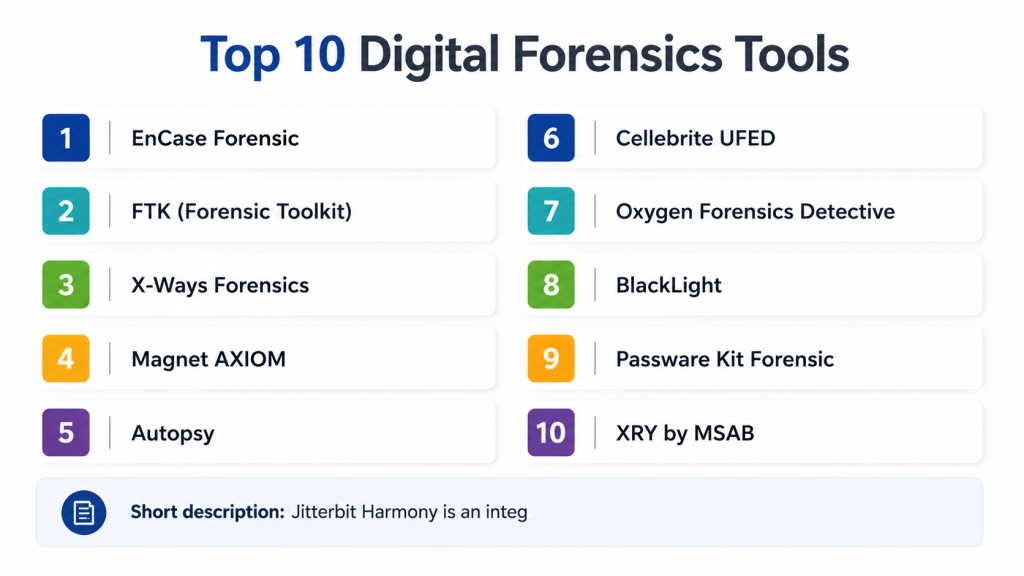
Top 10 Digital Forensics Tools
#1 — EnCase Forensic
Short description: EnCase Forensic provides comprehensive tools for disk imaging, analysis, and evidence preservation. It is widely used by law enforcement and corporate forensic teams to investigate complex incidents and maintain a chain of custody.
Key Features
- Disk and memory imaging
- Advanced search and keyword analysis
- Timeline reconstruction of events
- File and artifact recovery
- Case management and reporting
- Integration with incident response platforms
Pros
- Trusted by law enforcement and enterprises
- Strong reporting and chain-of-custody management
Cons
- Steep learning curve
- High cost for SMBs
Platforms / Deployment
- Windows / macOS / Linux
- Self-hosted
Security & Compliance
- Evidence encryption
- Chain-of-custody support
- Not publicly stated
Integrations & Ecosystem
- SIEM and ticketing system integration
- API support for automation
- Supports various forensic add-ons
Support & Community
- Professional training and certifications
- Extensive documentation and user forums
#2 — FTK (Forensic Toolkit)
Short description: FTK offers forensic imaging, analysis, and reporting with a focus on rapid data processing and visualization. It is used by investigators to analyze email, disk images, and network artifacts efficiently.
Key Features
- Disk and memory imaging
- Email and artifact analysis
- Visualization dashboards
- Timeline and event correlation
- Case management and reporting
Pros
- Fast processing and indexing
- Strong visualization features
Cons
- Licensing can be expensive
- Limited mobile forensics capabilities
Platforms / Deployment
- Windows / Linux
- Self-hosted
Security & Compliance
- Evidence integrity and encryption
- Not publicly stated
Integrations & Ecosystem
- SIEM integration
- API access for automated workflows
Support & Community
- Professional support tiers
- Online tutorials and forums
#3 — X-Ways Forensics
Short description: X-Ways Forensics provides disk imaging, analysis, and recovery with a lightweight footprint and flexible workflow options, suitable for forensic investigators requiring rapid deployment.
Key Features
- Disk and partition imaging
- File carving and recovery
- Detailed file system analysis
- Case management
- Integration with reporting tools
Pros
- Lightweight and fast
- Flexible workflow configuration
Cons
- Less automated than competitors
- Limited cloud forensics features
Platforms / Deployment
- Windows
- Self-hosted
Security & Compliance
- Evidence integrity
- Not publicly stated
Integrations & Ecosystem
- Supports add-ons and plugins
- API for reporting
Support & Community
- Professional support
- Documentation and user community
#4 — Magnet AXIOM
Short description: Magnet AXIOM focuses on computer, mobile, and cloud forensics, providing a unified platform to recover and analyze data from multiple sources in investigations.
Key Features
- Mobile, computer, and cloud data acquisition
- Timeline reconstruction
- Advanced artifact analysis
- Reporting and case management
- Integration with law enforcement and corporate workflows
Pros
- Multi-source data acquisition
- Comprehensive artifact analysis
Cons
- Expensive for small teams
- Requires training for complex investigations
Platforms / Deployment
- Windows / macOS
- Self-hosted
Security & Compliance
- Evidence encryption and integrity checks
- Not publicly stated
Integrations & Ecosystem
- SIEM integration
- API for workflow automation
Support & Community
- Training and certification programs
- Documentation and user forums
#5 — Autopsy
Short description: Autopsy is an open-source digital forensics platform for disk, memory, and file analysis. It provides a modular framework for investigators and is widely used in education and small enterprise settings.
Key Features
- Disk and memory analysis
- Timeline and keyword search
- Case management and reporting
- Modular plugin architecture
- Evidence verification
Pros
- Open-source and cost-effective
- Extensible with plugins
Cons
- Limited enterprise support
- Less automated than commercial solutions
Platforms / Deployment
- Windows / macOS / Linux
- Self-hosted
Security & Compliance
- Evidence verification tools
- Not publicly stated
Integrations & Ecosystem
- Supports additional modules and scripts
- API extensions possible
Support & Community
- Community support
- Online forums and documentation
#6 — Cellebrite UFED
Short description: Cellebrite UFED specializes in mobile device forensics, providing tools to acquire and analyze data from smartphones, tablets, and other mobile devices in a secure and legally defensible manner.
Key Features
- Mobile device acquisition
- Data extraction and analysis
- Password bypass and encryption handling
- Reporting and case management
- Cloud app data extraction
Pros
- Leading mobile forensic tool
- Supports wide variety of devices
Cons
- Expensive for small organizations
- Focused primarily on mobile forensics
Platforms / Deployment
- Windows
- Self-hosted
Security & Compliance
- Evidence integrity and encryption
- Not publicly stated
Integrations & Ecosystem
- Integration with case management systems
- API for reporting
Support & Community
- Professional support tiers
- Documentation and training
#7 — Oxygen Forensics Detective
Short description: Oxygen Forensics provides mobile and cloud forensics capabilities, enabling investigators to extract and analyze data from smartphones, apps, and cloud storage efficiently.
Key Features
- Mobile and cloud data acquisition
- App-specific data extraction
- Analytics and reporting
- Timeline reconstruction
- Case management
Pros
- Comprehensive mobile and cloud support
- Advanced analytical tools
Cons
- Expensive for smaller teams
- Limited desktop forensic features
Platforms / Deployment
- Windows / macOS
- Self-hosted
Security & Compliance
- Evidence integrity and encryption
- Not publicly stated
Integrations & Ecosystem
- Case management integration
- API for workflow automation
Support & Community
- Professional support
- Online tutorials and documentation
#8 — BlackLight
Short description: BlackLight is a forensic analysis tool for desktop and mobile devices, providing intuitive analysis workflows and detailed artifact examination suitable for investigative teams.
Key Features
- Disk and memory analysis
- Mobile device support
- Artifact and timeline analysis
- Reporting and case management
- Data carving and recovery
Pros
- Intuitive interface for investigators
- Multi-device support
Cons
- Less cloud forensics coverage
- Premium pricing
Platforms / Deployment
- Windows / macOS
- Self-hosted
Security & Compliance
- Evidence integrity and verification
- Not publicly stated
Integrations & Ecosystem
- Case management and reporting integration
- API support
Support & Community
- Professional support
- Documentation and forums
#9 — Passware Kit Forensic
Short description: Passware Kit Forensic focuses on password recovery, encryption bypass, and forensic analysis across desktops and mobile devices. It aids investigations requiring encrypted data access.
Key Features
- Password recovery and decryption
- Disk and memory analysis
- Email and archive extraction
- Reporting and case management
- Multi-platform support
Pros
- Advanced password recovery
- Supports encrypted evidence analysis
Cons
- Focused on password and encryption tasks
- Limited automation
Platforms / Deployment
- Windows / macOS
- Self-hosted
Security & Compliance
- Evidence integrity tools
- Not publicly stated
Integrations & Ecosystem
- Integration with forensic platforms
- API access
Support & Community
- Professional support
- Online documentation
#10 — XRY by MSAB
Short description: XRY specializes in mobile forensics, providing tools to extract, analyze, and report data from mobile devices and cloud accounts in a legally defensible manner.
Key Features
- Mobile device acquisition
- Cloud app and backup extraction
- Timeline analysis
- Case reporting
- Artifact analysis
Pros
- Leading mobile forensic solution
- Wide device and platform support
Cons
- Expensive
- Focused primarily on mobile forensics
Platforms / Deployment
- Windows / macOS
- Self-hosted
Security & Compliance
- Evidence integrity and encryption
- Not publicly stated
Integrations & Ecosystem
- Case management systems
- API for reporting
Support & Community
- Professional support
- Documentation and training
Comparison Table (Top 10)
| Tool Name | Best For | Platform(s) Supported | Deployment | Standout Feature | Public Rating |
|---|---|---|---|---|---|
| EnCase Forensic | Law enforcement & enterprise | Windows / macOS / Linux | Self-hosted | Comprehensive disk & memory analysis | N/A |
| FTK (Forensic Toolkit) | Enterprise investigators | Windows / Linux | Self-hosted | Rapid data processing & visualization | N/A |
| X-Ways Forensics | Lightweight forensics | Windows | Self-hosted | Flexible and fast workflows | N/A |
| Magnet AXIOM | Multi-source investigations | Windows / macOS | Self-hosted | Unified computer, mobile, cloud forensics | N/A |
| Autopsy | Education & SMB | Windows / macOS / Linux | Self-hosted | Open-source extensibility | N/A |
| Cellebrite UFED | Mobile forensics | Windows | Self-hosted | Mobile device data extraction | N/A |
| Oxygen Forensics Detective | Mobile & cloud forensics | Windows / macOS | Self-hosted | App-specific data extraction | N/A |
| BlackLight | Desktop & mobile analysis | Windows / macOS | Self-hosted | Intuitive workflow & artifact analysis | N/A |
| Passware Kit Forensic | Encryption & password recovery | Windows / macOS | Self-hosted | Password recovery & decryption | N/A |
| XRY by MSAB | Mobile device investigations | Windows / macOS | Self-hosted | Cloud and mobile artifact extraction | N/A |
Evaluation & Scoring of Digital Forensics Tools
| Tool Name | Core (25%) | Ease (15%) | Integrations (15%) | Security (10%) | Performance (10%) | Support (10%) | Value (15%) | Weighted Total (0–10) |
|---|---|---|---|---|---|---|---|---|
| EnCase Forensic | 9 | 7 | 8 | 9 | 8 | 8 | 7 | 8.2 |
| FTK (Forensic Toolkit) | 8 | 7 | 7 | 8 | 8 | 7 | 7 | 7.7 |
| X-Ways Forensics | 8 | 8 | 7 | 8 | 7 | 7 | 7 | 7.7 |
| Magnet AXIOM | 9 | 7 | 8 | 9 | 8 | 8 | 7 | 8.2 |
| Autopsy | 7 | 8 | 6 | 7 | 7 | 6 | 7 | 7.0 |
| Cellebrite UFED | 9 | 7 | 7 | 9 | 8 | 7 | 7 | 8.0 |
| Oxygen Forensics Detective | 8 | 7 | 7 | 8 | 7 | 7 | 7 | 7.5 |
| BlackLight | 8 | 8 | 7 | 8 | 7 | 7 | 7 | 7.5 |
| Passware Kit Forensic | 7 | 8 | 6 | 7 | 7 | 6 | 7 | 7.0 |
| XRY by MSAB | 9 | 7 | 7 | 9 | 8 | 7 | 7 | 8.0 |
Interpretation: Scores are comparative across core features, usability, integrations, security, performance, support, and value. Weighted totals highlight relative strengths to guide selection.
Which Digital Forensics Tool Is Right for You?
Solo / Freelancer
- Autopsy or X-Ways Forensics for lightweight and cost-effective analysis workflows.
SMB
- Magnet AXIOM or BlackLight for affordable, multi-source digital investigations.
Mid-Market
- EnCase Forensic or FTK for enterprise-grade disk, memory, and email analysis.
Enterprise
- Cellebrite UFED, Oxygen Forensics, or XRY for large-scale mobile, cloud, and multi-device investigations.
Budget vs Premium
- SMBs can leverage open-source or lightweight tools; enterprises benefit from premium platforms with automation and multi-source analysis.
Feature Depth vs Ease of Use
- Enterprise tools offer advanced analysis, automation, and reporting; SMB-focused platforms prioritize usability.
Integrations & Scalability
- Enterprise solutions integrate with SIEM, ITSM, and cloud platforms; cloud-enabled options scale for distributed investigations.
Security & Compliance Needs
- Regulated industries should choose EnCase, Magnet AXIOM, or Cellebrite for audit-ready reporting and evidence integrity.
Frequently Asked Questions (FAQs)
1: What is a digital forensics tool?
It is software designed to investigate, collect, and preserve digital evidence from computers, networks, mobile devices, and cloud environments.
2: Which devices are supported?
Most tools cover Windows, macOS, Linux, mobile devices, and cloud storage.
3: Can these tools recover deleted files?
Yes, they include disk imaging, file carving, and recovery features for deleted or corrupted data.
4: Are these tools suitable for mobile forensics?
Yes, tools like Cellebrite UFED, XRY, and Oxygen Forensics specialize in mobile device acquisition and analysis.
5: Do digital forensics tools support cloud environments?
Yes, advanced platforms can acquire and analyze data from cloud applications and storage.
6: Can digital forensics tools ensure evidence integrity?
Yes, they include encryption, hash verification, and chain-of-custody tracking.
7: How are these tools used in incident response?
They help investigate breaches, malware attacks, insider threats, and regulatory compliance violations.
8: Can these tools automate analysis?
Many offer AI-assisted search, automated artifact extraction, and workflow automation.
9: Are these tools suitable for SMBs?
Open-source or lightweight tools like Autopsy and X-Ways Forensics can meet SMB requirements.
10: How do I select the right digital forensics tool?
Consider device coverage, cloud and mobile support, analysis features, budget, and organizational needs.
Conclusion
Digital Forensics Tools are essential for investigating cyber incidents, preserving evidence, and supporting regulatory compliance. Selection depends on organizational size, investigation scope, device coverage, and cloud adoption. SMBs can leverage lightweight or open-source solutions, while enterprises benefit from premium tools with multi-source analysis, AI-assisted workflows, and audit-ready reporting. Organizations should shortlist 2–3 tools, pilot investigations, and evaluate fit with devices, cloud apps, and compliance objectives to ensure efficient and legally defensible forensic capabilities.
