Upgrade & Secure Your Future with DevOps, SRE, DevSecOps, MLOps!
We spend hours scrolling social media and waste money on things we forget, but won’t spend 30 minutes a day earning certifications that can change our lives.
Master in DevOps, SRE, DevSecOps & MLOps by DevOps School!
Learn from Guru Rajesh Kumar and double your salary in just one year.
Introduction
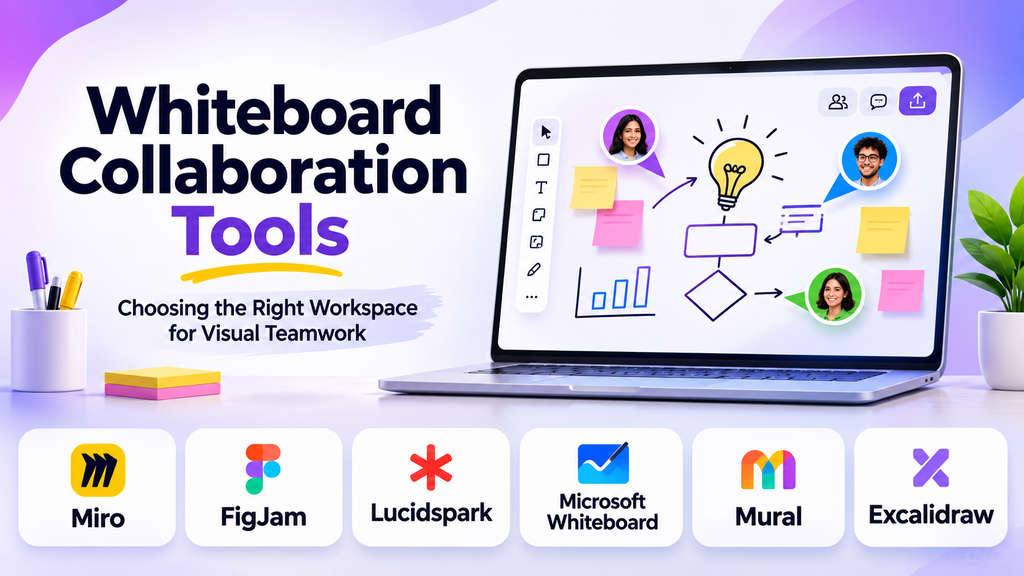
When a team needs to map a customer journey, sketch a product interface, run a workshop, or untangle a complicated process, a conventional document can be too restrictive. Whiteboard collaboration tools give people a shared visual space where they can arrange ideas, connect concepts, add comments, and work together in real time or asynchronously.
The important difference between these tools is not simply how many shapes or sticky notes they offer. Some are designed for structured workshops and facilitation, others for product discovery and design, and others for lightweight collaboration across an organization. Choosing well means matching the workspace to the way your team actually thinks and works.
What Makes a Whiteboard Collaboration Tool Useful?
A digital whiteboard recreates the flexibility of a physical whiteboard while allowing participants to contribute from different locations. Modern platforms may combine an infinite canvas with templates, diagrams, voting, presentation modes, integrations, and project documentation.
The most useful capabilities depend on the workflow:
- Live collaboration: Multiple people can add, move, or edit objects together.
- Asynchronous participation: Teammates can leave comments and contribute at different times.
- Workshop facilitation: Timers, voting, grouping, and structured activities help teams reach decisions.
- Visual organization: Frames, sections, connectors, and diagrams turn a sprawling canvas into a readable plan.
- Integration with work systems: Links to project management, design, and communication tools help carry decisions into execution.
- Access and governance: Permissions, guest access, administrative controls, and content management matter when boards contain sensitive information.
A tool can be excellent for brainstorming but less suitable for maintaining long-lived process diagrams. Before comparing products, identify whether your team primarily needs free-form ideation, facilitated workshops, technical diagramming, or a visual space connected to delivery work.
Whiteboard Platforms Worth Evaluating
Miro: A flexible canvas for cross-functional work
Miro is a broad visual collaboration platform used for activities such as brainstorming, retrospectives, customer journey mapping, product discovery, and workshops. Its strength is the ability to combine many kinds of visual work on a shared canvas.
Teams can use templates to start common exercises, arrange ideas into groups, and connect workshop outputs to follow-up tasks. This makes it useful when marketing, design, product, and engineering participants need to collaborate without adopting a highly specialized diagramming method.
Trade-off: Large boards can become difficult to navigate if teams do not use frames, sections, and clear naming conventions. Organizations should also examine plan-specific collaboration, administration, and access controls before adopting it broadly.
Consider it when: Your team needs one adaptable workspace for recurring workshops and cross-functional planning.
FigJam: Visual collaboration alongside design work
FigJam is a collaborative whiteboard from the Figma ecosystem. It is suited to brainstorming, diagramming, team activities, feedback sessions, and early-stage product thinking, particularly when designers and product teams already work in Figma.
Its appeal is the connection between collaborative ideation and a design-oriented workflow. Teams can use a board to explore ideas before moving into more detailed interface design and prototyping.
Trade-off: FigJam is not a substitute for every specialized process-modeling or enterprise diagramming application. Teams should assess whether its diagramming depth and governance capabilities meet their particular requirements.
Consider it when: Designers, product managers, and other collaborators want a lightweight visual space connected to their design workflow.
Lucidspark: Ideation with a path toward structured diagrams
Lucidspark provides a collaborative visual canvas for brainstorming, grouping ideas, facilitating workshops, and organizing team thinking. It is part of the Lucid visual collaboration ecosystem, which also includes diagramming capabilities.
That relationship can be valuable when a team needs to move from rough ideas toward more formal visual documentation. For example, a process-improvement workshop might begin with sticky notes and later produce a structured process diagram.
Trade-off: Teams should check which capabilities are included in their selected plans and whether they need both a brainstorming workspace and a separate diagramming environment.
Consider it when: Your team regularly converts unstructured ideas into process maps, technical diagrams, or other organized visual artifacts.
Microsoft Whiteboard: A natural option for Microsoft 365 teams
Microsoft Whiteboard offers a shared digital canvas for drawing, writing, arranging ideas, and collaborating visually. Its appeal is strongest for organizations already using Microsoft collaboration and productivity tools.
It can support meetings, brainstorming, planning, and informal visual explanation without requiring every activity to begin in a specialized workshop application.
Trade-off: Teams that run elaborate facilitation sessions or maintain highly structured visual systems should compare its available capabilities with more specialized platforms. Feature availability and administrative controls can depend on the organization’s environment and licensing.
Consider it when: Your organization already relies on Microsoft tools and wants a convenient whiteboard for meetings and everyday collaboration.
Mural: Structured workshops and facilitation
Mural focuses on visual collaboration and facilitated group work. Its approach suits teams that use repeatable workshop methods, such as mapping stakeholder needs, organizing ideas, prioritizing opportunities, and reaching group decisions.
A facilitated workspace can help participants follow a shared sequence rather than adding ideas to an unstructured canvas indefinitely.
Trade-off: Teams that only need occasional free-form sketches may not benefit from a dedicated facilitation environment. Evaluate whether its workshop features justify another tool in your collaboration stack.
Consider it when: Workshops are a regular part of your team’s research, planning, innovation, or change-management process.
Excalidraw: Lightweight, sketch-style diagrams
Excalidraw provides a hand-drawn visual style that works well for explaining concepts, sketching architectures, and creating diagrams without making them look overly formal. Its open-source foundation and accessible drawing approach appeal to individuals and technical teams.
It can be especially useful when the goal is to communicate an idea quickly rather than produce a highly polished presentation.
Trade-off: Its workflow differs from the extensive workshop-management capabilities offered by broader enterprise whiteboarding platforms. Teams should verify the collaboration, hosting, and administrative options available in the specific version or service they intend to use.
Consider it when: You want quick, sketch-like diagrams for technical discussions, explanations, and lightweight collaborative thinking.
Comparing the Main Options
| Tool | Strongest use case | Important consideration |
|---|---|---|
| Miro | Cross-functional workshops and planning | Requires board organization as work grows |
| FigJam | Design-oriented ideation and feedback | Best fit depends on the team’s design workflow |
| Lucidspark | Brainstorming that leads into structured diagrams | Consider the wider diagramming ecosystem |
| Microsoft Whiteboard | Everyday collaboration in Microsoft environments | Check whether advanced facilitation needs are covered |
| Mural | Structured workshops and group decision-making | May be more than a casual-use team needs |
| Excalidraw | Fast, sketch-style diagrams and explanations | Collaboration and administration vary by deployment |
These tools overlap, but they are not interchangeable in every situation. A team that runs facilitated workshops each week may value voting and workshop structure more than a developer who mainly sketches system architecture. Likewise, an organization that already has a standard collaboration environment may prioritize integration and administration over a long list of canvas features.
How to Choose Based on Your Workflow
For brainstorming and idea generation
Prioritize quick content creation, sticky notes, grouping, voting, and a canvas that remains easy to navigate as ideas accumulate. Templates can help teams begin quickly, but they should support the exercise rather than dictate it.
For product discovery and design
Look for support for user journeys, affinity mapping, feedback, and connections to your existing design process. The team should be able to move from exploration to actionable design work without losing the reasoning behind its decisions.
For meetings and workshops
Facilitation features become more important when a session has a defined outcome. Consider participant access, voting, timers, breakout activities, presentation controls, and the ability to capture decisions for people who could not attend.
For engineering and technical planning
Prioritize connectors, reusable diagrams, readable labels, and a clear way to distinguish sketches from approved technical documentation. If diagrams need formal notation, strict version control, or detailed technical modeling, a dedicated diagramming tool may be more appropriate than a general-purpose whiteboard.
For enterprise-wide collaboration
Assess identity management, guest access, permissions, administrative visibility, retention, data handling, and the ability to manage boards as employees change roles. A convenient canvas is not enough if the organization cannot govern its information appropriately.
Implementation Details That Are Easy to Overlook
A successful rollout depends on more than selecting a platform.
Board ownership and structure: Assign owners to important boards, establish naming conventions, and separate active workshop spaces from reference material. Otherwise, the workspace can become a collection of abandoned canvases.
Access and external participants: Decide whether contractors, clients, and workshop guests can view, comment on, or edit boards. Test the experience with the actual account types your team will use.
From ideas to action: A whiteboard records thinking, but it does not automatically ensure execution. Agree on how decisions become assigned tasks, how owners are identified, and where final documentation lives.
Integration and duplication: Connecting a board to other applications can reduce context switching, but copying the same information across several systems can create conflicting versions. Establish which system is authoritative for decisions, tasks, and approved documentation.
Security and retention: Review how the service handles board content, access, export, deletion, and organizational controls. For confidential work, confirm the applicable plan and deployment details rather than assuming every feature is available by default.
A Practical Pilot Before You Commit
Rather than choosing a platform from a feature checklist alone, test two or three plausible options using the same realistic activity.
- Create a board for a workshop your team actually runs.
- Invite a mix of participants, including anyone who will join as a guest.
- Run the exercise collaboratively and test asynchronous contributions afterward.
- Turn the result into decisions, assigned tasks, and documentation.
- Check how easily a new teammate can understand the board without a live explanation.
- Review administrative, access, export, and pricing requirements before expanding usage.
This approach reveals problems that a product demonstration may not show, such as confusing navigation, difficult guest access, or a poor handoff from ideas to delivery.
Questions to Ask Before Selecting a Platform
- Can participants contribute without complicated setup or unnecessary account friction?
- Does the tool support the workshops and visual methods our team actually uses?
- Can people find important information on large or long-running boards?
- How do we control guest access and protect confidential material?
- Can decisions and tasks move into our existing workflow without creating duplicate records?
- What are the limitations of the plan we intend to purchase?
- How can we export or preserve important board content if we change platforms?
Conclusion
The right whiteboard collaboration tool is the one that fits your team’s working habits and makes it easier to turn shared thinking into clear outcomes. Miro and Mural are worth considering for workshop-centered work, FigJam fits naturally into design-oriented collaboration, Lucidspark supports the transition from brainstorming to structured visual work, Microsoft Whiteboard suits many Microsoft-based environments, and Excalidraw offers a lightweight sketching approach.
