Upgrade & Secure Your Future with DevOps, SRE, DevSecOps, MLOps!
We spend hours scrolling social media and waste money on things we forget, but won’t spend 30 minutes a day earning certifications that can change our lives.
Master in DevOps, SRE, DevSecOps & MLOps by DevOps School!
Learn from Guru Rajesh Kumar and double your salary in just one year.
Introduction
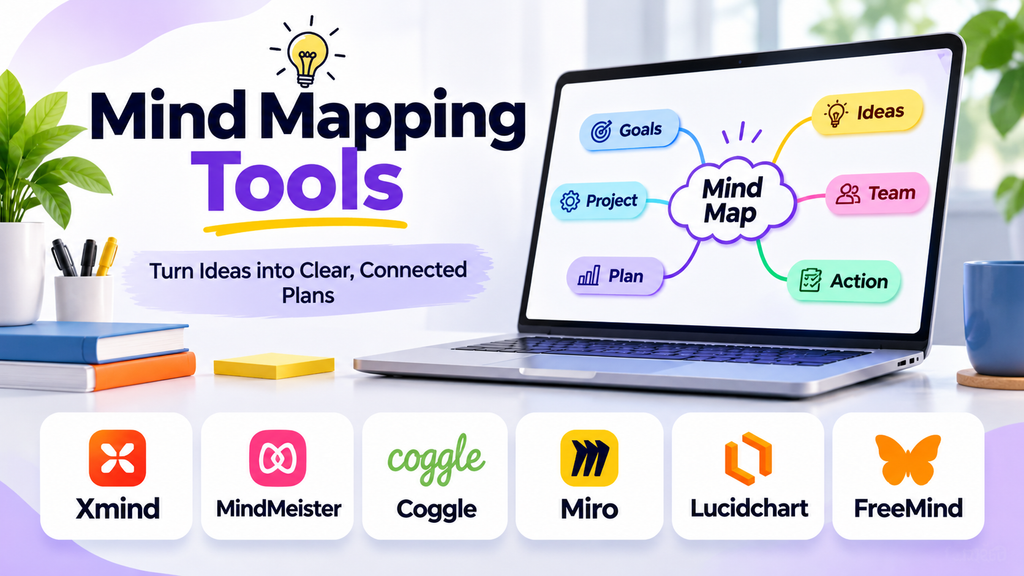
Mind mapping tools help individuals and teams turn complex ideas into clear visual structures. Instead of organizing every thought in a long document or a list, users place a central topic on a canvas and connect related ideas through branches. This makes it easier to brainstorm, plan projects, organize research, and understand relationships between concepts.
Digital mind mapping tools take this process further with collaboration, templates, attachments, presentation modes, and integrations. The right tool depends on whether you need a simple personal planning space, a team brainstorming workspace, or a structured way to manage complex information.
What Are Mind Mapping Tools?
Mind mapping tools are applications that let users visually organize information around a central idea. Main branches represent key themes, while smaller branches break those themes into supporting details, tasks, or questions.
Common uses include:
- Brainstorming business or content ideas
- Planning projects and product launches
- Organizing study notes and research
- Mapping customer journeys and workflows
- Preparing presentations and meeting agendas
- Structuring articles, reports, and strategies
Unlike a conventional outline, a mind map makes connections and hierarchy visible at a glance. Many tools also support collaboration, comments, exports, and links between ideas.
Popular Mind Mapping Tools
1. XMind
XMind is designed for structured visual thinking, with mind maps, logical charts, and presentation-friendly layouts. It can suit students, professionals, and people who want to organize complex information into polished diagrams. Consider it when presentation quality and multiple map structures are important.
2. MindMeister
MindMeister focuses on online mind mapping and collaborative brainstorming. Teams can build maps together, develop ideas, and organize shared thinking in a browser-based workspace. It is worth evaluating for workshops, planning sessions, and distributed teams.
3. Coggle
Coggle offers a straightforward way to create and share visual mind maps. Its approachable interface can make it useful for quick brainstorming, class notes, and simple team diagrams. It is a good candidate when ease of use matters more than a large collection of advanced features.
4. MindNode
MindNode supports visual organization for planning, idea development, and personal productivity. Its clean presentation can appeal to people who want to move from rough ideas to a more organized map. Check platform compatibility and available collaboration features against your workflow.
5. Ayoa
Ayoa combines mind mapping with visual task planning and collaboration features. It may suit users who want to connect brainstorming with the next steps of a project instead of keeping ideas separate from execution.
6. Miro
Miro is a collaborative visual workspace that supports mind maps alongside whiteboards, diagrams, and workshops. It can be useful when mind mapping is one part of a broader team process, particularly when participants need to combine maps with notes and other visual materials.
7. Lucidchart
Lucidchart is primarily a diagramming application rather than a dedicated mind mapping tool. It can be relevant when a team needs to combine idea structures with process diagrams, systems maps, or other formal visual documentation. Confirm that its available mapping features match your needs.
Mind Mapping Tools Compared
| Tool | Best suited for | Key consideration |
|---|---|---|
| XMind | Structured maps and presentations | Layout options and export needs |
| MindMeister | Online team brainstorming | Collaboration workflow |
| Coggle | Simple maps and quick sharing | Ease of use |
| MindNode | Personal idea organization | Device and platform compatibility |
| Ayoa | Ideas connected to task planning | Project workflow requirements |
| Miro | Collaborative visual workshops | Broader whiteboard features |
| Lucidchart | Mapping alongside diagrams | Diagramming requirements |
Features and plan limits can change, so verify current availability, pricing, and export options before choosing a tool.
Essential Features to Look For
Flexible map structures
Look for branch creation, subtopics, rearranging, folding and expanding sections, and multiple layouts. These features help a map grow without becoming difficult to navigate.
Collaboration and sharing
If you work with other people, check whether they can edit simultaneously, leave comments, view changes, and access shared maps with appropriate permissions.
Templates and shortcuts
Templates can speed up common tasks such as SWOT analysis, lesson planning, project brainstorming, and content strategy. Keyboard shortcuts are useful when building large maps.
Attachments and linking
Links, notes, files, and cross-connections help provide context without crowding the map with too much text.
Export and presentation
Check whether you can export to formats such as PDF or image files, print maps clearly, or present ideas directly. If you need to continue editing elsewhere, verify the available export formats and any limitations.
Privacy and administration
For business use, review access controls, account management, data handling, retention, and any organization-specific security requirements.
How to Choose the Right Mind Mapping Tool
For students: Prioritize ease of use, clear layouts, note organization, and convenient exports for revision.
For individual professionals: Look for fast editing, reusable templates, reliable syncing, and formats that fit your planning process.
For remote teams: Prioritize live collaboration, comments, sharing controls, and a workspace that supports group brainstorming.
For project teams: Consider whether the tool connects ideas to tasks, owners, deadlines, or an existing project management process.
For complex business diagrams: Evaluate whether a dedicated diagramming tool or a broader visual workspace is more suitable than a basic mind map editor.
Best Practices for Creating Effective Mind Maps
- Start with one clear central question or topic.
- Keep main branches focused on distinct themes.
- Use short labels rather than full paragraphs.
- Group related ideas together and remove duplicates.
- Use color and icons consistently, not decoratively.
- Add links or notes when an idea needs more detail.
- Review the map after brainstorming and identify actionable next steps.
- Share it with collaborators and agree on how edits will be managed.
A useful mind map should make information easier to understand. If it becomes crowded, split it into smaller maps or use links to connect related topics.
Common Mistakes to Avoid
- Adding too much text to every branch
- Mixing unrelated themes at the same level
- Using too many colors without a consistent meaning
- Choosing a tool before understanding collaboration and export requirements
- Forgetting to update maps as plans change
- Sharing sensitive information without checking permissions
Frequently Asked Questions
What is the main purpose of a mind mapping tool?
It helps organize ideas visually, show relationships between concepts, and break a broad topic into manageable branches.
Are mind mapping tools useful for teams?
Yes. Tools with shared editing and comments can help teams brainstorm, structure decisions, and align on plans. The best choice depends on team size and collaboration needs.
Can mind maps be used for project planning?
Yes. They are useful for exploring scope, goals, risks, and tasks. For detailed execution tracking, you may also need a project management tool or an integrated workflow.
What should I check before selecting a free plan?
Review limits on the number of maps, collaborators, exports, storage, and advanced features. Free-plan terms may change.
Is a mind map the same as a flowchart?
No. A mind map typically branches from a central idea to related topics. A flowchart emphasizes steps, decisions, and the sequence of a process.
Conclusion
Mind mapping tools make it easier to brainstorm, organize knowledge, and communicate complex ideas visually. XMind, MindMeister, Coggle, MindNode, Ayoa, Miro, and Lucidchart each serve different workflows, from personal planning to collaborative visual work and formal diagramming.
