Upgrade & Secure Your Future with DevOps, SRE, DevSecOps, MLOps!
We spend hours scrolling social media and waste money on things we forget, but won’t spend 30 minutes a day earning certifications that can change our lives.
Master in DevOps, SRE, DevSecOps & MLOps by DevOps School!
Learn from Guru Rajesh Kumar and double your salary in just one year.
Introduction
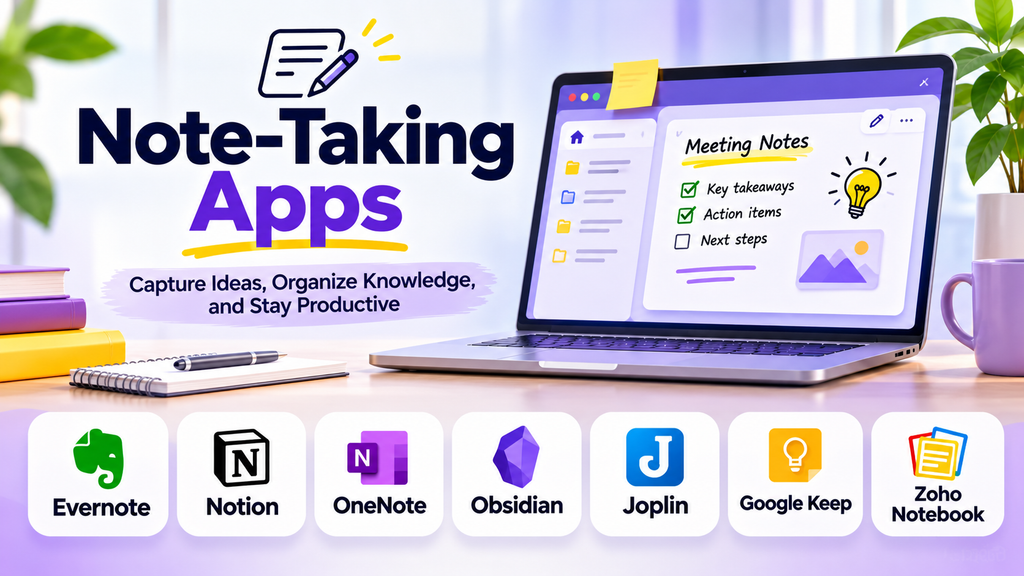
Note-taking apps help people capture ideas, organize information, and retrieve important details without relying on scattered paper notes or multiple files. From meeting summaries and study notes to personal reminders and research, the right app makes information easier to record, search, and use.
Modern note-taking apps may include cloud synchronization, folders, tags, handwriting, audio recording, collaboration, templates, and AI-assisted features. However, the best option is not necessarily the one with the most features. It is the one that fits your daily habits, devices, privacy needs, and preferred way of organizing information.
What Are Note-Taking Apps?
Note-taking apps are digital tools for creating, storing, editing, and finding notes. They can range from simple text editors to advanced knowledge management systems that connect notes, files, tasks, and research.
Common uses include:
- Recording meeting notes and action items
- Organizing class notes and study material
- Saving research, links, and references
- Maintaining personal journals and daily plans
- Drafting content and collecting creative ideas
- Sharing information with colleagues or classmates
Popular Note-Taking Apps
1. Microsoft OneNote
Microsoft OneNote organizes information into notebooks, sections, and pages. It supports typed notes, drawings, images, and flexible page layouts. It can be useful for students and professionals who collect different kinds of information and already work with Microsoft tools.
2. Evernote
Evernote focuses on capturing and organizing notes, documents, and web research. Its search and organization features can help users maintain a searchable collection of personal or professional information. Review current plan limits and included features before choosing it.
3. Notion
Notion combines notes and documents with databases, templates, and collaborative workspaces. It can suit people who want to connect meeting notes, project documentation, task lists, and knowledge resources in one place. Its flexibility can require some setup to avoid overcomplicating a workspace.
4. Apple Notes
Apple Notes provides a simple way to record text, checklists, scans, drawings, and attachments within Apple’s ecosystem. It is particularly convenient for users who want quick capture and synchronization across compatible Apple devices. Check sharing and cross-platform needs if you work across different operating systems.
5. Google Keep
Google Keep is suited to short notes, checklists, reminders, and quick idea capture. Its lightweight design makes it useful for everyday tasks where speed matters more than elaborate formatting or deep document structure.
6. Obsidian
Obsidian stores notes as local Markdown files and supports links between ideas. This approach can appeal to researchers, writers, and knowledge workers who want to build a connected personal knowledge base and maintain control over their files. Some workflows require additional configuration or community plugins.
7. Joplin
Joplin is an open-source note-taking application supporting Markdown, notebooks, and synchronization options. It may appeal to users who value flexibility and control over how their notes are stored and synchronized. Confirm the setup and security features that suit your needs.
8. Bear
Bear is a writing-focused notes app known for a clean interface, Markdown support, and tag-based organization. It can suit writers and individuals who prefer a focused note-taking experience. Check supported devices and subscription requirements before committing.
Note-Taking Apps Compared
| App | Best suited for | Key consideration |
|---|---|---|
| Microsoft OneNote | Structured notebooks and mixed media | Microsoft ecosystem and notebook workflow |
| Evernote | Searchable personal information | Current plan limits and capture tools |
| Notion | Notes connected to projects and databases | Setup complexity |
| Apple Notes | Fast capture within Apple devices | Cross-platform requirements |
| Google Keep | Quick notes and reminders | Limited document structure |
| Obsidian | Linked notes and personal knowledge bases | Local-file workflow and configuration |
| Joplin | Open-source notes and Markdown | Sync setup and feature requirements |
| Bear | Focused writing and tagging | Device compatibility and plan details |
Features, prices, and plan limits can change. Check current product details before making a decision.
Essential Features to Consider
Fast capture
A good app should make it easy to create a note quickly. Widgets, keyboard shortcuts, mobile sharing, voice input, and templates can reduce friction, depending on the platform.
Search and organization
Search, folders, notebooks, tags, and links help prevent information from becoming difficult to find. Choose a system you can maintain consistently rather than building an unnecessarily complex structure.
Synchronization and offline access
If you switch between a phone, tablet, and computer, verify how synchronization works and whether notes remain available without an internet connection. Check how conflicts are handled when the same note is edited on multiple devices.
Rich content and handwriting
Some users need only plain text, while others need images, PDF attachments, sketches, handwritten notes, or audio. Match the app to the content you regularly capture.
Collaboration and sharing
For team use, review shared notebooks, permissions, comments, and collaborative editing. Personal notes and company records may require different access controls.
Export and portability
Before storing years of notes in one service, check whether you can export them in usable formats. Markdown, PDF, HTML, and other supported formats may help with backup or migration, but export capabilities vary.
Privacy and security
Review account security, encryption claims, data retention, backup options, and the provider’s handling of your information. For confidential work, follow your organization’s policies and avoid putting sensitive data into tools that have not been approved.
How to Choose the Right Note-Taking App
For students: Look for organized notebooks, search, handwriting or PDF support where needed, and convenient access across study devices.
For office professionals: Prioritize meeting templates, reliable search, sharing permissions, and integration with your daily work tools.
For writers and researchers: Consider Markdown, linking, references, export options, and long-term access to your notes.
For quick personal reminders: Choose a lightweight app with fast capture, checklists, and reminders rather than a complex workspace.
For teams: Evaluate shared spaces, permissions, collaboration, administrative controls, and the ability to keep documentation organized.
Best Practices for Managing Digital Notes
- Create a small number of clear notebooks or categories.
- Use tags consistently where they genuinely improve retrieval.
- Give notes descriptive titles so they are easy to search.
- Separate temporary reminders from information worth keeping long term.
- Record decisions and action items clearly after meetings.
- Review and archive outdated notes regularly.
- Back up important information and test the export process.
- Protect sensitive notes with appropriate account and sharing controls.
A simple, repeatable system is often more effective than an elaborate setup that takes more time to maintain than to use.
Common Mistakes to Avoid
- Saving everything without a retrieval system
- Creating too many tags and folders
- Depending entirely on one service without checking export options
- Ignoring offline access and synchronization behavior
- Storing confidential information without reviewing privacy controls
- Choosing an app based only on its feature list instead of real daily needs
Frequently Asked Questions
What is the best note-taking app?
There is no single best choice for everyone. OneNote is useful for notebook-based organization, Notion connects notes with databases and projects, Google Keep is suited to quick capture, and Obsidian supports linked local notes.
Are free note-taking apps enough?
Often, yes. A free plan may be sufficient for personal notes and basic organization. Check storage, device, collaboration, synchronization, and export limits before relying on it.
Which app is best for students?
Students can compare OneNote for structured notebooks, Apple Notes for quick capture in its ecosystem, and Notion for organizing notes alongside study plans. The best choice depends on devices and study habits.
Can I use note-taking apps offline?
Some apps support offline access, but behavior varies by platform and account configuration. Test offline viewing and editing before depending on it while traveling or studying without connectivity.
How can I avoid losing my notes?
Use synchronization carefully, maintain backups of important information, periodically export notes, and confirm that you can restore or access your data if you change devices or services.
Conclusion
Note-taking apps make it easier to capture ideas, manage information, and retrieve knowledge when it is needed. Microsoft OneNote, Evernote, Notion, Apple Notes, Google Keep, Obsidian, Joplin, and Bear offer different approaches, from quick reminders to structured notebooks and connected knowledge systems.
