Upgrade & Secure Your Future with DevOps, SRE, DevSecOps, MLOps!
We spend hours scrolling social media and waste money on things we forget, but won’t spend 30 minutes a day earning certifications that can change our lives.
Master in DevOps, SRE, DevSecOps & MLOps by DevOps School!
Learn from Guru Rajesh Kumar and double your salary in just one year.
Introduction
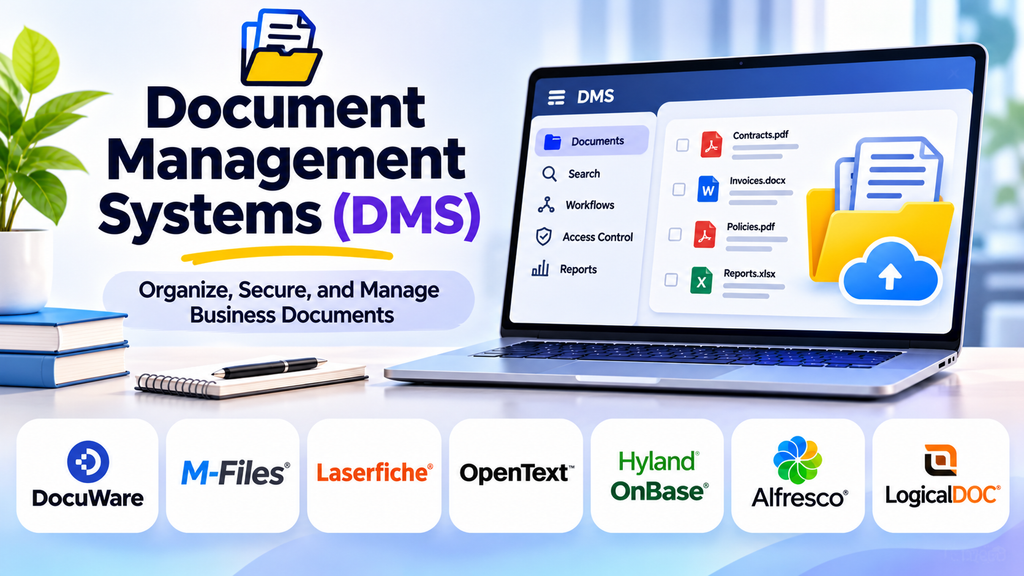
Document Management Systems (DMS) help organizations store, organize, retrieve, share, and control digital documents throughout their lifecycle. Instead of relying on scattered folders, email attachments, and paper files, businesses can use a centralized system to make information easier to find and manage.
As organizations handle increasing volumes of contracts, invoices, reports, policies, and customer records, effective document management becomes essential. A suitable DMS can improve productivity, support collaboration, strengthen access controls, and reduce the risk of employees using outdated documents.
What Is a Document Management System?
A Document Management System is software used to capture, store, organize, track, and retrieve documents. Depending on the product, it may support scanning, metadata, version history, approval workflows, search, permissions, and retention rules.
A DMS can manage digital files created in office applications as well as scanned paper documents. More advanced platforms may connect document handling with business processes such as invoice approval, contract review, and employee onboarding.
Why Businesses Use Document Management Systems
Centralized storage
A central repository gives authorized users a consistent place to find documents. This reduces duplication and makes it easier to maintain organized records across teams.
Faster document retrieval
Search tools, metadata, tags, and structured folders help employees locate files without manually browsing numerous directories. Good indexing practices are just as important as the search technology itself.
Version control
Version history helps teams identify the latest approved document and review earlier changes. Check-in and check-out controls or collaborative editing can reduce conflicts when multiple people work on the same file.
Collaboration and approval workflows
Many systems support comments, review assignments, approval steps, and notifications. These features can make document-heavy processes more consistent and transparent.
Security and access control
Role-based permissions and audit logs help organizations restrict access to sensitive files and understand how documents are used. Security capabilities vary, so they should be assessed against the organization’s requirements.
Retention and governance
Document classification, retention schedules, and disposition workflows can help businesses manage records responsibly. Legal and regulatory requirements differ by industry and jurisdiction, so software alone does not guarantee compliance.
Popular Document Management Systems
1. Microsoft SharePoint
SharePoint supports document libraries, metadata, permissions, version history, and collaboration within the Microsoft ecosystem. It can suit organizations that need to manage documents alongside team sites and other workplace services. Good information architecture and governance are important for keeping large deployments manageable.
2. OpenText Content Management
OpenText provides enterprise content management capabilities for organizations with complex information, process, and governance needs. It may be relevant to large businesses that require structured content management and integrations with existing enterprise systems.
3. DocuWare
DocuWare focuses on document management and workflow automation. Businesses can evaluate it for use cases such as invoice processing, employee records, and approval workflows where documents need to move through defined business steps.
4. M-Files
M-Files emphasizes metadata-driven document organization, helping users find information based on what a document represents rather than relying only on folder locations. This approach can be useful where documents relate to multiple projects, customers, or business entities.
5. Laserfiche
Laserfiche offers document management, workflow automation, and records-related capabilities. It can be considered by organizations looking to digitize document-heavy processes and apply structured controls to information.
6. Box
Box provides cloud-based content storage, collaboration, sharing, and content workflow capabilities. It may suit organizations that need controlled access to business files and collaboration with external parties. Administrators should review sharing settings and governance controls carefully.
7. Dropbox Business
Dropbox Business supports cloud file storage, synchronization, and team collaboration. It can be a practical option for teams that need accessible shared files, although organizations with complex records governance may need additional capabilities or integrations.
8. Google Drive for business
Google Drive, as part of Google Workspace, supports cloud file storage, sharing, and collaboration on documents. It is often considered by teams already using Google’s productivity tools. Organizations should assess permission structures, retention needs, and administrative controls before using it for sensitive records.
Document Management Systems Compared
| Platform | Common use case | Key consideration |
|---|---|---|
| Microsoft SharePoint | Document libraries and team collaboration | Information architecture and governance |
| OpenText Content Management | Enterprise content and governance | Deployment complexity and integrations |
| DocuWare | Document workflows and process automation | Workflow fit and configuration |
| M-Files | Metadata-driven document organization | Metadata design and user adoption |
| Laserfiche | Digitization and workflow management | Process and records requirements |
| Box | Cloud content collaboration | Sharing and governance controls |
| Dropbox Business | Team file storage and synchronization | Advanced records requirements |
| Google Drive for business | Collaborative documents and cloud storage | Permissions and retention needs |
Product capabilities, packaging, and pricing can change. Confirm current features and licensing before selecting a platform.
Essential Features to Evaluate
Document capture and import
Consider how the system receives files from desktops, email, scanners, shared folders, and business applications. For paper-heavy environments, check whether scanning and OCR are built in or require separate tools.
Metadata and classification
Metadata describes a document using attributes such as document type, owner, department, project, or date. Consistent classification improves search and can support automated routing and retention rules.
Search and indexing
Look for full-text search, filters, metadata search, and practical ways to find documents with incomplete information. Test search using real examples from your organization rather than relying only on demonstrations.
Versioning and approvals
Check whether the platform records changes, supports rollback, and provides review or approval workflows. Make sure users can distinguish drafts from final or approved documents.
Access controls and audit trails
Review permissions at the repository, folder, and document levels, as well as logging, external sharing, and administrative reporting. Sensitive documents may require more restrictive controls than general team files.
Integration and automation
A DMS is more useful when it fits existing business processes. Consider integrations with email, office applications, CRM, ERP, accounting, e-signature, and workflow tools where relevant.
Backup, recovery, and portability
Understand how data is backed up, how recovery works, and whether documents and metadata can be exported. A migration plan should include permissions, links, version history, and audit records where needed.
How to Choose the Right DMS
For small businesses: Prioritize ease of use, simple permissions, affordable licensing, and straightforward file sharing.
For Microsoft-based organizations: Evaluate SharePoint’s document libraries, collaboration features, and compatibility with existing processes.
For document-heavy operations: Consider workflow automation, scanning, OCR, indexing, and integrations with core business applications.
For regulated environments: Examine retention, audit trails, access controls, legal hold capabilities, and reporting. Involve compliance and legal specialists when necessary.
For distributed teams: Focus on secure remote access, synchronization, external collaboration, and a consistent experience across devices.
Best Practices for Implementation
- Audit current repositories and identify duplicate or outdated files.
- Define document categories, metadata, naming rules, and ownership.
- Establish access permissions before migrating sensitive content.
- Map approval and review workflows for high-value document types.
- Migrate in stages and verify files, metadata, and permissions.
- Train employees using realistic daily tasks.
- Assign owners to maintain information architecture and governance.
- Monitor search success, adoption, retrieval time, and workflow bottlenecks.
- Test backups and recovery procedures periodically.
A successful DMS implementation is not simply a file migration. It combines technology, clear processes, employee training, and ongoing governance.
Common Challenges to Avoid
- Migrating disorganized folders without reviewing their structure
- Creating too many metadata fields or categories
- Giving users broader access than they need
- Overlooking retention and disposal policies
- Failing to train employees on search and classification
- Assuming a platform automatically guarantees compliance
- Ignoring export and recovery requirements
Frequently Asked Questions
What is the difference between a DMS and cloud storage?
Cloud storage primarily focuses on storing, synchronizing, and sharing files. A DMS typically adds more structured document controls, such as metadata, version management, approval workflows, audit trails, and records-related processes. The exact distinction depends on the product.
Can a DMS manage paper documents?
Yes, when scanning and document capture are supported directly or through integrations. OCR can make scanned text searchable, though recognition quality should be tested with real documents.
Is a DMS suitable for small businesses?
Yes. Small businesses can benefit from centralized files, version control, and controlled sharing. The right solution should match their budget, complexity, and security needs.
Does document management software ensure compliance?
No. It can provide controls that support compliance, but organizations must configure the system correctly and follow applicable laws, policies, and retention requirements.
How should businesses measure DMS success?
Useful measures include time needed to find documents, reduction in duplicate files, workflow completion time, user adoption, retrieval accuracy, and access-control incidents.
Conclusion
Document Management Systems help organizations bring order, control, and efficiency to document-heavy work. Microsoft SharePoint, OpenText Content Management, DocuWare, M-Files, Laserfiche, Box, Dropbox Business, and Google Drive for business provide different approaches to storing and managing business information.
