Upgrade & Secure Your Future with DevOps, SRE, DevSecOps, MLOps!
We spend hours scrolling social media and waste money on things we forget, but won’t spend 30 minutes a day earning certifications that can change our lives.
Master in DevOps, SRE, DevSecOps & MLOps by DevOps School!
Learn from Guru Rajesh Kumar and double your salary in just one year.
Introduction
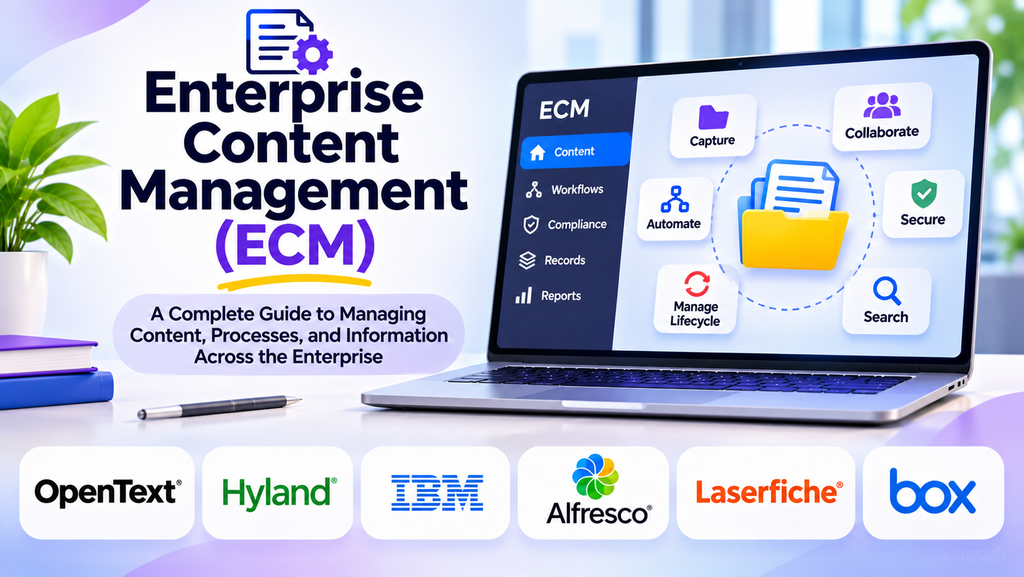
Enterprise Content Management (ECM) helps organizations capture, organize, store, secure, and manage business information throughout its lifecycle. Companies work with many types of content, including documents, contracts, emails, invoices, policies, images, and records. Without a consistent management strategy, information can become fragmented across departments, making it difficult to find, protect, and use effectively.
An ECM approach combines technology, processes, and governance to help employees access the information they need while ensuring that business content is managed responsibly. Modern ECM platforms may also support automation, collaboration, records management, and integration with core business systems.
What Is Enterprise Content Management?
Enterprise Content Management refers to the strategies, processes, and technologies used to manage an organization’s information from creation and capture through storage, use, retention, and disposal.
ECM is broader than simple file storage. It can bring together document management, content capture, workflow automation, access control, retention policies, and search capabilities in a coordinated environment.
Common types of managed content include:
- Contracts and legal documents
- Employee and customer records
- Invoices and financial documents
- Policies, procedures, and internal guidance
- Scanned documents and digital forms
- Emails, images, and business reports
Why ECM Matters for Businesses
Centralized information access
ECM helps teams locate relevant content without searching disconnected repositories. Consistent classification and metadata can make information easier to discover across departments.
Improved productivity
Employees spend less time looking for files, checking versions, or requesting documents from other teams. Automated routing can also reduce repetitive administrative work.
Better collaboration
Content workflows can support reviews, approvals, shared access, and clear ownership. Version controls help teams work with current information and retain an appropriate history of changes.
Security and governance
Access permissions, audit trails, classification, and retention controls help organizations manage sensitive content. These capabilities need appropriate configuration and ongoing oversight.
Business process automation
ECM can support processes such as invoice approvals, contract reviews, employee onboarding, and customer document processing by routing content to the right people at the right time.
Support for compliance
Retention schedules, records controls, and audit information can help organizations meet applicable obligations. An ECM platform does not automatically guarantee compliance; policies and implementation must match the relevant legal and regulatory requirements.
Popular Enterprise Content Management Platforms
1. OpenText Content Management
OpenText provides enterprise content management capabilities for organizations managing large volumes of business information and complex processes. It may suit enterprises that need structured governance, integrations, and lifecycle controls.
2. Microsoft SharePoint
SharePoint supports document libraries, collaboration, metadata, version history, and permissions. Organizations often use it to manage internal content and team documentation within the Microsoft ecosystem. Governance and information architecture are important as deployments grow.
3. Hyland OnBase
Hyland OnBase combines content management with workflow and process capabilities. It can be evaluated by organizations that need to connect documents with operational processes and business applications.
4. Laserfiche
Laserfiche offers content management, document capture, workflow automation, and records-related capabilities. It may be suitable for organizations seeking to digitize paper-heavy operations and establish more consistent information processes.
5. IBM FileNet Content Manager
IBM FileNet Content Manager is designed for enterprise content management and complex information workflows. It can be relevant where organizations require scalable content services, integration, and structured control over business information.
6. Box
Box provides cloud-based content management, collaboration, sharing, and workflow capabilities. It may fit organizations that need controlled content access across internal teams and external partners. Sharing policies and governance controls should be assessed carefully.
7. M-Files
M-Files uses metadata-driven organization to help users find content based on its business meaning rather than relying solely on folder structures. This can be useful when documents relate to multiple projects, customers, or business processes.
ECM Platforms Compared
| Platform | Common use case | Key consideration |
|---|---|---|
| OpenText Content Management | Enterprise content governance | Complexity and integration requirements |
| Microsoft SharePoint | Team content and document collaboration | Information architecture and administration |
| Hyland OnBase | Content linked to operational workflows | Process fit and implementation scope |
| Laserfiche | Digitization and workflow automation | Capture and workflow requirements |
| IBM FileNet Content Manager | Complex enterprise content processes | Architecture and specialist administration |
| Box | Cloud content collaboration and governance | Sharing controls and enterprise requirements |
| M-Files | Metadata-driven content access | Classification design and adoption |
Product capabilities, packaging, and licensing can change. Confirm current features and suitability directly before selecting a platform.
Essential ECM Capabilities
Content capture
Content may enter an organization through uploads, email, scanning, digital forms, or business applications. Consider how the platform captures information and whether OCR or intelligent document processing is required.
Classification and metadata
Metadata describes content through attributes such as document type, department, customer, owner, or retention category. A consistent classification model supports search, workflow routing, reporting, and lifecycle management.
Search and discovery
Search capabilities can include full-text indexing, filters, metadata searches, and permission-aware results. Test common business queries using realistic documents to see whether users can find the right information efficiently.
Workflow automation
ECM workflows can route documents for review, approval, correction, or archiving. Before configuring automation, map the existing process and identify unnecessary steps that should be removed rather than automated.
Records and retention management
Organizations may need retention schedules, legal holds, disposition approvals, and evidence of actions taken. These requirements depend on the content type and applicable regulations.
Security and auditability
Review role-based access, authentication, audit logging, external sharing, encryption, and administrative reporting. Sensitive content should be protected according to organizational policies.
Integration and interoperability
ECM often works alongside email, office productivity tools, CRM, ERP, HR, accounting, and e-signature systems. Assess how content and metadata move between systems and how duplicate copies are controlled.
ECM vs. Document Management vs. Content Management Systems
| Category | Primary focus | Typical scope |
|---|---|---|
| Document Management System (DMS) | Documents and document workflows | Storage, versions, search, approvals |
| Enterprise Content Management (ECM) | Business content across its lifecycle | Documents, records, governance, workflows, capture |
| Content Management System (CMS) | Publishing and maintaining digital content | Web pages, media, publishing workflows |
These categories can overlap. A platform may provide features from more than one category, so compare actual capabilities rather than relying on product labels alone.
How to Choose an ECM Solution
For small and midsize organizations: Prioritize usability, manageable administration, clear licensing, and essential workflow features.
For large enterprises: Evaluate scalability, governance, complex permissions, integrations, migration options, and support for multiple departments.
For regulated industries: Examine retention, legal holds, audit trails, security controls, and the ability to demonstrate that policies are being followed.
For paper-heavy processes: Focus on scanning, OCR, document capture, indexing, and automated routing.
For distributed teams: Assess secure remote access, collaboration, external sharing controls, and integration with existing productivity tools.
Best Practices for ECM Implementation
- Audit existing repositories, content types, and duplicate files.
- Define business goals and measurable success criteria.
- Establish a classification model, metadata standards, and ownership.
- Map retention and access requirements before migration.
- Prioritize high-value workflows for an initial pilot.
- Test migration with representative content and verify permissions and metadata.
- Train employees on search, classification, sharing, and approval processes.
- Assign governance owners and establish change-management procedures.
- Monitor adoption, retrieval time, workflow performance, and control effectiveness.
- Review the system periodically as business needs change.
A successful ECM program requires more than installing software. It needs clear ownership, practical processes, user adoption, and continuing governance.
Common ECM Challenges
- Migrating old content without assessing its value or retention requirements
- Creating inconsistent or overly complicated metadata
- Automating inefficient processes without redesigning them
- Giving users excessive access to sensitive content
- Underestimating integration and migration effort
- Failing to provide adequate training
- Treating compliance as a software feature rather than an ongoing responsibility
Frequently Asked Questions
What does ECM stand for?
ECM stands for Enterprise Content Management. It describes the strategies and technologies used to manage business content throughout its lifecycle.
Is ECM the same as cloud storage?
No. Cloud storage primarily stores and synchronizes files. ECM typically adds broader capabilities for content classification, workflows, governance, retention, and lifecycle control, although products may overlap.
Can ECM automate business processes?
Yes. ECM platforms may route content through review, approval, and processing steps. The level of automation depends on the platform, configuration, and integrations.
Is ECM only for large enterprises?
No. Smaller organizations can also benefit from structured document handling and automation. The solution should match their content volume, process complexity, budget, and governance needs.
Does ECM guarantee regulatory compliance?
No. It can provide tools that support compliance, but organizations must define suitable policies, configure controls correctly, train users, and meet applicable legal obligations.
Conclusion
Enterprise Content Management helps organizations manage information more consistently, securely, and efficiently. Platforms such as OpenText Content Management, Microsoft SharePoint, Hyland OnBase, Laserfiche, IBM FileNet Content Manager, Box, and M-Files provide different approaches to content organization, workflow automation, and governance.
