Upgrade & Secure Your Future with DevOps, SRE, DevSecOps, MLOps!
We spend hours scrolling social media and waste money on things we forget, but won’t spend 30 minutes a day earning certifications that can change our lives.
Master in DevOps, SRE, DevSecOps & MLOps by DevOps School!
Learn from Guru Rajesh Kumar and double your salary in just one year.
Introduction
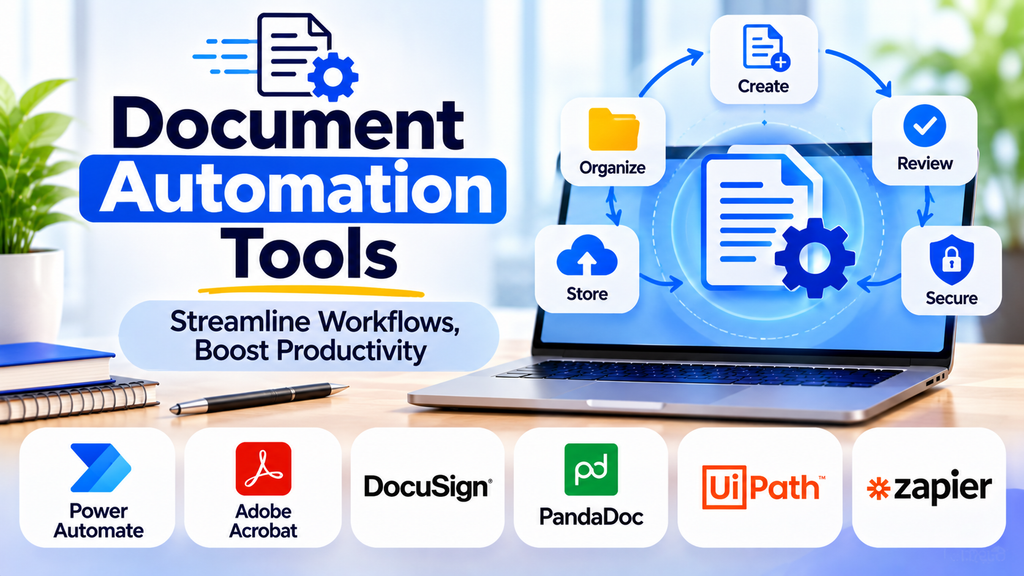
Businesses regularly create proposals, contracts, invoices, reports, certificates, letters, and customer-facing documents. Producing each document manually can be time-consuming and may lead to inconsistent formatting or incorrect information. Document generation software helps organizations create professional documents automatically using templates, structured data, and predefined rules.
What Is Document Generation Software?
Document generation software creates documents by combining templates with information from forms, databases, spreadsheets, or business applications. Instead of manually preparing every file, users can reuse approved layouts and automatically populate fields such as names, dates, prices, addresses, and reference numbers.
These tools are useful for organizations that need to produce a large number of similar documents while maintaining accuracy and consistent branding.
How Document Generation Software Works
- Create a template: Design a standard document with the required layout, formatting, and placeholders.
- Connect the data: Supply information through forms, spreadsheets, databases, or supported integrations.
- Apply generation rules: Set conditions for optional sections, calculations, and document variations.
- Generate the document: Combine the template and data to produce a completed file.
- Review the output: Check important information, formatting, and business requirements.
- Export or distribute: Save, print, share, or route the document for approval or signature.
The exact workflow varies by software and the complexity of the document.
Key Features to Look For
| Feature | Benefit |
|---|---|
| Reusable templates | Keeps documents consistent |
| Automated data population | Reduces repetitive typing |
| Conditional content | Displays sections based on predefined rules |
| Bulk generation | Creates many documents in one process |
| Branding and formatting | Maintains a professional appearance |
| Multiple output formats | Supports formats such as PDF and Word where available |
| Data integrations | Connects document creation to business systems |
| Approval workflows | Enables review before final distribution |
| Access controls | Protects sensitive information |
| Version management | Helps maintain and update approved templates |
Common Document Generation Software
PandaDoc
PandaDoc helps businesses create proposals, quotes, contracts, and other business documents using templates and reusable content. Its workflow features can support document preparation, review, and signing processes, depending on the plan and configuration.
Conga Composer
Conga Composer is used to generate business documents from data and templates, particularly in Salesforce-centered workflows. Organizations should evaluate integration requirements and licensing before implementation.
Docmosis
Docmosis provides template-based document generation for applications and business processes. It can be used to create documents from structured data, with available deployment and integration options depending on the product offering.
Windward Studios
Windward provides document automation and generation capabilities that use templates and data sources to produce business documents and reports. It can be relevant for organizations with more specialized document-generation requirements.
Adobe Acrobat
Adobe Acrobat is primarily associated with PDF creation, editing, and document handling. It can complement a document generation process, especially when generated documents need PDF preparation, review, or distribution.
Microsoft Word Templates
Microsoft Word supports reusable templates, fields, and mail merge features that can generate personalized letters, labels, and other documents from data sources. It can be a practical option for straightforward document-generation needs.
Benefits of Document Generation Software
1. Improved Productivity
Templates and automated data population reduce the time employees spend creating recurring documents.
2. Greater Accuracy
Using data from approved sources reduces repetitive entry errors. Important outputs should still be reviewed, particularly when they contain financial, legal, or customer-specific information.
3. Consistent Branding
Reusable templates help maintain standard fonts, layouts, logos, terminology, and formatting across documents.
4. Scalable Document Production
Bulk generation can help teams create large numbers of personalized documents without preparing each one individually.
5. Faster Customer Service
Teams can prepare quotations, proposals, confirmations, and other customer documents more efficiently.
6. Easier Standardization
Centralized templates help organizations keep document structures aligned with approved business processes.
Document Generation vs. Document Automation
Document generation focuses on producing a document from a template and data. Document automation is broader and may include data collection, approvals, workflow routing, signatures, notifications, and storage. A document generation tool can therefore be one component of an end-to-end document automation workflow.
How to Choose the Right Solution
- List your document types: Identify which documents are created frequently and which require personalization.
- Assess volume and complexity: Determine whether you need single-document creation, bulk generation, or complex conditional templates.
- Check data sources: Confirm compatibility with your CRM, spreadsheets, databases, or other business systems.
- Review output formats: Make sure the software produces the file types and layouts your organization needs.
- Evaluate security: Consider permissions, data protection, auditability, and handling of confidential information.
- Calculate total cost: Include subscriptions, implementation, template design, training, and ongoing maintenance.
- Run a pilot: Generate sample documents, test edge cases, and verify the accuracy of the output before wider adoption.
Best Practices for Document Generation
- Use approved, centrally maintained templates.
- Validate required fields and data before generating documents.
- Test long names, missing values, unusual characters, and different data combinations.
- Protect sensitive fields and limit access to templates and source data.
- Keep human review for high-impact documents where mistakes could have serious consequences.
- Track template changes and assign clear ownership for maintenance.
- Test the output on different devices or in different file formats when presentation matters.
- Review generated documents periodically as business rules and requirements change.
Frequently Asked Questions
What documents can this software create?
Depending on the solution, it can create proposals, contracts, invoices, letters, reports, certificates, statements, forms, and personalized customer communications.
Can document generation software create hundreds of documents at once?
Many tools support bulk generation, but capacity and available features depend on the product, subscription, integrations, and data source.
Is document generation software suitable for small businesses?
Yes. Small businesses can start with reusable templates and simple data-driven documents, then adopt more advanced integrations as their needs grow.
Does generated content need to be checked?
Yes. Automated generation can reduce manual work, but it cannot guarantee that source data, calculations, or every generated statement is correct. Appropriate validation and review remain important.
Conclusion
Document generation software helps businesses create consistent, personalized, and professional documents more efficiently. By combining reusable templates with reliable data and clear generation rules, organizations can reduce repetitive work, improve accuracy, and scale document production. The best solution is one that fits the organization’s document types, integrations, security requirements, and review processes.
