Upgrade & Secure Your Future with DevOps, SRE, DevSecOps, MLOps!
We spend hours scrolling social media and waste money on things we forget, but won’t spend 30 minutes a day earning certifications that can change our lives.
Master in DevOps, SRE, DevSecOps & MLOps by DevOps School!
Learn from Guru Rajesh Kumar and double your salary in just one year.
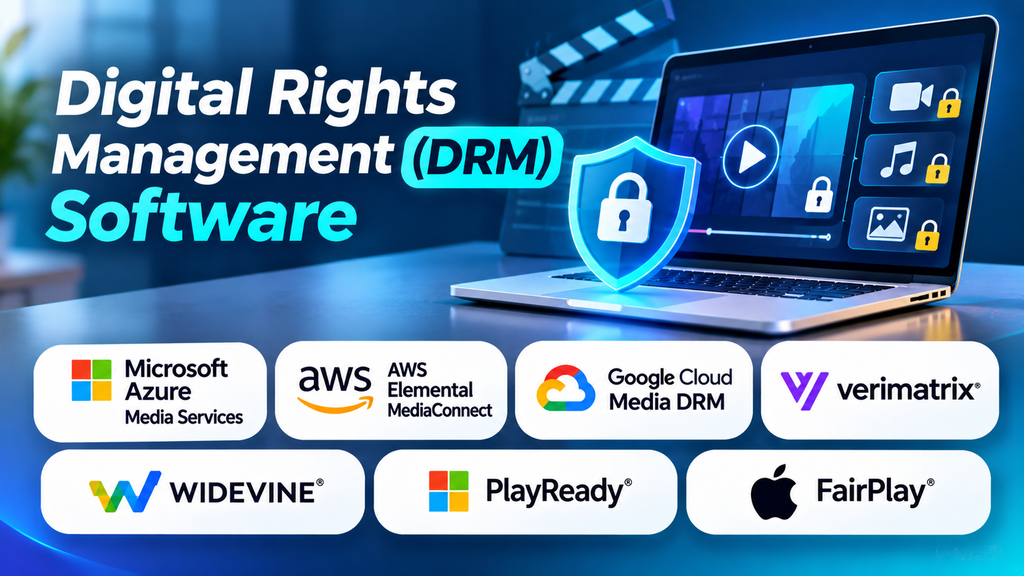
Digital content has become an essential business asset. Companies distribute eBooks, videos, music, online courses, software, research reports, and confidential documents across websites, applications, and digital platforms. Protecting these assets from unauthorized access, copying, redistribution, and misuse is an important part of managing digital business operations.
Digital Rights Management (DRM) refers to technologies and policies used to control how digital content can be accessed, used, copied, or shared. DRM software can help content owners apply permissions, restrict certain actions, manage licenses, and enforce usage rules across supported devices and applications.
For publishers, media companies, software vendors, and online learning providers, the right DRM solution can help protect intellectual property while providing legitimate users with convenient access to purchased or licensed content.
What Is Digital Rights Management?
Digital Rights Management is a combination of technical controls and usage policies designed to manage access to digital content. Depending on the solution, these controls may restrict copying, printing, downloading, screen recording, playback, or access from unauthorized devices.
For example, a video streaming service may use DRM to ensure that protected video plays only through compatible applications with valid licenses. An educational publisher may restrict the number of devices that can access a digital textbook. A business may use document rights management to control whether recipients can print or forward confidential files.
DRM does not guarantee that content can never be copied or misused. Its effectiveness depends on implementation, supported platforms, user permissions, and the nature of the content being protected.
How DRM Software Works
Although implementations differ, many DRM systems follow a similar process:
- Content preparation: The content owner prepares a document, video, audio file, or other digital asset for protection.
- Encryption or protection: The system applies technical controls to help prevent unauthorized use of the protected content.
- License creation: Usage permissions define who can access the content and under which conditions.
- User authentication: The platform verifies the user, device, account, or application as required.
- License validation: A compatible player or application checks whether the user is permitted to access the content.
- Controlled access: The content becomes available according to the applicable permissions, subscription, or license.
- Monitoring and administration: Depending on the product, administrators can manage licenses, devices, policies, and access records.
Not every DRM product uses the same architecture. Some focus on streaming media, while others protect office documents, eBooks, software, or downloadable files.
Best Digital Rights Management Software and Technologies
1. Microsoft Purview Information Protection
Microsoft Purview Information Protection supports the classification and protection of sensitive information. Organizations can apply sensitivity labels and protection policies to supported files and messages, helping control access and permitted actions.
It is particularly relevant for businesses that need to protect internal reports, financial documents, customer information, and confidential communications within a Microsoft-centered environment.
Before implementation, review supported applications, licensing requirements, external-sharing scenarios, identity configuration, and the exact protection features available in your organization’s subscription.
2. Adobe Experience Manager Assets and Adobe Content Protection Workflows
Adobe provides digital asset management capabilities through Adobe Experience Manager Assets, while Adobe’s document and publishing technologies address other content-protection requirements. These are related areas, but they are not interchangeable: a digital asset management platform organizes and governs content, whereas DRM controls the permitted use of protected content.
Organizations considering Adobe products should define whether they need asset lifecycle management, access governance, PDF protection, or media licensing. The correct product depends on the type of content and the required protection model.
3. Google Widevine
Google Widevine is a digital rights management technology used to protect premium video content across supported browsers, devices, and applications. It is relevant to streaming services and content providers that need licensed playback across a range of consumer devices.
Widevine works as part of a broader video delivery and licensing setup. A streaming provider generally needs compatible content packaging, license services, player integration, and suitable distribution infrastructure.
It is therefore better understood as a DRM technology and ecosystem component than as a standalone document-protection application.
4. Microsoft PlayReady
Microsoft PlayReady is a content access and rights management technology designed for digital media. It supports protected content delivery across compatible devices and playback environments.
It can be considered by streaming platforms, broadcasters, and media businesses that need licensing controls for premium video or audio content.
Implementation involves compatibility with supported playback environments, license acquisition, content packaging, and distribution workflows. Organizations should verify device support and licensing requirements for their target audience.
5. Apple FairPlay Streaming
Apple FairPlay Streaming helps content providers protect video delivered through supported Apple playback environments. It is designed for streaming workflows in which content access depends on the relevant license and playback configuration.
It is worth evaluating for services targeting Apple devices and compatible software environments. Providers should consider their streaming infrastructure, content preparation process, license management, and requirements for other platforms.
FairPlay Streaming is media-focused, so it should not be treated as a general-purpose solution for protecting every type of business document.
6. Vitrium Security
Vitrium Security focuses on protecting and distributing digital documents and other content. Depending on the product and configuration, businesses can use access controls and usage restrictions to manage how recipients interact with protected materials.
Potential use cases include training content, confidential business documents, paid publications, and professional resources distributed to external users.
Before selecting a solution, test the required file formats, viewing experience, printing and downloading controls, supported devices, user management, and reporting capabilities.
7. Locklizard
Locklizard provides document security and DRM-oriented protection for files such as PDFs. Its offerings are relevant to organizations that distribute valuable documents and need controls beyond a conventional download link or password.
Possible applications include paid reports, technical manuals, training materials, and confidential documents. Depending on the product and settings, organizations can assess controls around viewing, printing, access expiry, and recipient permissions.
Evaluate how the protection behaves across operating systems and devices, what happens when a user loses access, and how licenses can be revoked or renewed.
DRM Software Comparison
| Product or technology | Main focus | Potential use case |
|---|---|---|
| Microsoft Purview Information Protection | Sensitive information and document protection | Internal business files and controlled external sharing |
| Adobe Experience Manager Assets | Digital asset management | Organizing and governing business media assets |
| Google Widevine | Protected digital media playback | Streaming services and premium video |
| Microsoft PlayReady | Digital media rights management | Protected audio and video distribution |
| Apple FairPlay Streaming | Protected streaming video | Services supporting Apple playback environments |
| Vitrium Security | Protected document and content distribution | Training resources and paid digital publications |
| Locklizard | Document DRM and PDF protection | Confidential reports, manuals, and licensed documents |
These options address different needs and should not be treated as direct substitutes. Confirm current product features, supported formats, licensing, and compatibility with your own workflow.
Key Features to Look for in DRM Software
Access and permission controls
A DRM platform should let administrators define who can access protected content and what those users are allowed to do. Depending on the product, permissions may cover viewing, printing, downloading, copying, forwarding, or sharing.
Choose controls that match the sensitivity and commercial value of the content rather than restricting every action by default.
Encryption and license management
Many DRM systems use encryption and license checks to protect content. License management can determine whether access is valid, which devices are permitted, and whether a license has expired or been revoked.
Ask vendors how encryption keys and licenses are managed, how revocation works, and what happens when users need legitimate offline access.
Device and platform compatibility
Users may access content through desktop applications, browsers, mobile devices, connected TVs, or dedicated media players. Compatibility matters because protection that works only in a limited environment can create support issues and frustrate legitimate customers.
Test the full customer journey on the devices and operating systems your audience actually uses.
Expiry and revocation
Some organizations need content access to end after a subscription expires, a project closes, or an employee leaves. Where supported, expiry and revocation controls help administrators manage those changes.
Understand whether revocation takes effect immediately, requires the device to reconnect, or depends on cached licenses and other technical conditions.
Reporting and audit records
Usage logs and administrative reports can help organizations investigate access issues and demonstrate how policies are managed. Available reporting varies by product, and logs may not capture every action a user takes.
Review which events are recorded, how long the records are retained, and who can access them.
Integration with existing systems
DRM may need to work with a learning management system, publishing platform, streaming service, identity provider, content repository, or customer portal. Check available APIs, connectors, authentication methods, and administrative workflows before implementation.
Benefits of Digital Rights Management
Protecting intellectual property
DRM can make unauthorized distribution and casual copying more difficult, helping creators and businesses protect content that has commercial value.
Supporting paid content distribution
Publishers, course providers, and streaming services can use licensing and access controls to deliver content to authorized customers while applying the rules associated with a purchase or subscription.
Managing confidential information
Organizations can apply controls to selected documents so that access is limited to approved users and permitted activities. This can complement broader data protection and information governance policies.
Enforcing licensing conditions
DRM systems can help apply conditions such as user eligibility, device limits, expiry dates, or authorized playback environments, depending on the content and product.
Improving content administration
Centralized policies and license management can make it easier to manage protected content across large user groups. The level of visibility and automation depends on the chosen solution.
Common DRM Use Cases Across Industries
- Media and entertainment: Protecting premium films, television, music, and streaming content.
- Education and eLearning: Controlling access to paid courses, digital textbooks, and training materials.
- Publishing: Protecting eBooks, subscription publications, research reports, and technical manuals.
- Software distribution: Managing licensed access to applications and selected downloadable resources.
- Corporate environments: Protecting confidential reports, financial documents, and sensitive business files.
- Healthcare and professional services: Applying access restrictions to sensitive documents where permitted by organizational policy and applicable law.
- Research and consulting: Controlling the distribution of proprietary analysis, specialist reports, and licensed datasets.
The appropriate DRM design depends on the content format, distribution method, audience, and business model.
Challenges and Limitations of DRM
User experience
Strict restrictions can prevent legitimate users from accessing content conveniently. For example, device limits, offline access restrictions, and application compatibility issues may increase support requests.
Platform compatibility
Different DRM technologies support different playback environments and content formats. Streaming services that operate across multiple platforms may need to support more than one technology.
Implementation complexity
DRM may require content packaging, license servers, identity management, application changes, testing, and ongoing maintenance. The effort can be significant for organizations building their own distribution platforms.
Costs
Costs may include subscriptions, licensing, infrastructure, development, integration, customer support, and content preparation. Media-focused deployments can have different requirements from document-protection projects.
Limits of protection
DRM can reduce unauthorized access and copying, but it cannot eliminate every method of content capture or redistribution. For example, a person may photograph a screen using another device. DRM should therefore be one component of a broader protection strategy.
Privacy and accessibility
Tracking and access controls should be proportionate to the purpose of the system. Organizations should also consider accessibility, assistive technology, lawful use, and legitimate customer needs when defining restrictions.
How to Choose the Right DRM Solution
- Identify the content: Determine whether you are protecting streaming video, eBooks, PDFs, software, or internal business files.
- Define the threat model: Decide whether your priority is controlling access, discouraging redistribution, limiting printing, enforcing licenses, or protecting confidential information.
- Map your distribution channels: List the browsers, applications, devices, and platforms your users need.
- Review license requirements: Check how access is granted, renewed, expired, and revoked.
- Assess integration needs: Confirm compatibility with your existing content, identity, subscription, and payment systems.
- Test usability: Ask representative users to complete realistic tasks on supported devices.
- Calculate total cost: Include setup, licensing, operations, support, and maintenance.
- Review governance: Confirm that the protection model aligns with your contractual, legal, privacy, and accessibility requirements.
Security and Compliance Considerations
DRM is not a replacement for a complete cybersecurity or information governance program. Organizations should combine appropriate content protection with identity management, secure storage, access reviews, monitoring, backup practices, and incident response.
For business documents, review the rules governing sensitive information and external sharing. For media distribution, understand the applicable licensing agreements and requirements imposed by content owners. In either case, ensure that users can access content in accordance with legitimate rights and contractual obligations.
When evaluating a vendor, ask how protected content is encrypted, how keys and licenses are secured, how permissions are administered, and how access changes are handled. Review the vendor’s current technical documentation and contractual commitments rather than relying on general claims that a product is completely secure.
Frequently Asked Questions
What is the difference between DRM and encryption?
Encryption transforms data so that it cannot be read without the necessary key. DRM can use encryption as one component of a wider system that also manages licenses, permissions, access conditions, and permitted uses.
Can DRM prevent screenshots?
Some solutions can restrict supported screen-capture functions in particular environments, but no general DRM solution can guarantee that a person will never capture displayed content. External cameras and other recording methods may still be possible.
Is DRM only used for movies and music?
No. DRM is also used for eBooks, digital publications, online courses, software, and confidential business documents. The appropriate technology depends on the type of content being distributed.
Is DRM the same as digital asset management?
No. Digital asset management helps organizations organize, store, find, and govern digital assets. DRM focuses on controlling permitted access and use. Some organizations use both types of technology as part of a broader content management strategy.
Do small businesses need DRM software?
Not every small business needs a dedicated DRM platform. The decision depends on the value and sensitivity of its content, distribution model, contractual requirements, and the level of control needed. Some businesses may be adequately served by existing document protection features, while others may need specialized tools.
