Upgrade & Secure Your Future with DevOps, SRE, DevSecOps, MLOps!
We spend hours scrolling social media and waste money on things we forget, but won’t spend 30 minutes a day earning certifications that can change our lives.
Master in DevOps, SRE, DevSecOps & MLOps by DevOps School!
Learn from Guru Rajesh Kumar and double your salary in just one year.
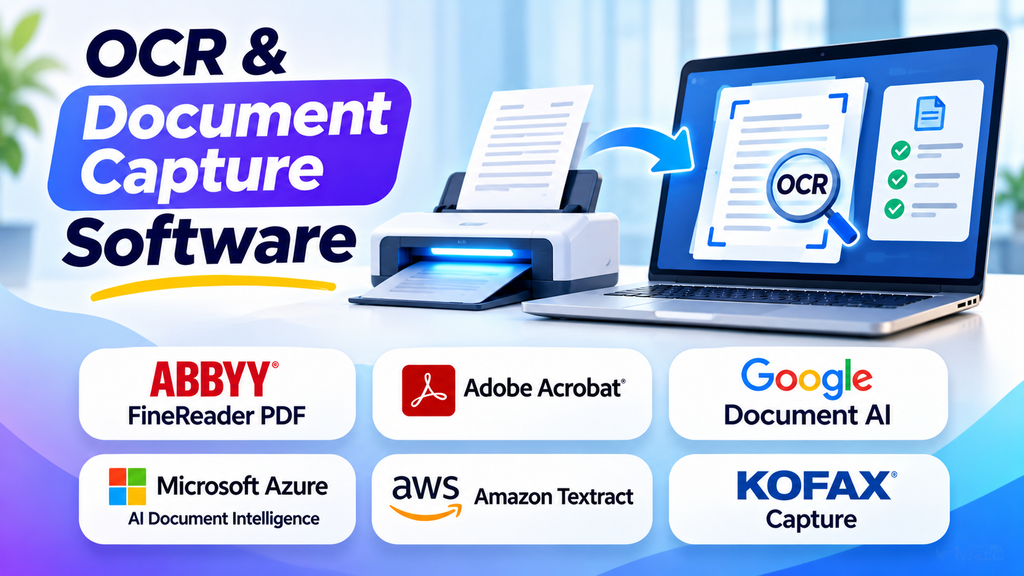
OCR and Document Capture Software: From Scanned Pages to Usable Business Data
A scanned invoice may look perfectly readable to a person, yet remain useless to an automated workflow. The text is trapped inside an image, totals cannot be validated automatically, and someone still has to enter the information into an accounting system. OCR and document capture software help bridge that gap—but the right solution depends on whether you need searchable files, extracted business data, or an end-to-end automated process.
Optical character recognition (OCR) identifies text in images and scanned documents. Document capture software goes further by collecting files, improving image quality, classifying documents, extracting fields, and routing results into business systems. Some products focus on desktop PDF work, while others provide cloud APIs or full document-processing workflows.
OCR is only the first step
The term “OCR software” covers several different types of tools. Understanding their roles helps prevent paying for capabilities you do not need.
- Text recognition: Converts printed or handwritten text in supported documents into machine-readable content.
- Document layout analysis: Identifies paragraphs, reading order, tables, checkboxes, and other structural elements.
- Field extraction: Pulls specific information such as invoice numbers, dates, totals, addresses, or purchase-order references.
- Document classification: Identifies the kind of document being processed and selects the relevant workflow.
- Validation and routing: Checks extracted information against business rules, flags uncertain results, and sends approved data to another system.
A basic OCR application may be sufficient to make old PDFs searchable. Processing thousands of invoices every month is a different problem: it may require extraction models, validation rules, integrations, monitoring, and a way for staff to review mistakes.
Which OCR and document capture tools are worth considering?
The following products represent different approaches rather than a single ranked list. Their suitability depends on document types, workflow complexity, technical resources, and where the extracted data must go.
ABBYY FineReader PDF: for document-heavy desktop work
ABBYY FineReader PDF is aimed at people who need to work directly with scanned documents and PDFs. OCR can make scans searchable and support converting them into editable formats. This is useful for digitizing archives, preparing editable documents, and handling office files without building a custom processing application.
FineReader PDF should not be confused with ABBYY’s broader intelligent document processing products, which target more extensive business workflows such as classification, data extraction, and validation. If the goal is to automate a multi-stage accounts-payable process, evaluate the appropriate enterprise product rather than assuming a desktop PDF application covers the entire workflow.
Adobe Acrobat Pro: for teams already working with PDFs
Adobe Acrobat Pro combines PDF editing and document management with OCR capabilities for scanned documents. It is a practical option when users need to recognize text and then continue editing, reviewing, organizing, or sharing the resulting PDF in the same application.
Its main advantage is the familiar PDF-centered workflow. It is less appropriate to treat it as a complete replacement for a document-processing pipeline that must extract hundreds of different fields, apply business rules, and send structured records to operational systems. Test the converted output carefully when original page layout and formatting matter.
Google Cloud Document AI: for document-processing applications
Google Cloud Document AI provides OCR and document-understanding components that developers can use in processing workflows. Depending on the selected processor, it can return text and layout information or extract structured information from supported document types.
This approach suits teams that want to build document ingestion into a cloud application rather than ask staff to process files individually. Processor selection matters: text recognition, form parsing, and specialized document extraction are related but different tasks. Review supported inputs, regional availability, quotas, data handling, and processor behavior before committing.
Amazon Textract: for extracting text, forms, and tables
Amazon Textract is a managed AWS service for extracting text and structured information from scanned documents. Its capabilities include text recognition, form key-value pairs, table structures, and query-based extraction for supported workflows.
Textract is worth evaluating when the surrounding application already uses AWS services or when developers need OCR results in machine-readable form. The service returns extraction results; your application still needs to decide what to do with them, validate important fields, handle failures, and manage downstream updates. Estimate costs using your actual document mix and required extraction features, not just the price of basic text recognition.
Azure AI Document Intelligence: for structured document extraction
Microsoft’s Azure AI Document Intelligence provides OCR and document analysis for extracting text, tables, key-value pairs, and information from supported forms and business documents. It includes prebuilt and custom-model approaches for different extraction requirements.
It can be a strong candidate for organizations building workflows around Microsoft’s cloud and business systems, although the exact integration design depends on the services in use. Compare prebuilt models with custom extraction against representative documents. Handwriting, unusual layouts, poor scans, and changing templates can affect results, so test those cases before deciding how much human review the workflow needs.
Tesseract: for teams that want an open-source OCR engine
Tesseract is an open-source OCR engine that can be integrated into custom applications and local processing pipelines. It can be attractive when licensing flexibility, control over deployment, or avoiding a managed OCR API is important.
The trade-off is operational responsibility. A team may need to handle image preprocessing, language data, layout reconstruction, error handling, and application integration. Tesseract does not by itself provide a complete business capture workflow with managed document classification, field validation, and case management. It is best evaluated as an OCR component, not automatically as a turnkey enterprise document platform.
Nanonets: for business document automation
Nanonets focuses on document processing and business workflows involving documents such as invoices, receipts, purchase orders, and claims. Its platform combines OCR-based extraction with workflow automation, making it relevant when the objective is to turn incoming documents into structured records rather than simply produce searchable text.
The important evaluation question is how well it handles your actual document variations and business rules. Check the review and exception-handling process, traceability of extracted values, integration options, and the effort required to maintain workflows when forms or suppliers change. Confirm the current product capabilities and commercial terms for your intended use case.
A practical comparison
| Tool | Main role | A good starting point when | Key consideration |
|---|---|---|---|
| ABBYY FineReader PDF | Desktop OCR and PDF conversion | Staff need searchable or editable documents | A desktop workflow is not the same as end-to-end process automation |
| Adobe Acrobat Pro | PDF editing and OCR | PDF review and editing are central to the work | Complex structured extraction may need another tool |
| Google Cloud Document AI | Cloud OCR and document understanding | Developers need document processing through cloud services | Choose the correct processor and verify supported document types |
| Amazon Textract | Cloud OCR, forms, and tables | The application uses AWS or needs structured extraction APIs | Downstream validation and workflow logic remain important |
| Azure AI Document Intelligence | Cloud OCR and structured extraction | Forms and business documents must feed an application | Test prebuilt and custom models on representative documents |
| Tesseract | Open-source OCR engine | The team needs control and can maintain its own pipeline | Preprocessing, layout handling, and operations require engineering |
| Nanonets | Document processing and workflow automation | Business teams want to automate document-heavy processes | Validate exception handling, integrations, and commercial fit |
How to choose the right approach
If you mainly need searchable PDFs
Start with a desktop tool such as ABBYY FineReader PDF or Adobe Acrobat Pro. Test a sample of real files, especially documents with small text, multiple columns, stamps, skewed pages, and mixed languages. Compare both recognition quality and how much manual cleanup is required.
If your application needs text or fields through an API
Compare Google Cloud Document AI, Amazon Textract, and Azure AI Document Intelligence. Look at the output format, layout information, field extraction, regional support, authentication, throughput limits, and integration requirements. Select a small test set that includes normal documents as well as difficult exceptions.
If documents trigger business processes
For invoices, claims, orders, and onboarding forms, evaluate the complete workflow rather than OCR accuracy alone. Consider a document-processing platform such as Nanonets or a broader enterprise document-processing offering. Confirm that the solution supports the approval steps, exception queues, audit history, and destination systems your process requires.
If keeping control of the processing stack matters most
Tesseract can be a sensible foundation for teams with engineering capacity. Calculate the total cost of image preprocessing, infrastructure, monitoring, updates, quality assurance, and support. Open-source software may reduce licensing costs, but it does not remove the cost of operating a reliable service.
Accuracy is a workflow requirement, not just a software feature
OCR results can be affected by low resolution, compression, skew, shadows, handwriting, unusual fonts, table borders, and poor contrast. A system that performs well on clean printed invoices may behave differently on photographed receipts or multi-page forms.
Before selecting a tool, build a representative test set and evaluate:
- Character and text accuracy: Does the extracted text match the source?
- Field accuracy: Are critical values such as invoice totals, dates, and account numbers correct?
- Layout preservation: Are tables, columns, and reading order retained well enough for the next step?
- Exception handling: Are uncertain or missing values flagged rather than silently accepted?
- Operational performance: Can the solution handle realistic page volumes, file sizes, and peak loads?
- Human review: Can staff correct errors efficiently, and are those corrections recorded appropriately?
For high-impact fields, use validation rules and confidence-based review where supported. For example, an invoice workflow can compare extracted totals against line items, verify supplier identifiers against a trusted system, and route mismatches for approval. OCR should provide evidence for the workflow—not become an unchecked authority.
Costs that buyers often overlook
The headline price of OCR is only one part of the cost. Desktop products may use a license or subscription model, while cloud services may charge based on pages, features, or processing requests. Document automation platforms may price by usage, workflow, or contract.
Compare the full operating cost, including:
- Image cleanup and document preparation
- Extraction of tables and business fields beyond plain text
- Custom model setup and maintenance
- API integration and cloud infrastructure
- Human review of low-confidence results
- Logging, monitoring, retention, and access controls
- Reprocessing documents when source data or models change
Run a pilot with your own volume and document mix. Include both routine files and difficult cases, then estimate the cost per successfully processed document—not simply the cost per page submitted.
Security and implementation checks
Documents may contain personal information, financial records, contracts, or confidential business data. Before sending them to any service, review its data handling terms, storage and retention options, regional availability, access controls, encryption details, and relevant contractual commitments.
For cloud APIs, confirm where processing occurs and how credentials are managed. For locally hosted OCR, secure the machines, temporary files, logs, and extracted output. In either case, limit access to the documents and data fields people actually need.
Also decide how the system will behave when extraction fails. A robust process should preserve the source document, identify the failure, allow authorized review, and prevent incomplete or uncertain data from silently updating critical business records.
Questions to answer before you buy
- Do we need searchable documents, structured field extraction, or a complete automated workflow?
- Which document types, languages, handwriting styles, and file formats must be supported?
- Where must extracted data be delivered, and what APIs or connectors are required?
- What happens when a required field is missing or the model is uncertain?
- Can reviewers see the original source alongside the extracted result?
- What are the costs at our expected volume, including exceptions and reprocessing?
- Which security, retention, and regional requirements apply to our documents?
- How will we measure accuracy and monitor changes after deployment?
The right choice depends on what happens after recognition
For occasional PDF conversion, a desktop OCR application may be all that is needed. For developers building document-aware applications, cloud OCR services provide programmable recognition and extraction capabilities. For recurring business processes, a broader document capture and automation platform may reduce the work needed to connect recognition with validation, review, and downstream systems.
