Upgrade & Secure Your Future with DevOps, SRE, DevSecOps, MLOps!
We spend hours scrolling social media and waste money on things we forget, but won’t spend 30 minutes a day earning certifications that can change our lives.
Master in DevOps, SRE, DevSecOps & MLOps by DevOps School!
Learn from Guru Rajesh Kumar and double your salary in just one year.
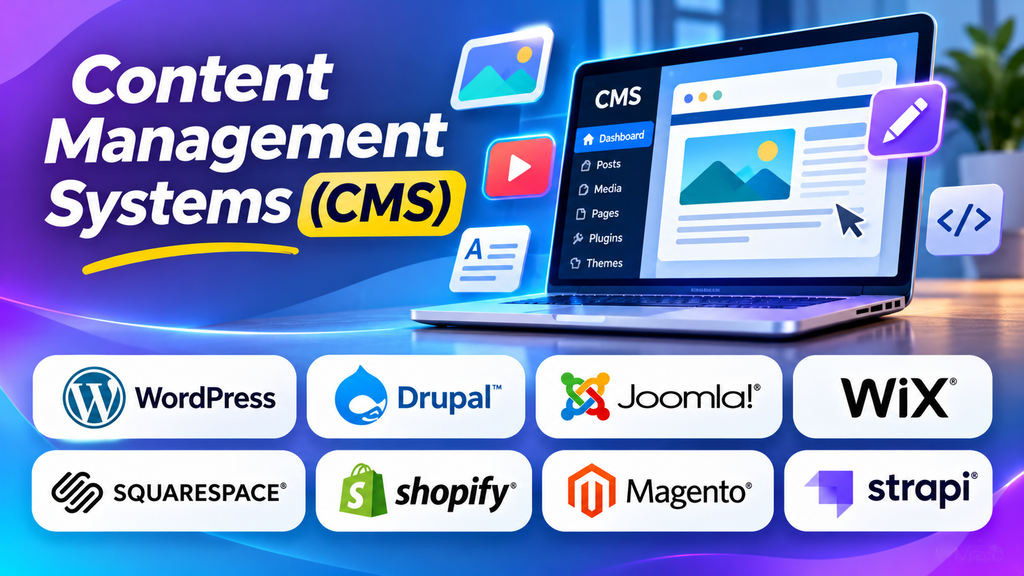
Managing a website becomes increasingly complicated as content grows. Blog posts, landing pages, product descriptions, images, videos, and updates all need to be organized and published consistently. Without a structured system, even routine changes can require technical assistance and consume valuable time.
A Content Management System (CMS) helps businesses create, edit, organize, and publish digital content through a centralized interface. Depending on the platform, users can manage website pages, collaborate with teams, control publishing permissions, optimize content for search engines, and extend functionality through plugins or integrations.
Choosing the right CMS depends on the type of website, the team’s technical skills, the amount of content involved, and the level of customization required.
What Is a Content Management System?
A Content Management System is software that helps users manage digital content without needing to build every page or publishing workflow from scratch. Many CMS platforms provide an administrative dashboard where editors can create pages, upload media, manage navigation, and publish changes.
A traditional CMS often combines the content-management interface with the website’s presentation layer. Other platforms separate content storage and management from the frontend, allowing developers to deliver content to websites, mobile applications, and other digital experiences through APIs.
Common CMS capabilities include:
- Content creation and editing: Create and update pages, articles, and other content.
- Media management: Upload and organize images, videos, documents, and other assets.
- Publishing workflows: Draft, review, schedule, and publish content.
- User permissions: Assign different roles to writers, editors, administrators, and contributors.
- SEO support: Manage page titles, metadata, URLs, redirects, and other search-related settings.
- Themes and templates: Control website appearance and page structure.
- Extensions and integrations: Add functionality such as forms, analytics, ecommerce, or marketing automation.
Features differ across platforms, editions, and hosting arrangements, so businesses should assess the capabilities included in their chosen configuration.
Best Content Management Systems to Consider
1. WordPress
WordPress is a widely used CMS that supports blogs, business websites, portfolios, publications, and ecommerce websites. Its editor, themes, and plugin ecosystem allow site owners to adapt the platform to different needs.
WordPress can be a practical choice for businesses that want flexibility and access to a large ecosystem of developers and service providers. Marketing teams can publish content and manage many routine website updates without editing code for every change.
However, flexibility introduces maintenance responsibilities. Site owners need to manage updates, backups, security, hosting performance, plugin compatibility, and access permissions. The distinction between WordPress.org software and the hosted WordPress.com service is also important when comparing costs and control.
2. Drupal
Drupal is a CMS known for its flexible content architecture, configurable permissions, and support for complex websites. It can be suitable for organizations that need structured content types, detailed access controls, and tailored publishing workflows.
Government organizations, universities, large institutions, and businesses with complex information requirements may consider Drupal when their websites need more than a simple page-and-blog structure.
Its flexibility can also increase implementation complexity. Organizations should plan for technical expertise, module selection, upgrades, security maintenance, and ongoing development support.
3. Joomla
Joomla is an open-source CMS that provides content management, user administration, extensions, and template-based website customization.
It may suit organizations that want a configurable website platform with built-in content and user-management capabilities. The final suitability depends on the team’s experience, available extensions, and the requirements of the website.
Before selecting Joomla, review its current ecosystem, maintenance requirements, extension compatibility, hosting arrangements, and the availability of developers who can support the project.
4. Shopify
Shopify is primarily an ecommerce platform with content-management capabilities for storefront pages, blog content, product information, and related website content.
It is particularly relevant to businesses that want to manage products, payments, orders, and online store content through an integrated service rather than assemble each component independently.
Shopify is not a general-purpose CMS in the same sense as WordPress or Drupal. Businesses with complex publishing requirements should assess its content features and customization options alongside its ecommerce strengths, subscription costs, and app dependencies.
5. Wix
Wix provides a hosted website-building platform with content-management tools, visual editing, templates, and business-oriented features.
It can be a convenient option for small businesses, professionals, and organizations that want to launch and manage a website without maintaining their own hosting infrastructure or assembling many separate components.
Before committing, assess how well its editor, templates, integrations, content structure, and SEO controls support your long-term plans. Moving a website to another platform later may require content migration and redesign work.
6. Webflow
Webflow combines visual website design with hosting and content-management capabilities. Its CMS features can help teams manage structured collections of content, such as blog posts, team profiles, case studies, and resource pages.
It can suit marketing teams and designers who want detailed visual control over a website while giving editors a structured way to update recurring content.
Evaluate its collection limits, localization requirements, integrations, hosting model, and available publishing workflows. More complex backend functionality may require external services or custom development.
7. Contentful
Contentful is a headless content management platform that stores structured content and delivers it through APIs to applications and digital experiences.
Unlike a traditional CMS that typically combines content management with a built-in website presentation layer, a headless CMS separates these responsibilities. Developers can use the same content in a website, mobile application, or other supported channel, depending on the architecture.
Contentful may suit organizations that need structured content, reusable content models, and multi-channel delivery. The trade-offs include developer involvement, API design, frontend development, and the need to manage the presentation layer separately.
CMS Platform Comparison
| Platform | Main focus | Potential fit |
|---|---|---|
| WordPress | Flexible website and publishing management | Blogs, business websites, and content-driven sites |
| Drupal | Structured content and configurable access | Complex websites and institutional publishing |
| Joomla | General-purpose website content management | Organizations needing a configurable CMS |
| Shopify | Ecommerce with store content management | Online retailers and product-focused businesses |
| Wix | Hosted visual website building | Small businesses and straightforward websites |
| Webflow | Visual design and structured website content | Design-led marketing sites and content collections |
| Contentful | Headless, API-driven content management | Multi-channel digital products and structured content |
This is a comparison of broad platform positioning rather than a ranking. Current features, pricing, hosting choices, and usage limits vary by plan and configuration.
Traditional CMS vs. Headless CMS
One of the most important decisions when selecting a CMS is whether the content-management system should also control how the website is presented.
Traditional CMS
A traditional CMS generally connects content management with the website’s presentation layer. Themes or templates determine how content appears, while editors manage it through an administrative interface.
This approach can simplify implementation for conventional websites because content editing and page rendering are managed within a more integrated system.
Headless CMS
A headless CMS manages content separately from the frontend. Applications retrieve content through APIs and decide how to display it.
This architecture can support multiple channels and give developers more freedom over frontend technologies. However, it usually requires more development work and careful coordination between content models, APIs, and the applications consuming the content.
Neither architecture is automatically better. A small company publishing a website and blog may prefer an integrated CMS, while an organization delivering content across several applications may benefit from a headless approach.
Essential Features to Look for in a CMS
Easy content editing
Editors should be able to create and update content without unnecessary technical steps. Assess the editor, media tools, preview options, reusable blocks, and support for the content types your team publishes.
SEO controls
A CMS should make it practical to manage page titles, meta descriptions, headings, canonical URLs, redirects, image alt text, and XML sitemaps where relevant. Some platforms provide these features natively, while others rely on extensions or additional configuration.
SEO functionality alone does not guarantee rankings. Site performance, content quality, crawlability, internal links, and user needs remain important.
User roles and permissions
A content team may include authors, reviewers, editors, marketers, developers, and administrators. Role-based permissions help ensure that people can perform their assigned tasks without receiving unnecessary access.
For organizations with formal approval requirements, check whether the platform supports review stages, scheduled publishing, and audit records.
Responsive design and accessibility
The website should work well on mobile devices and support accessible navigation, readable content, appropriate contrast, and keyboard interaction. Themes and templates should be tested rather than assumed to be accessible by default.
Security and maintenance
Review authentication controls, update practices, backup options, vulnerability management, and the vendor’s approach to security. Self-hosted platforms often give organizations more infrastructure control but also require more direct maintenance.
Integrations and extensibility
Determine whether the CMS can connect with analytics, CRM systems, ecommerce tools, email marketing, forms, customer support, and other required services. Check the quality and ongoing maintenance of extensions before relying on them for critical functionality.
Performance and scalability
Evaluate page speed, caching, image optimization, content delivery networks, database performance, and expected traffic. A CMS should support realistic content volumes and growth without making routine publishing or site navigation unnecessarily slow.
Benefits of Using a CMS
Faster publishing
Editors can create and update content through a centralized interface instead of relying on developers for every routine change. This can shorten the time between content approval and publication.
Consistent website presentation
Templates and reusable components help maintain a consistent design across pages. Changes to shared components can also reduce repetitive editing when a site grows.
Better team collaboration
Roles, review processes, and scheduling features can help writers, editors, marketers, and administrators coordinate their work.
Easier content organization
Categories, tags, structured fields, and media libraries help teams organize information so that it can be reused and maintained more effectively.
Support for marketing activities
A CMS can provide a foundation for publishing articles, landing pages, resource libraries, and product information. When connected to analytics and marketing tools, it can also support performance measurement and content optimization.
Common CMS Use Cases
- Business websites: Company information, service pages, contact details, and customer resources.
- Blogs and online publications: Articles, author profiles, categories, and editorial workflows.
- Ecommerce: Product pages, promotional content, buying guides, and store information.
- Education: Department websites, course information, student resources, and institutional news.
- Government and public services: Service information, policy pages, public notices, and accessible information portals.
- Nonprofit organizations: Campaign pages, donation information, events, and program updates.
- Enterprise websites: Multi-team publishing, multilingual content, access controls, and structured content management.
The best CMS depends on the publishing model, content complexity, technical resources, and requirements for integration and governance.
How to Choose the Right CMS
- Define the website’s purpose: Identify whether the site is primarily a blog, business website, online store, publication, or multi-channel content platform.
- List required features: Document the publishing, SEO, ecommerce, multilingual, accessibility, and integration requirements.
- Assess technical resources: Decide who will manage hosting, updates, security, customization, and troubleshooting.
- Estimate total cost: Include subscriptions or hosting, themes, extensions, development, maintenance, migration, and support.
- Test the editing experience: Ask the people who will publish content to complete realistic tasks.
- Review security and governance: Check roles, backups, access controls, update procedures, and approval workflows.
- Plan for growth: Consider future traffic, new content types, localization, integrations, and possible platform migration.
- Run a small pilot: Build representative pages and test publishing, mobile behavior, SEO settings, performance, and maintenance tasks before committing.
CMS SEO Best Practices
A CMS provides tools for managing website content, but search visibility still depends on how the website is structured and maintained.
- Create useful content: Answer real audience questions and keep information accurate and relevant.
- Use clear URLs: Choose descriptive, readable URL structures and manage redirects when URLs change.
- Organize headings: Use a logical heading hierarchy that helps readers understand the page.
- Optimize images: Compress images appropriately, use meaningful file names, and provide suitable alt text.
- Maintain internal links: Connect related pages so users and search engines can discover useful information.
- Prevent duplicate-content problems: Use appropriate canonicalization and redirect practices when necessary.
- Improve performance: Monitor loading speed, mobile usability, and Core Web Vitals.
- Review indexing: Check crawlability, sitemap configuration, robots directives, and important pages in search tools.
The exact implementation will vary by CMS. Some platforms offer built-in controls, while others require plugins, developer work, or third-party services.
Frequently Asked Questions
Is a CMS suitable for beginners?
Many CMS platforms provide visual editors and administrative dashboards that beginners can learn to use. The difficulty depends on the platform, the complexity of the website, and whether hosting, security, and customization are managed for you.
Is WordPress better than Wix?
Neither is best for every situation. WordPress offers a broad ecosystem and flexible deployment options, while Wix emphasizes a hosted visual website-building experience. Compare the control, maintenance effort, design requirements, integrations, and long-term costs that matter to your project.
Is a CMS the same as a website builder?
The categories overlap. Website builders often combine visual design, hosting, and content management in one service. Traditional CMS platforms may provide more flexibility in how content, hosting, and presentation are managed.
Can a CMS help with SEO?
Yes. Depending on the platform, a CMS can help manage metadata, URLs, headings, redirects, images, and sitemaps. Good CMS configuration supports SEO work, but rankings also depend on content quality, technical implementation, competition, and other factors.
What is the difference between a CMS and a headless CMS?
A traditional CMS commonly manages content and the website presentation layer together. A headless CMS separates content management from presentation and delivers content through APIs to a frontend or other applications.
