Upgrade & Secure Your Future with DevOps, SRE, DevSecOps, MLOps!
We spend hours scrolling social media and waste money on things we forget, but won’t spend 30 minutes a day earning certifications that can change our lives.
Master in DevOps, SRE, DevSecOps & MLOps by DevOps School!
Learn from Guru Rajesh Kumar and double your salary in just one year.
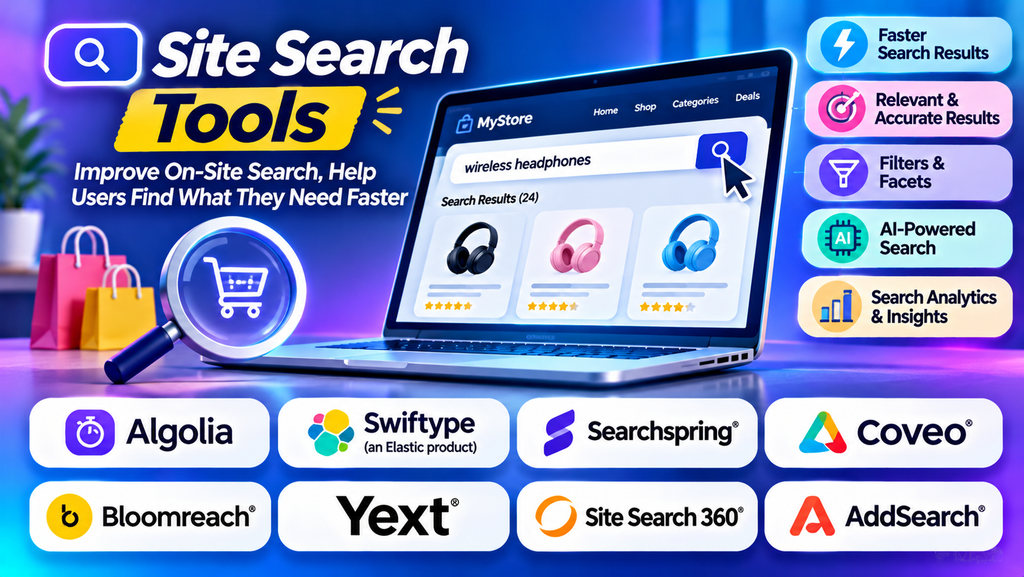
Visitors often arrive at a website knowing what they want but not where to find it. They may be looking for a product, a service page, a technical article, or a specific piece of information. If the website’s search function produces irrelevant results or fails to understand their query, visitors may leave without finding what they need.
Site search tools help website owners provide a better search experience by allowing visitors to search and discover content directly on a website. Depending on the solution, these tools can offer autocomplete, typo tolerance, filters, relevance tuning, analytics, and personalized product discovery.
Site search is especially valuable for ecommerce stores, content-heavy websites, online publishers, documentation portals, and businesses with extensive service or product catalogues.
What Is Site Search Software?
Site search software enables visitors to search for information within a particular website or digital property. It indexes website content or product data and retrieves relevant results when someone enters a query.
A basic search function may match keywords in page titles and content. More advanced solutions can interpret synonyms, tolerate spelling mistakes, suggest queries while users type, and rank results based on relevance.
Common capabilities include:
- Autocomplete: Suggest queries or content before the visitor finishes typing.
- Typo tolerance: Help users find results despite minor spelling errors.
- Faceted search: Allow visitors to narrow results by categories, price, attributes, or other filters.
- Relevance tuning: Control how results are ranked for specific searches.
- Search analytics: Identify popular queries, unsuccessful searches, and content gaps.
- Synonym management: Match related terms that visitors may use interchangeably.
- Mobile-friendly search: Provide a convenient search experience on smaller screens.
- Product discovery: Help shoppers explore product catalogues using search and filters.
Not every site search product includes every feature. Capabilities depend on the platform, plan, and implementation.
Best Site Search Tools to Consider
1. Algolia
Algolia is a search and discovery platform that provides APIs and tools for integrating fast, customizable search into websites and applications.
Its capabilities can support autocomplete, filtering, relevance controls, and product discovery, depending on the implementation. Developers can use its APIs to create search experiences that match the design and functionality of a website.
Algolia may be suitable for ecommerce businesses, SaaS companies, marketplaces, and content-rich websites that need flexible search experiences.
When evaluating Algolia, consider indexing requirements, API usage, relevance configuration, analytics, integration effort, and pricing.
2. Elasticsearch
Elasticsearch is a distributed search and analytics engine that can be used to build customized site search solutions. It supports full-text search, filtering, aggregations, and configurable relevance.
Businesses can use it to power search across articles, documentation, product information, and other website content.
Elasticsearch offers flexibility for development teams that need control over their search architecture. However, building and maintaining a complete site search experience may require technical resources for indexing, frontend development, monitoring, and relevance tuning.
3. Site Search 360
Site Search 360 provides website search solutions designed to help visitors discover content through search interfaces, autocomplete, and configurable result presentation.
It may be relevant to businesses that want to add search to an existing website without building the entire search system from scratch.
Before selecting it, review integration options, supported content sources, customization features, analytics, and pricing to confirm that the product fits the website’s size and requirements.
4. Doofinder
Doofinder specializes in site search and product discovery, particularly for ecommerce websites. Its search capabilities are designed to help shoppers find relevant products and navigate catalogues more efficiently.
Depending on the implementation, features may include autocomplete, filters, merchandising controls, and search analytics.
Doofinder may suit online retailers that want to improve product discovery without developing a search engine entirely in-house. Assess catalogue compatibility, integration with your ecommerce platform, product data quality, and total cost.
5. Searchspring
Searchspring provides ecommerce search and product discovery capabilities. Its offerings can support product search, category navigation, merchandising, and related shopping experiences.
It may be a candidate for online stores that need more control over how products appear in search results and category pages.
When comparing Searchspring with other platforms, evaluate catalogue synchronization, filtering, merchandising workflows, reporting, integrations, and the level of control available to nontechnical teams.
6. Yext
Yext provides search and digital experience capabilities that can help organizations make structured business information discoverable across digital experiences. Its products may be relevant to websites that need visitors to locate business details, services, locations, and other organized information.
Yext may be worth evaluating for multi-location businesses, service providers, and organizations that manage structured information across multiple digital properties.
Check which search capabilities are available in the specific product configuration and whether they meet your website’s content, integration, and reporting requirements.
7. Google Programmable Search Engine
Google Programmable Search Engine allows website owners to create a customized search experience using Google’s search technology for configured websites and content sources.
It may suit projects that need a relatively straightforward way to offer search across selected web content rather than build a complete search infrastructure.
Review current product availability, configuration options, branding controls, advertising behavior, customization limits, and suitability for your site’s requirements before implementation.
Site Search Tool Comparison
| Platform | Main strength | Potential fit |
|---|---|---|
| Algolia | API-driven search and discovery | Ecommerce, SaaS, and content-rich websites |
| Elasticsearch | Flexible full-text search infrastructure | Websites requiring customized search |
| Site Search 360 | Website search integration | Businesses adding search to existing sites |
| Doofinder | Ecommerce product discovery | Online stores and retailers |
| Searchspring | Ecommerce search and merchandising | Retailers with larger product catalogues |
| Yext | Structured information and digital search experiences | Multi-location and service businesses |
| Google Programmable Search Engine | Search across configured web content | Websites seeking a simpler search implementation |
These tools are not identical. Some provide a managed search service, while others offer infrastructure or a broader digital experience platform. Verify current capabilities, availability, and pricing with each provider.
How Does Site Search Work?
1. Content collection
The search solution collects information from website pages, product catalogues, databases, or other configured sources.
2. Indexing
The collected information is organized into a searchable index. Depending on the implementation, this can include titles, descriptions, categories, product attributes, and page content.
3. Query processing
When a visitor enters a search term, the system interprets the query and looks for matching information. More advanced tools may handle synonyms, spelling mistakes, and partial queries.
4. Ranking results
The search engine orders results based on relevance and configured rules. Ecommerce implementations may also use merchandising controls to influence product visibility.
5. Displaying results
The website displays matching pages, articles, products, or other information. Visitors may refine results using filters, sorting, and additional queries.
6. Measuring performance
Search analytics help website owners identify common searches, low-performing queries, and opportunities to improve content or search configuration.
The quality of site search depends on the underlying content, index freshness, query interpretation, and relevance settings.
Key Benefits of Site Search Tools
Better user experience
Visitors can search directly for the information they need instead of navigating through multiple menus and categories.
Improved product discovery
For ecommerce websites, useful search results and filters can help shoppers find products that match their requirements.
Increased engagement
Relevant results can encourage visitors to explore more pages, articles, services, or product listings.
Potential conversion improvements
When shoppers can locate suitable products quickly, search can support a smoother buying journey. Actual conversion improvements depend on product availability, pricing, website usability, and other factors.
Insights into visitor intent
Search analytics reveal the language visitors use, the products or topics they want, and the information they struggle to find.
Reduced navigation friction
A well-designed search function gives visitors another way to navigate a website, especially when the content library or product catalogue is large.
Easier content discovery
Publishers, educational websites, and documentation portals can help readers locate articles, tutorials, policies, and technical resources more efficiently.
Common Use Cases for Site Search
- Ecommerce websites: Help shoppers discover products by name, category, brand, attributes, and price.
- Blogs and online publications: Allow readers to find articles, topics, and author content.
- SaaS websites: Help visitors locate features, integrations, pricing information, and documentation.
- Documentation portals: Make technical guides, FAQs, and troubleshooting articles easier to find.
- Educational websites: Help users discover courses, learning resources, and academic content.
- Travel websites: Support searches for destinations, properties, facilities, and travel-related information.
- Healthcare websites: Help visitors find services, departments, locations, and informational resources.
- Corporate websites: Make company information, services, case studies, and contact details searchable.
The appropriate search configuration depends on the website’s purpose and the information visitors need to locate.
Essential Features to Look For
Autocomplete and suggestions
Autocomplete can reduce typing effort and help visitors discover relevant search terms. Suggestions should be accurate, easy to navigate, and useful on mobile devices.
Typo tolerance and synonyms
Visitors may misspell words or use terminology different from the wording on a website. Typo tolerance and synonym support can improve retrieval when configured carefully.
Filters and sorting
Filters help users narrow large result sets. Ecommerce websites may need product attributes, price ranges, brands, and availability, while content websites may need topics, dates, or content types.
Search relevance controls
Website owners should be able to assess and improve how results are ranked. Some platforms provide rules for boosting particular results or handling specific queries.
Analytics and reporting
Useful reports may include popular queries, searches without results, click-through rates, and search-assisted conversions where tracking is configured appropriately.
Mobile usability
The search box, autocomplete suggestions, filters, and result pages should work well on mobile screens and support accessible keyboard or touch interaction.
Integration and synchronization
Check how the search platform connects to your website framework, content management system, ecommerce platform, and product catalogue. Confirm how quickly changes appear in the index.
Privacy and security
Review what search data is collected, how it is stored, and whether access restrictions are required for private content. Configure analytics and tracking in accordance with applicable privacy requirements.
Site Search vs. Web Search
Site search and web search serve different purposes.
| Comparison | Site search | Web search |
|---|---|---|
| Search scope | A particular website or digital property | Publicly discoverable content across the web |
| Main audience | Visitors to the website | General internet users |
| Content control | Website owner controls the indexed content and configuration | Search engine determines crawling and indexing |
| Ranking controls | May allow direct relevance and merchandising configuration | Primarily governed by the external search engine |
| Typical purpose | Help visitors find site-specific information | Discover information across different websites |
Site search gives website owners more direct control over how their own content is organized and retrieved.
Challenges of Implementing Site Search
Poorly structured content
Missing titles, inconsistent product attributes, and duplicate pages can weaken search results. Improve content structure before relying on advanced search features.
Irrelevant results
A search engine may return results that contain the query terms but do not satisfy the visitor’s intent. Test realistic queries and refine ranking rules.
Empty search results
Visitors may search for products or topics that use different terminology or are not indexed. Synonyms, autocomplete, spelling tolerance, and helpful fallback suggestions can reduce frustration.
Outdated indexes
New pages or product changes may not appear immediately if indexing or synchronization fails. Monitor indexing status and update schedules.
Integration complexity
Search tools may require changes to website templates, APIs, content pipelines, or product feeds. Estimate development and maintenance requirements before implementation.
Excessive search complexity
Too many filters, suggestions, or visual elements can overwhelm visitors. Keep the interface focused on the information people need.
How to Choose the Right Site Search Tool
- Define your requirements: Determine whether you need website content search, ecommerce product discovery, documentation search, or a combination.
- Assess content volume: Consider the number of pages, products, records, and updates the platform must handle.
- Review integrations: Confirm compatibility with your website framework, CMS, ecommerce platform, and data sources.
- Test realistic queries: Include misspellings, partial terms, synonyms, long queries, and searches with no matching content.
- Evaluate user experience: Test autocomplete, filtering, sorting, keyboard navigation, and mobile usability.
- Review analytics: Determine whether the platform provides the metrics needed to identify and solve search problems.
- Compare total costs: Include subscriptions, usage, implementation, development, and ongoing maintenance.
- Run a pilot: Test the tool on representative pages or products before rolling it out across the entire website.
Site Search Optimization Best Practices
- Use descriptive content: Write clear page titles, product names, and descriptions.
- Maintain accurate metadata: Keep product attributes, categories, and other searchable fields consistent.
- Add relevant synonyms: Account for common alternative terms used by your audience.
- Review searches without results: Use these queries to identify missing content and terminology gaps.
- Optimize autocomplete: Show useful suggestions without distracting visitors.
- Configure relevant filters: Offer filters that match the type of content being searched.
- Monitor search analytics: Review popular queries, result clicks, and searches that fail to satisfy users.
- Keep indexes current: Ensure updates, deletions, and product changes are synchronized properly.
- Test on mobile: Make search and filtering convenient on smaller screens.
- Measure outcomes: Track search engagement and relevant business goals instead of relying on search volume alone.
Frequently Asked Questions
What is the purpose of site search?
Site search helps visitors find specific information, products, articles, or services within a website without navigating every section manually.
Is site search important for ecommerce?
Yes. Search can help shoppers discover products, narrow options with filters, and find items using product names or attributes. Its impact depends on the quality of search results and the overall shopping experience.
Which site search tool is best?
The best option depends on the website. Algolia may suit customizable search experiences, Elasticsearch may suit technical teams building their own search infrastructure, and ecommerce-focused platforms such as Doofinder or Searchspring may suit product discovery requirements.
Can site search improve conversions?
It can contribute to a smoother buying journey by helping visitors find relevant products and information. Businesses should measure actual results through appropriate analytics or controlled experiments.
Do small websites need a dedicated site search tool?
Not always. A built-in CMS search function may be sufficient for a small website. A dedicated platform becomes more useful when content volume, search quality, filtering needs, or analytics requirements exceed the built-in functionality.
