Upgrade & Secure Your Future with DevOps, SRE, DevSecOps, MLOps!
We spend hours scrolling social media and waste money on things we forget, but won’t spend 30 minutes a day earning certifications that can change our lives.
Master in DevOps, SRE, DevSecOps & MLOps by DevOps School!
Learn from Guru Rajesh Kumar and double your salary in just one year.
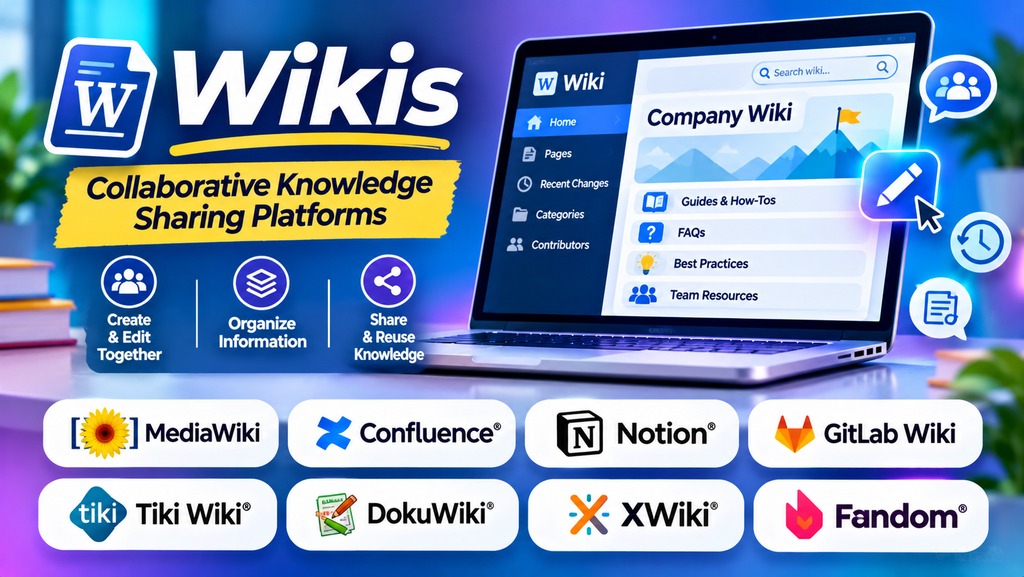
Organizations often need a reliable way to collect and share information. Policies, training materials, technical documentation, project notes, and frequently asked questions can become scattered across emails, documents, and messaging applications. This makes information difficult to find, update, and maintain.
Wiki software provides a collaborative space where people can create, edit, connect, and organize pages of information. Teams can build a shared knowledge resource that evolves as processes change and new information becomes available.
Wikis are used by businesses, software development teams, educational institutions, open-source communities, and individuals who want to maintain structured information in one accessible location.
What Is Wiki Software?
A wiki is a website or software platform that allows authorized users to create and edit interconnected pages. Pages can link to related topics, making it easier for readers to explore information and understand how different subjects relate to one another.
Many wiki platforms include page history, search, permissions, categories, file attachments, and collaboration features. The exact functionality varies depending on the software and configuration.
Common capabilities include:
- Collaborative editing: Multiple contributors can create and update information.
- Page history: Review previous versions and identify changes.
- Internal linking: Connect related topics and documentation pages.
- Search functionality: Find information across a collection of pages.
- Access controls: Restrict editing or viewing to authorized users.
- Content organization: Group information using categories, spaces, namespaces, or page hierarchies.
- Templates: Standardize recurring content such as procedures and project documentation.
- Integrations: Connect documentation with development tools, communication systems, or other business applications.
Best Wiki Software Platforms to Consider
1. MediaWiki
MediaWiki is an open-source wiki engine widely known for powering Wikipedia. It supports interconnected pages, revision histories, templates, categories, and a broad extension ecosystem.
It can be suitable for organizations and communities that need a large, interconnected knowledge repository and want control over how the wiki is hosted and customized.
However, configuring and maintaining MediaWiki may require technical knowledge, particularly when managing extensions, user permissions, security, and upgrades.
2. Confluence
Confluence is a collaborative workspace from Atlassian that supports team documentation, knowledge sharing, project information, and internal knowledge bases.
Teams can organize content into spaces and pages, collaborate on documentation, and connect information with other Atlassian products.
Confluence can be useful for software teams, project managers, HR departments, and businesses that need shared documentation. Organizations should evaluate permissions, search, templates, integrations, administration, and subscription costs.
3. Notion
Notion combines documents, interconnected pages, databases, and collaborative workspaces. Although it is not exclusively a wiki engine, it supports building internal wikis and organizing team knowledge.
Businesses can use Notion to maintain onboarding guides, company policies, project documentation, standard operating procedures, and team directories.
Its flexible page and database structure can make information easy to organize, but teams should establish clear ownership, naming conventions, and permissions as their workspace grows.
4. DokuWiki
DokuWiki is an open-source wiki software option that stores content in plain-text files rather than requiring a traditional database.
It supports page history, access controls, plugins, and content organization. Its relatively straightforward architecture may appeal to users who want to operate a self-hosted wiki.
Organizations should assess its interface, plugin requirements, backup procedures, security updates, and suitability for the number of users and the complexity of the documentation.
5. Wiki.js
Wiki.js is an open-source wiki platform that provides a modern web interface for creating and organizing documentation. Depending on the configuration, it supports authentication options, content storage integrations, and different editing workflows.
It may suit technical teams and organizations that want a self-hosted documentation platform with customization options.
Before deployment, review infrastructure requirements, supported authentication methods, backup and recovery processes, integrations, and ongoing maintenance responsibilities.
6. GitBook
GitBook is a documentation platform designed to help teams create, maintain, and publish structured documentation. It supports organized documentation spaces and workflows suited to technical and product information.
It can be useful for software documentation, product guides, API references, and team knowledge resources.
GitBook is more documentation-focused than a traditional general-purpose wiki engine. Evaluate publishing controls, collaboration features, search, access permissions, integrations, and pricing against your requirements.
7. BookStack
BookStack is an open-source, self-hosted knowledge management platform that organizes information using a book, chapter, and page structure.
This arrangement can make policies, manuals, procedures, and training materials easier to browse, particularly for teams that prefer a clear hierarchy.
Organizations considering BookStack should review hosting, user management, permissions, backup procedures, and integration needs.
Wiki Software Comparison
| Platform | Main strength | Potential fit |
|---|---|---|
| MediaWiki | Flexible, interconnected wiki pages | Large knowledge repositories and communities |
| Confluence | Team collaboration and documentation | Businesses and project teams |
| Notion | Flexible pages and databases | Startups and cross-functional teams |
| DokuWiki | Lightweight, file-based wiki storage | Self-hosted knowledge resources |
| Wiki.js | Modern, customizable wiki experience | Technical teams and internal documentation |
| GitBook | Structured technical documentation | Software and product documentation |
| BookStack | Book-and-chapter organization | Manuals, procedures, and training materials |
These platforms serve overlapping but different needs. Compare the available features, hosting model, access controls, integrations, and total cost before choosing one.
How Does a Wiki Work?
A wiki usually follows a straightforward process.
1. Create a page
A user creates a page for a topic, such as a company policy, software feature, or troubleshooting procedure.
2. Add and format information
The author adds text, headings, links, images, code snippets, tables, or other supported content.
3. Connect related pages
Internal links help readers navigate between related subjects. For example, an onboarding page might link to security policies, leave procedures, and software instructions.
4. Collaborate and review
Authorized users can update information, correct errors, and contribute new material. Some platforms provide approval workflows or additional editorial controls.
5. Track revisions
Version history allows users to inspect earlier edits and, where supported, restore previous versions.
6. Search and retrieve information
Users search for keywords or browse page structures to find relevant documentation.
A successful wiki also requires content ownership and regular reviews. Without maintenance, outdated or duplicated pages can reduce the usefulness of the knowledge repository.
Benefits of Wiki Software
Centralized knowledge
A wiki provides a shared location for important information, reducing dependence on scattered documents and individual employees’ personal records.
Better collaboration
Team members can contribute to shared pages, improve existing explanations, and document processes as they work.
Easier onboarding
New employees can use onboarding pages, internal procedures, FAQs, and training resources to learn about the organization.
Improved knowledge retention
Documenting processes helps preserve institutional knowledge when employees change roles or leave the organization.
Reduced repetitive questions
A searchable wiki can answer common questions about tools, policies, workflows, and troubleshooting, helping teams avoid repeating the same explanations.
More consistent documentation
Templates and shared editing conventions can help teams document procedures and technical information consistently.
Traceable changes
Revision histories can help users understand how documentation has evolved and recover earlier content when necessary.
Common Use Cases for Wikis
- Employee handbooks: Store company policies, benefits information, and workplace procedures.
- Technical documentation: Document software architecture, configurations, APIs, and troubleshooting steps.
- Project collaboration: Maintain project objectives, decisions, meeting notes, and responsibilities.
- Customer support: Create internal troubleshooting guides and frequently asked questions.
- Education: Organize study materials, course resources, and collaborative research.
- Product documentation: Maintain product instructions, release information, and user guides.
- Open-source communities: Share contribution guidelines, project knowledge, and development documentation.
- Standard operating procedures: Record repeatable workflows for departments and operational teams.
The ideal wiki structure depends on the type of information, the intended audience, and how frequently the content changes.
Essential Features to Look for in Wiki Software
Search and navigation
Users should be able to locate information quickly. Assess full-text search, filters, page hierarchies, breadcrumbs, and internal links.
Version history
Revision tracking helps teams review changes and recover earlier content. Check how versions are displayed and whether restoring previous versions is straightforward.
Permissions and security
Determine whether the software supports the access model your organization needs. Public documentation, internal policies, and confidential technical information may require different permissions.
Editing experience
Evaluate the available editors, formatting tools, templates, and collaboration features. A simple editing experience encourages participation from people who are not technical writers.
Content organization
Look for suitable options such as categories, spaces, namespaces, tags, books, chapters, or hierarchical pages.
Integrations
Check whether the wiki connects with your identity provider, project management software, communication tools, code repositories, and other systems.
Hosting and data control
Some platforms are hosted services, while others can be self-hosted. Consider data residency, backup responsibilities, infrastructure requirements, maintenance, and access to exported content.
Accessibility and mobile support
Check whether users can read, navigate, and edit information comfortably across devices and whether the interface supports accessible interaction.
Wiki vs. Knowledge Base: What Is the Difference?
Wikis and knowledge bases both organize information, but they often differ in their content management approach and intended audience.
| Comparison | Wiki | Knowledge base |
|---|---|---|
| Main purpose | Collaborative knowledge creation | Organized information and support resources |
| Editing | Often encourages broad collaboration | May use controlled authoring and approval |
| Content structure | Interconnected, flexible pages | Frequently organized by categories and topics |
| Typical users | Employees, communities, and project teams | Customers, support teams, and employees |
| Common content | Shared knowledge, project notes, and documentation | FAQs, help articles, procedures, and troubleshooting |
| Governance | Depends on community or organization | Often includes defined content ownership and review |
The distinction is not absolute. Many wiki platforms can serve as knowledge bases, and many knowledge base products support collaborative editing.
Challenges of Using Wiki Software
Outdated information
Pages may become inaccurate as policies, products, or processes change. Assign content owners and schedule periodic reviews.
Inconsistent writing
Different contributors may use different terminology, formatting, and levels of detail. Templates and editorial guidelines help maintain consistency.
Information overload
An unstructured wiki can become difficult to navigate as the number of pages increases. Use clear categories, descriptive page titles, and links to related content.
Duplicate pages
Multiple pages covering the same topic can create conflicting information. Encourage users to update existing pages and designate authoritative sources.
Access control mistakes
Poorly configured permissions can expose sensitive information or prevent employees from accessing necessary documentation. Review permissions regularly.
Limited participation
A wiki becomes less useful if employees do not contribute. Provide simple editing guidance, encourage documentation as part of everyday work, and make ownership clear.
How to Choose the Right Wiki Platform
- Define your purpose: Decide whether you need an internal company wiki, technical documentation, a community resource, or a customer-facing knowledge repository.
- Identify users: Estimate the number of contributors, readers, administrators, and external users.
- Assess content needs: List the page types, templates, attachments, diagrams, and integrations required.
- Choose a hosting model: Decide whether a hosted service or self-hosted installation best fits your security and operational requirements.
- Review collaboration features: Test editing, page history, permissions, search, and any required approval workflows.
- Calculate total cost: Include subscriptions, infrastructure, maintenance, administration, migration, and training.
- Plan governance: Establish naming conventions, content ownership, review schedules, and rules for handling outdated pages.
- Run a pilot: Create a small set of representative pages and ask real users to find, edit, and maintain information.
Wiki Management Best Practices
- Use descriptive titles: Make page subjects easy to recognize in search results and navigation.
- Create a logical structure: Organize content around teams, processes, products, or user needs.
- Use templates: Standardize recurring documents such as troubleshooting guides and procedures.
- Link related information: Connect pages so users can follow relevant topics without repeatedly searching.
- Assign content owners: Make responsibility for accuracy and maintenance clear.
- Review content regularly: Update or archive information that is no longer relevant.
- Apply suitable permissions: Give users the access they need without exposing confidential material unnecessarily.
- Encourage contributions: Make editing straightforward and provide guidance on writing useful documentation.
- Back up important information: Maintain appropriate backup and recovery procedures, especially for self-hosted systems.
- Monitor search and feedback: Identify missing topics and pages that users struggle to locate.
Frequently Asked Questions
Is wiki software free?
Some wiki platforms are open source and can be used without a software license fee, although hosting, maintenance, and administration may still cost money. Commercial platforms may charge subscription fees based on features, users, or usage.
Can a wiki be used by a business?
Yes. Businesses use wikis for employee handbooks, internal procedures, project documentation, technical knowledge, and team collaboration.
Is Wikipedia the same as wiki software?
No. Wikipedia is an online encyclopedia built using MediaWiki. MediaWiki is the software that enables wiki-style content creation and management.
Can multiple people edit a wiki?
Most wiki platforms support collaborative editing, but permissions and editing workflows vary. Organizations should check whether the platform supports simultaneous editing, review requirements, and version history.
What makes a wiki successful?
A successful wiki has accurate content, clear organization, useful search, active contributors, defined ownership, and regular maintenance. The software provides the foundation, but consistent documentation practices keep the information valuable.
