Upgrade & Secure Your Future with DevOps, SRE, DevSecOps, MLOps!
We spend hours scrolling social media and waste money on things we forget, but won’t spend 30 minutes a day earning certifications that can change our lives.
Master in DevOps, SRE, DevSecOps & MLOps by DevOps School!
Learn from Guru Rajesh Kumar and double your salary in just one year.
Introduction
Understanding customer expectations is essential for improving products, services, and customer experiences. Customer feedback tools help businesses collect opinions, measure satisfaction, identify recurring problems, and discover opportunities for improvement.
Feedback can come from surveys, website interactions, product reviews, support conversations, interviews, and other customer touchpoints. By collecting and analyzing this information systematically, organizations can make better decisions instead of relying only on assumptions.
What Are Customer Feedback Tools?
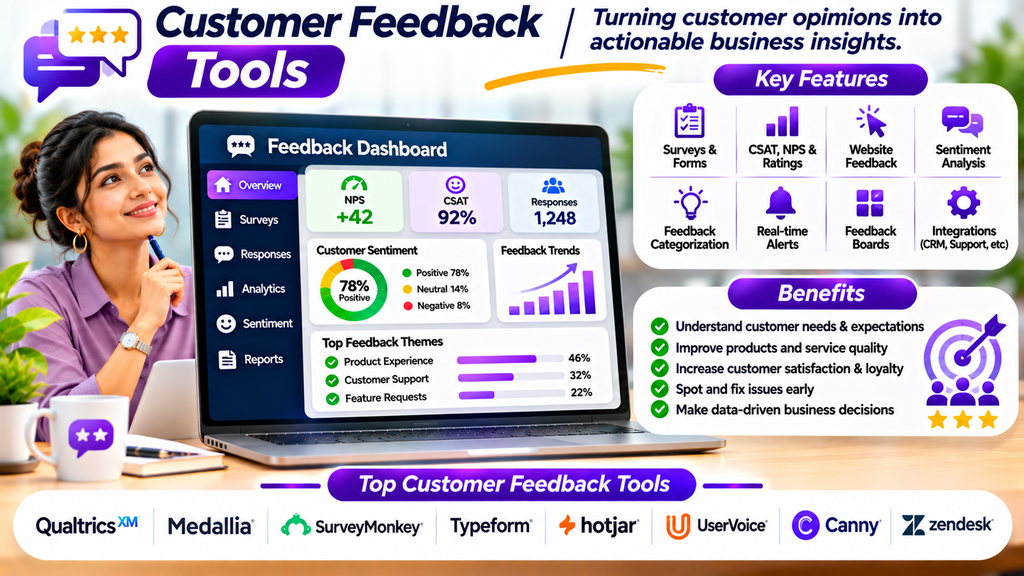
Customer feedback tools are software applications that help businesses gather, organize, analyze, and act on customer opinions. Depending on the platform, they may support website feedback widgets, satisfaction surveys, product feedback boards, sentiment analysis, review monitoring, and feedback reporting.
These tools can be used throughout the customer journey, from initial website visits to product usage, customer support, and post-purchase experiences.
Top Customer Feedback Tools
1. Qualtrics
Qualtrics provides experience-management capabilities for collecting and analyzing feedback across customer interactions. It supports surveys, research, reporting, and advanced analysis options.
Best for: Organizations managing large-scale customer experience programs.
2. Medallia
Medallia helps businesses collect and analyze customer experience feedback across multiple channels, depending on the deployment and selected capabilities.
Best for: Enterprises seeking organization-wide customer experience insights.
3. SurveyMonkey
SurveyMonkey offers survey creation, distribution, and analysis tools that businesses can use to collect customer opinions and measure satisfaction.
Best for: Businesses that need an accessible survey-based feedback solution.
4. Typeform
Typeform supports interactive forms and surveys with a conversational presentation style that can make feedback collection feel more engaging.
Best for: Brands seeking user-friendly customer surveys and feedback forms.
5. Hotjar
Hotjar combines website feedback capabilities with tools such as heatmaps and session recordings to help teams understand how visitors interact with web pages. Available features depend on the plan.
Best for: Website and product teams investigating user experience problems.
6. UserVoice
UserVoice helps organizations collect, organize, and prioritize product feedback to inform product planning and development decisions.
Best for: Product teams managing feature requests and customer suggestions.
7. Canny
Canny provides product feedback boards, feature request collection, and prioritization workflows to help teams understand which improvements customers want.
Best for: SaaS businesses organizing feature requests and product feedback.
8. Zendesk
Zendesk provides customer service tools that can help businesses gather customer satisfaction feedback and connect it with support interactions.
Best for: Support teams measuring service quality and identifying recurring customer issues.
Capabilities, integrations, and pricing vary across products and subscription plans.
Essential Features to Look For
- Multiple collection methods: Gather feedback through surveys, forms, widgets, and supported channels.
- Customer satisfaction metrics: Measure indicators such as CSAT, NPS, or customer effort where appropriate.
- Feedback categorization: Organize comments by topic, product, customer segment, or issue type.
- Reporting and analytics: Identify trends, recurring concerns, and changes over time.
- Text and sentiment analysis: Help summarize large volumes of written feedback where supported.
- Real-time notifications: Alert relevant teams to important feedback or urgent issues.
- Feedback prioritization: Rank product suggestions and service improvements by impact and need.
- Integrations: Connect feedback data with CRM, support, analytics, and product management systems.
- Privacy and consent controls: Collect and store customer information responsibly.
- Action tracking: Assign owners and monitor follow-up work related to customer insights.
Benefits of Customer Feedback Tools
Better Understanding of Customer Needs
Feedback helps businesses learn what customers value, where they struggle, and what they expect from products or services.
Improved Products and Services
Recurring suggestions and complaints can help teams prioritize changes that address genuine customer problems.
Stronger Customer Satisfaction
When organizations respond to concerns and improve the customer experience, they can build greater trust.
Faster Problem Identification
Feedback patterns can reveal issues that might otherwise remain hidden until they affect more customers.
Better Business Decisions
Combining customer opinions with operational and product data gives teams a broader basis for decision-making.
Improved Team Collaboration
Centralized feedback makes it easier for support, product, marketing, and management teams to work from shared insights.
How to Choose the Right Customer Feedback Tool
- Define your objective: Decide whether you need satisfaction surveys, website feedback, product suggestions, or support-quality measurement.
- Identify your audience: Consider customer volume, preferred communication channels, languages, and accessibility needs.
- Choose suitable metrics: Use measures that relate directly to your business objectives rather than collecting scores without a clear purpose.
- Review analysis capabilities: Check whether the platform can categorize responses and identify useful trends.
- Evaluate integrations: Confirm that feedback can reach the teams and systems responsible for acting on it.
- Check privacy requirements: Review consent, data retention, access permissions, and applicable privacy obligations.
- Compare usability and cost: Assess how easily teams can create surveys, interpret results, and manage follow-ups.
- Run a pilot: Test the tool with a small customer group and review the quality of the insights it produces.
Best Practices for Collecting Customer Feedback
- Ask clear, specific, unbiased questions.
- Keep surveys short and relevant to the interaction.
- Request feedback at an appropriate point in the customer journey.
- Avoid repeatedly surveying the same customers unnecessarily.
- Offer accessible ways for customers to share their opinions.
- Analyze written comments alongside numerical ratings.
- Prioritize feedback based on customer impact, frequency, and business goals.
- Assign responsibility for investigating and resolving important issues.
- Close the feedback loop by communicating relevant improvements to customers.
- Review feedback trends regularly and evaluate whether changes are working.
Conclusion
Customer feedback tools help organizations understand customer expectations, identify experience gaps, and prioritize improvements. Platforms such as Qualtrics, Medallia, SurveyMonkey, Typeform, Hotjar, UserVoice, Canny, and Zendesk support different approaches to feedback collection and analysis.
The right choice depends on your objectives, customer channels, analysis needs, integrations, privacy requirements, and budget. The greatest value comes not simply from collecting feedback, but from interpreting it carefully, taking meaningful action, and continually improving the customer experience.
