Upgrade & Secure Your Future with DevOps, SRE, DevSecOps, MLOps!
We spend hours scrolling social media and waste money on things we forget, but won’t spend 30 minutes a day earning certifications that can change our lives.
Master in DevOps, SRE, DevSecOps & MLOps by DevOps School!
Learn from Guru Rajesh Kumar and double your salary in just one year.
Introduction
Car Rental Management Software is a digital platform designed to help car rental businesses automate and streamline their daily operations. Instead of relying on paper logs, spreadsheets, or disjointed tools, this software centralizes fleet tracking, reservations, customer management, billing, and vehicle maintenance into one system.
In the current mobility landscape, customer expectations for seamless online booking, contactless pickups, and real-time vehicle availability are higher than ever. Small independent rental agencies, franchise operators, and even corporate mobility fleets all benefit from modern software that reduces manual work and prevents double-bookings.
Real-world use cases include: managing a fleet of 20 vehicles at an airport location, running a peer-to-peer car sharing marketplace, handling long-term corporate rentals with recurring invoicing, and integrating vehicle maintenance schedules to reduce downtime.
What buyers should evaluate:
- Reservation management (online, walk-in, phone)
- Fleet tracking and maintenance alerts
- Customer database with rental history
- Billing and deposit handling
- Integration with payment gateways and accounting tools
- Reporting and analytics (utilization rates, revenue)
- Mobile access for on-lot staff
- Security and data backup
- Support and training availability
- Pricing model (per vehicle, per user, or flat fee)
Best for: Small to medium-sized car rental businesses, independent operators, franchise locations, car sharing startups, and fleet managers who need to digitize manual processes.
Not ideal for: A single car owner renting out one vehicle occasionally (a spreadsheet or peer-to-peer platform like Turo is simpler). Also not ideal for large global enterprises that require custom ERP-level solutions.
Key Trends in Car Rental Management Software
- AI-powered dynamic pricing: Software now analyzes local demand, competitor rates, weather, and events to suggest optimal daily rental prices automatically.
- Contactless digital check-in/out: Renters can upload driver’s license photos, sign contracts, and unlock vehicles via mobile app without visiting a counter.
- Integrated telematics and GPS: Real-time vehicle location, mileage tracking, and geofencing alerts reduce theft risk and enable automated late-return fees.
- Unified mobility platforms: Software that handles cars, vans, scooters, and bikes in one system as rental businesses diversify fleets.
- Automated damage documentation: AI image recognition during check-in/out to flag existing damage and reduce disputes.
- Embedded insurance and roadside assistance: Direct API connections to insurance providers for real-time policy binding during booking.
- White-label customer portals: Renters get branded login areas to view past rentals, download invoices, and manage future bookings.
- Open API ecosystems: Integration with accounting (QuickBooks), CRM (Salesforce), and channel managers (Expedia, is now expected.
How We Selected These Tools (Methodology)
The following ten platforms were chosen based on a multi-factor evaluation:
- Market adoption and mindshare: Tools frequently mentioned in industry forums, review sites, and rental association discussions.
- Feature completeness: Reservation management, fleet tracking, billing, maintenance, and reporting as baseline requirements.
- Reliability and uptime: Public performance history and platform stability during peak booking seasons.
- Security posture signals: Availability of data encryption, backup policies, and compliance with payment card standards.
- Integration ecosystem: Native connectors to payment gateways, accounting software, and online travel agencies.
- Customer fit across segments: At least one solution for single-location SMBs, one for multi-location franchises, and one for enterprise fleets.
- Innovation velocity: Evidence of mobile apps, contactless features, and regular product updates.
- Support and onboarding quality: Availability of setup assistance, training materials, and responsive customer service.
No single tool is perfect for every operation. We prioritized transparency about trade-offs.
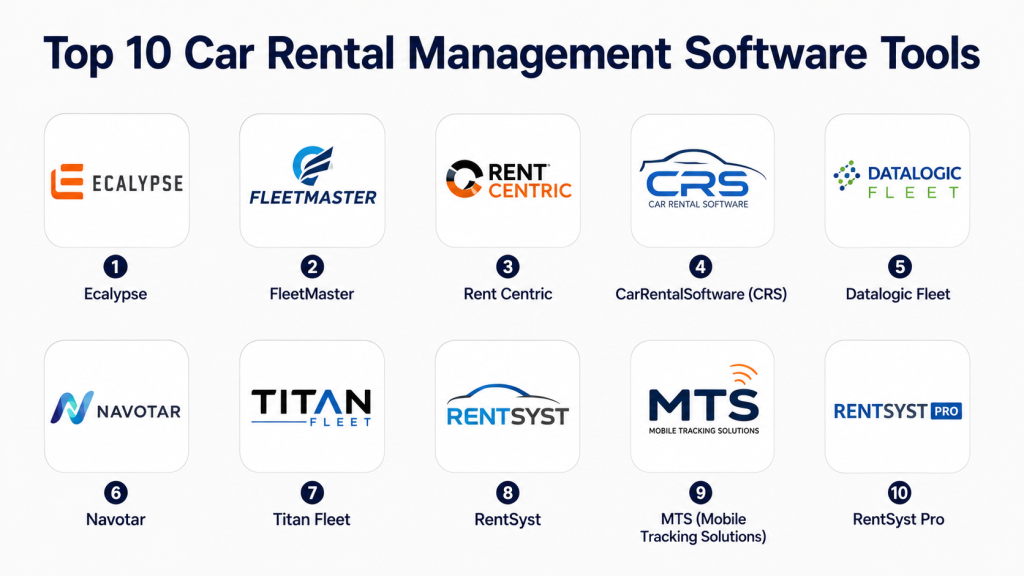
Top 10 Car Rental Management Software Tools
#1 — Ecalypse
Short description: Ecalypse is a cloud-based rental management system built specifically for car, truck, and trailer rental businesses. It is widely used by independent operators and small franchise groups in North America and Europe.
Key Features
- Drag-and-drop reservation calendar with color-coded fleet status.
- Digital signature capture and contract storage.
- Automated email and SMS reminders for upcoming returns.
- Driver’s license scanning and verification.
- Integrated damage tracking with photo uploads.
- Maintenance scheduling with mileage-based alerts.
- Multi-location support with centralized reporting.
Pros
- Very intuitive interface – staff learn it in hours, not days.
- Affordable pricing for small fleets (under 50 vehicles).
- Strong contract and waiver management built-in.
Cons
- Mobile app is less feature-rich than the web version.
- Reporting customization is limited without higher-tier plans.
- Not ideal for large enterprise fleets over 500 vehicles.
Platforms / Deployment
- Web / Cloud / iOS (limited) / Android (limited)
Security & Compliance
- GDPR compliant
- PCI DSS Level 1 for payment processing
- Not publicly stated for SOC 2
- Daily automated backups
Integrations & Ecosystem
Native and API-based integrations:
- Stripe, Square, PayPal
- QuickBooks Online, Xero
- Zapier for 3,000+ apps
- Google Calendar sync
Support & Community
- Email and chat support during business hours
- Knowledge base with video tutorials
- Onboarding webinar included
- Active user Facebook group
#2 — FleetMaster
Short description: FleetMaster is an all-in-one platform for car rental, car sharing, and fleet management. It targets mid-sized to large operations with complex needs like depot-to-depot transfers and corporate account management.
Key Features
- Real-time fleet tracking with GPS integration.
- Automated billing for corporate accounts with net terms.
- Vehicle disposal and acquisition planning tools.
- Driver behavior scoring (speeding, harsh braking) via telematics.
- Fully customizable rental agreements and add-ons (GPS, child seats).
- Multi-currency and multi-language support.
- API for white-label booking websites.
Pros
- Excellent for multi-location businesses with shared fleets.
- Strong corporate account management features.
- Telematics integration reduces vehicle abuse.
Cons
- Steeper learning curve than simpler SMB tools.
- Pricing is not publicly listed – requires a sales call.
- Some features (e.g., fleet forecasting) require additional modules.
Platforms / Deployment
- Web / Cloud / Self-hosted option available
Security & Compliance
- SOC 2 Type II (not publicly stated)
- GDPR and CCPA compliant
- SSO via SAML available
- Audit logs for all transactions
Integrations & Ecosystem
- QuickBooks, Sage, Microsoft Dynamics
- Stripe, Adyen, Worldpay
- Geotab, Samsara (telematics)
- REST API with webhooks
Support & Community
- Dedicated account manager for enterprise plans
- 24/7 phone and chat support
- On-site training available at additional cost
- Annual user conference
#3 — Rent Centric
Short description: Rent Centric is a cloud-native platform designed for car rental companies that want to offer a modern, consumer-grade booking experience. It is popular among premium and exotic car rental operators.
Key Features
- Fully branded online booking engine with vehicle photos and specs.
- Automated damage reporting with before/after photo comparison.
- Driver’s license scanning with facial recognition match.
- Integrated deposit management (hold and release via payment gateway).
- Automated late-return fee calculation.
- Fleet utilization dashboard with predictive availability.
- Customer loyalty program management.
Pros
- Exceptional customer-facing booking experience.
- Damage documentation reduces dispute resolution time.
- Good for high-value vehicles where deposit management is critical.
Cons
- Premium pricing – not ideal for budget rental operators.
- Less suitable for long-term (month+) corporate rentals.
- Smaller partner ecosystem than legacy competitors.
Platforms / Deployment
- Web / Cloud / iOS (driver app) / Android (driver app)
Security & Compliance
- PCI DSS Level 1
- GDPR compliant
- SOC 2 (not publicly stated)
- Biometric data encryption for license scans
Integrations & Ecosystem
- Stripe, Braintree,
- QuickBooks Online
- Slack (for operational alerts)
- Zapier
Support & Community
- Live chat 7 days a week
- Dedicated onboarding specialist
- Video knowledge base
- Email support with 4-hour SLA
#4 — CarRentalSoftware (CRS)
Short description: CarRentalSoftware (often called CRS) is a veteran provider focused on small to medium independent rental agencies. It emphasizes simplicity and affordability over advanced automation.
Key Features
- Quick reservation creation from a single dashboard.
- Printable rental agreements with signature lines.
- Vehicle maintenance logs with service due notifications.
- Customer blacklist to flag problematic renters.
- Daily, weekly, and monthly rate configuration.
- Basic fuel tracking (in/out levels).
- Email invoicing and receipt delivery.
Pros
- Very low monthly cost – accessible for startups.
- No long-term contract required.
- Works offline (desktop version available).
Cons
- User interface feels dated compared to cloud-native tools.
- No native mobile app for drivers or lot staff.
- Limited reporting and analytics.
Platforms / Deployment
- Web / Windows (desktop) / Cloud
Security & Compliance
- Not publicly stated for SOC 2 or ISO
- Daily backups included
- Basic password protection only (no MFA by default)
Integrations & Ecosystem
- Export to CSV (manual)
- QuickBooks integration via third-party tool
- No native payment gateway integration (manual card entry)
Support & Community
- Email support only
- Online user manual (PDF)
- No live chat or phone support
#5 — Datalogic Fleet
Short description: Datalogic Fleet is a modular platform that serves both rental operators and internal corporate fleets. It is often used by businesses that rent to employees or external customers from the same vehicle pool.
Key Features
- Dual-mode operation (internal corporate fleet + external rental).
- Fuel card integration for automated expense tracking.
- Accident management workflow with insurer notifications.
- Lease and finance contract tracking per vehicle.
- Driver qualification file management (license expiry, training).
- Customizable inspection checklists.
- Real-time vehicle utilization by department or cost center.
Pros
- Unique hybrid model – one system for internal and rental fleets.
- Strong compliance reporting for regulated industries.
- Good for franchise groups with centralized oversight.
Cons
- Interface can feel cluttered due to many modules.
- Implementation takes 2–4 weeks on average.
- Not ideal for pure-play daily rental businesses without internal fleets.
Platforms / Deployment
- Web / Cloud / Self-hosted (Windows Server)
Security & Compliance
- SOC 2 Type II (not publicly stated)
- GDPR compliant
- Role-based access control (RBAC)
- Audit logs for all changes
Integrations & Ecosystem
- SAP, Oracle (via API)
- Fleetcard, WEX, Fuelman
- QuickBooks, Microsoft Dynamics
- Custom API available
Support & Community
- Dedicated implementation manager
- Phone and email support during business hours
- Online help desk with articles
- Quarterly user group webinars
#6 — Navotar
Short description: Navotar is a cloud-based car rental software that focuses on simplicity and speed. It is popular in emerging markets where mobile-first access is critical for staff without desktop computers.
Key Features
- One-click reservation creation from customer phone number.
- WhatsApp and SMS booking confirmations.
- Offline mode for lots with poor internet connectivity.
- Driver’s license photo capture directly from mobile browser.
- Automated contract generation in multiple languages.
- Basic accounting with profit/loss per vehicle.
- Fleet maintenance reminders via text.
Pros
- Works well on low-end smartphones and slow connections.
- Very fast reservation process (under 60 seconds).
- Affordable for very small fleets (under 10 vehicles).
Cons
- Reporting is basic compared to enterprise tools.
- Limited integration with third-party accounting software.
- No telematics or GPS tracking.
Platforms / Deployment
- Web / Cloud / Mobile-optimized browser (no native app needed)
Security & Compliance
- GDPR compliant
- Not publicly stated for SOC 2
- Data encrypted at rest
Integrations & Ecosystem
- Stripe, PayPal
- Export to Excel
- Zapier (limited)
- No native QuickBooks connector
Support & Community
- Email support
- WhatsApp support for urgent issues
- Video tutorials on help site
- No phone support
#7 — Titan Fleet
Short description: Titan Fleet is built for large rental operators with 500+ vehicles across multiple depots. It emphasizes depot-to-depot transfers, centralized pricing, and corporate customer hierarchies.
Key Features
- Centralized rate management across all locations.
- Inter-depot vehicle transfer requests and approvals.
- Corporate customer portals with negotiated rates.
- Automated invoicing and batch payment processing.
- Fleet reallocation recommendations based on utilization.
- Driver violation tracking (toll fines, parking tickets).
- Comprehensive API for custom front-end websites.
Pros
- Scales to thousands of vehicles without performance loss.
- Excellent for franchise or multi-location operators.
- Strong corporate account management.
Cons
- Expensive – typically out of reach for single-location SMBs.
- Requires dedicated IT resource for optimal setup.
- User interface is functional but not modern.
Platforms / Deployment
- Web / Cloud / Self-hosted on Linux or Windows
Security & Compliance
- SOC 2 Type II (not publicly stated)
- ISO 27001 certified (not publicly stated)
- SSO via Okta or Azure AD
- Full audit trail for all user actions
Integrations & Ecosystem
- Sage, NetSuite, SAP
- Stripe, Adyen
- Geotab, Verizon Connect
- Full REST API with rate limiting
Support & Community
- 24/7 enterprise support hotline
- Dedicated technical account manager
- Quarterly business reviews
- Online knowledge base
#8 — RentSyst
Short description: RentSyst is a budget-friendly platform for independent rental operators who need core functionality without monthly minimums. It is popular in Europe and Latin America.
Key Features
- Reservation calendar with drag-and-drop simplicity.
- Customer database with rental history and documents.
- Vehicle expense tracking (fuel, repairs, insurance).
- Basic reporting (fleet utilization, revenue by vehicle).
- Printable contracts and invoices.
- Email notifications for upcoming returns.
- Multi-language interface (10+ languages).
Pros
- Very affordable – often under $50/month for small fleets.
- No setup fees or long-term contracts.
- Decent multi-language support for international customers.
Cons
- No native mobile app.
- Limited integration with online travel agencies (e.g.
- Support response can take 24-48 hours.
Platforms / Deployment
- Web / Cloud
Security & Compliance
- GDPR compliant
- Not publicly stated for SOC 2
- Daily backups
Integrations & Ecosystem
- Export to CSV and PDF
- PayPal, Stripe (via manual setup)
- No native QuickBooks integration
- No public API
Support & Community
- Email ticketing system
- Knowledge base with articles
- No live chat
- No phone support
#9 — MTS (Mobile Tracking Solutions)
Short description: MTS began as a GPS tracking company and expanded into rental management. It is best for operators who want deep telematics integration for usage-based billing.
Key Features
- Real-time odometer readings from GPS devices.
- Usage-based billing (pay per kilometer or hour).
- Geofence alerts for unauthorized vehicle use.
- Automated invoice generation based on actual distance.
- Driver behavior scoring and coaching.
- Theft recovery support with live tracking.
- Maintenance alerts based on engine hours or mileage.
Pros
- Best-in-class telematics for usage-based models.
- Ideal for car sharing, cargo van rental, or moving trucks.
- Reduces manual odometer entry errors.
Cons
- Requires purchasing or renting GPS hardware separately.
- Less focus on traditional daily rental workflows.
- Higher total cost when including hardware.
Platforms / Deployment
- Web / Cloud / iOS (driver app) / Android (driver app)
Security & Compliance
- GDPR and CCPA compliant
- Not publicly stated for SOC 2
- GPS data encrypted in transit
Integrations & Ecosystem
- QuickBooks, Xero
- Stripe
- Hardware from Geotab, CalAmp, Teltonika
- API for custom integrations
Support & Community
- Phone support during business hours
- Email support
- Hardware installation guides
- Webinar training included
#10 — RentSyst Pro
Short description: RentSyst Pro is the upgraded version of RentSyst, adding multi-location support, advanced reporting, and a customer portal. It targets growing operators with 2–5 locations.
Key Features
- Centralized dashboard for all locations.
- Customer portal for past rentals and document download.
- Advanced fleet utilization heatmaps.
- Automated late fee calculation per location policy.
- Driver’s license expiry alerts.
- Custom report builder.
- Online booking widget for existing websites.
Pros
- Affordable step up from basic RentSyst.
- Good for regional operators expanding to new locations.
- Customer portal reduces support calls.
Cons
- Still limited compared to enterprise tools like Titan Fleet.
- No telematics integration.
- Mobile experience is web-only (no native app).
Platforms / Deployment
- Web / Cloud
Security & Compliance
- GDPR compliant
- Not publicly stated for SOC 2
- Role-based access per location
Integrations & Ecosystem
- Stripe, PayPal
- Export to Excel and PDF
- Google Calendar sync
- No public API
Support & Community
- Email support with 24-hour SLA
- Online help center
- Onboarding call included
- No phone support
Comparison Table (Top 10)
| Tool Name | Best For | Platform(s) Supported | Deployment | Standout Feature | Public Rating |
|---|---|---|---|---|---|
| Ecalypse | Small independent operators | Web, iOS, Android | Cloud | Drag-and-drop reservation calendar | N/A |
| FleetMaster | Mid-sized multi-location fleets | Web | Cloud / Self-hosted | Telematics and corporate accounts | N/A |
| Rent Centric | Premium and exotic car rentals | Web, iOS, Android | Cloud | Damage documentation with photo AI | N/A |
| CarRentalSoftware (CRS) | Budget SMB operators | Web, Windows | Cloud / Desktop | Works offline with desktop version | N/A |
| Datalogic Fleet | Hybrid internal + external fleets | Web | Cloud / Self-hosted | Dual corporate and rental mode | N/A |
| Navotar | Mobile-first emerging markets | Web (mobile-optimized) | Cloud | WhatsApp and SMS booking | N/A |
| Titan Fleet | Enterprise with 500+ vehicles | Web | Cloud / Self-hosted | Centralized multi-depot transfers | N/A |
| RentSyst | Budget single-location | Web | Cloud | Multi-language interface | N/A |
| MTS | Usage-based and telematics-heavy | Web, iOS, Android | Cloud | Real-time odometer billing | N/A |
| RentSyst Pro | Growing 2-5 location operators | Web | Cloud | Customer portal | N/A |
Evaluation & Scoring of Car Rental Management Software
The following scores are based on comparative analysis across seven weighted criteria. A score of 10 means “best in class for this category,” not absolute perfection. Weighted totals help you prioritize what matters most to your business.
Weighting logic:
- Core features (25%) – reservations, fleet tracking, billing, maintenance.
- Ease of use (15%) – learning curve and daily usability.
- Integrations (15%) – payment gateways, accounting, telematics.
- Security & compliance (10%) – encryption, backups, PCI compliance.
- Performance & reliability (10%) – uptime and speed at scale.
- Support & community (10%) – availability, responsiveness, documentation.
- Price / value (15%) – features relative to cost.
| Tool Name | Core (25%) | Ease (15%) | Int. (15%) | Sec. (10%) | Perf. (10%) | Supp. (10%) | Value (15%) | Weighted Total |
|---|---|---|---|---|---|---|---|---|
| Ecalypse | 8.0 | 8.5 | 7.0 | 7.0 | 8.0 | 7.5 | 8.5 | 7.9 |
| FleetMaster | 9.0 | 7.0 | 8.5 | 8.0 | 9.0 | 8.5 | 7.0 | 8.1 |
| Rent Centric | 8.5 | 8.0 | 7.5 | 8.0 | 8.5 | 8.0 | 7.5 | 8.0 |
| CarRentalSoftware | 6.5 | 7.5 | 5.0 | 5.5 | 7.0 | 5.0 | 9.0 | 6.6 |
| Datalogic Fleet | 8.5 | 6.5 | 8.0 | 8.0 | 8.5 | 8.0 | 7.0 | 7.8 |
| Navotar | 7.0 | 8.0 | 5.5 | 6.0 | 7.5 | 6.0 | 8.5 | 7.1 |
| Titan Fleet | 9.5 | 6.0 | 9.0 | 9.5 | 9.5 | 9.0 | 6.0 | 8.4 |
| RentSyst | 6.0 | 7.5 | 4.5 | 5.0 | 7.0 | 5.5 | 9.0 | 6.4 |
| MTS | 8.0 | 7.0 | 7.0 | 7.0 | 8.5 | 7.0 | 7.5 | 7.5 |
| RentSyst Pro | 7.0 | 7.5 | 5.0 | 5.5 | 7.5 | 6.0 | 8.0 | 6.8 |
How to interpret scores:
- 8.0+ : Best-in-class across multiple dimensions. Suitable for mission-critical operations.
- 7.0 – 7.9 : Very solid. Usually excels in 2–3 areas while compromising on others.
- 6.0 – 6.9 : Good for specific use cases (budget, single-location) but not full lifecycle.
- <6.0 : Niche tools or early-stage; evaluate carefully against your must-haves.
Titan Fleet scores highest overall but value drags it down for SMBs. FleetMaster and Rent Centric offer strong mid-market alternatives.
Which Car Rental Management Software Tool Is Right for You?
Solo / Freelancer (1-5 vehicles)
You need low cost, no contracts, and basic reservations. RentSyst or Navotar offer affordable entry points. Avoid enterprise tools – you will pay for features you never use.
SMB (Under 50 vehicles)
Ecalypse or CarRentalSoftware balance price and functionality. If you want mobile access for lot staff, upgrade to Ecalypse. If budget is extremely tight, CarRentalSoftware (desktop version) works.
Mid-Market (50-500 vehicles)
FleetMaster or Rent Centric depending on your mix. FleetMaster for telematics and corporate accounts. Rent Centric for premium customer experience and damage management. Datalogic Fleet if you also manage an internal corporate fleet.
Enterprise (500+ vehicles)
Titan Fleet is built for scale. FleetMaster can work for smaller enterprise fleets. Ensure you negotiate dedicated support SLAs and API access.
Budget vs Premium
- Budget (<$100/mo): RentSyst, CarRentalSoftware (desktop), Navotar. Core features only, limited support.
- Premium (100–100–500/mo): Ecalypse, RentSyst Pro, MTS. Better mobile access and integrations.
- Enterprise ($500+/mo): FleetMaster, Titan Fleet, Rent Centric. Full features, telematics, dedicated support.
Feature Depth vs Ease of Use
- Depth wins: Titan Fleet, FleetMaster, Datalogic Fleet. Steeper learning curve, but you will not outgrow them.
- Ease wins: Ecalypse, Navotar, RentSyst. Fast onboarding, but advanced features are missing.
Integrations & Scalability
If you use QuickBooks and Stripe, ensure native connectors exist. Ecalypse and FleetMaster lead here. If you need telematics, MTS or FleetMaster are non-negotiable. If you plan to grow to multiple locations, start with multi-location support from day one (Titan Fleet or FleetMaster).
Security & Compliance Needs
For franchises or regulated industries, require daily backups and role-based access. Titan Fleet and FleetMaster offer the strongest security postures. Avoid budget tools for sensitive data.
Frequently Asked Questions (FAQs)
1. What is the average cost of car rental management software?
Costs range from 30–80 per month for basic plans (RentSyst, CarRentalSoftware) to 200–500 per month for mid-market tools (Ecalypse, FleetMaster) and $1,000+ per month for enterprise platforms (Titan Fleet). Some charge per vehicle or per user instead of a flat fee.
2. Do I need a separate payment gateway?
Most platforms integrate with Stripe, PayPal, or Square, but you typically need your own merchant account. A few tools include built-in payment processing, but those are rare. Always confirm gateway compatibility before purchasing.
3. How long does implementation typically take?
Self-serve tools (RentSyst, Navotar) work immediately after account creation. Mid-market platforms take 1–7 days for setup and data import. Enterprise solutions (Titan Fleet) take 4–8 weeks including custom configuration and staff training.
4. What is the most common mistake when choosing this software?
Underestimating mobile access needs. Many owners buy a desktop-only system, then realize lot staff cannot check vehicles in/out without a computer. Always test the mobile experience (or lack thereof) during your trial.
5. Can I switch software without losing my rental history?
Most platforms allow CSV export of customer and reservation data, but contract documents and scanned licenses rarely migrate. Plan a transition period where both systems run in parallel for 30 days.
6. Which platform has the best telematics integration?
MTS is purpose-built for telematics. FleetMaster also offers strong GPS and usage-based billing. Most budget tools have no telematics support at all.
7. Do these tools handle deposit management automatically?
Yes for most cloud platforms. They can place a hold on a customer’s credit card for a deposit amount and release it upon return. Damage claims may require manual intervention. Always test deposit workflows during your trial.
8. Can I integrate with online travel agencies like Expedia or ?
Only mid-market and enterprise tools (FleetMaster, Titan Fleet) offer direct channel manager integrations. Budget tools typically do not support OTA connections. You would need a separate channel manager.
9. Is cloud or self-hosted better for car rental software?
Cloud is better for most SMBs – no server maintenance, automatic backups, and remote access. Self-hosted is only recommended for enterprises with strict data residency requirements or unreliable internet at remote depots.
10. What happens if my internet goes down at the rental counter?
Some tools (CarRentalSoftware desktop, Navotar offline mode) continue working without internet. Pure cloud platforms (Ecalypse, FleetMaster) will be inaccessible. If you operate in areas with unreliable internet, prioritize offline-capable software.
Conclusion
Car rental management software transforms a chaotic, paper-heavy operation into a streamlined, professional business. The right tool reduces double-bookings, speeds up customer check-in, and gives you real-time visibility into fleet utilization and revenue.There is no single “best” platform. A single-location budget operator will thrive with RentSyst or Navotar. A premium exotic car rental needs Rent Centric’s damage documentation. A large multi-depot fleet requires Titan Fleet’s centralized control.
