Upgrade & Secure Your Future with DevOps, SRE, DevSecOps, MLOps!
We spend hours scrolling social media and waste money on things we forget, but won’t spend 30 minutes a day earning certifications that can change our lives.
Master in DevOps, SRE, DevSecOps & MLOps by DevOps School!
Learn from Guru Rajesh Kumar and double your salary in just one year.
Introduction
Customer Journey Mapping Tools are software platforms that help organizations visualize, analyze, and optimize every interaction a customer has with a brand. In plain English, these tools provide a structured way to understand the steps customers take, the touchpoints they encounter, and the emotions or challenges they experience along the journey.
As businesses focus more on customer experience and retention, having a clear view of the customer journey is crucial. These tools allow teams to identify friction points, improve engagement, and align marketing, sales, and support strategies for higher satisfaction and conversion.
Real-world use cases include:
- Mapping end-to-end customer interactions across multiple channels
- Identifying pain points and areas for improvement in the customer lifecycle
- Designing personalized marketing campaigns based on journey insights
- Aligning internal teams around shared customer experience goals
- Optimizing onboarding and retention processes
Key buyer evaluation criteria:
- Visual mapping and diagramming capabilities
- Integration with CRM, marketing, and analytics platforms
- Real-time journey analytics and reporting
- Collaboration and multi-user editing features
- Automation of journey tracking and alerts
- AI-driven insights and predictive recommendations
- Mobile and cloud access
- Customizable templates for different industries
- Security, access control, and audit logs
- Customer support and onboarding resources
Best for: Customer experience managers, UX designers, marketing teams, sales leaders, and product managers in enterprises and mid-sized organizations.
Not ideal for: Small businesses with limited customer touchpoints or teams that manage journeys informally; simple spreadsheets may suffice in such cases.
Key Trends in Customer Journey Mapping Tools
- AI-driven recommendations to improve journey touchpoints
- Automated journey tracking from CRM and analytics platforms
- Cloud-based platforms for real-time multi-location collaboration
- Integration with marketing automation and personalization tools
- Predictive analytics to anticipate customer behavior
- Visual dashboards for easy reporting to stakeholders
- Enhanced mobile and tablet accessibility
- Data privacy and security compliance for customer data
- Flexible pricing models for SMBs and enterprises
- Interactive templates for industry-specific journeys
How We Selected These Tools (Methodology)
- Market adoption and recognition in customer experience and marketing teams
- Feature completeness, including journey visualization and analytics
- Reliability and performance benchmarks
- Security and compliance measures, including data encryption
- Integration with CRM, marketing, and analytics systems
- Fit for different organization sizes and industries
- Usability, onboarding, and collaboration features
- Reporting and dashboard customization capabilities
- Customer support and community engagement
Top 10 Customer Journey Mapping Tools
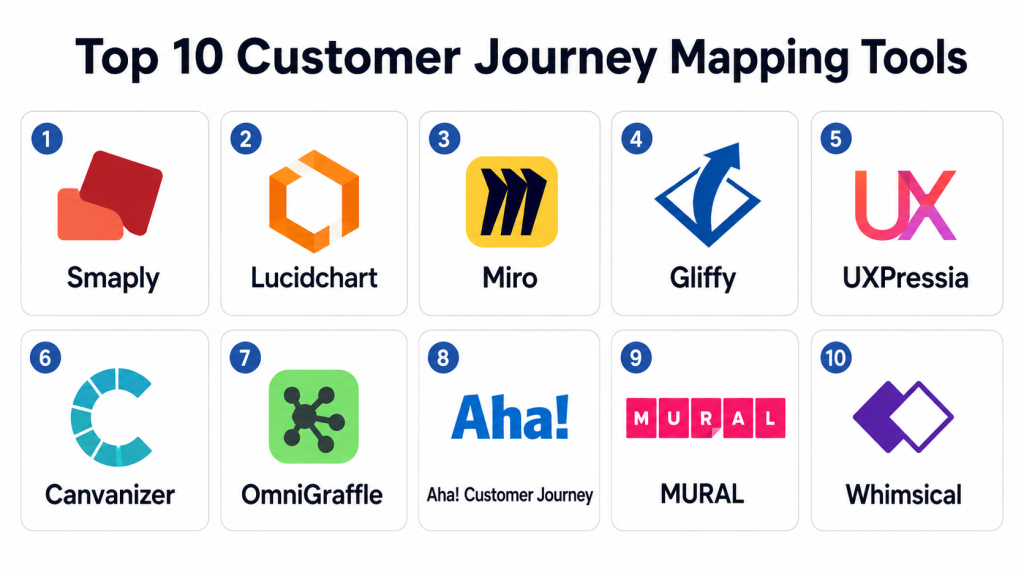
#1 — Smaply
Short description: Smaply enables organizations to create detailed journey maps, personas, and stakeholder maps. Ideal for UX designers and CX teams seeking structured visualizations of customer experiences.
Key Features
- Journey mapping and persona creation
- Stakeholder mapping
- Visual templates and customizable layouts
- Integration with CRM and analytics platforms
- Collaboration tools for teams
- Exportable reports for presentations
- Cloud-based access
Pros
- Highly visual and intuitive interface
- Supports multiple journey types and scenarios
Cons
- Learning curve for advanced analytics
- Limited predictive capabilities
Platforms / Deployment
- Web
- Cloud
Security & Compliance
- Not publicly stated
Integrations & Ecosystem
- CRM connectors (Salesforce, HubSpot)
- Analytics integrations
- Export APIs for visualization
Support & Community
- Online tutorials and documentation
- Email support
- User forums
#2 — Lucidchart
Short description: Lucidchart provides diagramming and visualization tools for mapping customer journeys and processes. Suitable for teams needing flexible mapping and collaboration capabilities.
Key Features
- Drag-and-drop journey mapping
- Collaborative diagramming
- Templates for CX and workflow processes
- Real-time team collaboration
- Analytics integration
- Cloud-based access
- Exportable visual assets
Pros
- Flexible and easy to use
- Supports team collaboration
Cons
- Limited dedicated journey analytics
- No predictive insights
Platforms / Deployment
- Web / Windows / macOS / iOS / Android
- Cloud
Security & Compliance
- SSO/SAML, encryption
- Not publicly stated
Integrations & Ecosystem
- CRM and analytics connectors
- Cloud storage integration
- API for embedding diagrams
Support & Community
- Knowledge base and tutorials
- Online community
- Customer support via chat
#3 — Miro
Short description: Miro offers collaborative whiteboarding and journey mapping tools, enabling real-time collaboration on customer experience projects. Best for distributed teams and workshops.
Key Features
- Interactive whiteboards for journey mapping
- Real-time collaboration and commenting
- Templates for customer experience and service design
- Integration with project management tools
- Visual analytics and KPI tracking
- Cloud access for teams
- Exportable journey maps
Pros
- Excellent collaboration features
- Flexible mapping and visualization
Cons
- May require additional tools for advanced analytics
- Complex boards can be overwhelming
Platforms / Deployment
- Web / Windows / macOS / iOS / Android
- Cloud
Security & Compliance
- SSO, encryption, MFA
- Not publicly stated
Integrations & Ecosystem
- Jira, Confluence, CRM connectors
- Cloud storage integration
- API for custom workflows
Support & Community
- Tutorials and knowledge base
- Live chat support
- Active community forums
#4 — Gliffy
Short description: Gliffy provides diagramming tools for creating journey maps, flowcharts, and process visualizations. Suitable for teams seeking simplicity and integration with collaboration platforms.
Key Features
- Drag-and-drop diagramming
- Pre-built journey map templates
- Integration with collaboration tools
- Export to multiple formats
- Cloud-based access
- Visual dashboards
- Team collaboration features
Pros
- Simple and fast setup
- Integration with Confluence and Jira
Cons
- Limited analytics and reporting
- No AI-driven insights
Platforms / Deployment
- Web
- Cloud
Security & Compliance
- Not publicly stated
Integrations & Ecosystem
- Collaboration platforms (Confluence, Jira)
- Cloud storage
- API connectors
Support & Community
- Documentation and guides
- Email support
- Varies / Not publicly stated
#5 — UXPressia
Short description: UXPressia offers journey mapping, personas, and impact maps for customer experience teams. Best for businesses looking for structured templates and analytics insights.
Key Features
- Customer journey maps and personas
- Impact mapping and analytics
- Collaboration features for teams
- Customizable templates
- Cloud-based dashboards
- Exportable reports
- Multi-user access
Pros
- Structured and visually appealing maps
- Supports team collaboration
Cons
- Limited predictive analytics
- Premium features may require subscription
Platforms / Deployment
- Web
- Cloud
Security & Compliance
- Not publicly stated
Integrations & Ecosystem
- CRM and analytics integrations
- Cloud storage connectors
- API for custom reporting
Support & Community
- Tutorials and documentation
- Email support
- Online community
#6 — Canvanizer
Short description: Canvanizer provides online canvas tools for mapping customer journeys, business models, and processes. Ideal for small teams and workshops.
Key Features
- Drag-and-drop canvas templates
- Collaboration features
- Real-time updates
- Exportable journey maps
- Multi-device access
- Simple analytics
- Cloud-based platform
Pros
- Easy to use
- Quick setup for workshops
Cons
- Limited advanced analytics
- Fewer integrations
Platforms / Deployment
- Web
- Cloud
Security & Compliance
- Not publicly stated
Integrations & Ecosystem
- Basic cloud storage connectors
- API support
- Export to PDF or image formats
Support & Community
- Tutorials and guides
- Email support
#7 — OmniGraffle
Short description: OmniGraffle provides diagramming and mapping tools for customer journeys and workflows. Suitable for Mac users and teams requiring detailed visualizations.
Key Features
- Drag-and-drop mapping
- Pre-built templates
- Layered diagramming
- Exportable graphics
- Collaboration via shared files
- Custom visual elements
- Cloud access
Pros
- Professional-grade visuals
- Detailed customization options
Cons
- Mac-centric platform
- Limited analytics and automation
Platforms / Deployment
- macOS / iOS
- Cloud / Desktop
Security & Compliance
- Not publicly stated
Integrations & Ecosystem
- Cloud storage
- File export connectors
- Limited API integrations
Support & Community
- Tutorials and guides
- Email support
- Community forum
#8 — Aha! Customer Journey
Short description: Aha! provides roadmap and journey mapping for customer experience and product teams. Ideal for teams combining product strategy with customer insights.
Key Features
- Journey mapping and roadmap integration
- Collaboration and commenting
- KPI dashboards
- Analytics and reporting
- Cloud-based access
- Exportable journey maps
- Multi-user permissions
Pros
- Integrates strategy and journey mapping
- Collaborative for distributed teams
Cons
- Premium pricing
- Learning curve for new users
Platforms / Deployment
- Web
- Cloud
Security & Compliance
- Not publicly stated
Integrations & Ecosystem
- CRM and project management tools
- API support
- Cloud connectors
Support & Community
- Tutorials and documentation
- Customer support
- Online community
#9 — MURAL
Short description: MURAL offers collaborative whiteboards for customer journey mapping, workshops, and design thinking sessions. Suitable for innovation and CX teams.
Key Features
- Interactive whiteboards
- Real-time collaboration
- Templates for journey mapping
- Analytics and reporting
- Cloud-based dashboards
- Exportable visuals
- Multi-user access
Pros
- Excellent collaboration for distributed teams
- Flexible and interactive mapping
Cons
- Limited predictive analytics
- Premium pricing
Platforms / Deployment
- Web / iOS / Android
- Cloud
Security & Compliance
- Not publicly stated
Integrations & Ecosystem
- Collaboration tools (Slack, Teams)
- Cloud storage integration
- API for data export
Support & Community
- Tutorials and guides
- Email and chat support
- Knowledge base
#10 — Whimsical
Short description: Whimsical provides diagramming, flowcharts, and journey mapping for customer experience. Best for small teams and creative mapping exercises.
Key Features
- Drag-and-drop journey maps
- Flowcharts and wireframes
- Collaboration tools
- Templates for CX
- Exportable visual assets
- Cloud-based access
- Multi-user support
Pros
- Simple and intuitive
- Quick setup for small teams
Cons
- Limited analytics
- Basic integrations
Platforms / Deployment
- Web / macOS / Windows
- Cloud
Security & Compliance
- Not publicly stated
Integrations & Ecosystem
- Cloud storage connectors
- API for export
- Collaboration platform integration
Support & Community
- Online tutorials
- Email support
Comparison Table (Top 10)
| Tool Name | Best For | Platform(s) Supported | Deployment | Standout Feature | Public Rating |
|---|---|---|---|---|---|
| Smaply | UX/CX teams | Web | Cloud | Persona & journey mapping | N/A |
| Lucidchart | Teams needing diagrams | Web / Windows / macOS / iOS / Android | Cloud | Drag-and-drop diagrams | N/A |
| Miro | Distributed teams | Web / Windows / macOS / iOS / Android | Cloud | Interactive whiteboards | N/A |
| Gliffy | Small teams | Web | Cloud | Simple mapping | N/A |
| UXPressia | CX/UX teams | Web | Cloud | Impact & journey maps | N/A |
| Canvanizer | Workshops & small teams | Web | Cloud | Canvas templates | N/A |
| OmniGraffle | Mac users | macOS / iOS | Cloud / Desktop | Detailed diagrams | N/A |
| Aha! Customer Journey | Product & CX | Web | Cloud | Roadmap integration | N/A |
| MURAL | Innovation/CX teams | Web / iOS / Android | Cloud | Collaborative whiteboards | N/A |
| Whimsical | Creative teams | Web / macOS / Windows | Cloud | Flowcharts & journey maps | N/A |
Evaluation & Scoring of Customer Journey Mapping Tools
| Tool Name | Core (25%) | Ease (15%) | Integrations (15%) | Security (10%) | Performance (10%) | Support (10%) | Value (15%) | Weighted Total (0–10) |
|---|---|---|---|---|---|---|---|---|
| Smaply | 9 | 8 | 7 | 7 | 8 | 7 | 7 | 7.9 |
| Lucidchart | 8 | 9 | 7 | 7 | 8 | 7 | 7 | 7.8 |
| Miro | 9 | 8 | 8 | 7 | 8 | 8 | 7 | 8.0 |
| Gliffy | 7 | 8 | 6 | 7 | 7 | 6 | 7 | 7.0 |
| UXPressia | 8 | 8 | 7 | 7 | 7 | 7 | 7 | 7.5 |
| Canvanizer | 7 | 8 | 6 | 7 | 7 | 6 | 7 | 7.0 |
| OmniGraffle | 8 | 7 | 6 | 7 | 7 | 6 | 7 | 7.1 |
| Aha! Customer Journey | 8 | 7 | 7 | 7 | 7 | 7 | 7 | 7.3 |
| MURAL | 9 | 8 | 8 | 7 | 8 | 8 | 7 | 8.0 |
| Whimsical | 7 | 8 | 6 | 7 | 7 | 6 | 7 | 7.0 |
Interpretation: Scores are comparative across core features, usability, integrations, security, performance, support, and value. Higher weighted totals indicate stronger suitability for mapping customer journeys and enhancing CX initiatives.
Which Customer Journey Mapping Tool Is Right for You?
Solo / Freelancer
- Whimsical, Gliffy, or Canvanizer for small projects and workshops
SMB
- Lucidchart, UXPressia, or Smaply for structured mapping and collaboration
Mid-Market
- Miro or Aha! Customer Journey for cross-team collaboration and analytics
Enterprise
- Smaply, MURAL, or OmniGraffle for complex journeys and multi-team alignment
Budget vs Premium
- SMBs and freelancers may prefer Whimsical or Gliffy
- Enterprises may invest in Miro, Smaply, or Aha!
Feature Depth vs Ease of Use
- Miro and UXPressia balance advanced features with usability
Integrations & Scalability
- Choose tools with CRM, analytics, and collaboration platform connectors
Security & Compliance Needs
- Ensure cloud security, role-based access, and encryption for sensitive customer data
Frequently Asked Questions (FAQs)
1. What pricing models do journey mapping tools offer?
Most use subscription plans; enterprise licenses may be customized.
2. How quickly can a journey map be created?
Templates allow maps to be set up in minutes; complex journeys may take hours.
3. Are these tools suitable for small teams?
Yes, options like Whimsical and Gliffy are simple and cost-effective.
4. Can BI and analytics be integrated?
Many tools connect with CRM and analytics platforms for insights.
5. Do these tools allow collaboration?
Yes, cloud-native tools allow multiple users to edit and comment in real time.
6. Are mobile apps available?
Most leading tools provide web access and mobile apps for on-the-go editing.
7. Can templates be customized?
Yes, most platforms offer flexible templates and visual customization.
8. Do these tools provide analytics?
Several include journey analytics, KPIs, and reporting dashboards.
9. Are AI-driven insights included?
Some tools provide predictive insights to optimize journey touchpoints.
10. How secure is customer data?
Top platforms use encryption, SSO, and MFA for secure collaboration and storage.
Conclusion
Selecting the right customer journey mapping tool depends on organization size, complexity of journeys, and integration needs. Freelancers and small teams may prefer Whimsical or Gliffy for simplicity, while SMBs and enterprises may choose Smaply, Miro, or Aha! for structured mapping, analytics, and collaboration. A practical next step is to shortlist , run a pilot, and validate usability, integrations, and security before full adoption.
