Upgrade & Secure Your Future with DevOps, SRE, DevSecOps, MLOps!
We spend hours scrolling social media and waste money on things we forget, but won’t spend 30 minutes a day earning certifications that can change our lives.
Master in DevOps, SRE, DevSecOps & MLOps by DevOps School!
Learn from Guru Rajesh Kumar and double your salary in just one year.
Introduction
eLearning Authoring Tools help teams create digital learning content such as online courses, quizzes, simulations, videos, interactive lessons, assessments, and training modules. In simple words, these tools allow instructional designers, trainers, HR teams, educators, and subject matter experts to build learning content without needing advanced programming skills.
These tools matter because organizations need faster, more flexible, and more engaging ways to train employees, customers, partners, and students. Traditional classroom training is not always practical for distributed teams, compliance learning, product training, onboarding, or skill development. A good eLearning authoring tool helps teams create reusable, trackable, and interactive learning content that can be delivered through learning management systems or online training platforms.
Common use cases include employee onboarding, compliance training, product tutorials, sales enablement, customer education, technical training, soft skills learning, and certification preparation.
Buyers should evaluate:
- Ease of course creation
- Interactive content options
- Quiz and assessment features
- LMS compatibility
- SCORM, xAPI, or similar export support
- Collaboration and review workflows
- Responsive design support
- Media and video capabilities
- Localization and accessibility support
- Pricing, scalability, and support
Best for: instructional designers, L&D teams, HR departments, corporate trainers, educators, course creators, training agencies, compliance teams, and organizations that need structured digital learning content.
Not ideal for: teams that only need simple documents, basic video sharing, or informal knowledge sharing. In such cases, slide decks, knowledge base tools, screen recording software, or simple LMS content pages may be enough.
Key Trends in eLearning Authoring Tools
- AI-assisted course creation: Many tools are adding AI support for drafting course outlines, generating quiz questions, summarizing content, creating scenarios, and speeding up instructional design work.
- Responsive learning content: Learners now expect courses to work smoothly across laptops, tablets, and phones, so responsive design is becoming a core requirement.
- Microlearning formats: Short, focused lessons are becoming more popular because they are easier to consume, update, and reuse across training programs.
- Interactive simulations: Companies are using scenario-based learning, branching paths, software simulations, drag-and-drop exercises, and role-play style activities to improve learner engagement.
- LMS and LXP interoperability: Authoring tools need to work well with learning management systems, learning experience platforms, HR systems, and reporting tools.
- Accessibility-first course design: Buyers are paying more attention to captions, keyboard navigation, screen reader support, color contrast, and inclusive learning design.
- Collaborative content development: L&D teams want shared workspaces, reviewer comments, version control, approval workflows, and reusable templates.
- Data-driven learning design: Learning teams want better insight into completion, quiz performance, engagement, content effectiveness, and learner behavior.
- Localization and global training: Multinational teams need translation workflows, language variants, regional content control, and consistent course branding.
- Cloud-first authoring: More teams prefer browser-based authoring tools that allow remote collaboration, faster updates, and easier publishing.
How We Selected These Tools
The top eLearning Authoring Tools in this guide were selected using a practical evaluation model focused on course creation quality, usability, flexibility, and learning ecosystem fit. The selection considered:
- Market adoption and recognition among L&D, HR, and training teams
- Feature completeness across course building, quizzes, interactions, simulations, and publishing
- Ease of use for instructional designers and non-technical subject matter experts
- Support for responsive design and mobile learning
- Export and compatibility options for LMS delivery
- Collaboration, review, and version management features
- Security posture signals such as access control and data protection
- Fit for solo creators, SMBs, enterprises, and training providers
- Support for multimedia, video, audio, and interactive learning objects
- Practical trade-offs such as pricing, learning curve, scalability, and support quality
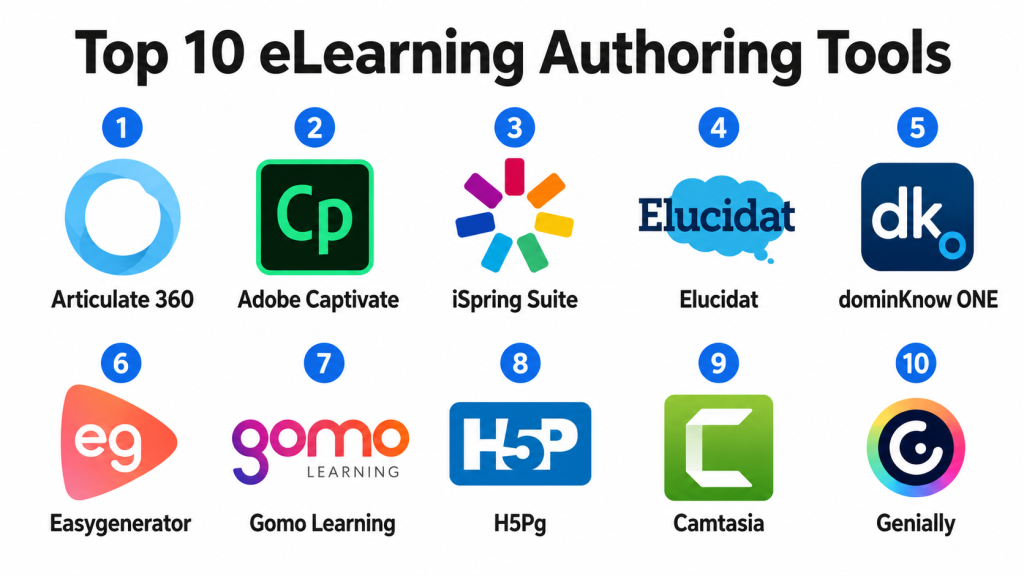
Top 10 eLearning Authoring Tools
#1 — Articulate 360
Short description: Articulate 360 is a widely used eLearning authoring suite for creating professional online courses, interactive lessons, quizzes, and responsive learning content. It is popular among instructional designers, corporate training teams, and enterprise L&D departments.
Key Features
- Storyline for custom interactive courses
- Rise for responsive web-based courses
- Quiz and assessment creation
- Screen recording and software simulation support
- Templates, media assets, and content library
- Review and collaboration workflows
- LMS publishing support
Pros
- Strong balance of power and usability.
- Good fit for both simple and advanced eLearning projects.
- Large ecosystem of templates, examples, and learning resources.
Cons
- Can be expensive for small teams.
- Advanced Storyline work may require practice.
- Desktop-based workflows may not suit teams wanting fully browser-based creation.
Platforms / Deployment
Web / Windows
Cloud / Desktop-supported authoring
Security & Compliance
Supports common enterprise expectations such as user access controls and secure cloud collaboration features. Specific compliance details should be validated during procurement.
Integrations & Ecosystem
Articulate 360 works well with LMS platforms and common learning delivery systems. It is widely used in corporate training ecosystems.
- LMS platforms
- SCORM-based learning systems
- xAPI-supported workflows
- Review and feedback workflows
- Media libraries
- Learning content repositories
Support & Community
Articulate has strong documentation, training resources, customer support, tutorials, templates, and a large user community. It is one of the strongest ecosystems in the eLearning authoring space.
#2 — Adobe Captivate
Short description: Adobe Captivate is an eLearning authoring tool used for creating responsive courses, software simulations, interactive training, quizzes, and scenario-based learning. It is suitable for corporate training teams and instructional designers who need advanced interactivity.
Key Features
- Responsive course authoring
- Software simulations and screen recording
- Interactive quizzes and assessments
- Scenario-based learning support
- Multimedia and video integration
- LMS publishing support
- Template-based course creation
Pros
- Strong for software training and simulations.
- Useful for interactive and media-rich learning content.
- Good fit for teams already familiar with Adobe products.
Cons
- Learning curve can be higher for new users.
- Interface and workflow may feel complex for simple course needs.
- Collaboration features may not be as smooth as some cloud-native tools.
Platforms / Deployment
Windows / macOS
Desktop-supported authoring / Cloud-connected workflows
Security & Compliance
Supports common software and enterprise access expectations depending on Adobe account and organization settings. Specific compliance details should be validated with Adobe during procurement.
Integrations & Ecosystem
Adobe Captivate supports LMS publishing and works well in multimedia-heavy learning environments.
- LMS platforms
- SCORM-supported systems
- xAPI-supported workflows
- Adobe media tools
- Video and screen recording workflows
- Learning content repositories
Support & Community
Adobe provides documentation, product support, learning resources, and a broad creative software ecosystem. Community support is available through users, forums, tutorials, and training providers.
#3 — iSpring Suite
Short description: iSpring Suite is an eLearning authoring toolkit that works closely with PowerPoint to help users create courses, quizzes, video lessons, role-play simulations, and LMS-ready training content. It is useful for teams that want fast course creation without a steep learning curve.
Key Features
- PowerPoint-based course authoring
- Quiz and assessment builder
- Video lecture creation
- Role-play simulation tools
- Screen recording
- LMS publishing support
- Content library and templates
Pros
- Easy for users familiar with PowerPoint.
- Fast course creation for corporate training teams.
- Good option for converting existing slide decks into eLearning.
Cons
- Advanced custom interactivity may be limited compared with deeper tools.
- Strongest value depends on PowerPoint-based workflows.
- Design quality can vary if users rely too heavily on slide conversion.
Platforms / Deployment
Windows
Desktop-supported authoring / Cloud-connected workflows
Security & Compliance
Supports common account and data protection features. Specific compliance details should be validated during vendor review.
Integrations & Ecosystem
iSpring Suite works well with LMS platforms and is practical for teams that already build training in slide-based formats.
- LMS platforms
- SCORM-supported systems
- xAPI-supported workflows
- PowerPoint workflows
- Video learning workflows
- Assessment reporting systems
Support & Community
iSpring provides documentation, tutorials, support resources, onboarding materials, and training content guidance. It is popular among corporate trainers and L&D teams that prefer simple authoring.
#4 — Elucidat
Short description: Elucidat is a cloud-based eLearning authoring platform designed for teams that need scalable, collaborative, and brand-controlled learning content creation. It is especially useful for enterprises and distributed L&D teams.
Key Features
- Browser-based course authoring
- Responsive design
- Team collaboration and review workflows
- Brand control and templates
- Reusable content components
- Translation and localization support
- LMS publishing support
Pros
- Strong for collaborative enterprise course creation.
- Good brand governance and reusable template support.
- Useful for large teams creating consistent learning content.
Cons
- May be too advanced for solo creators or very small teams.
- Pricing may be better suited to larger organizations.
- Custom interactive depth may differ from desktop-heavy tools.
Platforms / Deployment
Web
Cloud
Security & Compliance
Supports common enterprise security expectations such as access controls, user permissions, and secure cloud workflows. Specific compliance details should be validated during procurement.
Integrations & Ecosystem
Elucidat is designed for enterprise learning ecosystems and supports publishing into LMS platforms and content delivery workflows.
- LMS platforms
- SCORM-supported systems
- xAPI-supported workflows
- Translation workflows
- Review and approval workflows
- Learning content repositories
Support & Community
Elucidat provides onboarding, customer support, documentation, enablement resources, and enterprise guidance. It is strong for organizations that need scalable course production processes.
#5 — dominKnow ONE
Short description: dominKnow ONE is a cloud-based authoring platform for creating responsive eLearning, simulations, software training, and reusable learning content. It is suitable for teams that need collaboration, responsive design, and content reuse.
Key Features
- Responsive course authoring
- Software simulations
- Collaborative authoring
- Reusable learning objects
- Review and approval workflows
- LMS publishing support
- Centralized content management
Pros
- Strong content reuse and collaboration features.
- Good for teams producing many learning modules.
- Supports both responsive and interactive learning design.
Cons
- May require time to learn advanced features.
- Interface depth can feel heavy for simple course creation.
- Best suited for teams with structured content development needs.
Platforms / Deployment
Web
Cloud
Security & Compliance
Supports common cloud security expectations such as user permissions, access controls, and secure content management. Specific compliance details should be confirmed with the vendor.
Integrations & Ecosystem
dominKnow ONE supports LMS publishing and structured learning content workflows.
- LMS platforms
- SCORM-supported systems
- xAPI-supported workflows
- Review workflows
- Content reuse systems
- Translation and localization workflows
Support & Community
dominKnow provides documentation, support resources, training materials, onboarding help, and community learning resources. It is known among professional instructional design teams.
#6 — Easygenerator
Short description: Easygenerator is a cloud-based eLearning authoring tool designed for quick course creation by subject matter experts, trainers, and business teams. It focuses on simplicity, speed, and collaborative content development.
Key Features
- Browser-based course creation
- Templates and guided authoring
- Quiz and assessment tools
- Collaboration and review workflows
- Responsive course design
- LMS publishing support
- Co-authoring features
Pros
- Easy for non-technical users and subject matter experts.
- Good for fast course creation and updates.
- Useful for decentralized learning content development.
Cons
- May not offer the same advanced interactivity as specialist tools.
- Complex simulations may require another platform.
- Governance is important when many users create content.
Platforms / Deployment
Web
Cloud
Security & Compliance
Supports common access controls and secure cloud workflows. Specific compliance details should be validated during procurement.
Integrations & Ecosystem
Easygenerator works with LMS platforms and learning delivery workflows. It is especially useful for organizations that want business teams to create training content directly.
- LMS platforms
- SCORM-supported systems
- xAPI-supported workflows
- Collaboration tools
- Review workflows
- Learning content repositories
Support & Community
Easygenerator provides support, documentation, onboarding resources, tutorials, and customer success guidance. It is practical for teams that prioritize ease of use.
#7 — Gomo Learning
Short description: Gomo Learning is a cloud-based eLearning authoring and delivery platform focused on responsive, multi-device learning content. It is suitable for organizations that need web-based authoring, hosting, and distribution support.
Key Features
- Cloud-based course authoring
- Responsive design
- Multi-device publishing
- LMS export support
- Content hosting and delivery options
- Team collaboration
- Translation and localization support
Pros
- Strong responsive learning design.
- Good for teams needing cloud authoring and hosting options.
- Useful for global learning delivery.
Cons
- Advanced interactivity may be less flexible than some specialist tools.
- May require design discipline to create polished courses.
- Enterprise needs should be validated based on content scale.
Platforms / Deployment
Web
Cloud
Security & Compliance
Supports common cloud security expectations such as access controls and secure content delivery. Specific compliance details should be confirmed with the vendor.
Integrations & Ecosystem
Gomo Learning supports LMS publishing and content delivery workflows for organizations managing multi-device learning.
- LMS platforms
- SCORM-supported systems
- xAPI-supported workflows
- Content hosting workflows
- Translation workflows
- Learning analytics systems
Support & Community
Gomo provides documentation, support, onboarding help, and learning design guidance. It is used by teams that need responsive course creation and flexible delivery.
#8 — H5P
Short description: H5P is an open-source-friendly interactive content framework used to create quizzes, interactive videos, presentations, drag-and-drop activities, flashcards, and learning objects. It is popular in education, training, and LMS-based learning environments.
Key Features
- Interactive content types
- Quiz and activity creation
- Interactive video support
- LMS and CMS embedding options
- Open-source-friendly ecosystem
- Reusable learning objects
- Community-driven content model
Pros
- Flexible and widely used for interactive learning objects.
- Strong fit for education and LMS environments.
- Cost-effective for teams that can manage setup and governance.
Cons
- May require technical setup depending on deployment.
- Not a full enterprise course authoring suite by itself.
- Support and governance depend on hosting and implementation model.
Platforms / Deployment
Web
Cloud / Self-hosted / Hybrid
Security & Compliance
Security depends on deployment, hosting environment, LMS setup, and implementation practices. Specific compliance details are not publicly stated as a single standard and should be validated based on deployment.
Integrations & Ecosystem
H5P works well inside many learning platforms and content management environments. It is useful when teams need reusable interactive learning objects.
- LMS platforms
- CMS platforms
- Interactive video workflows
- Learning content repositories
- Open-source learning ecosystems
- Embeddable content workflows
Support & Community
H5P has a strong user and developer community. Formal support depends on hosting provider, implementation partner, or platform package. Community resources are widely available.
#9 — Camtasia
Short description: Camtasia is a screen recording and video editing tool often used to create training videos, software tutorials, walkthroughs, and instructional content. While not a full traditional authoring suite, it is highly useful for video-based eLearning creation.
Key Features
- Screen recording
- Video editing
- Callouts, annotations, and effects
- Audio editing support
- Templates and assets
- Cursor effects and zooming
- Export for learning platforms
Pros
- Excellent for software tutorials and training videos.
- Easier to use than many professional video editing tools.
- Good fit for trainers, educators, and product teams.
Cons
- Not a full interactive course authoring platform.
- Limited assessment and LMS tracking compared with dedicated eLearning tools.
- Larger course programs may need an LMS or authoring suite alongside it.
Platforms / Deployment
Windows / macOS
Desktop-supported authoring
Security & Compliance
Security and compliance depend on licensing, storage, sharing, and organizational setup. Specific compliance details are not publicly stated for every use case.
Integrations & Ecosystem
Camtasia fits well into video-based training workflows and can be used alongside LMS and authoring platforms.
- LMS platforms through exported video
- Video hosting platforms
- Course authoring tools
- Screen recording workflows
- Media libraries
- Training content repositories
Support & Community
Camtasia provides documentation, tutorials, support resources, and a large creator community. It is widely used by trainers, educators, and software tutorial creators.
#10 — Genially
Short description: Genially is an interactive content creation tool used for presentations, infographics, gamified learning, quizzes, interactive images, and visual learning experiences. It is useful for educators, trainers, marketers, and teams creating engaging learning content.
Key Features
- Interactive presentations
- Gamified learning activities
- Visual templates
- Quizzes and interactive elements
- Infographics and learning visuals
- Web-based content creation
- Sharing and embedding options
Pros
- Strong for visual and interactive learning content.
- Easy to use for educators and non-technical creators.
- Useful for gamified lessons and engaging presentations.
Cons
- Not a full enterprise eLearning authoring suite.
- LMS tracking and advanced instructional design features may be limited.
- Best for visual learning assets rather than complex training programs.
Platforms / Deployment
Web
Cloud
Security & Compliance
Supports common account and access features. Specific compliance details should be validated during procurement.
Integrations & Ecosystem
Genially works well for visual and interactive content that can be embedded or shared across learning and communication environments.
- LMS embedding workflows
- Presentation workflows
- Visual learning content
- Classroom and training tools
- Website and knowledge base embedding
- Collaboration workflows
Support & Community
Genially provides documentation, templates, learning resources, support materials, and a large creator community. It is popular with educators, trainers, and visual content creators.
Comparison Table
| Tool Name | Best For | Platform(s) Supported | Deployment | Standout Feature | Public Rating |
|---|---|---|---|---|---|
| Articulate 360 | Professional eLearning and corporate training | Web, Windows | Cloud / Desktop-supported authoring | Storyline and Rise course creation suite | N/A |
| Adobe Captivate | Software simulations and interactive training | Windows, macOS | Desktop-supported authoring / Cloud-connected workflows | Advanced simulation and responsive course authoring | N/A |
| iSpring Suite | PowerPoint-based course creation | Windows | Desktop-supported authoring / Cloud-connected workflows | Fast slide-to-course authoring | N/A |
| Elucidat | Enterprise collaborative course production | Web | Cloud | Scalable cloud authoring with brand governance | N/A |
| dominKnow ONE | Responsive authoring and reusable learning content | Web | Cloud | Content reuse and collaborative authoring | N/A |
| Easygenerator | Subject matter expert-led course creation | Web | Cloud | Simple guided authoring for non-technical users | N/A |
| Gomo Learning | Responsive cloud authoring and delivery | Web | Cloud | Multi-device learning content creation | N/A |
| H5P | Interactive learning objects and open learning ecosystems | Web | Cloud / Self-hosted / Hybrid | Interactive content framework | N/A |
| Camtasia | Training videos and software tutorials | Windows, macOS | Desktop-supported authoring | Screen recording and instructional video editing | N/A |
| Genially | Interactive visual learning content | Web | Cloud | Gamified and visual interactive content | N/A |
Evaluation & Scoring of eLearning Authoring Tools
| Tool Name | Core (25%) | Ease (15%) | Integrations (15%) | Security (10%) | Performance (10%) | Support (10%) | Value (15%) | Weighted Total (0–10) |
|---|---|---|---|---|---|---|---|---|
| Articulate 360 | 9.5 | 8.5 | 9.0 | 8.5 | 9.0 | 9.0 | 8.0 | 8.82 |
| Adobe Captivate | 9.0 | 7.5 | 8.5 | 8.3 | 8.7 | 8.2 | 7.8 | 8.34 |
| iSpring Suite | 8.5 | 9.0 | 8.5 | 8.0 | 8.5 | 8.5 | 8.4 | 8.51 |
| Elucidat | 8.8 | 8.3 | 8.7 | 8.7 | 8.6 | 8.5 | 7.8 | 8.48 |
| dominKnow ONE | 8.8 | 8.0 | 8.5 | 8.5 | 8.5 | 8.3 | 8.0 | 8.39 |
| Easygenerator | 8.0 | 9.2 | 8.0 | 8.0 | 8.2 | 8.2 | 8.5 | 8.30 |
| Gomo Learning | 8.2 | 8.4 | 8.2 | 8.0 | 8.3 | 8.0 | 8.0 | 8.19 |
| H5P | 7.8 | 8.0 | 8.5 | 7.5 | 8.0 | 7.8 | 9.0 | 8.12 |
| Camtasia | 8.0 | 8.8 | 7.5 | 7.5 | 8.5 | 8.5 | 8.6 | 8.20 |
| Genially | 7.8 | 9.0 | 7.8 | 7.6 | 8.2 | 8.0 | 8.6 | 8.14 |
These scores are comparative and should be used as a shortlisting guide. A higher score does not mean the tool is best for every learning team. For example, Articulate 360 may be strong for professional corporate eLearning, while Camtasia may be better for training videos and H5P may be better for interactive learning objects. Buyers should validate LMS compatibility, publishing needs, collaboration workflow, accessibility requirements, and pricing before making a final decision.
Which eLearning Authoring Tool Is Right for You?
Solo / Freelancer
Solo creators and freelance instructional designers usually need tools that are affordable, easy to learn, and flexible. iSpring Suite, Camtasia, Genially, and H5P can be practical depending on the content type.
If the focus is professional eLearning projects for clients, Articulate 360 is a strong option. If the focus is video tutorials, Camtasia may be better. If the focus is interactive visuals or education content, Genially and H5P can be useful.
SMB
Small and medium businesses should focus on speed, usability, templates, LMS compatibility, and content updates. iSpring Suite, Easygenerator, Articulate 360, Camtasia, and Genially are good options for smaller teams.
If subject matter experts need to create content directly, Easygenerator can be a strong choice. If training teams already work in PowerPoint, iSpring Suite may be easier to adopt. If the company needs polished eLearning modules, Articulate 360 is worth evaluating.
Mid-Market
Mid-market organizations usually need collaboration, reusable templates, review workflows, responsive design, and integration with LMS platforms. Articulate 360, Elucidat, dominKnow ONE, Easygenerator, and Gomo Learning are suitable choices.
If the team needs collaborative cloud authoring, Elucidat, dominKnow ONE, or Easygenerator may be practical. If the team needs custom interactivity and professional instructional design control, Articulate 360 or Adobe Captivate may be better.
Enterprise
Enterprise learning teams should focus on scalability, governance, collaboration, brand control, security, localization, accessibility, and LMS integration. Articulate 360, Elucidat, dominKnow ONE, Adobe Captivate, and Gomo Learning are strong starting points.
Elucidat is suitable for large teams needing brand governance and collaborative production. dominKnow ONE is useful for reusable content and structured workflows. Articulate 360 is strong for advanced professional course development.
Budget vs Premium
Budget-conscious teams can consider H5P, Genially, Camtasia, or selected lightweight plans from simpler tools. These options can work well when the main need is interactive activities, visual learning, or video-based training.
Premium buyers should evaluate Articulate 360, Adobe Captivate, Elucidat, dominKnow ONE, and Gomo Learning if they need more advanced course creation, collaboration, LMS publishing, and enterprise support.
Feature Depth vs Ease of Use
Articulate 360, Adobe Captivate, and dominKnow ONE offer deeper authoring capabilities but may require more learning time. Easygenerator, iSpring Suite, Genially, and Camtasia are easier for many users to adopt.
The right decision depends on who will create the content. Instructional designers may prefer advanced control, while subject matter experts may need guided authoring and simple templates.
Integrations & Scalability
eLearning authoring tools should work with LMS platforms, learning experience platforms, HR systems, content libraries, translation workflows, video tools, and reporting systems. Export support such as SCORM and xAPI is important for tracking learner activity.
Large teams should test publishing workflows before buying. Smaller teams should confirm whether the tool can export content in the format required by their LMS or training platform.
Security & Compliance Needs
Learning content may include internal policies, product information, customer training, compliance materials, or confidential business processes. Buyers should review user access controls, content permissions, audit trails, data protection, and secure publishing options.
Organizations with regulated training needs should also check accessibility, version control, content review workflows, and learner tracking requirements. Security and governance become more important when multiple teams create and publish learning content.
Frequently Asked Questions
1. What are eLearning authoring tools?
eLearning authoring tools are software platforms used to create online learning content such as courses, quizzes, simulations, videos, interactive lessons, and assessments. They help teams build digital training without advanced coding skills.
2. Who uses eLearning authoring tools?
Instructional designers, L&D teams, HR departments, trainers, educators, consultants, compliance teams, and subject matter experts use these tools to create structured learning content.
3. What is the difference between an authoring tool and an LMS?
An authoring tool is used to create learning content. An LMS is used to deliver, track, and manage learner participation. Many teams use both together.
4. What features should I look for in an eLearning authoring tool?
Important features include templates, responsive design, quizzes, interactivity, multimedia support, LMS export, collaboration, review workflows, accessibility support, and reporting compatibility.
5. Do eLearning authoring tools support SCORM?
Many eLearning authoring tools support SCORM export, but support varies by tool and plan. Buyers should confirm the required export format before choosing a platform.
6. Are cloud-based authoring tools better than desktop tools?
Cloud-based tools are better for collaboration, remote teams, and faster updates. Desktop tools may provide stronger control for advanced course design, simulations, and media-heavy production.
7. What are common mistakes when choosing an authoring tool?
Common mistakes include choosing based only on features, ignoring LMS compatibility, underestimating the learning curve, skipping accessibility checks, and failing to test the review and publishing workflow.
8. Can subject matter experts create courses without instructional designers?
Yes, some tools are designed for subject matter experts. However, instructional design guidance is still useful to make courses clear, engaging, and effective.
9. Which tool is best for software training?
Adobe Captivate, Camtasia, Articulate 360, and dominKnow ONE are strong options for software training. The best choice depends on whether you need simulations, screen recordings, interactive lessons, or video tutorials.
10. Which tool is best for quick course creation?
iSpring Suite, Easygenerator, Genially, and Camtasia are practical for fast content creation. Articulate Rise within Articulate 360 is also useful for quick responsive c
Conclusion
eLearning Authoring Tools help organizations create structured, engaging, and scalable digital learning content. The best tool depends on your team size, content type, technical skill, LMS requirements, budget, collaboration needs, and learning strategy. Articulate 360 is strong for professional course development, while Adobe Captivate is useful for simulations and interactive training. iSpring Suite works well for PowerPoint-based course creation, and Easygenerator is practical for subject matter expert-led authoring. Elucidat, dominKnow ONE, and Gomo Learning are better suited for collaborative and scalable learning production, while H5P, Camtasia, and Genially are useful for interactive objects, training videos, and visual learning content.
