Upgrade & Secure Your Future with DevOps, SRE, DevSecOps, MLOps!
We spend hours scrolling social media and waste money on things we forget, but won’t spend 30 minutes a day earning certifications that can change our lives.
Master in DevOps, SRE, DevSecOps & MLOps by DevOps School!
Learn from Guru Rajesh Kumar and double your salary in just one year.
Introduction
Microlearning Platforms help organizations deliver training in small, focused, easy-to-complete lessons. Instead of long courses, microlearning breaks learning into short modules, quizzes, videos, flashcards, scenarios, reminders, and knowledge checks. The goal is to help learners understand one topic at a time and apply it quickly.
Microlearning matters because employees, customers, sales teams, field workers, and frontline teams often do not have time for long training sessions. Short lessons are easier to complete, easier to remember, and easier to repeat. These platforms are useful for onboarding, compliance refreshers, product training, sales enablement, customer education, safety training, and skill reinforcement.
Buyers should evaluate:
- Lesson creation and content authoring
- Mobile learning experience
- Quizzes and knowledge checks
- Spaced repetition and reinforcement
- Analytics and reporting
- Gamification and engagement tools
- Integrations with LMS, HRIS, CRM, and communication tools
- Security and user permissions
- Ease of use for admins and learners
- Scalability across teams and locations
Best for: HR teams, L&D leaders, sales enablement teams, customer success teams, frontline workforce managers, compliance teams, training companies, and organizations that need fast, repeatable, mobile-friendly learning.
Not ideal for: organizations that need deep academic courses, long-form certification programs, complex learning paths, or formal classroom-style training may need a traditional LMS instead of a pure microlearning platform.
Key Trends in Microlearning Platforms
- Mobile-first learning: Microlearning is increasingly designed for phones first, especially for frontline, retail, healthcare, logistics, sales, and field teams.
- AI-assisted content creation: Some platforms help convert longer materials into short lessons, quizzes, summaries, and knowledge checks.
- Spaced repetition: More tools support repeated learning prompts to help users remember important information over time.
- Learning in the flow of work: Microlearning is being delivered inside communication tools, CRM systems, digital adoption platforms, and daily work apps.
- Gamification and motivation: Badges, leaderboards, points, streaks, and challenges help improve learner participation.
- Short video and interactive content: Teams are using quick videos, scenario questions, flashcards, and interactive cards instead of long slide decks.
- Stronger analytics: L&D teams want to track completion, confidence, knowledge retention, quiz results, and content effectiveness.
- Frontline workforce training: Microlearning is especially useful for workers who do not sit at a desk all day and need quick access to training.
- Compliance reinforcement: Companies use short refresher modules to keep safety, policy, process, and compliance knowledge active.
- Integrations with larger learning ecosystems: Microlearning tools increasingly connect with LMS, HRIS, CRM, SSO, collaboration tools, and reporting systems.
How We Selected These Tools
The following microlearning platforms were selected using practical buyer-focused evaluation logic:
- Market adoption and recognition: Tools commonly known in microlearning, employee training, sales enablement, frontline training, and learning reinforcement were prioritized.
- Feature completeness: Platforms with short lessons, quizzes, analytics, mobile access, reinforcement, and engagement tools received stronger consideration.
- Learner experience: Microlearning only works when learners actually complete lessons, so usability and mobile access were important.
- Content creation capabilities: Tools with simple authoring, templates, AI assistance, or fast lesson creation were favored.
- Engagement and retention: Platforms with gamification, spaced repetition, nudges, and knowledge checks were considered stronger.
- Integration ecosystem: LMS, HRIS, CRM, SSO, communication, and collaboration integrations were evaluated.
- Customer fit: The list includes tools for SMBs, enterprises, frontline teams, sales teams, and training providers.
- Security posture: Platforms that support business user access, permissions, and secure learner data handling were prioritized.
- Reporting and analytics: Tools with better completion tracking, learning insights, and knowledge retention data scored higher.
- Practical use cases: The final list balances employee training, sales enablement, compliance refreshers, customer education, and frontline training.
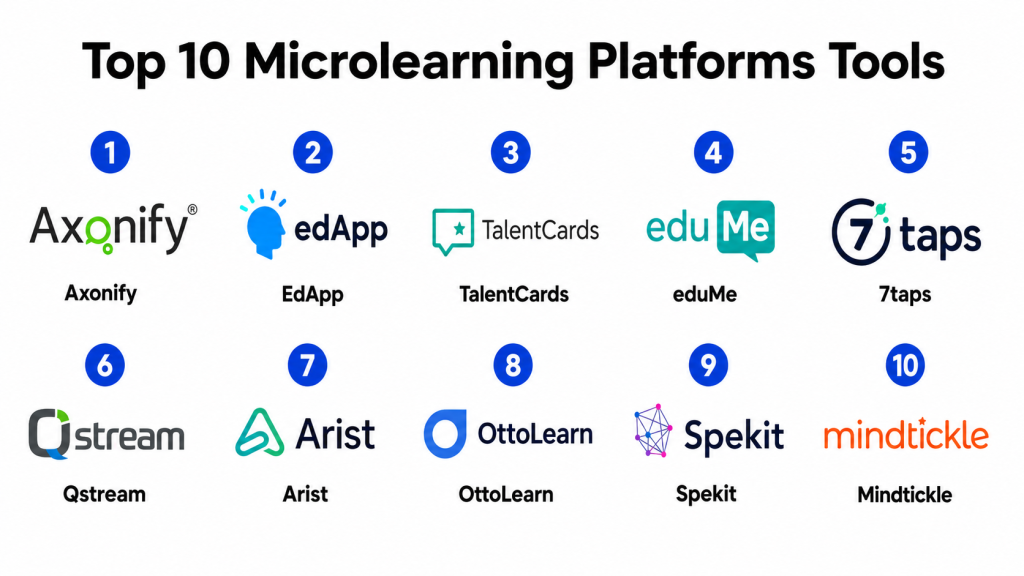
Top 10 Microlearning Platforms Tools
#1 — Axonify
Short description: Axonify is a microlearning platform designed mainly for frontline workforce training, knowledge reinforcement, and employee engagement. It helps organizations deliver short lessons, quizzes, and reinforcement activities to employees who need training in the flow of daily work.
Key Features
- Microlearning lessons and daily training
- Knowledge reinforcement and spaced repetition
- Gamification and learner engagement
- Frontline workforce training workflows
- Manager dashboards and reporting
- Personalized learning paths
- Mobile-friendly learning experience
Pros
- Strong fit for frontline and distributed teams.
- Good for reinforcement-based learning.
- Useful for safety, operations, compliance, and product knowledge training.
Cons
- May be more than needed for simple internal training.
- Best value comes when used regularly, not occasionally.
- Implementation may require planning for content and learner groups.
Platforms / Deployment
Web / iOS / Android
Cloud
Security & Compliance
Axonify supports business learning workflows and user access controls. Specific details such as SSO/SAML, MFA, encryption, audit logs, RBAC, SOC 2, ISO 27001, GDPR, or HIPAA should be confirmed during vendor review.
SOC 2 / ISO 27001 / GDPR / HIPAA: Not publicly stated.
Integrations & Ecosystem
Axonify is commonly used as part of a broader employee training and workforce enablement ecosystem.
- LMS platforms
- HRIS systems
- SSO providers
- Workforce management tools
- Reporting and analytics systems
- Communication platforms
Support & Community
Axonify provides customer support, onboarding resources, documentation, and implementation guidance. Support depth may vary by customer size and contract.
#2 — EdApp
Short description: EdApp is a mobile-first microlearning platform that helps teams create and deliver short lessons, quizzes, and interactive training. It is useful for organizations that want quick content creation and learner-friendly mobile training.
Key Features
- Mobile-first microlearning
- Course authoring and templates
- Quizzes and assessments
- Gamification features
- Learner analytics
- Content library options
- Offline and mobile-friendly learning support
Pros
- Easy to create short learning modules.
- Strong mobile learning experience.
- Good for fast training rollout across different teams.
Cons
- May not replace a full enterprise LMS for complex training.
- Advanced customization may be limited for some use cases.
- Buyers should validate reporting depth for large programs.
Platforms / Deployment
Web / iOS / Android
Cloud
Security & Compliance
EdApp supports learner management and training data workflows. Specific security certifications and compliance details should be verified directly with the vendor.
SOC 2 / ISO 27001 / GDPR / HIPAA: Not publicly stated.
Integrations & Ecosystem
EdApp can fit with broader learning, HR, and business systems where microlearning is needed alongside other training tools.
- LMS systems
- HR tools
- SSO providers
- Communication tools
- Content libraries
- Reporting workflows
Support & Community
EdApp provides documentation, support resources, templates, and onboarding guidance. Community and support depth may vary by plan and customer type.
#3 — TalentCards
Short description: TalentCards is a mobile microlearning platform focused on flashcard-style learning, quick lessons, quizzes, and knowledge reinforcement. It is useful for teams that need simple, fast, mobile-based training.
Key Features
- Flashcard-based microlearning
- Mobile-first training delivery
- Quizzes and assessments
- Simple content creation
- Learner progress tracking
- Offline learning support
- Team and group management
Pros
- Very simple for short training needs.
- Good for field teams, sales teams, and frontline workers.
- Fast content creation for quick knowledge updates.
Cons
- Not suitable for complex LMS-style programs.
- Limited depth for long-form learning paths.
- Advanced enterprise features may be limited.
Platforms / Deployment
Web / iOS / Android
Cloud
Security & Compliance
TalentCards supports learner access and course delivery workflows. Specific certifications, audit controls, and compliance details should be confirmed during vendor evaluation.
SOC 2 / ISO 27001 / GDPR / HIPAA: Not publicly stated.
Integrations & Ecosystem
TalentCards is useful as a lightweight microlearning layer and may be used alongside HR, LMS, and communication systems.
- LMS platforms
- HR tools
- Mobile learning workflows
- Reporting tools
- Team training systems
- Content creation workflows
Support & Community
TalentCards provides documentation, customer support, and onboarding resources. It is generally easier to manage than more complex enterprise learning platforms.
#4 — eduMe
Short description: eduMe is a microlearning platform built for frontline, deskless, and distributed workforces. It helps companies deliver short training, onboarding, policy updates, and performance support through mobile-friendly experiences.
Key Features
- Mobile-first microlearning
- Frontline workforce training
- Short lessons and knowledge checks
- Onboarding support
- Analytics and completion tracking
- Communication-friendly learning delivery
- Role-based learning paths
Pros
- Strong fit for deskless and frontline workers.
- Good for quick onboarding and operational updates.
- Learner experience is designed for busy workers.
Cons
- May not fit traditional academic learning needs.
- Advanced enterprise learning may require integration with other systems.
- Content strategy is important for long-term engagement.
Platforms / Deployment
Web / iOS / Android
Cloud
Security & Compliance
eduMe supports business training workflows and learner data management. Specific certifications and compliance coverage should be validated directly with the vendor.
SOC 2 / ISO 27001 / GDPR / HIPAA: Not publicly stated.
Integrations & Ecosystem
eduMe is commonly used with workforce, HR, communication, and business platforms to deliver learning where employees already work.
- Workforce management tools
- HR systems
- Communication platforms
- SSO providers
- Reporting tools
- Learning systems
Support & Community
eduMe provides onboarding, documentation, customer support, and implementation resources. Support quality may vary by organization size and package.
#5 — 7taps
Short description: 7taps is a fast microlearning creation platform that helps teams build short, mobile-friendly learning modules quickly. It is useful for trainers, HR teams, and creators who need simple bite-sized learning without heavy LMS complexity.
Key Features
- Rapid microlearning authoring
- Mobile-friendly lesson design
- Short cards and interactive content
- Simple sharing options
- Quiz and knowledge check support
- Learner tracking
- Lightweight course delivery
Pros
- Very fast content creation.
- Easy for non-technical teams.
- Good for quick updates, refreshers, and simple training campaigns.
Cons
- Not ideal for complex LMS administration.
- Limited depth for enterprise compliance training.
- May require another system for advanced reporting or governance.
Platforms / Deployment
Web
Cloud
Security & Compliance
7taps supports lightweight learning delivery and learner tracking. Specific security controls, compliance certifications, and access management details should be verified directly.
SOC 2 / ISO 27001 / GDPR / HIPAA: Not publicly stated.
Integrations & Ecosystem
7taps is best used as a quick microlearning authoring and delivery tool that can support broader learning workflows.
- LMS workflows
- Communication tools
- Content sharing systems
- Training campaigns
- Reporting workflows
- Team learning programs
Support & Community
7taps provides documentation and support resources. Its simple design makes it approachable for small teams and individual creators.
#6 — Qstream
Short description: Qstream is a knowledge reinforcement and microlearning platform often used for sales enablement, compliance, and employee training. It focuses on scenario-based learning, spaced repetition, and analytics to improve knowledge retention.
Key Features
- Scenario-based microlearning
- Spaced repetition and reinforcement
- Knowledge checks and challenges
- Sales and compliance training support
- Analytics and performance insights
- Mobile-friendly learning
- Manager reporting
Pros
- Strong focus on knowledge retention.
- Good for sales teams and compliance refreshers.
- Useful when training must be reinforced over time.
Cons
- May not be a full replacement for a broad LMS.
- Best results require well-designed scenarios and questions.
- May be more useful for repeated learning than one-time training.
Platforms / Deployment
Web / iOS / Android
Cloud
Security & Compliance
Qstream supports business learning and learner data workflows. Specific security certifications and compliance details should be confirmed during procurement.
SOC 2 / ISO 27001 / GDPR / HIPAA: Not publicly stated.
Integrations & Ecosystem
Qstream can connect with broader enablement, learning, and reporting ecosystems.
- LMS platforms
- CRM systems
- HR systems
- Sales enablement tools
- Reporting and analytics tools
- SSO providers
Support & Community
Qstream provides customer support, onboarding, training resources, and implementation guidance. Support depth may vary by package and customer needs.
#7 — Arist
Short description: Arist is a microlearning platform focused on delivering learning through messaging-based experiences. It is useful for organizations that want training delivered through channels employees already use.
Key Features
- Messaging-based microlearning
- Short lesson delivery
- Course creation support
- Learner engagement tracking
- Reinforcement workflows
- Mobile-friendly access
- Training campaign delivery
Pros
- Useful for learning in the flow of communication.
- Good for short, frequent training campaigns.
- Helps reduce friction for learner participation.
Cons
- Not ideal for deep course structures.
- May require integration planning for communication channels.
- Advanced LMS-style administration may be limited.
Platforms / Deployment
Web
Cloud
Security & Compliance
Arist supports learning delivery through digital communication workflows. Specific security controls, access settings, and compliance certifications should be confirmed directly.
SOC 2 / ISO 27001 / GDPR / HIPAA: Not publicly stated.
Integrations & Ecosystem
Arist works well when training needs to be delivered through messaging, collaboration, or communication channels.
- Messaging platforms
- Communication tools
- HR systems
- LMS workflows
- Training campaign tools
- Reporting systems
Support & Community
Arist provides support resources and onboarding help. Support and implementation depth should be validated based on company size and training model.
#8 — OttoLearn
Short description: OttoLearn is a microlearning and knowledge retention platform focused on adaptive learning, reinforcement, and training analytics. It is useful for organizations that want repeated practice and personalized learning reinforcement.
Key Features
- Adaptive microlearning
- Knowledge reinforcement
- Spaced repetition
- Personalized learning paths
- Quizzes and assessments
- Analytics and progress tracking
- Mobile learning support
Pros
- Strong focus on retention and reinforcement.
- Useful for skills that need repeated practice.
- Good for compliance, product knowledge, and process training.
Cons
- May not replace full LMS requirements.
- Content design quality strongly affects results.
- Buyers should validate integration depth for their systems.
Platforms / Deployment
Web
Cloud
Security & Compliance
OttoLearn supports learner management and knowledge tracking. Specific certifications, audit features, and compliance controls should be confirmed during vendor review.
SOC 2 / ISO 27001 / GDPR / HIPAA: Not publicly stated.
Integrations & Ecosystem
OttoLearn can support learning ecosystems that need adaptive reinforcement alongside other training tools.
- LMS platforms
- HR systems
- Reporting tools
- Content workflows
- SSO providers
- Compliance training systems
Support & Community
OttoLearn provides customer support and implementation resources. Support depth may vary based on contract and customer requirements.
#9 — Spekit
Short description: Spekit is a digital adoption and enablement platform that delivers bite-sized training, process guidance, and knowledge inside daily work tools. It is especially useful for sales, customer success, and revenue teams.
Key Features
- In-app training and guidance
- Bite-sized enablement content
- Sales process support
- Knowledge base and playbook delivery
- Workflow-based learning
- Analytics and content engagement tracking
- CRM and business tool support
Pros
- Delivers learning directly inside work tools.
- Strong fit for sales and revenue enablement.
- Useful for process changes, product updates, and tool adoption.
Cons
- Not a traditional LMS for formal training programs.
- Best value depends on integrations with daily work tools.
- May be less suitable for academic or compliance-heavy learning.
Platforms / Deployment
Web / Browser-based workflows
Cloud
Security & Compliance
Spekit supports business enablement workflows and user access management. Specific compliance certifications and security controls should be validated during vendor review.
SOC 2 / ISO 27001 / GDPR / HIPAA: Not publicly stated.
Integrations & Ecosystem
Spekit is designed to support learning and enablement inside business systems, especially revenue and customer-facing workflows.
- CRM systems
- Sales enablement tools
- Communication platforms
- Browser-based applications
- Knowledge management tools
- Reporting systems
Support & Community
Spekit provides onboarding, documentation, support resources, and customer success guidance. Support experience may vary by customer size and package.
#10 — Mindtickle
Short description: Mindtickle is a sales readiness and enablement platform that includes microlearning, coaching, assessments, readiness tracking, and sales training workflows. It is best suited for sales organizations that need structured enablement and measurable readiness.
Key Features
- Sales microlearning
- Coaching and role-play workflows
- Assessments and certifications
- Readiness tracking
- Content and training programs
- Analytics and performance insights
- CRM-aligned sales enablement
Pros
- Strong fit for sales training and readiness.
- Useful for coaching, onboarding, and product knowledge.
- Helps connect training with sales execution.
Cons
- May be too sales-focused for general employee training.
- Implementation requires enablement strategy and content planning.
- May be more than needed for small teams.
Platforms / Deployment
Web / iOS / Android
Cloud
Security & Compliance
Mindtickle supports enterprise sales enablement workflows and learner data management. Specific security certifications, compliance details, and access controls should be confirmed during procurement.
SOC 2 / ISO 27001 / GDPR / HIPAA: Not publicly stated.
Integrations & Ecosystem
Mindtickle fits into sales enablement, CRM, learning, and revenue operations ecosystems.
- CRM systems
- Sales enablement platforms
- LMS workflows
- SSO providers
- Content management systems
- Analytics and reporting tools
Support & Community
Mindtickle provides customer success, onboarding, support resources, and implementation guidance. Support depth may depend on organization size and contract.
Comparison Table
| Tool Name | Best For | Platform(s) Supported | Deployment | Standout Feature | Public Rating |
|---|---|---|---|---|---|
| Axonify | Frontline workforce training | Web, iOS, Android | Cloud | Daily reinforcement learning | N/A |
| EdApp | Mobile-first business training | Web, iOS, Android | Cloud | Fast microlearning authoring | N/A |
| TalentCards | Flashcard-style mobile learning | Web, iOS, Android | Cloud | Simple card-based training | N/A |
| eduMe | Deskless and distributed workforce training | Web, iOS, Android | Cloud | Frontline mobile learning | N/A |
| 7taps | Rapid microlearning creation | Web | Cloud | Quick bite-sized lesson builder | N/A |
| Qstream | Knowledge reinforcement and sales training | Web, iOS, Android | Cloud | Spaced repetition challenges | N/A |
| Arist | Messaging-based microlearning | Web | Cloud | Learning through communication channels | N/A |
| OttoLearn | Adaptive learning reinforcement | Web | Cloud | Personalized retention training | N/A |
| Spekit | In-workflow enablement | Web, Browser-based workflows | Cloud | Training inside daily work tools | N/A |
| Mindtickle | Sales readiness and coaching | Web, iOS, Android | Cloud | Sales microlearning and readiness tracking | N/A |
Evaluation & Scoring of Microlearning Platforms
The scoring below is comparative and based on practical microlearning platform evaluation criteria. A higher score does not mean a tool is the best choice for every organization. It means the platform performs strongly against this model for microlearning features, ease of use, integrations, security expectations, reliability, support, and value.
| Tool Name | Core (25%) | Ease (15%) | Integrations (15%) | Security (10%) | Performance (10%) | Support (10%) | Value (15%) | Weighted Total (0–10) |
|---|---|---|---|---|---|---|---|---|
| Axonify | 9.0 | 8.0 | 8.3 | 8.2 | 8.6 | 8.2 | 7.7 | 8.34 |
| EdApp | 8.5 | 8.8 | 8.0 | 8.0 | 8.3 | 8.0 | 8.4 | 8.32 |
| TalentCards | 7.8 | 9.0 | 7.2 | 7.7 | 8.0 | 7.8 | 8.7 | 8.05 |
| eduMe | 8.4 | 8.6 | 8.0 | 8.0 | 8.3 | 8.0 | 8.1 | 8.24 |
| 7taps | 7.6 | 9.2 | 7.0 | 7.6 | 8.0 | 7.7 | 8.6 | 7.99 |
| Qstream | 8.6 | 8.0 | 8.0 | 8.1 | 8.4 | 8.0 | 7.8 | 8.18 |
| Arist | 7.8 | 8.8 | 7.4 | 7.7 | 8.0 | 7.8 | 8.2 | 8.01 |
| OttoLearn | 8.2 | 8.2 | 7.5 | 7.8 | 8.1 | 7.8 | 8.0 | 8.00 |
| Spekit | 8.1 | 8.3 | 8.4 | 8.0 | 8.2 | 8.0 | 7.8 | 8.16 |
| Mindtickle | 8.7 | 7.8 | 8.5 | 8.3 | 8.5 | 8.2 | 7.5 | 8.25 |
Use these scores as a comparison guide, not as a final buying decision. Axonify and eduMe are strong for frontline teams. EdApp, TalentCards, and 7taps are strong for fast content creation and mobile learning. Qstream and OttoLearn are useful for reinforcement and retention. Spekit and Mindtickle are stronger for sales enablement and learning inside workflow. Always validate integrations, security documents, pricing, learner adoption, and reporting needs before choosing a platform.
Which Microlearning Platforms Tool Is Right for You?
Solo / Freelancer
Solo trainers, consultants, and content creators may not need a large microlearning platform. If the goal is to create quick lessons or short learning campaigns, tools like 7taps, TalentCards, or EdApp can be practical.
For freelancers selling structured training, the decision depends on whether learners need certificates, assessments, tracking, or mobile access. If the training is deeper and long-form, a traditional LMS may be better.
SMB
Small businesses should focus on ease of use, fast lesson creation, mobile access, simple reporting, and affordable pricing. EdApp, TalentCards, 7taps, eduMe, and OttoLearn can be useful depending on the training use case.
SMBs should avoid buying a complex enterprise platform if they only need basic onboarding, product updates, safety reminders, or short compliance refreshers.
Mid-Market
Mid-market companies usually need stronger reporting, user groups, integrations, role-based learning, manager visibility, and scalable content delivery. Axonify, eduMe, Qstream, Spekit, EdApp, and Mindtickle can be strong choices depending on workforce type.
At this stage, companies should think about consistency. The platform should help standardize training across departments, locations, teams, and learner roles.
Enterprise
Enterprises need security, governance, scalability, integration depth, compliance reporting, analytics, and support for multiple regions or business units. Axonify, Mindtickle, Qstream, eduMe, and Spekit are stronger fits depending on the training model.
Enterprise buyers should involve HR, L&D, IT, security, legal, and department leaders before rollout. Pilot testing is important because learner adoption matters more than feature count.
Budget vs Premium
Budget-focused teams should choose simple authoring, mobile access, and basic tracking first. TalentCards, 7taps, and EdApp-style tools can be practical when training needs are lightweight.
Premium tools make sense when the company needs large-scale workforce training, sales enablement, CRM integration, advanced analytics, spaced repetition, compliance reinforcement, or manager dashboards.
Feature Depth vs Ease of Use
Feature-rich platforms provide deeper analytics, integrations, personalized learning, reinforcement, manager dashboards, and enterprise controls. However, they may require more setup and administration.
Easy-to-use platforms are better when content needs to be created quickly and delivered with minimal training. Choose the platform based on learner behavior, not only feature lists.
Integrations & Scalability
Microlearning platforms should connect with LMS, HRIS, CRM, SSO, communication tools, workforce systems, and reporting platforms when training is part of a larger business process.
Scalability matters when the organization needs to train many departments, regions, job roles, partners, or external users. Choose a tool that supports groups, permissions, analytics, and content reuse.
Security & Compliance Needs
Microlearning tools may store learner names, progress, quiz results, certifications, completion records, and job-related performance data. Security should be reviewed before rollout.
Look for role-based access, SSO, MFA, encryption, audit logs, permissions, data retention settings, and clear privacy controls. For regulated industries, compliance and legal review should happen early.
Frequently Asked Questions
1. What is a microlearning platform?
A microlearning platform is software that delivers training in short, focused lessons. It helps learners complete small learning activities such as videos, quizzes, flashcards, reminders, and knowledge checks.
2. How is microlearning different from a traditional LMS?
A traditional LMS often manages longer courses, learning paths, compliance records, and formal training programs. Microlearning focuses on short lessons, quick reinforcement, and learning that is easy to complete during work.
3. Who should use microlearning platforms?
Microlearning platforms are useful for HR teams, L&D teams, sales enablement teams, frontline managers, compliance teams, customer success teams, and training providers that need quick and repeatable learning.
4. Are microlearning platforms good for compliance training?
Yes, they can support compliance refreshers, policy reminders, safety checks, and knowledge reinforcement. For formal compliance records, buyers should confirm reporting, certification, and audit capabilities.
5. How much do microlearning platforms cost?
Pricing varies by vendor, number of learners, active users, features, support level, integrations, and content needs. Some platforms are better for small teams, while others use custom pricing for larger organizations.
6. Can microlearning platforms integrate with LMS tools?
Yes, many microlearning platforms can work alongside LMS tools. The LMS may manage formal records, while the microlearning platform handles quick refreshers, reinforcement, mobile learning, and engagement.
7. What is the biggest mistake when choosing a microlearning platform?
The biggest mistake is choosing a tool before defining the learning use case. Teams should first decide whether they need onboarding, sales training, compliance refreshers, frontline updates, or knowledge retention.
8. Are microlearning platforms useful for sales teams?
Yes, microlearning is very useful for sales teams because it can deliver product updates, objection handling, pitch practice, competitive insights, and quick reinforcement inside or near sales workflows.
9. Can microlearning improve knowledge retention?
Yes, especially when the platform supports spaced repetition, quizzes, reminders, and reinforcement. Short lessons repeated over time can help learners remember key information better.
10. Are microlearning platforms secure?
Business-grade microlearning platforms usually include user management and access controls, but security varies by vendor. Buyers should review SSO, MFA, encryption, permissions, audit logs, and data retention options.
Conclusion
Microlearning Platforms help organizations deliver training in a way that matches how people work and learn today: short, focused, mobile-friendly, and easy to repeat. They are especially useful for onboarding, compliance refreshers, sales enablement, frontline workforce training, product updates, customer education, and knowledge reinforcement. The right platform can improve learning participation, reduce training fatigue, and help employees remember important information over time.There is no single best microlearning platform for every company. Axonify and eduMe are strong for frontline workforce training. EdApp, TalentCards, and 7taps are useful for fast and simple microlearning creation. Qstream and OttoLearn are strong for reinforcement and retention. Spekit is useful for in-workflow enablement, while Mindtickle is better suited for sales readiness and coaching.
