Upgrade & Secure Your Future with DevOps, SRE, DevSecOps, MLOps!
We spend hours scrolling social media and waste money on things we forget, but won’t spend 30 minutes a day earning certifications that can change our lives.
Master in DevOps, SRE, DevSecOps & MLOps by DevOps School!
Learn from Guru Rajesh Kumar and double your salary in just one year.
Introduction
Process mining tools help organizations understand how business processes actually work by analyzing event logs from systems such as ERP, CRM, ITSM, finance, procurement, supply chain, HR, and workflow platforms. In simple terms, process mining shows the real path work takes across systems, not just the ideal process shown in documentation.
These platforms matter because many companies lose time and money through hidden bottlenecks, repeated rework, manual approvals, delayed handoffs, compliance gaps, and process deviations. Process mining helps teams discover what is happening, why it is happening, where delays occur, and what can be improved.
Real-world use cases include:
- Order-to-cash process improvement
- Procure-to-pay analysis
- Finance close and invoice process optimization
- Customer service process discovery
- IT service management workflow analysis
- Supply chain and logistics improvement
- Compliance and audit monitoring
- RPA and automation opportunity discovery
Buyers should evaluate:
- Event log extraction and data preparation
- Process discovery and visualization
- Conformance checking
- Root-cause analysis
- Process simulation and prediction
- Task mining support
- Integration with ERP, CRM, ITSM, and data platforms
- Security and governance controls
- Dashboarding and reporting
- Automation and workflow improvement support
Best for: Process mining tools are best for enterprise transformation teams, process excellence teams, finance leaders, procurement teams, supply chain teams, IT operations teams, automation teams, auditors, consultants, and organizations that need data-backed process improvement.
Not ideal for: Process mining may not be ideal for very small teams with simple workflows, organizations without usable event data, or businesses that are not ready to act on process insights. If there is no process ownership or improvement budget, the tool may produce insights without real impact.
Key Trends in Process Mining Tools Platforms
- Process mining is moving toward process intelligence. Modern platforms are expanding beyond discovery into monitoring, simulation, prediction, automation recommendations, and continuous improvement.
- AI is becoming part of process analysis. AI is being used to suggest root causes, summarize process problems, identify improvement opportunities, support natural-language queries, and connect insights to automation.
- Process mining and task mining are converging. Event logs show system-level process flow, while task mining shows user-level desktop activity. Together, they give a more complete view of work.
- ERP transformation is a major use case. Organizations use process mining to prepare for ERP modernization, migration, standardization, and operational improvement.
- Automation discovery is becoming more important. RPA and workflow teams use process mining to identify where automation can deliver measurable value.
- Compliance monitoring is becoming continuous. Instead of checking process compliance only during audits, companies now monitor deviations, segregation-of-duties risks, and policy violations more regularly.
- Business users want easier dashboards. Process mining is becoming less technical, with role-based dashboards for finance, procurement, supply chain, operations, and service teams.
- Integration depth is now a key buying factor. Buyers want connectors for SAP, Oracle, Salesforce, ServiceNow, Microsoft, data warehouses, workflow tools, and custom event logs.
- Process simulation is gaining value. Teams want to test what may happen if they remove steps, automate tasks, change approval rules, or rebalance workloads.
- Governance and security are becoming essential. Process mining platforms often analyze sensitive operational data, so access control, audit logs, masking, encryption, and compliance review are important.
How We Selected These Tools
This Top 10 list was created using practical buyer-focused evaluation logic:
- Market adoption and recognition among enterprises, process excellence teams, automation teams, and transformation leaders
- Feature completeness across process discovery, conformance checking, analytics, dashboards, simulation, and monitoring
- Ability to connect with ERP, CRM, ITSM, finance, procurement, and operational systems
- Reliability and performance for large event logs and enterprise process data
- Security posture signals such as SSO, RBAC, audit logs, encryption, masking, and governance
- Fit across enterprise, mid-market, consulting, and technical process analytics use cases
- Support for automation discovery, RPA alignment, and workflow improvement
- Usability for both technical analysts and business process owners
- Documentation, onboarding, professional services, partner ecosystem, and training availability
- Practical value based on speed to insight, scalability, integration depth, and measurable process improvement
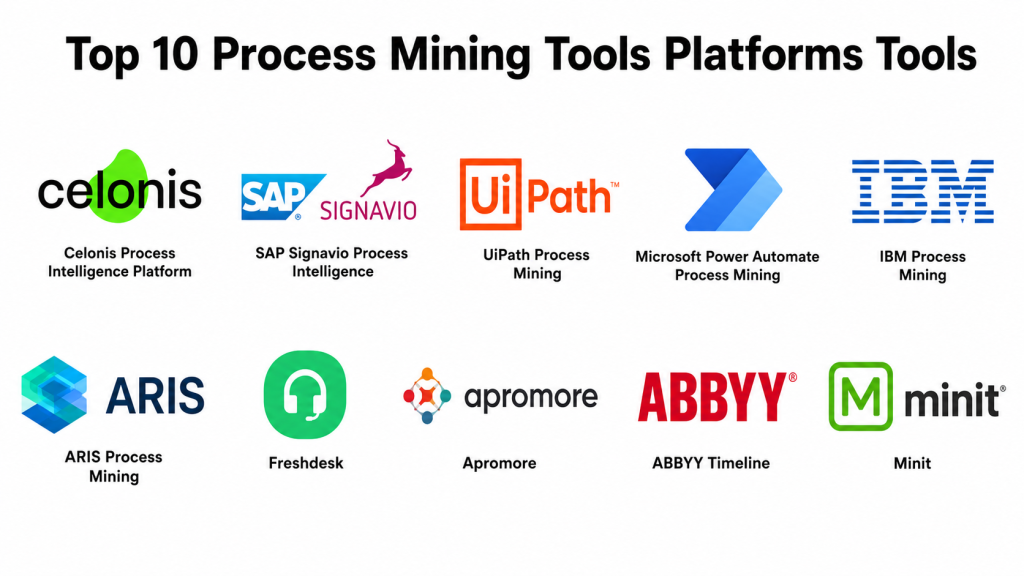
Top 10 Process Mining Tools Platforms Tools
#1 — Celonis Process Intelligence Platform
Short description: Celonis is a leading process mining and process intelligence platform used by large organizations to analyze, optimize, and improve business processes. It is best for enterprises that need deep process visibility across ERP, finance, procurement, supply chain, and operations.
Key Features
- Process mining and process discovery
- Process intelligence dashboards
- Root-cause analysis
- Conformance checking
- AI-assisted process improvement
- Automation opportunity discovery
- Enterprise system connectors
Pros
- Strong enterprise process intelligence capabilities.
- Good fit for ERP-heavy and transformation-focused organizations.
- Useful for identifying bottlenecks, deviations, and improvement opportunities.
Cons
- May be too advanced for small teams.
- Implementation requires strong data preparation and process ownership.
- Pricing and deployment scope should be reviewed carefully.
Platforms / Deployment
Web
Cloud / Hybrid
Security & Compliance
Celonis supports enterprise security and governance patterns, but specific details such as SSO/SAML, MFA, audit logs, RBAC, SOC 2, ISO 27001, GDPR, HIPAA, encryption, and data masking should be verified directly based on plan and deployment.
Integrations & Ecosystem
Celonis is strong for enterprise process data and transformation use cases.
- ERP systems
- Finance systems
- Procurement platforms
- Supply chain systems
- Service management tools
- Automation and AI workflows
Support & Community
Celonis provides documentation, enterprise support, training resources, partner services, and process transformation expertise. It is one of the strongest options for mature process intelligence programs.
#2 — SAP Signavio Process Intelligence
Short description: SAP Signavio Process Intelligence helps organizations mine, analyze, improve, and transform business processes. It is especially useful for SAP-centered companies, ERP transformation programs, finance, procurement, and business process management teams.
Key Features
- Process mining and analysis
- Process discovery
- Conformance checking
- SAP ecosystem integration
- Process modeling alignment
- AI-enhanced process transformation support
- Business process dashboards
Pros
- Strong fit for SAP-heavy organizations.
- Good connection between process mining and process modeling.
- Useful for ERP transformation and business process improvement.
Cons
- Best value appears in SAP-centered environments.
- Implementation may require process and SAP expertise.
- Smaller teams may find it too broad.
Platforms / Deployment
Web
Cloud / Hybrid
Security & Compliance
SAP Signavio is part of the SAP business transformation ecosystem. Specific details such as SSO/SAML, MFA, audit logs, RBAC, SOC 2, ISO 27001, GDPR, HIPAA, encryption, and data governance should be verified directly based on subscription and deployment.
Integrations & Ecosystem
SAP Signavio works well where process mining must connect with SAP transformation and enterprise process management.
- SAP systems
- ERP processes
- Finance workflows
- Procurement workflows
- Process modeling tools
- Business transformation suites
Support & Community
SAP provides enterprise support, documentation, partner expertise, and process transformation services. It is especially strong for organizations already using SAP systems and business process management practices.
#3 — UiPath Process Mining
Short description: UiPath Process Mining helps organizations discover how processes work, identify bottlenecks, and find automation opportunities. It is best for teams that want process mining connected with RPA, workflow automation, task mining, and enterprise automation programs.
Key Features
- Process discovery
- Bottleneck and root-cause analysis
- Automation opportunity discovery
- Process dashboards
- Integration with UiPath automation ecosystem
- Event log analysis
- Process monitoring
Pros
- Strong connection between process mining and RPA.
- Useful for automation teams looking for measurable opportunities.
- Good fit for organizations already using UiPath.
Cons
- Best value appears inside the UiPath ecosystem.
- Data preparation still requires effort.
- May not be the first choice for teams without automation goals.
Platforms / Deployment
Web / Windows
Cloud / Hybrid
Security & Compliance
UiPath Process Mining follows UiPath enterprise security and governance patterns. Specific details such as SSO/SAML, MFA, audit logs, RBAC, SOC 2, ISO 27001, GDPR, HIPAA, encryption, and data access controls should be verified directly based on plan and deployment.
Integrations & Ecosystem
UiPath Process Mining fits naturally into automation lifecycle programs.
- UiPath RPA
- Task mining tools
- ERP systems
- Finance applications
- Service systems
- Automation workflows
Support & Community
UiPath provides documentation, academy-style training, community forums, partner support, and enterprise support options. It is a strong choice for organizations connecting process intelligence with automation delivery.
#4 — Microsoft Power Automate Process Mining
Short description: Microsoft Power Automate Process Mining helps teams discover, visualize, and improve business processes using data from business systems. It is useful for Microsoft-centered organizations that want process mining connected with workflow automation and Power Platform.
Key Features
- Process discovery
- Process maps and analytics
- Bottleneck identification
- Root-cause analysis
- Power Platform integration
- Automation opportunity insights
- Business process monitoring
Pros
- Strong fit for Microsoft-centered organizations.
- Useful connection with Power Automate and Power Platform.
- Good for teams already using Microsoft tools for workflow automation.
Cons
- Best value appears inside the Microsoft ecosystem.
- Advanced process mining depth should be compared carefully with specialist tools.
- Licensing and environment setup need review.
Platforms / Deployment
Web / Windows
Cloud
Security & Compliance
Microsoft Power Automate Process Mining benefits from Microsoft security, identity, and governance controls. Specific details such as SSO/SAML, MFA, audit logs, RBAC, SOC 2, ISO 27001, GDPR, HIPAA, and encryption should be verified through Microsoft licensing, tenant configuration, and compliance documentation.
Integrations & Ecosystem
Microsoft Process Mining works well with Microsoft business apps and automation workflows.
- Power Automate
- Power BI
- Dataverse
- Microsoft 365
- Dynamics 365
- Azure services
Support & Community
Microsoft provides documentation, training, community forums, partner support, and enterprise support options. It is practical for businesses already standardized on Microsoft tools.
#5 — IBM Process Mining
Short description: IBM Process Mining helps organizations discover, analyze, and improve business processes using event data. It is suitable for enterprises that want process mining connected with automation, business operations, and IBM’s broader automation ecosystem.
Key Features
- Process discovery and visualization
- Conformance checking
- Root-cause analysis
- Automation opportunity identification
- Process simulation
- Business process analytics
- Integration with automation workflows
Pros
- Strong fit for IBM-centered enterprise environments.
- Useful for connecting process mining with business automation.
- Good for operational improvement and transformation teams.
Cons
- May be too enterprise-focused for smaller teams.
- Best value appears with IBM automation ecosystem alignment.
- Buyers should verify current product packaging and deployment needs.
Platforms / Deployment
Web
Cloud / Hybrid
Security & Compliance
IBM Process Mining supports enterprise deployment and governance patterns. Specific details such as SSO/SAML, MFA, audit logs, RBAC, SOC 2, ISO 27001, GDPR, HIPAA, encryption, and data governance should be verified directly based on deployment and plan.
Integrations & Ecosystem
IBM Process Mining is useful when process insights must connect with enterprise automation and business operations.
- IBM automation tools
- ERP systems
- Business applications
- Workflow systems
- Databases
- APIs
Support & Community
IBM provides enterprise documentation, support, consulting, and partner services. It is a strong option for organizations already working with IBM automation and transformation solutions.
#6 — ARIS Process Mining
Short description: ARIS Process Mining, from Software AG, helps organizations analyze real process execution and connect process mining with process modeling, governance, and business transformation. It is best for teams that already use ARIS for business process management or enterprise architecture.
Key Features
- Process discovery
- Process conformance analysis
- Business process modeling alignment
- Root-cause analysis
- Process performance dashboards
- Governance support
- Enterprise process repository connection
Pros
- Strong link between process mining and process modeling.
- Good for process governance and enterprise architecture teams.
- Useful for organizations with formal BPM practices.
Cons
- Best value appears when ARIS is already part of the process landscape.
- May require BPM expertise.
- Smaller teams may find it more than they need.
Platforms / Deployment
Web
Cloud / Hybrid
Security & Compliance
ARIS Process Mining supports enterprise process management patterns, but specific security and compliance details such as SSO/SAML, MFA, audit logs, RBAC, SOC 2, ISO 27001, GDPR, HIPAA, and encryption should be verified directly.
Integrations & Ecosystem
ARIS Process Mining works well with process modeling and governance ecosystems.
- ARIS process modeling
- ERP systems
- BPM repositories
- Business process dashboards
- Enterprise architecture workflows
- Data integration tools
Support & Community
Software AG provides documentation, enterprise support, partner services, and business process expertise. It is suited for teams that treat process mining as part of broader process governance.
#7 — QPR ProcessAnalyzer
Short description: QPR ProcessAnalyzer is a process mining platform focused on process discovery, conformance checking, root-cause analysis, predictive analytics, dashboards, and compliance-oriented process improvement. It is useful for organizations that need strong analytical process insights.
Key Features
- Process discovery
- Conformance checking
- Root-cause analysis
- Predictive analytics
- Custom dashboards
- BPMN modeling support
- ETL and data preparation capabilities
Pros
- Strong analytical process mining capabilities.
- Good for compliance, risk, and root-cause analysis.
- Useful for organizations that need flexible dashboards and analysis.
Cons
- May require process analytics expertise.
- Enterprise implementation should be planned carefully.
- User experience should be evaluated against team skill level.
Platforms / Deployment
Web / Windows
Cloud / Self-hosted / Hybrid
Security & Compliance
QPR ProcessAnalyzer supports enterprise process analysis workflows, but specific security details such as SSO/SAML, MFA, audit logs, RBAC, SOC 2, ISO 27001, GDPR, HIPAA, encryption, and data masking should be verified directly.
Integrations & Ecosystem
QPR ProcessAnalyzer is useful for analytics-heavy process improvement and compliance programs.
- ERP systems
- Databases
- Business intelligence tools
- BPMN workflows
- ETL pipelines
- Compliance dashboards
Support & Community
QPR provides documentation, support, professional services, and process analysis expertise. It is practical for teams that want strong analytical process mining capability.
#8 — Apromore
Short description: Apromore is a process intelligence platform that combines process mining, task mining, process modeling, simulation, and monitoring. It is useful for organizations that want a no-code process mining experience with business-user-friendly analysis.
Key Features
- Process mining
- Task mining
- Process modeling
- Simulation
- Process monitoring
- Conformance checking
- No-code process analytics experience
Pros
- Good balance of usability and process intelligence depth.
- Useful for process improvement teams and consultants.
- Combines mining, modeling, simulation, and monitoring.
Cons
- Enterprise integration depth should be validated for specific systems.
- Advanced requirements may need implementation support.
- Buyers should compare fit against larger enterprise platforms.
Platforms / Deployment
Web
Cloud / Hybrid
Security & Compliance
Apromore supports process intelligence workflows, but specific security and compliance details such as SSO/SAML, MFA, audit logs, RBAC, SOC 2, ISO 27001, GDPR, HIPAA, encryption, and data governance should be verified directly.
Integrations & Ecosystem
Apromore fits process improvement environments where teams need discovery, analysis, simulation, and monitoring.
- ERP event logs
- Process models
- Task mining data
- Dashboards
- Business process tools
- Data import workflows
Support & Community
Apromore provides documentation, support, training resources, and process mining expertise. It is useful for teams seeking an approachable process intelligence platform.
#9 — ABBYY Timeline
Short description: ABBYY Timeline is a process intelligence and process mining tool used to discover, analyze, monitor, and improve business processes. It is especially useful for document-heavy processes, operational workflows, and process improvement programs.
Key Features
- Process discovery
- Process visualization
- Root-cause analysis
- Predictive analytics
- Process monitoring
- Document-centric process analysis
- Operational dashboards
Pros
- Useful for document-heavy process analysis.
- Good fit for operations and compliance workflows.
- Helps identify process patterns and bottlenecks.
Cons
- Fit should be validated for non-document-heavy use cases.
- Integration depth depends on data sources.
- Buyers should review current packaging and roadmap.
Platforms / Deployment
Web
Cloud / Hybrid
Security & Compliance
ABBYY Timeline supports business process analysis workflows, but specific details such as SSO/SAML, MFA, audit logs, RBAC, SOC 2, ISO 27001, GDPR, HIPAA, encryption, and data governance should be verified directly.
Integrations & Ecosystem
ABBYY Timeline works well where process mining connects with document workflows and operational systems.
- Document processing workflows
- ERP systems
- Business applications
- Operational data sources
- Analytics dashboards
- Compliance workflows
Support & Community
ABBYY provides documentation, enterprise support, partner services, and intelligent document processing expertise. It is suitable for teams analyzing document-rich processes.
#10 — Minit
Short description: Minit is a process mining tool that helps organizations analyze processes, discover inefficiencies, and improve operational performance. It is useful for business analysts, process improvement teams, and organizations that need practical process visibility.
Key Features
- Process discovery
- Process maps and analytics
- Bottleneck detection
- Performance dashboards
- Root-cause analysis
- Process variants analysis
- Business process improvement support
Pros
- Practical process mining and analytics features.
- Useful for teams starting process improvement initiatives.
- Helps visualize process variants and bottlenecks.
Cons
- Current packaging and platform direction should be verified.
- Enterprise feature depth should be compared with larger platforms.
- Integration requirements must be checked before purchase.
Platforms / Deployment
Web
Cloud / Hybrid
Security & Compliance
Minit supports process analytics workflows, but specific security and compliance details such as SSO/SAML, MFA, audit logs, RBAC, SOC 2, ISO 27001, GDPR, HIPAA, encryption, and data governance should be verified directly.
Integrations & Ecosystem
Minit fits teams that need process visibility across operational systems and event logs.
- ERP systems
- CRM systems
- Process event logs
- Dashboards
- Business intelligence workflows
- Automation discovery workflows
Support & Community
Minit provides process mining resources and support through its current product ecosystem. Buyers should verify the current support model, roadmap, and licensing details before selection.
Comparison Table
| Tool Name | Best For | Platform(s) Supported | Deployment | Standout Feature | Public Rating |
|---|---|---|---|---|---|
| Celonis Process Intelligence Platform | Enterprise process intelligence | Web | Cloud / Hybrid | AI-enabled process intelligence and transformation | N/A |
| SAP Signavio Process Intelligence | SAP and ERP transformation | Web | Cloud / Hybrid | Process mining connected with process modeling | N/A |
| UiPath Process Mining | Automation opportunity discovery | Web / Windows | Cloud / Hybrid | Process mining linked to RPA ecosystem | N/A |
| Microsoft Power Automate Process Mining | Microsoft-centered process improvement | Web / Windows | Cloud | Power Platform integration | N/A |
| IBM Process Mining | Enterprise automation and process analysis | Web | Cloud / Hybrid | Process mining connected with IBM automation | N/A |
| ARIS Process Mining | BPM and process governance teams | Web | Cloud / Hybrid | Process mining with process modeling alignment | N/A |
| QPR ProcessAnalyzer | Compliance and analytical process mining | Web / Windows | Cloud / Self-hosted / Hybrid | Advanced analytics and root-cause analysis | N/A |
| Apromore | No-code process intelligence | Web | Cloud / Hybrid | Mining, modeling, simulation, and monitoring | N/A |
| ABBYY Timeline | Document-heavy process analysis | Web | Cloud / Hybrid | Document-centric process intelligence | N/A |
| Minit | Practical process discovery and analysis | Web | Cloud / Hybrid | Process variants and bottleneck visibility | N/A |
Evaluation & Scoring of Process Mining Tools Platforms
| Tool Name | Core (25%) | Ease (15%) | Integrations (15%) | Security (10%) | Performance (10%) | Support (10%) | Value (15%) | Weighted Total (0–10) |
|---|---|---|---|---|---|---|---|---|
| Celonis Process Intelligence Platform | 10 | 7 | 10 | 9 | 9 | 9 | 6 | 8.65 |
| SAP Signavio Process Intelligence | 9 | 7 | 9 | 9 | 8 | 9 | 7 | 8.30 |
| UiPath Process Mining | 8 | 8 | 9 | 8 | 8 | 9 | 7 | 8.10 |
| Microsoft Power Automate Process Mining | 7 | 8 | 9 | 9 | 8 | 9 | 8 | 8.15 |
| IBM Process Mining | 8 | 7 | 8 | 9 | 8 | 9 | 7 | 8.00 |
| ARIS Process Mining | 8 | 7 | 8 | 8 | 8 | 8 | 7 | 7.75 |
| QPR ProcessAnalyzer | 8 | 7 | 8 | 8 | 8 | 8 | 8 | 7.90 |
| Apromore | 8 | 8 | 7 | 7 | 8 | 8 | 8 | 7.80 |
| ABBYY Timeline | 7 | 8 | 7 | 7 | 7 | 8 | 7 | 7.30 |
| Minit | 7 | 8 | 7 | 7 | 7 | 7 | 8 | 7.35 |
These scores are comparative and should be interpreted based on use case. Celonis, SAP Signavio, IBM, and ARIS are stronger for large enterprise transformation programs. UiPath is strong when process mining connects with automation. Microsoft Power Automate Process Mining fits Microsoft-centered teams. QPR and Apromore are strong analytical and process intelligence options. ABBYY Timeline is useful for document-heavy processes, while Minit can be practical for process discovery and bottleneck analysis.
Which Process Mining Tools Platform Is Right for You?
Solo / Freelancer
Solo consultants and freelancers usually need tools that are easier to learn and practical for client process analysis. Apromore, QPR ProcessAnalyzer, Minit, and lighter process mining options may be useful depending on access and licensing.
Choose Apromore if you want a no-code process intelligence experience. Choose QPR ProcessAnalyzer if analytical depth and compliance use cases matter. Choose Minit if practical process discovery and bottleneck analysis are the main needs.
SMB
Small and medium businesses should focus on tools that are easy to implement, connect to existing systems, and provide quick process visibility. Microsoft Power Automate Process Mining, Apromore, QPR ProcessAnalyzer, and UiPath Process Mining can fit different needs.
Choose Microsoft Power Automate Process Mining if your business already uses Microsoft tools. Choose UiPath Process Mining if automation discovery is a key goal. Choose Apromore if business users need a more approachable process intelligence experience.
Mid-Market
Mid-market organizations often need better dashboards, stronger integrations, process monitoring, task mining, and automation alignment. UiPath Process Mining, SAP Signavio, IBM Process Mining, ARIS Process Mining, Apromore, and QPR ProcessAnalyzer are practical options.
Choose SAP Signavio if SAP and process transformation are central. Choose ARIS if process modeling and governance matter. Choose UiPath if automation teams are already active. Choose QPR if analytics and compliance are important.
Enterprise
Enterprise buyers should prioritize scalability, security, system connectors, governance, process monitoring, executive dashboards, compliance, and transformation support. Celonis, SAP Signavio, IBM Process Mining, ARIS Process Mining, and UiPath Process Mining are strong enterprise options.
Choose Celonis for broad process intelligence and enterprise transformation. Choose SAP Signavio for SAP-centered process transformation. Choose IBM Process Mining if IBM automation is already part of your environment. Choose ARIS if process governance and modeling are central to your operating model.
Budget vs Premium
For budget-conscious teams, evaluate lighter tools, open process mining options, or entry-level packages where available. However, always consider data extraction, setup effort, consulting, connectors, and internal analyst time.
Premium platforms such as Celonis, SAP Signavio, IBM, and enterprise UiPath setups may cost more, but they provide stronger enterprise connectors, dashboards, governance, scalability, and transformation support.
Feature Depth vs Ease of Use
If ease of use matters most, Apromore, Microsoft Power Automate Process Mining, and some business-user-friendly dashboards may be easier starting points.
If feature depth matters more, Celonis, SAP Signavio, QPR ProcessAnalyzer, ARIS Process Mining, and IBM Process Mining offer stronger capabilities for large-scale process intelligence, conformance, analytics, and governance.
Integrations & Scalability
Process mining depends heavily on data access. Before choosing a platform, confirm connectors for ERP, CRM, ITSM, procurement, finance, HR, ticketing systems, data warehouses, and custom logs.
If you use SAP heavily, consider SAP Signavio or Celonis. If automation is central, consider UiPath. If Microsoft is your core environment, consider Power Automate Process Mining. If BPM governance is important, consider ARIS.
Security & Compliance Needs
Process mining tools often process sensitive operational data, including customer details, supplier records, employee actions, financial transactions, and service data. Review SSO, MFA, RBAC, audit logs, data masking, encryption, retention, data residency, and access approvals.
For regulated industries, include IT security, data governance, legal, compliance, and process owners before connecting production systems.
Frequently Asked Questions
What is process mining?
Process mining is a technique that analyzes event logs from business systems to show how processes actually run. It helps identify bottlenecks, rework, delays, deviations, and improvement opportunities.
How is process mining different from process mapping?
Process mapping shows how people think a process should work. Process mining shows how the process actually works based on real system data.
What data is needed for process mining?
Process mining usually needs event logs with a case ID, activity name, timestamp, and sometimes user, system, cost, region, status, or business attributes. Data quality strongly affects results.
Which process mining tool is best for enterprises?
Celonis, SAP Signavio, IBM Process Mining, ARIS Process Mining, and UiPath Process Mining are strong enterprise options. The best choice depends on ERP stack, automation strategy, process maturity, and security needs.
Which process mining tool is best for Microsoft users?
Microsoft Power Automate Process Mining is a practical choice for Microsoft-centered organizations, especially teams already using Power Platform, Power BI, Dataverse, Dynamics, or Microsoft 365.
Can process mining help with RPA?
Yes. Process mining can identify repetitive tasks, bottlenecks, high-volume variants, and automation opportunities. This helps RPA teams choose better automation candidates.
What are common process mining mistakes?
Common mistakes include using poor event data, ignoring process ownership, focusing only on dashboards, skipping root-cause analysis, failing to act on insights, and not connecting findings to improvement programs.
Is process mining secure?
Process mining can be secure when properly configured. Buyers should review access control, encryption, data masking, audit logs, data residency, retention policies, and governance processes.
How long does implementation take?
Implementation effort varies by tool, process complexity, data quality, system access, and stakeholder readiness. A small pilot can be faster, while enterprise-wide programs require more planning.
Can process mining work without ERP systems?
Yes. Process mining can work with many systems as long as there are usable event logs. CRM, ITSM, HR, procurement, workflow, support, and custom systems can also provide process data.
What is conformance checking?
Conformance checking compares the actual process flow against the expected or approved process model. It helps teams find policy violations, skipped steps, unauthorized changes, and process deviations.
What pricing factors should buyers check?
Buyers should check process scope, number of users, connectors, data volume, event logs, dashboards, AI features, support tier, deployment model, and implementation services.
Conclusion
Process mining tools help organizations move from assumptions to evidence-based process improvement. They show how work actually flows, where bottlenecks happen, which variants create delays, and where automation or redesign can deliver measurable value. The best platform depends on your business systems, process maturity, security needs, and improvement goals. Celonis is strong for enterprise process intelligence. SAP Signavio is practical for SAP-centered process transformation. UiPath Process Mining fits automation-focused teams. Microsoft Power Automate Process Mining is useful for Microsoft-centered organizations. IBM Process Mining supports enterprise automation alignment. ARIS Process Mining is strong for BPM governance. QPR ProcessAnalyzer is useful for analytics and compliance. Apromore provides approachable process intelligence. ABBYY Timeline fits document-heavy processes. Minit helps with practical process discovery and bottleneck analysis.
