Upgrade & Secure Your Future with DevOps, SRE, DevSecOps, MLOps!
We spend hours scrolling social media and waste money on things we forget, but won’t spend 30 minutes a day earning certifications that can change our lives.
Master in DevOps, SRE, DevSecOps & MLOps by DevOps School!
Learn from Guru Rajesh Kumar and double your salary in just one year.
Introduction
Search Engine Optimization Tools help businesses improve how their websites appear in search results. In simple words, these tools help teams research keywords, check website health, analyze competitors, track rankings, find backlink opportunities, improve content, and fix technical SEO issues.
SEO tools matter because organic search is still one of the most valuable long-term growth channels. Paid ads stop when the budget stops, but strong SEO can keep bringing visitors, leads, and customers over time. A good SEO platform helps teams make better decisions instead of guessing what people search for or why pages are not ranking.
Common use cases include keyword research, competitor analysis, website audits, backlink tracking, rank tracking, content optimization, technical SEO monitoring, and local SEO reporting.
Buyers should evaluate keyword database quality, site audit depth, backlink data, rank tracking accuracy, competitor insights, reporting, integrations, ease of use, pricing, and support.
Best for: SEO professionals, content marketers, agencies, SaaS companies, ecommerce brands, bloggers, founders, digital marketing teams, and enterprises managing search visibility.
Not ideal for: teams that do not publish content, websites with no SEO strategy, or businesses that only need simple website traffic reports without search optimization.
Key Trends in Search Engine Optimization (SEO) Tools
- AI-assisted SEO workflows are becoming common for keyword clustering, content briefs, topic research, internal linking ideas, and optimization suggestions.
- Search intent analysis is more important because ranking is not only about keywords; content must match what users actually want.
- Technical SEO monitoring is becoming essential as websites become larger, faster, more dynamic, and more dependent on JavaScript, CMS plugins, and structured data.
- Content quality and topical authority are now major focus areas for brands that want long-term organic visibility.
- SERP feature tracking is increasingly useful because search results include snippets, images, videos, local packs, shopping results, and AI-style summaries.
- Backlink quality matters more than backlink quantity because poor-quality links can waste effort and damage trust.
- Local SEO tools are growing as businesses need visibility across maps, listings, reviews, and location-based searches.
- SEO and content operations are merging as teams use tools for briefs, workflows, audits, updates, and performance reporting.
- Data integration is becoming more important because SEO teams need to connect search data with analytics, CRM, revenue, and content management systems.
- Automation is helping teams scale audits and reporting without manually checking every page, keyword, or backlink.
How We Selected These Tools
- Market recognition across SEO, keyword research, backlink analysis, rank tracking, technical audits, and content optimization.
- Feature completeness for keyword discovery, competitor research, site audits, reporting, backlink analysis, and rank tracking.
- Fit across freelancers, SMBs, agencies, ecommerce teams, content teams, and enterprises.
- Strength of data coverage for keywords, backlinks, domains, search visibility, and technical SEO.
- Ease of use for beginners and depth for experienced SEO teams.
- Integration options with analytics, search console data, CMS tools, reporting dashboards, and workflow systems.
- Reporting quality for clients, executives, and internal marketing teams.
- Support for local SEO, content SEO, technical SEO, and competitive research.
- Security and account governance features for teams and agencies.
- Overall value compared with pricing, learning curve, and business needs.
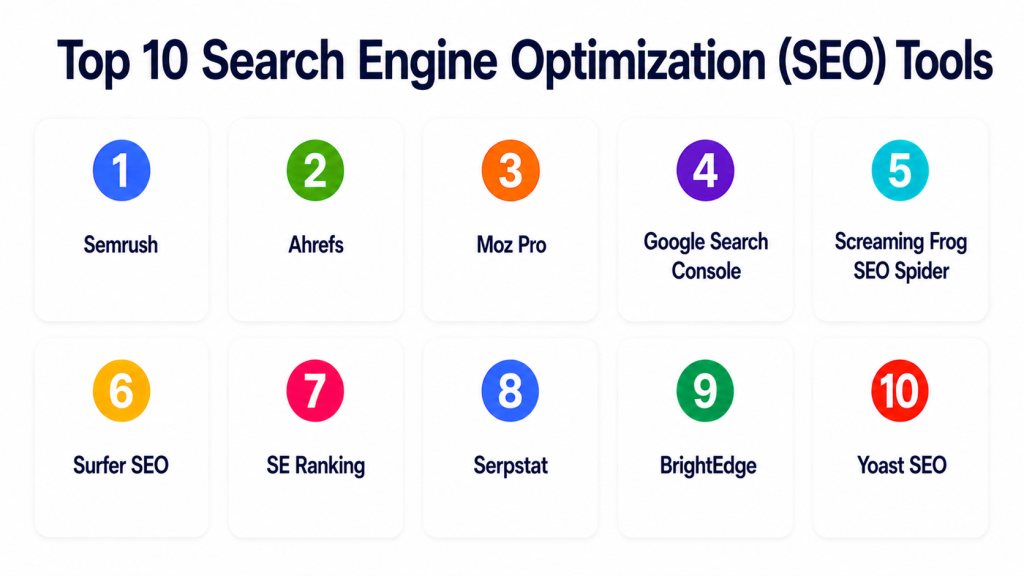
Top 10 Search Engine Optimization (SEO) Tools
#1 — Semrush
Short description: Semrush is an all-in-one SEO and digital marketing platform for keyword research, competitor analysis, rank tracking, backlink research, site audits, and content planning. It is best for agencies, marketing teams, ecommerce brands, and businesses that need broad SEO coverage.
Key Features
- Keyword research and keyword gap analysis.
- Competitor domain and traffic insights.
- Site audit and technical SEO checks.
- Backlink analytics and link building tools.
- Rank tracking and visibility reporting.
- Content optimization and topic research.
- PPC, social, and market research features.
Pros
- Strong all-in-one SEO feature set.
- Useful for agencies and multi-channel marketers.
- Good competitor research and reporting workflows.
Cons
- Can feel complex for beginners.
- Pricing may be high for small teams.
- Some advanced features require higher plans.
Platforms / Deployment
Web
Cloud
Security & Compliance
Supports account permissions, user management, and secure platform access. Specific certifications should be validated directly.
Integrations & Ecosystem
Semrush works well for teams that need SEO connected with content, advertising, and reporting workflows.
- Google Analytics workflows
- Search Console workflows
- Content marketing workflows
- PPC research
- Agency reporting
- CRM and reporting exports
Support & Community
Semrush provides documentation, academy-style learning, support resources, webinars, templates, and a large SEO community.
#2 — Ahrefs
Short description: Ahrefs is a powerful SEO toolset known for backlink analysis, keyword research, competitor research, rank tracking, and site auditing. It is best for SEO professionals, content marketers, agencies, and link-focused SEO teams.
Key Features
- Backlink analysis.
- Keyword research.
- Competitor research.
- Site audit features.
- Rank tracking.
- Content gap analysis.
- Content and domain research.
Pros
- Strong backlink and competitor research.
- Useful for content and link strategy.
- Clean interface for experienced SEO users.
Cons
- Pricing may be challenging for small users.
- Some beginners may need time to learn the workflow.
- Broader marketing features may be less extensive than some all-in-one suites.
Platforms / Deployment
Web
Cloud
Security & Compliance
Supports account controls and secure platform access. Specific certifications are not publicly stated here.
Integrations & Ecosystem
Ahrefs fits SEO teams focused on backlinks, keyword research, and competitor visibility.
- Search Console workflows
- Content research workflows
- Rank tracking
- Link building workflows
- Competitive analysis
- Reporting exports
Support & Community
Ahrefs provides documentation, tutorials, SEO education, product guides, and a strong SEO learning ecosystem.
#3 — Moz Pro
Short description: Moz Pro is an SEO platform for keyword research, rank tracking, site audits, backlink analysis, and page optimization. It is best for marketers, SMBs, agencies, and teams that want approachable SEO workflows.
Key Features
- Keyword research.
- Rank tracking.
- Site crawl and audit tools.
- Page optimization suggestions.
- Link research.
- Domain authority-style metrics.
- Custom reports.
Pros
- Good for beginners and intermediate SEO teams.
- Useful educational resources.
- Balanced SEO toolkit for everyday optimization.
Cons
- Some data depth may be lighter than specialist tools.
- Advanced agencies may need additional tools.
- Interface and workflows may feel simpler than enterprise SEO platforms.
Platforms / Deployment
Web
Cloud
Security & Compliance
Supports account security and user access controls. Specific certifications are not publicly stated here.
Integrations & Ecosystem
Moz Pro works well for practical SEO tracking and reporting workflows.
- Keyword research workflows
- Rank tracking
- Site audits
- Link research
- Client reporting
- Content optimization
Support & Community
Moz has strong educational content, documentation, community resources, support options, and long-standing SEO learning materials.
#4 — Google Search Console
Short description: Google Search Console is a free SEO tool from Google that helps website owners monitor indexing, search performance, technical issues, and page visibility. It is best for every website that wants direct search performance data.
Key Features
- Search performance reporting.
- Index coverage insights.
- Page experience signals.
- Sitemap submission.
- URL inspection.
- Search query and page data.
- Technical issue alerts.
Pros
- Free and directly connected to Google search data.
- Essential for indexing and performance monitoring.
- Useful for technical SEO troubleshooting.
Cons
- Limited competitor research.
- Limited keyword discovery beyond existing visibility.
- Reporting depth may require other tools.
Platforms / Deployment
Web
Cloud
Security & Compliance
Supports Google account security, property permissions, and verified website access controls. Specific certifications depend on Google account and service configuration.
Integrations & Ecosystem
Google Search Console works best as a core SEO data source connected with other reporting and analytics tools.
- Google Analytics workflows
- Looker Studio dashboards
- SEO audit tools
- CMS workflows
- Sitemap tools
- Technical SEO reports
Support & Community
Google provides documentation, help resources, community forums, and official webmaster guidance.
#5 — Screaming Frog SEO Spider
Short description: Screaming Frog SEO Spider is a desktop-based website crawler used for technical SEO audits. It is best for SEO professionals, agencies, developers, and technical teams that need deep crawl analysis.
Key Features
- Website crawling.
- Broken link detection.
- Metadata analysis.
- Redirect chain analysis.
- Canonical tag checks.
- Structured data checks.
- XML sitemap generation.
Pros
- Strong technical SEO crawl depth.
- Useful for auditing large and complex websites.
- Good for agencies and technical SEO specialists.
Cons
- Desktop tool requires local setup.
- Beginners may find the data overwhelming.
- Not an all-in-one keyword or backlink platform.
Platforms / Deployment
Windows / macOS / Linux
Desktop
Security & Compliance
Security depends on local system setup and user handling of crawl data. Specific certifications are not applicable by default.
Integrations & Ecosystem
Screaming Frog works well with SEO audit and technical analysis workflows.
- Google Analytics workflows
- Search Console workflows
- PageSpeed workflows
- Log file analysis
- XML sitemaps
- Technical SEO reporting
Support & Community
Screaming Frog provides documentation, guides, support resources, and a strong technical SEO user community.
#6 — Surfer SEO
Short description: Surfer SEO is a content optimization platform that helps teams create and improve SEO-focused content using keyword, SERP, and on-page signals. It is best for content teams, bloggers, agencies, and SEO writers.
Key Features
- Content editor.
- SERP-based content analysis.
- Keyword and topic suggestions.
- Content scoring.
- Brief creation.
- Internal linking support.
- AI-assisted content workflows.
Pros
- Strong for content optimization.
- Useful for writers and content teams.
- Helps align content with search intent and competitive pages.
Cons
- Not a full technical SEO platform.
- Over-optimization risk if users follow scores blindly.
- Best used with human editorial judgment.
Platforms / Deployment
Web
Cloud
Security & Compliance
Supports account access controls and secure platform use. Specific certifications are not publicly stated here.
Integrations & Ecosystem
Surfer SEO fits content operations and SEO writing workflows.
- Content briefs
- Writing workflows
- CMS publishing workflows
- Keyword planning
- Content audits
- AI writing tools
Support & Community
Surfer provides documentation, tutorials, support resources, templates, and learning content for SEO content teams.
#7 — SE Ranking
Short description: SE Ranking is an SEO platform for rank tracking, keyword research, competitor analysis, website audits, backlink monitoring, and agency reporting. It is best for SMBs, agencies, and teams looking for practical SEO coverage at a balanced cost.
Key Features
- Rank tracking.
- Keyword research.
- Website audit.
- Backlink monitoring.
- Competitor analysis.
- SEO reporting.
- Agency and client management features.
Pros
- Good balance of features and value.
- Useful for agencies and SMBs.
- Practical reporting and rank tracking workflows.
Cons
- Some data depth may vary compared with larger platforms.
- Advanced technical audits may require other tools.
- Enterprise users may need deeper customization.
Platforms / Deployment
Web
Cloud
Security & Compliance
Supports user controls, account permissions, and secure platform access. Specific certifications should be validated directly.
Integrations & Ecosystem
SE Ranking works well for SEO agencies, local businesses, and growing marketing teams.
- Rank tracking workflows
- Website audits
- Backlink monitoring
- Client reporting
- Competitor research
- Search analytics workflows
Support & Community
SE Ranking provides documentation, support resources, onboarding help, and learning materials for SEO teams.
#8 — Serpstat
Short description: Serpstat is an SEO platform for keyword research, competitor analysis, rank tracking, backlink analysis, and site audits. It is best for agencies, SMBs, and teams that need a broad SEO toolkit.
Key Features
- Keyword research.
- Competitor analysis.
- Rank tracking.
- Site audit.
- Backlink analysis.
- Keyword clustering.
- SEO reporting.
Pros
- Broad SEO feature set.
- Useful for agencies and smaller SEO teams.
- Good for keyword and competitor research workflows.
Cons
- Interface may take time to learn.
- Some databases may vary by market.
- Advanced users may pair it with other tools.
Platforms / Deployment
Web
Cloud
Security & Compliance
Supports account access and user controls. Specific certifications are not publicly stated here.
Integrations & Ecosystem
Serpstat fits teams needing keyword, competitor, and website audit workflows.
- SEO reporting
- Keyword clustering
- Rank tracking
- Site audits
- Backlink workflows
- Agency reports
Support & Community
Serpstat provides documentation, support, tutorials, and learning resources for SEO users.
#9 — BrightEdge
Short description: BrightEdge is an enterprise SEO and content performance platform for large organizations managing organic search across many pages, teams, markets, and campaigns. It is best for enterprise SEO teams and large content operations.
Key Features
- Enterprise SEO reporting.
- Content performance insights.
- Keyword and ranking analysis.
- Competitive research.
- SEO recommendations.
- Workflow and collaboration features.
- Executive reporting.
Pros
- Strong enterprise SEO platform.
- Useful for large teams and complex websites.
- Good for connecting SEO with content performance.
Cons
- Not ideal for small businesses.
- Pricing and implementation are enterprise-focused.
- Requires mature SEO processes to get full value.
Platforms / Deployment
Web
Cloud
Security & Compliance
Supports enterprise access controls, permissions, and workflow governance. Specific certifications should be validated directly.
Integrations & Ecosystem
BrightEdge works well for enterprise SEO programs that need scale and executive reporting.
- Enterprise analytics
- Content workflows
- Search performance tracking
- Competitive insights
- Executive dashboards
- Marketing operations workflows
Support & Community
BrightEdge provides enterprise support, onboarding, customer success resources, training, and strategic SEO guidance.
#10 — Yoast SEO
Short description: Yoast SEO is a popular SEO plugin for WordPress that helps users optimize pages, posts, metadata, readability, schema, and technical basics. It is best for bloggers, small businesses, publishers, and WordPress website owners.
Key Features
- On-page SEO analysis.
- Meta title and description controls.
- XML sitemap support.
- Schema markup support.
- Readability analysis.
- Internal linking suggestions on selected plans.
- WordPress content optimization.
Pros
- Easy for WordPress users.
- Good for basic on-page SEO guidance.
- Helpful for bloggers and small content teams.
Cons
- Limited outside WordPress.
- Not a full keyword, backlink, or competitor research platform.
- Users should avoid relying only on plugin scores.
Platforms / Deployment
Web / WordPress
Cloud / Plugin-based deployment
Security & Compliance
Security depends on WordPress setup, plugin updates, and hosting environment. Specific certifications are not applicable by default.
Integrations & Ecosystem
Yoast SEO fits WordPress content publishing and basic SEO optimization workflows.
- WordPress
- CMS publishing workflows
- XML sitemaps
- Schema markup
- Content editing
- Search appearance controls
Support & Community
Yoast provides documentation, learning resources, plugin support, and a large WordPress user community.
Comparison Table
| Tool Name | Best For | Platform(s) Supported | Deployment | Standout Feature | Public Rating |
|---|---|---|---|---|---|
| Semrush | All-in-one SEO and marketing research | Web | Cloud | Keyword, competitor, backlink, and audit toolkit | N/A |
| Ahrefs | Backlink and competitor research | Web | Cloud | Strong link and content research workflows | N/A |
| Moz Pro | Beginner-to-intermediate SEO teams | Web | Cloud | Approachable SEO toolkit and learning ecosystem | N/A |
| Google Search Console | Direct search performance monitoring | Web | Cloud | Search data from Google | N/A |
| Screaming Frog SEO Spider | Technical SEO audits | Windows, macOS, Linux | Desktop | Deep website crawling and technical audits | N/A |
| Surfer SEO | Content optimization | Web | Cloud | SERP-based content editor and optimization | N/A |
| SE Ranking | SMB and agency SEO workflows | Web | Cloud | Balanced rank tracking, audits, and reporting | N/A |
| Serpstat | Keyword and competitor research | Web | Cloud | Broad SEO toolkit for agencies and SMBs | N/A |
| BrightEdge | Enterprise SEO programs | Web | Cloud | Enterprise SEO and content performance platform | N/A |
| Yoast SEO | WordPress on-page SEO | Web, WordPress | Cloud, Plugin-based deployment | WordPress SEO guidance and metadata control | N/A |
Evaluation & Scoring of Search Engine Optimization (SEO) Tools
| Tool Name | Core (25%) | Ease (15%) | Integrations (15%) | Security (10%) | Performance (10%) | Support (10%) | Value (15%) | Weighted Total (0–10) |
|---|---|---|---|---|---|---|---|---|
| Semrush | 9 | 7 | 9 | 8 | 8 | 8 | 7 | 8.05 |
| Ahrefs | 9 | 7 | 8 | 8 | 8 | 8 | 7 | 7.90 |
| Moz Pro | 8 | 8 | 7 | 7 | 8 | 8 | 7 | 7.65 |
| Google Search Console | 7 | 8 | 8 | 8 | 8 | 7 | 10 | 8.00 |
| Screaming Frog SEO Spider | 8 | 6 | 8 | 7 | 9 | 7 | 9 | 7.75 |
| Surfer SEO | 8 | 8 | 7 | 7 | 8 | 7 | 8 | 7.65 |
| SE Ranking | 8 | 8 | 7 | 7 | 8 | 8 | 8 | 7.75 |
| Serpstat | 8 | 7 | 7 | 7 | 8 | 7 | 8 | 7.45 |
| BrightEdge | 9 | 6 | 8 | 9 | 8 | 9 | 6 | 7.80 |
| Yoast SEO | 7 | 9 | 7 | 7 | 8 | 8 | 9 | 7.85 |
These scores are comparative and should be used as a practical guide, not a fixed ranking. Semrush and Ahrefs are strong for broad SEO research. Google Search Console is essential for direct search data. Screaming Frog is excellent for technical audits. Surfer SEO supports content optimization, while BrightEdge fits enterprise SEO programs. Yoast SEO is practical for WordPress users.
Which Search Engine Optimization (SEO) Tools Tool Is Right for You?
Solo / Freelancer
Solo users usually need keyword research, basic site audits, content optimization, and simple reporting. They should avoid expensive enterprise tools unless they manage multiple clients.
Good options:
- Google Search Console for direct search visibility.
- Yoast SEO for WordPress optimization.
- SE Ranking for affordable all-round SEO.
- Surfer SEO for content optimization.
- Screaming Frog for technical checks.
SMB
SMBs need practical SEO tools that help with keyword discovery, site health, rankings, local visibility, and content planning.
Good options:
- Semrush for broad SEO and marketing research.
- SE Ranking for balanced SEO features and value.
- Moz Pro for approachable SEO workflows.
- Google Search Console for essential site data.
- Surfer SEO for content improvement.
Mid-Market
Mid-market teams often need competitor research, backlink analysis, content planning, technical audits, reporting, and collaboration.
Good options:
- Semrush for all-in-one SEO operations.
- Ahrefs for backlink and content research.
- Screaming Frog for technical SEO audits.
- SE Ranking for rank tracking and reporting.
- Serpstat for keyword and competitor workflows.
Enterprise
Enterprises need scale, governance, reporting, multiple users, workflow management, content performance, and large-site technical visibility.
Good options:
- BrightEdge for enterprise SEO programs.
- Semrush for broad SEO and competitive intelligence.
- Ahrefs for backlink and content research.
- Screaming Frog for technical crawl analysis.
- Google Search Console for direct search performance data.
Budget vs Premium
Budget-focused teams should start with free and lower-cost SEO tools before investing in enterprise platforms. Premium tools are better when SEO is a major growth channel and the team needs advanced data, workflows, and reporting.
Budget-friendly scenarios:
- Small blogs.
- Local business websites.
- WordPress sites.
- Basic content optimization.
- Simple rank tracking.
- Technical spot checks.
Premium scenarios:
- Agency SEO reporting.
- Large ecommerce websites.
- Enterprise content programs.
- Competitive backlink research.
- Multi-region keyword tracking.
- Large-scale technical audits.
Feature Depth vs Ease of Use
Ease of use matters when teams are new to SEO. Feature depth matters when teams manage large websites, multiple competitors, backlinks, technical issues, and complex reporting.
Choose ease of use when:
- You are new to SEO.
- You run a small website.
- You mainly need content guidance.
- You do not need deep competitor data.
Choose feature depth when:
- You manage many keywords.
- You need backlink analysis.
- You audit large websites.
- You manage client reports.
- You need competitor intelligence.
- You need enterprise-level workflows.
Integrations & Scalability
SEO tools become more valuable when connected with analytics, CMS, reporting, and content workflows.
Important integrations include:
- Search Console workflows
- Web analytics platforms
- CMS platforms
- Rank tracking tools
- Content planning systems
- Reporting dashboards
- Data exports
- Website crawlers
- Keyword research tools
- Agency reporting systems
Security & Compliance Needs
SEO tools often access website performance data, search data, analytics accounts, client reports, and team workspaces. Security should not be ignored.
Important checks include:
- Role-based access control.
- SSO/SAML.
- MFA.
- User permissions.
- Data export controls.
- Client account separation.
- Audit logs.
- Secure API access.
- Vendor security documentation.
- Account ownership controls.
Frequently Asked Questions
What are Search Engine Optimization Tools?
Search Engine Optimization Tools help businesses improve website visibility in search results through keyword research, site audits, backlink analysis, rank tracking, and content optimization.
Why do businesses need SEO tools?
Businesses need SEO tools to understand what people search for, fix website issues, monitor rankings, analyze competitors, and improve content performance.
What is the difference between keyword research and rank tracking?
Keyword research helps find search terms people use. Rank tracking monitors where your website appears for those keywords over time.
What pricing models are common?
Pricing may be based on users, projects, keyword limits, crawl limits, reports, backlink data, content features, or enterprise plans. Pricing varies by vendor.
What is the biggest mistake when choosing an SEO tool?
The biggest mistake is buying a tool without knowing your SEO goals. Keyword research, technical audits, local SEO, backlinks, and content optimization may need different tool strengths.
Do SEO tools guarantee rankings?
No. SEO tools provide data and recommendations, but rankings depend on content quality, technical health, competition, search intent, links, user experience, and search engine behavior.
Are free SEO tools enough?
Free tools can help with basic monitoring and technical checks. Growing teams usually need paid tools for deeper keyword data, competitor research, rank tracking, and reporting.
What is technical SEO?
Technical SEO focuses on website structure, crawlability, indexing, speed, redirects, metadata, schema, sitemaps, mobile usability, and other behind-the-scenes search factors.
What is backlink analysis?
Backlink analysis reviews websites linking to your pages. It helps teams understand authority, link quality, competitor link strategies, and link building opportunities.
Which SEO tool is best for WordPress?
Yoast SEO is popular for WordPress on-page optimization. However, WordPress users may still need tools like Google Search Console, Semrush, Ahrefs, or Screaming Frog for deeper SEO work.
What are alternatives to SEO tools?
Alternatives include manual search analysis, spreadsheets, analytics tools, CMS plugins, server logs, content audits, marketing reports, and custom dashboards.
How should a company start with SEO tools?
Start with Google Search Console, define target keywords, audit website health, review competitors, improve important pages, and track progress before buying multiple paid tools.
Conclusion
Search Engine Optimization Tools help businesses improve organic visibility, understand search demand, fix website issues, analyze competitors, and create better content. The best tool depends on your goals, budget, website size, team skill, and SEO maturity. Semrush and Ahrefs are strong for research and competitive analysis. Google Search Console is essential for direct search performance data. Screaming Frog is valuable for technical SEO. Surfer SEO helps with content optimization. SE Ranking, Serpstat, Moz Pro, BrightEdge, and Yoast SEO each serve different needs across SMB, agency, enterprise, and WordPress workflows.
