Upgrade & Secure Your Future with DevOps, SRE, DevSecOps, MLOps!
We spend hours scrolling social media and waste money on things we forget, but won’t spend 30 minutes a day earning certifications that can change our lives.
Master in DevOps, SRE, DevSecOps & MLOps by DevOps School!
Learn from Guru Rajesh Kumar and double your salary in just one year.
Introduction
Strategic Planning Tools are software solutions designed to help organizations define objectives, plan initiatives, allocate resources, and track progress toward goals. They provide a structured framework for decision-making, ensuring teams align on priorities and can measure performance effectively. Simply put, these tools help businesses translate vision into actionable plans.
In today’s competitive environment, organizations need agility and clarity in planning. Strategic Planning Tools enable executives and managers to anticipate market shifts, optimize resource allocation, and ensure cross-functional alignment. They are particularly critical for organizations managing multiple projects, business units, or complex growth initiatives.
Real-world use cases:
- Developing multi-year business strategies and roadmaps
- Allocating budgets and resources across departments
- Tracking key performance indicators (KPIs) and objectives
- Facilitating scenario planning and risk assessment
- Aligning teams across global offices or divisions
Key evaluation criteria for buyers:
- Goal-setting and KPI tracking capabilities
- Resource allocation and budgeting features
- Collaboration and workflow tools
- Reporting and analytics dashboards
- Integration with enterprise software
- Ease of use and learning curve
- Security and compliance
- Customization and flexibility
- Mobile accessibility
- Pricing and scalability
Best for: Strategy teams, executives, project managers, and mid-to-large organizations across industries like tech, healthcare, finance, and manufacturing
Not ideal for: Small teams or organizations with informal planning; spreadsheet-based tools may suffice
Key Trends in Strategic Planning Tools
- AI-assisted forecasting and scenario modeling for faster decision-making
- Automation of recurring planning workflows and reporting
- Cloud-first deployment with offline and mobile access for remote teams
- Integration with ERP, CRM, and project management platforms
- Interactive dashboards for real-time KPI monitoring
- Collaboration tools with workflow approvals and notifications
- Enhanced security including encryption, MFA, and audit trails
- Flexible subscription models with scalable user tiers
- Predictive analytics to identify risks and opportunities
- Cross-functional interoperability for multi-department planning
How We Selected These Tools (Methodology)
- Assessed market adoption and overall brand recognition
- Evaluated feature completeness including planning, analytics, and collaboration
- Reviewed performance and reliability through case studies and feedback
- Examined security and compliance posture
- Analyzed integrations with enterprise tools and API capabilities
- Considered user interface and onboarding ease
- Evaluated scalability for different organization sizes
- Assessed customer support and training resources
- Checked deployment flexibility: cloud, hybrid, or self-hosted
- Reviewed future-ready features such as AI and predictive analytics
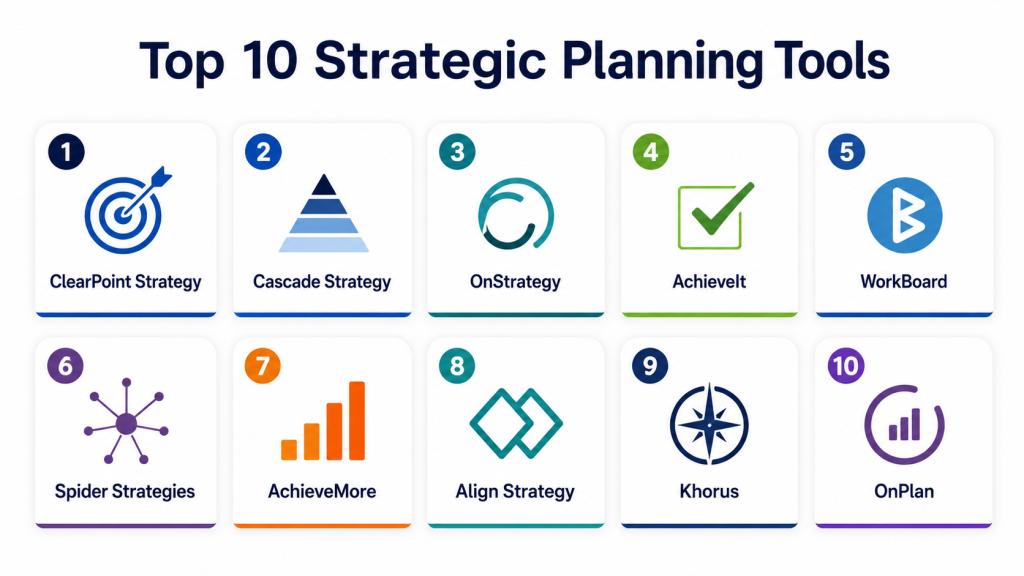
Top 10 Strategic Planning Tools
#1 — ClearPoint Strategy
Short description: ClearPoint Strategy helps organizations centralize strategic initiatives, track KPIs, and manage reporting. It is designed for strategy teams and executives seeking comprehensive alignment across multiple departments.
Key Features
- KPI and objective tracking
- Centralized project and initiative management
- Customizable dashboards and reports
- Automated reporting and alerts
- Collaboration workflows
- Scenario planning capabilities
- Mobile-friendly interface
Pros
- Strong reporting and KPI tracking
- Flexible customization for various industries
Cons
- Premium pricing for small teams
- Initial setup may require training
Platforms / Deployment
- Web / Windows / macOS / iOS / Android
- Cloud
Security & Compliance
- MFA, encryption
- SOC 2, Not publicly stated
Integrations & Ecosystem
- Microsoft Office
- Google Workspace
- Slack
- Project management tools
Support & Community
- Dedicated onboarding support
- Online knowledge base and webinars
#2 — Cascade Strategy
Short description: Cascade Strategy offers a comprehensive strategic planning platform that helps businesses define goals, track KPIs, and ensure accountability across teams.
Key Features
- Goal setting and KPI tracking
- Project alignment and task management
- Performance dashboards
- Workflow automation
- Collaboration tools
- Reporting and analytics
- Mobile access
Pros
- User-friendly interface
- Strong alignment and tracking capabilities
Cons
- Advanced analytics limited to higher tiers
- Some integrations may require technical setup
Platforms / Deployment
- Web / iOS / Android
- Cloud
Security & Compliance
- Encryption, MFA
- Not publicly stated
Integrations & Ecosystem
- Microsoft 365
- Slack
- Google Workspace
- Asana, Jira
Support & Community
- Email and chat support
- Knowledge base and tutorials
#3 — OnStrategy
Short description: OnStrategy is designed for organizations to develop and execute strategic plans with clear accountability. It enables leaders to track objectives, KPIs, and initiatives across the company.
Key Features
- Strategy mapping and planning
- KPI dashboards and reporting
- Task and initiative tracking
- Scenario planning
- Automated reminders and alerts
- Document management
- Mobile interface
Pros
- Streamlined execution of strategic plans
- Strong KPI visualization
Cons
- Setup may take time for large organizations
- Some advanced reporting requires additional configuration
Platforms / Deployment
- Web / iOS / Android
- Cloud
Security & Compliance
- Encryption, MFA
- Not publicly stated
Integrations & Ecosystem
- Microsoft Office
- Google Workspace
- Slack
- Jira, Trello
Support & Community
- Customer support via email
- Knowledge base and webinars
#4 — AchieveIt
Short description: AchieveIt helps organizations manage execution of strategic plans, track performance, and monitor initiatives in real-time, ideal for enterprise teams managing multiple projects.
Key Features
- Strategic plan tracking
- KPI dashboards and reporting
- Initiative management
- Automated alerts and notifications
- Collaboration and workflow tools
- Mobile-friendly interface
- Scenario modeling
Pros
- Strong performance monitoring
- Supports large enterprise planning
Cons
- Higher learning curve
- Premium pricing
Platforms / Deployment
- Web / iOS / Android
- Cloud
Security & Compliance
- MFA, encryption
- SOC 2, Not publicly stated
Integrations & Ecosystem
- Microsoft Office
- Google Workspace
- Slack
- Jira
Support & Community
- Dedicated onboarding support
- Webinars and online documentation
#5 — WorkBoard
Short description: WorkBoard is a platform for managing OKRs, strategic priorities, and operational plans. It helps executives align teams and measure progress toward key objectives.
Key Features
- OKR management and tracking
- Strategic initiative planning
- KPI dashboards
- Task and accountability management
- Automated reporting
- Mobile access
- Collaboration features
Pros
- Effective alignment for OKRs
- Strong progress monitoring
Cons
- Advanced features may be complex for small teams
- Integrations limited in basic plan
Platforms / Deployment
- Web / iOS / Android
- Cloud
Security & Compliance
- Encryption, MFA
- Not publicly stated
Integrations & Ecosystem
- Microsoft Office
- Slack
- Google Workspace
- Asana, Jira
Support & Community
- Email support
- Knowledge base and tutorials
#6 — Spider Strategies
Short description: Spider Strategies provides strategic planning and performance management tools for medium to large organizations, focusing on dashboards and KPI alignment.
Key Features
- KPI and goal tracking
- Performance dashboards
- Initiative and task tracking
- Reporting and analytics
- Collaboration workflows
- Mobile access
Pros
- Clear performance visualization
- Scalable for multiple teams
Cons
- User interface less modern
- Learning curve for new users
Platforms / Deployment
- Web / iOS / Android
- Cloud
Security & Compliance
- Encryption, MFA
- Not publicly stated
Integrations & Ecosystem
- Microsoft Office
- Google Workspace
- Slack
Support & Community
- Online tutorials
- Email support
#7 — AchieveMore
Short description: AchieveMore helps organizations plan, execute, and track strategic initiatives with dashboards and reporting tailored to enterprise needs.
Key Features
- Goal setting and KPI tracking
- Strategic initiative management
- Reporting dashboards
- Automated alerts
- Collaboration and workflow management
- Mobile-friendly interface
Pros
- Strong initiative tracking
- Easy collaboration
Cons
- Limited advanced analytics
- Premium pricing
Platforms / Deployment
- Web / iOS / Android
- Cloud
Security & Compliance
- MFA, encryption
- Not publicly stated
Integrations & Ecosystem
- Microsoft Office
- Google Workspace
- Slack
Support & Community
- Email support
- Knowledge base
#8 — Align Strategy
Short description: Align Strategy offers planning and execution tools for managing corporate objectives and aligning teams across multiple departments.
Key Features
- Strategic planning dashboards
- KPI tracking
- Initiative management
- Automated reporting
- Collaboration workflows
- Mobile access
Pros
- Strong team alignment features
- Simple dashboard interface
Cons
- Fewer integrations
- Less suitable for very large enterprises
Platforms / Deployment
- Web / iOS / Android
- Cloud
Security & Compliance
- Encryption, MFA
- Not publicly stated
Integrations & Ecosystem
- Microsoft Office
- Google Workspace
- Slack
Support & Community
- Tutorials and online support
- Email support
#9 — Khorus
Short description: Khorus helps executives and managers align strategic goals with operations, offering performance tracking and reporting for strategic initiatives.
Key Features
- Goal and KPI tracking
- Strategic initiative planning
- Reporting and dashboards
- Automated notifications
- Collaboration tools
- Mobile-friendly interface
Pros
- Executive-level visibility
- Strong KPI alignment
Cons
- Advanced features require onboarding
- Limited integrations for small teams
Platforms / Deployment
- Web / iOS / Android
- Cloud
Security & Compliance
- MFA, encryption
- Not publicly stated
Integrations & Ecosystem
- Microsoft Office
- Google Workspace
- Slack
Support & Community
- Email and chat support
- Knowledge base
#10 — OnPlan
Short description: OnPlan provides end-to-end strategic planning and performance tracking tools, ideal for organizations managing multiple initiatives across teams.
Key Features
- KPI and objective tracking
- Initiative management
- Collaboration and workflow tools
- Reporting dashboards
- Automated notifications
- Mobile access
Pros
- Intuitive interface
- Scalable for multiple teams
Cons
- Limited advanced analytics
- Fewer integrations than larger platforms
Platforms / Deployment
- Web / iOS / Android
- Cloud
Security & Compliance
- MFA, encryption
- Not publicly stated
Integrations & Ecosystem
- Microsoft Office
- Google Workspace
- Slack
Support & Community
- Email support
- Tutorials and webinars
Comparison Table (Top 10)
| Tool Name | Best For | Platform(s) Supported | Deployment | Standout Feature | Public Rating |
|---|---|---|---|---|---|
| ClearPoint Strategy | Enterprise strategy teams | Web / Windows / macOS / iOS / Android | Cloud | KPI tracking and dashboards | N/A |
| Cascade Strategy | Mid-market & enterprise | Web / iOS / Android | Cloud | Goal alignment and reporting | N/A |
| OnStrategy | Corporate strategy teams | Web / iOS / Android | Cloud | Initiative tracking | N/A |
| AchieveIt | Enterprise multi-team tracking | Web / iOS / Android | Cloud | Real-time performance monitoring | N/A |
| WorkBoard | OKR and operational alignment | Web / iOS / Android | Cloud | OKR management | N/A |
| Spider Strategies | Medium to large organizations | Web / iOS / Android | Cloud | Performance dashboards | N/A |
| AchieveMore | Enterprise initiative tracking | Web / iOS / Android | Cloud | Initiative execution tracking | N/A |
| Align Strategy | Team alignment and planning | Web / iOS / Android | Cloud | Team alignment features | N/A |
| Khorus | Executive goal tracking | Web / iOS / Android | Cloud | KPI alignment | N/A |
| OnPlan | Multi-team strategic tracking | Web / iOS / Android | Cloud | End-to-end planning and reporting | N/A |
Evaluation & Scoring of Strategic Planning Tools
| Tool Name | Core (25%) | Ease (15%) | Integrations (15%) | Security (10%) | Performance (10%) | Support (10%) | Value (15%) | Weighted Total (0–10) |
|---|---|---|---|---|---|---|---|---|
| ClearPoint Strategy | 9 | 8 | 8 | 8 | 9 | 8 | 7 | 8.4 |
| Cascade Strategy | 8 | 8 | 7 | 8 | 8 | 7 | 7 | 7.8 |
| OnStrategy | 8 | 7 | 7 | 8 | 8 | 7 | 7 | 7.7 |
| AchieveIt | 9 | 7 | 8 | 8 | 9 | 8 | 7 | 8.2 |
| WorkBoard | 8 | 8 | 7 | 8 | 8 | 7 | 7 | 7.8 |
| Spider Strategies | 7 | 7 | 6 | 7 | 7 | 7 | 7 | 7.0 |
| AchieveMore | 7 | 8 | 6 | 7 | 7 | 7 | 7 | 7.2 |
| Align Strategy | 7 | 8 | 6 | 7 | 7 | 7 | 7 | 7.1 |
| Khorus | 8 | 7 | 7 | 8 | 8 | 7 | 7 | 7.7 |
| OnPlan | 8 | 7 | 7 | 8 | 8 | 7 | 7 | 7.7 |
Interpretation: Scores provide a comparative view of feature set, usability, integrations, security, performance, support, and value. Higher weighted totals indicate stronger overall suitability for strategic planning needs.
Which Strategic Planning Tool Is Right for You?
Solo / Freelancer
Tools like Cascade Strategy Lite or OnPlan are sufficient for individual consultants or small teams managing a few strategic initiatives.
SMB
ClearPoint Strategy, WorkBoard, and OnStrategy provide mid-market companies with the necessary KPI tracking, reporting, and collaboration features.
Mid-Market
AchieveIt, Khorus, and AchieveMore offer advanced analytics, dashboards, and initiative tracking for organizations managing multiple departments.
Enterprise
ClearPoint Strategy, AchieveIt, and OnStrategy Premium editions provide comprehensive strategic alignment, multi-team tracking, and workflow automation.
Budget vs Premium
Lite or mid-tier plans are suitable for cost-conscious teams. Premium editions offer advanced analytics, AI forecasting, and enterprise-grade reporting.
Feature Depth vs Ease of Use
Simple dashboards like OnPlan or Align Strategy are easier to adopt, while premium tools offer deeper analytics and customization for complex organizations.
Integrations & Scalability
Enterprise organizations should prioritize tools with broad integrations (Microsoft Office, Google Workspace, Slack, Jira) to scale across multiple teams.
Security & Compliance Needs
Organizations handling sensitive financial or operational data should select platforms with encryption, MFA, and SOC 2 compliance.
Frequently Asked Questions (FAQs)
1. How are pricing models structured?
Most tools offer subscription-based pricing with tiers depending on users, features, and reporting requirements.
2. What is the typical onboarding process?
Onboarding usually includes account setup, importing data, role assignment, and training sessions.
3. Can I migrate existing strategic plans into these tools?
Yes, most platforms allow CSV imports or API-based integrations to migrate existing plans.
4. Are these tools mobile-friendly?
Yes, most support iOS and Android with offline access for teams on the go.
5. What integrations are available?
Common integrations include Microsoft Office, Google Workspace, Slack, Jira, and project management tools.
6. How scalable are these platforms?
Premium tools can support large teams, multiple departments, and complex organizational structures.
7. Can the platform handle multiple simultaneous initiatives?
Yes, dashboards and reporting tools allow tracking of multiple initiatives simultaneously.
8. Are analytics features included?
Yes, all top tools provide KPI dashboards, progress tracking, and performance insights.
9. How are tasks and workflow managed?
Platforms include task assignment, notifications, alerts, and workflow approvals to ensure accountability.
10. What common mistakes should organizations avoid?
Avoid skipping training, underutilizing reporting features, and selecting tools incompatible with existing systems.
Conclusion
Strategic Planning Tools help organizations align teams, track objectives, and execute initiatives efficiently. The “best” platform depends on team size, industry, and organizational complexity. Small teams may benefit from OnPlan or Align Strategy, mid-market companies from WorkBoard or Cascade Strategy, and enterprise organizations from ClearPoint Strategy or AchieveIt. Evaluate features, integrations, security, and reporting capabilities before adoption.
