Upgrade & Secure Your Future with DevOps, SRE, DevSecOps, MLOps!
We spend hours scrolling social media and waste money on things we forget, but won’t spend 30 minutes a day earning certifications that can change our lives.
Master in DevOps, SRE, DevSecOps & MLOps by DevOps School!
Learn from Guru Rajesh Kumar and double your salary in just one year.
Introduction
Desktop publishing software helps users design professional documents by combining text, images, graphics, tables, typography, page layouts, and print-ready formatting in one workspace. It is used to create brochures, magazines, catalogs, books, newsletters, posters, flyers, reports, menus, packaging layouts, and branded marketing materials.
Desktop publishing matters now because businesses need high-quality content for both print and digital channels. Teams want faster design workflows, reusable templates, brand control, AI-assisted layout help, cloud collaboration, and strong export options such as PDF, print-ready files, web graphics, and interactive documents.
Common real-world use cases include:
- Brochures, flyers, and posters
- Magazines, newsletters, and catalogs
- Books, manuals, and reports
- Brand templates and marketing collateral
- Print-ready files for professional publishing
Buyers should evaluate:
- Layout and typography control
- Print-ready export quality
- Template and brand asset management
- Collaboration features
- File format support
- Ease of use
- Performance with large documents
- Pricing model
- Security and admin controls
- Integration with design tools
Best for: graphic designers, publishers, marketing teams, agencies, print shops, education teams, nonprofits, authors, corporate communications teams, and businesses that need polished documents.
Not ideal for: users who only need simple social media posts, quick one-page documents, or basic word processing. In those cases, a document editor or lightweight design tool may be easier.
Key Trends in Desktop Publishing Software
- AI-assisted layout and design are becoming more useful for resizing content, suggesting layouts, improving images, and creating quick design variations.
- Cloud collaboration is now important because marketing, content, design, and approval teams often work remotely.
- Brand consistency tools are becoming more valuable, especially for teams that need locked templates, approved colors, fonts, and logos.
- Print plus digital publishing is now standard, so tools must support PDF, web, social, interactive formats, and print-ready exports.
- Template-driven workflows are growing because non-designers need to create polished content without starting from scratch.
- Automation and data publishing are becoming important for catalogs, price lists, product sheets, and recurring reports.
- Security expectations are higher, especially for enterprises handling confidential brand, financial, legal, or product documents.
- Subscription pricing continues to dominate, but one-time purchase and open-source options still matter for budget-conscious users.
- Integration with creative suites is a key factor because publishing work often depends on images, vector graphics, fonts, cloud storage, and review workflows.
- Accessibility and compliance-ready PDFs are becoming more important for public-facing documents and corporate communication.
How We Selected These Tools
The tools below were selected using practical buyer-focused criteria:
- Market adoption and recognition in publishing, design, and marketing teams
- Strength of page layout, typography, print setup, and export features
- Fit across freelancers, SMBs, agencies, education, publishers, and enterprises
- Support for professional PDF and print workflows
- Ease of use for both designers and non-designers
- Collaboration and template management capabilities
- Integration with creative, storage, and productivity ecosystems
- Reliability when handling long documents and complex layouts
- Availability across desktop, web, and cloud-based workflows
- Overall value compared with feature depth and target audience
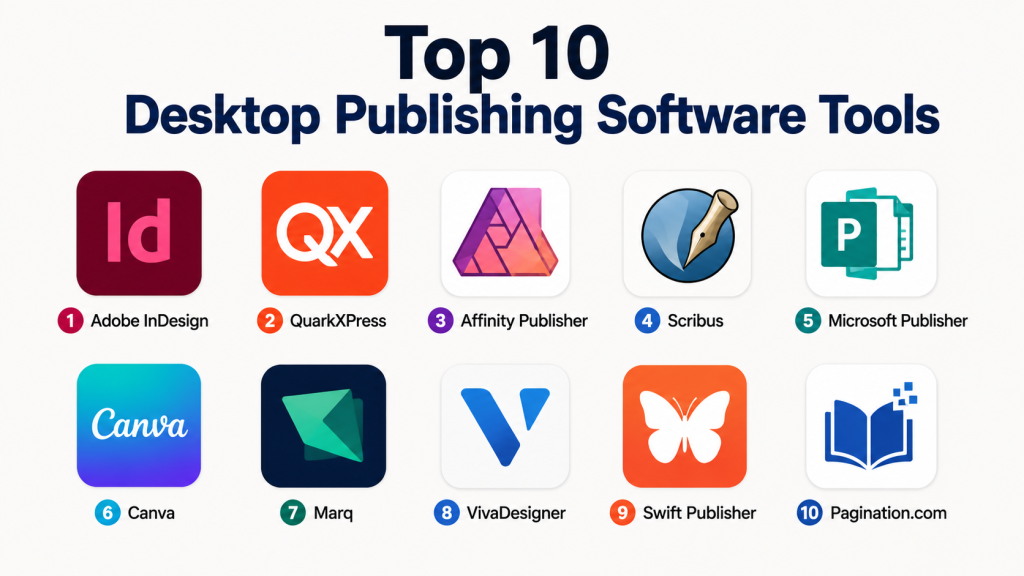
Top 10 Desktop Publishing Software Tools
#1 — Adobe InDesign
Short description: Adobe InDesign is a professional desktop publishing tool used for magazines, books, brochures, catalogs, reports, and print-ready layouts. It is best for professional designers, agencies, publishers, and enterprise creative teams that need deep layout control.
Key Features
- Advanced page layout and typography tools
- Strong support for long documents and multi-page publishing
- Professional print-ready PDF export
- Master pages, grids, styles, and layout controls
- Integration with Adobe Photoshop and Illustrator
- Interactive PDF and digital publishing options
- Strong support for books, catalogs, and editorial workflows
Pros
- Excellent for professional publishing and complex layouts
- Strong typography, style, and page management features
- Mature ecosystem with training, templates, and creative integrations
Cons
- Subscription pricing may be costly for occasional users
- Learning curve can be high for beginners
- May feel too advanced for simple marketing documents
Platforms / Deployment
Windows / macOS
Cloud / Desktop
Security & Compliance
Adobe enterprise plans commonly include security and admin features such as identity management and access controls. Specific compliance details vary by plan.
SOC 2, ISO 27001, HIPAA: Not publicly stated for InDesign specifically.
Integrations & Ecosystem
Adobe InDesign works best inside the Adobe Creative Cloud ecosystem and is widely used in professional creative production.
- Adobe Photoshop
- Adobe Illustrator
- Adobe Acrobat
- Creative Cloud Libraries
- Font management workflows
- Print and publishing workflows
Support & Community
Adobe offers extensive documentation, tutorials, community forums, professional training resources, and enterprise support options. The community is very strong because InDesign is widely used in publishing and design.
#2 — QuarkXPress
Short description: QuarkXPress is a professional publishing and page layout tool used for print, digital publishing, brochures, magazines, books, and marketing documents. It is suitable for experienced publishing teams that need strong layout and typography control.
Key Features
- Professional page layout tools
- Strong typography and style management
- Print-ready PDF output
- Digital publishing support
- Image and vector handling
- Long-document publishing features
- Support for complex editorial layouts
Pros
- Strong professional publishing heritage
- Good for print and digital publishing workflows
- Offers deep layout control for experienced users
Cons
- Smaller ecosystem compared with Adobe InDesign
- Learning curve may be high for new users
- Collaboration features may not be as strong as cloud-first tools
Platforms / Deployment
Windows / macOS
Desktop
Security & Compliance
Not publicly stated.
Integrations & Ecosystem
QuarkXPress supports professional publishing workflows and file exchange with common design and print formats.
- PDF workflows
- Print production workflows
- Image editing workflows
- Typography workflows
- Digital publishing outputs
- Editorial design workflows
Support & Community
Quark provides documentation, customer support, and learning resources. The community is smaller than Adobe’s but still relevant among professional publishing users.
#3 — Affinity Publisher
Short description : Affinity Publisher is a professional page layout and desktop publishing tool for brochures, magazines, books, reports, and marketing content. It is popular with freelancers, small agencies, and designers who want strong publishing features at good value.
Key Features
- Professional page layout tools
- Master pages, grids, guides, and styles
- Strong typography controls
- PDF export for print and digital use
- Integration with Affinity Designer and Affinity Photo workflows
- Support for multi-page documents
- Clean and modern interface
Pros
- Strong value for professional publishing
- Good performance and user-friendly interface
- Works well with the wider Affinity creative workflow
Cons
- Smaller enterprise ecosystem compared with Adobe
- Some advanced publishing workflows may need workarounds
- Collaboration features are limited compared with cloud-based platforms
Platforms / Deployment
Windows / macOS
Desktop
Security & Compliance
Not publicly stated.
Integrations & Ecosystem
Affinity Publisher connects well with Affinity’s creative applications and common print/design workflows.
- Affinity Designer
- Affinity Photo
- PDF export
- Image and vector workflows
- Font workflows
- Print production workflows
Support & Community
Affinity has strong documentation, tutorials, community forums, and a growing user base among independent designers and small creative teams.
#4 — Scribus
Short description : Scribus is a free and open-source desktop publishing tool for users who need page layout, PDF creation, newsletters, books, brochures, and print documents without paid licensing. It is useful for students, nonprofits, small teams, and open-source users.
Key Features
- Free and open-source desktop publishing
- Page layout and typography tools
- PDF export support
- Color management features
- Master pages and styles
- Cross-platform availability
- Useful for print-focused documents
Pros
- Free to use
- Good for budget-conscious users
- Cross-platform and open-source
Cons
- Interface may feel less polished than commercial tools
- Learning curve can still be challenging
- Collaboration and cloud features are limited
Platforms / Deployment
Windows / macOS / Linux
Desktop / Self-hosted not applicable
Security & Compliance
Not publicly stated.
Integrations & Ecosystem
Scribus works best for open-source publishing workflows and print document creation.
- PDF workflows
- Font workflows
- Open-source design tools
- Image editing workflows
- Print production workflows
- Linux creative workflows
Support & Community
Scribus has documentation and community support. It is not as commercially supported as premium tools, but the open-source community provides useful learning resources.
#5 — Microsoft Publisher
Short description : Microsoft Publisher is a desktop publishing tool designed for simple business publications such as flyers, newsletters, brochures, menus, and basic marketing materials. It is best for small businesses and office users who already work in the Microsoft ecosystem.
Key Features
- Simple page layout tools
- Business templates for flyers, brochures, and newsletters
- Easy text and image placement
- Print-friendly document setup
- Familiar Microsoft-style interface
- Useful for office-based publishing tasks
- Basic design and formatting controls
Pros
- Easy for Microsoft Office users
- Good for simple business documents
- Useful for small teams that do not need advanced design software
Cons
- Less powerful than professional publishing tools
- Limited advanced typography and layout control
- Not ideal for high-end publishing or complex documents
Platforms / Deployment
Windows
Desktop
Security & Compliance
Security depends on the Microsoft account, device, and organization settings. Specific compliance for Publisher itself is not publicly stated.
Integrations & Ecosystem
Microsoft Publisher fits naturally into Microsoft-based office workflows.
- Microsoft Word
- Microsoft Excel
- Microsoft OneDrive
- Microsoft 365 workflows
- Office file workflows
- Printing workflows
Support & Community
Microsoft provides documentation and support resources. Community help is available, but Publisher has a smaller modern design community compared with dedicated professional tools.
#6 — Canva
Short description : Canva is a cloud-based design platform used for marketing materials, flyers, brochures, posters, presentations, social media content, and simple publishing workflows. It is best for non-designers, marketers, educators, and small businesses that need fast visual content.
Key Features
- Large library of templates
- Drag-and-drop design interface
- Brand kits and reusable assets
- Team collaboration features
- AI-assisted design tools
- Export options for print and digital formats
- Easy content resizing for multiple channels
Pros
- Very easy to use
- Strong template and brand workflow
- Useful for teams without full-time designers
Cons
- Not ideal for advanced print production
- Less layout control than professional desktop publishing tools
- Some assets and features depend on paid plans
Platforms / Deployment
Web / Windows / macOS / iOS / Android
Cloud
Security & Compliance
Canva offers business and enterprise controls, but exact compliance details vary by plan.
SOC 2, ISO 27001, HIPAA: Not publicly stated here.
Integrations & Ecosystem
Canva is useful for marketing, education, and content teams that need quick publishing workflows.
- Brand kits
- Cloud storage workflows
- Social media publishing workflows
- Presentation workflows
- Template libraries
- Team design workflows
Support & Community
Canva has strong help documentation, onboarding resources, templates, tutorials, and a large user community. Support options vary by plan.
#7 — Marq
Short description: Marq is a cloud-based brand templating and publishing platform used by marketing teams, sales teams, schools, franchises, and distributed organizations. It helps teams create on-brand brochures, flyers, reports, and marketing documents from controlled templates.
Key Features
- Brand-controlled templates
- Cloud-based document creation
- Team collaboration
- Approval and publishing workflows
- Asset management features
- Useful for distributed teams
- Print and digital export options
Pros
- Strong for brand consistency
- Good for non-design teams creating approved materials
- Useful for distributed businesses and marketing operations
Cons
- Less suitable for advanced illustration or complex editorial layout
- May not replace professional design tools for creative teams
- Best value depends on team size and template needs
Platforms / Deployment
Web
Cloud
Security & Compliance
Not publicly stated.
Integrations & Ecosystem
Marq fits marketing operations and brand management workflows.
- Brand asset workflows
- Template libraries
- Marketing team workflows
- Print-ready document workflows
- Approval workflows
- Cloud content workflows
Support & Community
Marq provides documentation, onboarding, and customer support options. Community strength is more business-focused than design-community focused.
#8 — VivaDesigner
Short description : VivaDesigner is a professional layout and publishing tool used for desktop publishing, corporate publishing, editorial design, and browser-based publishing workflows. It is suitable for organizations that need controlled publishing and layout flexibility.
Key Features
- Professional page layout tools
- Desktop and web publishing options
- Typography and style controls
- Multi-page document support
- Collaboration-oriented publishing workflows
- Print and PDF output support
- Corporate publishing capabilities
Pros
- Useful for controlled publishing environments
- Offers both desktop and web-oriented workflows
- Good for organizations with structured publishing needs
Cons
- Smaller market awareness than Adobe or Canva
- Learning resources may be less common
- May require evaluation for specific enterprise workflows
Platforms / Deployment
Windows / macOS / Linux / Web
Hybrid
Security & Compliance
Not publicly stated.
Integrations & Ecosystem
VivaDesigner supports structured publishing workflows, especially where organizations need controlled access and multi-user publishing.
- PDF workflows
- Corporate publishing workflows
- Browser-based publishing
- Editorial workflows
- Layout automation workflows
- Print production workflows
Support & Community
Support and documentation are available, but community visibility is smaller compared with mainstream design tools. Best suited for teams willing to evaluate it carefully.
#9 — Swift Publisher
Short description : Swift Publisher is a macOS desktop publishing tool for flyers, brochures, newsletters, labels, booklets, and small business marketing materials. It is best for Mac users who need affordable publishing software without enterprise complexity.
Key Features
- Page layout and design tools
- Templates for business and personal publishing
- Text, image, and shape editing
- Print-ready document creation
- Labels and booklet design support
- macOS-focused interface
- PDF export options
Pros
- Easy for Mac users
- Affordable for small publishing tasks
- Good for flyers, brochures, and simple print materials
Cons
- macOS-only
- Not ideal for enterprise publishing
- Less advanced than InDesign or QuarkXPress
Platforms / Deployment
macOS
Desktop
Security & Compliance
Not publicly stated.
Integrations & Ecosystem
Swift Publisher fits simple Mac-based publishing workflows.
- macOS printing workflows
- PDF export
- Image placement workflows
- Font workflows
- Small business publishing
- Home and education publishing
Support & Community
Support resources and documentation are available. Community size is smaller than larger publishing platforms, but the tool is straightforward for its target users.
#10 — Pagination.com
Short description: Pagination.com is a data-driven publishing tool used to automate catalogs, price lists, product sheets, and recurring documents. It is best for businesses that need to generate structured publications from data sources instead of manually designing every page.
Key Features
- Data-driven document generation
- Catalog and price list automation
- Template-based publishing
- Spreadsheet and database-style workflows
- PDF output support
- Useful for recurring documents
- Reduces manual layout work for structured content
Pros
- Strong for catalog automation
- Saves time for repeated publishing tasks
- Useful for product-heavy businesses
Cons
- Not a general-purpose creative design tool
- Setup requires structured data and templates
- Less useful for one-off creative layouts
Platforms / Deployment
Web
Cloud
Security & Compliance
Not publicly stated.
Integrations & Ecosystem
Pagination.com fits businesses that publish structured data-heavy documents.
- Product data workflows
- Spreadsheet-based workflows
- Catalog publishing
- Price list creation
- PDF production
- Template automation workflows
Support & Community
Support and onboarding are important because setup depends on data structure and publishing requirements. Community strength is more niche compared with mainstream design platforms.
Comparison Table
| Tool Name | Best For | Platform(s) Supported | Deployment | Standout Feature | Public Rating |
|---|---|---|---|---|---|
| Adobe InDesign | Professional publishing and complex layouts | Windows, macOS | Cloud / Desktop | Advanced layout and typography control | N/A |
| QuarkXPress | Print and digital publishing teams | Windows, macOS | Desktop | Professional page layout heritage | N/A |
| Affinity Publisher | Freelancers and small creative teams | Windows, macOS | Desktop | Strong value for professional layout | N/A |
| Scribus | Free open-source publishing | Windows, macOS, Linux | Desktop | Open-source desktop publishing | N/A |
| Microsoft Publisher | Simple business publications | Windows | Desktop | Easy office-style publishing | N/A |
| Canva | Marketing and non-designer teams | Web, Windows, macOS, iOS, Android | Cloud | Template-based publishing | N/A |
| Marq | Brand-controlled team publishing | Web | Cloud | Locked templates and brand consistency | N/A |
| VivaDesigner | Corporate and structured publishing | Windows, macOS, Linux, Web | Hybrid | Desktop and web publishing workflow | N/A |
| Swift Publisher | Mac-based small business publishing | macOS | Desktop | Simple Mac publishing workflow | N/A |
| Pagination.com | Automated catalogs and price lists | Web | Cloud | Data-driven publishing automation | N/A |
Evaluation & Scoring of Desktop Publishing Software
| Tool Name | Core (25%) | Ease (15%) | Integrations (15%) | Security (10%) | Performance (10%) | Support (10%) | Value (15%) | Weighted Total (0–10) |
|---|---|---|---|---|---|---|---|---|
| Adobe InDesign | 10 | 7 | 10 | 8 | 9 | 10 | 7 | 8.85 |
| QuarkXPress | 9 | 7 | 7 | 5 | 8 | 7 | 7 | 7.35 |
| Affinity Publisher | 8 | 8 | 7 | 5 | 8 | 7 | 9 | 7.60 |
| Scribus | 7 | 6 | 5 | 4 | 7 | 7 | 10 | 6.60 |
| Microsoft Publisher | 5 | 9 | 7 | 6 | 7 | 7 | 7 | 6.75 |
| Canva | 6 | 10 | 9 | 7 | 8 | 8 | 8 | 7.80 |
| Marq | 7 | 8 | 7 | 6 | 7 | 7 | 7 | 7.00 |
| VivaDesigner | 8 | 6 | 6 | 5 | 7 | 6 | 7 | 6.65 |
| Swift Publisher | 6 | 8 | 5 | 4 | 7 | 6 | 8 | 6.35 |
| Pagination.com | 7 | 6 | 7 | 5 | 7 | 6 | 7 | 6.55 |
These scores are comparative and should be used as a starting point, not a final buying decision. A tool with a lower total may still be the best fit for a specific use case. For example, Pagination.com is not a full creative design tool, but it can be very valuable for catalog automation. Canva scores high for ease of use, while Adobe InDesign scores high for professional layout depth.
Which Desktop Publishing Software Tool Is Right for You?
Solo / Freelancer
Freelancers should choose based on client needs, budget, and file compatibility. Adobe InDesign is best when clients expect professional publishing files. Affinity Publisher is a strong value choice for designers who need capable layout tools without heavy subscription costs. Scribus is useful when the budget is very limited.
SMB
Small businesses often need brochures, flyers, menus, posters, newsletters, and simple brand materials. Canva is a strong choice for non-designers and marketing teams. Microsoft Publisher can work for simple Windows-based office publishing. Swift Publisher is useful for Mac users who need easy small-business publishing.
Mid-Market
Mid-market teams usually need brand control, team workflows, repeatable templates, and better approval processes. Marq is useful when many employees need to create on-brand materials. Adobe InDesign works well when a professional design team handles complex layouts. Canva can support faster marketing content production.
Enterprise
Enterprises should focus on admin controls, security, identity management, brand governance, approval workflows, and file control. Adobe InDesign is strong for professional creative teams. Marq is useful for distributed brand-controlled publishing. VivaDesigner may be relevant for structured corporate publishing workflows.
Budget vs Premium
Scribus is the strongest free option. Affinity Publisher is a strong value choice. Canva is useful when speed and templates matter more than deep layout control. Adobe InDesign and QuarkXPress are better suited for professional publishing teams that need advanced features.
Feature Depth vs Ease of Use
Adobe InDesign and QuarkXPress offer deeper professional layout control. Canva and Microsoft Publisher are easier for everyday business users. Affinity Publisher offers a balanced middle ground between professional capability and approachable pricing.
Integrations & Scalability
Adobe InDesign is strongest when used with other Adobe tools. Canva works well for marketing and team content workflows. Marq is useful for brand-controlled templates across distributed teams. Pagination.com is strong when structured data must become catalogs or price lists.
Security & Compliance Needs
Security-focused teams should ask vendors about SSO, MFA, RBAC, audit logs, encryption, data retention, and admin permissions. Do not assume compliance certifications unless they are clearly provided by the vendor. For many desktop publishing tools, compliance details may be Not publicly stated.
Frequently Asked Questions (FAQs)
What is desktop publishing software?
Desktop publishing software is used to design page-based documents like brochures, magazines, books, catalogs, posters, and reports. It gives more control over layout, typography, images, and print output than a normal word processor.
Which desktop publishing tool is best for professionals?
Adobe InDesign is one of the strongest professional choices for complex layouts, books, magazines, and print production. QuarkXPress and Affinity Publisher are also strong options depending on workflow and budget.
Which tool is easiest for beginners?
Canva is the easiest for most beginners because it uses templates and a drag-and-drop interface. Microsoft Publisher and Swift Publisher are also simple for basic business publishing.
Is Scribus good for professional publishing?
Scribus can be useful for professional-looking layouts and print PDFs, especially for users who need a free open-source tool. However, it may require more learning and may not match premium tools in polish or workflow speed.
What is the best option for marketing teams?
Canva is strong for fast marketing content and reusable templates. Marq is better when brand control, approval workflows, and distributed team publishing are important.
What is the best option for book layout?
Adobe InDesign is a strong choice for book layout because of its long-document features, typography controls, styles, and print-ready export options. Affinity Publisher can also work well for many book projects.
What are common mistakes when choosing desktop publishing software?
Common mistakes include choosing only by price, ignoring print requirements, not testing PDF export, overlooking font handling, and failing to check whether team members can use the tool easily.
Is cloud-based desktop publishing safe?
Cloud-based tools can be safe when they include strong admin controls, encryption, access management, and clear security policies. Teams should verify security details directly before using them for sensitive documents.
Can I switch from InDesign to another tool?
Yes, but switching should be tested carefully. Check layout accuracy, fonts, image links, PDF export, styles, templates, and file compatibility before moving important projects.
What is the best desktop publishing software for catalogs?
Adobe InDesign is strong for custom catalog design. Pagination.com is useful when catalogs need to be generated from structured product data and updated regularly.
Do I need desktop publishing software if I already use Word?
Word is useful for text-heavy documents, but desktop publishing software gives better control over layout, images, typography, and print output. For professional brochures, magazines, and catalogs, DTP tools are usually better.
How should I compare pricing?
Compare pricing based on total value, not only the monthly or one-time cost. Consider training time, templates, collaboration, export quality, support, and whether the tool saves time in real projects.
Conclusion
Desktop publishing software is still important because businesses need polished documents for print, digital campaigns, branding, sales, education, publishing, and internal communication. Adobe InDesign remains a strong professional choice for complex layouts and production work. Affinity Publisher offers excellent value for freelancers and small teams. Canva is ideal for fast template-driven content, while Marq helps teams protect brand consistency. Scribus gives budget-conscious users a free open-source option, and Pagination.com is useful for automated catalog publishing.
