Upgrade & Secure Your Future with DevOps, SRE, DevSecOps, MLOps!
We spend hours scrolling social media and waste money on things we forget, but won’t spend 30 minutes a day earning certifications that can change our lives.
Master in DevOps, SRE, DevSecOps & MLOps by DevOps School!
Learn from Guru Rajesh Kumar and double your salary in just one year.
Introduction
Waterfall project management tools help teams plan, schedule, track, and control projects in a structured step-by-step way. In the waterfall model, work usually moves through fixed phases such as requirements, planning, design, execution, testing, approval, and delivery. Each phase is completed before the next one starts.
These tools matter because many industries still need clear scope, formal approvals, budgets, dependencies, timelines, documentation, and milestone-based delivery. Waterfall project management is especially useful when requirements are stable, compliance is important, contracts are fixed, and stakeholders need predictable reporting.
Real-world use cases include:
- Construction and infrastructure project planning
- Government and public sector projects
- Enterprise software implementation
- Manufacturing and engineering projects
- Compliance-heavy IT projects
- Product rollout and vendor implementation
- Resource and budget planning
- Long-term program delivery
Buyers should evaluate:
- Gantt chart and timeline support
- Dependency management
- Baseline tracking
- Milestone and phase planning
- Resource management
- Budget and cost tracking
- Risk and issue management
- Reporting and dashboards
- Approval workflows
- Security and access controls
Best for: Waterfall project management tools are best for project managers, PMO teams, construction teams, engineering firms, IT implementation teams, government agencies, enterprise operations teams, consultants, and organizations that need structured planning, formal approvals, and predictable delivery.
Not ideal for: These tools may not be ideal for teams with fast-changing requirements, highly experimental product work, early-stage startups, or agile teams that prefer flexible backlogs, sprints, and continuous iteration over fixed phase-based planning.
Key Trends in Waterfall Project Management Tools Platforms
- Hybrid project management is becoming common. Many teams use waterfall planning for budgets, milestones, and governance while using agile execution for delivery teams.
- AI-assisted planning is becoming more useful. Modern platforms increasingly help with schedule suggestions, risk summaries, workload analysis, project updates, and timeline forecasting.
- Gantt charts remain important. Even with newer work methods, waterfall teams still rely heavily on Gantt charts, dependencies, baselines, and critical path planning.
- Portfolio visibility is a bigger priority. PMO leaders want to see project health, budgets, risks, resource allocation, and delivery status across many projects in one place.
- Security and governance expectations are rising. Enterprise buyers now review SSO, MFA, RBAC, audit logs, encryption, admin controls, and compliance-ready reporting.
- Integrations are more important than ever. Project tools must connect with finance systems, ERP tools, document repositories, communication apps, ticketing platforms, and BI dashboards.
- Resource management is becoming central. Teams want to understand availability, utilization, capacity, workload conflicts, and skill-based planning.
- Automation is reducing manual follow-up. Status reminders, approval routing, risk alerts, schedule updates, and dependency notifications help project managers save time.
- Executive dashboards are now expected. Leaders need simple views of project progress, milestone status, budget variance, risks, blockers, and delivery confidence.
- Compliance documentation is a major use case. Regulated industries need a clear record of requirements, approvals, changes, risks, issues, and sign-offs.
How We Selected These Tools
This Top 10 list was selected using practical buyer-focused evaluation logic:
- Market adoption among PMO teams, enterprises, construction teams, IT teams, and project managers
- Feature completeness across Gantt charts, timelines, dependencies, milestones, baselines, and reporting
- Support for resource planning, budget tracking, workload management, and project governance
- Reliability and performance for complex multi-phase projects
- Security posture signals such as SSO, MFA, RBAC, audit logs, permissions, and enterprise administration
- Integration ecosystem with Microsoft tools, ERP, finance, document management, communication, and reporting platforms
- Fit across solo consultants, SMBs, mid-market teams, enterprises, and PMO-led organizations
- Ease of use for both project managers and business stakeholders
- Documentation, onboarding, templates, customer support, and community strength
- Practical value based on scalability, feature depth, usability, and long-term project control
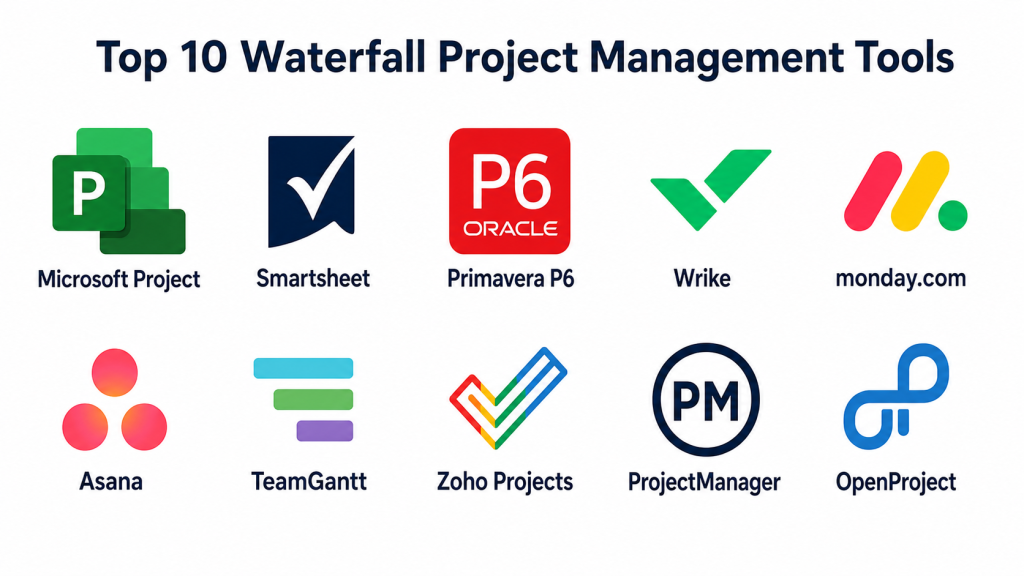
Top 10 Waterfall Project Management Tools Platforms Tools
#1 — Microsoft Project
Short description: Microsoft Project is a project management platform built for structured planning, Gantt charts, dependencies, schedules, resources, and portfolio visibility. It is best for professional project managers, PMO teams, IT teams, construction teams, and enterprises that need formal project planning.
Key Features
- Gantt charts and timeline planning
- Task dependencies and critical path tracking
- Resource management
- Project baselines
- Portfolio and roadmap views
- Microsoft ecosystem integration
- Reporting and project tracking
Pros
- Strong fit for waterfall and traditional project planning.
- Good for complex schedules and resource-heavy projects.
- Works well in Microsoft-centered organizations.
Cons
- Can feel complex for casual users.
- Requires project management knowledge to use well.
- Licensing and setup should be reviewed carefully.
Platforms / Deployment
Web / Windows
Cloud / Hybrid
Security & Compliance
Microsoft Project benefits from Microsoft identity, access, security, and compliance controls depending on subscription and tenant configuration. Specific details such as SSO/SAML, MFA, audit logs, RBAC, SOC 2, ISO 27001, GDPR, HIPAA, and encryption should be verified through Microsoft licensing and admin settings.
Integrations & Ecosystem
Microsoft Project works especially well for organizations already using Microsoft business tools.
- Microsoft Teams
- SharePoint
- Outlook
- Power BI
- Power Automate
- Microsoft 365 ecosystem
Support & Community
Microsoft provides documentation, enterprise support, partner services, learning resources, and a large professional project management user base. It is one of the strongest choices for structured project planning.
#2 — Smartsheet
Short description: Smartsheet is a work management platform with spreadsheet-style project planning, Gantt charts, dashboards, forms, automation, and reporting. It is useful for PMO teams, operations teams, construction projects, marketing operations, and business teams that like structured project tracking.
Key Features
- Spreadsheet-style project tracking
- Gantt chart and calendar views
- Forms and work intake
- Workflow automation
- Dashboards and reports
- Resource management options
- Collaboration and sharing
Pros
- Familiar spreadsheet-like experience.
- Strong dashboards and reporting.
- Useful for structured waterfall-style project tracking.
Cons
- Large sheets can become hard to manage.
- Advanced features may require higher plans.
- Not ideal for teams that dislike spreadsheet-based workflows.
Platforms / Deployment
Web / Windows / macOS / iOS / Android
Cloud
Security & Compliance
Smartsheet provides business and enterprise security features depending on plan. Specific details such as SSO/SAML, MFA, audit logs, RBAC, SOC 2, ISO 27001, GDPR, HIPAA, and encryption should be verified directly.
Integrations & Ecosystem
Smartsheet fits structured project, reporting, and operational workflows.
- Microsoft 365
- Google Workspace
- Salesforce
- Slack
- Tableau-style reporting workflows
- Automation and connector tools
Support & Community
Smartsheet offers documentation, templates, learning resources, customer support, community forums, and enterprise services. It is practical for teams that want waterfall-style planning with flexible dashboards.
#3 — Primavera P6
Short description: Primavera P6 is an enterprise project portfolio management tool widely used for complex, large-scale, schedule-driven projects. It is best for construction, engineering, energy, infrastructure, manufacturing, public sector, and capital project teams.
Key Features
- Advanced scheduling
- Critical path management
- Resource and cost planning
- Project portfolio management
- Baseline and variance tracking
- Risk and issue tracking
- Large-scale project controls
Pros
- Strong for complex capital and infrastructure projects.
- Good for professional schedulers and project control teams.
- Supports detailed planning across large project portfolios.
Cons
- Steep learning curve.
- May be too heavy for small teams.
- Implementation and administration can require specialist expertise.
Platforms / Deployment
Web / Windows
Cloud / Self-hosted / Hybrid
Security & Compliance
Primavera P6 supports enterprise project controls and administration patterns. Specific details such as SSO/SAML, MFA, audit logs, RBAC, SOC 2, ISO 27001, GDPR, HIPAA, and encryption should be verified directly based on deployment and licensing.
Integrations & Ecosystem
Primavera P6 is often used in enterprise project control environments.
- ERP systems
- Cost management tools
- Document management systems
- Reporting platforms
- Construction management tools
- Enterprise planning systems
Support & Community
Primavera P6 has enterprise documentation, implementation partners, training providers, and a strong professional scheduler community. It is best for organizations managing high-value complex projects.
#4 — Wrike
Short description: Wrike is a collaborative work management platform that supports structured project planning, timelines, Gantt charts, workload views, dashboards, approvals, and reporting. It is useful for PMO teams, marketing operations, creative teams, professional services, and enterprise project teams.
Key Features
- Task and project management
- Gantt charts and timelines
- Workload management
- Dashboards and reports
- Request forms
- Proofing and approvals
- Automation and templates
Pros
- Strong for structured team project management.
- Good reporting and workload visibility.
- Useful for business teams and PMO-style workflows.
Cons
- Can be complex for small teams.
- Advanced features may require higher plans.
- Some traditional scheduling features may not match specialist tools.
Platforms / Deployment
Web / Windows / macOS / iOS / Android
Cloud
Security & Compliance
Wrike provides business and enterprise security controls depending on plan. Specific details such as SSO/SAML, MFA, audit logs, RBAC, SOC 2, ISO 27001, GDPR, HIPAA, and encryption should be verified directly.
Integrations & Ecosystem
Wrike integrates with communication, creative, file, CRM, and project tools.
- Microsoft Teams
- Slack
- Google Workspace
- Salesforce
- Adobe Creative Cloud
- Jira and development tools
Support & Community
Wrike provides documentation, training, templates, onboarding resources, and enterprise support options. It is suitable for teams that need structured work management without the complexity of heavy scheduling software.
#5 — monday.com
Short description: monday.com is a visual work management platform that helps teams manage tasks, timelines, dependencies, approvals, dashboards, and structured workflows. It is useful for business teams, operations teams, PMO teams, marketing teams, and service teams.
Key Features
- Custom project boards
- Timeline and Gantt-style views
- Automations
- Dashboards and reporting
- Workload views
- Forms and intake workflows
- Collaboration and updates
Pros
- Visual and easy for business users.
- Flexible for many structured project workflows.
- Good dashboards for managers and stakeholders.
Cons
- May need careful workspace governance.
- Advanced project controls can require higher plans.
- Not as specialized as Microsoft Project or Primavera for complex schedules.
Platforms / Deployment
Web / Windows / macOS / iOS / Android
Cloud
Security & Compliance
monday.com provides business and enterprise security features depending on plan. Specific details such as SSO/SAML, MFA, audit logs, RBAC, SOC 2, ISO 27001, GDPR, HIPAA, and encryption should be verified directly.
Integrations & Ecosystem
monday.com works well for visual project operations and business workflows.
- Microsoft Teams
- Slack
- Google Workspace
- Salesforce
- Jira
- File storage platforms
Support & Community
monday.com offers templates, documentation, support resources, onboarding options, community content, and partner services. It is strong for teams that want structured project tracking with a modern visual interface.
#6 — Asana
Short description: Asana is a work management platform used for task planning, timeline tracking, milestones, dependencies, approvals, goals, and cross-functional project visibility. It is best for business teams that need structured project management without heavy technical complexity.
Key Features
- Task lists, boards, timelines, and calendars
- Milestones and dependencies
- Project templates
- Goals and reporting dashboards
- Forms for work requests
- Workflow automation
- Team collaboration and comments
Pros
- Easy for cross-functional teams to adopt.
- Strong project visibility and ownership tracking.
- Good for business projects, launches, and structured workflows.
Cons
- Less advanced than specialist waterfall scheduling tools.
- Portfolio and advanced reporting features may require higher plans.
- Not ideal for extremely complex engineering or construction schedules.
Platforms / Deployment
Web / Windows / macOS / iOS / Android
Cloud
Security & Compliance
Asana provides business and enterprise security controls depending on plan. Specific details such as SSO/SAML, MFA, audit logs, RBAC, SOC 2, ISO 27001, GDPR, HIPAA, and encryption should be verified directly.
Integrations & Ecosystem
Asana fits cross-functional project workflows and business collaboration.
- Slack
- Microsoft Teams
- Google Workspace
- Microsoft 365
- Jira
- File storage tools
Support & Community
Asana provides documentation, templates, learning resources, onboarding materials, customer support, and community content. It is a strong option for structured project tracking across business teams.
#7 — TeamGantt
Short description: TeamGantt is a project management tool focused on simple and visual Gantt chart planning. It is useful for project managers, agencies, consultants, construction teams, and small to mid-sized teams that need clear waterfall-style timelines without enterprise complexity.
Key Features
- Gantt chart planning
- Drag-and-drop scheduling
- Task dependencies
- Team availability views
- Project collaboration
- Baseline-style planning support
- Simple progress tracking
Pros
- Easy Gantt chart experience.
- Good for timeline-driven projects.
- Less complex than enterprise scheduling tools.
Cons
- May not fit large enterprise portfolios.
- Advanced budget and resource features may be limited.
- Integration ecosystem should be checked for specific needs.
Platforms / Deployment
Web / iOS / Android
Cloud
Security & Compliance
TeamGantt provides cloud project management controls, but specific details such as SSO/SAML, MFA, audit logs, RBAC, SOC 2, ISO 27001, GDPR, HIPAA, and encryption should be verified directly. If unclear, use Not publicly stated.
Integrations & Ecosystem
TeamGantt is best for teams that need simple scheduling and timeline collaboration.
- Calendar tools
- File attachments
- Team collaboration workflows
- Project communication
- Time tracking workflows
- External task coordination
Support & Community
TeamGantt provides documentation, templates, onboarding resources, and customer support. It is best for teams that want practical Gantt planning without heavy enterprise administration.
#8 — Zoho Projects
Short description: Zoho Projects is a project management platform for planning tasks, milestones, dependencies, Gantt charts, timesheets, issues, and collaboration. It is useful for SMBs, agencies, professional services teams, and businesses already using the Zoho ecosystem.
Key Features
- Tasks, milestones, and subtasks
- Gantt charts
- Time tracking
- Issue tracking
- Project templates
- Collaboration features
- Zoho ecosystem integration
Pros
- Good value for SMBs.
- Strong fit for teams using Zoho apps.
- Includes practical project tracking and time management features.
Cons
- Interface may require adjustment for new users.
- Advanced enterprise project controls may be limited.
- Best value appears inside the Zoho ecosystem.
Platforms / Deployment
Web / iOS / Android
Cloud
Security & Compliance
Zoho Projects benefits from Zoho account and business security controls. Specific details such as SSO/SAML, MFA, audit logs, RBAC, SOC 2, ISO 27001, GDPR, HIPAA, and encryption should be verified directly based on plan and configuration.
Integrations & Ecosystem
Zoho Projects works well for businesses using Zoho’s broader suite.
- Zoho CRM
- Zoho Books
- Zoho Desk
- Google Workspace
- Microsoft 365
- Time and billing workflows
Support & Community
Zoho provides documentation, support, community forums, and product ecosystem resources. Zoho Projects is a practical option for SMBs that want project management connected with business operations.
#9 — ProjectManager
Short description: ProjectManager is a project management platform with Gantt charts, dashboards, task tracking, resource management, timesheets, and reporting. It is useful for project managers and teams that need structured project planning with real-time visibility.
Key Features
- Gantt charts
- Task and milestone tracking
- Project dashboards
- Resource management
- Timesheets
- Project reporting
- Collaboration tools
Pros
- Strong focus on practical project management.
- Good mix of Gantt planning and dashboards.
- Useful for teams that need structured schedules and visibility.
Cons
- May not match enterprise-heavy platforms for large portfolios.
- Advanced integrations should be verified.
- Smaller teams may find simpler tools enough.
Platforms / Deployment
Web / Windows / macOS / iOS / Android
Cloud
Security & Compliance
ProjectManager provides cloud project management features, but specific security and compliance details such as SSO/SAML, MFA, audit logs, RBAC, SOC 2, ISO 27001, GDPR, HIPAA, and encryption should be verified directly.
Integrations & Ecosystem
ProjectManager fits practical project planning and reporting workflows.
- Microsoft Project imports or exports where supported
- File sharing tools
- Time tracking workflows
- Team collaboration tools
- Reporting dashboards
- Project planning workflows
Support & Community
ProjectManager provides documentation, support resources, templates, and project management guidance. It is useful for teams needing classic project tracking without heavy enterprise implementation.
#10 — OpenProject
Short description: OpenProject is an open-source project management platform that supports classic project planning, task management, Gantt charts, roadmaps, wikis, time tracking, and issue tracking. It is useful for teams that want open-source flexibility and self-hosting options.
Key Features
- Gantt charts and timelines
- Task and work package management
- Roadmaps
- Time and cost tracking
- Wiki and documentation
- Agile and classic project views
- Self-hosted and cloud options
Pros
- Open-source-friendly option.
- Good for teams that want deployment control.
- Supports both classic and agile-style project workflows.
Cons
- Self-hosting requires technical responsibility.
- User experience may feel less polished than some commercial tools.
- Enterprise support and features should be reviewed carefully.
Platforms / Deployment
Web / Linux
Cloud / Self-hosted / Hybrid
Security & Compliance
OpenProject security depends on deployment model, configuration, hosting, access controls, and administration. Specific details such as SSO/SAML, MFA, audit logs, RBAC, SOC 2, ISO 27001, GDPR, HIPAA, and encryption should be verified directly based on edition and deployment.
Integrations & Ecosystem
OpenProject is useful for teams needing open-source project control and classic project planning.
- Git repositories
- File attachments
- Wiki documentation
- Time tracking
- Self-hosted environments
- Custom integrations
Support & Community
OpenProject has documentation, community resources, open-source ecosystem support, and commercial support options. It is a strong choice for teams that value transparency and deployment control.
Comparison Table
| Tool Name | Best For | Platform(s) Supported | Deployment | Standout Feature | Public Rating |
|---|---|---|---|---|---|
| Microsoft Project | Professional waterfall planning | Web / Windows | Cloud / Hybrid | Gantt charts, baselines, and resource planning | N/A |
| Smartsheet | Structured project tracking and dashboards | Web / Windows / macOS / iOS / Android | Cloud | Spreadsheet-style planning with automation | N/A |
| Primavera P6 | Construction and enterprise capital projects | Web / Windows | Cloud / Self-hosted / Hybrid | Advanced scheduling and project controls | N/A |
| Wrike | Structured work and PMO workflows | Web / Windows / macOS / iOS / Android | Cloud | Workload, timelines, and reporting | N/A |
| monday.com | Visual waterfall-style project tracking | Web / Windows / macOS / iOS / Android | Cloud | Custom boards and dashboards | N/A |
| Asana | Cross-functional structured projects | Web / Windows / macOS / iOS / Android | Cloud | Timelines, milestones, and ownership visibility | N/A |
| TeamGantt | Simple Gantt chart planning | Web / iOS / Android | Cloud | Easy drag-and-drop Gantt charts | N/A |
| Zoho Projects | SMB project planning and time tracking | Web / iOS / Android | Cloud | Gantt, milestones, and Zoho ecosystem fit | N/A |
| ProjectManager | Practical project schedules and dashboards | Web / Windows / macOS / iOS / Android | Cloud | Gantt planning with real-time dashboards | N/A |
| OpenProject | Open-source classic project management | Web / Linux | Cloud / Self-hosted / Hybrid | Open-source project planning and self-hosting | N/A |
Evaluation & Scoring of Waterfall Project Management Tools Platforms
| Tool Name | Core (25%) | Ease (15%) | Integrations (15%) | Security (10%) | Performance (10%) | Support (10%) | Value (15%) | Weighted Total (0–10) |
|---|---|---|---|---|---|---|---|---|
| Microsoft Project | 10 | 6 | 9 | 9 | 9 | 9 | 7 | 8.45 |
| Smartsheet | 8 | 8 | 9 | 8 | 8 | 8 | 8 | 8.15 |
| Primavera P6 | 10 | 5 | 8 | 9 | 9 | 9 | 6 | 8.10 |
| Wrike | 8 | 7 | 8 | 8 | 8 | 8 | 7 | 7.75 |
| monday.com | 8 | 8 | 8 | 8 | 8 | 8 | 7 | 7.90 |
| Asana | 7 | 9 | 8 | 8 | 8 | 8 | 8 | 7.95 |
| TeamGantt | 7 | 9 | 6 | 6 | 8 | 7 | 8 | 7.25 |
| Zoho Projects | 7 | 8 | 8 | 7 | 7 | 8 | 9 | 7.65 |
| ProjectManager | 8 | 8 | 7 | 7 | 8 | 8 | 7 | 7.60 |
| OpenProject | 7 | 6 | 7 | 7 | 7 | 7 | 9 | 7.10 |
These scores are comparative and should be interpreted based on your project type. Microsoft Project and Primavera P6 are strongest for traditional waterfall planning and complex schedules. Smartsheet, Wrike, monday.com, and Asana are better for business-friendly structured project tracking. TeamGantt is good for simple Gantt planning. Zoho Projects is practical for SMBs, while OpenProject is useful for teams that want open-source and self-hosted control.
Which Waterfall Project Management Tools Platform Is Right for You?
Solo / Freelancer
Solo consultants and freelancers usually need simple planning, timelines, milestones, and client visibility. TeamGantt, Zoho Projects, Asana, ProjectManager, and OpenProject can be practical choices.
Choose TeamGantt if you mainly need easy Gantt charts. Choose Zoho Projects if you want affordable project tracking with timesheets. Choose Asana if you need clean task ownership and timelines. Choose OpenProject if you prefer open-source flexibility.
SMB
Small and medium businesses need structure without enterprise complexity. Smartsheet, monday.com, Asana, Zoho Projects, and ProjectManager are strong options.
Choose Smartsheet if your team likes spreadsheet-style planning. Choose monday.com for visual dashboards and workflow customization. Choose ProjectManager if classic schedules and dashboards are important. Choose Zoho Projects if budget and ecosystem value matter.
Mid-Market
Mid-market organizations need stronger reporting, dependencies, resource views, approvals, integrations, and portfolio visibility. Microsoft Project, Smartsheet, Wrike, monday.com, and ProjectManager are practical options.
Choose Microsoft Project for professional scheduling and resource planning. Choose Wrike if workload management and approvals matter. Choose Smartsheet if operational dashboards and structured sheets are important.
Enterprise
Enterprise buyers should prioritize governance, baselines, resource planning, portfolio reporting, cost tracking, security, access controls, and system integrations. Microsoft Project, Primavera P6, Smartsheet, Wrike, and OpenProject Enterprise-style deployments can fit different needs.
Choose Primavera P6 for construction, infrastructure, capital projects, and complex scheduling. Choose Microsoft Project for enterprise PMO planning. Choose Smartsheet for operational project visibility. Choose Wrike for collaborative enterprise work management.
Budget vs Premium
For budget-conscious users, Zoho Projects, TeamGantt, OpenProject, and basic tiers of business work tools may be practical starting points.
Premium platforms such as Microsoft Project, Primavera P6, Smartsheet, Wrike, and advanced monday.com setups may cost more, but they offer deeper scheduling, reporting, governance, resource management, and enterprise support.
Feature Depth vs Ease of Use
If ease of use matters most, choose TeamGantt, Asana, monday.com, or Zoho Projects. These tools are easier for business users and small teams.
If feature depth matters more, choose Microsoft Project, Primavera P6, Smartsheet, Wrike, or ProjectManager. These platforms offer stronger planning, scheduling, dashboards, and resource tracking.
Integrations & Scalability
If integration is important, check how the tool connects with Microsoft 365, Google Workspace, ERP systems, finance tools, document management, communication apps, reporting tools, and time tracking systems.
Choose Microsoft Project for Microsoft ecosystems. Choose Primavera P6 for enterprise capital project environments. Choose Smartsheet for dashboard-heavy operations. Choose OpenProject if self-hosted integration control is important.
Security & Compliance Needs
Waterfall projects often contain contracts, budgets, timelines, vendor details, client information, compliance documents, and approval history. Review SSO, MFA, RBAC, audit logs, encryption, guest access, data retention, backup controls, and admin permissions.
For regulated industries, involve IT, security, legal, finance, and project governance teams before rollout.
Frequently Asked Questions
What is a waterfall project management tool?
A waterfall project management tool helps teams plan and manage projects in fixed phases. It usually supports timelines, Gantt charts, dependencies, milestones, baselines, approvals, and progress tracking.
How is waterfall project management different from agile project management?
Waterfall follows a structured sequence of phases, while agile uses iterative cycles and changing priorities. Waterfall works best when requirements are stable, while agile works better when requirements change often.
Which tool is best for professional waterfall planning?
Microsoft Project and Primavera P6 are strong choices for professional waterfall planning. Microsoft Project is widely used for structured scheduling, while Primavera P6 is strong for large capital and construction projects.
Which waterfall tool is best for beginners?
TeamGantt, Asana, monday.com, and Zoho Projects are easier for beginners. They provide visual timelines and task tracking without requiring deep scheduling expertise.
Are Gantt charts important in waterfall projects?
Yes. Gantt charts are central to waterfall planning because they show tasks, timelines, dependencies, milestones, and project phases in a visual sequence.
What are common waterfall project management mistakes?
Common mistakes include poor requirement gathering, unrealistic schedules, weak dependency tracking, no baseline, unclear approvals, limited risk planning, and not updating the plan when changes happen.
Can waterfall tools support hybrid project management?
Yes. Many tools support hybrid workflows where high-level planning follows waterfall phases while delivery teams use agile boards, task lists, or Kanban workflows.
Are waterfall project management tools secure?
They can be secure when configured properly. Buyers should review SSO, MFA, RBAC, audit logs, encryption, guest access, data retention, and compliance documentation before using them for sensitive projects.
What pricing factors should buyers check?
Buyers should check user licenses, project limits, storage, resource management features, portfolio views, reporting, integrations, security controls, support tiers, and implementation services.
Can small teams use waterfall project management tools?
Yes. Small teams can use tools like TeamGantt, Zoho Projects, Asana, or monday.com for simple timeline-based planning. Heavy tools may be unnecessary unless projects are complex.
When should a team avoid waterfall tools?
Teams should avoid strict waterfall tools when requirements are unclear, frequent changes are expected, experimentation is high, or the team needs rapid iteration and continuous feedback.
How hard is it to switch waterfall project management tools?
Switching can be difficult if many schedules, dependencies, baselines, documents, reports, and integrations already exist. A phased migration with clean project templates is usually safer.
Conclusion
Waterfall project management tools are still important for teams that need structured planning, clear milestones, fixed phases, formal approvals, and predictable delivery. The best platform depends on your project complexity, team size, industry, budget, and governance needs. Microsoft Project is strong for professional scheduling and enterprise PMO planning. Primavera P6 is ideal for complex construction, engineering, and capital projects. Smartsheet works well for structured project tracking and dashboards. Wrike supports collaborative work management with reporting and workload views. monday.com and Asana are strong for business-friendly project tracking. TeamGantt is useful for simple visual Gantt planning. Zoho Projects is practical for SMBs. ProjectManager offers classic project planning with dashboards. OpenProject is a strong option for teams that want open-source and self-hosted flexibility.
