Upgrade & Secure Your Future with DevOps, SRE, DevSecOps, MLOps!
We spend hours scrolling social media and waste money on things we forget, but won’t spend 30 minutes a day earning certifications that can change our lives.
Master in DevOps, SRE, DevSecOps & MLOps by DevOps School!
Learn from Guru Rajesh Kumar and double your salary in just one year.
Introduction
Timesheet management tools help businesses track employee work hours, billable time, project time, overtime, attendance, approvals, and productivity records in a structured way. In simple terms, these platforms replace manual spreadsheets, paper timesheets, and scattered time logs with digital systems that make time tracking easier, more accurate, and more transparent.
These tools matter because teams are now working across offices, remote locations, client projects, field jobs, and global time zones. Businesses need reliable time data for payroll, invoicing, project costing, utilization tracking, compliance, and workforce planning. A good timesheet platform helps reduce errors, improve billing accuracy, prevent missed approvals, and give managers better visibility into how time is being used.
Real-world use cases include:
- Employee timesheet submission and approval
- Client billing and project cost tracking
- Freelancer and contractor hour tracking
- Payroll and attendance reporting
- Field workforce time capture
- Agency and consulting utilization tracking
- Overtime and leave visibility
- Productivity and workload analysis
Buyers should evaluate:
- Time tracking methods
- Timesheet approval workflows
- Project and client billing support
- Payroll integrations
- Mobile and desktop tracking
- Reporting and dashboards
- Overtime and compliance support
- Role-based permissions
- Ease of employee adoption
- Pricing and scalability
Best for: Timesheet management tools are best for agencies, consulting firms, professional services teams, construction teams, field service teams, software teams, freelancers, SMBs, enterprises, HR teams, finance teams, and project managers who need accurate time records.
Not ideal for: These tools may not be ideal for very small teams with simple fixed salaries and no need for project costing, client billing, attendance tracking, or utilization reporting. If time data does not influence payroll, billing, or planning, a basic calendar or task tool may be enough.
Key Trends in Timesheet Management Tools Platforms
AI-assisted timesheet suggestions are becoming more useful. Some tools are moving toward smart reminders, automatic time categorization, missing-entry detection, and timesheet completion suggestions.
- Project costing is becoming a major driver. Businesses want to know not only who worked, but also how time affects project margins, budgets, profitability, and delivery planning.
- Employee experience matters more. Teams do not want complicated timesheet systems. Simple mobile apps, one-click timers, calendar-based entries, and clean approval flows are now important.
- Remote and hybrid work have changed time tracking. Companies need flexible ways to track distributed teams without creating a culture of unnecessary surveillance.
- Compliance and audit trails are becoming more important. Businesses need accurate records for overtime, labor laws, client contracts, payroll, and internal audit requirements.
- Integrations are now expected. Timesheet tools must connect with payroll, accounting, project management, HR, invoicing, CRM, and collaboration platforms.
- Real-time reporting is becoming standard. Managers want instant visibility into submitted hours, missing timesheets, billable utilization, project budgets, and team workload.
- Mobile-first tracking is growing. Field workers, consultants, remote staff, and service teams need mobile apps for clock-in, clock-out, location-aware entries, and job-based tracking.
- Privacy-aware productivity tracking is becoming important. Buyers are more careful about employee monitoring features and want transparent policies, permissions, and ethical usage.
- Timesheets are connecting with resource planning. Time data is increasingly used to improve forecasting, staffing, utilization, and future project estimates.
How We Selected These Tools
This Top 10 list was selected using practical buyer-focused evaluation logic:
- Market adoption among freelancers, SMBs, agencies, enterprises, consultants, field teams, and professional services firms
- Feature completeness across time tracking, timesheets, approvals, reporting, invoicing, payroll, and project costing
- Ease of use for employees, managers, finance teams, and administrators
- Reliability for daily time capture and recurring timesheet workflows
- Security posture signals such as SSO, MFA, RBAC, audit logs, encryption, and admin controls
- Integration ecosystem with payroll, accounting, project management, HR, and invoicing tools
- Fit across solo users, SMBs, mid-market organizations, and enterprise teams
- Support for mobile, desktop, browser, and field workforce tracking
- Reporting depth for utilization, profitability, payroll, attendance, and compliance
- Practical value based on usability, scalability, support, and long-term operational fit
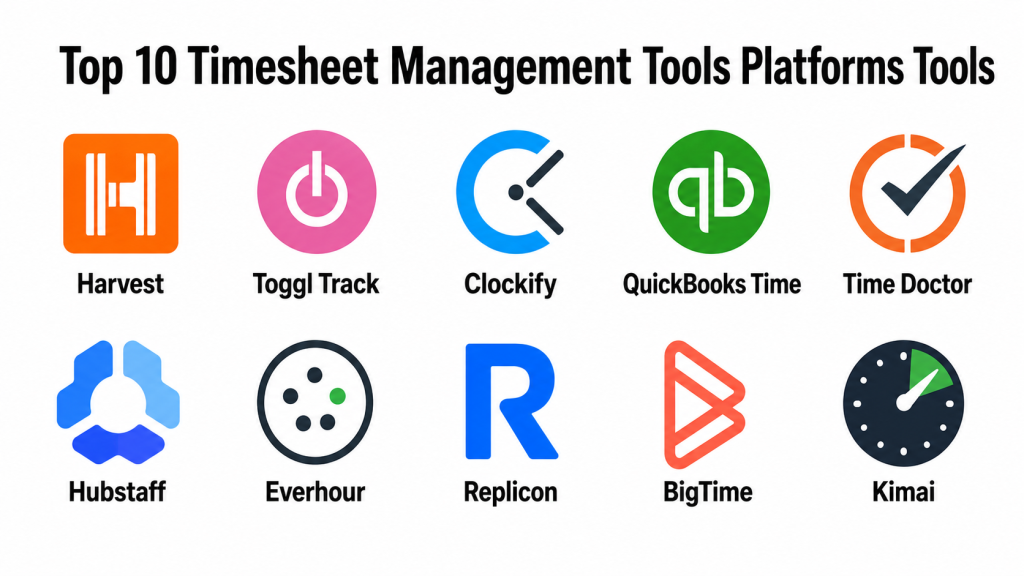
Top 10 Timesheet Management Tools Platforms Tools
#1 — Harvest
Short description: Harvest is a time tracking and invoicing platform built for freelancers, agencies, consultants, and professional services teams. It helps users track billable time, manage project budgets, generate reports, and create invoices from tracked hours.
Key Features
- Time tracking by project, task, and client
- Timesheet reports
- Billable and non-billable hour tracking
- Project budget tracking
- Invoice generation
- Team time visibility
- Integrations with project and accounting tools
Pros
- Simple and clean user experience.
- Strong fit for agencies and consultants.
- Helpful for connecting time tracking with invoicing.
Cons
- Not a full HR attendance platform.
- Advanced workforce monitoring is limited.
- Larger enterprises may need deeper compliance controls.
Platforms / Deployment
Web / Windows / macOS / iOS / Android
Cloud
Security & Compliance
Harvest provides cloud-based account and workspace security controls. Specific details such as SSO/SAML, MFA, audit logs, RBAC, SOC 2, ISO 27001, GDPR, HIPAA, and encryption should be verified directly based on plan and configuration.
Integrations & Ecosystem
Harvest fits well into service businesses that need project time tracking connected with billing and operations.
- Accounting tools
- Project management tools
- Calendar workflows
- Invoicing systems
- Collaboration apps
- Reporting exports
Support & Community
Harvest provides documentation, help resources, onboarding guidance, and customer support. It is widely used by freelancers and service teams that want straightforward time tracking.
#2 — Toggl Track
Short description: Toggl Track is a flexible time tracking platform for individuals, freelancers, remote teams, agencies, and businesses that want simple time capture with reporting. It is especially useful for teams that need lightweight timesheets without heavy administrative setup.
Key Features
- One-click time tracking
- Manual timesheet entries
- Project and client tracking
- Tags and billable rates
- Reports and dashboards
- Browser extensions
- Desktop and mobile apps
Pros
- Very easy to use.
- Good for personal and team time visibility.
- Strong cross-platform tracking experience.
Cons
- Payroll and attendance features may be limited.
- Advanced approval workflows should be reviewed by plan.
- Not ideal for complex enterprise workforce management.
Platforms / Deployment
Web / Windows / macOS / Linux / iOS / Android
Cloud
Security & Compliance
Toggl Track provides workspace and account controls depending on plan. Specific details such as SSO/SAML, MFA, audit logs, RBAC, SOC 2, ISO 27001, GDPR, HIPAA, and encryption should be verified directly. If unclear, use Not publicly stated.
Integrations & Ecosystem
Toggl Track works well with productivity, project, and reporting workflows.
- Project management tools
- Calendar tools
- Browser extensions
- Accounting workflows
- Reporting exports
- Team collaboration tools
Support & Community
Toggl Track offers documentation, guides, templates, customer support, and productivity-focused resources. It is a strong choice for teams that value simple time tracking.
#3 — Clockify
Short description: Clockify is a time tracking and timesheet platform for individuals, teams, agencies, and businesses. It supports time tracking, timesheets, reporting, project tracking, approvals, and workforce visibility.
Key Features
- Time tracking and timers
- Timesheet submission
- Project and task tracking
- Reports and dashboards
- Approval workflows
- Billable hours tracking
- Team activity and scheduling features
Pros
- Good value for teams needing time tracking at scale.
- Useful for both billable and internal time tracking.
- Supports multiple platforms and team workflows.
Cons
- Advanced features may require paid plans.
- Setup discipline is needed for accurate reports.
- Enterprise governance should be reviewed carefully.
Platforms / Deployment
Web / Windows / macOS / Linux / iOS / Android
Cloud
Security & Compliance
Clockify provides workspace and account security features depending on plan. Specific details such as SSO/SAML, MFA, audit logs, RBAC, SOC 2, ISO 27001, GDPR, HIPAA, and encryption should be verified directly.
Integrations & Ecosystem
Clockify fits teams that need time tracking connected with project and business systems.
- Project management tools
- Browser extensions
- Calendar tools
- Payroll workflows
- Reporting exports
- Collaboration platforms
Support & Community
Clockify provides documentation, tutorials, help resources, templates, and customer support. It is practical for teams wanting flexible time tracking without high complexity.
#4 — QuickBooks Time
Short description: QuickBooks Time is a time tracking and workforce timesheet tool designed for businesses that need employee time tracking, payroll support, mobile timesheets, and job costing. It is especially useful for teams already using QuickBooks.
Key Features
- Employee time tracking
- Mobile clock-in and clock-out
- Timesheet approvals
- Job and project tracking
- Payroll and accounting connection
- GPS and field workforce features
- Scheduling support
Pros
- Strong fit for QuickBooks users.
- Useful for payroll and job-costing workflows.
- Good for field teams and hourly workers.
Cons
- Best value appears inside the QuickBooks ecosystem.
- Some monitoring features require clear employee policies.
- Not ideal for teams only needing simple project timers.
Platforms / Deployment
Web / iOS / Android
Cloud
Security & Compliance
QuickBooks Time benefits from Intuit account and business security controls. Specific details such as SSO/SAML, MFA, audit logs, RBAC, SOC 2, ISO 27001, GDPR, HIPAA, and encryption should be verified directly based on plan and account configuration.
Integrations & Ecosystem
QuickBooks Time works well for payroll, accounting, and field workforce tracking.
- QuickBooks accounting workflows
- Payroll systems
- Job costing
- Scheduling workflows
- Mobile workforce tools
- Reporting exports
Support & Community
QuickBooks Time provides documentation, customer support, onboarding resources, and support through the broader QuickBooks ecosystem. It is a strong fit for businesses managing hourly staff and payroll.
#5 — Time Doctor
Short description: Time Doctor is a time tracking and workforce analytics platform used by remote teams, agencies, outsourcing teams, and businesses that need visibility into work hours, productivity, attendance, and project time.
Key Features
- Time tracking
- Timesheets
- Productivity reports
- Attendance tracking
- Project and task tracking
- Screenshots and activity tracking options
- Payroll and client reporting support
Pros
- Good for remote team time visibility.
- Useful for agencies and outsourcing teams.
- Strong reporting for productivity and attendance.
Cons
- Employee monitoring features require careful privacy policies.
- May feel too strict for trust-based cultures.
- Not ideal for teams that only need simple billing timesheets.
Platforms / Deployment
Web / Windows / macOS / Linux / iOS / Android
Cloud
Security & Compliance
Time Doctor provides team and account security controls depending on plan. Specific details such as SSO/SAML, MFA, audit logs, RBAC, SOC 2, ISO 27001, GDPR, HIPAA, and encryption should be verified directly.
Integrations & Ecosystem
Time Doctor integrates with project, payroll, and business operations workflows.
- Project management tools
- Payroll systems
- Accounting workflows
- Client reporting
- Remote team management tools
- Productivity dashboards
Support & Community
Time Doctor provides documentation, onboarding resources, customer support, and remote work guidance. It is best for businesses that need detailed time and productivity visibility.
#6 — Hubstaff
Short description: Hubstaff is a time tracking, workforce management, and productivity platform for remote teams, field teams, agencies, contractors, and service businesses. It supports timesheets, payroll, scheduling, GPS tracking, and productivity insights.
Key Features
- Time tracking and timesheets
- Payroll support
- GPS and location tracking
- Productivity reporting
- Scheduling
- Project budget tracking
- Employee monitoring options
Pros
- Strong for remote and field teams.
- Good mix of time tracking, payroll, and workforce visibility.
- Useful for contractors and distributed teams.
Cons
- Monitoring features need transparent employee policies.
- May be too detailed for simple timesheet needs.
- Some advanced features may require higher plans.
Platforms / Deployment
Web / Windows / macOS / Linux / iOS / Android
Cloud
Security & Compliance
Hubstaff provides account, team, and workforce management controls depending on plan. Specific details such as SSO/SAML, MFA, audit logs, RBAC, SOC 2, ISO 27001, GDPR, HIPAA, and encryption should be verified directly.
Integrations & Ecosystem
Hubstaff works well for remote workforce, field team, and payroll-connected workflows.
- Payroll tools
- Project management tools
- Accounting workflows
- Scheduling systems
- Field workforce workflows
- Reporting dashboards
Support & Community
Hubstaff offers documentation, help resources, customer support, onboarding guidance, and remote workforce management content. It is practical for teams needing time tracking plus workforce visibility.
#7 — Everhour
Short description: Everhour is a time tracking and timesheet platform built for teams that want time tracking inside project management workflows. It is useful for agencies, software teams, product teams, consultants, and businesses that need project budgets and team time visibility.
Key Features
- Time tracking by project and task
- Timesheets and approvals
- Project budget tracking
- Team availability
- Invoicing support
- Reporting dashboards
- Project management integrations
Pros
- Strong fit for project-based teams.
- Useful for budget tracking and client billing.
- Works well with popular project management tools.
Cons
- Best value depends on project tool integrations.
- Not ideal as a standalone HR attendance system.
- Mobile and advanced workforce features should be reviewed.
Platforms / Deployment
Web / Browser-based workflows
Cloud
Security & Compliance
Everhour provides workspace and account controls depending on plan. Specific details such as SSO/SAML, MFA, audit logs, RBAC, SOC 2, ISO 27001, GDPR, HIPAA, and encryption should be verified directly.
Integrations & Ecosystem
Everhour is strongest when connected with project management platforms.
- Asana
- Trello
- Jira
- ClickUp
- GitHub-style workflows
- Invoicing and reporting tools
Support & Community
Everhour provides documentation, support resources, onboarding guides, and project-based time tracking guidance. It is useful for teams that want time tracking close to project tasks.
#8 — Replicon
Short description: Replicon is an enterprise time tracking and workforce management platform for businesses that need timesheets, project time, compliance, billing, payroll, and labor tracking. It is suitable for larger organizations, professional services firms, and compliance-heavy teams.
Key Features
- Enterprise timesheets
- Project time tracking
- Labor compliance support
- Billing and costing workflows
- Payroll integration support
- Approval workflows
- Reporting and analytics
Pros
- Strong for enterprise time management.
- Useful for compliance-heavy and project-based organizations.
- Good for connecting time data with payroll and billing.
Cons
- May be too advanced for small teams.
- Implementation may require process alignment.
- Pricing and configuration should be reviewed carefully.
Platforms / Deployment
Web / iOS / Android
Cloud
Security & Compliance
Replicon supports enterprise time management controls, but specific details such as SSO/SAML, MFA, audit logs, RBAC, SOC 2, ISO 27001, GDPR, HIPAA, and encryption should be verified directly.
Integrations & Ecosystem
Replicon fits organizations that need time data connected with payroll, billing, and compliance workflows.
- Payroll systems
- ERP platforms
- Finance tools
- Project accounting
- HR systems
- Business intelligence workflows
Support & Community
Replicon provides enterprise documentation, support, implementation guidance, and customer success options. It is best for organizations with complex time tracking and compliance needs.
#9 — BigTime
Short description: BigTime is a professional services automation platform with time tracking, expense tracking, invoicing, project management, and reporting. It is best for consulting firms, accounting firms, engineering firms, agencies, and professional services businesses.
Key Features
- Time and expense tracking
- Project billing
- Invoicing
- Budget tracking
- Utilization reporting
- Approval workflows
- Professional services reporting
Pros
- Strong for professional services firms.
- Connects timesheets with billing and project financials.
- Useful for utilization and profitability tracking.
Cons
- May be more than needed for simple time tracking.
- Setup requires clean project and billing structures.
- Best suited for service-based businesses.
Platforms / Deployment
Web / iOS / Android
Cloud
Security & Compliance
BigTime provides business and professional services account controls depending on plan. Specific details such as SSO/SAML, MFA, audit logs, RBAC, SOC 2, ISO 27001, GDPR, HIPAA, and encryption should be verified directly.
Integrations & Ecosystem
BigTime fits service firms that need time, billing, and project financial workflows.
- Accounting tools
- Project accounting workflows
- Invoicing systems
- Expense tracking
- CRM workflows
- Reporting dashboards
Support & Community
BigTime provides documentation, onboarding, customer support, and professional services guidance. It is practical for businesses where timesheets directly affect billing and margins.
#10 — Kimai
Short description: Kimai is an open-source time tracking platform for freelancers, small teams, agencies, and technical users who want flexible time tracking with self-hosting options. It supports project time, customers, activities, timesheets, and reporting.
Key Features
- Open-source time tracking
- Project and customer tracking
- Timesheet entries
- Reporting and exports
- User and role management
- Self-hosting support
- Plugin and extension options
Pros
- Strong value for technical teams.
- Self-hosted option gives more control.
- Good for simple project-based time tracking.
Cons
- Requires technical setup for self-hosting.
- Not as polished as some commercial platforms.
- Enterprise support and compliance depend on setup.
Platforms / Deployment
Web / Linux
Self-hosted / Cloud-supported workflow
Security & Compliance
Kimai security depends on hosting, configuration, access controls, server setup, backups, and admin practices. Specific details such as SSO/SAML, MFA, audit logs, RBAC, SOC 2, ISO 27001, GDPR, HIPAA, and encryption are Not publicly stated at the general tool level and should be verified based on deployment.
Integrations & Ecosystem
Kimai is useful for teams that want flexible, open-source time tracking.
- Self-hosted workflows
- Project tracking
- Customer billing exports
- Reporting exports
- Plugin extensions
- Custom integrations
Support & Community
Kimai has open-source documentation, community resources, and extension support. It is a good option for technical users who want control over their time tracking environment.
Comparison Table
| Tool Name | Best For | Platform(s) Supported | Deployment | Standout Feature | Public Rating |
|---|---|---|---|---|---|
| Harvest | Agencies and client billing | Web / Windows / macOS / iOS / Android | Cloud | Time tracking connected with invoicing | N/A |
| Toggl Track | Simple personal and team time tracking | Web / Windows / macOS / Linux / iOS / Android | Cloud | One-click time tracking experience | N/A |
| Clockify | Flexible team timesheets | Web / Windows / macOS / Linux / iOS / Android | Cloud | Broad time tracking with team reports | N/A |
| QuickBooks Time | Payroll and job costing | Web / iOS / Android | Cloud | QuickBooks-connected time tracking | N/A |
| Time Doctor | Remote team productivity tracking | Web / Windows / macOS / Linux / iOS / Android | Cloud | Time and productivity visibility | N/A |
| Hubstaff | Remote and field workforce tracking | Web / Windows / macOS / Linux / iOS / Android | Cloud | GPS, payroll, and workforce tracking | N/A |
| Everhour | Project-based team time tracking | Web / Browser-based workflows | Cloud | Time tracking inside project tools | N/A |
| Replicon | Enterprise time and compliance | Web / iOS / Android | Cloud | Enterprise timesheets and labor compliance | N/A |
| BigTime | Professional services billing | Web / iOS / Android | Cloud | Timesheets tied to invoicing and utilization | N/A |
| Kimai | Open-source time tracking | Web / Linux | Self-hosted / Cloud-supported workflow | Flexible self-hosted timesheets | N/A |
Evaluation & Scoring of Timesheet Management Tools Platforms
| Tool Name | Core (25%) | Ease (15%) | Integrations (15%) | Security (10%) | Performance (10%) | Support (10%) | Value (15%) | Weighted Total (0–10) |
|---|---|---|---|---|---|---|---|---|
| Harvest | 8 | 9 | 8 | 7 | 8 | 8 | 8 | 8.00 |
| Toggl Track | 7 | 10 | 8 | 7 | 8 | 8 | 9 | 8.10 |
| Clockify | 8 | 9 | 8 | 7 | 8 | 8 | 9 | 8.15 |
| QuickBooks Time | 8 | 8 | 9 | 8 | 8 | 8 | 7 | 8.05 |
| Time Doctor | 8 | 7 | 8 | 8 | 8 | 8 | 7 | 7.75 |
| Hubstaff | 8 | 7 | 8 | 8 | 8 | 8 | 7 | 7.75 |
| Everhour | 8 | 8 | 9 | 7 | 8 | 8 | 8 | 8.05 |
| Replicon | 9 | 6 | 8 | 9 | 8 | 9 | 6 | 7.95 |
| BigTime | 8 | 7 | 8 | 8 | 8 | 8 | 7 | 7.75 |
| Kimai | 6 | 6 | 6 | 6 | 7 | 6 | 10 | 6.75 |
These scores are comparative and should be interpreted based on use case. Toggl Track and Clockify are strong for simple time tracking. Harvest and Everhour are useful for project-based and agency work. QuickBooks Time is strong when payroll and accounting matter. Time Doctor and Hubstaff fit remote or field workforce visibility. Replicon is stronger for enterprise time compliance. BigTime fits professional services billing. Kimai is valuable for teams that want open-source and self-hosted control.
Which Timesheet Management Tools Platform Is Right for You?
Solo / Freelancer
Solo users and freelancers usually need simple timers, project tracking, billable hours, and invoice-friendly reports. Toggl Track, Harvest, Clockify, and Kimai are practical options.
Choose Toggl Track if you want simple time capture across devices. Choose Harvest if your time tracking connects directly to client invoicing. Choose Clockify if you want flexible reporting and team scalability. Choose Kimai if you prefer open-source control and can manage setup.
SMB
Small and medium businesses need timesheets, approvals, project reports, payroll support, and simple employee adoption. Clockify, QuickBooks Time, Harvest, Hubstaff, and Everhour are strong options.
Choose QuickBooks Time if payroll and accounting integration are central. Choose Everhour if your team works heavily inside project management tools. Choose Hubstaff if field or remote workforce tracking is important. Choose Clockify for flexible team time tracking.
Mid-Market
Mid-market teams often need stronger approvals, reporting, utilization tracking, project budgets, payroll connections, and admin controls. Replicon, BigTime, QuickBooks Time, Time Doctor, Hubstaff, and Everhour can fit different needs.
Choose Replicon if compliance, approvals, and enterprise-style time management matter. Choose BigTime if you are a professional services firm. Choose Time Doctor if remote productivity visibility is important. Choose Everhour if project budgets and task-based time tracking are your priority.
Enterprise
Enterprise buyers should prioritize security, compliance, approvals, auditability, payroll integrations, labor rules, role permissions, reporting, and system integrations. Replicon, QuickBooks Time, BigTime, Time Doctor, and Hubstaff are practical enterprise or larger-team options depending on use case.
Choose Replicon for enterprise time compliance and workforce time management. Choose BigTime for professional services financial workflows. Choose QuickBooks Time for businesses that rely on QuickBooks-connected payroll and job costing. Choose Hubstaff for distributed workforce tracking.
Budget vs Premium
For budget-conscious teams, Clockify, Toggl Track, and Kimai are practical starting points. They are useful for simple time tracking, basic reporting, and small team workflows.
Premium platforms like Replicon, BigTime, QuickBooks Time, Time Doctor, and Hubstaff may cost more, but they provide stronger payroll, compliance, workforce visibility, approvals, reporting, and professional services features.
Feature Depth vs Ease of Use
If ease of use matters most, choose Toggl Track, Harvest, Clockify, or Everhour. These tools are easier for employees and teams to adopt.
If feature depth matters more, choose Replicon, BigTime, QuickBooks Time, Hubstaff, or Time Doctor. These platforms provide more depth for payroll, compliance, remote teams, workforce tracking, and professional services.
Integrations & Scalability
If integrations are important, check how the tool connects with payroll, accounting, HR, project management, CRM, invoicing, and reporting systems.
Choose QuickBooks Time for QuickBooks workflows. Choose Everhour for project management integration. Choose BigTime for professional services billing. Choose Replicon for enterprise time and compliance. Choose Harvest for invoicing-centered agency workflows.
Security & Compliance Needs
Timesheet systems often store employee hours, pay-related data, location data, client billing details, project costs, and productivity records. Review SSO, MFA, RBAC, audit logs, encryption, payroll data handling, access permissions, retention policies, and export controls.
For teams using screenshots, GPS, or activity tracking, create clear employee policies and communicate how the data will be used. Transparency is important for trust and compliance.
Frequently Asked Questions
What is a timesheet management tool?
A timesheet management tool helps employees track work hours and submit time records for approval, payroll, invoicing, project costing, or reporting. It replaces manual spreadsheets and paper timesheets.
How is time tracking different from timesheet management?
Time tracking records when and how long someone works. Timesheet management adds structure such as approvals, reports, payroll exports, billing categories, compliance rules, and manager review.
Which timesheet tool is best for freelancers?
Toggl Track, Harvest, Clockify, and Kimai are useful for freelancers. Harvest is strong for client billing, while Toggl Track and Clockify are simple for everyday time tracking.
Which tool is best for agencies?
Harvest, Everhour, BigTime, Clockify, and Toggl Track are strong choices for agencies. The best option depends on whether the agency needs simple time logs, project budgets, invoices, or utilization reporting.
Which tool is best for payroll?
QuickBooks Time is a strong option for teams connected to QuickBooks payroll and accounting workflows. Replicon can also fit larger organizations with more complex time and compliance needs.
Are timesheet tools useful for remote teams?
Yes. Tools like Time Doctor, Hubstaff, Clockify, Toggl Track, and Harvest can help remote teams track work hours, project time, and availability. Monitoring features should be used transparently.
What are common timesheet mistakes?
Common mistakes include late entries, vague task names, missing approvals, wrong project codes, no billable/non-billable separation, poor payroll integration, and weak timesheet review processes.
Can timesheet tools track billable hours?
Yes. Many timesheet tools support billable and non-billable tracking, hourly rates, project budgets, invoices, and client reports. Harvest, Everhour, BigTime, and Clockify are common examples.
Are timesheet tools secure?
They can be secure when configured correctly. Buyers should review SSO, MFA, RBAC, audit logs, encryption, admin permissions, payroll data controls, and compliance documentation.
What pricing factors should buyers check?
Buyers should check user seats, projects, integrations, approvals, reports, payroll features, screenshots, GPS tracking, invoicing, storage, admin controls, and support tiers.
Can timesheet tools help improve project profitability?
Yes. Timesheet data helps compare estimated effort with actual effort, identify scope creep, measure billable utilization, improve pricing, and forecast future project staffing.
How hard is it to switch timesheet tools?
Switching can be difficult if historical time data, payroll workflows, invoices, project codes, approvals, and integrations need migration. A phased rollout with clean project naming is usually safer.
Conclusion
Timesheet management tools help businesses track work hours, improve payroll accuracy, support client billing, understand project costs, and make better staffing decisions. The best platform depends on your team size, billing model, workforce type, and reporting needs. Harvest is strong for agencies and invoicing. Toggl Track is simple and flexible for individuals and teams. Clockify offers broad team time tracking. QuickBooks Time is practical for payroll and job costing. Time Doctor and Hubstaff support remote and field workforce visibility. Everhour works well inside project management workflows. Replicon fits enterprise time compliance. BigTime is strong for professional services billing and utilization. Kimai is useful for open-source and self-hosted time tracking.
