Upgrade & Secure Your Future with DevOps, SRE, DevSecOps, MLOps!
We spend hours scrolling social media and waste money on things we forget, but won’t spend 30 minutes a day earning certifications that can change our lives.
Master in DevOps, SRE, DevSecOps & MLOps by DevOps School!
Learn from Guru Rajesh Kumar and double your salary in just one year.
Introduction
Help Desk & Service Desk Software helps businesses manage customer support requests, employee IT issues, service tickets, incidents, questions, and internal support workflows from one organized system. In simple English, these tools turn scattered emails, calls, chats, and messages into trackable tickets that teams can assign, prioritize, resolve, and report on.
Help desk software is mainly used for customer support, while service desk software is often used for IT service management, internal employee support, incident handling, asset tracking, and change management. Many modern tools support both use cases depending on configuration.
Common real-world use cases include customer support ticketing, IT support, incident management, employee service requests, knowledge base support, SLA tracking, customer communication, change requests, asset-related issues, and support performance reporting.
Buyers should evaluate:
- Ticket management and routing
- Email, chat, phone, and social channel support
- SLA and escalation workflows
- Knowledge base and self-service features
- Automation and AI support
- Reporting and analytics
- ITSM features such as incident, problem, change, and asset management
- CRM, communication, and productivity integrations
- Security and access controls
- Pricing, scalability, and implementation effort
Best for: customer support teams, IT teams, internal service desks, SaaS companies, eCommerce businesses, managed service providers, enterprise IT departments, HR service teams, operations teams, and organizations that need structured request management.
Not ideal for: very small teams with only a few support requests may not need a full help desk or service desk platform. In those cases, a shared inbox, spreadsheet, live chat tool, or simple email workflow may be enough until request volume increases.
Key Trends in Help Desk & Service Desk Software
- AI-assisted support: Help desk platforms are adding AI features for ticket summaries, suggested replies, intent detection, knowledge article recommendations, and automated triage.
- Self-service-first support: Businesses are investing in knowledge bases, customer portals, FAQs, and help centers so users can solve common issues without opening tickets.
- Omnichannel ticketing: Support requests now come from email, web forms, live chat, phone, social messaging, in-app widgets, and customer portals, so teams need one unified workspace.
- ITSM and business service management: Service desk tools are expanding beyond IT into HR, finance, facilities, legal, and operations service workflows.
- Automation and workflow orchestration: Teams want automated assignment, escalations, SLA reminders, approvals, routing rules, and repetitive task handling.
- Better agent experience: Modern tools focus on cleaner workspaces, customer context, internal notes, collaboration, saved replies, and faster issue resolution.
- Data-driven support operations: Managers need visibility into response times, resolution times, ticket volume, backlog, SLA performance, agent workload, and customer satisfaction.
- Integrated customer context: Help desk tools are more valuable when connected to CRM, billing, product usage, order history, and customer success platforms.
- Security and compliance controls: Ticket data may include sensitive customer or employee information, so role permissions, audit logs, retention rules, and access control matter.
- Cloud and hybrid deployment options: Most modern tools are cloud-first, but some IT service desk tools still offer self-hosted or hybrid options for stricter control needs.
How We Selected These Tools
The following help desk and service desk platforms were selected using practical buyer-focused evaluation logic:
- Market adoption and recognition: Tools widely used by customer support teams, IT teams, SaaS companies, enterprises, and SMBs were prioritized.
- Feature completeness: Platforms with ticketing, automation, knowledge base, SLA tracking, reporting, and integrations were considered stronger.
- Customer and IT fit: The list includes customer support help desks, IT service desks, enterprise ITSM tools, and SMB-friendly solutions.
- Ease of use: A good help desk should be simple for agents, managers, admins, and requesters.
- Automation depth: Routing, triggers, escalations, macros, AI suggestions, and workflow automation were evaluated.
- Integration ecosystem: CRM, chat, phone, email, collaboration, monitoring, identity, asset management, and productivity integrations were considered.
- Security posture: Platforms that support sensitive ticket data, role-based permissions, and controlled access received stronger consideration.
- Reporting and analytics: Tools with useful dashboards, SLA reports, ticket trends, and performance visibility were prioritized.
- Scalability: Tools that can support more agents, departments, brands, workflows, and request types were favored.
- Practical value: The final list balances enterprise depth, ITSM maturity, support usability, affordability, and real-world adoption.
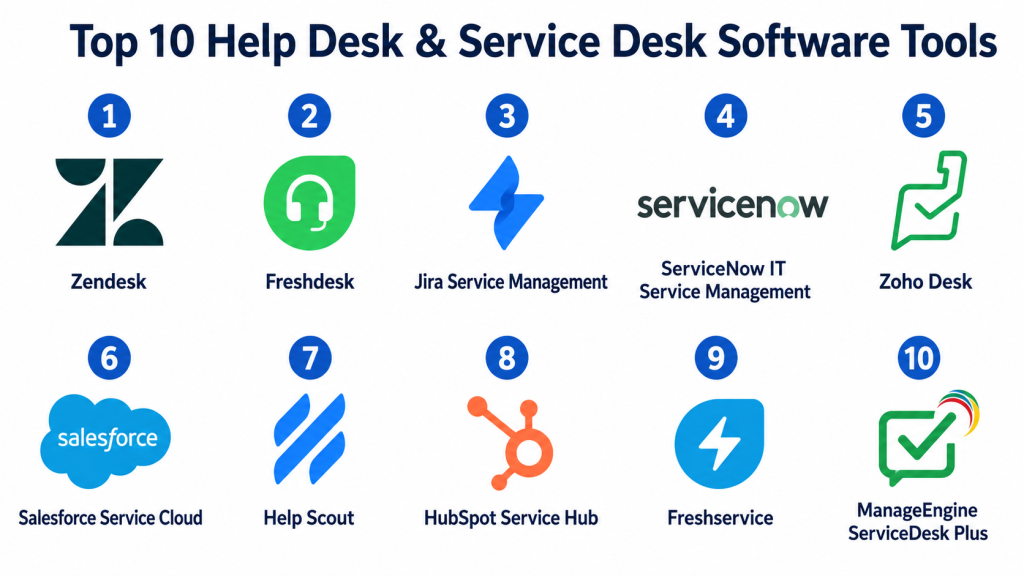
Top 10 Help Desk & Service Desk Software Tools
#1 — Zendesk
Short description: Zendesk is a widely used customer service and help desk platform for managing support tickets, live chat, knowledge bases, automation, and customer conversations. It is suitable for SMBs, mid-market companies, and enterprises that need scalable customer support operations.
Key Features
- Omnichannel ticket management
- Email, chat, messaging, and voice support options
- Knowledge base and self-service portal
- SLA management and automation rules
- AI-assisted support features
- Reporting and analytics dashboards
- App marketplace and integrations
Pros
- Strong fit for customer support teams at different sizes.
- Large ecosystem of integrations and add-ons.
- Good balance of ticketing, self-service, automation, and analytics.
Cons
- Pricing can increase with advanced features and add-ons.
- Setup may require careful planning for complex workflows.
- Some teams may find administration heavy if processes are not defined.
Platforms / Deployment
Web / iOS / Android
Cloud
Security & Compliance
Zendesk supports business support workflows, user permissions, admin controls, and customer data handling. Specific details such as SSO/SAML, MFA, encryption, audit logs, RBAC, SOC 2, ISO 27001, GDPR, or HIPAA should be confirmed during vendor review.
SOC 2 / ISO 27001 / GDPR / HIPAA: Not publicly stated.
Integrations & Ecosystem
Zendesk has a broad integration ecosystem for customer service, sales, communication, analytics, and business operations.
- CRM platforms
- Live chat and messaging tools
- Phone and contact center systems
- Customer success tools
- Analytics platforms
- Productivity and collaboration tools
Support & Community
Zendesk provides documentation, training resources, customer support, community resources, and implementation partner options. Support depth depends on plan and customer requirements.
#2 — Freshdesk
Short description: Freshdesk is a customer support help desk platform from Freshworks. It helps teams manage tickets, automate workflows, support customers across channels, build knowledge bases, and track support performance.
Key Features
- Ticket management and assignment
- Email, chat, phone, and social channel support options
- Automation rules and SLA management
- Knowledge base and customer portal
- Team collaboration features
- Reporting and dashboards
- Freshworks ecosystem integrations
Pros
- Good fit for SMB and mid-market customer support teams.
- Easier to adopt than many enterprise-heavy tools.
- Useful automation and self-service features.
Cons
- Advanced enterprise needs may require higher plans.
- Best value may come when used with Freshworks products.
- Complex support workflows need careful setup.
Platforms / Deployment
Web / iOS / Android
Cloud
Security & Compliance
Freshdesk supports customer support data workflows, user roles, permissions, and admin controls. Specific certifications and compliance details should be verified directly with the vendor.
SOC 2 / ISO 27001 / GDPR / HIPAA: Not publicly stated.
Integrations & Ecosystem
Freshdesk connects with customer communication, CRM, productivity, eCommerce, and analytics tools.
- Freshworks CRM and products
- Email and chat systems
- Phone and contact center tools
- eCommerce platforms
- Collaboration tools
- Analytics and reporting systems
Support & Community
Freshdesk provides documentation, customer support, onboarding resources, community forums, and product education. Support experience may vary by plan and region.
#3 — Jira Service Management
Short description: Jira Service Management is an IT service management and service desk platform from Atlassian. It is especially useful for IT, DevOps, engineering, and operations teams that need incident, request, change, and problem management.
Key Features
- IT service request management
- Incident, problem, and change management
- SLA tracking and queues
- Automation and approval workflows
- Asset and configuration support options
- Knowledge base integration with Confluence
- DevOps and engineering workflow alignment
Pros
- Strong fit for IT, DevOps, and engineering service workflows.
- Works well with Jira Software and Atlassian tools.
- Good for teams managing incidents and change requests.
Cons
- Can require setup effort for non-technical teams.
- Best value depends on Atlassian ecosystem adoption.
- Customer support use cases may require careful configuration.
Platforms / Deployment
Web / iOS / Android
Cloud / Self-hosted options may vary by Atlassian product model
Security & Compliance
Jira Service Management uses Atlassian account, organization, and admin controls. Specific security certifications and compliance coverage should be confirmed based on deployment model and plan.
SOC 2 / ISO 27001 / GDPR / HIPAA: Not publicly stated.
Integrations & Ecosystem
Jira Service Management is strong within the Atlassian ecosystem and integrates with IT, DevOps, monitoring, and collaboration tools.
- Jira Software
- Confluence
- Monitoring tools
- Incident management tools
- Collaboration platforms
- Identity providers
Support & Community
Atlassian provides documentation, community resources, marketplace apps, support options, and implementation partners. It has a strong technical user community.
#4 — ServiceNow IT Service Management
Short description: ServiceNow IT Service Management is an enterprise service desk and ITSM platform for managing incidents, requests, changes, problems, knowledge, service catalogs, and enterprise workflows. It is best suited for large organizations with mature IT and service operations.
Key Features
- Incident and request management
- Problem and change management
- Service catalog and workflow automation
- Knowledge management
- Asset and configuration management support
- Reporting and performance analytics
- Enterprise workflow automation
Pros
- Strong enterprise ITSM and service management depth.
- Useful for complex IT and cross-department workflows.
- Scales well for large organizations with formal processes.
Cons
- Implementation can be complex and resource-heavy.
- May be too much for small support teams.
- Requires strong governance and trained administrators.
Platforms / Deployment
Web / iOS / Android
Cloud
Security & Compliance
ServiceNow supports enterprise-grade identity, access, workflow, and data governance controls. Specific certifications and compliance details should be verified during vendor procurement.
SOC 2 / ISO 27001 / GDPR / HIPAA: Not publicly stated.
Integrations & Ecosystem
ServiceNow integrates with enterprise IT, security, HR, finance, operations, cloud, and monitoring systems.
- Identity providers
- Monitoring and observability tools
- Cloud platforms
- Security tools
- Asset management systems
- Enterprise workflow platforms
Support & Community
ServiceNow provides enterprise support, documentation, training, partner services, implementation resources, and a large professional ecosystem. Support depth depends on contract and deployment scope.
#5 — Zoho Desk
Short description: Zoho Desk is a cloud help desk platform for customer support teams that need ticketing, automation, knowledge base, multichannel support, and integration with Zoho business applications. It is a strong fit for SMBs and Zoho ecosystem users.
Key Features
- Ticket management and assignment
- Email, chat, phone, and social support options
- SLA and workflow automation
- Knowledge base and customer portal
- Team collaboration tools
- Customer context from Zoho CRM
- Reporting and analytics
Pros
- Good value for SMBs and growing teams.
- Strong fit for businesses already using Zoho apps.
- Practical ticketing and automation features.
Cons
- Enterprise-scale customization should be validated carefully.
- Best value is stronger inside the Zoho ecosystem.
- Interface and setup may require learning for new users.
Platforms / Deployment
Web / iOS / Android
Cloud
Security & Compliance
Zoho Desk uses Zoho account and organization-level security controls. Specific certifications, compliance details, and data protection features should be confirmed based on vendor documentation and plan.
SOC 2 / ISO 27001 / GDPR / HIPAA: Not publicly stated.
Integrations & Ecosystem
Zoho Desk works naturally with Zoho CRM and broader Zoho business applications.
- Zoho CRM
- Zoho SalesIQ
- Zoho Analytics
- Zoho Campaigns
- Email systems
- Business productivity tools
Support & Community
Zoho provides documentation, support resources, community forums, product guides, and plan-based customer support. Support experience may vary by region and plan.
#6 — Salesforce Service Cloud
Short description: Salesforce Service Cloud is a customer service platform for managing cases, support workflows, knowledge, automation, omnichannel service, and customer context inside Salesforce. It is best for organizations already using Salesforce CRM.
Key Features
- Case and ticket management
- Omnichannel routing
- Knowledge management
- Service automation workflows
- Customer history and CRM context
- AI-assisted service features
- Reporting and dashboards
Pros
- Strong fit for Salesforce-centered service teams.
- Connects support cases with customer records and sales history.
- Scales well for complex customer service operations.
Cons
- Implementation may require Salesforce expertise.
- Can be expensive for smaller teams.
- Best value depends on Salesforce ecosystem maturity.
Platforms / Deployment
Web / iOS / Android
Cloud
Security & Compliance
Salesforce Service Cloud uses Salesforce identity, access, and data security controls. Specific certifications and compliance coverage should be confirmed based on Salesforce edition, configuration, and business requirements.
SOC 2 / ISO 27001 / GDPR / HIPAA: Not publicly stated.
Integrations & Ecosystem
Salesforce Service Cloud has a broad enterprise ecosystem for sales, service, marketing, analytics, and business operations.
- Salesforce CRM
- Knowledge systems
- Contact center tools
- Marketing automation
- Analytics dashboards
- AppExchange ecosystem tools
Support & Community
Salesforce provides documentation, Trailhead-style learning resources, admin community support, implementation partners, and enterprise support options.
#7 — Help Scout
Short description: Help Scout is a customer support platform focused on shared inboxes, help desk ticketing, knowledge base, customer communication, and simple support workflows. It is suitable for small and mid-sized customer support teams that want a clean and human support experience.
Key Features
- Shared inbox and ticketing
- Customer conversation history
- Knowledge base support
- Workflows and automation
- Customer satisfaction reporting
- Team collaboration features
- Email-first support experience
Pros
- Clean and simple interface for support teams.
- Good for customer-focused SMB and SaaS teams.
- Less complex than heavy enterprise tools.
Cons
- May not fit complex enterprise ITSM needs.
- Advanced omnichannel support may require integrations.
- Less suited for formal IT service management processes.
Platforms / Deployment
Web / iOS / Android
Cloud
Security & Compliance
Help Scout supports customer support data workflows, user permissions, and team access management. Specific security certifications and compliance details should be confirmed during vendor review.
SOC 2 / ISO 27001 / GDPR / HIPAA: Not publicly stated.
Integrations & Ecosystem
Help Scout integrates with customer communication, CRM, eCommerce, productivity, and analytics tools.
- CRM platforms
- eCommerce systems
- Communication tools
- Customer success tools
- Analytics platforms
- Productivity apps
Support & Community
Help Scout provides documentation, support resources, customer education, and onboarding guidance. It is generally easy for smaller support teams to adopt.
#8 — HubSpot Service Hub
Short description: HubSpot Service Hub is a customer service platform built around tickets, shared inbox, knowledge base, live chat, customer feedback, automation, and CRM-connected support. It is useful for businesses already using HubSpot CRM.
Key Features
- Ticketing and shared inbox
- Knowledge base support
- Live chat and customer messaging
- Customer feedback tools
- Service automation
- CRM-connected customer history
- Reporting dashboards
Pros
- Strong fit for HubSpot CRM users.
- Connects sales, marketing, and service data.
- Useful for growing companies that want support workflows tied to customer records.
Cons
- Best value depends on HubSpot ecosystem usage.
- Advanced service operations may require higher tiers.
- Not always ideal for formal IT service desk use cases.
Platforms / Deployment
Web / iOS / Android
Cloud
Security & Compliance
HubSpot Service Hub uses HubSpot account, CRM, and organization-level security controls. Specific certifications, compliance coverage, and admin features should be confirmed based on plan and configuration.
SOC 2 / ISO 27001 / GDPR / HIPAA: Not publicly stated.
Integrations & Ecosystem
HubSpot Service Hub works naturally with HubSpot CRM, marketing, sales, and customer operations workflows.
- HubSpot CRM
- Marketing automation
- Sales pipelines
- Live chat tools
- Reporting dashboards
- Customer feedback workflows
Support & Community
HubSpot provides documentation, Academy-style learning resources, community forums, onboarding support, and customer support options depending on plan.
#9 — Freshservice
Short description: Freshservice is an IT service management platform from Freshworks, designed for IT teams that need incident management, service requests, asset management, change management, and employee service workflows.
Key Features
- Incident and request management
- Service catalog
- Change and problem management
- Asset management
- Knowledge base support
- Workflow automation
- Reporting and analytics
Pros
- Strong ITSM option for SMB and mid-market IT teams.
- Easier to adopt than many large enterprise ITSM platforms.
- Good for employee service and IT support workflows.
Cons
- Complex enterprise ITSM requirements should be validated.
- Best value may come when used with Freshworks ecosystem.
- Advanced configuration requires process planning.
Platforms / Deployment
Web / iOS / Android
Cloud
Security & Compliance
Freshservice supports IT support workflows, admin controls, user roles, and employee service data handling. Specific security certifications and compliance details should be verified during vendor review.
SOC 2 / ISO 27001 / GDPR / HIPAA: Not publicly stated.
Integrations & Ecosystem
Freshservice integrates with IT operations, monitoring, identity, collaboration, and business workflow tools.
- Identity providers
- Monitoring tools
- Collaboration platforms
- Asset management workflows
- Freshworks products
- Productivity tools
Support & Community
Freshservice provides documentation, onboarding resources, customer support, community help, and implementation guidance. Support depth depends on plan and organization size.
#10 — ManageEngine ServiceDesk Plus
Short description: ManageEngine ServiceDesk Plus is an IT service desk and ITSM platform for incident management, asset management, change management, service catalogs, and IT support workflows. It is useful for IT teams that want flexible deployment and practical service desk features.
Key Features
- Incident and request management
- IT asset management
- Change and problem management
- Service catalog
- SLA management
- Knowledge base
- Reporting and dashboards
Pros
- Strong IT service desk and asset management features.
- Useful for organizations needing ITIL-style workflows.
- Flexible for IT teams that want cloud or self-managed options.
Cons
- Interface and setup may require learning.
- Customer support help desk use cases may need configuration.
- Advanced workflows require strong IT process ownership.
Platforms / Deployment
Web / Windows / Linux / iOS / Android
Cloud / Self-hosted / Hybrid
Security & Compliance
ManageEngine ServiceDesk Plus supports IT service desk administration, roles, access controls, and deployment flexibility. Specific certifications and compliance coverage should be confirmed based on deployment model and vendor documentation.
SOC 2 / ISO 27001 / GDPR / HIPAA: Not publicly stated.
Integrations & Ecosystem
ManageEngine ServiceDesk Plus connects with IT management, identity, monitoring, endpoint, and business workflow tools.
- Identity and directory tools
- Endpoint management systems
- Monitoring tools
- Asset management systems
- Email and collaboration tools
- IT operations workflows
Support & Community
ManageEngine provides documentation, support resources, community help, implementation guidance, and product learning materials. Support depth may depend on plan and deployment model.
Comparison Table
| Tool Name | Best For | Platform(s) Supported | Deployment | Standout Feature | Public Rating |
|---|---|---|---|---|---|
| Zendesk | Customer support teams of different sizes | Web, iOS, Android | Cloud | Omnichannel ticketing and support ecosystem | N/A |
| Freshdesk | SMB and mid-market customer support | Web, iOS, Android | Cloud | Easy help desk ticketing and automation | N/A |
| Jira Service Management | IT, DevOps, and engineering service teams | Web, iOS, Android | Cloud / Self-hosted options vary | Atlassian-connected ITSM workflows | N/A |
| ServiceNow IT Service Management | Large enterprise ITSM and service workflows | Web, iOS, Android | Cloud | Enterprise service management depth | N/A |
| Zoho Desk | SMBs and Zoho ecosystem users | Web, iOS, Android | Cloud | Affordable support with Zoho CRM alignment | N/A |
| Salesforce Service Cloud | Salesforce-centered customer service teams | Web, iOS, Android | Cloud | CRM-connected service operations | N/A |
| Help Scout | Simple customer support and shared inbox teams | Web, iOS, Android | Cloud | Clean email-first support experience | N/A |
| HubSpot Service Hub | HubSpot CRM users and growing service teams | Web, iOS, Android | Cloud | Service workflows connected to HubSpot CRM | N/A |
| Freshservice | IT service desk and employee service teams | Web, iOS, Android | Cloud | ITSM with approachable setup | N/A |
| ManageEngine ServiceDesk Plus | IT teams needing asset and service management | Web, Windows, Linux, iOS, Android | Cloud / Self-hosted / Hybrid | ITSM plus asset management flexibility | N/A |
Evaluation & Scoring of Help Desk & Service Desk Software
The scoring below is comparative and based on practical help desk and service desk evaluation criteria. A higher score does not mean one platform is best for every organization. It means the tool performs strongly against this model for core features, ease of use, integrations, security expectations, reliability, support, and value.
| Tool Name | Core (25%) | Ease (15%) | Integrations (15%) | Security (10%) | Performance (10%) | Support (10%) | Value (15%) | Weighted Total (0–10) |
|---|---|---|---|---|---|---|---|---|
| Zendesk | 9.1 | 8.0 | 9.0 | 8.5 | 8.7 | 8.4 | 7.6 | 8.48 |
| Freshdesk | 8.7 | 8.6 | 8.4 | 8.2 | 8.5 | 8.3 | 8.2 | 8.46 |
| Jira Service Management | 8.8 | 7.8 | 8.9 | 8.5 | 8.6 | 8.2 | 8.0 | 8.40 |
| ServiceNow IT Service Management | 9.5 | 7.0 | 9.0 | 8.9 | 8.9 | 8.5 | 7.2 | 8.45 |
| Zoho Desk | 8.2 | 8.5 | 8.2 | 8.0 | 8.3 | 8.0 | 8.7 | 8.27 |
| Salesforce Service Cloud | 9.0 | 7.5 | 9.2 | 8.8 | 8.7 | 8.4 | 7.4 | 8.42 |
| Help Scout | 7.8 | 9.0 | 8.0 | 8.0 | 8.3 | 8.2 | 8.5 | 8.25 |
| HubSpot Service Hub | 8.2 | 8.5 | 8.8 | 8.2 | 8.4 | 8.2 | 8.0 | 8.36 |
| Freshservice | 8.8 | 8.2 | 8.4 | 8.3 | 8.5 | 8.2 | 8.1 | 8.40 |
| ManageEngine ServiceDesk Plus | 8.7 | 7.8 | 8.2 | 8.2 | 8.4 | 8.0 | 8.5 | 8.28 |
Use these scores as a comparison guide, not as a final buying decision. Zendesk, Freshdesk, Help Scout, HubSpot Service Hub, and Zoho Desk are stronger for customer support use cases. Jira Service Management, Freshservice, ServiceNow IT Service Management, and ManageEngine ServiceDesk Plus are stronger for IT service desk and ITSM workflows. Salesforce Service Cloud is strongest when customer support needs to connect deeply with Salesforce CRM data.
Which Help Desk & Service Desk Software Tool Is Right for You?
Solo / Freelancer
Solo professionals usually do not need a full help desk platform. A shared inbox, simple contact form, email labels, or basic CRM may be enough if support volume is low.
If you handle recurring client requests, a lightweight tool like Help Scout, Zoho Desk, or HubSpot Service Hub can help you organize conversations and avoid missed replies.
SMB
Small businesses should focus on ease of setup, ticket management, email support, knowledge base, automation basics, and affordable pricing. Freshdesk, Zoho Desk, Help Scout, HubSpot Service Hub, and Zendesk can be practical options.
SMBs should avoid buying overly complex ITSM tools unless they truly need incident, change, asset, and service catalog workflows.
Mid-Market
Mid-market companies usually need stronger ticket routing, SLA management, reporting, automation, knowledge bases, integrations, and role-based access. Zendesk, Freshdesk, Jira Service Management, Freshservice, Salesforce Service Cloud, and HubSpot Service Hub can be strong choices depending on the use case.
At this stage, help desk data should connect with CRM, product systems, monitoring tools, communication tools, and customer success workflows.
Enterprise
Enterprises need scale, governance, advanced security, complex workflows, approval processes, service catalogs, ITSM depth, reporting, and cross-department service management. ServiceNow IT Service Management, Jira Service Management, Salesforce Service Cloud, Zendesk, Freshservice, and ManageEngine ServiceDesk Plus may be suitable.
Enterprise buyers should involve IT, security, legal, support operations, customer experience, and department leaders before selecting a platform.
Budget vs Premium
Budget-focused teams should start with essential features: ticketing, email support, knowledge base, simple automation, basic reports, and customer history. Zoho Desk, Freshdesk, Help Scout, and HubSpot Service Hub may be practical depending on the ecosystem.
Premium tools make sense when the organization needs enterprise governance, advanced automation, omnichannel service, ITSM workflows, asset management, advanced analytics, and compliance controls.
Feature Depth vs Ease of Use
Feature-rich platforms provide automation, omnichannel support, ITSM, advanced reporting, knowledge management, service catalogs, asset management, and governance controls. But they also require setup, training, and process ownership.
Simple tools are better when the team needs fast adoption and clear support workflows. Choose depth when support or IT service operations are business-critical and complex.
Integrations & Scalability
Help desk and service desk platforms should connect with CRM, chat, phone, email, monitoring tools, identity providers, asset management tools, project management systems, and collaboration platforms.
Scalability matters when the organization has multiple teams, departments, brands, regions, ticket queues, support tiers, and service workflows. Choose a system that can grow without causing process chaos.
Security & Compliance Needs
Tickets may contain personal data, customer complaints, payment questions, access requests, employee issues, device details, screenshots, and sensitive business information. Security must be reviewed carefully.
Look for SSO, MFA, RBAC, encryption, audit logs, ticket permissions, data retention controls, admin policies, and privacy settings. Regulated industries should involve legal, security, and compliance teams early.
Frequently Asked Questions
1. What is help desk software?
Help desk software is a tool that helps teams manage customer or user support requests as tickets. It organizes conversations, assigns work, tracks progress, and helps teams resolve issues faster.
2. What is service desk software?
Service desk software is often used for IT service management. It helps teams manage incidents, service requests, changes, problems, knowledge, assets, and employee support workflows.
3. What is the difference between help desk and service desk software?
A help desk usually focuses on resolving user or customer issues. A service desk is broader and often includes ITSM processes such as incident management, change management, service catalogs, and asset management.
4. Who should use help desk and service desk software?
Customer support teams, IT teams, SaaS companies, eCommerce businesses, internal service teams, managed service providers, HR service teams, and enterprises can use these tools to manage requests more effectively.
5. How much does help desk software cost?
Pricing varies by vendor, number of agents, features, support channels, automation, AI tools, integrations, and enterprise controls. Some tools are affordable for SMBs, while enterprise platforms use custom pricing.
6. What is the biggest mistake when choosing help desk software?
The biggest mistake is choosing a tool before defining support workflows. Teams should map ticket categories, SLAs, escalation rules, ownership, channels, and reporting needs before buying.
7. Can help desk software reduce support workload?
Yes, it can reduce workload through automation, routing, saved replies, knowledge bases, self-service portals, and better ticket organization. However, success depends on process design and content quality.
8. Can help desk tools integrate with CRM systems?
Yes, many help desk tools integrate with CRM platforms so agents can see customer history, account details, sales context, and previous conversations while resolving tickets.
9. Are help desk platforms secure?
Business-grade help desk platforms usually include access controls and security features. Buyers should review SSO, MFA, encryption, audit logs, ticket permissions, data retention, and compliance documentation.
10. What are alternatives to help desk software?
Alternatives include shared inboxes, spreadsheets, project management tools, live chat systems, CRM notes, email labels, business phone systems, and customer messaging platforms.
Conclusion
Help Desk & Service Desk Software helps organizations move from scattered support requests to structured, measurable, and scalable service operations. A good platform can improve response times, reduce missed tickets, support automation, build better knowledge bases, improve agent productivity, and give managers better visibility into customer or employee support needs. For customer support teams, the right help desk improves customer experience. For IT teams, the right service desk improves incident handling, request management, and internal service delivery.There is no single best platform for every organization. Zendesk, Freshdesk, Help Scout, HubSpot Service Hub, and Zoho Desk are strong for customer support workflows. Jira Service Management, Freshservice, ServiceNow IT Service Management, and ManageEngine ServiceDesk Plus are stronger for IT service management and internal service desk use cases. Salesforce Service Cloud is a strong choice when support must connect deeply with Salesforce customer data.
