Upgrade & Secure Your Future with DevOps, SRE, DevSecOps, MLOps!
We spend hours scrolling social media and waste money on things we forget, but won’t spend 30 minutes a day earning certifications that can change our lives.
Master in DevOps, SRE, DevSecOps & MLOps by DevOps School!
Learn from Guru Rajesh Kumar and double your salary in just one year.
Introduction
Application Performance Monitoring (APM) tools help teams monitor, measure, and optimize the performance of applications in real time. They track metrics like response times, error rates, throughput, and user experience, providing actionable insights to improve application reliability, speed, and availability.
APM tools are critical today as organizations deploy complex cloud-native applications, microservices, and distributed systems. With users expecting high-performing software, poor application performance can directly impact customer satisfaction and revenue.
Common use cases include monitoring web applications, mobile apps, microservices, APIs, and backend systems. Teams use APM to detect performance bottlenecks, troubleshoot errors, optimize infrastructure, improve release quality, and track user experience.
Buyers should evaluate metrics coverage, real-time monitoring, anomaly detection, integrations with DevOps tools, cloud support, user experience monitoring, scalability, analytics dashboards, alerting, and cost.
Best for: DevOps engineers, software developers, IT operations teams, SREs, platform engineers, SaaS companies, enterprises, and organizations with customer-facing applications.
Not ideal for: very small projects, static applications with minimal user interaction, or teams without resources to act on performance insights.
Key Trends in Application Performance Monitoring (APM)
- AI-driven anomaly detection for automatically identifying performance issues.
- Integration with CI/CD pipelines for monitoring new releases.
- Real-time user experience tracking to improve satisfaction and retention.
- Cloud-native and containerized application monitoring for microservices.
- Distributed tracing across services for end-to-end visibility.
- Infrastructure and application correlation to pinpoint root causes.
- Predictive analytics for anticipating performance degradation.
- Multi-cloud and hybrid support for complex enterprise environments.
- Automated alerts and remediation workflows to reduce downtime.
- Integration with collaboration and incident management tools for rapid resolution.
How We Selected These Tools
- Evaluated market adoption and recognition among enterprises and SMBs.
- Reviewed completeness of monitoring, tracing, analytics, and reporting features.
- Assessed reliability, scalability, and real-time performance.
- Considered security features including encrypted data transmission and role-based access.
- Checked integration with DevOps, CI/CD, cloud platforms, and observability stacks.
- Evaluated suitability for developers, SREs, and operations teams.
- Reviewed dashboards, reporting, and alerting capabilities.
- Considered support, community, and documentation.
- Focused on practical value rather than marketing claims.
- Included both enterprise-grade and developer-friendly tools.
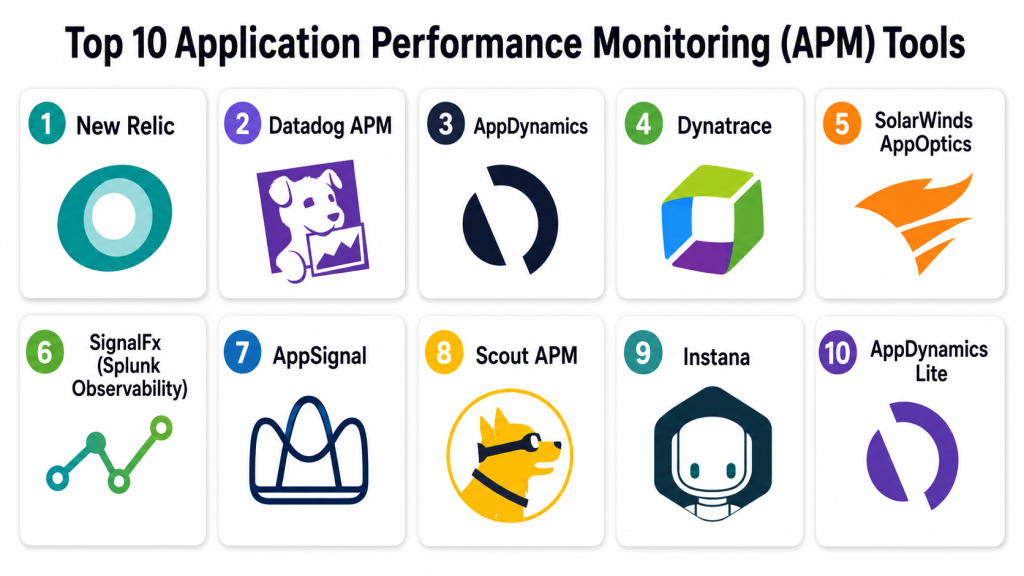
Top 10 Application Performance Monitoring (APM) Tools
#1 — New Relic
Short description: New Relic provides end-to-end visibility into application performance, infrastructure, and user experience. It is suitable for SaaS, enterprise, and cloud-native applications.
Key Features
- Real-time monitoring for applications and infrastructure.
- Distributed tracing across microservices.
- AI-assisted anomaly detection.
- Custom dashboards and analytics.
- Alerts and incident management integrations.
- Full-stack observability.
- Multi-cloud support.
Pros
- Comprehensive metrics and monitoring.
- User-friendly dashboards.
- Strong integrations with DevOps tools.
Cons
- Pricing may be high for smaller teams.
- Steeper learning curve for advanced features.
- Some features may require premium plans.
Platforms / Deployment
Web / Windows / Linux / macOS / iOS / Android
Cloud / Hybrid
Security & Compliance
Supports encryption, RBAC, MFA, audit logs. SOC 2 and ISO certifications available for enterprise plans.
Integrations & Ecosystem
- AWS, Azure, GCP
- Kubernetes, Docker
- Jira, Slack
- CI/CD pipelines
- PagerDuty
Support & Community
Vendor support with documentation, community forums, and professional onboarding.
#2 — Datadog APM
Short description: Datadog provides real-time observability with monitoring, logging, and tracing for applications and infrastructure. Ideal for cloud-native and hybrid environments.
Key Features
- Distributed tracing and metrics.
- Infrastructure monitoring and alerts.
- AI-based anomaly detection.
- Dashboarding and analytics.
- Service and dependency maps.
- Multi-cloud support.
- Log correlation with traces.
Pros
- Cloud-native and container-friendly.
- Strong visualization and dashboards.
- Integrated logging and monitoring.
Cons
- Can be complex for beginners.
- Pricing depends on the number of hosts and services.
- Advanced features require additional modules.
Platforms / Deployment
Web / Linux / Windows / macOS
Cloud / Hybrid
Security & Compliance
Supports RBAC, encryption, audit logs. SOC 2, ISO 27001, HIPAA compliance available.
Integrations & Ecosystem
- AWS, Azure, GCP
- Kubernetes, Docker
- CI/CD pipelines
- Slack, PagerDuty
- Terraform
Support & Community
Strong documentation, active community, enterprise support.
#3 — AppDynamics
Short description: AppDynamics monitors application performance and user experience, providing deep visibility into business transactions. Suitable for large enterprises and SaaS platforms.
Key Features
- End-to-end transaction tracing.
- Real-time user experience monitoring.
- Application mapping and dependency tracking.
- Custom dashboards and reports.
- AI-driven anomaly detection.
- Alerting and root cause analysis.
- Multi-cloud and on-prem support.
Pros
- Enterprise-grade analytics.
- Strong integration with business KPIs.
- Comprehensive transaction visibility.
Cons
- Enterprise-focused; small teams may find it complex.
- Premium pricing for advanced features.
- Steep initial setup.
Platforms / Deployment
Web / Linux / Windows / macOS
Cloud / Hybrid
Security & Compliance
RBAC, encrypted communication, audit logs. Enterprise certifications vary.
Integrations & Ecosystem
- AWS, Azure, GCP
- Kubernetes
- CI/CD tools
- Slack, Jira
- PagerDuty
Support & Community
Vendor support, documentation, and community forums.
#4 — Dynatrace
Short description: Dynatrace delivers automatic full-stack observability, AI-driven insights, and cloud monitoring. Best for enterprises with microservices and multi-cloud deployments.
Key Features
- AI-powered performance analytics.
- Distributed tracing across services.
- Real-time infrastructure monitoring.
- Cloud-native support.
- Automatic anomaly detection.
- Dashboarding and reporting.
- Log, metrics, and trace correlation.
Pros
- Automatic discovery and monitoring.
- Strong AI-driven insights.
- Excellent cloud-native support.
Cons
- High cost for smaller organizations.
- Complexity for multi-environment setup.
- Premium features require enterprise plans.
Platforms / Deployment
Web / Linux / Windows / macOS
Cloud / Hybrid
Security & Compliance
Supports encryption, RBAC, audit logs. Enterprise certifications available.
Integrations & Ecosystem
- AWS, Azure, GCP
- Kubernetes, Docker
- CI/CD pipelines
- Slack, PagerDuty
- Jira
Support & Community
Enterprise support with strong documentation and community forums.
#5 — SolarWinds AppOptics
Short description: AppOptics provides full-stack APM with metrics, tracing, and alerting, suitable for SMBs and mid-market teams.
Key Features
- End-to-end application monitoring.
- Distributed tracing.
- Infrastructure and cloud monitoring.
- Custom dashboards and analytics.
- Alerts and anomaly detection.
- Multi-cloud support.
- CI/CD integration.
Pros
- Affordable and easy to use.
- Good SMB adoption.
- Integrated logging and metrics.
Cons
- Enterprise-grade features are limited.
- UI less modern than competitors.
- Some integrations may require configuration.
Platforms / Deployment
Web / Windows / Linux / macOS
Cloud / Hybrid
Security & Compliance
Supports encryption, RBAC, and audit logging. Certifications not publicly stated.
Integrations & Ecosystem
- AWS, Azure, GCP
- Kubernetes
- CI/CD pipelines
- Slack, PagerDuty
- Terraform
Support & Community
Vendor documentation and moderate community support.
#6 — SignalFx (Splunk Observability)
Short description: SignalFx provides cloud-native APM and observability, ideal for microservices, serverless, and containerized applications.
Key Features
- Real-time metrics and tracing.
- AI-driven alerts and anomaly detection.
- Serverless and container monitoring.
- Dashboarding and reporting.
- Multi-cloud support.
- Log and metrics correlation.
- CI/CD pipeline integration.
Pros
- Cloud-native focus.
- Real-time observability.
- Strong AI-based insights.
Cons
- Enterprise pricing.
- Complexity for beginners.
- Some features require Splunk platform integration.
Platforms / Deployment
Web / Linux / Windows / macOS
Cloud
Security & Compliance
Supports RBAC, encryption, and audit logging. Enterprise certifications vary.
Integrations & Ecosystem
- Kubernetes, Docker
- AWS, Azure, GCP
- CI/CD pipelines
- Slack, PagerDuty
- Prometheus
Support & Community
Vendor documentation, enterprise support, active community.
#7 — AppSignal
Short description: AppSignal monitors performance for web applications and background jobs. Suitable for SMBs and developer-focused teams.
Key Features
- Performance monitoring and error tracking.
- Transaction tracing.
- Custom dashboards.
- Alerts and notifications.
- Rails, Elixir, and Node.js support.
- Multi-environment tracking.
- CI/CD integration.
Pros
- Developer-friendly interface.
- Affordable and simple setup.
- Strong web framework support.
Cons
- Limited enterprise-grade features.
- Not suitable for multi-cloud complex environments.
- Advanced analytics require paid plan.
Platforms / Deployment
Web / Linux / macOS
Cloud
Security & Compliance
Encrypted communications and access control. Certifications not publicly stated.
Integrations & Ecosystem
- GitHub Actions
- GitLab CI/CD
- Slack
- CI/CD pipelines
- PagerDuty
Support & Community
Good documentation and active developer community.
#8 — Scout APM
Short description: Scout APM offers lightweight APM for Ruby, Python, PHP, and Elixir applications. Focused on SMBs and developer teams.
Key Features
- Transaction and performance monitoring.
- Real-time alerts.
- Detailed method-level insights.
- Deployment tracking.
- Multi-environment support.
- Customizable dashboards.
- CI/CD integration.
Pros
- Easy installation and lightweight agent.
- Developer-focused insights.
- Affordable for SMBs.
Cons
- Limited language support.
- Not enterprise-scale.
- Less robust cloud-native support.
Platforms / Deployment
Web / Linux / macOS
Cloud
Security & Compliance
Supports encrypted data transfer and role-based access. Certifications not publicly stated.
Integrations & Ecosystem
- GitHub Actions
- GitLab CI/CD
- Slack
- Jira
- CI/CD pipelines
Support & Community
Documentation is strong; community is moderate.
#9 — Instana
Short description: Instana provides automatic APM for microservices, containerized apps, and serverless environments. Enterprise-focused tool with full-stack observability.
Key Features
- Automatic tracing and monitoring.
- Container and Kubernetes monitoring.
- AI-powered root cause analysis.
- Multi-cloud and hybrid support.
- Alerts and reporting dashboards.
- CI/CD integration.
- Performance analytics.
Pros
- Enterprise-grade automation.
- Real-time observability for complex environments.
- AI-driven root cause detection.
Cons
- Enterprise pricing.
- Complex for small teams.
- Learning curve for non-experts.
Platforms / Deployment
Web / Linux / Windows / macOS
Cloud / Hybrid
Security & Compliance
Supports RBAC, encryption, audit logging. Enterprise certifications may vary.
Integrations & Ecosystem
- Kubernetes, Docker
- AWS, Azure, GCP
- CI/CD pipelines
- Slack, PagerDuty
- Jira
Support & Community
Vendor support and documentation available; active enterprise community.
#10 — AppDynamics Lite
Short description: AppDynamics Lite provides simplified APM for SMBs and developers needing basic performance insights without full enterprise complexity.
Key Features
- Application performance monitoring.
- Transaction tracing.
- Alerts and notifications.
- Dashboarding and basic analytics.
- Multi-environment support.
- Lightweight agent.
- CI/CD integration.
Pros
- Simplified setup.
- Affordable for small teams.
- Provides essential monitoring insights.
Cons
- Limited enterprise features.
- Less advanced analytics.
- Fewer integrations than full AppDynamics.
Platforms / Deployment
Web / Linux / Windows / macOS
Cloud
Security & Compliance
Supports encrypted communication and role-based access. Certifications not publicly stated.
Integrations & Ecosystem
- GitHub Actions
- GitLab CI/CD
- Slack
- Jira
- CI/CD pipelines
Support & Community
Documentation is sufficient for small teams; community moderate.
Comparison Table
| Tool Name | Best For | Platform(s) Supported | Deployment | Standout Feature | Public Rating |
|---|---|---|---|---|---|
| New Relic | Enterprise & SaaS | Web, Linux, Windows, macOS, iOS, Android | Cloud / Hybrid | Full-stack observability & AI alerts | N/A |
| Datadog APM | Cloud-native teams | Web, Linux, Windows, macOS | Cloud / Hybrid | Cloud-native & distributed tracing | N/A |
| AppDynamics | Enterprise & SaaS | Web, Linux, Windows, macOS | Cloud / Hybrid | End-to-end transaction visibility | N/A |
| Dynatrace | Enterprise & Microservices | Web, Linux, Windows, macOS | Cloud / Hybrid | Automatic full-stack monitoring | N/A |
| SolarWinds AppOptics | SMB & mid-market | Web, Linux, Windows, macOS | Cloud / Hybrid | Affordable full-stack APM | N/A |
| SignalFx | Cloud-native microservices | Web, Linux, Windows, macOS | Cloud | Real-time cloud-native observability | N/A |
| AppSignal | Web applications | Web, Linux, macOS | Cloud | Developer-friendly performance insights | N/A |
| Scout APM | Web apps for SMBs | Web, Linux, macOS | Cloud | Lightweight agent & insights | N/A |
| Instana | Enterprise microservices | Web, Linux, Windows, macOS | Cloud / Hybrid | AI-powered root cause analysis | N/A |
| AppDynamics Lite | SMB & Dev teams | Web, Linux, Windows, macOS | Cloud | Simplified performance monitoring | N/A |
Evaluation & Scoring of APM Tools
| Tool Name | Core (25%) | Ease (15%) | Integrations (15%) | Security (10%) | Performance (10%) | Support (10%) | Value (15%) | Weighted Total |
|---|---|---|---|---|---|---|---|---|
| New Relic | 10 | 8 | 9 | 9 | 9 | 8 | 8 | 8.85 |
| Datadog APM | 9 | 8 | 9 | 9 | 9 | 8 | 8 | 8.65 |
| AppDynamics | 9 | 7 | 8 | 9 | 9 | 8 | 8 | 8.45 |
| Dynatrace | 10 | 7 | 9 | 9 | 9 | 8 | 7 | 8.40 |
| SolarWinds AppOptics | 8 | 8 | 8 | 8 | 8 | 8 | 8 | 8.00 |
| SignalFx | 9 | 7 | 8 | 9 | 8 | 8 | 7 | 8.05 |
| AppSignal | 8 | 9 | 7 | 8 | 8 | 7 | 8 | 7.95 |
| Scout APM | 7 | 9 | 7 | 7 | 7 | 7 | 8 | 7.55 |
| Instana | 10 | 7 | 9 | 9 | 9 | 8 | 7 | 8.35 |
| AppDynamics Lite | 7 | 9 | 7 | 7 | 7 | 7 | 8 | 7.55 |
Scores provide a comparative view; higher totals indicate a balance of monitoring capabilities, usability, integration, and scalability.
Which APM Tool Is Right for You?
Solo / Freelancer
AppSignal, Scout APM, and AppDynamics Lite are lightweight, affordable, and easy to set up for small applications and personal projects.
SMB
SolarWinds AppOptics, Datadog APM, and AppSignal offer affordable full-stack monitoring and integration with CI/CD pipelines for small teams.
Mid-Market
New Relic, Dynatrace, and SignalFx provide comprehensive monitoring, distributed tracing, and analytics for growing teams with multiple services.
Enterprise
AppDynamics, Dynatrace, New Relic, and Instana are ideal for enterprises requiring advanced AI-driven insights, full-stack observability, and multi-cloud support.
Budget vs Premium
Budget teams can start with Scout APM, AppDynamics Lite, or AppSignal. Premium tools provide advanced tracing, AI insights, and enterprise dashboards.
Feature Depth vs Ease of Use
Dynatrace and New Relic offer deep automation and analytics but require more setup. AppSignal and Scout APM prioritize ease of use for developers.
Integrations & Scalability
Ensure CI/CD, cloud, container, and multi-service integrations for scaling. Check dashboard flexibility and alert configuration.
Security & Compliance Needs
Verify RBAC, encrypted data transfer, audit logging, and compliance certifications for regulated environments.
Frequently Asked Questions
What is APM?
Application Performance Monitoring tracks the performance, reliability, and user experience of software applications.
Why use APM tools?
They identify bottlenecks, errors, and performance degradation, improving uptime, reliability, and user satisfaction.
Which applications benefit most?
Web applications, mobile apps, microservices, APIs, cloud-native services, and enterprise software.
Can APM track user experience?
Yes. Most APM tools include Real User Monitoring (RUM) to track application responsiveness for end users.
How do APM tools integrate with CI/CD?
They monitor new releases, detect regressions, and correlate application performance with deployment events.
Are APM tools secure?
Yes, they support encrypted transmission, RBAC, and audit logs. Enterprise certifications may vary.
Can APM handle cloud-native applications?
Yes, most tools support Kubernetes, Docker, and multi-cloud infrastructures.
How do distributed tracing tools help?
They track transactions across services, identifying performance bottlenecks and root causes.
Are APM tools expensive?
Pricing varies by hosts, applications, data volume, and features. Lightweight tools exist for smaller teams.
What is predictive analytics in APM?
It anticipates performance issues based on historical data to prevent outages before they impact users.
Conclusion
Application Performance Monitoring tools are essential for maintaining reliable, high-performing software. Small teams can start with Scout APM, AppSignal, or AppDynamics Lite for essential insights. Mid-market teams benefit from Datadog, SolarWinds AppOptics, and Dynatrace for advanced observability and multi-service tracking. Enterprises require AppDynamics, Dynatrace, New Relic, or Instana for AI-driven analytics, distributed tracing, and full-stack monitoring across multi-cloud and containerized environments. Teams should shortlist two to three tools, integrate them with CI/CD pipelines, evaluate distributed tracing, and validate security and compliance features to choose the right APM solution.
