Upgrade & Secure Your Future with DevOps, SRE, DevSecOps, MLOps!
We spend hours scrolling social media and waste money on things we forget, but won’t spend 30 minutes a day earning certifications that can change our lives.
Master in DevOps, SRE, DevSecOps & MLOps by DevOps School!
Learn from Guru Rajesh Kumar and double your salary in just one year.
Introduction
Penetration testing tools are specialized software applications designed to help security teams and organizations evaluate the strength of their IT systems, networks, and applications by simulating real-world cyberattacks. In simple terms, these tools allow businesses to identify vulnerabilities before malicious actors exploit them, helping prevent data breaches, financial loss, and reputational damage.
In and beyond, penetration testing has become more critical due to the increasing sophistication of cyberattacks, the rise of cloud and hybrid infrastructures, and the growing regulatory demands across industries. Security teams now need tools that are automated, AI-enhanced, and capable of integrating with broader security frameworks to ensure continuous assessment and rapid remediation.
Real-world use cases include:
- Testing web applications for common vulnerabilities like SQL injection and cross-site scripting.
- Simulating attacks on network infrastructure to identify weak points.
- Evaluating cloud environments for misconfigurations and access control gaps.
- Assessing mobile applications for security flaws.
- Running compliance-focused assessments for GDPR, HIPAA, or SOC 2 standards.
Key criteria buyers should evaluate:
- Core vulnerability scanning and attack simulation capabilities.
- Reporting and analytics functionality.
- Integration with existing security and DevOps pipelines.
- Ease of use and automation features.
- Platform and environment support.
- Security certifications and compliance adherence.
- Pricing and licensing flexibility.
- Support and community resources.
Best for: Security engineers, IT teams, DevOps/SRE professionals, SMBs to enterprise organizations, and industries with strict compliance requirements such as finance, healthcare, and government.
Not ideal for: Individuals or organizations with minimal IT infrastructure or limited security budgets; alternative lightweight scanners may suffice for simple environments.
Key Trends in Penetration Testing Tools
AI and Machine Learning Integration: Tools increasingly use AI to prioritize critical vulnerabilities and simulate advanced attack patterns.
- Automation and Continuous Testing: Continuous penetration testing is becoming standard, particularly in DevOps pipelines.
- Cloud-native Security Assessments: Enhanced support for AWS, Azure, GCP, and hybrid cloud environments.
- Regulatory Compliance Features: Built-in templates for HIPAA, GDPR, SOC 2, and ISO standards streamline audits.
- Collaborative Platforms: Team-based dashboards and workflow integrations improve efficiency and knowledge sharing.
- Extended API and CI/CD Integration: Tools now integrate with CI/CD pipelines to detect vulnerabilities during deployment.
- IoT and Mobile Testing Capabilities: Broader support for IoT and mobile device penetration assessments.
- Pricing Flexibility: Subscription and usage-based pricing models are becoming more prevalent.
- Threat Intelligence Integration: Tools leverage real-time threat intelligence feeds to simulate emerging attack vectors.
- Cloud-based SaaS Options: Increasing adoption of cloud-hosted tools reduces infrastructure overhead.
How We Selected These Tools (Methodology)
- Market adoption and mindshare among enterprise, SMB, and developer communities.
- Comprehensive feature coverage, including network, web, and cloud vulnerability testing.
- Performance and reliability signals from industry benchmarks and real-world feedback.
- Security posture and adherence to industry compliance standards.
- Integration ecosystem, including APIs, CI/CD, SIEM, and bug tracking tools.
- Customer fit across segments, from solo security engineers to large enterprise teams.
- Vendor support quality and community engagement.
- Scalability and flexibility for different deployment scenarios.
- Practical relevance for 2026+ security challenges, including AI threats and cloud environments.
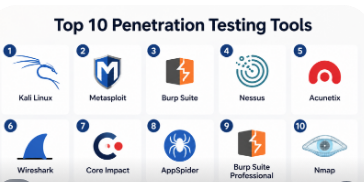
Top 10 Penetration Testing Tools
#1 — Kali Linux
Short description: A widely used open-source penetration testing platform, Kali Linux is ideal for ethical hackers, security engineers, and penetration testers looking for a comprehensive suite of testing tools.
Key Features
- Preloaded with hundreds of security tools.
- Network and web application vulnerability testing.
- Support for custom scripts and tool creation.
- Live boot capabilities for portable testing.
- Frequent security updates and community-driven enhancements.
Pros
- Extremely versatile and widely supported.
- Extensive documentation and community resources.
Cons
- Requires Linux familiarity.
- Not beginner-friendly without prior cybersecurity experience.
Platforms / Deployment
- Linux (primary); can run on Windows/macOS via virtual machines.
- Self-hosted.
Security & Compliance
- Not publicly stated.
Integrations & Ecosystem
- APIs and script-based integrations for custom workflows.
- Compatible with Metasploit, Nmap, and other standard security tools.
- Strong community-contributed modules and plugins.
Support & Community
- Extensive online documentation.
- Large active community forums.
- Varies / Not publicly stated official support.
#2 — Metasploit
Short description: Metasploit is a powerful framework for developing, testing, and executing exploits against vulnerable systems, suitable for security professionals and penetration testers.
Key Features
- Exploit development and execution.
- Payload generation for testing purposes.
- Vulnerability scanning integration.
- Multi-platform support.
- Real-time reporting and session management.
Pros
- Extensive exploit database.
- Widely adopted in security testing labs and enterprises.
Cons
- Steep learning curve.
- Some advanced features require paid licenses.
Platforms / Deployment
- Windows / Linux / macOS.
- Hybrid (self-hosted and cloud-supported options).
Security & Compliance
- Not publicly stated.
Integrations & Ecosystem
- Integrates with vulnerability scanners like Nexpose.
- API support for automation.
- Community-driven modules and scripts.
Support & Community
- Active community forums and tutorials.
- Paid enterprise support available.
#3 — Burp Suite
Short description: Burp Suite is a leading web vulnerability scanner used for penetration testing web applications and APIs.
Key Features
- Web vulnerability scanning (SQL injection, XSS, CSRF).
- Proxy interception for traffic analysis.
- Automated scanning with advanced crawling.
- Reporting and remediation recommendations.
- API testing and automation tools.
Pros
- Highly accurate web vulnerability detection.
- Professional edition offers advanced automation.
Cons
- Premium license required for full capabilities.
- Resource-intensive on large applications.
Platforms / Deployment
- Windows / macOS / Linux.
- Self-hosted.
Security & Compliance
- Not publicly stated.
Integrations & Ecosystem
- Integrates with CI/CD pipelines.
- Plugin support via Burp extensions.
- API hooks for custom workflows.
Support & Community
- Detailed documentation and tutorials.
- Active professional forums.
- Paid support for enterprise clients.
#4 — Nessus
Short description: Nessus is a widely used vulnerability scanner focused on identifying network, host, and application vulnerabilities.
Key Features
- Comprehensive network scanning.
- Configuration and compliance checks.
- Customizable policies and templates.
- Reporting and remediation guidance.
- Cloud and on-prem deployment support.
Pros
- Industry-standard accuracy.
- Regular plugin updates for new vulnerabilities.
Cons
- Paid license required for advanced features.
- May generate false positives in complex networks.
Platforms / Deployment
- Windows / Linux / macOS.
- Cloud / Self-hosted.
Security & Compliance
- SOC 2, ISO 27001 support via compliance checks.
- SSO/MFA supported.
Integrations & Ecosystem
- Integrates with SIEMs and IT management tools.
- API access for automation.
- Extensive plugin ecosystem.
Support & Community
- Professional support and community forums.
- Varies / Not publicly stated for free users.
#5 — Acunetix
Short description: Acunetix specializes in automated web application security scanning, targeting vulnerabilities like XSS, SQL injection, and server misconfigurations.
Key Features
- Automated web vulnerability scanning.
- CI/CD integration.
- Detailed reporting and remediation tips.
- Multi-platform web testing.
- API testing support.
Pros
- Fast and easy to use.
- Accurate vulnerability detection.
Cons
- Subscription-based pricing.
- Limited to web-focused testing.
Platforms / Deployment
- Windows / Linux.
- Cloud / Self-hosted.
Security & Compliance
- Not publicly stated.
Integrations & Ecosystem
- Integration with Jenkins, GitLab, and other DevOps tools.
- API support.
- Customizable reports.
Support & Community
- Active support team.
- Documentation and knowledge base available.
#6 — Wireshark
Short description: Wireshark is a network protocol analyzer widely used for security testing, packet inspection, and traffic analysis.
Key Features
- Real-time packet capture and analysis.
- Protocol decoding and visualization.
- Filtering and advanced search features.
- Multi-platform support.
- Export and reporting capabilities.
Pros
- Free and open-source.
- Excellent for network-level penetration testing.
Cons
- Requires technical expertise.
- Does not provide automated exploit generation.
Platforms / Deployment
- Windows / macOS / Linux.
- Self-hosted.
Security & Compliance
- Not publicly stated.
Integrations & Ecosystem
- Compatible with external scripts and plugins.
- Supports automated packet analysis workflows.
- Integrates with other network security tools.
Support & Community
- Strong open-source community.
- Extensive tutorials and user forums.
#7 — Core Impact
Short description: Core Impact provides comprehensive enterprise-level penetration testing for networks, web applications, and endpoints.
Key Features
- Network, endpoint, and web application testing.
- Automated exploit and payload generation.
- Reporting and remediation guidance.
- Team collaboration features.
- Compliance-focused templates.
Pros
- Enterprise-ready.
- Multi-vector testing.
Cons
- Expensive licensing.
- Complexity requires skilled security professionals.
Platforms / Deployment
- Windows / Linux.
- Self-hosted / Hybrid.
Security & Compliance
- SOC 2 / ISO 27001 templates supported.
- Not publicly stated for encryption.
Integrations & Ecosystem
- Integrates with ticketing and SIEM systems.
- API support for automated workflows.
- Extensible with custom scripts.
Support & Community
- Professional support available.
- Community engagement limited.
#8 — AppSpider
Short description: AppSpider focuses on dynamic application security testing, emphasizing web and API vulnerabilities.
Key Features
- Automated scanning of web apps and APIs.
- Real-time monitoring and reporting.
- Integration with DevOps pipelines.
- Customizable attack patterns.
- Continuous security testing options.
Pros
- Good CI/CD integration.
- Supports API security testing.
Cons
- Premium pricing.
- Less suitable for network testing.
Platforms / Deployment
- Windows / Linux.
- Cloud / Self-hosted.
Security & Compliance
- Not publicly stated.
Integrations & Ecosystem
- Jenkins, GitLab, and Jira integrations.
- API access for automation.
- Supports plugin extensions.
Support & Community
- Vendor support available.
- Documentation provided.
#9 — Burp Suite Professional
Short description: The professional edition of Burp Suite extends automated scanning and advanced attack capabilities for security teams.
Key Features
- Enhanced web vulnerability scanning.
- CI/CD pipeline integration.
- Advanced automated reporting.
- API testing and custom scripts.
- Team collaboration dashboards.
Pros
- Powerful automation and accuracy.
- Strong reporting features.
Cons
- Requires paid license.
- Learning curve for advanced features.
Platforms / Deployment
- Windows / macOS / Linux.
- Self-hosted.
Security & Compliance
- Not publicly stated.
Integrations & Ecosystem
- Integrates with issue tracking and DevOps tools.
- Supports API automation.
- Plugin ecosystem for custom workflows.
Support & Community
- Professional support provided.
- Active user community.
#10 — Nmap
Short description: Nmap is a widely used open-source network scanning tool for discovering hosts, services, and potential vulnerabilities.
Key Features
- Network discovery and mapping.
- Vulnerability scanning capabilities.
- Scripting engine for automated tasks.
- Multi-platform support.
- Output reporting and visualization options.
Pros
- Free and open-source.
- Lightweight and versatile.
Cons
- Requires networking knowledge.
- Limited automated exploit generation.
Platforms / Deployment
- Windows / macOS / Linux.
- Self-hosted.
Security & Compliance
- Not publicly stated.
Integrations & Ecosystem
- Extensible with Nmap Scripting Engine (NSE).
- Integrates with security dashboards.
- Supports custom scripts for automation.
Support & Community
- Active open-source community.
- Comprehensive documentation.
Comparison Table (Top 10)
| Tool Name | Best For | Platform(s) Supported | Deployment | Standout Feature | Public Rating |
|---|---|---|---|---|---|
| Kali Linux | Ethical hackers, security teams | Linux (VM support for Windows/macOS) | Self-hosted | Comprehensive suite of tools | N/A |
| Metasploit | Exploit testing | Windows/macOS/Linux | Hybrid | Extensive exploit database | N/A |
| Burp Suite | Web app security testers | Windows/macOS/Linux | Self-hosted | Automated web vulnerability scanning | N/A |
| Nessus | Network vulnerability assessment | Windows/macOS/Linux | Cloud / Self-hosted | Accurate network scanning | N/A |
| Acunetix | Web application security | Windows/Linux | Cloud / Self-hosted | Fast automated scanning | N/A |
| Wireshark | Network analysis | Windows/macOS/Linux | Self-hosted | Deep packet inspection | N/A |
| Core Impact | Enterprise teams | Windows/Linux | Self-hosted / Hybrid | Multi-vector penetration testing | N/A |
| AppSpider | API and web security | Windows/Linux | Cloud / Self-hosted | Dynamic application scanning | N/A |
| Burp Suite Professional | Security teams | Windows/macOS/Linux | Self-hosted | Advanced automation & collaboration | N/A |
| Nmap | Network mapping | Windows/macOS/Linux | Self-hosted | Lightweight network scanning | N/A |
Evaluation & Scoring of Penetration Testing Tools
| Tool Name | Core (25%) | Ease (15%) | Integrations (15%) | Security (10%) | Performance (10%) | Support (10%) | Value (15%) | Weighted Total (0–10) |
|---|---|---|---|---|---|---|---|---|
| Kali Linux | 9 | 6 | 7 | 8 | 8 | 6 | 9 | 7.7 |
| Metasploit | 8 | 7 | 8 | 8 | 8 | 7 | 8 | 7.8 |
| Burp Suite | 9 | 7 | 8 | 8 | 8 | 7 | 7 | 7.8 |
| Nessus | 9 | 8 | 8 | 9 | 8 | 8 | 7 | 8.1 |
| Acunetix | 8 | 8 | 7 | 8 | 8 | 7 | 7 | 7.6 |
| Wireshark | 7 | 6 | 7 | 8 | 7 | 6 | 9 | 7.2 |
| Core Impact | 9 | 6 | 8 | 9 | 8 | 8 | 6 | 7.8 |
| AppSpider | 8 | 7 | 7 | 8 | 7 | 7 | 7 | 7.4 |
| Burp Suite Pro | 9 | 7 | 8 | 8 | 8 | 7 | 7 | 7.8 |
| Nmap | 7 | 6 | 6 | 8 | 7 | 6 | 9 | 7.1 |
Interpretation: Scores are comparative across tools. A higher weighted total indicates a better overall balance of core features, usability, integrations, security, and value. Organizations should prioritize criteria aligned with their environment and compliance needs.
Which Penetration Testing Tool Is Right for You?
Solo / Freelancer
- Tools like Kali Linux, Nmap, and Wireshark offer robust capabilities without significant cost, ideal for individuals or small security consultancies.
SMB
- SMBs benefit from Nessus, Acunetix, or Burp Suite for automated scanning, reporting, and integration with existing DevOps pipelines.
Mid-Market
- Core Impact, Metasploit, and Burp Suite Professional provide comprehensive coverage, team collaboration, and reporting suitable for medium-sized organizations.
Enterprise
- Enterprises may require Core Impact, Nessus, and Burp Suite Professional for multi-vector testing, compliance reporting, and integration with SIEM and IT management tools.
Budget vs Premium
- Open-source tools like Kali Linux, Nmap, and Wireshark are budget-friendly. Paid solutions provide advanced automation, reporting, and support.
Feature Depth vs Ease of Use
- Tools with higher feature depth (Metasploit, Core Impact) require skilled personnel. Automated tools (Acunetix, Burp Suite) enhance usability for teams with less specialized expertise.
Integrations & Scalability
- Mid-market and enterprise organizations should select tools with CI/CD, SIEM, and API integrations to scale security testing across large infrastructures.
Security & Compliance Needs
- Organizations in regulated sectors should prioritize tools offering compliance-focused templates, reporting, and security certifications, such as Nessus and Core Impact.
Frequently Asked Questions (FAQs)
What is the typical pricing model for penetration testing tools?
Pricing varies widely: open-source tools are free, while commercial solutions may use subscription or perpetual licenses.
Can these tools be integrated into DevOps pipelines?
Yes, many tools like Burp Suite, Nessus, and AppSpider offer APIs and CI/CD integrations.
How often should penetration testing be conducted?
Continuous or periodic testing is recommended depending on organizational risk, new deployments, and compliance requirements.
Are these tools suitable for cloud environments?
Many tools, such as Nessus and Acunetix, provide cloud scanning capabilities for AWS, Azure, and GCP.
Can beginners use these tools effectively?
Some tools like Wireshark or Nmap require technical expertise. Paid tools often offer user-friendly interfaces for less experienced users.
How do these tools handle reporting?
Most tools generate detailed reports with vulnerability prioritization, remediation guidance, and compliance templates.
Can these tools test APIs and mobile applications?
Yes, AppSpider and Burp Suite are designed for web, API, and mobile application testing.
Are open-source tools secure to use in enterprise environments?
Open-source tools are secure when updated and configured correctly but may lack official support compared to commercial options.
How do I switch between penetration testing tools?
Transitioning requires mapping features, configuring similar scanning profiles, and training teams on new workflows.
Are there alternatives to these tools?
Alternatives include cloud-native security scanners, bug bounty platforms, and specialized vulnerability assessment software.
Conclusion
Choosing the right penetration testing tool depends on organizational size, security expertise, budget, and compliance requirements. Open-source tools like Kali Linux and Nmap offer flexibility for individuals and small teams, while enterprise solutions like Core Impact, Nessus, and Burp Suite Professional provide comprehensive coverage, automated reporting, and integration with existing IT and DevOps workflows. Next steps include shortlisting 2–3 tools that align with your environment, running a pilot to evaluate performance and integration capabilities, and validating security and compliance coverage to ensure robust protection against evolving threats.
