Upgrade & Secure Your Future with DevOps, SRE, DevSecOps, MLOps!
We spend hours scrolling social media and waste money on things we forget, but won’t spend 30 minutes a day earning certifications that can change our lives.
Master in DevOps, SRE, DevSecOps & MLOps by DevOps School!
Learn from Guru Rajesh Kumar and double your salary in just one year.
Introduction
Vulnerability Assessment Tools are specialized platforms designed to identify, analyze, and help remediate security weaknesses in IT infrastructure, applications, and networks. They automate the process of scanning systems for known vulnerabilities, misconfigurations, and potential attack vectors, giving organizations actionable insights to improve cybersecurity posture. In the current landscape, where threats evolve rapidly, leveraging these tools is crucial for both risk reduction and regulatory compliance.
Modern organizations face increasingly sophisticated cyber threats, and with remote work, cloud adoption, and containerized applications becoming the norm, the attack surface has expanded considerably. Vulnerability Assessment Tools help security teams stay ahead by prioritizing high-risk vulnerabilities, enabling faster mitigation, and reducing the likelihood of breaches.
Real-world use cases:
- Scanning corporate networks for missing security patches.
- Auditing web applications for known vulnerabilities.
- Ensuring cloud workloads comply with security standards.
- Assessing third-party software dependencies.
- Continuous monitoring for compliance frameworks like ISO 27001 or SOC 2.
Evaluation criteria buyers should consider:
- Coverage depth across network, application, and cloud environments.
- Accuracy and false positive rates.
- Integration with SIEM, ticketing, and DevOps workflows.
- Reporting capabilities and prioritization logic.
- Ease of deployment and scalability.
- Compliance and regulatory alignment.
- Frequency of updates to vulnerability databases.
- Support and community resources.
- Cost relative to features and scale.
Best for: Security teams, IT administrators, DevOps engineers, and organizations of all sizes, especially in finance, healthcare, and technology industries.
Not ideal for: Small businesses with minimal IT infrastructure or companies without dedicated security personnel, where lightweight security solutions may suffice.
Key Trends in Vulnerability Assessment Tools
AI-Powered Threat Detection: Modern tools leverage AI and machine learning to identify zero-day vulnerabilities and anomalous patterns beyond signature-based detection.
- Integration with DevSecOps Pipelines: Vulnerability scanning is increasingly embedded in CI/CD workflows, enabling proactive remediation during development.
- Cloud-Native Security Focus: Tools now offer deep visibility into multi-cloud and hybrid environments, identifying misconfigurations and exposure risks.
- Automation and Orchestration: Automated remediation, ticket creation, and patching workflows reduce manual effort and improve response time.
- Container and Kubernetes Security: Tools scan container images and orchestrated environments for vulnerabilities and policy compliance.
- Real-Time Monitoring: Continuous assessment and alerting replace periodic scans, ensuring dynamic risk detection.
- Compliance Reporting: Built-in frameworks for GDPR, HIPAA, SOC 2, ISO 27001 simplify audits.
- Prioritization of Critical Vulnerabilities: Risk scoring and exploitability insights help focus remediation efforts on high-impact issues.
- Flexible Deployment Models: Options for on-prem, cloud, and hybrid deployments to match organizational architecture.
- Subscription and Usage-Based Pricing: Moving toward scalable pricing aligned with asset count and scanning frequency.
How We Selected These Tools (Methodology)
- Evaluated market adoption and industry mindshare.
- Assessed feature completeness, including network, application, cloud, and container scanning.
- Reviewed reliability and performance signals from benchmark reports and user feedback.
- Examined security posture, including vulnerability database update frequency and exploit detection accuracy.
- Considered integration capabilities with DevSecOps, SIEM, ticketing, and automation tools.
- Analyzed customer fit for SMBs, mid-market, and enterprise environments.
- Checked scalability to handle large networks and complex environments.
- Investigated support quality including documentation, onboarding, and community presence.
- Verified pricing transparency and total cost of ownership.
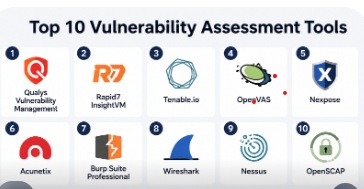
Top 10 Vulnerability Assessment Tools
#1 — Qualys Vulnerability Management
Short description: A comprehensive cloud-based platform offering continuous vulnerability scanning and remediation tracking, suited for enterprises and regulated industries.
Key Features
- Continuous discovery and asset inventory
- Cloud-based vulnerability scanning
- Prioritization based on risk scoring
- Patch management integration
- Regulatory compliance reporting
- API access for automation
Pros
- Enterprise-grade cloud deployment
- Strong regulatory compliance support
Cons
- Can be complex for smaller teams
- Higher cost for smaller organizations
Platforms / Deployment
- Web / Windows / macOS / Linux
- Cloud
Security & Compliance
- SSO/SAML, MFA, encryption, RBAC
- SOC 2, ISO 27001, GDPR
Integrations & Ecosystem
- APIs for SIEM, ticketing, and patch management
- Integrates with ServiceNow, Jira, Splunk
- Supports DevSecOps pipelines
Support & Community
- Extensive documentation, dedicated enterprise support
- Active user community and forums
#2 — Rapid7 InsightVM
Short description: Offers live vulnerability assessment with adaptive security intelligence, enabling teams to focus on exploitable risks.
Key Features
- Live dashboards with risk scoring
- Dynamic asset discovery
- Remediation workflow integration
- Cloud workload scanning
- Automated reporting
- Predictive analytics
Pros
- Real-time visibility into vulnerabilities
- Strong automation and prioritization
Cons
- Can require training for advanced features
- Pricing may scale quickly for large environments
Platforms / Deployment
- Web / Windows / macOS / Linux
- Cloud / Hybrid
Security & Compliance
- MFA, encryption, RBAC
- Not publicly stated for certifications
Integrations & Ecosystem
- APIs, Splunk, Jira, ServiceNow
- Supports DevSecOps pipelines
Support & Community
- Comprehensive documentation and online resources
- Community forums and knowledge base
#3 — Tenable.io
Short description: Cloud-based vulnerability management and continuous monitoring platform for enterprise-scale IT environments.
Key Features
- Continuous scanning and monitoring
- Asset discovery and classification
- Risk-based prioritization
- Container and cloud security scanning
- Compliance checks (PCI, ISO)
- Integration APIs
Pros
- Strong analytics and risk scoring
- Cloud-native architecture
Cons
- Limited offline/on-prem options
- Learning curve for new users
Platforms / Deployment
- Web / Windows / Linux
- Cloud
Security & Compliance
- SSO/SAML, MFA
- PCI DSS, ISO 27001
Integrations & Ecosystem
- Jira, ServiceNow, Splunk
- API for custom automation
Support & Community
- Dedicated support tiers
- Active community knowledge base
#4 — OpenVAS
Short description: Open-source vulnerability scanner suitable for small to medium organizations, providing detailed network security assessments.
Key Features
- Network vulnerability scanning
- Extensive vulnerability database
- Regular security updates
- Reports exportable in multiple formats
- Supports multiple OS platforms
Pros
- Free and open-source
- Wide community support
Cons
- Requires setup and maintenance
- Limited cloud and container coverage
Platforms / Deployment
- Linux / Windows (via Greenbone)
- Self-hosted
Security & Compliance
- Not publicly stated
Integrations & Ecosystem
- Compatible with SIEM via APIs
- Community plugins and scripts
Support & Community
- Community-driven support
- Documentation available
#5 — Nexpose
Short description: On-prem and cloud vulnerability assessment tool focused on risk prioritization and actionable insights.
Key Features
- Dynamic asset discovery
- Risk scoring and prioritization
- Integration with Metasploit
- Automated reporting
- Patch tracking
- Compliance templates
Pros
- Tight integration with exploit frameworks
- Flexible deployment options
Cons
- Less intuitive UI for beginners
- Subscription pricing may be steep
Platforms / Deployment
- Windows / Linux
- Cloud / Self-hosted / Hybrid
Security & Compliance
- Not publicly stated
Integrations & Ecosystem
- Metasploit, SIEM tools
- REST API for automation
Support & Community
- Professional support tiers
- Online community and documentation
#6 — Acunetix
Short description: Web application-focused vulnerability scanner detecting SQLi, XSS, and other web threats.
Key Features
- Automated web app scanning
- Advanced crawler for complex apps
- Integration with CI/CD pipelines
- Detailed reporting
- REST API support
Pros
- Strong focus on web vulnerabilities
- Easy to integrate into DevOps
Cons
- Limited network vulnerability coverage
- Licensing can be costly
Platforms / Deployment
- Windows / Linux
- Cloud / Self-hosted
Security & Compliance
- Not publicly stated
Integrations & Ecosystem
- Jira, GitHub, GitLab, CI/CD tools
- REST API for automation
Support & Community
- Professional support and tutorials
- Active user community
#7 — Burp Suite Professional
Short description: Developer-focused tool for web application penetration testing with robust vulnerability discovery.
Key Features
- Intercepting proxy for traffic analysis
- Automated scanning of web vulnerabilities
- Extensible via plugins
- Reporting and session management
- Integration with CI/CD tools
Pros
- Detailed web app testing capabilities
- Extensible and flexible
Cons
- Primarily web-focused, not full network coverage
- Steep learning curve for beginners
Platforms / Deployment
- Windows / macOS / Linux
- Self-hosted
Security & Compliance
- Not publicly stated
Integrations & Ecosystem
- CI/CD, Jira, custom scripts
- Plugin marketplace
Support & Community
- Extensive documentation and tutorials
- Strong developer community
#8 — Wireshark
Short description: Network protocol analyzer often used in vulnerability assessments to monitor suspicious traffic and detect network anomalies.
Key Features
- Packet capture and inspection
- Protocol analysis
- Real-time monitoring
- Customizable filters
- Detailed reporting
Pros
- Free and open-source
- Highly detailed network analysis
Cons
- Not a full vulnerability scanner
- Requires advanced network knowledge
Platforms / Deployment
- Windows / macOS / Linux
- Self-hosted
Security & Compliance
- Not publicly stated
Integrations & Ecosystem
- Plugins and scripts
- Integrates with IDS/IPS systems
Support & Community
- Strong community forums
- Online tutorials
#9 — Nessus
Short description: Widely used vulnerability scanner for networks, servers, and web applications, delivering comprehensive reports and remediation guidance.
Key Features
- Network and host scanning
- Vulnerability detection and risk scoring
- Compliance checks
- Plugin-based architecture
- Customizable dashboards
Pros
- Reliable and widely adopted
- Strong reporting and compliance templates
Cons
- Licensing cost can be high
- Enterprise features require professional support
Platforms / Deployment
- Windows / Linux / macOS
- Cloud / Self-hosted
Security & Compliance
- MFA, encryption
- PCI DSS, ISO 27001
Integrations & Ecosystem
- APIs for SIEM and ticketing
- Plugin ecosystem
Support & Community
- Professional support available
- Active user community
#10 — OpenSCAP
Short description: Open-source framework for compliance and vulnerability assessment in Linux and cloud environments.
Key Features
- Security configuration scanning
- Automated compliance reporting
- CVE-based vulnerability detection
- Supports SCAP standards
- Extensible with scripts
Pros
- Free and open-source
- Strong compliance focus
Cons
- Linux-centric
- Limited UI for non-technical users
Platforms / Deployment
- Linux
- Self-hosted
Security & Compliance
- Supports SCAP, CIS benchmarks
- Not publicly stated
Integrations & Ecosystem
- APIs and command-line tools
- Integrates with configuration management systems
Support & Community
- Community-driven support
- Documentation available
Comparison Table (Top 10)
| Tool Name | Best For | Platform(s) Supported | Deployment | Standout Feature | Public Rating |
|---|---|---|---|---|---|
| Qualys VM | Enterprise security teams | Web / Win / macOS / Linux | Cloud | Continuous discovery & prioritization | N/A |
| Rapid7 InsightVM | Real-time risk assessment | Web / Win / macOS / Linux | Cloud / Hybrid | Live dashboards & predictive analytics | N/A |
| Tenable.io | Multi-cloud environments | Web / Win / Linux | Cloud | Risk-based prioritization | N/A |
| OpenVAS | SMBs, open-source enthusiasts | Linux / Win (via Greenbone) | Self-hosted | Free & open-source | N/A |
| Nexpose | On-prem & hybrid deployments | Windows / Linux | Cloud / Hybrid | Metasploit integration | N/A |
| Acunetix | Web application security teams | Windows / Linux | Cloud / Self-hosted | Advanced web scanning | N/A |
| Burp Suite Professional | Developers & pentesters | Windows / macOS / Linux | Self-hosted | Detailed web vulnerability analysis | N/A |
| Wireshark | Network analysts | Windows / macOS / Linux | Self-hosted | Deep packet capture & analysis | N/A |
| Nessus | Enterprise & compliance teams | Windows / Linux / macOS | Cloud / Self-hosted | Comprehensive vulnerability coverage | N/A |
| OpenSCAP | Linux & compliance-focused orgs | Linux | Self-hosted | SCAP and compliance scanning | N/A |
Evaluation & Scoring of Vulnerability Assessment Tools
| Tool Name | Core (25%) | Ease (15%) | Integrations (15%) | Security (10%) | Performance (10%) | Support (10%) | Value (15%) | Weighted Total (0–10) |
|---|---|---|---|---|---|---|---|---|
| Qualys VM | 9 | 7 | 8 | 9 | 8 | 8 | 7 | 8.3 |
| Rapid7 InsightVM | 8 | 8 | 8 | 8 | 8 | 7 | 7 | 8.0 |
| Tenable.io | 9 | 7 | 7 | 8 | 8 | 7 | 7 | 8.0 |
| OpenVAS | 7 | 6 | 6 | 7 | 7 | 6 | 9 | 7.0 |
| Nexpose | 8 | 7 | 7 | 7 | 7 | 7 | 7 | 7.5 |
| Acunetix | 8 | 8 | 7 | 7 | 7 | 7 | 6 | 7.5 |
| Burp Suite Professional | 8 | 6 | 7 | 7 | 7 | 7 | 6 | 7.2 |
| Wireshark | 6 | 5 | 6 | 6 | 6 | 6 | 9 | 6.5 |
| Nessus | 9 | 7 | 7 | 8 | 8 | 7 | 7 | 8.0 |
| OpenSCAP | 7 | 6 | 6 | 7 | 7 | 6 | 8 | 7.1 |
Interpretation: Scores are comparative and based on core feature completeness, usability, integration flexibility, security posture, performance, support quality, and value for cost. Weighted totals help guide relative selection rather than absolute benchmarks.
Which Vulnerability Assessment Tool Is Right for You?
Solo / Freelancer
- OpenVAS or Wireshark for cost-effective and flexible scanning.
- Acunetix or Burp Suite if focusing on web apps.
SMB
- Tenable.io or Nexpose for scalable, cloud-friendly vulnerability management.
- OpenVAS for minimal budget teams with in-house expertise.
Mid-Market
- Rapid7 InsightVM or Qualys VM for integrated risk prioritization and compliance reporting.
- Nessus for comprehensive scanning across networks and web apps.
Enterprise
- Qualys VM or Tenable.io for enterprise-grade visibility, regulatory compliance, and multi-cloud coverage.
- Rapid7 InsightVM for predictive analytics and automation.
Budget vs Premium
- Open-source tools (OpenVAS, Wireshark) reduce costs but may require more setup.
- Premium cloud tools offer better automation, reporting, and integration but come at higher costs.
Feature Depth vs Ease of Use
- Enterprise tools provide deep scanning, dashboards, and reporting.
- Developer-focused tools (Burp Suite, Acunetix) prioritize usability for application security.
Integrations & Scalability
- Tools with API support (Qualys, Rapid7, Tenable) allow CI/CD, ticketing, and SIEM integration.
- Scalable platforms support large enterprise networks without performance degradation.
Security & Compliance Needs
- Organizations requiring strict regulatory compliance should prioritize Qualys VM, Nessus, or Tenable.io.
- Open-source or developer tools are more suited for teams with flexible compliance needs.
Frequently Asked Questions (FAQs)
H3: What is the difference between network and web vulnerability scanners?
Network scanners identify issues in devices and network infrastructure, whereas web scanners focus on web applications, APIs, and endpoints.
H3: How often should I scan my environment?
Critical assets should be scanned continuously or at least weekly; non-critical systems can follow a monthly schedule.
H3: Are these tools suitable for cloud environments?
Yes, many modern vulnerability assessment tools provide cloud-native scanning for AWS, Azure, GCP, and hybrid deployments.
H3: Can these tools integrate with DevOps workflows?
Most premium platforms support CI/CD integration, enabling automated scanning during build and deployment.
H3: How do pricing models vary?
Some tools use subscription-based pricing by asset count, others offer perpetual licenses; open-source tools are free but may require internal maintenance.
H3: Do these tools reduce false positives?
AI-powered and risk-prioritized tools reduce false positives, but manual verification is often necessary for critical vulnerabilities.
H3: What compliance frameworks are supported?
Many tools support PCI DSS, ISO 27001, SOC 2, and GDPR reporting templates; verify each tool for your specific requirements.
H3: Can small businesses use enterprise tools?
Yes, but consider deployment complexity, cost, and support requirements before selection.
H3: How do I prioritize vulnerabilities?
Most tools provide risk scoring based on severity, exploitability, and business impact to help prioritize remediation.
H3: Are open-source tools reliable for professional use?
Open-source tools like OpenVAS and Wireshark are effective, but may require more technical expertise and manual integration with workflows.
Conclusion
Vulnerability Assessment Tools are essential for modern organizations seeking to safeguard their digital assets. The right tool depends on company size, technical expertise, compliance requirements, and budget. Open-source tools offer cost-effective options for smaller teams, while premium platforms provide comprehensive coverage, automation, and reporting for larger organizations. By shortlisting 2–3 tools, running pilot scans, and evaluating integration and compliance fit, organizations can select the platform that aligns best with their security strategy. Continuous monitoring, regular updates, and proactive remediation are key to mitigating evolving threats effectively.
