Upgrade & Secure Your Future with DevOps, SRE, DevSecOps, MLOps!
We spend hours scrolling social media and waste money on things we forget, but won’t spend 30 minutes a day earning certifications that can change our lives.
Master in DevOps, SRE, DevSecOps & MLOps by DevOps School!
Learn from Guru Rajesh Kumar and double your salary in just one year.
Introduction
Single Sign-On (SSO) tools allow users to log in once and access multiple applications without entering separate usernames and passwords every time. In simple words, SSO gives employees, customers, partners, and contractors one secure identity gateway for many business systems.
SSO matters because modern teams use many SaaS tools, cloud platforms, internal apps, mobile apps, and customer portals. Without SSO, users manage too many passwords, IT teams struggle with access control, and security teams face higher risks from weak or reused credentials.
Common use cases include employee access management, customer identity login, SaaS application access, contractor access, cloud platform authentication, and secure remote work.
Buyers should evaluate SAML/OIDC support, MFA, lifecycle management, directory integration, adaptive access, admin controls, audit logs, pricing, uptime, support, and compliance readiness.
Best for: IT teams, security teams, HR operations, SaaS companies, enterprises, SMBs, regulated industries, and businesses managing many apps or users.
Not ideal for: Very small teams using only a few tools, simple websites without user accounts, or teams that only need basic password management.
Key Trends in Single Sign-On Tools
- Passwordless authentication is becoming more common through passkeys, biometrics, and device-based login.
- Zero Trust access is pushing SSO tools to verify user, device, location, and risk before granting access.
- Adaptive MFA is growing because not every login should require the same level of verification.
- Identity governance integration is becoming important for audits, compliance, and access reviews.
- Customer Identity and Access Management is expanding for SaaS products and digital portals.
- AI-assisted risk detection is helping identify suspicious login behavior and unusual access patterns.
- Cloud-first identity platforms are replacing older on-premise directory-only models.
- Better SaaS app integrations are now expected, especially for HR, CRM, finance, DevOps, and collaboration tools.
- Just-in-time provisioning is helping reduce manual account creation and access delays.
- Compliance-driven reporting is becoming a key buyer requirement for regulated businesses.
How We Selected These Tools
The tools below were selected using practical identity and security evaluation criteria:
- Market adoption and recognition in identity access management.
- Support for SAML, OAuth, OpenID Connect, and modern identity standards.
- Strength of MFA, adaptive access, and passwordless authentication.
- Integration with directories, HR systems, SaaS tools, and cloud platforms.
- Admin experience, onboarding, and user lifecycle management.
- Security posture, logging, audit controls, and enterprise governance.
- Fit for SMB, mid-market, enterprise, developer-first, and customer identity use cases.
- Reliability, uptime expectations, and performance for large user bases.
- Support quality, documentation, and implementation ecosystem.
- Overall value compared with complexity and operating cost.
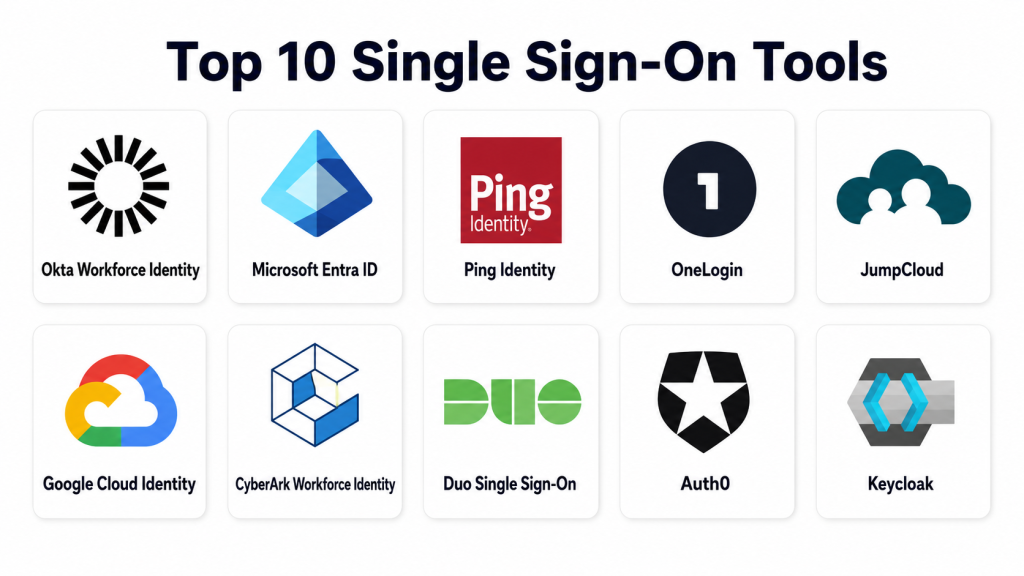
Top 10 Single Sign-On Tools
#1 — Okta Workforce Identity
Short description: Okta Workforce Identity is a widely used identity and SSO platform for managing employee access across SaaS, cloud, and internal applications. It supports modern authentication standards and helps organizations centralize login, MFA, provisioning, and access policies. It is commonly used by mid-market and enterprise teams. Okta is best for organizations that need a mature, flexible, and application-rich identity platform.
Key Features
- SSO for SaaS, cloud, and custom applications.
- SAML, OAuth, and OpenID Connect support.
- Multi-factor authentication and adaptive access.
- Universal directory and user lifecycle management.
- Broad app integration catalog.
- API access management options.
- Centralized admin console and reporting.
Pros
- Strong app ecosystem and integration coverage.
- Suitable for complex enterprise environments.
- Good balance of SSO, MFA, lifecycle, and policy controls.
Cons
- Can become expensive for advanced use cases.
- Implementation may require planning and identity expertise.
- Some advanced features may require separate modules.
Platforms / Deployment
Web / Cloud / Hybrid
Security & Compliance
SSO/SAML, MFA, encryption, audit logs, RBAC, SOC 2, ISO 27001, GDPR: commonly supported depending on product and plan. HIPAA support may require specific agreements and configurations.
Integrations & Ecosystem
Okta integrates with a large number of SaaS, cloud, HR, productivity, and security tools. It is commonly used as a central identity layer across business systems.
- SaaS applications.
- HR systems.
- Cloud platforms.
- SIEM tools.
- API security workflows.
- Device and endpoint tools.
Support & Community
Okta provides strong documentation, onboarding resources, partner support, training, and enterprise support tiers. Its community and implementation ecosystem are mature.
#2 — Microsoft Entra ID
Short description: Microsoft Entra ID is Microsoft’s cloud identity platform used for SSO, identity protection, access management, and Microsoft ecosystem authentication. It is especially useful for organizations already using Microsoft 365, Azure, Windows, Teams, and Microsoft security tools. Entra ID supports enterprise SSO, MFA, conditional access, and identity governance. It is a strong fit for Microsoft-first businesses.
Key Features
- SSO for Microsoft and third-party applications.
- Conditional access policies.
- Multi-factor authentication.
- Identity protection and risk-based access.
- Integration with Microsoft 365 and Azure.
- User provisioning and directory services.
- Identity governance capabilities.
Pros
- Strong fit for Microsoft environments.
- Good conditional access and security policy controls.
- Useful for hybrid identity setups.
Cons
- Best value is often inside the Microsoft ecosystem.
- Licensing can be complex.
- Advanced governance may require higher-tier plans.
Platforms / Deployment
Web / Windows / macOS / iOS / Android / Cloud / Hybrid
Security & Compliance
SSO/SAML, MFA, encryption, audit logs, RBAC, GDPR, ISO 27001, SOC-related controls: commonly supported within Microsoft cloud services. Exact compliance coverage depends on licensing and configuration.
Integrations & Ecosystem
Microsoft Entra ID integrates deeply with Microsoft products and also supports many third-party SaaS applications.
- Microsoft 365.
- Azure.
- Windows devices.
- SaaS applications.
- Security and compliance tools.
- HR and provisioning workflows.
Support & Community
Microsoft offers documentation, enterprise support, partner support, training, and a large global community. Support experience may depend on licensing and support plan.
#3 — Ping Identity
Short description: Ping Identity provides enterprise identity and access management tools for workforce, customer, and partner identity use cases. It is often chosen by large enterprises that need flexible SSO, federation, API security, and hybrid identity support. Ping Identity can support complex environments with legacy applications, cloud apps, and customer-facing platforms. It is best for organizations with advanced identity architecture needs.
Key Features
- Enterprise SSO and federation.
- SAML, OAuth, and OpenID Connect support.
- Adaptive authentication and MFA.
- Customer identity and workforce identity options.
- API security and access management.
- Hybrid and complex deployment support.
- Identity orchestration capabilities.
Pros
- Strong for complex enterprise identity environments.
- Good flexibility for hybrid and legacy systems.
- Useful for both workforce and customer identity.
Cons
- May be complex for small teams.
- Implementation often needs identity specialists.
- Pricing and packaging can vary.
Platforms / Deployment
Cloud / Self-hosted / Hybrid
Security & Compliance
SSO/SAML, MFA, encryption, audit logs, RBAC: commonly supported. Specific certifications and compliance claims should be validated during procurement.
Integrations & Ecosystem
Ping Identity works well in enterprise environments where identity must connect cloud, on-premise, partner, and customer systems.
- Enterprise directories.
- SaaS applications.
- API gateways.
- Customer portals.
- Legacy applications.
- Security and monitoring tools.
Support & Community
Ping provides enterprise support, documentation, implementation services, and partner assistance. Community presence is more enterprise-focused.
#4 — OneLogin
Short description: OneLogin is an identity and access management platform offering SSO, MFA, directory integration, and user provisioning. It is suitable for SMBs, mid-market companies, and enterprises that want centralized access across cloud and business apps. OneLogin is often used to simplify employee login and improve security without building a complex identity stack. It is practical for teams that need SSO with clear admin controls.
Key Features
- SSO for business applications.
- MFA and adaptive authentication.
- Directory integration.
- User provisioning and deprovisioning.
- Access policies and role-based controls.
- Application catalog.
- Reporting and audit visibility.
Pros
- Good balance of features and usability.
- Suitable for SMB and mid-market teams.
- Helps reduce manual access management.
Cons
- Advanced enterprise requirements may need deeper validation.
- Ecosystem may be smaller than the largest identity platforms.
- Some features may vary by plan.
Platforms / Deployment
Web / Cloud / Hybrid
Security & Compliance
SSO/SAML, MFA, encryption, audit logs, RBAC: commonly supported. Specific certifications should be validated during evaluation.
Integrations & Ecosystem
OneLogin integrates with common SaaS tools, directories, HR systems, and cloud applications.
- SaaS applications.
- Active Directory.
- LDAP.
- HR systems.
- Security monitoring tools.
- Custom apps through SAML/OIDC.
Support & Community
OneLogin provides documentation, support resources, onboarding help, and customer support. Community depth is moderate compared with larger platforms.
#5 — JumpCloud
Short description: JumpCloud is an open directory platform that combines identity, device management, SSO, MFA, and access control. It is useful for SMBs and mid-market companies that want to manage users, devices, and applications from one place. JumpCloud is popular with cloud-first and remote teams. It is best for organizations that need identity plus device control without relying only on traditional directory services.
Key Features
- SSO for SaaS applications.
- Cloud directory services.
- MFA and conditional access.
- Device management for major operating systems.
- User lifecycle management.
- LDAP, RADIUS, and directory integrations.
- Centralized admin console.
Pros
- Good for cloud-first and remote teams.
- Combines identity and device management.
- Practical alternative to traditional directory-heavy setups.
Cons
- May not fit very large enterprise identity needs.
- Some advanced governance features may be limited.
- Requires proper setup to manage devices and identities cleanly.
Platforms / Deployment
Web / Windows / macOS / Linux / iOS / Android / Cloud
Security & Compliance
SSO/SAML, MFA, encryption, audit logs, RBAC: commonly supported. Specific certification details should be confirmed during evaluation.
Integrations & Ecosystem
JumpCloud works well for teams managing identities, devices, networks, and SaaS access together.
- SaaS applications.
- Device management workflows.
- LDAP and RADIUS.
- Cloud infrastructure.
- HR and directory workflows.
- Security tools.
Support & Community
JumpCloud provides documentation, onboarding guides, customer support, and an active admin-focused community.
#6 — Google Cloud Identity
Short description: Google Cloud Identity provides identity, SSO, and access management for organizations using Google Workspace and Google Cloud. It helps manage users, devices, applications, and security policies through a Google-centered identity layer. It is especially useful for businesses already using Gmail, Google Drive, Google Cloud, and Android device management. It is best for Google-first organizations.
Key Features
- SSO for cloud and SaaS applications.
- Integration with Google Workspace.
- MFA and security policies.
- Device and endpoint management options.
- User and group management.
- Context-aware access options.
- Admin reporting and audit logs.
Pros
- Strong fit for Google Workspace users.
- Simple for Google-first teams.
- Good integration with Google Cloud services.
Cons
- Best value is inside the Google ecosystem.
- May not be enough for complex enterprise IAM needs.
- Some advanced identity features may require higher plans.
Platforms / Deployment
Web / Android / iOS / Cloud
Security & Compliance
SSO/SAML, MFA, encryption, audit logs, RBAC, GDPR, ISO 27001: commonly supported within Google cloud services. Exact compliance depends on plan and configuration.
Integrations & Ecosystem
Google Cloud Identity integrates naturally with Google Workspace, Google Cloud, Android, and many SaaS tools.
- Google Workspace.
- Google Cloud.
- Android device management.
- SaaS applications.
- Security and admin tools.
- SAML-based apps.
Support & Community
Google offers documentation, admin help resources, partner support, and enterprise support depending on plan. Community resources are strong for Google Workspace and cloud users.
#7 — CyberArk Workforce Identity
Short description: CyberArk Workforce Identity provides SSO, MFA, lifecycle management, and identity security features with a strong focus on privileged access and enterprise security. It is useful for businesses that want SSO connected with stronger access protection. CyberArk is often considered by security-first organizations and regulated industries. It is best for companies where identity risk and privileged access are major concerns.
Key Features
- SSO and adaptive MFA.
- User lifecycle management.
- Identity security controls.
- Privileged access ecosystem integration.
- Risk-based access policies.
- Application access management.
- Reporting and audit visibility.
Pros
- Strong security-first identity positioning.
- Good fit for regulated and high-risk environments.
- Useful when SSO and privileged access need alignment.
Cons
- May be more advanced than small teams need.
- Implementation can require security planning.
- Full value may depend on broader CyberArk ecosystem.
Platforms / Deployment
Web / Cloud / Hybrid
Security & Compliance
SSO/SAML, MFA, encryption, audit logs, RBAC: commonly supported. Specific certifications should be validated by buyers.
Integrations & Ecosystem
CyberArk Workforce Identity connects with SaaS apps, security systems, directories, and privileged access management workflows.
- SaaS applications.
- Directory services.
- Privileged access tools.
- SIEM workflows.
- Security operations platforms.
- Cloud infrastructure.
Support & Community
CyberArk provides enterprise documentation, professional services, partner support, and training. Community presence is strong among security-focused teams.
#8 — Duo Single Sign-On
Short description: Duo Single Sign-On is part of Cisco Duo’s access security platform. It helps organizations simplify application login while adding MFA, device trust, and access controls. Duo is known for simple MFA adoption and user-friendly security. It is suitable for SMBs, education, healthcare, and enterprises that want practical access security without overcomplicating user experience.
Key Features
- SSO for cloud applications.
- Strong MFA and push-based authentication.
- Device trust and access policies.
- SAML-based application support.
- User-friendly authentication experience.
- Security reporting and access visibility.
- Cisco security ecosystem integration.
Pros
- Easy MFA adoption.
- Good user experience.
- Strong fit for practical access security.
Cons
- SSO depth may not match full IAM platforms.
- Advanced lifecycle and governance may require other tools.
- Best value comes when MFA is a major priority.
Platforms / Deployment
Web / Windows / macOS / Linux / iOS / Android / Cloud
Security & Compliance
SSO/SAML, MFA, encryption, audit logs, RBAC: commonly supported. Specific compliance details should be validated based on plan and environment.
Integrations & Ecosystem
Duo integrates with common business applications, VPNs, cloud tools, and Cisco security products.
- SaaS applications.
- VPNs.
- Remote access systems.
- Cisco security tools.
- Device trust workflows.
- SAML applications.
Support & Community
Duo provides clear documentation, onboarding support, customer support, and a strong security community.
#9 — Auth0
Short description: Auth0 is an identity platform focused on customer identity, developer-friendly authentication, and application login. It is widely used by developers building SaaS products, portals, mobile apps, and customer-facing platforms. Auth0 supports SSO, social login, MFA, passwordless options, and custom authentication flows. It is best for product teams and engineering teams building user login experiences.
Key Features
- Customer identity and SSO.
- OAuth, OpenID Connect, and SAML support.
- Social login and enterprise federation.
- MFA and passwordless authentication.
- Developer APIs and SDKs.
- Custom login flows.
- Tenant and application management.
Pros
- Strong developer experience.
- Good for customer-facing applications.
- Flexible authentication customization.
Cons
- Pricing can grow with usage and features.
- Requires developer involvement for best results.
- Workforce identity needs may be better served by other tools.
Platforms / Deployment
Web / iOS / Android / Cloud
Security & Compliance
SSO/SAML, MFA, encryption, audit logs, RBAC: commonly supported depending on plan. Compliance details should be validated based on use case and agreement.
Integrations & Ecosystem
Auth0 has a strong developer ecosystem and integrates well with modern applications, APIs, and identity providers.
- Web applications.
- Mobile applications.
- APIs.
- Social login providers.
- Enterprise identity providers.
- Developer SDKs.
Support & Community
Auth0 provides strong developer documentation, SDK examples, community resources, and support options depending on plan.
#10 — Keycloak
Short description: Keycloak is an open-source identity and access management platform that provides SSO, identity brokering, user federation, and authentication features. It is popular with technical teams that want self-hosted identity control. Keycloak supports modern protocols and can be customized for internal and customer-facing applications. It is best for organizations with engineering resources and open-source preferences.
Key Features
- Open-source SSO platform.
- SAML and OpenID Connect support.
- User federation and identity brokering.
- MFA support.
- Role-based access controls.
- Custom themes and authentication flows.
- Self-hosted deployment control.
Pros
- Open-source and flexible.
- Good for technical teams and custom applications.
- Strong protocol support.
Cons
- Requires engineering and operations expertise.
- Support depends on internal capability or vendors.
- Hosting, scaling, upgrades, and security are team responsibilities.
Platforms / Deployment
Linux / Cloud / Self-hosted / Hybrid
Security & Compliance
SSO/SAML, MFA, encryption options, audit logging, RBAC: supported depending on configuration. Compliance is the responsibility of the deployment owner.
Integrations & Ecosystem
Keycloak works well with custom apps, microservices, internal platforms, and open-source infrastructure.
- Custom web applications.
- APIs and microservices.
- LDAP and Active Directory.
- Kubernetes environments.
- Developer frameworks.
- OpenID Connect and SAML apps.
Support & Community
Keycloak has strong open-source community support and documentation. Enterprise support may be available through third-party vendors or managed service providers.
Comparison Table
| Tool Name | Best For | Platform(s) Supported | Deployment | Standout Feature | Public Rating |
|---|---|---|---|---|---|
| Okta Workforce Identity | Mid-market and enterprise SSO | Web | Cloud / Hybrid | Large app integration ecosystem | N/A |
| Microsoft Entra ID | Microsoft-first organizations | Web / Windows / macOS / iOS / Android | Cloud / Hybrid | Conditional access with Microsoft ecosystem | N/A |
| Ping Identity | Complex enterprise identity | Web | Cloud / Self-hosted / Hybrid | Flexible federation and hybrid identity | N/A |
| OneLogin | SMB and mid-market SSO | Web | Cloud / Hybrid | Simple SSO and provisioning | N/A |
| JumpCloud | Cloud-first teams and device identity | Web / Windows / macOS / Linux / iOS / Android | Cloud | Identity plus device management | N/A |
| Google Cloud Identity | Google Workspace users | Web / Android / iOS | Cloud | Google-first identity management | N/A |
| CyberArk Workforce Identity | Security-first enterprises | Web | Cloud / Hybrid | Identity security with privileged access focus | N/A |
| Duo Single Sign-On | MFA-first access security | Web / Windows / macOS / Linux / iOS / Android | Cloud | User-friendly MFA and access control | N/A |
| Auth0 | Customer identity and developers | Web / iOS / Android | Cloud | Developer-friendly authentication | N/A |
| Keycloak | Open-source and self-hosted SSO | Linux / Web | Self-hosted / Hybrid | Flexible open-source identity control | N/A |
Evaluation & Scoring of Single Sign-On Tools
| Tool Name | Core (25%) | Ease (15%) | Integrations (15%) | Security (10%) | Performance (10%) | Support (10%) | Value (15%) | Weighted Total (0–10) |
|---|---|---|---|---|---|---|---|---|
| Okta Workforce Identity | 9 | 8 | 10 | 9 | 9 | 9 | 8 | 8.85 |
| Microsoft Entra ID | 9 | 8 | 9 | 9 | 9 | 9 | 8 | 8.75 |
| Ping Identity | 9 | 7 | 8 | 9 | 8 | 8 | 7 | 8.00 |
| OneLogin | 8 | 8 | 8 | 8 | 8 | 8 | 8 | 8.00 |
| JumpCloud | 8 | 8 | 8 | 8 | 8 | 8 | 8 | 8.00 |
| Google Cloud Identity | 8 | 8 | 8 | 8 | 8 | 8 | 8 | 8.00 |
| CyberArk Workforce Identity | 8 | 7 | 8 | 9 | 8 | 8 | 7 | 7.90 |
| Duo Single Sign-On | 7 | 9 | 7 | 9 | 8 | 8 | 8 | 7.90 |
| Auth0 | 9 | 8 | 9 | 8 | 8 | 8 | 7 | 8.25 |
| Keycloak | 8 | 6 | 8 | 8 | 7 | 7 | 9 | 7.55 |
These scores are comparative and should not be treated as universal rankings. A tool with a lower score may still be the best fit if it matches your architecture, budget, and internal skills. Always test SSO flows, user provisioning, MFA, admin controls, uptime, and app integrations before making a final decision.
Which Single Sign-On Tool Is Right for You?
Solo / Freelancer
Solo users usually do not need a full enterprise SSO platform unless they manage multiple clients, SaaS products, or sensitive systems. A password manager with basic identity controls may be enough. If SSO is needed, Google Cloud Identity, Microsoft Entra ID, or JumpCloud can be practical choices depending on the tools already used.
For developers building customer login, Auth0 or Keycloak may be better than workforce SSO tools.
SMB
SMBs should focus on easy setup, MFA, app integrations, and simple user management. OneLogin, JumpCloud, Microsoft Entra ID, Google Cloud Identity, and Duo can work well.
The best SMB choice usually depends on the existing ecosystem. Microsoft-first companies may prefer Entra ID, while Google-first teams may prefer Google Cloud Identity.
Mid-Market
Mid-market companies often need SSO, MFA, provisioning, deprovisioning, audit logs, and stronger admin policies. Okta, Microsoft Entra ID, OneLogin, JumpCloud, Ping Identity, and CyberArk Workforce Identity are strong options.
At this stage, user lifecycle management becomes important because manual access removal creates security risk.
Enterprise
Enterprises should evaluate scalability, identity governance, hybrid support, compliance reporting, access reviews, and integration depth. Okta, Microsoft Entra ID, Ping Identity, CyberArk Workforce Identity, and Duo are strong enterprise candidates.
Large organizations should run a structured proof of concept with real applications, directories, HR systems, and security workflows.
Budget vs Premium
Budget-focused teams may prefer Google Cloud Identity, Microsoft Entra ID, JumpCloud, or Keycloak depending on technical capability. Premium buyers may prefer Okta, Ping Identity, CyberArk, or enterprise Microsoft plans for deeper governance and security controls.
The best value comes from matching identity needs with actual risk, not buying the most complex platform by default.
Feature Depth vs Ease of Use
Okta, Microsoft Entra ID, and Ping Identity offer strong feature depth. OneLogin, Duo, Google Cloud Identity, and JumpCloud can be easier for smaller teams. Keycloak offers flexibility but requires more engineering effort.
Choose ease of use when IT capacity is limited. Choose feature depth when security, compliance, and scale are critical.
Integrations & Scalability
Okta and Microsoft Entra ID are strong for broad app integration. Auth0 is strong for application developers and customer identity. Keycloak is strong for custom and self-hosted environments.
Scalability should include user count, app count, login volume, admin delegation, and audit requirements.
Security & Compliance Needs
Regulated businesses should evaluate MFA, SSO, SAML, OIDC, RBAC, audit logs, encryption, access reviews, lifecycle automation, and compliance documentation. Security teams should also check integration with SIEM, endpoint tools, HR systems, and incident response processes.
The right SSO tool should improve both security and user experience.
Frequently Asked Questions
What is Single Sign-On?
Single Sign-On allows users to log in once and access multiple applications without separate passwords for each tool. It improves convenience and centralizes access control.
Why is SSO important for businesses?
SSO reduces password fatigue, improves security, simplifies onboarding, and helps IT teams manage user access from one place.
Is SSO the same as MFA?
No. SSO centralizes login, while MFA adds extra verification such as a code, app approval, biometric check, or hardware key. They work best together.
How much does an SSO tool cost?
Pricing varies by user count, features, MFA, lifecycle management, governance, and support. Many tools use per-user monthly pricing or custom enterprise pricing.
What protocols should an SSO tool support?
A good SSO tool should support SAML, OAuth, and OpenID Connect. These standards help connect SaaS apps, custom apps, and identity providers.
Is SSO safe?
SSO can improve security when combined with MFA, strong policies, logging, and lifecycle management. Poor configuration can still create risk.
What is the biggest mistake when implementing SSO?
The biggest mistake is enabling SSO without proper MFA, recovery planning, access reviews, and user deprovisioning. SSO should be part of a full identity strategy.
Can SSO work with custom applications?
Yes. Many SSO tools support custom apps through SAML, OAuth, OpenID Connect, SDKs, and APIs. Developers should test login and logout flows carefully.
What is the difference between workforce SSO and customer identity?
Workforce SSO is for employees and internal users. Customer identity is for users logging into products, portals, apps, and digital services.
Is open-source SSO a good option?
Open-source SSO like Keycloak can be a strong option for technical teams. However, the organization must manage hosting, upgrades, security, and support.
When should a company switch SSO providers?
A company should switch when the current tool lacks integrations, creates poor user experience, has weak security controls, poor support, or cannot scale with business needs.
How should teams evaluate SSO tools?
Teams should shortlist tools, test real applications, validate MFA, review provisioning, check logs, confirm compliance needs, and run a pilot with real users.
Conclusion
Single Sign-On tools help businesses simplify access, reduce password risk, improve user experience, and strengthen security across SaaS, cloud, mobile, and internal applications. The best SSO platform depends on company size, existing ecosystem, security needs, application type, budget, and technical maturity. Okta and Microsoft Entra ID are strong broad-market options. Ping Identity and CyberArk fit complex enterprise security needs. JumpCloud, OneLogin, Google Cloud Identity, and Duo are practical for many SMB and mid-market teams. Auth0 is strong for customer-facing applications, while Keycloak works well for open-source and self-hosted identity control. The best next step is to shortlist two or three tools, test them with real applications, validate MFA and provisioning, and confirm security, compliance, and support before final selection.
