Upgrade & Secure Your Future with DevOps, SRE, DevSecOps, MLOps!
We spend hours scrolling social media and waste money on things we forget, but won’t spend 30 minutes a day earning certifications that can change our lives.
Master in DevOps, SRE, DevSecOps & MLOps by DevOps School!
Learn from Guru Rajesh Kumar and double your salary in just one year.
Introduction
Session Replay Tools are specialized software that records and visualizes user interactions on websites and applications. They allow businesses to understand exactly how customers navigate, interact, and experience their digital products. In plain English, session replay tools let you “watch” user sessions to uncover usability issues, friction points, and opportunities for optimization.
In the modern digital landscape, companies must deliver seamless, user-friendly experiences to remain competitive. Session replay tools are essential for improving conversion rates, reducing churn, and enhancing customer satisfaction. They provide data-driven insights that guide design, marketing, and product decisions.
Real-world use cases:
- Detecting UI/UX issues and usability pain points
- Monitoring onboarding flows and improving conversion rates
- Analyzing user behavior for A/B testing and feature adoption
- Investigating bugs and technical errors reported by users
- Understanding friction in checkout processes or forms
Key evaluation criteria for buyers:
- Session recording and playback quality
- Heatmaps and user journey visualization
- Analytics and reporting capabilities
- Integration with analytics and CRM tools
- AI-powered insights and anomaly detection
- Ease of use and learning curve
- Security and privacy compliance
- Scalability and performance
- Cross-platform support
- Pricing and total cost of ownership
Best for: Product managers, UX designers, marketing teams, and customer success teams in mid-market and enterprise organizations
Not ideal for: Small businesses with low traffic or simple websites; basic analytics tools may suffice
Key Trends in Session Replay Tools
- AI-powered session analysis for automatic pattern detection
- Integration with CRM, analytics, and A/B testing platforms
- Privacy-first session recording with GDPR and CCPA compliance
- Cloud-based, scalable platforms with low performance overhead
- Omnichannel session capture including mobile and web apps
- Heatmaps and journey analytics to visualize key interactions
- Automated alerting for friction points and user drop-offs
- Real-time dashboards with actionable insights
- Subscription and usage-based pricing for flexible scaling
- Collaboration tools to share session insights across teams
How We Selected These Tools (Methodology)
- Evaluated market adoption and brand recognition
- Reviewed feature completeness: session replay, heatmaps, and analytics
- Analyzed reliability, performance, and speed of playback
- Examined security and compliance with privacy regulations
- Checked integrations with analytics, CRM, and marketing platforms
- Considered user experience, onboarding, and ease of use
- Assessed scalability for varying traffic volumes
- Reviewed support services and community engagement
- Tested cross-platform compatibility and mobile support
- Ensured AI-driven insights and modern UX features
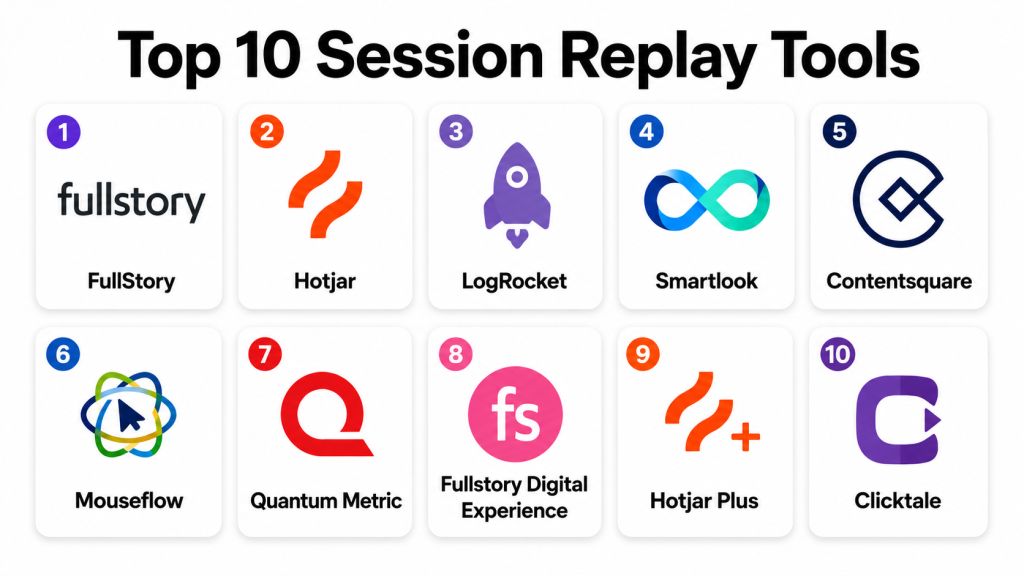
Top 10 Session Replay Tools
#1 — FullStory
Short description: FullStory captures user sessions with precise playback, enabling product and UX teams to identify friction points, optimize workflows, and improve user satisfaction.
Key Features
- Full session recording and replay
- Click, scroll, and engagement heatmaps
- Conversion funnel analysis
- AI-powered frustration detection
- Event tracking and analytics
- Mobile and web support
- Real-time dashboards
Pros
- Detailed playback with insights
- Strong AI-driven behavioral analytics
Cons
- Premium pricing for enterprise features
- Learning curve for advanced analytics
Platforms / Deployment
- Web / iOS / Android
- Cloud
Security & Compliance
- MFA, encryption, audit logs
- SOC 2, GDPR
Integrations & Ecosystem
- Salesforce
- Google Analytics
- Segment
- Marketo
Support & Community
- Dedicated support
- Training and onboarding resources
- Community forums
#2 — Hotjar
Short description: Hotjar provides session replay, heatmaps, and survey tools to understand user behavior and enhance website UX for mid-market organizations.
Key Features
- Session replay recordings
- Heatmaps for clicks and scrolls
- Conversion funnel tracking
- Feedback polls and surveys
- Real-time analytics
- User journey mapping
Pros
- User-friendly interface
- Affordable for mid-sized teams
Cons
- Limited advanced analytics
- Cloud-only deployment
Platforms / Deployment
- Web
- Cloud
Security & Compliance
- Encryption
- GDPR compliant
Integrations & Ecosystem
- Google Analytics
- Slack
- HubSpot
Support & Community
- Email support
- Knowledge base and tutorials
#3 — LogRocket
Short description: LogRocket records frontend user sessions, combining session replay with analytics for product teams to detect errors and optimize experiences.
Key Features
- Full session replay
- Network request monitoring
- Error tracking and console logs
- User journey analytics
- Heatmaps and engagement tracking
Pros
- Deep technical insights for developers
- Combines UX and error monitoring
Cons
- Can generate large data volumes
- Advanced features require setup
Platforms / Deployment
- Web / iOS / Android
- Cloud
Security & Compliance
- MFA, encryption
- Not publicly stated
Integrations & Ecosystem
- Jira
- Slack
- Google Analytics
Support & Community
- Documentation and tutorials
- Email support
#4 — Smartlook
Short description: Smartlook provides session replay, heatmaps, and event tracking for web and mobile apps, enabling UX optimization and conversion improvements.
Key Features
- Session replay and heatmaps
- Funnel analysis
- Event tracking
- Mobile and web app support
- Analytics dashboards
Pros
- Affordable and easy to use
- Supports mobile apps
Cons
- Limited AI analytics
- Some integrations require configuration
Platforms / Deployment
- Web / iOS / Android
- Cloud
Security & Compliance
- Encryption, MFA
- GDPR compliance
Integrations & Ecosystem
- Google Analytics
- Slack
- HubSpot
Support & Community
- Email and chat support
- Tutorials and knowledge base
#5 — Contentsquare
Short description: Contentsquare combines session replay with behavioral analytics and AI-driven insights for large enterprises to optimize digital experiences.
Key Features
- Session replay and click tracking
- Heatmaps and journey analytics
- AI-driven friction analysis
- Conversion funnel optimization
- Dashboard reporting
Pros
- Advanced enterprise analytics
- AI-powered behavioral insights
Cons
- Higher pricing
- Learning curve for setup
Platforms / Deployment
- Web / iOS / Android
- Cloud
Security & Compliance
- MFA, encryption
- SOC 2, GDPR
Integrations & Ecosystem
- Salesforce
- Adobe Analytics
- Google Analytics
Support & Community
- Dedicated onboarding
- Support and training resources
#6 — Mouseflow
Short description: Mouseflow offers session replay, heatmaps, and funnels for mid-sized businesses, focusing on actionable insights to improve UX and conversions.
Key Features
- Session replay
- Heatmaps for clicks, scrolls, and attention
- Funnel and conversion tracking
- Form analytics
- Real-time dashboards
Pros
- Affordable for mid-market teams
- Simple interface
Cons
- Limited AI features
- Cloud-only
Platforms / Deployment
- Web
- Cloud
Security & Compliance
- Encryption
- GDPR compliance
Integrations & Ecosystem
- Google Analytics
- HubSpot
- Slack
Support & Community
- Email support
- Knowledge base
#7 — Quantum Metric
Short description: Quantum Metric provides session replay with real-time monitoring, anomaly detection, and conversion analysis for large-scale digital platforms.
Key Features
- Session replay
- Anomaly detection
- Funnel analysis
- Heatmaps and engagement tracking
- Real-time monitoring
Pros
- Real-time insights for large platforms
- AI-powered anomaly detection
Cons
- Premium pricing
- Setup complexity
Platforms / Deployment
- Web / iOS / Android
- Cloud
Security & Compliance
- MFA, encryption
- SOC 2, GDPR
Integrations & Ecosystem
- Salesforce
- Google Analytics
- Slack
Support & Community
- Training and onboarding
- Dedicated support
#8 — Fullstory Digital Experience
Short description: Digital experience platform combining session replay, behavioral analytics, and insights for optimizing web and mobile experiences.
Key Features
- Session replay and journey analytics
- AI-powered frustration detection
- Heatmaps and funnels
- Conversion analytics
- Collaboration tools
Pros
- Deep insights for UX optimization
- AI-driven anomaly detection
Cons
- High cost
- Requires training for advanced features
Platforms / Deployment
- Web / iOS / Android
- Cloud
Security & Compliance
- MFA, encryption
- SOC 2, GDPR
Integrations & Ecosystem
- Salesforce
- Slack
- HubSpot
Support & Community
- Onboarding and training
- Email support
#9 — Hotjar Plus
Short description: Enhanced Hotjar plan with more analytics, session storage, and additional tools for mid-market teams.
Key Features
- Extended session replay
- Heatmaps and funnel tracking
- Feedback polls
- Analytics dashboards
- Mobile support
Pros
- More storage and features
- Affordable mid-market option
Cons
- Limited AI insights
- Integrations fewer than enterprise platforms
Platforms / Deployment
- Web / iOS / Android
- Cloud
Security & Compliance
- Encryption
- GDPR
Integrations & Ecosystem
- Google Analytics
- HubSpot
- Slack
Support & Community
- Email support
- Knowledge base
#10 — Clicktale
Short description: Clicktale captures sessions, provides heatmaps, and behavioral analytics for large enterprises seeking detailed digital experience insights.
Key Features
- Session replay
- Behavioral analytics
- Heatmaps and scroll tracking
- Conversion optimization
- Real-time dashboards
Pros
- Enterprise-grade insights
- Deep behavioral analytics
Cons
- Premium pricing
- Learning curve for complex reporting
Platforms / Deployment
- Web / iOS / Android
- Cloud
Security & Compliance
- MFA, encryption
- SOC 2, GDPR
Integrations & Ecosystem
- Salesforce
- Adobe Analytics
- Google Analytics
Support & Community
- Dedicated support
- Onboarding and training
Comparison Table (Top 10)
| Tool Name | Best For | Platform(s) Supported | Deployment | Standout Feature | Public Rating |
|---|---|---|---|---|---|
| FullStory | Enterprise UX teams | Web / iOS / Android | Cloud | AI-driven frustration detection | N/A |
| Hotjar | Mid-market websites | Web / iOS / Android | Cloud | Heatmaps and survey integration | N/A |
| LogRocket | Developers and UX teams | Web / iOS / Android | Cloud | Session replay with error tracking | N/A |
| Smartlook | Web & mobile apps | Web / iOS / Android | Cloud | Funnel analysis and heatmaps | N/A |
| Contentsquare | Enterprise analytics | Web / iOS / Android | Cloud | AI behavioral analytics | N/A |
| Mouseflow | Mid-sized businesses | Web / iOS / Android | Cloud | Form analytics and replay | N/A |
| Quantum Metric | Large-scale platforms | Web / iOS / Android | Cloud | Real-time anomaly detection | N/A |
| Fullstory Digital Experience | Digital experience teams | Web / iOS / Android | Cloud | AI-powered UX insights | N/A |
| Hotjar Plus | Mid-market enhanced analytics | Web / iOS / Android | Cloud | Extended session storage | N/A |
| Clicktale | Enterprise digital teams | Web / iOS / Android | Cloud | Deep behavioral analytics | N/A |
Evaluation & Scoring of Session Replay Tools
| Tool Name | Core (25%) | Ease (15%) | Integrations (15%) | Security (10%) | Performance (10%) | Support (10%) | Value (15%) | Weighted Total (0–10) |
|---|---|---|---|---|---|---|---|---|
| FullStory | 9 | 8 | 8 | 9 | 9 | 8 | 7 | 8.4 |
| Hotjar | 8 | 9 | 7 | 8 | 8 | 7 | 8 | 7.9 |
| LogRocket | 8 | 8 | 7 | 8 | 8 | 7 | 7 | 7.8 |
| Smartlook | 7 | 8 | 6 | 7 | 7 | 7 | 7 | 7.1 |
| Contentsquare | 9 | 7 | 8 | 9 | 9 | 8 | 7 | 8.3 |
| Mouseflow | 7 | 8 | 6 | 7 | 7 | 7 | 7 | 7.1 |
| Quantum Metric | 9 | 7 | 8 | 9 | 9 | 8 | 7 | 8.3 |
| Fullstory Digital Experience | 9 | 7 | 8 | 9 | 9 | 8 | 7 | 8.3 |
| Hotjar Plus | 7 | 8 | 6 | 7 | 7 | 7 | 7 | 7.1 |
| Clicktale | 9 | 7 | 8 | 9 | 9 | 8 | 7 | 8.3 |
Interpretation: Weighted totals provide a comparative overview of each platform’s core capabilities, usability, integrations, security, performance, support, and value. Higher scores indicate stronger overall suitability for session replay and UX analysis.
Which Session Replay Tool Is Right for You?
Solo / Freelancer
Hotjar or Mouseflow are ideal for small teams needing simple session replays and user feedback.
SMB
LogRocket, Smartlook, or Hotjar Plus provide mid-market businesses with session analysis, funnel tracking, and reporting dashboards.
Mid-Market
FullStory, Contentsquare, and Quantum Metric offer advanced analytics, AI insights, and multi-channel session tracking.
Enterprise
Fullstory Digital Experience and Clicktale provide enterprise-grade analytics, real-time monitoring, and predictive behavioral insights.
Budget vs Premium
Entry-level tools suit small teams; premium platforms offer AI insights, predictive analytics, and enterprise integrations.
Feature Depth vs Ease of Use
Hotjar and Mouseflow are easy to adopt; FullStory, Contentsquare, and Quantum Metric deliver deeper analytics but require onboarding.
Integrations & Scalability
Enterprise organizations should prioritize platforms with broad integrations (CRM, analytics, marketing automation) and scalable infrastructure.
Security & Compliance Needs
Organizations collecting sensitive user data should select tools with encryption, MFA, and SOC 2 or GDPR compliance.
Frequently Asked Questions (FAQs)
1. How are pricing models structured?
Most session replay tools offer subscription-based pricing with tiers based on users, sessions recorded, and analytics capabilities.
2. What is the typical onboarding process?
Onboarding includes setup, integrating with web or mobile apps, defining events, and training teams to interpret replay data.
3. Can session data be exported?
Yes, most tools allow export of session recordings, heatmaps, and analytics reports for offline analysis.
4. Are session replay tools mobile-friendly?
Yes, many platforms capture mobile app sessions and provide playback through mobile apps.
5. What integrations are commonly available?
Popular integrations include Google Analytics, Salesforce, Slack, HubSpot, Marketo, and A/B testing platforms.
6. How scalable are these platforms?
Enterprise-grade tools support large-scale websites, multiple domains, and thousands of concurrent sessions.
7. Can session replay tools track individual journeys?
Yes, they capture full user paths, clicks, scrolls, and form interactions for complete journey analysis.
8. How do AI-powered insights help?
AI detects frustration signals, anomalies, and user behavior trends to guide UX improvements and product decisions.
9. How is data privacy handled?
Top platforms comply with GDPR, CCPA, SOC 2, and provide anonymization and consent management features.
10. What common mistakes should teams avoid?
Avoid over-recording sessions, ignoring privacy compliance, and neglecting to analyze data for actionable insights.
Conclusion
Session Replay Tools provide businesses with the ability to analyze real user behavior, optimize UX, and improve conversion and retention. The “best” platform depends on team size, budget, and analytics needs. Small teams may choose Hotjar or Mouseflow, mid-market businesses LogRocket or Smartlook, and enterprises FullStory or Contentsquare. Evaluate features, integrations, security, and scalability before adoption. Next steps: shortlist run pilot sessions, and analyze insights to improve user experience.
