Upgrade & Secure Your Future with DevOps, SRE, DevSecOps, MLOps!
We spend hours scrolling social media and waste money on things we forget, but won’t spend 30 minutes a day earning certifications that can change our lives.
Master in DevOps, SRE, DevSecOps & MLOps by DevOps School!
Learn from Guru Rajesh Kumar and double your salary in just one year.
Introduction
Modern software development requires businesses to release new features quickly while maintaining application stability and delivering reliable user experiences. However, introducing new functionality directly to every user can create unexpected problems, especially when applications have large audiences or complex systems.
Feature flag management tools help development teams control how and when software features become available. They allow organizations to enable, disable, test, and gradually release specific functionality without requiring a separate software deployment for every change.
From SaaS platforms and mobile applications to enterprise software and e-commerce websites, feature flags have become an important part of modern software development and release management.
What Are Feature Flag Management Tools?
Feature flag management tools are software solutions that allow developers to control application functionality through configurable switches known as feature flags or feature toggles.
A feature flag determines whether a particular feature is available under specific conditions.
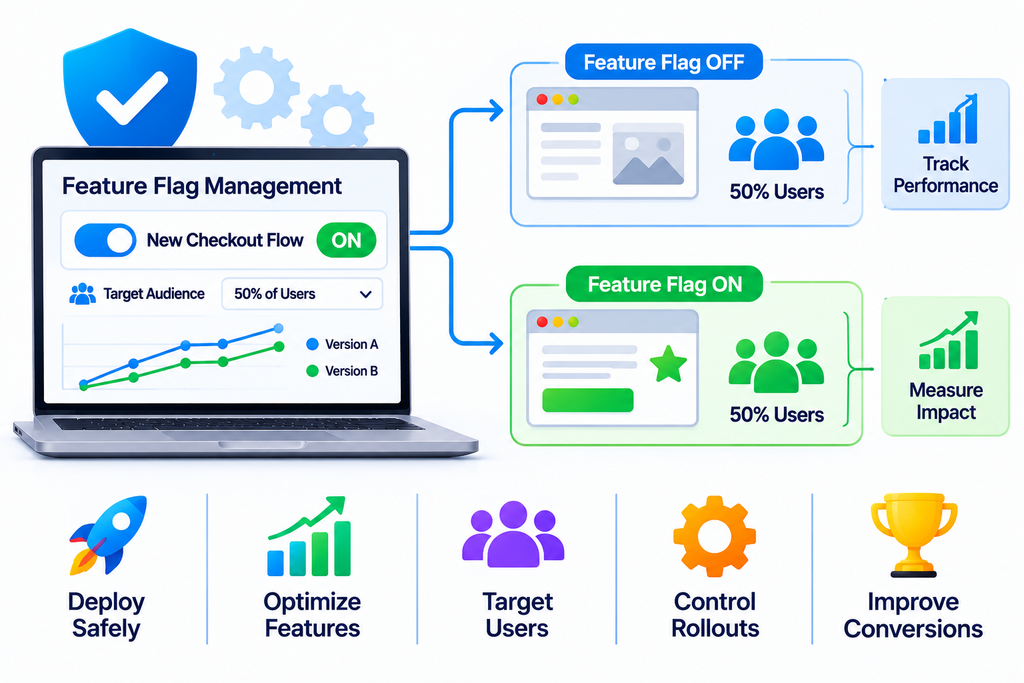
For example, a business introducing a redesigned checkout process can activate it for a small percentage of users before making it available to everyone.
Common feature flag capabilities include:
- Enabling and disabling application features
- Gradual feature rollouts
- User and audience targeting
- Environment-based feature control
- A/B testing and experimentation
- Release management
- Feature performance monitoring
- Emergency feature rollback
These capabilities give development teams greater flexibility when introducing software changes.
How Do Feature Flag Management Tools Work?
Feature flag platforms connect application code with centralized configuration and management systems.
1. Create a Feature Flag
Developers define a feature flag for a specific application functionality, such as a new dashboard, payment option, or registration process.
2. Configure Activation Rules
The team determines when the feature should become available and which users can access it.
3. Connect the Application
The application checks the feature flag configuration to determine whether the relevant functionality should be displayed or executed.
4. Release the Feature
The development team can activate the feature for selected users, regions, environments, or percentage-based audiences.
5. Monitor Performance
Teams evaluate feature usage, application performance, and user feedback.
6. Modify or Disable the Feature
If problems occur, authorized teams can disable the feature through the management platform, subject to application configuration and propagation behaviour.
Popular Feature Flag Management Tools
1. LaunchDarkly
LaunchDarkly is a feature management platform that helps development teams control feature releases and manage software experimentation.
Key capabilities include:
- Feature flags
- Targeted feature releases
- Gradual rollouts
- Experimentation
- Release monitoring
- Feature management workflows
It is suitable for organizations that require advanced feature control across multiple applications and environments.
2. Split
Split provides feature management and experimentation capabilities.
Its platform supports controlled releases, feature flagging, experimentation, and performance measurement.
It helps development teams evaluate the impact of software changes while maintaining control over feature availability.
3. Unleash
Unleash is an open-source feature management platform that supports feature toggles and controlled software releases.
Its capabilities include feature activation strategies, user targeting, environment management, and gradual rollouts.
It can be useful for organizations looking for flexible feature management and deployment options.
4. Flagsmith
Flagsmith provides feature flagging and remote configuration capabilities.
Businesses can use it to manage feature availability, configure user segments, and control application functionality across different environments.
5. ConfigCat
ConfigCat offers feature flag management and remote configuration services.
Its platform supports feature toggles, targeting rules, percentage-based rollouts, and centralized configuration management.
6. GrowthBook
GrowthBook combines feature flagging with experimentation and product analytics capabilities.
It allows teams to manage feature releases, conduct experiments, and evaluate product changes using measurable outcomes.
Key Benefits of Feature Flag Management Tools
1. Safer Software Releases
Feature flags allow teams to separate feature deployment from feature activation.
This makes it possible to deploy code while keeping new functionality disabled until the team is ready to release it.
2. Gradual Feature Rollouts
Organizations can introduce features to a limited audience before expanding availability.
Gradual releases help teams identify unexpected issues before exposing the functionality to all users.
3. Faster Experimentation
Product teams can test different experiences and evaluate how users respond to new features.
4. Improved Release Flexibility
Developers can change feature availability through configuration instead of requiring a new deployment for every activation decision.
5. Better Risk Management
If a new feature creates problems, teams can disable it through an appropriate flag configuration, provided the application supports that control.
6. Personalized User Experiences
Feature targeting allows businesses to make selected functionality available to specific user groups based on configured rules.
7. Improved Team Collaboration
Feature management platforms help developers, product managers, and release teams coordinate software launches and monitor feature performance.
Types of Feature Flags
Different feature flags serve different development and business purposes.
Release Flags
Release flags control when new application functionality becomes available to users.
Experiment Flags
Experiment flags help teams compare different product experiences and measure user responses.
Operational Flags
Operational flags allow teams to control functionality based on system conditions or operational requirements.
Permission Flags
Permission flags help determine which users or account types can access particular features.
Kill Switches
Kill switches provide a way to disable selected functionality quickly when unexpected problems occur.
Feature flags should have clear ownership and lifecycle management to prevent outdated configurations from accumulating.
Important Features to Look for in Feature Flag Software
When evaluating feature flag management platforms, businesses should consider the following capabilities.
| Feature | Description |
|---|---|
| Remote Configuration | Manage feature settings centrally |
| Targeting Rules | Control access for selected user groups |
| Percentage Rollouts | Release features gradually |
| Environment Management | Configure development, staging, and production environments |
| Experimentation | Compare different product experiences |
| Analytics | Monitor feature usage and performance |
| Access Control | Manage permissions for team members |
| Audit Logs | Track configuration changes |
| SDK Support | Integrate flags into applications |
| Rollback Controls | Disable selected functionality when necessary |
Feature Flags vs Traditional Software Releases
Traditional software releases often make newly deployed functionality available through application changes and deployment processes.
Feature flags provide an additional control layer that determines whether particular functionality is active.
| Feature | Traditional Release | Feature Flag Management |
|---|---|---|
| Feature activation | Usually tied to deployment | Can be configuration-driven |
| Gradual rollout | Requires additional release mechanisms | Supported through targeting rules |
| User targeting | Requires custom implementation | Often built into the platform |
| Experimentation | Requires separate implementation | May be integrated |
| Feature disabling | May require another deployment | Can be controlled through flags |
| Release flexibility | More deployment-dependent | More flexible activation |
Feature flags complement deployment practices rather than replacing testing, code reviews, or reliable release pipelines.
How to Choose the Right Feature Flag Management Tool
Selecting the right platform requires evaluating technical requirements and business objectives.
- Ease of Integration: Check compatibility with your programming languages, frameworks, and applications.
- Targeting Capabilities: Evaluate user segmentation and percentage-based rollout options.
- Scalability: Ensure the platform can support your application traffic and flag volume.
- Performance: Review SDK behaviour, caching, and configuration delivery.
- Security: Check access controls, permissions, and configuration protection.
- Experimentation: Consider whether built-in testing and measurement capabilities are required.
- Analytics: Look for useful reporting and monitoring features.
- Pricing: Compare subscriptions, usage limits, and enterprise costs.
- Hosting Options: Evaluate cloud-hosted and self-hosted deployment requirements.
- Support: Review documentation, SDK maintenance, and technical assistance.
Feature Flag Management Best Practices
Effective feature flag management requires planning and regular maintenance.
- Give every feature flag a clear purpose.
- Assign an owner to each flag.
- Use descriptive flag names.
- Separate development, testing, and production environments.
- Start important releases with a limited audience.
- Monitor application performance during rollouts.
- Maintain appropriate access controls.
- Document activation and rollback procedures.
- Remove obsolete flags after their purpose is completed.
- Avoid using feature flags as a replacement for proper authorization and security controls.
Businesses should also consider what happens when a flag service becomes unavailable. Applications should have sensible default behaviours and appropriate configuration fallback mechanisms.
Common Challenges in Feature Flag Management
Feature Flag Accumulation
Too many outdated flags can make application code difficult to maintain.
Configuration Errors
Incorrect targeting rules may expose features to unintended audiences.
Technical Complexity
Large applications can require careful coordination of flags across multiple services and environments.
