Upgrade & Secure Your Future with DevOps, SRE, DevSecOps, MLOps!
We spend hours scrolling social media and waste money on things we forget, but won’t spend 30 minutes a day earning certifications that can change our lives.
Master in DevOps, SRE, DevSecOps & MLOps by DevOps School!
Learn from Guru Rajesh Kumar and double your salary in just one year.
Understanding Unified Communications as a Service
Business communication has become increasingly distributed. Employees work from offices, homes, client locations, and different countries, while customers expect organizations to remain accessible across multiple communication channels.
Managing these interactions through disconnected applications can create unnecessary complexity. Employees may switch between phone systems, messaging applications, video conferencing tools, and email platforms just to complete a single conversation.
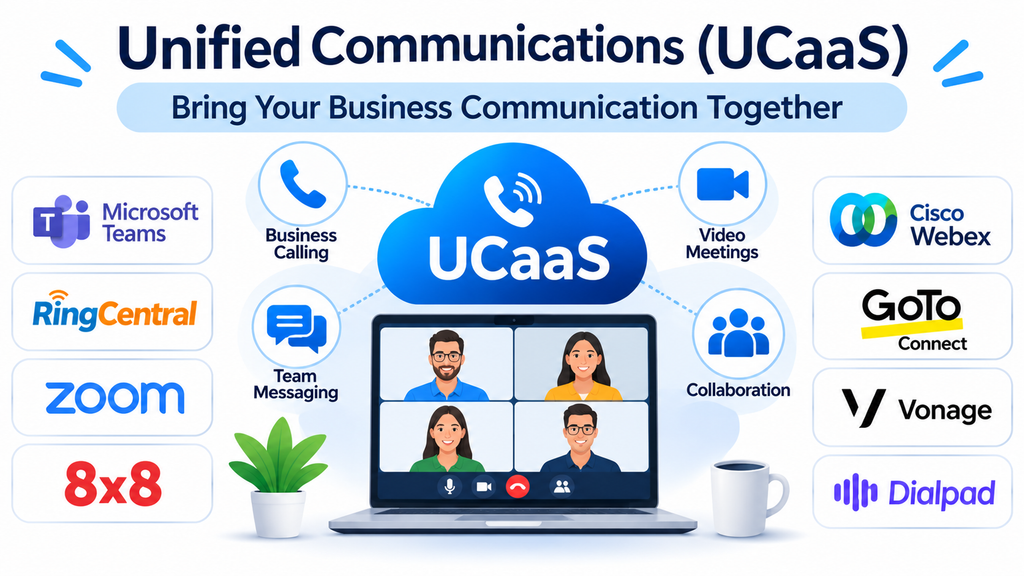
Unified Communications as a Service (UCaaS) addresses this challenge by bringing essential communication capabilities into a cloud-based environment. It allows organizations to manage voice calls, video meetings, instant messaging, collaboration, and other communication activities through a connected platform.
Instead of maintaining separate communication systems, businesses can use a unified environment that supports employees, departments, and distributed teams.
What Is UCaaS?
Unified Communications as a Service is a cloud-delivered communication model that combines multiple business communication services into one integrated platform.
Depending on the provider, a UCaaS solution may include:
- Business voice and internet-based calling.
- Video conferencing and virtual meetings.
- Instant messaging and team chat.
- File sharing and collaboration.
- Presence indicators and availability status.
- Voicemail and call management.
- Mobile and desktop communication applications.
- Administrative controls and usage analytics.
The cloud-based delivery model reduces the need for organizations to maintain extensive on-premises communication infrastructure.
Employees can access supported communication services through desktop applications, browsers, and mobile devices, subject to the provider’s deployment options.
Leading UCaaS Platforms to Evaluate
Different providers approach unified communications from different perspectives. Some emphasize enterprise collaboration, while others focus on cloud telephony, meetings, or integrated productivity environments.
1. Microsoft Teams
Microsoft Teams combines workplace messaging, video meetings, file collaboration, and communication capabilities within the Microsoft ecosystem.
It is particularly relevant to organizations already using Microsoft 365 because employees can connect conversations with documents, calendars, and other productivity applications.
Businesses can use Teams for internal meetings, department communication, project discussions, and external collaboration. Additional telephony capabilities are available through supported Microsoft Teams Phone configurations and licensing.
Organizations should evaluate calling plans, connectivity requirements, administration, and the subscription components needed for their intended deployment.
2. RingCentral
RingCentral provides cloud-based business communications covering voice, messaging, video meetings, and collaboration.
Its platform is designed to help organizations manage communication across distributed teams and business locations.
RingCentral is particularly relevant to businesses looking to replace traditional telephone infrastructure with cloud-based communication services.
Its broader communication capabilities can also support customer-facing operations, depending on the selected product and configuration.
Buyers should examine supported integrations, calling availability, administrative controls, reliability requirements, and international coverage.
3. Zoom Workplace
Zoom Workplace combines video meetings, team chat, phone capabilities, and collaboration features.
Although Zoom became widely recognized for video conferencing, its broader workplace environment extends into business communication and productivity.
Organizations can evaluate Zoom Phone for cloud telephony requirements alongside its meeting and messaging capabilities.
Its relevance is strongest for businesses that want familiar video communication combined with additional workplace collaboration services.
Before deployment, organizations should compare licensing options, telephony features, meeting requirements, and integration capabilities.
4. 8×8
8×8 provides cloud communication solutions that combine business telephony, video meetings, messaging, and contact center capabilities across its product portfolio.
It is relevant to organizations that want communication services connected with customer engagement and business operations.
The platform is particularly worth evaluating for businesses with distributed workforces or communication requirements across multiple regions.
Important evaluation areas include international calling, compliance capabilities, service availability, integration options, and administrative flexibility.
5. Cisco Webex
Cisco Webex offers communication and collaboration capabilities for organizations with demanding workplace and enterprise requirements.
Its ecosystem includes video conferencing, messaging, calling, and collaboration services.
Businesses already using Cisco networking and communication infrastructure may find the broader ecosystem relevant when evaluating cloud communication modernization.
Webex is particularly worth considering when enterprise administration, meeting capabilities, security controls, and organizational integration are important purchasing criteria.
6. GoTo Connect
GoTo Connect combines business phone services with messaging and video communication.
It is designed for organizations that want to simplify business calling while supporting additional communication activities.
Its cloud-based approach can reduce dependence on traditional telephone hardware and provide employees with communication access across supported devices.
Businesses evaluating GoTo Connect should examine calling functionality, routing, integrations, number availability, and the administrative capabilities required by their teams.
7. Vonage
Vonage provides business communication services that include cloud communications and programmable communication capabilities.
Its business communication offerings are relevant to organizations looking to integrate voice, messaging, and other communication experiences into their workflows.
The platform is worth evaluating for businesses that want communication services connected with applications and operational systems.
Organizations should distinguish between Vonage’s business communication products and its developer-focused communication APIs because they address different technical requirements.
8. Dialpad
Dialpad combines cloud calling, messaging, video meetings, and AI-assisted communication capabilities.
Its approach emphasizes helping businesses manage conversations while providing tools for communication analysis and productivity.
AI-related functionality may support features such as transcription, conversation summaries, and communication insights, depending on the product and subscription.
Dialpad is worth considering for organizations that want business communication combined with intelligent assistance.
Before selecting it, examine transcription quality, supported languages, privacy controls, integrations, and the availability of advanced AI features.
9. Nextiva
Nextiva provides cloud-based business communication solutions designed to connect employees and customer-facing teams.
Its offerings include business phone services and broader communication capabilities.
Organizations can evaluate it when they want a cloud-based alternative to traditional business telephony, with additional communication functionality available through supported products.
Important considerations include call management, number portability, reliability, integrations, and the requirements of different business locations.
10. Mitel
Mitel provides enterprise communication solutions, including cloud and hybrid communication options.
Its portfolio is relevant to organizations with established telephony environments that need to modernize communication without necessarily replacing every existing component immediately.
Mitel can be worth considering for businesses that require flexible deployment approaches, enterprise calling, and integration with existing communication infrastructure.
Buyers should carefully assess deployment architecture, hardware compatibility, migration complexity, and ongoing maintenance requirements.
Comparing UCaaS Platforms
| Platform | Primary communication focus | Relevant requirement |
|---|---|---|
| Microsoft Teams | Messaging, meetings, and collaboration | Microsoft-based workplaces |
| RingCentral | Cloud calling and unified communications | Distributed business teams |
| Zoom Workplace | Meetings, messaging, and phone | Video-focused organizations |
| 8×8 | Cloud communications and contact center | Multi-location operations |
| Cisco Webex | Enterprise collaboration and calling | Enterprise environments |
| GoTo Connect | Business telephony and messaging | Small and medium-sized businesses |
| Vonage | Business communications and APIs | Integrated communication workflows |
| Dialpad | AI-assisted business communications | Communication productivity |
| Nextiva | Cloud business communications | Business phone modernization |
| Mitel | Enterprise and hybrid communications | Established telephony environments |
The best solution depends on the organization’s communication architecture, workforce requirements, existing applications, and future growth plans.
UCaaS vs. Traditional Business Phone Systems
Traditional business phone systems often depend on physical infrastructure, dedicated hardware, and specialized maintenance.
UCaaS shifts much of this communication infrastructure into a cloud-based service.
This changes how organizations deploy, manage, and expand communication capabilities.
Traditional phone systems may require hardware upgrades or additional infrastructure when a company expands into new locations.
Cloud communication platforms can provide a more flexible approach by allowing administrators to configure users and supported communication services through centralized management environments.
However, UCaaS still depends on reliable internet connectivity, suitable network infrastructure, and proper service configuration.
Businesses should evaluate both operational flexibility and their dependence on external cloud service providers.
Important Features to Evaluate Before Selecting UCaaS
Cloud-based business calling
Business calling remains an essential component of unified communications.
Organizations should examine call quality, number portability, call forwarding, voicemail, call queues, extensions, and international calling.
The platform should support the calling requirements of employees across different locations.
Video conferencing
Video meetings allow distributed employees to communicate without traveling to a shared office.
Evaluate meeting capacity, screen sharing, recording, waiting rooms, participant controls, and compatibility with existing collaboration tools.
Meeting reliability is particularly important for organizations that depend on virtual meetings for customers, training, and internal coordination.
Team messaging
Instant messaging supports quick communication without requiring a scheduled meeting.
Look for channels, private conversations, file sharing, search, message history, and notification controls.
A good messaging environment should make conversations easier to organize rather than creating additional information overload.
Integration with business applications
Communication tools become more useful when connected to existing systems.
Common integration requirements include:
- Customer relationship management systems.
- Productivity and calendar applications.
- Help desk platforms.
- Contact center software.
- Identity and access management systems.
- Project management applications.
- Business analytics platforms.
Organizations should confirm whether integrations are native, require additional licensing, or depend on APIs and third-party connectors.
Mobile and remote access
Employees should be able to communicate through supported mobile and desktop applications.
Evaluate application availability, device compatibility, notification behavior, call continuity, and security controls.
This is particularly important for organizations with employees who regularly work outside traditional office environments.
Administration and analytics
Centralized administration allows IT teams to manage users, permissions, devices, calling policies, and communication settings.
Reporting capabilities can help organizations understand service usage, communication performance, and operational requirements.
Benefits of Implementing UCaaS
Simplified communication: Employees can access several communication services from a connected environment instead of switching between disconnected systems.
Support for remote work: Cloud-based access helps distributed employees remain connected across different locations.
Flexible scalability: Organizations can adjust users and services as business requirements change, subject to provider licensing and capacity.
Reduced infrastructure management: Cloud delivery can reduce the need to maintain certain on-premises communication components.
Improved collaboration: Messaging, meetings, and calling can support faster coordination between departments.
Centralized administration: IT teams can manage communication services through shared administrative environments.
Better communication visibility: Usage reports and analytics can help businesses understand how communication resources are being used.
These benefits depend on implementation quality, service selection, connectivity, and employee adoption.
Common UCaaS Implementation Challenges
Internet dependency
Cloud communications require reliable network connectivity.
Poor bandwidth, unstable connections, and network congestion can affect voice and video quality.
Organizations should evaluate internet capacity, network configuration, and redundancy before deployment.
Migration complexity
Moving from traditional telephony to cloud communications can involve number transfers, user provisioning, device configuration, and changes to call routing.
A phased migration can help reduce disruption.
Employee adoption
Employees may be unfamiliar with new communication interfaces and workflows.
Training should cover calling, messaging, meetings, availability settings, and security practices.
Integration difficulties
Existing business applications may not integrate automatically with the selected UCaaS platform.
Organizations should validate integration requirements during the procurement process rather than assuming compatibility.
Vendor dependency
Moving communication services to a cloud provider introduces a level of dependency on that provider.
Businesses should examine service-level agreements, data portability, support availability, and exit arrangements.
UCaaS Security and Compliance Considerations
Business communication platforms process conversations, employee information, meeting content, and potentially confidential customer data.
Security should therefore be part of the purchasing decision.
Organizations should evaluate:
- Multi-factor authentication.
- Single sign-on support.
- Role-based access controls.
- Encryption for communications and stored data.
- Administrative audit logs.
- Meeting access controls.
- Data retention and deletion policies.
- Security certifications and vendor documentation.
- Regional data residency requirements.
Businesses operating in regulated industries should also assess whether the selected service supports their applicable legal, contractual, and industry-specific obligations.
Security configurations should be reviewed regularly, especially when employees join, change roles, or leave the organization.
Questions to Ask UCaaS Vendors
Before making a purchasing decision, organizations should request demonstrations based on realistic communication scenarios.
- Which communication services are included in the proposed subscription?
- Are international calling and telephone numbers supported in our locations?
- How does the platform maintain service availability?
- Can existing phone numbers be transferred?
- Which CRM and productivity integrations are available?
- What security and identity management controls are provided?
- Are call recording and transcription available?
- What happens when internet connectivity is interrupted?
- How are support requests and service outages handled?
- What are the migration, training, and ongoing licensing costs?
A pilot deployment involving different departments can help identify usability, performance, and integration issues before a company-wide rollout.
Frequently Asked Questions
What does UCaaS stand for?
UCaaS stands for Unified Communications as a Service. It describes cloud-delivered communication services that combine capabilities such as business calling, video conferencing, messaging, and collaboration.
How is UCaaS different from VoIP?
VoIP focuses primarily on transmitting voice calls over internet protocol networks. UCaaS includes voice communication alongside additional services such as messaging, video meetings, collaboration, and presence management.
Is UCaaS suitable for small businesses?
Yes. Small businesses can use cloud communication services to access business calling, meetings, and messaging without maintaining extensive traditional telephone infrastructure.
Does UCaaS support remote employees?
Yes. Most UCaaS platforms provide supported desktop, browser, or mobile access, allowing employees to communicate from different locations.
Can UCaaS replace traditional phone systems?
It can replace many traditional business telephony environments, although migration requirements depend on existing hardware, telephone numbers, network infrastructure, and business workflows.
What should businesses consider when selecting a UCaaS provider?
Important factors include calling quality, video conferencing, messaging, integrations, security, administration, scalability, service availability, and total cost of ownership.
Bringing Business Communication Together
Unified communications has become an important part of modern workplace infrastructure. Organizations need communication systems that can support employees, customers, and business operations without creating unnecessary complexity.
Microsoft Teams and Zoom Workplace provide connected collaboration environments, while RingCentral, 8×8, GoTo Connect, and Nextiva offer cloud communication approaches with business telephony capabilities. Cisco Webex and Mitel address broader enterprise communication requirements, while Dialpad and Vonage offer additional approaches to intelligent and integrated communication.
The right decision begins with understanding how employees communicate, which systems the business already uses, and what capabilities are required in the future.
Rather than choosing a platform based on the number of features it advertises, organizations should test real communication workflows, assess network readiness, and calculate the complete cost of implementation.
A well-planned UCaaS deployment can make business communication more accessible, organized, and adaptable as the organization grows.
