Upgrade & Secure Your Future with DevOps, SRE, DevSecOps, MLOps!
We spend hours scrolling social media and waste money on things we forget, but won’t spend 30 minutes a day earning certifications that can change our lives.
Master in DevOps, SRE, DevSecOps & MLOps by DevOps School!
Learn from Guru Rajesh Kumar and double your salary in just one year.
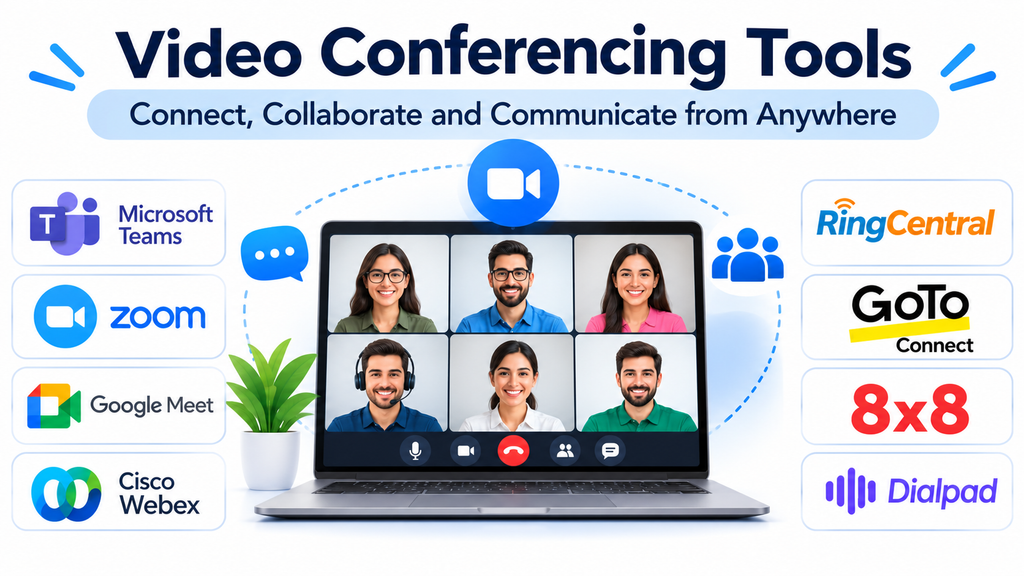
Business communication has changed significantly as remote work, distributed teams, online education, and virtual customer interactions have become part of everyday operations. Organizations increasingly depend on digital meeting environments to connect employees, customers, partners, and stakeholders across different locations.
Video conferencing software makes these interactions possible by allowing participants to communicate through live video, audio, screen sharing, and collaborative meeting features.
What was once primarily used for occasional virtual meetings has developed into an important business productivity tool. Modern platforms support webinars, training sessions, interviews, online presentations, virtual classrooms, and large-scale organizational events.
Selecting the right solution requires more than comparing video quality. Organizations must consider meeting capacity, security, collaboration, integrations, accessibility, administrative controls, and overall usability.
What Is Video Conferencing Software?
Video conferencing software enables two or more participants to communicate through live audiovisual connections over the internet.
Most platforms provide a combination of the following capabilities:
- Live video and audio communication.
- Screen sharing and presentation tools.
- Meeting scheduling and calendar integration.
- Text chat and file sharing.
- Meeting recording and playback.
- Virtual backgrounds and noise suppression.
- Participant management and meeting controls.
- Breakout rooms and interactive sessions.
- Captions and transcription.
- Webinar and large-event functionality.
Some platforms focus on simple online meetings, while others offer extensive collaboration environments designed for enterprise communication.
Leading Video Conferencing Tools to Evaluate
1. Zoom Workplace
Zoom Workplace is a widely used communication and collaboration platform with video meetings at its core.
It supports virtual meetings, screen sharing, meeting recordings, chat, and collaboration features. Organizations use it for internal meetings, customer presentations, webinars, interviews, and online training.
Its familiar meeting experience makes it relevant to businesses of different sizes. Additional capabilities across the Zoom ecosystem can support phone communication, team collaboration, and larger virtual events.
Organizations should evaluate participant limits, meeting duration restrictions, recording storage, administrative controls, and the subscription requirements for advanced features.
2. Microsoft Teams
Microsoft Teams combines video meetings with messaging, file collaboration, and workplace communication.
Its integration with Microsoft 365 makes it particularly relevant to organizations already using Outlook, SharePoint, OneDrive, and other Microsoft productivity applications.
Teams supports scheduled meetings, screen sharing, meeting chat, recordings, collaborative document access, and participant management.
Its strength lies in connecting meetings with everyday workplace activities rather than treating video conferencing as a separate service.
Organizations should evaluate licensing, meeting capacity, external participant access, telephony requirements, and administration features.
3. Google Meet
Google Meet provides browser-based video conferencing within the Google Workspace ecosystem.
It is useful for organizations that want accessible virtual meetings without requiring participants to install a dedicated desktop application in every situation.
Its capabilities include video and audio meetings, screen sharing, captions, meeting controls, and integration with Google Calendar.
Educational institutions, small businesses, and distributed teams can use it for routine communication and scheduled online sessions.
Before selecting it, organizations should review meeting limits, recording availability, participant controls, and advanced features associated with their Google Workspace subscription.
4. Cisco Webex
Cisco Webex provides video conferencing and collaboration services designed for both business and enterprise environments.
Its capabilities include virtual meetings, screen sharing, messaging, meeting management, and AI-assisted collaboration features.
Webex is particularly relevant to organizations that prioritize enterprise administration, security controls, and integration with broader communication infrastructure.
Its ecosystem can support different meeting requirements, from routine internal discussions to larger professional events.
Businesses should assess licensing, deployment requirements, device compatibility, and integration with existing communication systems.
5. GoTo Meeting
GoTo Meeting focuses on professional online meetings and remote collaboration.
It supports video meetings, screen sharing, meeting scheduling, and administrative controls.
Its straightforward meeting-oriented approach can be useful for businesses that need dependable virtual communication without adopting a much larger workplace collaboration environment.
It is worth considering for client meetings, internal discussions, remote presentations, and professional training sessions.
Organizations should examine participant capacity, recording options, integrations, and the meeting features available in each subscription.
6. RingCentral Video
RingCentral provides video meeting capabilities as part of its broader cloud communications environment.
Its approach is relevant to organizations that want virtual meetings connected with business calling and messaging.
The platform can support internal collaboration, customer conversations, and distributed workplace communication.
Its value is particularly relevant when businesses want to manage several communication channels within a connected environment.
Buyers should examine meeting functionality, supported devices, integration requirements, and the relationship between video services and other RingCentral products.
7. Zoho Meeting
Zoho Meeting provides online meeting and webinar capabilities within the Zoho business software ecosystem.
It is relevant to organizations that already use Zoho applications and want virtual meetings connected with their existing business workflows.
Its capabilities include video meetings, screen sharing, meeting recording, participant management, and webinar-related features.
Businesses can evaluate it for internal meetings, customer presentations, training sessions, and online events.
Important considerations include participant capacity, webinar requirements, recording access, and available integrations.
8. Jitsi Meet
Jitsi Meet is an open-source video conferencing solution that offers an alternative to conventional commercial meeting platforms.
It supports browser-based meetings, video and audio communication, screen sharing, and collaboration.
Organizations can use hosted options or explore self-hosted deployment depending on their technical requirements.
Its open-source nature makes it relevant to developers, technical teams, educational projects, and organizations interested in greater infrastructure control.
However, self-hosting introduces responsibilities involving server configuration, security, updates, bandwidth, and ongoing maintenance.
9. Whereby
Whereby focuses on browser-based video meetings with an emphasis on simplicity and ease of access.
Participants can join supported meetings through a browser, reducing friction for external customers and collaborators.
Its approach is useful for consultations, interviews, online appointments, remote discussions, and customer-facing meetings.
Organizations should assess room capacity, customization, integrations, security settings, and the features available under the selected plan.
10. BlueJeans
BlueJeans was historically recognized as a business video conferencing platform.
However, its standalone video meetings service was discontinued in 2024. It should therefore not be treated as an active purchasing recommendation for organizations seeking a new conferencing provider.
This illustrates why software buyers should verify product availability and vendor status rather than relying exclusively on older comparison articles.
Comparing Video Conferencing Platforms
| Platform | Main focus | Relevant use case |
|---|---|---|
| Zoom Workplace | Video meetings and collaboration | Business meetings and webinars |
| Microsoft Teams | Workplace communication | Microsoft-based organizations |
| Google Meet | Browser-based meetings | Education and everyday business meetings |
| Cisco Webex | Enterprise video collaboration | Enterprise communication |
| GoTo Meeting | Professional online meetings | Client meetings and presentations |
| RingCentral Video | Unified business communication | Distributed business teams |
| Zoho Meeting | Meetings and webinars | Zoho-based organizations |
| Jitsi Meet | Open-source conferencing | Technical and self-hosted environments |
| Whereby | Simple browser-based meetings | Consultations and remote appointments |
The best platform depends on how frequently meetings occur, who participates, and what additional collaboration capabilities are required.
Essential Features to Consider
Video and audio quality
Clear communication depends on reliable audio and video performance.
Organizations should evaluate supported video resolutions, audio processing, background noise suppression, bandwidth adaptation, and connection stability.
A platform should provide an acceptable experience even when participants have different internet speeds and devices.
Screen sharing and presentations
Screen sharing is important for demonstrations, training, project reviews, and collaborative problem-solving.
Look for options to share an entire screen, a particular application, or a presentation window.
Some platforms also support remote control and collaborative annotation, which can be useful for technical assistance and interactive sessions.
Meeting recording and transcription
Recording helps organizations preserve important discussions and make information available to participants who could not attend.
Transcription can make meeting content easier to search and review.
However, recording and transcription should be governed by appropriate consent, retention, access, and privacy policies.
Participant and host controls
Hosts need the ability to manage meetings effectively.
Useful controls include participant admission, muting, screen-sharing permissions, waiting rooms, meeting locks, and the ability to remove disruptive participants.
These features are particularly important for public webinars, educational sessions, and large corporate meetings.
Breakout rooms and interactive collaboration
Breakout rooms allow participants to divide into smaller discussion groups during a larger session.
This is useful for workshops, training programs, classroom activities, and collaborative exercises.
Organizations should also evaluate polls, reactions, whiteboards, chat, and other interactive tools.
Calendar and application integration
Meeting software should work with the organization’s existing scheduling and productivity environment.
Important integrations may include:
- Google Calendar.
- Microsoft Outlook.
- Microsoft 365.
- Google Workspace.
- Customer relationship management systems.
- Learning management systems.
- Project management applications.
- Webinar and event management tools.
The availability of integrations should be checked against the selected product and subscription.
Benefits of Video Conferencing for Organizations
Reduced travel requirements: Employees can attend meetings remotely, reducing the need for frequent business travel.
Faster communication: Teams can organize discussions without requiring everyone to be physically present.
Improved collaboration: Screen sharing and interactive tools make it easier to review documents and explain complex topics.
Flexible working arrangements: Employees can participate from different locations using supported devices.
Broader customer reach: Businesses can conduct consultations, demonstrations, interviews, and presentations with customers across different regions.
Recorded knowledge: Meeting recordings and transcripts can support training, documentation, and information sharing.
More accessible learning: Educational institutions and training organizations can deliver virtual sessions to geographically distributed participants.
Common Video Conferencing Challenges
Unstable internet connectivity
Network interruptions can affect video quality, audio clarity, and meeting participation.
Organizations should assess bandwidth, network stability, Wi-Fi coverage, and backup connectivity options.
Meeting fatigue
Excessive virtual meetings can reduce employee concentration and productivity.
Businesses should encourage clear agendas, appropriate meeting durations, and asynchronous communication when a live meeting is unnecessary.
Audio and background noise
Poor microphones, echo, and environmental noise can disrupt conversations.
Using appropriate headsets, microphones, and noise suppression features can improve the meeting experience.
Security and unauthorized access
Unprotected meeting links and weak access controls can create opportunities for unauthorized participation.
Organizations should configure waiting rooms, passwords where appropriate, host permissions, and participant access restrictions.
Compatibility issues
Participants may use different operating systems, browsers, mobile devices, and hardware configurations.
Businesses should test meeting access across the devices commonly used by employees and external participants.
Security and Privacy Considerations
Video conferencing platforms can process sensitive business discussions, meeting recordings, participant information, and shared documents.
Organizations should evaluate:
- Encryption for meetings and stored recordings.
- Multi-factor authentication.
- Single sign-on capabilities.
- Meeting access restrictions.
- Host and administrator permissions.
- Recording retention policies.
- Data storage and residency options.
- Security documentation and compliance support.
- Participant consent and privacy controls.
For organizations handling confidential information, meeting configuration and employee training are just as important as the security features advertised by the provider.
Recording meetings should be governed by clear internal policies, and access to stored content should be limited to authorized individuals.
How to Choose the Right Video Conferencing Tool
Start by identifying the primary purpose of virtual meetings.
A small business conducting occasional customer calls may need a simple and accessible platform. A multinational company may require enterprise administration, centralized identity management, integrations, and large meeting capacity.
Educational institutions may prioritize classroom controls, breakout rooms, attendance management, and recording. Webinar organizers may need registration, audience interaction, and event reporting.
After defining these requirements, evaluate the following:
- Maximum meeting participant capacity.
- Audio and video quality.
- Screen-sharing capabilities.
- Recording and transcription availability.
- Security and privacy controls.
- Calendar and application integrations.
- Mobile and browser compatibility.
- Administrative and reporting features.
- Subscription costs and additional charges.
- Customer support and service reliability.
A practical trial involving actual employees and customers can reveal limitations that may not be apparent during a product demonstration.
Frequently Asked Questions
What is video conferencing software used for?
It enables individuals and organizations to communicate through live video and audio over the internet. Common applications include business meetings, online classes, interviews, webinars, customer consultations, and remote training.
Which video conferencing tool is best for businesses?
There is no single solution for every organization. Zoom Workplace, Microsoft Teams, Google Meet, and Cisco Webex are among the platforms worth evaluating, depending on existing applications, meeting requirements, and security needs.
Can video conferencing software support large meetings?
Yes. Many platforms offer plans and products designed for larger meetings and webinars. Participant limits and available interactive features vary by provider and subscription.
Is open-source video conferencing software available?
Yes. Jitsi Meet is an example of an open-source conferencing solution. It offers flexibility for organizations interested in hosted or self-managed deployments.
Is video conferencing secure?
It can be secure when supported encryption, access controls, authentication, recording permissions, and organizational policies are configured correctly.
What is the difference between video conferencing and webinars?
Video conferencing generally supports interactive communication among meeting participants. Webinars are usually designed for one or more presenters addressing a larger audience, with audience participation controlled through specific event features.
Making Virtual Meetings More Productive
Video conferencing software has become an essential component of modern business communication. It allows teams to collaborate across geographical boundaries, supports customer interactions, and creates opportunities for online learning and professional events.
Zoom Workplace, Microsoft Teams, Google Meet, and Cisco Webex offer different approaches to business communication, while platforms such as GoTo Meeting, RingCentral Video, Zoho Meeting, Jitsi Meet, and Whereby address additional meeting requirements.
The most effective selection process begins with understanding the organization’s meeting patterns, participant needs, and existing technology environment.
Rather than choosing a platform based only on popularity, businesses should evaluate real meeting scenarios, test audio and video performance, review security settings, and calculate the total subscription cost.
A well-selected conferencing platform does more than connect participants. It helps make communication clearer, collaboration easier, and virtual interactions more productive.
