Upgrade & Secure Your Future with DevOps, SRE, DevSecOps, MLOps!
We spend hours scrolling social media and waste money on things we forget, but won’t spend 30 minutes a day earning certifications that can change our lives.
Master in DevOps, SRE, DevSecOps & MLOps by DevOps School!
Learn from Guru Rajesh Kumar and double your salary in just one year.
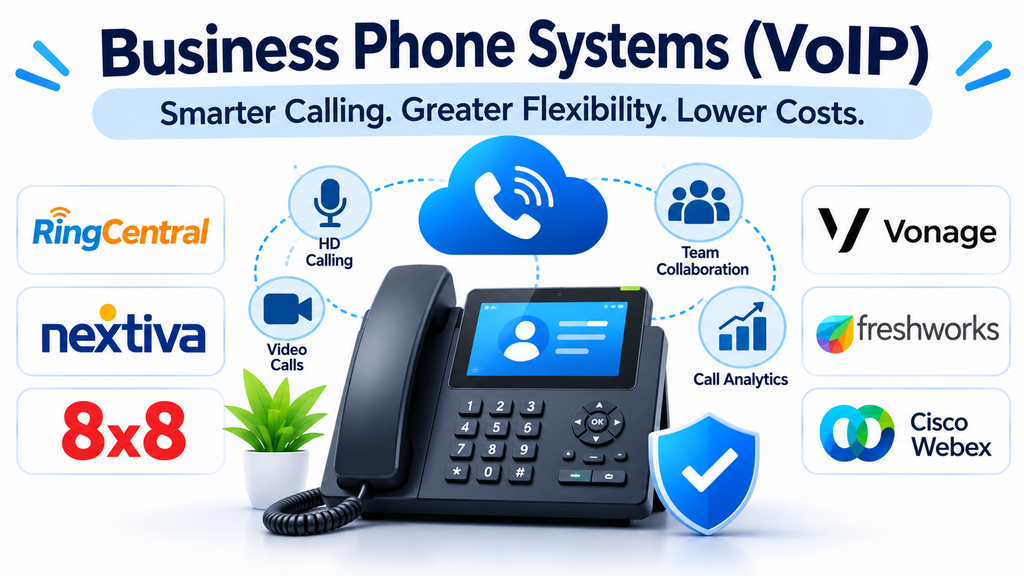
Business communication depends on reliable phone connectivity. Sales teams speak with prospective customers, support departments resolve service requests, and managers coordinate with employees, suppliers, and business partners. Traditional telephone infrastructure can make these activities difficult to manage when organizations expand across multiple locations or adopt remote working arrangements.
Voice over Internet Protocol (VoIP) provides an alternative by transmitting voice communications over internet protocol networks instead of relying exclusively on conventional telephone lines.
Modern business phone systems use this technology to support cloud calling, automated call routing, voicemail, call recording, conferencing, and integration with business applications. They allow organizations to manage telephone communication through centralized software rather than depending entirely on physical office telephone infrastructure.
Selecting the right system requires understanding calling requirements, network readiness, security, scalability, and the operational features needed by employees.
What Are Business VoIP Phone Systems?
A business VoIP phone system enables organizations to make and receive telephone calls using internet connectivity.
Depending on the deployment, employees can communicate through desk phones, desktop applications, mobile applications, or compatible browser-based interfaces.
Common capabilities include:
- Business telephone numbers and extensions.
- Incoming and outgoing internet-based calls.
- Automatic call distribution.
- Interactive voice response (IVR).
- Call forwarding and transfer.
- Voicemail and voicemail-to-email.
- Call recording and reporting.
- Conference calling.
- Contact management and CRM integration.
- Centralized administration.
Some systems are delivered entirely through cloud subscriptions, while others support hybrid or on-premises deployments.
The appropriate model depends on the organization’s existing infrastructure, technical resources, regulatory requirements, and preferred level of administrative control.
Business Phone Systems Worth Evaluating
1. RingCentral
RingCentral provides cloud-based business communications with voice calling, messaging, and collaboration capabilities.
Its business phone offerings are designed for organizations that want to manage communication across multiple employees and locations.
Businesses can use supported features such as call routing, extensions, voicemail, call management, and integrations with productivity and customer relationship management applications.
Its broader communication environment makes it relevant to companies looking to connect telephone services with everyday workplace collaboration.
Organizations should examine the available calling plans, international number support, device compatibility, and advanced call management features before selecting a subscription.
2. Nextiva
Nextiva provides cloud-based business phone and communication services for organizations of different sizes.
Its offerings support business calling, call management, and broader customer communication requirements.
It is particularly relevant to businesses that want to modernize traditional office telephone systems while supporting employees working from different locations.
Potential evaluation areas include call routing, automated attendants, number portability, analytics, integrations, and the availability of additional communication features.
Businesses should also consider how the platform supports customer-facing teams that handle frequent incoming and outgoing calls.
3. 8×8
8×8 provides cloud communications solutions that include business voice services and broader communication capabilities.
Its platform is relevant to organizations with distributed operations, multiple departments, or international communication requirements.
Businesses can evaluate it for cloud telephony, call management, messaging, and connections with customer engagement systems.
Its broader product environment may be useful when organizations want to connect employee communication with customer service operations.
Important purchasing considerations include supported countries, international calling, security capabilities, service availability, and integration requirements.
4. Zoom Phone
Zoom Phone extends the Zoom communication environment into cloud-based business telephony.
It supports calling features designed for organizations that want voice communication connected with their existing video meeting and collaboration workflows.
Businesses can evaluate capabilities such as call routing, voicemail, extensions, call handling, and administrative management.
Its relationship with the wider Zoom Workplace environment can be useful for teams that already use Zoom for virtual meetings.
Organizations should assess geographic availability, telephone number support, licensing, emergency calling capabilities, and integration requirements.
5. Microsoft Teams Phone
Microsoft Teams Phone adds business telephony capabilities to the Microsoft Teams environment.
It allows supported organizations to manage business calling alongside workplace messaging and video meetings.
Depending on the deployment, organizations can connect calling through Microsoft calling plans, Operator Connect, or Direct Routing.
This flexibility makes it relevant to businesses already using Microsoft 365 that want to consolidate communication services.
However, implementation requires careful consideration of licensing, telephone connectivity, network configuration, emergency calling, and administrative responsibilities.
6. Vonage Business Communications
Vonage provides cloud-based communication services for businesses, including voice and messaging capabilities.
Its offerings are relevant to organizations that want internet-based business calling and communication services that can connect with existing applications.
Businesses can evaluate call management, extensions, routing, integrations, and the availability of communication features required by their teams.
It is important to distinguish between business phone products and developer-oriented communication APIs because they support different deployment models.
Organizations should assess which Vonage product best matches their requirements rather than treating the entire portfolio as one interchangeable service.
7. Dialpad
Dialpad combines business telephony with messaging, meetings, and AI-assisted communication features.
Its approach emphasizes communication productivity and the ability to extract useful information from conversations.
Depending on the selected product and plan, supported capabilities may include call transcription, conversation summaries, call routing, and analytics.
These capabilities can help managers review customer interactions and improve communication workflows.
Organizations should evaluate transcription accuracy, language support, privacy settings, integration options, and the availability of AI-related features.
8. GoTo Connect
GoTo Connect combines cloud-based business phone services with additional communication capabilities.
It is relevant to businesses that want to replace traditional phone infrastructure with a managed cloud solution.
Its capabilities can support extensions, call routing, voicemail, and other business calling workflows.
Organizations should examine how the system handles multiple locations, employee mobility, customer-facing calls, and integration with existing business applications.
The overall subscription structure and availability of advanced telephony features should also be reviewed before deployment.
9. Ooma Office
Ooma Office provides business phone services designed for small and medium-sized organizations.
Its approach makes it relevant to businesses that need professional calling capabilities without maintaining a complicated enterprise telephone environment.
Depending on the plan, features may include virtual receptionists, extensions, voicemail, call forwarding, and mobile or desktop communication options.
It is worth evaluating for smaller offices, service businesses, and organizations that need straightforward business calling.
Businesses should compare device requirements, calling features, user limits, and available integrations.
10. Aircall
Aircall focuses on cloud-based business telephony, particularly for sales and customer support teams.
Its platform provides calling workflows that can connect with CRM and customer support applications.
Features such as call assignment, call monitoring, recordings, and reporting can help teams manage customer conversations more systematically.
Aircall is particularly relevant to organizations where telephone communication is closely connected with sales pipelines or customer service operations.
Buyers should examine integration availability, calling coverage, user licensing, and the features needed by managers and agents.
Comparing Business VoIP Providers
| Platform | Primary focus | Relevant business requirement |
|---|---|---|
| RingCentral | Cloud business communications | Distributed teams |
| Nextiva | Business calling and communications | Growing businesses |
| 8×8 | Cloud voice and communication | Multi-location organizations |
| Zoom Phone | Cloud telephony | Zoom-based workplaces |
| Microsoft Teams Phone | Microsoft-integrated calling | Microsoft 365 organizations |
| Vonage | Business communications | Integrated calling workflows |
| Dialpad | AI-assisted business calling | Communication productivity |
| GoTo Connect | Cloud phone systems | Small and medium businesses |
| Ooma Office | Small-business telephony | Smaller offices |
| Aircall | Sales and support calling | Customer-facing teams |
The most suitable platform depends on the number of users, calling volume, geographic requirements, integrations, and administrative complexity.
How VoIP Works in a Business Environment
Traditional telephone systems transmit voice through conventional telephone networks. VoIP converts voice into digital data packets and sends them across IP networks.
A typical business calling process involves several stages:
- An employee speaks through a compatible phone or application.
- The system converts the voice signal into digital data.
- The data travels through the organization’s internet or network connection.
- The receiving system processes the data.
- The recipient hears the reconstructed audio.
When a VoIP service connects with traditional telephone networks, the provider manages the necessary communication gateway or interconnection.
Call quality depends on more than internet speed. Network latency, jitter, packet loss, congestion, and configuration can all affect the conversation.
Important Features to Consider Before Choosing a VoIP System
Call routing and automatic attendants
Call routing determines where incoming calls should be directed.
An automatic attendant can greet callers and provide options such as sales, support, billing, or other departments.
This can help businesses manage incoming calls more efficiently without requiring a receptionist to manually transfer every conversation.
Evaluate business-hour schedules, routing rules, department queues, and after-hours handling.
Interactive voice response
IVR systems allow callers to interact with automated menus using keypad selections or supported speech recognition.
For example, a caller might select an option to reach technical support or check an account-related request.
A well-designed IVR can improve call organization, but overly complicated menus can frustrate customers.
Call recording and monitoring
Call recording can support quality assurance, employee training, dispute resolution, and operational review.
Managers may also need monitoring tools to evaluate agent performance and identify communication problems.
Organizations should review recording permissions, storage, retention, access controls, and applicable consent requirements.
CRM and help desk integration
Integrations connect telephone communication with customer information and business workflows.
For example, when an existing customer calls, an integrated system may display the relevant CRM record to an authorized employee.
Common integration requirements include:
- Customer relationship management software.
- Help desk and ticketing platforms.
- Contact center applications.
- Productivity and collaboration tools.
- Customer databases.
- Reporting and analytics systems.
Integration availability should be verified for the exact provider, product, and subscription.
Mobile and desktop calling
Modern employees may need to make and receive business calls outside the office.
Mobile and desktop applications can allow employees to access supported business numbers without relying exclusively on physical desk phones.
Evaluate device compatibility, notification behavior, call transfers, headset support, and security controls.
Analytics and reporting
Call analytics help businesses understand communication activity.
Useful metrics include incoming call volume, missed calls, average waiting time, call duration, abandoned calls, and employee activity.
Organizations should select reports that support actual operational decisions instead of focusing only on the number of available dashboards.
Benefits of Implementing VoIP
Lower infrastructure dependence: Organizations can reduce their reliance on traditional telephone hardware and physical telephone lines.
Flexible employee access: Employees can use supported devices and applications to communicate from different locations.
Simplified administration: Cloud systems can provide centralized management for users, extensions, and calling policies.
Business scalability: Organizations can add users and adjust calling resources as requirements change, subject to provider plans.
Improved call management: Routing, automated attendants, and queues help organize incoming communication.
Better operational visibility: Reporting and call analytics provide information about communication activity.
Integration with business systems: Connecting phone communication with CRM and support platforms can help employees manage customer interactions more effectively.
Actual cost savings depend on usage, licensing, connectivity, equipment, and implementation expenses.
Common VoIP Implementation Challenges
Internet connectivity problems
VoIP depends on network connectivity. Unstable connections can cause dropped calls, audio interruptions, and poor voice quality.
Organizations should assess internet capacity, network reliability, and backup connectivity before migrating.
Network configuration
Routers, firewalls, quality-of-service settings, and network congestion can influence call performance.
IT teams should verify the provider’s network requirements and configure infrastructure appropriately.
Number portability and migration
Moving existing business numbers to a new provider requires careful coordination.
Businesses should confirm portability availability, migration schedules, and temporary call-routing arrangements.
Employee training
Employees may need training on softphones, call transfers, voicemail, conferencing, and new call management workflows.
A structured onboarding process can reduce confusion after implementation.
Emergency calling
Business phone systems must be configured to support applicable emergency calling requirements.
Organizations with multiple offices and remote employees should verify how emergency locations are registered and updated with their provider.
VoIP Security and Privacy Considerations
Business telephone systems may carry confidential customer conversations, internal discussions, and sensitive operational information.
Organizations should evaluate:
- Encryption for supported communications.
- Secure user authentication.
- Multi-factor authentication.
- Role-based administrative permissions.
- Call recording access controls.
- Security monitoring and audit logs.
- Network protection and firewall configuration.
- Data retention and deletion policies.
- Provider security documentation.
Businesses should also establish clear policies regarding call recordings, employee access, and the handling of confidential information.
Security responsibilities may be shared between the provider and the organization, particularly when businesses manage their own networks and connected devices.
How to Calculate the Total Cost of a Business VoIP System
Subscription pricing alone does not represent the complete cost of implementation.
Organizations should consider:
User licensing: Monthly or annual charges for each employee or extension.
Calling charges: International calls, premium destinations, and other usage-based costs.
Hardware: Compatible desk phones, headsets, adapters, and networking equipment.
Connectivity: Internet upgrades, redundant connections, and network improvements.
Implementation: Configuration, number migration, integration, and deployment services.
Additional features: Advanced analytics, recording storage, contact center capabilities, and AI functionality.
A realistic cost comparison should use the same number of employees, calling patterns, locations, and required features across all shortlisted providers.
Questions to Ask Before Purchasing
- Does the provider support our existing business telephone numbers?
- Which countries and calling destinations are available?
- Can employees use mobile and desktop applications?
- Does the system support IVR and automatic call routing?
- What integrations are available with our existing software?
- How are call recordings stored and protected?
- What emergency calling arrangements are supported?
- What happens if internet connectivity is interrupted?
- Are international calls or advanced features billed separately?
- What migration and technical support services are included?
Testing the system with a small group of employees can help identify network, usability, and integration issues before a wider rollout.
Frequently Asked Questions
What does VoIP mean?
VoIP stands for Voice over Internet Protocol. It is a technology that enables voice communication over IP networks instead of relying exclusively on conventional telephone infrastructure.
Are VoIP phone systems suitable for small businesses?
Yes. Many providers offer cloud-based business phone solutions designed for smaller organizations. These systems can provide professional calling, extensions, voicemail, and call management without requiring a traditional private telephone exchange.
Do VoIP systems require internet access?
Yes. Internet connectivity is required for internet-based VoIP calling. Network reliability and proper configuration are important for maintaining call quality.
Can businesses keep their existing telephone numbers?
Many providers support number portability, allowing eligible business numbers to be transferred. Availability depends on the provider, destination, number type, and applicable regulations.
Is VoIP more affordable than traditional telephone systems?
It can reduce certain infrastructure and maintenance expenses, but total costs depend on licensing, calling usage, internet connectivity, equipment, and implementation.
What is the difference between VoIP and UCaaS?
VoIP primarily describes internet-based voice communication. UCaaS is a broader cloud communication model that can combine voice, video meetings, messaging, and collaboration within one environment.
Building a More Flexible Business Calling Environment
Business telephone systems have evolved from hardware-dependent office installations into flexible communication services that support employees across multiple locations.
RingCentral, Nextiva, 8×8, Zoom Phone, Microsoft Teams Phone, Vonage, Dialpad, GoTo Connect, Ooma Office, and Aircall offer different approaches to business telephony.
The right selection depends on organizational size, call volume, existing infrastructure, geographic coverage, security requirements, and integration needs.
Before migrating, businesses should review their current calling workflows, assess network readiness, compare complete subscription costs, and test the proposed system under realistic operating conditions.
A well-planned VoIP deployment can help organizations manage calls more efficiently, support flexible working arrangements, and establish a communication environment that can adapt as business requirements evolve.
