Upgrade & Secure Your Future with DevOps, SRE, DevSecOps, MLOps!
We spend hours scrolling social media and waste money on things we forget, but won’t spend 30 minutes a day earning certifications that can change our lives.
Master in DevOps, SRE, DevSecOps & MLOps by DevOps School!
Learn from Guru Rajesh Kumar and double your salary in just one year.
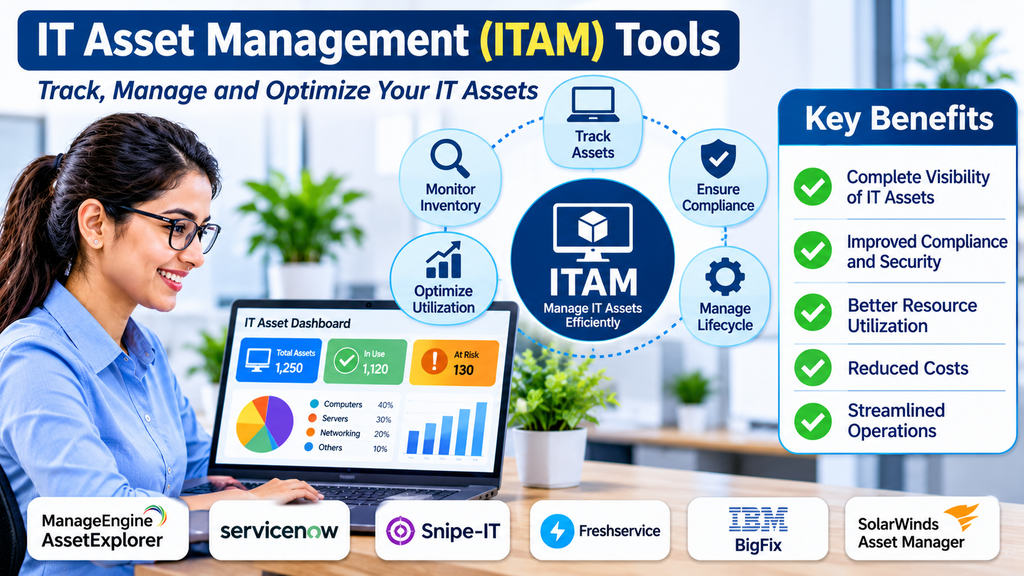
Managing Technology Assets Across the Enterprise
Organizations invest in a wide range of technology resources to support daily business operations. Computers, laptops, servers, mobile devices, software applications, network equipment, and cloud subscriptions all contribute to modern IT environments.
As businesses grow, keeping track of these resources becomes more complicated. IT teams need to know what assets exist, who is using them, where they are located, how much they cost, and when they need maintenance or replacement.
IT Asset Management (ITAM) tools help organizations maintain this visibility through centralized asset records, lifecycle tracking, financial information, and operational workflows.
These platforms support better purchasing decisions, reduce unnecessary spending, improve accountability, and help organizations manage technology resources throughout their useful lives.
What Are IT Asset Management Tools?
IT Asset Management tools are software platforms used to discover, track, manage, and optimize an organization’s technology assets throughout their lifecycle.
They help IT departments maintain accurate records of hardware, software, and other technology resources.
Common capabilities include:
- Hardware asset discovery.
- Software inventory.
- Asset lifecycle tracking.
- Purchase and procurement records.
- Asset assignment and ownership.
- Warranty and contract tracking.
- License information.
- Maintenance scheduling.
- Depreciation and cost tracking.
- Asset audits.
- Disposal and retirement management.
- Reporting and analytics.
ITAM solutions are used by enterprises, small and medium-sized businesses, government organizations, educational institutions, and managed service providers.
Leading IT Asset Management Tools
1. ServiceNow IT Asset Management
ServiceNow IT Asset Management provides capabilities for managing hardware and software assets across enterprise environments.
Its functionality supports asset lifecycle management, procurement workflows, inventory visibility, contract information, and software asset management.
Organizations can connect asset processes with broader IT service management workflows to improve operational coordination.
It is particularly relevant to enterprises that want asset information connected with incidents, changes, and service requests.
Buyers should evaluate implementation requirements, integration needs, licensing, and customization.
2. ManageEngine AssetExplorer
ManageEngine AssetExplorer helps organizations track and manage IT assets through a centralized platform.
Its features include hardware and software discovery, asset lifecycle tracking, purchase information, license management, and inventory reporting.
IT teams can use it to maintain visibility into technology resources and organize asset-related information.
It is relevant to organizations seeking dedicated asset management capabilities with integration options across IT operations.
Businesses should review discovery methods, deployment requirements, integrations, and reporting capabilities.
3. Lansweeper
Lansweeper provides IT asset discovery and inventory capabilities that help organizations understand their technology environments.
It can collect information about hardware, software, connected devices, and network assets.
Its discovery capabilities help IT teams identify devices and maintain visibility into infrastructure that may otherwise be difficult to track.
It is useful for organizations that need detailed asset inventory and technology discovery.
Buyers should assess network coverage, cloud discovery requirements, reporting, and integration with other IT platforms.
4. Flexera One
Flexera One provides technology asset management capabilities across software, hardware, cloud, and technology spending environments.
Its capabilities support software asset management, technology visibility, license optimization, and cloud cost management.
Organizations can use the platform to understand technology usage, identify potential inefficiencies, and improve financial control.
It is particularly relevant to large organizations managing complex software portfolios and hybrid technology environments.
Businesses should evaluate data integration, licensing expertise, implementation complexity, and total cost.
5. Ivanti Neurons for ITAM
Ivanti Neurons for ITAM provides asset management capabilities designed to improve visibility and control over IT resources.
Its functionality can support asset discovery, inventory management, lifecycle processes, and software-related asset information.
Organizations can use it to connect asset management with broader IT operations and endpoint management activities.
It is relevant to businesses seeking coordinated technology asset management across distributed environments.
Buyers should assess integration options, automation, supported asset types, and deployment requirements.
6. Snipe-IT
Snipe-IT is an open-source IT asset management platform used to track technology equipment and assigned resources.
Its features include asset assignment, hardware inventory, accessories, consumables, licenses, maintenance information, and audit history.
Organizations can use it to maintain records of computers, peripherals, and other equipment.
It is useful for businesses and institutions looking for a flexible asset tracking system.
Organizations should consider hosting, maintenance, security configuration, and support requirements.
7. Asset Panda
Asset Panda provides asset tracking and management capabilities for organizations across different industries.
Its platform supports asset records, assignments, maintenance tracking, audits, barcode workflows, and reporting.
Businesses can use it to manage technology equipment and other physical assets from a centralized system.
It is relevant to organizations that need flexible asset tracking beyond traditional IT hardware.
Buyers should evaluate customization, mobile workflows, integrations, and subscription costs.
8. InvGate Asset Management
InvGate Asset Management provides IT asset discovery, inventory, and lifecycle management capabilities.
Its features help organizations maintain hardware and software information, manage asset records, and improve technology visibility.
It can support IT departments that want structured asset management connected with service management processes.
Businesses should evaluate discovery coverage, integration options, reporting, and workflow requirements.
9. Alloy Navigator
Alloy Navigator provides IT service and asset management capabilities for organizations managing internal technology environments.
Its functionality supports asset inventory, lifecycle tracking, service workflows, and configuration-related information.
Organizations can use it to connect asset records with support activities and operational processes.
It is relevant to IT departments seeking an integrated service and asset management environment.
Buyers should examine deployment options, customization, integration requirements, and scalability.
10. AssetTiger
AssetTiger provides cloud-based asset tracking capabilities for organizations that need to manage physical resources.
Its functionality includes asset records, assignment tracking, maintenance information, check-in and check-out workflows, and reporting.
It can help businesses track computers, office equipment, and other organizational resources.
It is relevant to smaller organizations that need straightforward asset tracking without a highly complex enterprise platform.
Organizations should compare its IT-specific capabilities with their inventory and lifecycle management requirements.
Comparing Popular ITAM Platforms
| Platform | Primary focus | Suitable requirement |
|---|---|---|
| ServiceNow ITAM | Enterprise hardware and software asset management | Large IT environments |
| ManageEngine AssetExplorer | IT inventory and lifecycle tracking | Centralized asset records |
| Lansweeper | Technology discovery and inventory | Detailed infrastructure visibility |
| Flexera One | Software, hardware, and technology optimization | Complex enterprise portfolios |
| Ivanti Neurons for ITAM | IT asset and operational management | Distributed IT environments |
| Snipe-IT | Open-source asset tracking | Flexible equipment management |
| Asset Panda | Configurable asset tracking | Physical and technology assets |
| InvGate Asset Management | IT asset discovery and lifecycle management | IT operations teams |
| Alloy Navigator | Service and asset management | Integrated IT workflows |
| AssetTiger | Cloud-based asset tracking | Smaller organizations |
The right platform depends on asset volume, discovery requirements, software licensing complexity, reporting needs, integration requirements, and available budget.
Essential Features of IT Asset Management Software
Asset discovery
Asset discovery helps organizations identify devices and technology resources connected to their environments.
Discovery methods may include network scanning, endpoint agents, integrations, and imported inventory records.
Accurate discovery helps reduce the number of unknown or unmanaged devices.
Hardware inventory management
Hardware inventory management records important details about physical technology assets.
These may include device type, manufacturer, model, serial number, purchase date, assigned user, location, and warranty status.
Maintaining this information helps IT teams locate equipment and make informed replacement decisions.
Software inventory management
Software inventory capabilities help organizations identify applications installed across managed devices.
This information can support software audits, license management, application standardization, and security reviews.
Organizations should distinguish between software discovery and full software license optimization, as these may require different capabilities.
Asset lifecycle management
IT assets move through several stages, including planning, purchasing, deployment, maintenance, reassignment, and retirement.
Lifecycle management helps organizations record these activities and maintain a reliable history for each asset.
It also supports replacement planning and reduces the risk of equipment becoming unaccounted for.
Procurement management
Procurement features help connect purchasing activities with asset records.
IT departments can maintain information about suppliers, purchase orders, costs, approvals, and delivery details.
This makes it easier to understand how technology resources enter the organization.
License management
Software license management helps organizations track purchased licenses, entitlements, installations, and usage information.
It can help identify unused licenses, potential compliance gaps, and opportunities to reduce spending.
Organizations with complex software agreements may need specialized Software Asset Management capabilities.
Maintenance and warranty tracking
Maintenance and warranty information helps IT teams identify devices approaching service deadlines or contract expiration.
This supports proactive maintenance and helps prevent unexpected repair expenses.
Asset audits
Asset auditing helps organizations verify that recorded information matches the equipment actually in use.
Audits may involve barcode scanning, physical inspections, user confirmations, or automated discovery.
Regular audits improve inventory accuracy and accountability.
Reporting and analytics
Reporting helps organizations understand asset distribution, costs, lifecycle status, and technology usage.
Useful reports may include assets by location, devices nearing end of life, warranty expiration, unassigned equipment, and software inventory.
Benefits of Implementing ITAM Tools
Improved asset visibility: Centralized records help organizations understand what technology resources they own and use.
Reduced unnecessary spending: Better visibility can reveal unused equipment, duplicate purchases, and underutilized software subscriptions.
Stronger accountability: Assignment records help establish responsibility for company-owned devices.
Better lifecycle planning: Organizations can plan maintenance, upgrades, and replacements more effectively.
Improved audit readiness: Organized records support internal reviews and software licensing assessments.
More efficient procurement: Historical asset information helps teams make better purchasing decisions.
Reduced asset loss: Tracking ownership and location helps reduce missing or unaccounted-for equipment.
Better IT decision-making: Accurate inventory information supports budgeting, infrastructure planning, and technology standardization.
Hardware ITAM and Software ITAM
IT Asset Management commonly covers both hardware and software, but the requirements can differ.
Hardware asset management
Hardware ITAM focuses on physical technology resources such as:
- Desktops and laptops.
- Servers and storage devices.
- Printers and peripherals.
- Network equipment.
- Mobile devices.
- Data center hardware.
- Accessories and other equipment.
Its primary concerns include ownership, location, assignment, condition, maintenance, cost, and retirement.
Software asset management
Software ITAM focuses on applications, licenses, subscriptions, installations, and usage.
Its primary concerns include licensing entitlements, deployment records, renewal dates, compliance, and optimization.
Organizations with complex software contracts may benefit from dedicated Software Asset Management tools alongside broader ITAM systems.
ITAM and IT Service Management
IT Asset Management and IT Service Management are closely related but serve different purposes.
ITAM focuses on the lifecycle, ownership, cost, and status of technology assets.
ITSM focuses on delivering and supporting IT services through processes such as incident management, problem management, change management, and service requests.
Connecting the two provides additional operational value.
For example, when an employee reports a laptop issue, an ITSM platform can reference the device’s asset record to identify its model, warranty status, assigned user, and maintenance history.
This information can help support teams investigate problems more effectively.
Common ITAM Implementation Challenges
Inaccurate asset records
Asset information may become outdated when devices are transferred, replaced, or retired without updating the inventory.
Organizations should define clear processes for recording asset changes.
Shadow IT
Employees may introduce software, devices, or cloud services without formal approval.
Discovery processes and procurement controls can help improve visibility into technology usage.
Incomplete discovery
Some assets may not be visible because they are offline, located in restricted networks, or unsupported by discovery methods.
IT teams should combine automated discovery with manual verification where necessary.
Poor ownership tracking
Assets without clearly assigned owners can become difficult to locate and maintain.
Organizations should establish assignment procedures for employees, departments, and locations.
Integration complexity
ITAM platforms may need to connect with procurement, finance, endpoint management, identity, and service desk systems.
Integration requirements should be considered before selecting a platform.
Resistance to process changes
Employees may avoid asset check-in, check-out, or reassignment procedures if they are inconvenient.
Simple workflows and clear responsibilities can improve adoption.
Security and Compliance Considerations
IT asset records may contain sensitive information about devices, users, software installations, and infrastructure.
Organizations should consider:
- Role-based access control.
- Secure authentication.
- Encryption of stored and transmitted information.
- Audit logs for asset changes.
- Restricted administrative permissions.
- Secure integration credentials.
- Data retention policies.
- Accurate disposal records.
- Software license compliance.
- Regular inventory verification.
When devices are retired or reassigned, organizations should also ensure that company data is handled according to approved security and data destruction procedures.
How to Choose the Right ITAM Tool
Selecting an ITAM platform begins with understanding the organization’s asset environment.
A small business may need basic hardware tracking and employee assignments. A large enterprise may require automated discovery, software license optimization, financial reporting, procurement integration, and detailed lifecycle workflows.
Before purchasing, evaluate:
- Types and quantities of assets to track.
- Hardware and software discovery requirements.
- Lifecycle management capabilities.
- License and contract tracking.
- Asset assignment and location management.
- Procurement and financial integrations.
- Audit and reporting capabilities.
- Integration with ITSM and endpoint tools.
- Security and access controls.
- Deployment options and scalability.
- Implementation and training requirements.
- Total cost of ownership.
A pilot project can help verify discovery accuracy and determine whether the platform fits existing IT processes.
Frequently Asked Questions
What is ITAM software used for?
ITAM software helps organizations track, manage, and optimize hardware, software, and other technology assets throughout their lifecycle.
What is the difference between ITAM and ITSM?
ITAM focuses on managing technology assets, including ownership, cost, inventory, and lifecycle. ITSM focuses on delivering and supporting IT services through structured operational processes.
Why is IT asset tracking important?
Asset tracking helps organizations locate equipment, monitor ownership, plan replacements, manage costs, and maintain accurate inventory records.
Can ITAM tools discover devices automatically?
Many ITAM platforms support automated discovery through network scanning, endpoint agents, and integrations. Discovery coverage varies by product and environment.
What is the difference between ITAM and SAM?
ITAM covers the broader management of technology assets, including hardware and software. Software Asset Management (SAM) focuses specifically on software inventory, licensing, usage, and compliance.
Are ITAM tools suitable for small businesses?
Yes. Small businesses can use ITAM tools to maintain device records, track assigned equipment, manage warranties, and reduce unnecessary purchases.
Conclusion
IT Asset Management tools help organizations maintain control over technology resources that support their business operations.
Platforms such as ServiceNow ITAM, ManageEngine AssetExplorer, Lansweeper, Flexera One, Ivanti Neurons for ITAM, Snipe-IT, Asset Panda, InvGate Asset Management, Alloy Navigator, and AssetTiger offer different approaches to asset discovery, tracking, and lifecycle management.
The best solution depends on organizational size, asset complexity, software licensing needs, integration requirements, and budget.
By maintaining accurate asset records and establishing consistent lifecycle processes, businesses can improve accountability, optimize technology spending, strengthen compliance, and make more informed IT investment decisions.
