Upgrade & Secure Your Future with DevOps, SRE, DevSecOps, MLOps!
We spend hours scrolling social media and waste money on things we forget, but won’t spend 30 minutes a day earning certifications that can change our lives.
Master in DevOps, SRE, DevSecOps & MLOps by DevOps School!
Learn from Guru Rajesh Kumar and double your salary in just one year.
Mobile Device Management (MDM) Tools: Features, Benefits, and Top Platforms
Mobile devices have become essential to modern business operations. Employees use smartphones and tablets to access company email, communicate with colleagues, manage customer relationships, review documents, and work remotely. While this flexibility improves productivity, it also creates security and management challenges for IT teams.
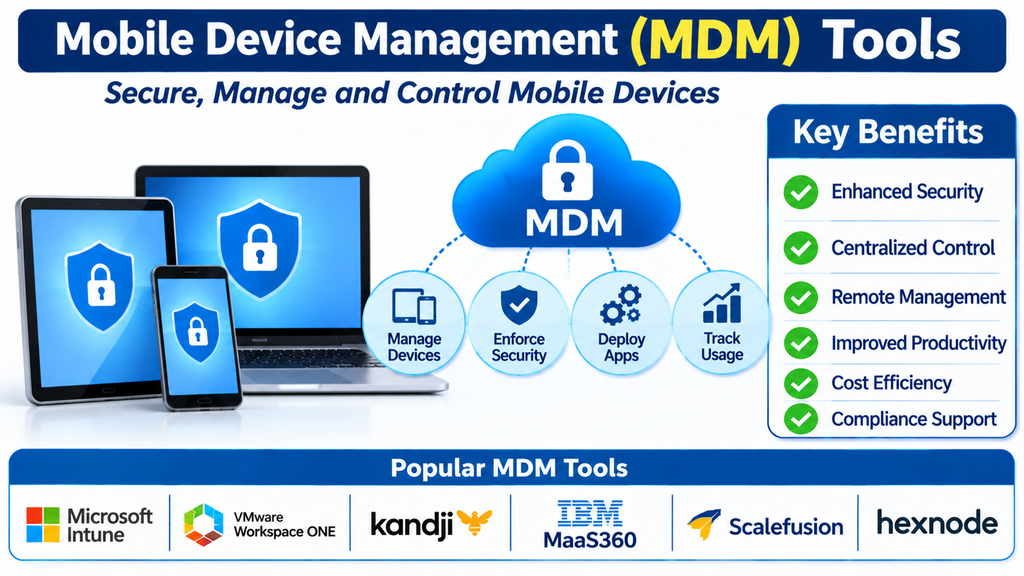
Mobile Device Management (MDM) tools help organizations manage, monitor, and secure smartphones and tablets from a centralized platform. These solutions allow IT administrators to configure devices, enforce security policies, distribute applications, control access to business data, and respond to potential threats without needing physical access to every device.
As organizations adopt hybrid work models and support employees using different mobile operating systems, MDM has become an important part of enterprise IT and cybersecurity strategies.
What Is Mobile Device Management?
Mobile Device Management is a technology that enables organizations to remotely manage mobile devices used for business purposes. These devices may be company-owned, employee-owned, or shared across teams.
An MDM platform connects enrolled devices to a central management console. Administrators can then apply policies, configure settings, deploy approved applications, monitor device compliance, and perform remote actions when necessary.
For example, if an employee loses a company smartphone, an IT administrator may be able to locate the device, lock it, or remove corporate information remotely. This helps reduce the risk of unauthorized access to sensitive business data.
Key Features of MDM Tools
1. Centralized Device Management
MDM platforms provide a single dashboard for managing smartphones and tablets across an organization. IT teams can view enrolled devices, check their status, organize them into groups, and apply policies based on departments or job roles.
2. Security Policy Enforcement
Organizations can enforce requirements such as screen locks, strong passwords, encryption, and automatic screen timeouts. Some platforms also support compliance checks to identify devices that do not meet company security standards.
3. Application Management
Administrators can distribute approved business applications, configure app settings, manage updates, and restrict access to unauthorized software. This helps employees access the tools they need while maintaining control over the mobile application environment.
4. Remote Lock and Wipe
If a device is lost, stolen, or no longer authorized for business use, administrators can remotely lock it or remove corporate data. Depending on the enrollment method and platform, organizations may be able to erase the entire device or selectively remove managed business information.
5. Device Enrollment and Configuration
MDM tools simplify the process of preparing devices for business use. Automated enrollment can configure Wi-Fi, email, VPN, certificates, security settings, and required applications before employees begin using their devices.
6. Compliance Monitoring and Reporting
IT administrators can monitor whether devices follow organizational policies. Reports may highlight outdated operating systems, missing security controls, unauthorized configurations, or devices that require attention.
7. Support for Multiple Operating Systems
Many MDM solutions support Apple iOS and iPadOS, Android, and—in some cases—other device categories. Cross-platform management is particularly useful for organizations with a diverse mobile environment.
Popular Mobile Device Management Tools
The MDM market includes solutions for small businesses, large enterprises, educational institutions, healthcare organizations, and frontline workforces. Some widely used platforms include:
Microsoft Intune
Microsoft Intune provides cloud-based endpoint and mobile device management capabilities. It supports policy enforcement, application management, device compliance, and integration with Microsoft security and productivity services. Organizations using Microsoft 365 can use Intune to help manage access to company resources across mobile devices.
Jamf Pro
Jamf Pro specializes in managing Apple devices, including iPhones, iPads, and Macs. It offers Apple-focused enrollment, configuration, application deployment, inventory management, and security workflows. It is commonly used by organizations with large Apple device environments.
IBM MaaS360
IBM MaaS360 provides unified endpoint management and mobile security capabilities. It helps organizations manage devices, distribute applications, enforce policies, and monitor compliance. Its analytics and security features can support businesses that need centralized visibility across a varied device environment.
Ivanti Neurons for MDM
Ivanti Neurons for MDM supports mobile device configuration, application management, access control, and security policy enforcement. It is designed to help organizations manage mobile endpoints while connecting device management with broader IT and security operations.
Omnissa Workspace ONE UEM
Workspace ONE UEM offers unified endpoint management across different device types and operating systems. Its capabilities include enrollment, application delivery, device configuration, and policy management. It can be useful for organizations that want to manage mobile devices alongside other enterprise endpoints.
Hexnode UEM
Hexnode provides mobile and unified endpoint management features for businesses of different sizes. Administrators can enroll devices, apply restrictions, distribute applications, configure settings, and manage device compliance through a centralized interface.
ManageEngine Mobile Device Manager Plus
ManageEngine Mobile Device Manager Plus offers tools for enrolling, configuring, securing, and monitoring mobile devices. It supports application management, device restrictions, remote troubleshooting, and policy enforcement, making it an option for IT teams seeking a dedicated mobile management platform.
SOTI MobiControl
SOTI MobiControl focuses on managing and securing mobile devices, including specialized devices used in logistics, retail, transportation, and field operations. It supports remote device control, application deployment, configuration, and management of business-critical mobile environments.
Cisco Meraki Systems Manager
Cisco Meraki Systems Manager provides cloud-managed endpoint and mobile device management. It supports device enrollment, application distribution, security policies, and visibility across managed devices. Its cloud-based administration can be useful for organizations already using Meraki networking solutions.
Scalefusion
Scalefusion offers mobile and endpoint management capabilities for Android, Apple, Windows, and other supported device categories. It includes device enrollment, kiosk management, application control, remote troubleshooting, and security policy enforcement. It can be particularly relevant for organizations managing shared or dedicated-purpose devices.
Benefits of Using MDM Software
Improved Data Security: MDM tools help protect company information through encryption requirements, access controls, device restrictions, and remote data removal.
Simplified IT Administration: Centralized management reduces the need for manual device configuration and makes it easier to manage large mobile fleets.
Better Employee Productivity: Employees can receive preconfigured devices and approved applications, helping them get started with fewer technical delays.
Support for Remote Work: IT teams can manage devices regardless of where employees are located, provided the devices can connect to the management service.
Reduced Operational Risk: Compliance monitoring and remote security actions help organizations respond more effectively to lost devices, outdated software, and policy violations.
Consistent Device Configuration: Standardized settings across teams make mobile environments easier to support and maintain.
How to Choose the Right MDM Platform
Selecting an MDM solution requires understanding the organization’s device environment, security requirements, and IT management needs.
Start by identifying the operating systems and device models employees use. A company that primarily operates Apple devices may benefit from an Apple-focused solution, while a business managing a mixture of Android and iOS devices may need broader cross-platform support.
Evaluate security capabilities such as encryption enforcement, compliance policies, conditional access integrations, and remote lock or wipe. Check whether the platform supports the enrollment methods and device ownership models required by the organization.
Application management is another important consideration. Businesses should confirm that administrators can distribute applications, control updates, manage configurations, and separate corporate data from personal information where supported.
Organizations should also review scalability, reporting, integration options, ease of administration, vendor support, and total cost of ownership. A pilot deployment with representative devices can help IT teams evaluate usability and compatibility before a wider rollout.
MDM Best Practices for Businesses
A successful MDM deployment requires more than installing management software. Organizations should establish clear mobile device policies that explain acceptable use, security expectations, employee responsibilities, and procedures for lost or stolen devices.
Use role-based access controls so administrators receive only the permissions required for their responsibilities. Keep operating systems and applications updated, review compliance reports regularly, and remove access for devices that no longer meet organizational requirements.
For employee-owned devices, communicate clearly about what the organization can and cannot monitor or control. Where supported, use work profiles or managed application controls to protect company data while respecting personal privacy.
It is also important to review device inventory and management policies periodically as the organization adds new devices, applications, and working arrangements.
Conclusion
Mobile Device Management tools help businesses maintain control over smartphones and tablets while enabling employees to work flexibly. Through centralized administration, application management, security enforcement, remote support, and compliance monitoring, MDM platforms reduce the complexity of managing mobile environments.
Solutions such as Microsoft Intune, Jamf Pro, IBM MaaS360, Ivanti Neurons for MDM, Workspace ONE UEM, Hexnode, ManageEngine Mobile Device Manager Plus, SOTI MobiControl, Cisco Meraki Systems Manager, and Scalefusion offer different capabilities for different organizational needs.
The right platform depends on device types, security priorities, existing IT infrastructure, and management requirements. By choosing carefully and following consistent security practices, organizations can build a more secure, manageable, and productive mobile workplace.
