Upgrade & Secure Your Future with DevOps, SRE, DevSecOps, MLOps!
We spend hours scrolling social media and waste money on things we forget, but won’t spend 30 minutes a day earning certifications that can change our lives.
Master in DevOps, SRE, DevSecOps & MLOps by DevOps School!
Learn from Guru Rajesh Kumar and double your salary in just one year.
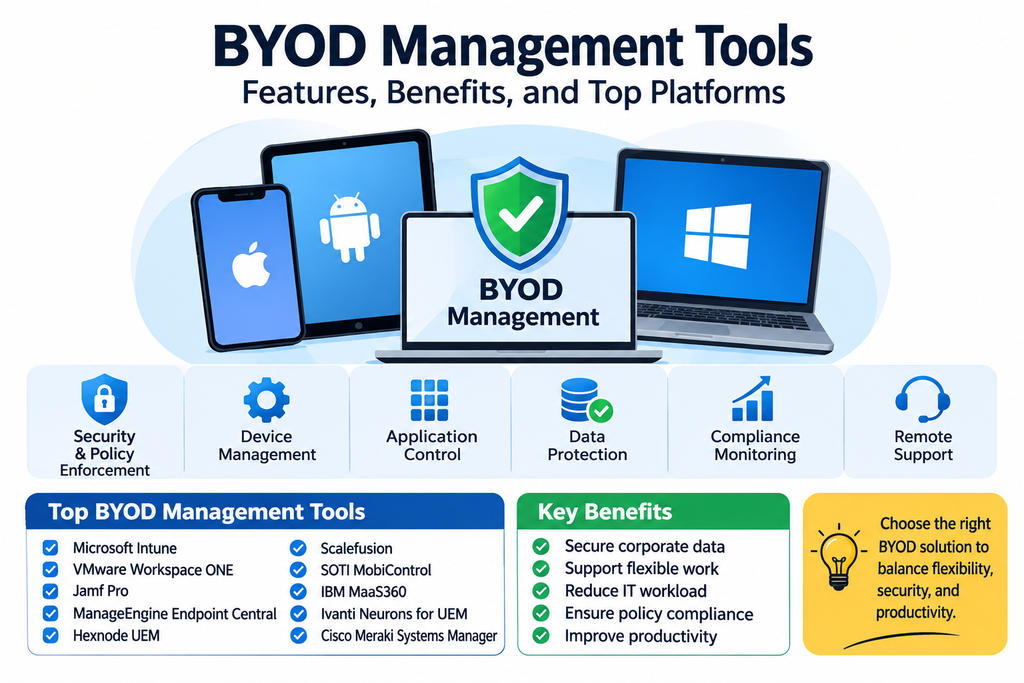
BYOD Management Tools: Features, Benefits, and Top Platforms
Employees increasingly use their personal smartphones, tablets, and laptops to perform work-related tasks. This approach, known as Bring Your Own Device (BYOD), allows people to use familiar devices while giving organizations more flexibility in how work gets done. However, it also creates challenges around data security, privacy, application access, and IT administration.
BYOD management tools help businesses support personal devices while protecting corporate information. These solutions allow IT teams to control access to business applications, secure work data, enforce policies, and separate professional information from personal content where supported.
As remote and hybrid work become common, BYOD management has become an important part of modern enterprise mobility and cybersecurity strategies.
What Is BYOD Management?
Bring Your Own Device management is the process of allowing employees to use personally owned devices for approved business activities while applying appropriate security and access controls.
Rather than requiring every employee to use a company-issued phone or computer, organizations establish policies that define which personal devices can connect to corporate systems and what protections are required.
BYOD management platforms can help enroll devices, configure secure work environments, distribute business applications, enforce authentication requirements, and protect company data. Depending on the technology and enrollment model, administrators may manage only business applications and information instead of controlling the employee’s entire personal device.
Key Features of BYOD Management Tools
1. Device Enrollment and Registration
BYOD platforms provide enrollment processes that allow employees to register personal devices for work access. Administrators can establish eligibility requirements and apply the appropriate management settings.
2. Work Profile and Containerization
Some platforms create a separate work profile or managed container for business applications and information. This helps distinguish corporate data from personal content and can reduce unnecessary access to private information.
3. Application Management
IT teams can distribute approved business applications, configure settings, manage updates, and restrict access to selected applications. This helps employees use authorized tools while reducing exposure to unsafe software.
4. Data Loss Prevention
Data protection policies can restrict certain actions, such as copying corporate information into unmanaged applications, sharing sensitive files through unauthorized channels, or downloading protected content to personal storage.
5. Identity and Access Management
BYOD solutions can integrate with identity providers to enforce authentication requirements and access policies. Organizations may require multi-factor authentication or verify device compliance before allowing access to business resources.
6. Remote Corporate Data Removal
When an employee leaves the organization or a device is no longer authorized, administrators may be able to remove managed business applications, accounts, and corporate information without necessarily erasing personal content.
7. Compliance Monitoring
Management dashboards can help IT teams identify devices that do not meet company requirements, such as outdated operating systems or missing security settings.
8. Privacy Controls
A well-designed BYOD program clearly defines what the organization can manage or see. Privacy-conscious controls help protect employee trust by limiting management to business-related information wherever possible.
Popular BYOD Management Tools
Organizations can choose from dedicated mobile management solutions and broader unified endpoint management platforms. Common options include:
Microsoft Intune
Microsoft Intune supports personal-device management through capabilities such as app protection policies, device enrollment, compliance policies, and conditional access integrations. Organizations can use these features to protect business information accessed through supported applications and devices.
Omnissa Workspace ONE UEM
Workspace ONE UEM provides unified endpoint management capabilities for different device types and operating systems. It supports device enrollment, application delivery, configuration policies, and enterprise access controls for organizations with diverse mobility requirements.
IBM MaaS360
IBM MaaS360 offers mobile management and security capabilities that help organizations manage devices, applications, and corporate information. It can support BYOD programs through centralized policy management and mobile security controls.
Ivanti Neurons for UEM
Ivanti Neurons for UEM helps organizations manage supported endpoints and enforce security policies. Its capabilities include device configuration, application management, compliance monitoring, and access-related controls.
ManageEngine Mobile Device Manager Plus
ManageEngine Mobile Device Manager Plus provides mobile device enrollment, application management, configuration, and security policy features. It can help IT teams administer personal and company-owned mobile devices from a centralized console.
Hexnode UEM
Hexnode UEM offers cross-platform device management, application distribution, security restrictions, and remote administration. It can help businesses establish consistent policies for supported personal and corporate devices.
BlackBerry UEM
BlackBerry UEM provides unified endpoint management and security capabilities for enterprise environments. Its features support device management, application controls, and protection of business information across supported platforms.
Citrix Endpoint Management
Citrix Endpoint Management provides enterprise mobility and endpoint management capabilities, including controls for applications, devices, and access to business resources. Its relevance depends on the organization’s current Citrix environment and supported product configuration.
Scalefusion
Scalefusion offers device and endpoint management features, including enrollment, application management, security policies, and remote support. It can be considered by organizations seeking centralized administration across supported device types.
Jamf Pro
Jamf Pro focuses on Apple device management. Organizations with employees using personal Apple devices may evaluate its capabilities alongside Apple’s available management and enrollment options to determine which approach best fits their BYOD requirements.
Benefits of BYOD Management Software
Improved Employee Flexibility: Employees can use familiar personal devices for approved work activities, supporting flexible and remote working arrangements.
Reduced Hardware Costs: Businesses may reduce the need to purchase and maintain a device for every employee, although support, licensing, and security costs still need to be considered.
Better Corporate Data Protection: Application controls, authentication requirements, and managed work environments help reduce the risk of business information being exposed.
Simplified IT Administration: Centralized policies make it easier for IT teams to manage access and security requirements across a diverse device environment.
Increased Productivity: Employees can work with familiar devices and access approved business applications without always switching between personal and company-issued hardware.
Clearer Separation of Personal and Work Data: Supported work profiles and application-level management can help organizations protect company information while respecting employee privacy.
BYOD vs. COPE: Understanding the Difference
BYOD means employees use personally owned devices for work. The organization applies agreed security and access policies, while employees generally retain ownership and primary control of their devices.
COPE stands for Corporate-Owned, Personally Enabled. Under this model, the organization owns and manages the device but permits employees to use it for certain personal activities.
The two approaches involve different responsibilities, privacy expectations, and management requirements. BYOD offers greater employee choice, while COPE gives organizations more direct control over the hardware and its configuration.
How to Choose the Right BYOD Management Platform
Start by identifying which devices and operating systems employees use. A suitable platform should support the organization’s actual mix of Android, iOS, iPadOS, Windows, and other required environments.
Next, examine how the solution separates personal and corporate information. Work profiles, managed applications, selective data removal, and privacy controls are especially important in BYOD environments.
Review identity integration, multi-factor authentication, conditional access, encryption requirements, compliance reporting, and data loss prevention capabilities. Confirm that the platform supports the enrollment methods and business applications employees need.
Cost and usability also matter. Consider licensing, administrative effort, support requirements, scalability, and the employee enrollment experience. A pilot program can help reveal compatibility issues and privacy concerns before a wider rollout.
BYOD Security Best Practices
A successful BYOD strategy begins with a clear written policy. Explain which devices are permitted, what security requirements apply, how corporate information will be protected, and what administrators can access or manage.
Require appropriate authentication, encourage supported operating system updates, and restrict access from devices that fail essential security checks. Use managed applications or work profiles where available to keep business information separate from personal content.
Organizations should also define procedures for lost devices, employee departures, suspected security incidents, and withdrawal from the BYOD program. Employees should understand how corporate data can be removed and what happens to their personal information.
Regular policy reviews, employee education, and compliance monitoring help keep the program aligned with changing security requirements.
Conclusion
BYOD management tools help organizations support personal devices without losing sight of business security and data protection. Through application management, work profiles, access policies, compliance monitoring, and selective corporate data removal, these platforms make it easier to balance employee flexibility with organizational requirements.
Solutions such as Microsoft Intune, Workspace ONE UEM, IBM MaaS360, Ivanti Neurons for UEM, ManageEngine Mobile Device Manager Plus, Hexnode, BlackBerry UEM, Citrix Endpoint Management, Scalefusion, and Jamf Pro offer capabilities that organizations can evaluate for their mobility environments.
The right choice depends on device diversity, privacy expectations, security requirements, application needs, and existing IT infrastructure. A clearly defined BYOD policy supported by suitable management technology can help create a more flexible and secure workplace.
