Upgrade & Secure Your Future with DevOps, SRE, DevSecOps, MLOps!
We spend hours scrolling social media and waste money on things we forget, but won’t spend 30 minutes a day earning certifications that can change our lives.
Master in DevOps, SRE, DevSecOps & MLOps by DevOps School!
Learn from Guru Rajesh Kumar and double your salary in just one year.
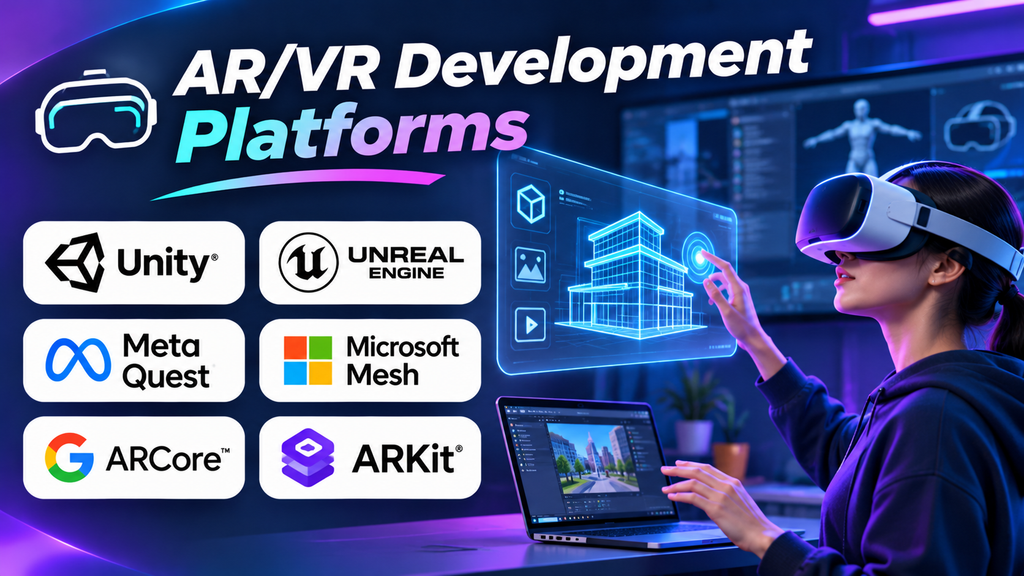
Augmented reality (AR) and virtual reality (VR) projects can look similar in a demo but demand very different development decisions. An AR application may need to recognize surfaces through a phone camera, while a VR training experience may need stable frame rates, precise controller tracking, and an immersive 3D environment. Choosing a development platform before defining these requirements can lead to unnecessary rework.
The right AR/VR development platform gives developers the tools to build interactive experiences, connect input devices, render 3D content, and deploy to the intended hardware. The challenge is finding the right balance between device support, rendering performance, interaction design, workflow complexity, and long-term maintenance.
What an AR/VR Development Platform Actually Provides
AR and VR development platforms overlap, but they are not identical.
- Augmented reality places digital content into a view of the physical world, using a phone, tablet, headset, or other supported device.
- Virtual reality immerses users in a computer-generated environment, typically through a headset and tracked input devices.
- Mixed reality combines physical and digital content in ways that may allow users to interact with virtual objects as if they occupy the surrounding space.
A development platform may provide a real-time 3D engine, device-specific SDKs, tracking APIs, spatial mapping, input handling, asset pipelines, testing tools, and deployment support. Some provide a broad application framework; others specialize in a device ecosystem or a particular AR workflow.
Before choosing, identify the experience you need to build, the devices it must support, and the technical skills available to maintain it.
Platforms to Consider
The following options serve different development needs. They should be compared by use case and target hardware rather than treated as interchangeable products.
1. Unity — A Flexible Starting Point for Cross-Platform XR
Unity is a real-time 3D development engine widely used for interactive applications, including AR, VR, training simulations, games, and product visualization. Its XR ecosystem includes OpenXR support and tools for building experiences for compatible headsets. AR Foundation provides a common interface for supported AR capabilities across compatible mobile platforms.
Unity is worth evaluating when a team wants one main development environment for interactive 3D content and needs to target more than one device family. Its asset ecosystem, editor-based workflow, and C# scripting model can make it practical for teams building prototypes that may later become production applications.
The trade-off: Cross-platform development does not mean every device exposes the same features. Tracking, passthrough, hand interaction, spatial anchors, and other capabilities may require platform-specific packages or code. Confirm the current device support matrix and licensing terms before committing.
Official resources: Unity XR and AR Foundation documentation.
2. Unreal Engine — High-Fidelity Visual Experiences
Unreal Engine is a real-time 3D engine suited to experiences where visual quality, detailed environments, lighting, and complex interactive scenes are important. It can support VR applications, architectural visualization, industrial simulation, and immersive demonstrations on compatible hardware.
Its Blueprint visual scripting system lets developers build many behaviors without writing every interaction in code, while C++ offers more direct control for advanced systems. Teams with existing Unreal assets or expertise may find it easier to extend their current workflow than to introduce another engine.
The trade-off: High visual fidelity can increase the cost of asset production and optimization. VR applications must maintain a comfortable and consistent rendering experience, so a scene that performs well on a powerful desktop may need substantial work before it runs smoothly on a standalone headset.
3. Apple ARKit — AR for Apple’s Platforms
ARKit is Apple’s framework for building augmented reality experiences on supported Apple devices. It provides capabilities such as motion tracking, scene understanding, and interaction with real-world environments, subject to the device and operating-system capabilities in use.
It is a natural option for developers building AR experiences specifically for iPhone or iPad, especially when the application needs to integrate with Apple’s development tools and device features. ARKit can also be used through compatible engines and frameworks where supported.
The trade-off: ARKit is not a universal SDK for Android devices or every headset. A team targeting multiple mobile ecosystems needs to plan for a separate Android implementation or use a cross-platform framework that abstracts supported capabilities without assuming complete feature parity.
4. Google ARCore — Augmented Reality on Supported Android Devices
ARCore is Google’s platform for creating augmented reality applications on supported Android devices and other supported environments. Its capabilities include motion tracking, environmental understanding, and placing digital objects in relation to the physical world.
It is relevant for Android-first applications such as product previews, interactive learning, visual guides, and location-independent AR experiences. Developers can use ARCore directly or through compatible tools and engines, depending on their application’s architecture.
The trade-off: Device support and capability availability vary. Developers should check Google’s supported-device information and test on representative hardware rather than assume every Android phone provides the same AR experience.
Official resource: Google ARCore.
5. OpenXR — A Standardized Interface for XR Applications
OpenXR is an open standard for accessing XR devices and runtimes. It is not a complete game engine or a ready-made visual development environment. Instead, it provides an API layer that can reduce dependence on a single headset vendor when supported devices and runtimes implement the relevant functionality.
For teams developing VR or mixed-reality applications across compatible devices, OpenXR can simplify parts of the application architecture and reduce the need to build every core interaction against a proprietary API. It is commonly used through engines and other development frameworks rather than as a full end-to-end content tool.
The trade-off: OpenXR does not guarantee identical features across headsets. Advanced capabilities may be exposed through optional extensions or vendor-specific integrations, so developers still need a clear compatibility plan.
6. Meta XR SDKs — Experiences for Meta Quest
Meta provides XR development tools and SDKs for building experiences on supported Meta Quest devices. Developers can use these tools for capabilities such as headset interaction, hand tracking, spatial features, and other device-specific functions, depending on the SDK and target device.
Meta’s ecosystem is particularly relevant when Quest headsets are the primary deployment target, such as for immersive training, collaborative experiences, fitness applications, and standalone VR content. Unity and Unreal workflows can also be used alongside supported Meta tools.
The trade-off: A Quest-focused implementation may use features that are not available in the same form on other headsets. If broader deployment is planned, separate the common application logic from platform-specific features and test portability early.
7. WebXR — Browser-Based Immersive Experiences
WebXR provides web APIs for creating supported AR and VR experiences in compatible browsers and devices. It can be useful when the goal is to make an immersive experience accessible through a web link, avoiding the need for users to install a conventional native application in every case.
Web-based XR can suit interactive demonstrations, educational experiences, lightweight product visualization, and prototypes where ease of access is important. Web developers may also be able to reuse existing JavaScript, web graphics, and content-delivery skills.
The trade-off: Browser and device support varies, and web-based experiences may have different performance, hardware access, and distribution constraints from native applications. Confirm the intended browser and device combination before designing around a particular feature.
Quick Comparison
| Platform | Best suited to | Main consideration |
|---|---|---|
| Unity | Cross-platform interactive XR | Device-specific features may need extra integration |
| Unreal Engine | High-fidelity immersive environments | Rendering performance and optimization |
| Apple ARKit | AR on Apple devices | Apple ecosystem focus |
| Google ARCore | AR on supported Android devices | Device compatibility varies |
| OpenXR | XR runtime interoperability | Optional features differ by device |
| Meta XR SDKs | Meta Quest experiences | Portability beyond Quest needs planning |
| WebXR | Browser-based immersive experiences | Browser support and performance limits |
How to Make the Final Choice
Before committing to a platform, build a small prototype on the actual target device. Test tracking stability, interaction latency, rendering performance, accessibility, and recovery from interruptions. For cross-platform projects, test the hardest device combination early instead of waiting until the application is nearly finished.
The best AR/VR development platform is the one that supports your target experience and hardware without creating unnecessary technical dependencies. Define the use case first, validate the device capabilities, and then choose the development environment that your team can realistically build, test, and maintain.
