Upgrade & Secure Your Future with DevOps, SRE, DevSecOps, MLOps!
We spend hours scrolling social media and waste money on things we forget, but won’t spend 30 minutes a day earning certifications that can change our lives.
Master in DevOps, SRE, DevSecOps & MLOps by DevOps School!
Learn from Guru Rajesh Kumar and double your salary in just one year.
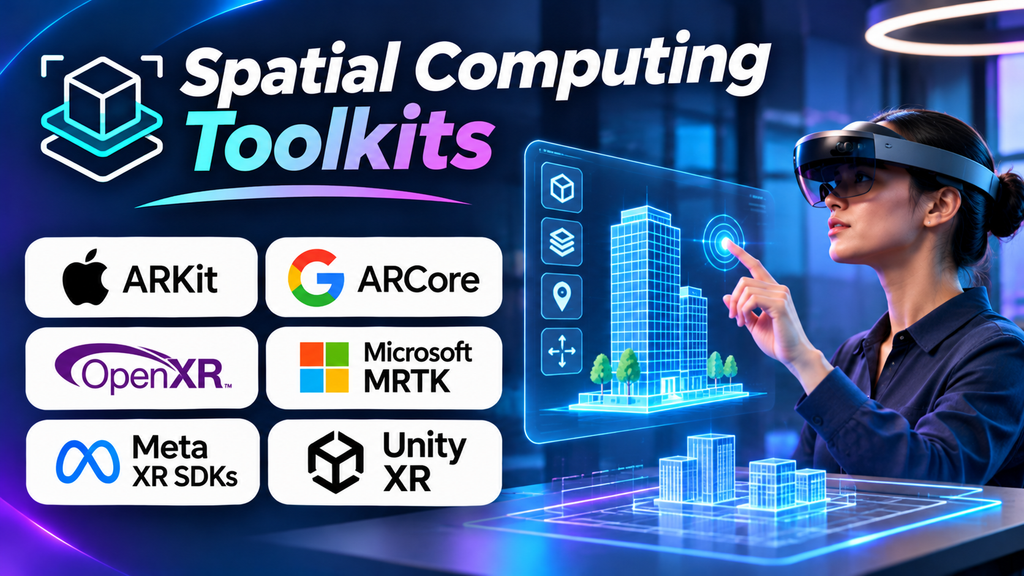
Spatial computing is changing how people interact with digital information by connecting software to physical spaces, real-world objects, and human movement. From augmented reality overlays and room-aware applications to immersive headsets and 3D interfaces, spatial experiences depend on more than graphics: they need to understand where objects are, how users move, and how digital content relates to the surrounding environment.
Spatial computing toolkits provide the frameworks, APIs, and development components used to build these experiences. The right toolkit depends on the target device, required spatial capabilities, programming environment, and whether the project focuses on AR, mixed reality, robotics, or immersive 3D applications.
What Are Spatial Computing Toolkits?
Unlike a general-purpose application framework, a spatial computing toolkit may provide capabilities such as:
- Spatial tracking: Estimates the position and orientation of a device or user.
- Scene understanding: Detects surfaces, rooms, objects, or other environmental features where supported.
- Anchoring: Keeps digital content positioned relative to a physical location or object.
- Gesture and hand interaction: Enables users to interact with virtual objects using hands or supported controllers.
- Spatial mapping: Builds a representation of nearby geometry or the surrounding environment.
- Spatial rendering: Places and renders 3D content in a way that responds to the user’s viewpoint.
Not every toolkit provides all these functions. Some are designed for a particular hardware ecosystem, while others offer cross-platform APIs or support a specialized workflow.
Spatial Computing Toolkits Worth Evaluating
1. Apple visionOS SDK — Spatial Apps for Apple Vision Pro
Apple’s visionOS SDK provides the development tools for creating spatial applications for Apple Vision Pro. It supports interfaces that can coexist with a user’s physical surroundings, immersive environments, and 3D content that responds to spatial interaction.
Developers can use SwiftUI for spatial interfaces and combine it with frameworks such as RealityKit for rendering and interacting with 3D content. This makes the SDK relevant to collaboration, visualization, training, education, and spatial productivity applications.
Best for: Applications specifically designed for Apple Vision Pro and Apple’s spatial-computing ecosystem.
Consider before choosing: It is an Apple-focused development path. Teams should verify the available APIs, device requirements, interaction conventions, and deployment constraints for their intended application.
2. Apple ARKit — Understanding the Physical Environment
ARKit helps developers create augmented reality experiences on supported Apple devices. It provides capabilities such as motion tracking, environmental understanding, and placing virtual content within a real-world view.
It is useful for mobile AR experiences, interactive product visualization, educational applications, and applications that need to connect digital objects to physical surroundings. Developers can use ARKit directly or through compatible frameworks that expose its supported capabilities.
Best for: AR applications built for compatible iPhone and iPad devices, or workflows that use ARKit through supported development tools.
Consider before choosing: ARKit capabilities depend on the device and operating-system version. It is not a universal spatial computing API for Android or all headsets.
3. Google ARCore — Spatial Experiences on Supported Android Devices
Google ARCore enables developers to build AR applications for supported Android devices and other compatible environments. It provides motion tracking, environmental understanding, and the ability to place digital content in relation to the physical world.
ARCore is relevant to retail visualization, interactive education, maintenance instructions, and mobile applications that let users preview or position virtual objects in real environments. It can also be accessed through compatible engines and frameworks.
Best for: Android-oriented AR applications that need environmental tracking and virtual object placement.
Consider before choosing: Device compatibility and feature availability vary. Test on the specific hardware your audience uses and check the official supported-device list before relying on a particular capability.
4. OpenXR — A Common Interface for XR Hardware
OpenXR is an open standard that helps applications communicate with supported XR devices and runtimes. Rather than providing a complete editor or an all-in-one application builder, it offers an API for accessing core XR functionality through compatible implementations.
For teams building immersive applications for multiple supported headsets, OpenXR can reduce dependence on a single vendor’s core interface. It is commonly used through engines such as Unity and Unreal Engine.
Best for: XR projects that prioritize interoperability across supported devices and runtimes.
Consider before choosing: OpenXR does not make all headset features identical. Hand tracking, spatial anchors, passthrough, and other advanced capabilities may require extensions or vendor-specific integrations.
Official resource: Khronos OpenXR.
5. Unity XR Interaction Toolkit — Building Interactive 3D Experiences
Unity XR Interaction Toolkit is a Unity package for creating interactions in XR applications. It includes components and interaction patterns for supported input methods, interactable objects, and XR user experiences.
It is useful when developers need to implement interactions such as grabbing objects, pointing, selecting, teleporting, or manipulating virtual elements without creating every interaction system from scratch. It works within Unity’s wider XR development environment.
Best for: Teams building interactive VR or AR experiences in Unity.
Consider before choosing: The toolkit is part of the Unity ecosystem, and project compatibility depends on Unity versions, package versions, input configuration, and the target device’s capabilities.
6. RealityKit — Apple’s 3D and AR Development Framework
RealityKit is Apple’s framework for building and rendering 3D experiences across supported Apple platforms. It provides tools for working with 3D entities, materials, lighting, animations, and interactions in applications that combine digital content with spatial environments.
Developers may use RealityKit alongside SwiftUI and other Apple frameworks to create product visualizations, immersive interfaces, and spatial applications. Its integration with Apple’s development environment can be useful when the application needs to work closely with the platform’s supported spatial features.
Best for: Native 3D and spatial applications in Apple’s ecosystem.
Consider before choosing: RealityKit is not a cross-platform replacement for every general-purpose 3D engine. Check which features are available on each target device and operating-system version.
7. WebXR — Spatial Experiences Through Compatible Browsers
WebXR provides web APIs for supported immersive experiences, enabling compatible browsers to access AR or VR functionality. It can be attractive when users should be able to access an experience through a web page rather than install a separate native application.
It can support interactive demonstrations, learning experiences, 3D product showcases, and browser-based prototypes. Teams with web development skills may be able to combine familiar technologies with supported XR features.
Best for: Browser-based immersive experiences where easy access and web distribution are priorities.
Consider before choosing: Browser, operating-system, and device support varies. Performance and hardware access can also differ from native applications, so verify the intended deployment environment before committing.
Comparison of Spatial Computing Toolkits
| Toolkit | Primary focus | Suitable use case |
|---|---|---|
| Apple visionOS SDK | Spatial applications for Apple Vision Pro | Immersive productivity and spatial interfaces |
| Apple ARKit | Mobile augmented reality | AR on supported Apple devices |
| Google ARCore | Mobile augmented reality | AR on supported Android devices |
| OpenXR | XR device and runtime interoperability | Cross-device immersive applications |
| Unity XR Interaction Toolkit | XR interaction systems | Interactive 3D applications in Unity |
| RealityKit | Native 3D and spatial experiences | Apple-platform 3D applications |
| WebXR | Browser-based XR | Accessible web-based immersive experiences |
These options operate at different levels. Some provide device-specific spatial capabilities, some standardize access to XR hardware, and others help developers create application interactions or render 3D content. In some projects, several of these technologies will be used together.
How to Choose the Right Toolkit
Start with your target device
Identify whether the application will run on a mobile phone, a dedicated headset, a browser, or multiple device types. This determines which APIs and runtime capabilities are available.
Define the spatial interaction
Decide whether users need surface detection, persistent anchors, hand tracking, room understanding, object manipulation, or fully immersive environments. Avoid choosing a toolkit based on a feature name alone; verify that the capability works on the intended device.
Evaluate development complexity
Review supported programming languages, documentation, sample projects, debugging tools, and integration with your existing engine. A toolkit that matches the team’s skills may deliver a more maintainable result than one that requires a completely new workflow.
Test performance and comfort
Build a small prototype on actual target hardware. Measure tracking stability, interaction responsiveness, rendering performance, and how gracefully the application handles interruptions or tracking loss.
Plan for updates and portability
Spatial APIs and device capabilities evolve. Check the toolkit’s current support status, release cadence, compatibility requirements, and portability constraints before building critical functionality around it.
Common Mistakes to Avoid
- Assuming every device supports the same features. Hardware and operating-system differences can affect tracking, anchors, gestures, and passthrough.
- Confusing a toolkit with a full development platform. An API may provide spatial tracking without supplying an editor, asset pipeline, or complete interaction system.
- Building for simulated environments only. A prototype that works in a simulator may behave differently in real spaces and under real lighting or tracking conditions.
- Ignoring privacy and permissions. Spatial applications may access cameras, surroundings, hand movement, or other sensitive environmental information. Request only the access the application needs.
- Delaying device testing. Test the most important interactions early so hardware-specific limitations are discovered before the project becomes expensive to change.
Frequently Asked Questions
What is the difference between spatial computing and augmented reality?
Augmented reality places digital content into a view of the physical world. Spatial computing is a broader concept that includes understanding and interacting with space, objects, and movement through digital systems. AR is one type of spatial computing experience.
Is OpenXR a game engine?
No. OpenXR is an API standard for communicating with supported XR runtimes and devices. Developers commonly use it through a game engine or another development framework.
Can one toolkit support both AR and VR?
Some development environments support both, but the available features depend on the platform, device, and runtime. Confirm the exact AR and VR capabilities required for each target.
Should I choose a native toolkit or a cross-platform solution?
A native toolkit can provide closer integration with a specific device ecosystem. A cross-platform approach can reduce duplicated work across compatible devices, but may still require platform-specific code. Choose based on the target audience, required features, and maintenance budget.
Final Thoughts
Spatial computing toolkits provide the building blocks for applications that understand and respond to physical environments. Apple visionOS SDK and RealityKit are relevant to Apple’s spatial ecosystem, ARKit and ARCore focus on supported mobile AR experiences, OpenXR helps standardize access to compatible XR devices, Unity XR Interaction Toolkit supports interactive Unity applications, and WebXR enables browser-based immersive experiences.
The best choice depends on the experience you want to create, the hardware your users have, and the spatial features the application genuinely needs. Start with a focused prototype, validate it on real devices, and select the toolkit that can support the product reliably over time.
