Upgrade & Secure Your Future with DevOps, SRE, DevSecOps, MLOps!
We spend hours scrolling social media and waste money on things we forget, but won’t spend 30 minutes a day earning certifications that can change our lives.
Master in DevOps, SRE, DevSecOps & MLOps by DevOps School!
Learn from Guru Rajesh Kumar and double your salary in just one year.
Introduction
GRC (Governance, Risk & Compliance) Key Management Systems (KMS) are platforms designed to securely manage, store, and rotate cryptographic keys across an organization’s digital infrastructure. In plain English, these tools ensure that encryption keys used for data protection are generated, stored, and shared securely, while maintaining compliance with regulations and minimizing the risk of unauthorized access.
In +, enterprises increasingly rely on cloud, hybrid, and multi-cloud environments, making key management critical for safeguarding sensitive data. As regulations like GDPR, HIPAA, and SOC 2 evolve, organizations need KMS solutions that combine security, scalability, and automation.
Real-world use cases:
- Protecting sensitive customer or financial data through encryption key lifecycle management.
- Automating key rotation and auditing for regulatory compliance.
- Centralizing encryption keys across cloud, on-premises, and hybrid environments.
- Ensuring secure API communications through managed cryptographic keys.
- Mitigating risks of insider threats and unauthorized data access.
Evaluation criteria buyers should consider:
- Key generation, storage, and rotation capabilities
- Integration with cloud platforms, databases, and applications
- Multi-tenant and multi-region support
- Regulatory compliance and audit reporting
- Scalability for enterprise and hybrid environments
- Automation and policy enforcement
- Role-based access control (RBAC)
- Logging, monitoring, and alerting
- User experience and administration
- Disaster recovery and redundancy
Best for: Enterprises, cloud-first organizations, financial institutions, healthcare providers, and regulated industries that require centralized, secure, and compliant key management.
Not ideal for: Small businesses with limited encryption needs, single-platform usage, or organizations relying on third-party cloud provider-managed keys without compliance obligations.
Key Trends in KMS Tools
- AI-Driven Threat Detection: Using AI to identify anomalous key usage and potential compromise.
- Cloud-Native Key Management: Full integration with AWS, Azure, GCP, and hybrid cloud environments.
- Automated Key Rotation: Policy-driven rotation to reduce human error and compliance risk.
- Regulatory Compliance Automation: Built-in reporting for GDPR, HIPAA, SOC 2, and other frameworks.
- Interoperable Multi-Cloud Support: Unified key management across diverse cloud platforms.
- Hardware Security Module (HSM) Integration: Secure hardware-backed key storage.
- Adaptive Access Control: Context-aware RBAC and MFA for key access.
- Blockchain-Backed Audit Trails: Immutable logging of key usage and operations.
- API-First Integration: Seamless embedding into CI/CD pipelines, applications, and services.
- Zero Trust Security Adoption: Keys governed under zero-trust principles for enhanced security.
How We Selected These Tools (Methodology)
- Reviewed market adoption among large enterprises and regulated industries.
- Assessed feature completeness, including key lifecycle management, HSM support, and compliance reporting.
- Evaluated reliability and performance through uptime and operational benchmarks.
- Examined security posture, including encryption standards, RBAC, and audit capabilities.
- Considered integration ecosystem, including cloud services, databases, and applications.
- Analyzed customer fit across segments, from SMB to enterprise.
- Verified regulatory compliance readiness for major frameworks.
- Evaluated scalability and redundancy for multi-region deployment.
- Reviewed user experience, including administration and automation capabilities.
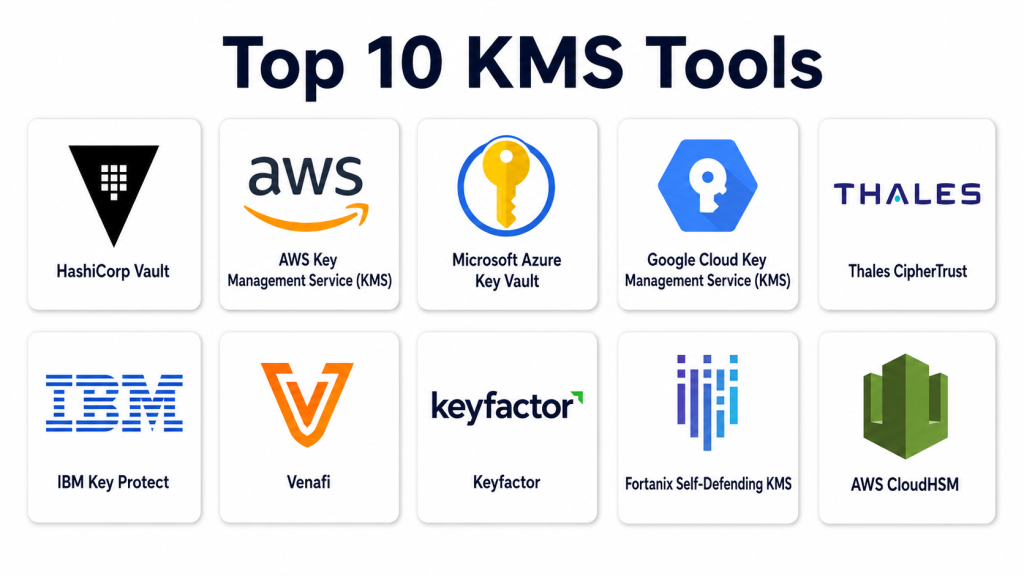
Top 10 KMS Tools
#1 — HashiCorp Vault
Short description: HashiCorp Vault is a leading tool for secure key management, secrets storage, and encryption as a service. It is suitable for enterprises and cloud-first organizations requiring automated key lifecycle management and strong access controls.
Key Features
- Centralized key management
- Secrets and credentials storage
- Dynamic secrets for applications
- Automated key rotation and revocation
- Policy-based access control
- Audit logging and compliance reports
Pros
- Strong security and encryption capabilities
- Scalable for enterprise and cloud deployments
Cons
- Steep learning curve for new users
- Self-hosted setup requires infrastructure management
Platforms / Deployment
- Web / Windows / Linux / macOS
- Cloud / Self-hosted / Hybrid
Security & Compliance
- SSO/SAML, MFA, encryption, audit logs, RBAC
- SOC 2, ISO 27001, GDPR
Integrations & Ecosystem
- Cloud platforms (AWS, Azure, GCP)
- CI/CD pipelines
- Containerized applications
- APIs for automation
Support & Community
- Extensive documentation
- Active open-source community
- Enterprise support tiers
#2 — AWS Key Management Service (KMS)
Short description: AWS KMS provides cloud-native key management for encryption across AWS services, offering centralized key creation, rotation, and auditing. Ideal for organizations heavily invested in AWS infrastructure.
Key Features
- Centralized key storage
- Automated key rotation
- Integrated with AWS services
- Fine-grained access control via IAM
- Audit logging through CloudTrail
Pros
- Seamless AWS integration
- Fully managed and highly available
Cons
- Limited to AWS ecosystem
- Less flexible for multi-cloud strategies
Platforms / Deployment
- Web / Cloud
- Cloud
Security & Compliance
- MFA, encryption, RBAC
- SOC 2, ISO 27001, GDPR, HIPAA
Integrations & Ecosystem
- AWS services (S3, EC2, RDS)
- API access for custom apps
- Cloud-native CI/CD pipelines
Support & Community
- AWS support plans
- Extensive AWS documentation
#3 — Microsoft Azure Key Vault
Short description: Azure Key Vault provides secure key storage, secrets management, and certificate handling for cloud applications. It is suitable for enterprises using Microsoft Azure for cloud deployments.
Key Features
- Secure key and secret storage
- Integration with Azure services
- Automated key rotation
- Access policies and RBAC
- Audit logging
Pros
- Deep Azure integration
- Managed service with high availability
Cons
- Azure-specific, limited outside Azure
- Cost may increase with heavy usage
Platforms / Deployment
- Web / Cloud
- Cloud
Security & Compliance
- MFA, encryption, RBAC
- SOC 2, ISO 27001, GDPR, HIPAA
Integrations & Ecosystem
- Azure services (VMs, SQL, App Services)
- CI/CD integration
- API-based automation
Support & Community
- Microsoft support tiers
- Comprehensive documentation
#4 — Google Cloud Key Management Service (KMS)
Short description: Google Cloud KMS provides centralized key management for encrypting data across Google Cloud services, with automated rotation, auditing, and policy-based access control.
Key Features
- Cloud-native key management
- Automated key rotation
- Access control and RBAC
- Audit logging and compliance
- Multi-region key replication
Pros
- Integrated with Google Cloud ecosystem
- Scalable and highly available
Cons
- Limited to Google Cloud
- Less flexible for hybrid environments
Platforms / Deployment
- Web / Cloud
- Cloud
Security & Compliance
- MFA, encryption, audit logs, RBAC
- SOC 2, ISO 27001, GDPR, HIPAA
Integrations & Ecosystem
- Google Cloud services
- APIs for custom workflows
- CI/CD pipeline integration
Support & Community
- Google Cloud support tiers
- Documentation and best practices
#5 — Thales CipherTrust
Short description: Thales CipherTrust offers enterprise-grade key management, encryption, and policy management for hybrid and multi-cloud environments. It is designed for highly regulated industries and large enterprises.
Key Features
- Centralized key management
- HSM integration
- Policy enforcement and compliance
- Key rotation and lifecycle automation
- Multi-cloud support
Pros
- Comprehensive regulatory compliance support
- Hardware-backed security options
Cons
- Complexity for smaller organizations
- Premium pricing
Platforms / Deployment
- Web / Windows / Linux
- Cloud / Hybrid / On-premises
Security & Compliance
- SSO/SAML, MFA, encryption, audit logs, RBAC
- SOC 2, ISO 27001, GDPR, HIPAA
Integrations & Ecosystem
- Cloud platforms (AWS, Azure, GCP)
- Enterprise applications
- APIs and HSM integration
Support & Community
- Enterprise support tiers
- Extensive documentation and training
#6 — IBM Key Protect
Short description: IBM Key Protect delivers centralized key management for IBM Cloud and hybrid environments, offering encryption, rotation, and compliance reporting for enterprise workloads.
Key Features
- Centralized key storage
- Automated key rotation
- Integration with IBM Cloud services
- Role-based access and auditing
- Compliance reporting
Pros
- Deep IBM Cloud integration
- Scalable and secure
Cons
- Best suited for IBM Cloud environments
- Limited third-party cloud support
Platforms / Deployment
- Web / Cloud
- Cloud / Hybrid
Security & Compliance
- MFA, encryption, audit logs, RBAC
- SOC 2, ISO 27001, GDPR, HIPAA
Integrations & Ecosystem
- IBM Cloud services
- APIs for custom automation
- Workflow integrations
Support & Community
- IBM enterprise support
- Documentation and tutorials
#7 — Venafi
Short description: Venafi provides centralized key and certificate management with threat intelligence, automation, and policy enforcement for enterprise security and compliance.
Key Features
- Key and certificate management
- Policy-driven automation
- Threat intelligence integration
- Audit and compliance reporting
- Multi-cloud and hybrid support
Pros
- Enterprise-grade security and compliance
- Strong automation capabilities
Cons
- Implementation complexity
- Higher cost for smaller deployments
Platforms / Deployment
- Web / Cloud / On-premises
- Hybrid
Security & Compliance
- MFA, encryption, RBAC
- SOC 2, ISO 27001, GDPR, HIPAA
Integrations & Ecosystem
- Multi-cloud platforms
- Security and monitoring tools
- APIs for automation
Support & Community
- Enterprise support
- Documentation and training
#8 — Keyfactor
Short description: Keyfactor provides PKI and key lifecycle management, automating key issuance, rotation, and compliance for multi-cloud and enterprise deployments.
Key Features
- PKI and key lifecycle automation
- Multi-cloud key management
- Policy enforcement
- Audit and compliance dashboards
- API integrations
Pros
- Strong automation and scalability
- Compliance-ready
Cons
- Complexity for smaller teams
- Enterprise-focused pricing
Platforms / Deployment
- Web / Cloud / On-premises
- Hybrid
Security & Compliance
- MFA, encryption, RBAC
- SOC 2, ISO 27001, GDPR, HIPAA
Integrations & Ecosystem
- Multi-cloud platforms
- Enterprise applications
- CI/CD pipeline integration
Support & Community
- Professional enterprise support
- Documentation
#9 — Fortanix Self-Defending KMS
Short description: Fortanix provides self-defending key management with runtime encryption, HSM-backed storage, and multi-cloud support for secure data protection and regulatory compliance.
Key Features
- HSM-backed key management
- Runtime encryption
- Multi-cloud support
- Automated key rotation
- Policy enforcement
Pros
- Strong encryption and protection
- Cloud and hybrid flexibility
Cons
- Premium pricing
- Complexity for small deployments
Platforms / Deployment
- Web / Cloud / On-premises
- Hybrid
Security & Compliance
- MFA, encryption, audit logs, RBAC
- SOC 2, ISO 27001, GDPR, HIPAA
Integrations & Ecosystem
- Multi-cloud platforms
- Enterprise apps and CI/CD pipelines
- APIs for automation
Support & Community
- Enterprise support
- Documentation and guides
#10 — AWS CloudHSM
Short description: AWS CloudHSM offers hardware-backed key management for sensitive workloads on AWS, enabling enterprises to generate, store, and use encryption keys securely in the cloud.
Key Features
- HSM-backed key storage
- Integration with AWS services
- Key rotation and management
- Compliance reporting
- API and SDK support
Pros
- Hardware-backed security
- Seamless AWS integration
Cons
- AWS-only environment
- Requires technical expertise
Platforms / Deployment
- Web / Cloud
- Cloud
Security & Compliance
- MFA, encryption, RBAC
- SOC 2, ISO 27001, GDPR, HIPAA
Integrations & Ecosystem
- AWS ecosystem
- CI/CD pipelines
- APIs for key management
Support & Community
- AWS support tiers
- Documentation
Comparison Table (Top 10)
| Tool Name | Best For | Platform(s) Supported | Deployment | Standout Feature | Public Rating |
|---|---|---|---|---|---|
| HashiCorp Vault | Enterprise & hybrid clouds | Web/Windows/Linux/macOS | Cloud/Self-hosted/Hybrid | Centralized key management | N/A |
| AWS KMS | AWS-heavy enterprises | Web/Cloud | Cloud | Seamless AWS integration | N/A |
| Azure Key Vault | Microsoft-focused orgs | Web/Cloud | Cloud | Deep Azure integration | N/A |
| Google Cloud KMS | Google Cloud users | Web/Cloud | Cloud | Multi-region replication | N/A |
| Thales CipherTrust | Highly regulated industries | Web/Windows/Linux | Cloud/Hybrid/On-prem | Enterprise-grade security | N/A |
| IBM Key Protect | IBM Cloud enterprises | Web/Cloud | Cloud/Hybrid | Managed enterprise key service | N/A |
| Venafi | Enterprises needing PKI | Web/Cloud/On-premises | Hybrid | Policy-driven key & cert management | N/A |
| Keyfactor | Multi-cloud & enterprise | Web/Cloud/On-premises | Hybrid | PKI & key lifecycle automation | N/A |
| Fortanix Self-Defending KMS | Cloud & hybrid workloads | Web/Cloud/On-premises | Hybrid | Runtime encryption & HSM-backed | N/A |
| AWS CloudHSM | Sensitive AWS workloads | Web/Cloud | Cloud | Hardware-backed key management | N/A |
Evaluation & Scoring of KMS Tools
| Tool Name | Core (25%) | Ease (15%) | Integrations (15%) | Security (10%) | Performance (10%) | Support (10%) | Value (15%) | Weighted Total |
|---|---|---|---|---|---|---|---|---|
| HashiCorp Vault | 9 | 8 | 8 | 9 | 9 | 8 | 7 | 8.3 |
| AWS KMS | 9 | 8 | 8 | 9 | 9 | 8 | 7 | 8.3 |
| Azure Key Vault | 8 | 8 | 8 | 8 | 8 | 8 | 7 | 7.9 |
| Google Cloud KMS | 8 | 8 | 8 | 8 | 8 | 8 | 7 | 7.9 |
| Thales CipherTrust | 9 | 7 | 8 | 9 | 9 | 8 | 7 | 8.2 |
| IBM Key Protect | 8 | 8 | 8 | 8 | 8 | 8 | 7 | 7.9 |
| Venafi | 8 | 7 | 8 | 8 | 8 | 7 | 7 | 7.7 |
| Keyfactor | 8 | 7 | 8 | 8 | 8 | 7 | 7 | 7.7 |
| Fortanix Self-Defending KMS | 8 | 7 | 8 | 9 | 8 | 7 | 7 | 7.8 |
| AWS CloudHSM | 9 | 7 | 8 | 9 | 9 | 7 | 7 | 8.1 |
Interpretation: Weighted scores provide a comparative view of features, usability, integration flexibility, security, reliability, support, and value. Scores highlight tools best suited for enterprise vs cloud-native or hybrid deployments.
Which KMS Tool Is Right for You?
Solo / Freelancer
- Smaller teams may opt for AWS KMS or Azure Key Vault for simplified cloud key management.
SMB
- Keyfactor or Fortanix for secure multi-cloud deployments with automation.
Mid-Market
- HashiCorp Vault or Thales CipherTrust for centralized, policy-driven key management.
Enterprise
- Fenergo, Venafi, or IBM Key Protect for enterprise-grade security, compliance, and high-volume deployments.
Budget vs Premium
- AWS KMS, Azure Key Vault, and Google Cloud KMS are cost-effective for cloud-only setups.
- Thales, HashiCorp Vault, and Fortanix offer premium features for regulated and hybrid enterprise environments.
Feature Depth vs Ease of Use
- Enterprises needing advanced lifecycle and compliance controls require Thales, HashiCorp, and Venafi.
- Simpler setups with cloud integration prioritize AWS KMS, Azure Key Vault, and Google Cloud KMS.
Integrations & Scalability
- Tools with API-driven workflows enable embedding into applications, CI/CD pipelines, and GRC platforms.
- Multi-cloud and hybrid support ensures scalability for global deployments.
Security & Compliance Needs
- Regulated industries should focus on HSM-backed tools like Fortanix, Thales, and AWS CloudHSM.
- Tools should support audit logging, RBAC, MFA, and compliance reporting for GDPR, HIPAA, and SOC 2.
Frequently Asked Questions (FAQs)
1: What is a Key Management System (KMS)?
A KMS securely manages cryptographic keys throughout their lifecycle, including generation, storage, rotation, and revocation.
2: Why is KMS important for compliance?
Regulated industries require encryption keys to be securely managed and auditable to meet GDPR, HIPAA, and SOC 2 requirements.
3: Can KMS tools integrate with cloud services?
Yes, most modern KMS solutions provide API integrations with AWS, Azure, GCP, and hybrid infrastructures.
4: Do these tools support multi-cloud deployments?
Many enterprise KMS platforms, including HashiCorp Vault, Thales CipherTrust, and Fortanix, support multi-cloud and hybrid environments.
5: What is the difference between cloud-native and HSM-backed KMS?
Cloud-native KMS is fully managed in the cloud, while HSM-backed KMS uses dedicated hardware for key storage and added security.
6: How often should keys be rotated?
Best practice is automated rotation policies, typically every 90–180 days, depending on compliance requirements.
7: Can smaller businesses use enterprise KMS tools?
Yes, but cloud-native options like AWS KMS or Azure Key Vault are often more cost-effective for SMBs.
8: Are these tools compliant with global standards?
Top KMS solutions adhere to SOC 2, ISO 27001, GDPR, and HIPAA when configured properly.
9: How do KMS solutions improve security posture?
They enforce policy-driven access, automate rotation, and provide audit trails to prevent unauthorized key usage.
10: Can KMS be integrated into CI/CD pipelines?
Yes, modern KMS platforms provide APIs and automation hooks for CI/CD and DevOps workflows.
Conclusion
Selecting the right Key Management System depends on organizational size, cloud adoption, and regulatory requirements. Enterprises may prioritize HSM-backed, multi-cloud solutions like Thales or Fortanix, while SMBs may leverage AWS, Azure, or Google Cloud KMS for cloud-native simplicity. To ensure effective deployment, shortlist 2–3 tools, run pilot projects, validate integrations, and confirm compliance reporting.
