Upgrade & Secure Your Future with DevOps, SRE, DevSecOps, MLOps!
We spend hours scrolling social media and waste money on things we forget, but won’t spend 30 minutes a day earning certifications that can change our lives.
Master in DevOps, SRE, DevSecOps & MLOps by DevOps School!
Learn from Guru Rajesh Kumar and double your salary in just one year.
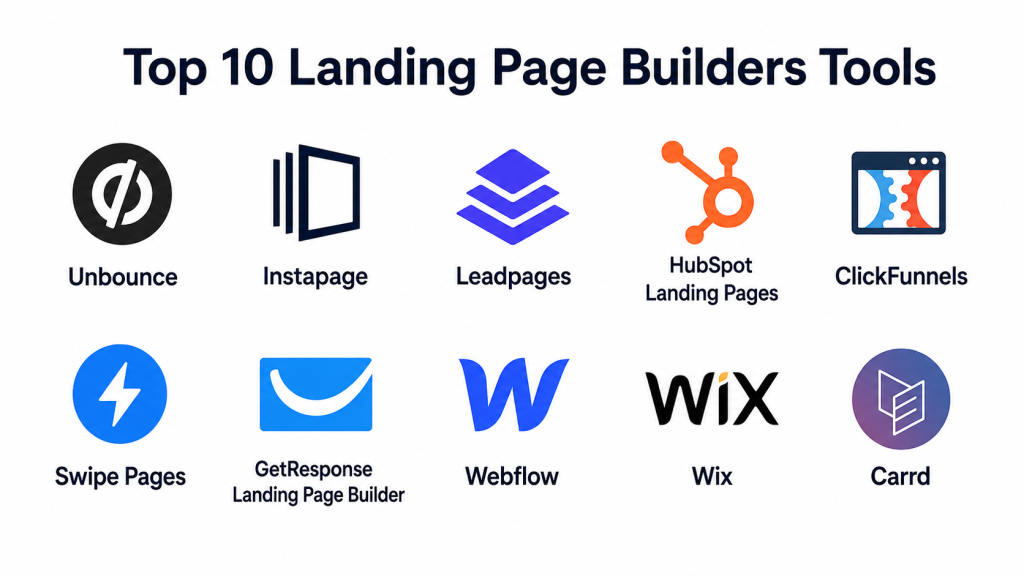
Introduction
Landing page builders are tools that help marketers, founders, agencies, and growth teams create focused web pages for campaigns without depending fully on developers. A landing page usually has one clear goal: collect leads, promote an offer, book demos, sell a product, register users for an event, or move visitors into a funnel.
In a modern marketing environment, landing page builders matter because teams need to launch campaigns faster, test different messages, connect forms with CRM systems, and improve conversion rates without waiting weeks for design and engineering cycles. Many platforms now include AI-assisted copy, page generation, A/B testing, analytics, personalization, and automation features. For example, Unbounce highlights no-code landing page creation, A/B testing, AI optimization, and AI copywriting, while Instapage promotes drag-and-drop building, templates, AI content, A/B testing, personalization, and forms.
Common use cases include paid ad landing pages, webinar registration pages, product launch pages, lead magnet pages, demo request pages, event sign-up pages, ecommerce offer pages, and campaign-specific microsites.
Buyers should evaluate:
- Ease of use for non-technical teams
- Template quality and design flexibility
- A/B testing and optimization features
- Form building and lead capture options
- CRM, email, analytics, and ad platform integrations
- Page speed and mobile responsiveness
- AI copy or page generation support
- Security, access control, and compliance posture
- Pricing structure and traffic limits
- Support quality and onboarding resources
Best for: Landing page builders are best for marketers, agencies, SaaS teams, ecommerce brands, course creators, consultants, founders, and SMBs that need faster campaign execution with measurable lead generation or sales outcomes.
Not ideal for: They may not be ideal for companies that need highly custom enterprise web applications, deeply complex backend workflows, heavy custom code environments, or teams that already have a mature in-house web engineering and CRO experimentation stack.
Key Trends in Landing Page Builders Tools
- AI-assisted page creation is becoming standard. Many tools now support AI-generated copy, layouts, page drafts, and testing ideas. Wix promotes an AI landing page generator, Leadpages highlights AI landing page creation, and Framer positions AI as part of its website-building workflow.
- A/B testing is moving closer to the page builder. Teams no longer want separate tools for every experiment. Platforms like Unbounce, HubSpot, ClickFunnels, Leadpages, and Swipe Pages support testing or optimization workflows directly inside the campaign creation process.
- CRM and marketing automation integrations are now critical. A landing page is only useful if leads move smoothly into CRM, email, sales, webinar, or analytics systems.
- Performance and mobile-first design matter more. Paid traffic is expensive, so slow pages can waste budget. Tools focused on mobile speed, responsive design, and lightweight publishing are gaining attention.
- No-code teams want more control. Marketers want to edit copy, images, forms, tracking scripts, and CTAs without opening engineering tickets.
- Personalization is becoming a key differentiator. High-performing teams increasingly want different page experiences for different audiences, ad groups, geographies, or buyer segments.
- Security expectations are rising. Even landing page tools need support for SSL, access controls, encryption, SSO, audit logs, and compliance documentation, especially for enterprise and regulated teams.
- All-in-one platforms are competing with specialist tools. HubSpot, ClickFunnels, GetResponse, and Wix bundle landing pages with CRM, email, analytics, automation, ecommerce, or website-building features.
- Pricing models are being reviewed more carefully. Buyers are paying attention to traffic limits, seat limits, domain limits, AI usage, form submissions, A/B testing access, and branding removal.
How We Selected These Tools
The Top 10 list was selected using a practical buyer-focused evaluation model:
- Market adoption and mindshare: Tools widely recognized by marketers, agencies, startups, SMBs, and growth teams were prioritized.
- Feature completeness: Preference was given to tools with templates, forms, testing, analytics, integrations, and publishing flexibility.
- Landing page focus: Dedicated landing page tools were balanced with broader website, funnel, and marketing automation platforms.
- Reliability and performance signals: Page speed, hosting maturity, mobile responsiveness, and campaign scalability were considered.
- Security posture: Tools with visible support for SSL, enterprise controls, authentication, or compliance-friendly features scored better.
- Integrations and ecosystem: CRM, email marketing, analytics, automation, payments, webinar, and ad platform connections were considered.
- Customer fit across segments: The list includes tools for freelancers, SMBs, agencies, mid-market teams, enterprise marketing teams, and creators.
- Ease of execution: Tools that help non-technical teams launch campaigns quickly were prioritized.
- Optimization depth: A/B testing, analytics, personalization, heatmaps, and AI optimization features were considered important.
- Value for money: Pricing flexibility, free plans, starter plans, and enterprise fit were reviewed comparatively.
Top 10 Landing Page Builders Tools Tools
#1 — Unbounce
Short description: Unbounce is a dedicated landing page and conversion optimization platform built mainly for marketers, agencies, and growth teams. It focuses on no-code landing page creation, A/B testing, AI copy, and optimization workflows.
Key Features
- Drag-and-drop landing page builder
- A/B testing for campaign optimization
- AI copywriting and AI optimization features
- Popups and sticky bars
- Lead capture forms
- Integrations with marketing and CRM tools
- Conversion-focused templates and campaign workflows
Pros
- Strong fit for paid campaign landing pages.
- Good balance between ease of use and optimization depth.
- Useful for teams that want testing without heavy developer dependency.
Cons
- May feel expensive for very small teams.
- Advanced design customization can still require learning.
- Best value comes when teams actively test and optimize pages.
Platforms / Deployment
Web
Cloud
Security & Compliance
SSL support is commonly expected for published pages. Enterprise-grade details such as SSO, audit logs, SOC 2, ISO 27001, or HIPAA should be verified with the vendor. If not confirmed in the buying process, treat as Not publicly stated.
Integrations & Ecosystem
Unbounce works well in growth marketing stacks where landing pages need to connect with CRM, email, automation, analytics, and ad platforms.
- CRM integrations
- Email marketing tools
- Analytics and tracking scripts
- Zapier-style automation workflows
- Form and lead routing tools
- Advertising campaign workflows
Support & Community
Unbounce has mature documentation, onboarding resources, and support for marketers. Community strength is solid among CRO professionals, agencies, and paid acquisition teams.
#2 — Instapage
Short description: Instapage is a landing page platform for marketers and teams that need fast page creation, testing, personalization, and campaign scaling. Its current positioning includes drag-and-drop building, templates, AI content, A/B testing, personalization, forms, and popups.
Key Features
- Drag-and-drop landing page editor
- Large template library
- AI content assistance
- A/B testing
- Personalization features
- Forms and popups
- Collaboration-friendly campaign workflows
Pros
- Strong for performance marketing and paid ads.
- Good fit for teams needing personalization and campaign scale.
- Useful collaboration features for marketing teams and agencies.
Cons
- Can be more premium-priced than basic builders.
- May be more than needed for simple one-page websites.
- Some advanced features may require higher-tier plans.
Platforms / Deployment
Web
Cloud
Security & Compliance
Enterprise security features should be verified during vendor evaluation. SSO, audit logs, SOC 2, ISO 27001, GDPR, and HIPAA details should not be assumed unless provided in official plan or security documentation. Use Not publicly stated where details are unclear.
Integrations & Ecosystem
Instapage fits well into PPC, demand generation, CRM, and marketing automation workflows.
- CRM integrations
- Analytics and tracking tools
- Advertising campaign workflows
- Email marketing platforms
- Form routing tools
- Third-party scripts and custom code options
Support & Community
Instapage provides documentation and customer support resources. It is especially recognized among paid media, agency, and demand generation teams.
#3 — Leadpages
Short description: Leadpages is a landing page builder for small businesses, creators, coaches, consultants, and marketers that want fast page creation with built-in conversion tools. It promotes AI landing page generation, A/B testing, Smart Traffic, and heatmaps.
Key Features
- AI-powered landing page creation
- Drag-and-drop page builder
- A/B testing
- Heatmaps
- Lead capture forms
- Templates for campaigns and offers
- Conversion-focused page publishing
Pros
- Good for small businesses and solo marketers.
- Helpful built-in CRO features for non-technical users.
- Often easier to start with than enterprise-heavy tools.
Cons
- May not offer the same enterprise personalization depth as premium platforms.
- Advanced design freedom may be limited compared with Webflow or Framer.
- Teams with complex workflows may need extra integrations.
Platforms / Deployment
Web
Cloud
Security & Compliance
Basic website security such as hosted page protection is expected, but detailed compliance items such as SOC 2, ISO 27001, HIPAA, audit logs, or SAML should be verified directly. If unclear, mark as Not publicly stated.
Integrations & Ecosystem
Leadpages works well for lead generation campaigns that connect to email, CRM, webinar, and automation tools.
- Email marketing integrations
- CRM connections
- Webinar platform workflows
- Analytics and tracking scripts
- Payment or checkout-related flows
- Automation tools
Support & Community
Leadpages has helpful educational resources, documentation, and onboarding support for small business users, creators, and marketing teams.
#4 — HubSpot Landing Pages
Short description: HubSpot Landing Pages is part of the HubSpot marketing ecosystem, making it useful for teams that want landing pages connected directly with CRM, forms, email, automation, reporting, and lead nurturing. HubSpot supports landing page performance analysis, testing, and optimization workflows.
Key Features
- Landing page builder
- Native CRM connection
- Forms and lead capture
- A/B testing on supported plans
- Email and automation workflows
- SEO recommendations
- Centralized analytics and reporting
Pros
- Excellent for teams already using HubSpot CRM.
- Strong end-to-end lead management.
- Good for inbound marketing and sales alignment.
Cons
- Best features may require higher-tier plans.
- Can feel heavy if you only need simple landing pages.
- Less design freedom than dedicated visual design platforms.
Platforms / Deployment
Web
Cloud
Security & Compliance
HubSpot generally supports enterprise security expectations across its platform, but exact features depend on product tier and subscription. Verify SSO, permission controls, audit logs, GDPR support, and compliance documentation directly before purchase. If not confirmed, use Not publicly stated for specific certifications.
Integrations & Ecosystem
HubSpot’s biggest advantage is its native ecosystem. Landing pages can connect directly to CRM records, email campaigns, workflows, lists, ads, and reporting.
- HubSpot CRM
- Email marketing
- Marketing automation
- Sales pipeline tools
- Analytics dashboards
- Ad and campaign tracking
Support & Community
HubSpot has strong documentation, learning resources, academy-style education, partner agencies, and community support. It is one of the stronger options for teams that want structured onboarding and ecosystem depth.
#5 — ClickFunnels
Short description: ClickFunnels is a funnel-building platform designed for entrepreneurs, course sellers, coaches, ecommerce sellers, and online businesses that need landing pages connected to sales funnels. It includes funnel pages, checkout flows, analytics, and A/B testing capabilities.
Key Features
- Sales funnel builder
- Landing pages and offer pages
- A/B testing
- Checkout and sales workflows
- Analytics
- Email and CRM-style funnel integrations
- Upsell and down-sell journey support
Pros
- Strong for direct-response sales funnels.
- Useful for creators, coaches, and digital product sellers.
- Reduces the need to connect many separate funnel tools.
Cons
- May feel too sales-funnel focused for traditional B2B teams.
- Design flexibility may not match pure design platforms.
- Not ideal for companies that only need simple lead capture pages.
Platforms / Deployment
Web
Cloud
Security & Compliance
Security and compliance details should be verified based on plan and business use case. SSL, payments, user permissions, and account security should be reviewed carefully. If specific certifications are not visible, use Not publicly stated.
Integrations & Ecosystem
ClickFunnels is built around sales journeys and therefore connects with tools used for payment, email, CRM, and ecommerce workflows.
- Email marketing platforms
- CRM systems
- Payment tools
- Ecommerce tools
- Analytics and tracking
- Automation platforms
Support & Community
ClickFunnels has a large creator, entrepreneur, and funnel-marketing community. Support resources are useful for users who follow sales funnel models and direct-response marketing workflows.
#6 — Swipe Pages
Short description: Swipe Pages is a landing page builder focused on fast, mobile-optimized, conversion-oriented pages. It highlights AI-assisted landing page creation, AMP landing pages, lead capture, A/B testing, analytics, and client/team management features.
Key Features
- Drag-and-drop landing page builder
- Mobile-optimized and AMP page support
- AI-assisted page creation
- A/B testing
- Built-in analytics
- Lead capture forms
- Team and client sub-account features
Pros
- Good for agencies and ROI-focused marketers.
- Strong mobile performance focus.
- Useful for teams running paid mobile traffic campaigns.
Cons
- Less general-purpose than full website builders.
- Brand recognition may be lower than older platforms.
- Enterprise compliance details should be verified.
Platforms / Deployment
Web
Cloud
Security & Compliance
SSL and hosted landing page security should be reviewed during setup. Specific certifications such as SOC 2, ISO 27001, HIPAA, or advanced audit controls are Not publicly stated unless confirmed by the vendor.
Integrations & Ecosystem
Swipe Pages fits well into lead generation and agency campaign workflows.
- CRM tools
- Email marketing platforms
- Zapier-style automation
- Analytics and tracking pixels
- Lead capture workflows
- Client campaign management
Support & Community
Swipe Pages provides product documentation and support resources. It is especially suitable for performance marketers and agencies that need fast page launch and testing workflows.
#7 — GetResponse Landing Page Builder
Short description: GetResponse includes landing page creation inside a broader email marketing and automation platform. It is useful for teams that want landing pages, email campaigns, automation, forms, popups, tracking pixels, and lead nurturing under one roof.
Key Features
- Landing page builder
- Email marketing
- Marketing automation
- Signup forms and popups
- A/B testing on supported plans
- Analytics and tracking pixels
- 150+ integrations promoted by the platform
Pros
- Strong for email-first marketing teams.
- Good all-in-one option for SMBs and creators.
- Useful when landing pages must connect directly to automated campaigns.
Cons
- Not as specialized for advanced landing page design as dedicated builders.
- Advanced testing and automation may depend on plan.
- May be too broad if you only need a simple page builder.
Platforms / Deployment
Web
Cloud
Security & Compliance
Security and compliance details should be verified for your region and plan. GDPR-related needs, data processing, account controls, and access permissions should be reviewed carefully. Specific certifications should be treated as Not publicly stated unless confirmed.
Integrations & Ecosystem
GetResponse’s strength is its marketing automation ecosystem.
- Email marketing
- Marketing automation
- Signup forms
- Popups
- Analytics and tracking pixels
- CRM and ecommerce integrations
Support & Community
GetResponse offers help resources, tutorials, onboarding support, and customer support options. It is a strong fit for SMBs that want landing pages tied to email and automation.
#8 — Webflow
Short description: Webflow is a visual website-building platform for teams that want strong design control, CMS capabilities, hosting, SEO tools, and scalable marketing pages. It is not only a landing page builder, but it is often used for high-quality campaign pages and modern marketing websites. Webflow promotes CMS, hosting, AI, analytics, SEO, integrations, and enterprise-grade security positioning.
Key Features
- Visual website and landing page builder
- CMS
- Hosting
- SEO tools
- Templates and reusable components
- Advanced design control
- Integrations and automation ecosystem
Pros
- Excellent design flexibility.
- Strong fit for marketing websites and brand-led landing pages.
- Useful for teams that need CMS and landing pages together.
Cons
- Learning curve is higher than simple landing page builders.
- A/B testing may require additional tools or workflows.
- Non-designers may need training to use it well.
Platforms / Deployment
Web
Cloud
Security & Compliance
Webflow highlights enterprise-grade security and hosting capabilities. Custom security headers are referenced for Webflow Enterprise hosting, but buyers should verify SSO, audit logs, SOC 2, ISO 27001, GDPR, and other requirements with the vendor.
Integrations & Ecosystem
Webflow has a strong ecosystem for design, CMS, automation, analytics, forms, and marketing operations.
- CRM integrations
- Analytics tools
- Zapier and automation workflows
- CMS API workflows
- Form routing tools
- Marketing and ecommerce integrations
Support & Community
Webflow has strong documentation, tutorials, templates, community projects, and professional designers. It is especially strong among design-led startups, agencies, and modern marketing teams.
#9 — Wix
Short description: Wix is a broad website builder that also supports landing page creation through templates, drag-and-drop editing, AI website generation, forms, domains, and business tools. Wix promotes AI landing page generation and a large website-building ecosystem.
Key Features
- AI landing page generator
- Drag-and-drop website builder
- Large template library
- Forms and lead capture
- SEO and marketing tools
- Domain and hosting support
- Business and ecommerce features
Pros
- Beginner-friendly and fast to start.
- Good for small businesses and local service providers.
- Broad ecosystem for websites, landing pages, and basic marketing.
Cons
- Less specialized for advanced CRO than Unbounce or Instapage.
- Large design freedom can lead to inconsistent pages if not managed.
- Advanced business features may require paid plans.
Platforms / Deployment
Web
Cloud
Security & Compliance
Wix provides hosted website infrastructure and SSL for published sites, but specific enterprise controls and certifications should be verified by plan and region. SSO, audit logs, SOC 2, ISO 27001, or HIPAA should be treated as Not publicly stated unless confirmed.
Integrations & Ecosystem
Wix is strong for users who want landing pages connected with a broader website and business platform.
- Forms
- Email marketing tools
- Analytics tools
- Ecommerce features
- Booking and service tools
- App marketplace integrations
Support & Community
Wix has extensive help documentation, templates, tutorials, and a large user base. It is especially friendly for beginners, small businesses, and non-technical teams.
#10 — Carrd
Short description: Carrd is a simple one-page website builder often used for landing pages, personal pages, waitlists, portfolios, lead capture pages, and lightweight campaign pages. It supports responsive one-page sites, templates, custom domains, forms, embeds, and integrations on paid plans.
Key Features
- Simple one-page site builder
- Responsive templates
- Free plan for basic use
- Custom domains on paid plans
- Forms on paid plans
- Embeds and widgets
- Lightweight publishing workflow
Pros
- Very easy to use.
- Strong value for simple landing pages.
- Great for quick MVPs, portfolios, waitlists, and creator pages.
Cons
- Not ideal for complex campaigns or large teams.
- Limited advanced testing and personalization features.
- Not a full marketing automation platform.
Platforms / Deployment
Web
Cloud
Security & Compliance
Carrd supports SSL for custom domains on paid plans. Advanced compliance features such as SSO, audit logs, SOC 2, ISO 27001, or HIPAA are Not publicly stated.
Integrations & Ecosystem
Carrd is lightweight but flexible for simple lead capture and embedded workflows.
- Forms
- Zapier
- Make
- n8n
- Airtable
- Stripe Checkout
- Embeds and widgets
Support & Community
Carrd has simple documentation and a strong no-code community presence. It is especially popular with creators, founders, solo builders, and small teams that need fast one-page publishing.
Comparison Table (Top 10)
| Tool Name | Best For | Platform(s) Supported | Deployment | Standout Feature | Public Rating |
|---|---|---|---|---|---|
| Unbounce | CRO-focused marketers and agencies | Web | Cloud | A/B testing and AI optimization | N/A |
| Instapage | Paid media and demand generation teams | Web | Cloud | Personalization and campaign scaling | N/A |
| Leadpages | SMBs, creators, consultants | Web | Cloud | AI landing pages with CRO tools | N/A |
| HubSpot Landing Pages | CRM-led inbound marketing teams | Web | Cloud | Native CRM and automation connection | N/A |
| ClickFunnels | Sales funnels and digital product sellers | Web | Cloud | Funnel pages and checkout workflows | N/A |
| Swipe Pages | Mobile-first paid campaign teams | Web | Cloud | AMP and fast landing pages | N/A |
| GetResponse | Email-first marketing teams | Web | Cloud | Landing pages with email automation | N/A |
| Webflow | Design-led marketing websites | Web | Cloud | Advanced visual design and CMS | N/A |
| Wix | Beginners and small businesses | Web | Cloud | AI builder and broad website tools | N/A |
| Carrd | Simple one-page landing pages | Web | Cloud | Lightweight and affordable one-page sites | N/A |
Evaluation & Scoring of Landing Page Builders Tools
| Tool Name | Core (25%) | Ease (15%) | Integrations (15%) | Security (10%) | Performance (10%) | Support (10%) | Value (15%) | Weighted Total (0–10) |
|---|---|---|---|---|---|---|---|---|
| Unbounce | 9 | 8 | 8 | 7 | 8 | 8 | 7 | 8.10 |
| Instapage | 9 | 8 | 8 | 7 | 8 | 8 | 6 | 7.95 |
| Leadpages | 8 | 9 | 7 | 6 | 8 | 8 | 8 | 7.80 |
| HubSpot Landing Pages | 8 | 8 | 10 | 8 | 8 | 9 | 7 | 8.20 |
| ClickFunnels | 8 | 8 | 8 | 6 | 7 | 8 | 7 | 7.55 |
| Swipe Pages | 8 | 8 | 7 | 6 | 9 | 7 | 8 | 7.75 |
| GetResponse | 7 | 8 | 8 | 7 | 7 | 8 | 8 | 7.60 |
| Webflow | 8 | 7 | 8 | 8 | 9 | 9 | 7 | 8.00 |
| Wix | 7 | 9 | 8 | 7 | 7 | 8 | 8 | 7.70 |
| Carrd | 6 | 10 | 6 | 5 | 8 | 7 | 10 | 7.15 |
These scores are comparative, not absolute. A higher score does not mean the tool is automatically the best for every business. For example, Carrd scores lower in enterprise depth but very high in ease and value. HubSpot scores strongly when CRM integration matters. Unbounce and Instapage are stronger when dedicated landing page optimization is the main goal. Always validate the score against your campaign type, team skills, integration needs, security requirements, and budget.
Which Landing Page Builders Tools Tool Is Right for You?
Solo / Freelancer
For solo professionals, consultants, creators, and freelancers, the best choice is usually a tool that is simple, affordable, and fast to publish. Carrd, Leadpages, Wix, and GetResponse are practical options.
Choose Carrd if you need a simple one-page website, portfolio, waitlist, or lead magnet page. Choose Leadpages if you want more conversion tools such as A/B testing and heatmaps. Choose Wix if you also need a full small business website. Choose GetResponse if email follow-up is a major part of your funnel.
SMB
Small and medium businesses usually need a balance of ease, integrations, lead capture, and affordability. Leadpages, Wix, GetResponse, HubSpot, and Unbounce are strong options depending on the business model.
If your company depends on paid ads, Unbounce or Leadpages may be better. If you want CRM, email, and landing pages together, HubSpot or GetResponse can reduce tool complexity. If you need a polished business website plus landing pages, Wix can be a practical starting point.
Mid-Market
Mid-market teams often need better collaboration, analytics, campaign governance, integrations, and optimization. Unbounce, Instapage, HubSpot, Webflow, and Swipe Pages are suitable options.
Choose Unbounce when conversion testing is central. Choose Instapage when personalization and paid media scaling matter. Choose HubSpot when landing pages must connect deeply to CRM and lifecycle marketing. Choose Webflow when brand design and CMS flexibility are important.
Enterprise
Enterprise buyers should focus on security, permissions, compliance, auditability, integration depth, scalability, and support. HubSpot, Webflow Enterprise, Instapage, and Unbounce are often better fits than lightweight tools.
For enterprise teams, the buying process should include a security review, access control review, integration testing, data processing review, and legal/compliance review. Do not choose only based on templates or page design. Enterprise landing pages must also support governance.
Budget vs Premium
If budget is the main concern, Carrd, Wix, and GetResponse can be attractive. Carrd is especially strong for simple one-page needs. Wix works well if you want a broader website platform. GetResponse is useful when landing pages and email marketing must stay together.
If premium optimization is more important than low cost, Unbounce, Instapage, and HubSpot deserve stronger consideration. These tools are better when conversion rate, campaign reporting, and lead management have a direct revenue impact.
Feature Depth vs Ease of Use
For pure ease of use, Carrd, Wix, and Leadpages are strong. For deeper features, Unbounce, Instapage, HubSpot, Webflow, and ClickFunnels offer more advanced workflows.
The right choice depends on your team. A non-technical founder may prefer Wix or Carrd. A paid media team may prefer Unbounce or Instapage. A brand team may prefer Webflow. A sales funnel creator may prefer ClickFunnels.
Integrations & Scalability
If integrations are central, HubSpot, GetResponse, Webflow, Unbounce, and ClickFunnels are strong options. HubSpot is especially powerful when CRM is the center of the workflow. GetResponse works well when email automation is the core. Webflow supports modern marketing site ecosystems with CMS and automation integrations.
Before choosing, test your exact workflow: form submission, CRM field mapping, email trigger, analytics event, ad conversion tracking, consent management, and reporting dashboard.
Security & Compliance Needs
If you operate in healthcare, finance, enterprise SaaS, education, or regulated industries, security must be part of the selection process. Ask vendors about SSO, MFA, RBAC, audit logs, encryption, data processing, retention, GDPR, SOC 2, ISO 27001, HIPAA, and regional hosting needs.
For lightweight public campaigns, basic SSL and access control may be enough. For enterprise lead generation, compliance evidence and internal governance become much more important.
Frequently Asked Questions (FAQs)
1. What is a landing page builder?
A landing page builder is a tool that helps you create campaign-focused web pages without writing full custom code. These pages are designed for one main action, such as collecting leads, booking demos, selling products, or promoting events.
2. How is a landing page builder different from a website builder?
A website builder helps create full websites with many pages. A landing page builder focuses more on campaign pages, lead capture, testing, and conversion. Some tools, like Wix and Webflow, can do both.
3. Which landing page builder is best for beginners?
Carrd, Wix, and Leadpages are beginner-friendly options. They are easier to start with because they provide templates, visual editing, and simple publishing workflows.
4. Which tool is best for A/B testing?
Unbounce, Instapage, Leadpages, HubSpot, ClickFunnels, and Swipe Pages are strong options for A/B testing depending on your plan and use case. Always check whether testing is included in your selected plan.
5. Are landing page builders good for SEO?
They can be good for SEO if pages load fast, use clean structure, have proper metadata, and provide useful content. However, landing pages built only for ads may not always be designed for long-term organic ranking.
6. Can I connect landing pages with CRM tools?
Yes, most modern landing page builders support CRM integrations directly or through automation tools. HubSpot is especially strong when CRM connection is a priority because landing pages are part of its broader CRM ecosystem.
7. What are common mistakes when building landing pages?
Common mistakes include weak headlines, too many CTAs, slow page speed, poor mobile design, unclear forms, no trust signals, weak offer clarity, and no testing. A landing page should stay focused on one conversion goal.
8. Do I need A/B testing for every landing page?
Not always. If traffic is low, A/B testing may not produce reliable results. Start with a strong page, track performance, and test once you have enough traffic to compare results properly.
9. Are AI landing page builders reliable?
AI can help create faster drafts, headlines, layouts, and copy ideas. However, humans should still review messaging, brand tone, accuracy, compliance, and conversion strategy before publishing.
10. Which landing page builder is best for agencies?
Unbounce, Instapage, Swipe Pages, Webflow, and ClickFunnels can work well for agencies. The right choice depends on whether the agency focuses on paid ads, design, funnels, ecommerce, or full marketing operations.
Conclusion
Landing page builders are no longer simple page design tools. They now sit at the center of campaign execution, lead generation, paid advertising, email automation, CRM workflows, experimentation, and conversion optimization. The best tool depends on your context. A freelancer may get excellent value from Carrd or Leadpages, while a growing SaaS team may prefer Unbounce, Instapage, HubSpot, or Webflow. An ecommerce seller or course creator may find ClickFunnels more practical because it connects pages with sales journeys. A mobile-first agency may prefer Swipe Pages, while an email-led business may choose GetResponse.
