Upgrade & Secure Your Future with DevOps, SRE, DevSecOps, MLOps!
We spend hours scrolling social media and waste money on things we forget, but won’t spend 30 minutes a day earning certifications that can change our lives.
Master in DevOps, SRE, DevSecOps & MLOps by DevOps School!
Learn from Guru Rajesh Kumar and double your salary in just one year.
Introduction
Remote Monitoring & Management, commonly called RMM, helps IT teams and Managed Service Providers monitor, manage, patch, secure, and support devices remotely. In simple English, RMM tools allow technicians to manage laptops, desktops, servers, endpoints, and sometimes network devices without physically visiting the user or office.
RMM tools matter because businesses now manage distributed users, remote employees, multiple offices, cloud-connected devices, and growing security risks. IT teams need visibility into device health, patch status, alerts, performance issues, backups, antivirus status, software inventory, and remote support needs. Without RMM, teams often depend on manual checks, user complaints, spreadsheets, and reactive troubleshooting.
Common real-world use cases include remote endpoint monitoring, patch management, remote desktop support, device inventory, alerting, automation scripts, server monitoring, software deployment, security checks, and MSP client management.
Buyers should evaluate:
- Endpoint monitoring and alerting
- Patch management
- Remote access and remote control
- Automation and scripting
- Device inventory and asset tracking
- Security and endpoint protection integrations
- PSA, ticketing, and help desk integrations
- Reporting and dashboard quality
- Multi-tenant MSP support
- Pricing, onboarding, and support quality
Best for: MSPs, IT service providers, internal IT teams, system administrators, endpoint management teams, security-focused IT teams, SMB IT departments, and organizations managing many distributed devices.
Not ideal for: very small teams with only a few devices may not need a full RMM platform immediately. In such cases, basic remote desktop tools, device management features, manual patching, or simple endpoint security tools may be enough.
Key Trends in Remote Monitoring & Management RMM Tools
- Security-first RMM: RMM platforms are being evaluated more carefully because they provide deep endpoint access. Buyers now care about MFA, audit logs, role permissions, script controls, and secure remote access.
- Patch automation: IT teams want faster operating system and third-party patch management to reduce security gaps and manual work.
- MSP platform consolidation: Managed Service Providers want RMM, PSA, documentation, backup, endpoint security, and billing workflows to connect more smoothly.
- Automation and scripting: RMM tools are increasingly used to automate repetitive tasks such as software deployment, cleanup jobs, service restarts, device checks, and remediation workflows.
- Endpoint visibility: IT teams need better visibility into device health, uptime, CPU, memory, disk, services, software inventory, and security status.
- Remote support experience: Remote control, background tools, chat, file transfer, terminal access, and session logging are becoming important for technician productivity.
- AI-assisted alert handling: Some platforms are adding AI or smart automation to help reduce alert noise, summarize issues, and recommend remediation actions.
- Cloud-based management: Cloud-first RMM platforms are easier for distributed IT teams and MSPs that support clients across locations.
- Compliance reporting: Businesses need reports showing patch status, antivirus health, device inventory, uptime, and remediation activity.
- Integration with IT operations tools: RMM platforms are more useful when connected with PSA, help desk, documentation, endpoint security, backup, identity, and monitoring systems.
How We Selected These Tools
The following RMM tools were selected using practical buyer-focused evaluation logic:
- Market adoption and recognition: Tools widely used by MSPs, IT service providers, and internal IT teams were prioritized.
- Feature completeness: Platforms with monitoring, patching, remote access, automation, reporting, and asset tracking were considered stronger.
- MSP and internal IT fit: The list includes tools suitable for MSPs, SMB IT teams, enterprise IT teams, and hybrid IT environments.
- Remote support quality: Remote control, troubleshooting tools, background access, and technician experience were important evaluation factors.
- Automation depth: Scripting, policy-based automation, remediation, and deployment workflows were considered.
- Security posture: RMM tools require strong security review because they provide privileged endpoint access.
- Integration ecosystem: PSA, help desk, documentation, backup, endpoint security, remote access, and billing integrations were considered.
- Reporting and visibility: Device health dashboards, alerting, patch reports, inventory reports, and client-facing reports were evaluated.
- Scalability: Tools that can support many endpoints, clients, sites, policies, and technicians were favored.
- Practical value: The final list balances enterprise capability, MSP usability, affordability, automation, and security expectations.
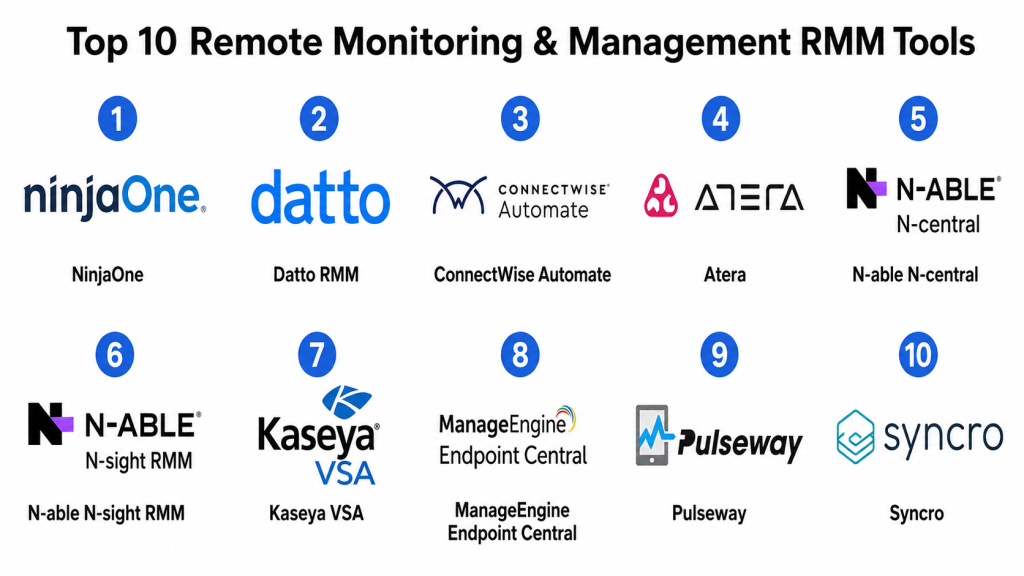
Top 10 Remote Monitoring & Management RMM Tools
#1 — NinjaOne
Short description: NinjaOne is a cloud-based RMM and endpoint management platform for MSPs and internal IT teams. It helps teams monitor endpoints, manage patches, automate tasks, access devices remotely, and maintain visibility across distributed environments.
Key Features
- Endpoint monitoring and alerting
- Patch management for operating systems and applications
- Remote access and remote control
- Automation and scripting
- Device inventory and asset visibility
- Backup and endpoint management options
- Reporting and dashboard tools
Pros
- Clean and modern interface for technicians.
- Strong fit for MSPs and internal IT teams.
- Good balance of monitoring, patching, automation, and remote support.
Cons
- Pricing should be validated based on endpoint count and modules.
- Some advanced workflows may require careful policy setup.
- Larger environments should test reporting and role controls carefully.
Platforms / Deployment
Web / Windows / macOS / Linux / iOS / Android
Cloud
Security & Compliance
NinjaOne supports business endpoint management workflows, user access controls, and administrative security settings. Specific details such as SSO/SAML, MFA, encryption, audit logs, RBAC, SOC 2, ISO 27001, GDPR, or HIPAA should be confirmed during vendor review.
SOC 2 / ISO 27001 / GDPR / HIPAA: Not publicly stated.
Integrations & Ecosystem
NinjaOne connects with common MSP and IT operations tools, making it useful for teams that need RMM workflows connected to tickets, documentation, security, and backup.
- PSA tools
- Help desk platforms
- Documentation systems
- Endpoint security tools
- Backup tools
- Remote access workflows
Support & Community
NinjaOne provides documentation, onboarding resources, customer support, and implementation guidance. Community strength is good among MSP and endpoint management users.
#2 — Datto RMM
Short description: Datto RMM is a cloud-based remote monitoring and management platform built mainly for MSPs. It helps service providers monitor client devices, automate maintenance, manage patches, resolve issues remotely, and connect RMM workflows with PSA operations.
Key Features
- Remote monitoring and alerting
- Patch management
- Remote control and troubleshooting
- Automation scripts and policies
- Multi-tenant client management
- Device inventory and reporting
- PSA and MSP ecosystem alignment
Pros
- Strong fit for MSP environments.
- Good multi-client management capabilities.
- Useful when paired with PSA and service delivery workflows.
Cons
- Best value may come inside the broader MSP ecosystem.
- Setup and automation policies require planning.
- Internal IT teams should validate fit against their workflow needs.
Platforms / Deployment
Web / Windows / macOS / Linux
Cloud
Security & Compliance
Datto RMM supports MSP-focused endpoint management workflows, user controls, and remote access governance. Specific security certifications and compliance details should be confirmed directly with the vendor.
SOC 2 / ISO 27001 / GDPR / HIPAA: Not publicly stated.
Integrations & Ecosystem
Datto RMM is commonly used with PSA, backup, documentation, ticketing, and MSP business management tools.
- PSA platforms
- Backup systems
- Documentation tools
- Ticketing systems
- Endpoint security tools
- Reporting workflows
Support & Community
Datto RMM provides MSP-focused documentation, support, onboarding resources, training, and partner resources. Support experience may vary by contract and service model.
#3 — ConnectWise Automate
Short description: ConnectWise Automate is an RMM platform designed for MSPs and IT teams that need remote monitoring, automation, patching, scripting, and service delivery workflows. It is often used by mature MSPs with complex client environments.
Key Features
- Endpoint and server monitoring
- Patch management
- Remote control support
- Automation and scripting
- Asset discovery and inventory
- Alerting and remediation workflows
- ConnectWise ecosystem integrations
Pros
- Strong automation depth for MSP operations.
- Useful for complex client environments.
- Works well with ConnectWise PSA and service workflows.
Cons
- Can require experienced administration.
- Setup and maintenance may feel complex for smaller teams.
- User experience depends on configuration quality.
Platforms / Deployment
Web / Windows / macOS / Linux
Cloud / Hybrid
Security & Compliance
ConnectWise Automate supports remote management permissions, user controls, and administrative workflows. Specific certifications and compliance coverage should be validated during procurement.
SOC 2 / ISO 27001 / GDPR / HIPAA: Not publicly stated.
Integrations & Ecosystem
ConnectWise Automate fits strongly within the ConnectWise ecosystem and also connects with MSP operations tools.
- ConnectWise PSA
- Documentation tools
- Backup tools
- Endpoint security systems
- Remote access tools
- Ticketing workflows
Support & Community
ConnectWise provides documentation, community resources, partner support, training options, and professional services. Community strength is strong among MSP users, but successful use often requires process maturity.
#4 — Atera
Short description: Atera is a cloud-based RMM and PSA platform for MSPs and IT teams. It combines remote monitoring, ticketing, patch management, automation, reporting, and remote access in one platform.
Key Features
- Remote monitoring and management
- Patch management
- Built-in ticketing and PSA-style workflows
- Remote access integrations
- Automation scripts
- IT asset inventory
- Reporting and technician dashboards
Pros
- Combines RMM and service management in one platform.
- Practical for small MSPs and lean IT teams.
- Easier to adopt than some complex enterprise platforms.
Cons
- Larger MSPs should validate advanced automation depth.
- Some integrations may not match broader MSP suites.
- Pricing model should be reviewed based on team structure.
Platforms / Deployment
Web / Windows / macOS / Linux / iOS / Android
Cloud
Security & Compliance
Atera supports remote IT management workflows, user access controls, and administrative settings. Specific security certifications and compliance details should be confirmed with the vendor.
SOC 2 / ISO 27001 / GDPR / HIPAA: Not publicly stated.
Integrations & Ecosystem
Atera integrates with remote access, accounting, ticketing, backup, security, and IT service workflows.
- Remote access tools
- Accounting systems
- Endpoint security tools
- Backup tools
- Ticketing workflows
- Reporting systems
Support & Community
Atera provides documentation, support resources, onboarding help, and community content. It is approachable for smaller IT teams and MSPs looking for faster setup.
#5 — N-able N-central
Short description: N-able N-central is an RMM platform designed for MSPs and IT service providers managing many client endpoints and networks. It supports monitoring, patching, automation, remote access, asset visibility, and service delivery reporting.
Key Features
- Endpoint and network monitoring
- Patch management
- Remote control and troubleshooting
- Automation and scripting
- Multi-tenant MSP management
- Asset inventory and reporting
- Security and backup ecosystem alignment
Pros
- Strong fit for MSPs managing many client environments.
- Good monitoring and automation capabilities.
- Useful for service providers needing structured operations.
Cons
- May require experienced setup and administration.
- Smaller MSPs may find it heavier than needed.
- Licensing and deployment options should be reviewed carefully.
Platforms / Deployment
Web / Windows / macOS / Linux
Cloud / Self-hosted / Hybrid
Security & Compliance
N-able N-central supports MSP endpoint management workflows, remote access governance, and administrative controls. Specific certifications and compliance details should be verified directly.
SOC 2 / ISO 27001 / GDPR / HIPAA: Not publicly stated.
Integrations & Ecosystem
N-able N-central fits into MSP ecosystems that include security, backup, PSA, documentation, and reporting tools.
- PSA platforms
- Backup systems
- Endpoint security tools
- Documentation platforms
- Ticketing systems
- Remote access workflows
Support & Community
N-able provides documentation, partner resources, community support, training, and customer support options. Support depth depends on plan and partner relationship.
#6 — N-able N-sight RMM
Short description: N-able N-sight RMM is a cloud-based RMM solution for MSPs and IT teams that need endpoint monitoring, patching, automation, remote access, and security-related management features. It is often used by smaller and mid-sized MSPs.
Key Features
- Endpoint monitoring and alerts
- Patch management
- Remote access support
- Automation and scripting
- Asset and device inventory
- Managed antivirus and security options
- Reporting and client visibility
Pros
- Practical for MSPs and IT teams needing cloud RMM.
- Good balance of monitoring, patching, and remote support.
- Useful for teams that want security and endpoint management together.
Cons
- Larger environments should validate scalability and reporting needs.
- Some advanced features may depend on add-ons.
- Workflow depth should be compared with larger RMM suites.
Platforms / Deployment
Web / Windows / macOS / Linux
Cloud
Security & Compliance
N-able N-sight RMM supports remote endpoint management, user access controls, and administrative settings. Specific compliance certifications and security controls should be confirmed with the vendor.
SOC 2 / ISO 27001 / GDPR / HIPAA: Not publicly stated.
Integrations & Ecosystem
N-able N-sight RMM connects with MSP tools for ticketing, security, backup, and operational reporting.
- PSA tools
- Backup systems
- Endpoint security tools
- Ticketing systems
- Remote access tools
- Reporting workflows
Support & Community
N-able provides documentation, training resources, support options, and MSP-focused community content. Support experience may vary by contract and customer size.
#7 — Kaseya VSA
Short description: Kaseya VSA is an RMM and endpoint management platform for MSPs and IT departments. It supports remote monitoring, patch management, automation, remote control, software deployment, and IT management workflows.
Key Features
- Remote monitoring and alerts
- Patch management
- Remote control and troubleshooting
- Automation and scripting
- Software deployment
- Asset inventory
- Integration with IT and MSP tools
Pros
- Strong endpoint management and automation capabilities.
- Suitable for MSPs and internal IT teams.
- Useful for managing many devices across locations.
Cons
- Administration may require experienced users.
- Setup and automation policies should be planned carefully.
- Buyers should carefully review security controls and access governance.
Platforms / Deployment
Web / Windows / macOS / Linux
Cloud / Hybrid
Security & Compliance
Kaseya VSA supports endpoint management, remote access, user permissions, and administrative controls. Specific certifications, audit capabilities, and compliance coverage should be confirmed directly.
SOC 2 / ISO 27001 / GDPR / HIPAA: Not publicly stated.
Integrations & Ecosystem
Kaseya VSA fits into MSP and IT operations ecosystems with PSA, backup, security, and documentation tools.
- PSA platforms
- Backup systems
- Endpoint security tools
- IT documentation tools
- Help desk tools
- Automation workflows
Support & Community
Kaseya provides product documentation, onboarding support, customer resources, training, and partner services. Support experience may vary by agreement and deployment model.
#8 — ManageEngine Endpoint Central
Short description: ManageEngine Endpoint Central is an endpoint management and RMM-style platform for IT teams managing desktops, laptops, servers, mobile devices, patches, software deployment, configurations, and remote troubleshooting.
Key Features
- Patch management
- Software deployment
- Remote troubleshooting
- Asset inventory
- Configuration management
- Mobile device management support
- Endpoint security and compliance reporting
Pros
- Strong fit for internal IT endpoint management.
- Broad endpoint lifecycle management features.
- Flexible deployment options for different IT environments.
Cons
- May be less MSP-focused than dedicated RMM tools.
- Setup can require endpoint management expertise.
- Interface and workflows may need training for new admins.
Platforms / Deployment
Web / Windows / macOS / Linux / iOS / Android
Cloud / Self-hosted / Hybrid
Security & Compliance
ManageEngine Endpoint Central supports endpoint administration, role controls, patching, and device management workflows. Specific security certifications and compliance details should be verified based on deployment model.
SOC 2 / ISO 27001 / GDPR / HIPAA: Not publicly stated.
Integrations & Ecosystem
ManageEngine Endpoint Central fits into IT operations, service desk, endpoint security, and device management environments.
- Service desk tools
- Active Directory and identity systems
- Endpoint security tools
- Asset management systems
- Patch management workflows
- IT reporting systems
Support & Community
ManageEngine provides documentation, support resources, community forums, implementation guidance, and product learning materials. Support depth may vary by plan and deployment type.
#9 — Pulseway
Short description: Pulseway is an RMM platform focused on real-time remote monitoring and management with strong mobile access. It helps MSPs and IT teams monitor systems, receive alerts, manage patches, run scripts, and respond to issues remotely.
Key Features
- Real-time endpoint and server monitoring
- Mobile-first IT management
- Patch management
- Remote control options
- Automation and scripting
- Alerts and notifications
- Reporting and dashboards
Pros
- Strong mobile monitoring and response experience.
- Good for lean IT teams and MSPs needing quick visibility.
- Useful for real-time alerts and remote remediation.
Cons
- Larger environments should validate advanced reporting depth.
- Some capabilities may depend on selected modules.
- MSPs with complex workflows should compare PSA ecosystem fit.
Platforms / Deployment
Web / Windows / macOS / Linux / iOS / Android
Cloud
Security & Compliance
Pulseway supports remote endpoint management, user access controls, and administrative security settings. Specific certifications and compliance coverage should be confirmed during vendor review.
SOC 2 / ISO 27001 / GDPR / HIPAA: Not publicly stated.
Integrations & Ecosystem
Pulseway integrates with IT management, ticketing, backup, security, and automation workflows.
- PSA and ticketing tools
- Endpoint security systems
- Backup tools
- Remote access workflows
- Automation systems
- Reporting tools
Support & Community
Pulseway provides documentation, support resources, onboarding guidance, and user community content. It is useful for teams that value mobile-first management.
#10 — Syncro
Short description: Syncro is an RMM and PSA platform designed mainly for MSPs. It combines remote monitoring, patch management, scripting, ticketing, invoicing, and client management workflows in one system.
Key Features
- RMM monitoring and alerts
- Patch management
- Remote access support
- Scripting and automation
- Built-in PSA and ticketing
- Invoicing and client management
- Asset inventory and reporting
Pros
- Combines RMM and PSA for MSPs.
- Practical for small and growing service providers.
- Useful for teams that want fewer separate tools.
Cons
- Larger MSPs should validate advanced scalability needs.
- Some specialized integrations may be limited compared with larger ecosystems.
- Feature depth should be tested against mature MSP workflows.
Platforms / Deployment
Web / Windows / macOS
Cloud
Security & Compliance
Syncro supports MSP service workflows, endpoint management, user access, and administrative settings. Specific certifications and compliance details should be verified directly with the vendor.
SOC 2 / ISO 27001 / GDPR / HIPAA: Not publicly stated.
Integrations & Ecosystem
Syncro is built around MSP workflows and connects RMM activities with service delivery, tickets, and billing.
- Ticketing workflows
- Invoicing and billing tools
- Remote access tools
- Endpoint security workflows
- Client management systems
- Reporting dashboards
Support & Community
Syncro provides documentation, support resources, onboarding guidance, and MSP-focused community content. It is approachable for smaller MSPs looking for integrated RMM and PSA.
Comparison Table
| Tool Name | Best For | Platform(s) Supported | Deployment | Standout Feature | Public Rating |
|---|---|---|---|---|---|
| NinjaOne | MSPs and internal IT endpoint management | Web, Windows, macOS, Linux, iOS, Android | Cloud | Modern RMM with strong usability | N/A |
| Datto RMM | MSP client monitoring and automation | Web, Windows, macOS, Linux | Cloud | MSP-focused multi-tenant RMM | N/A |
| ConnectWise Automate | Mature MSP automation workflows | Web, Windows, macOS, Linux | Cloud / Hybrid | Deep automation and ConnectWise ecosystem fit | N/A |
| Atera | Small MSPs and lean IT teams | Web, Windows, macOS, Linux, iOS, Android | Cloud | RMM plus PSA-style workflows | N/A |
| N-able N-central | MSPs managing larger client environments | Web, Windows, macOS, Linux | Cloud / Self-hosted / Hybrid | Strong monitoring and MSP scalability | N/A |
| N-able N-sight RMM | Cloud RMM for MSPs and IT teams | Web, Windows, macOS, Linux | Cloud | Cloud-based monitoring and patching | N/A |
| Kaseya VSA | MSPs and IT departments needing automation | Web, Windows, macOS, Linux | Cloud / Hybrid | Endpoint automation and management depth | N/A |
| ManageEngine Endpoint Central | Internal IT endpoint management | Web, Windows, macOS, Linux, iOS, Android | Cloud / Self-hosted / Hybrid | Endpoint lifecycle and patch management | N/A |
| Pulseway | Mobile-first IT monitoring | Web, Windows, macOS, Linux, iOS, Android | Cloud | Real-time mobile RMM experience | N/A |
| Syncro | Small and growing MSPs | Web, Windows, macOS | Cloud | Combined RMM and PSA platform | N/A |
Evaluation & Scoring of Remote Monitoring & Management RMM Tools
The scoring below is comparative and based on practical RMM evaluation criteria. A higher score does not mean one platform is best for every organization. It means the tool performs strongly against this model for endpoint monitoring, patching, remote access, automation, integrations, security expectations, reliability, support, and value.
| Tool Name | Core (25%) | Ease (15%) | Integrations (15%) | Security (10%) | Performance (10%) | Support (10%) | Value (15%) | Weighted Total (0–10) |
|---|---|---|---|---|---|---|---|---|
| NinjaOne | 9.0 | 8.8 | 8.5 | 8.4 | 8.7 | 8.4 | 8.0 | 8.59 |
| Datto RMM | 8.8 | 8.0 | 8.7 | 8.4 | 8.6 | 8.3 | 7.8 | 8.38 |
| ConnectWise Automate | 9.0 | 7.2 | 9.0 | 8.3 | 8.5 | 8.2 | 7.6 | 8.27 |
| Atera | 8.2 | 8.8 | 7.8 | 8.0 | 8.3 | 8.1 | 8.6 | 8.29 |
| N-able N-central | 8.9 | 7.6 | 8.7 | 8.4 | 8.6 | 8.2 | 7.8 | 8.33 |
| N-able N-sight RMM | 8.4 | 8.0 | 8.2 | 8.2 | 8.4 | 8.1 | 8.0 | 8.22 |
| Kaseya VSA | 8.8 | 7.4 | 8.8 | 8.3 | 8.5 | 8.1 | 7.7 | 8.26 |
| ManageEngine Endpoint Central | 8.7 | 7.8 | 8.2 | 8.3 | 8.5 | 8.0 | 8.5 | 8.32 |
| Pulseway | 8.0 | 8.7 | 7.6 | 8.0 | 8.3 | 7.9 | 8.2 | 8.10 |
| Syncro | 8.0 | 8.5 | 7.7 | 7.9 | 8.2 | 8.0 | 8.7 | 8.12 |
Use these scores as a practical comparison guide, not as a final buying decision. NinjaOne is strong for usability and modern endpoint management. Datto RMM, ConnectWise Automate, N-able N-central, and Kaseya VSA are strong for mature MSP workflows. Atera and Syncro are practical for smaller MSPs that want combined service operations. ManageEngine Endpoint Central is strong for internal IT endpoint management. Pulseway is useful when mobile-first monitoring is important.
Which Remote Monitoring & Management RMM Tool Is Right for You?
Solo / Freelancer
Solo IT consultants may not need a large RMM platform immediately. If you manage only a few client devices, a secure remote access tool, documentation system, and basic ticketing workflow may be enough.
However, once you manage recurring client endpoints, patching, alerts, and remote support tasks, tools like Atera, Syncro, Pulseway, or NinjaOne can help you become more structured and efficient.
SMB
Small businesses with internal IT teams should focus on endpoint visibility, patching, remote support, automation, device inventory, and security checks. NinjaOne, ManageEngine Endpoint Central, Atera, Pulseway, or N-able N-sight RMM can be practical options.
SMBs should avoid buying a complex MSP-focused system if they only need internal endpoint management. Match the tool to your team size, device count, and support process.
Mid-Market
Mid-market organizations usually need stronger patch management, alerting, automation, reporting, role-based access, endpoint inventory, remote troubleshooting, and integration with help desk systems. NinjaOne, ManageEngine Endpoint Central, N-able N-central, Kaseya VSA, and Datto RMM can be strong options.
At this stage, RMM should support repeatable IT operations rather than only reactive troubleshooting.
Enterprise
Enterprises need scale, governance, role controls, auditability, endpoint security alignment, patch reporting, policy management, integration with ITSM, and advanced automation. ManageEngine Endpoint Central, Kaseya VSA, N-able N-central, NinjaOne, and enterprise endpoint management suites may be suitable depending on architecture.
Enterprise buyers should involve IT operations, security, endpoint management, compliance, help desk, and procurement teams before rollout.
Budget vs Premium
Budget-focused teams should start with must-have features: monitoring, patching, remote access, inventory, alerts, and basic reports. Atera, Syncro, Pulseway, and some ManageEngine options may be practical depending on team needs.
Premium tools make sense when the organization needs deep automation, multi-tenant MSP operations, stronger integrations, policy controls, reporting, backup/security add-ons, and advanced support.
Feature Depth vs Ease of Use
Feature-rich RMM platforms provide deeper monitoring, scripting, remediation, reporting, integrations, and multi-client management. But they may require trained administrators and stronger governance.
Easy-to-use platforms are better when the team needs fast rollout and technician adoption. Choose depth when endpoint management is central to service delivery or compliance.
Integrations & Scalability
RMM tools should connect with PSA, help desk, ITSM, documentation, backup, endpoint security, remote access, identity, billing, and reporting systems.
Scalability matters when you manage many endpoints, client tenants, locations, technicians, alert policies, automation scripts, and service workflows. Choose a platform that can grow without creating operational noise.
Security & Compliance Needs
RMM tools provide powerful endpoint access, so security must be treated as a top priority. A poorly governed RMM platform can create serious operational and security risk.
Look for MFA, SSO, role-based access, technician permissions, audit logs, session recording, script approval workflows, encryption, device access controls, and alerting for suspicious administrative activity. Security and compliance teams should review RMM access before deployment.
Frequently Asked Questions
1. What is an RMM tool?
An RMM tool is software that helps IT teams remotely monitor, manage, patch, troubleshoot, and support endpoints such as computers, servers, and devices. It is commonly used by MSPs and internal IT teams.
2. Who uses RMM software?
RMM software is used by Managed Service Providers, IT departments, system administrators, endpoint management teams, IT consultants, and organizations managing distributed devices.
3. What is the difference between RMM and MDM?
RMM focuses on monitoring and managing computers, servers, and IT infrastructure. MDM focuses mainly on managing mobile devices such as smartphones and tablets. Some tools overlap in endpoint management features.
4. How much does RMM software cost?
Pricing varies by vendor, endpoint count, technician count, features, add-ons, security modules, backup options, and support level. Some tools price per endpoint, while others use technician-based or custom pricing models.
5. What is the biggest mistake when choosing an RMM tool?
The biggest mistake is choosing a platform without defining operational workflows first. Teams should map monitoring needs, patching policies, alerts, automation, remote access rules, and reporting requirements before buying.
6. Can RMM tools help with patch management?
Yes, most RMM tools support patch management for operating systems and sometimes third-party applications. Patch depth, reporting, approval workflows, and rollback options vary by platform.
7. Are RMM tools secure?
RMM tools can be secure when properly configured, but they require strong access controls because they provide privileged endpoint access. Buyers should review MFA, SSO, audit logs, role permissions, and session controls.
8. Can RMM tools integrate with help desk or PSA systems?
Yes, many RMM tools integrate with PSA, help desk, ITSM, and ticketing systems so alerts can create tickets and technicians can manage work from one workflow.
9. What are alternatives to RMM tools?
Alternatives include remote desktop tools, endpoint management platforms, MDM tools, monitoring tools, patch management tools, ITSM platforms, and manual administration scripts.
10. When should a company switch RMM tools?
A company should consider switching when the current RMM has poor patching, weak remote access, noisy alerts, limited automation, weak security controls, poor reporting, or does not scale with endpoint growth.
Conclusion
Remote Monitoring & Management RMM Tools help IT teams and Managed Service Providers move from reactive support to proactive endpoint management. A strong RMM platform can improve device visibility, automate patching, reduce manual troubleshooting, support remote users, monitor system health, and help technicians resolve problems faster. For MSPs, RMM tools also support multi-client management, service reporting, automation, and better operational control. For internal IT teams, they provide a practical way to manage distributed devices from one central platform.There is no single best RMM tool for every organization. NinjaOne is strong for modern usability and endpoint management. Datto RMM, ConnectWise Automate, N-able N-central, and Kaseya VSA are strong for MSPs with mature service workflows. Atera and Syncro are practical for small and growing MSPs. ManageEngine Endpoint Central is strong for internal IT endpoint management. Pulseway is useful for mobile-first monitoring and quick response.
